Prerequisites
- An Octopus instance (cloud or on-premises with public accessibility)
- A Chromium-based browser (Chrome, Brave, Edge, etc.) that supports Chrome Web Store extensions
Installation
- Install the Octopus AI Assistant Chrome extension
- Navigate to your Octopus Deploy instance. You will see a new icon in the bottom right corner of your Chrome browser
- Click the AI Assistant icon in your browser to start using the assistant
Using with on-premises instances or cloud instance allow lists
For on-premises Octopus instances, ensure your server accepts HTTPS requests from IP address 51 to enable AI Assistant functionality. The DNS entry of your Octopus Server will also need to be resolvable over the Internet for the IP address to be able to communicate with it.
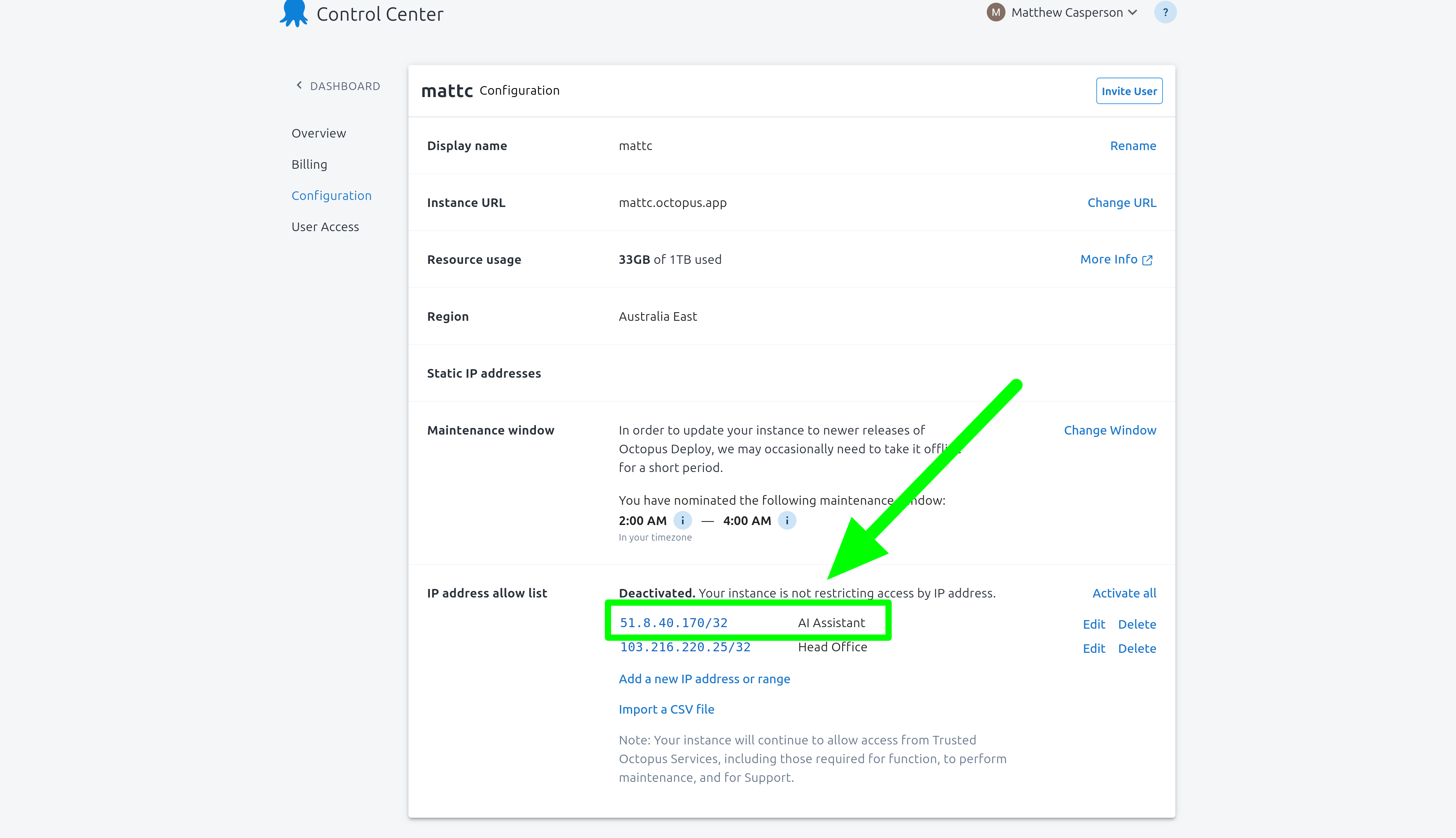
Cloud instances with the IP address allow list feature activated will need to add 51 to the allow list to enable AI Assistant functionality:
It is not possible to integrate Octopus AI Assistant with an on-premises Octopus instance that cannot accept HTTP requests from this public IP address.
Restricting all outbound network access
A subset of features provided by the Chrome Extension, such as some community dashboards, can operate without any external network access.
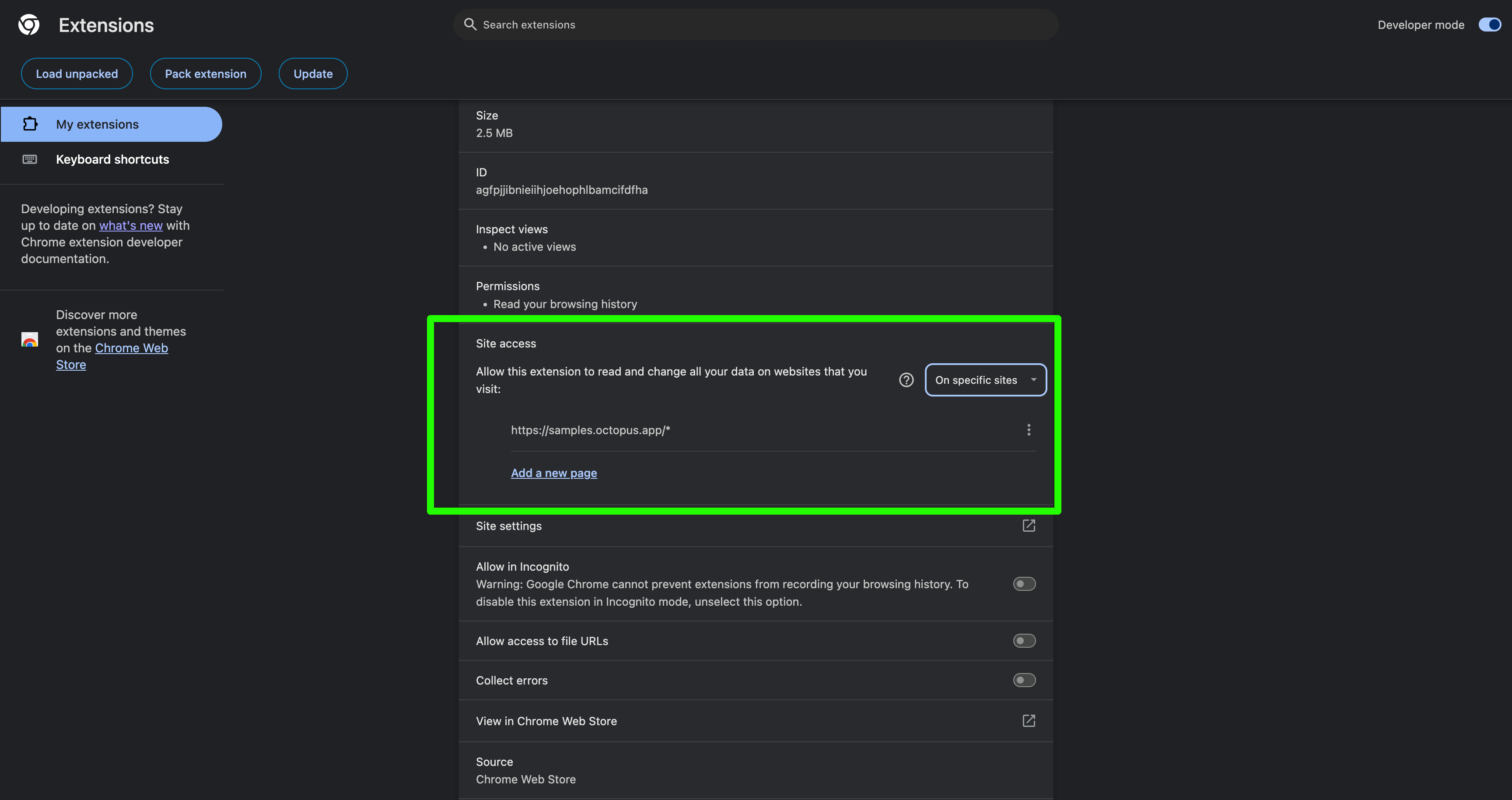
To prevent the Chrome Extension from making any outbound requests, set the Site access option to On specific sites and add the address of your Octopus instance:
Restricting network access will prevent most features of the AI Assistant from working correctly. This setting is intended to be used for organizations that wish to use community dashboards and must prevent external network access.