
Java application servers often provide a convenient deployment mechanism that lets you drop a WAR file into a directory and have the application deployed automatically. But maintaining tight control of multiple application deployments is challenging, especially when you must perform manual verifications and approvals between each server deployment, explicitly start and stop applications as part of the deployment process, and run multiple deployments in parallel.
Octopus provides a range of features and steps that together support these complex deployment scenarios. In this post, you’ll learn how to create projects supporting these advanced Java deployments.
Defining the deployment requirements
The requirements for this sample deployment are as follows:
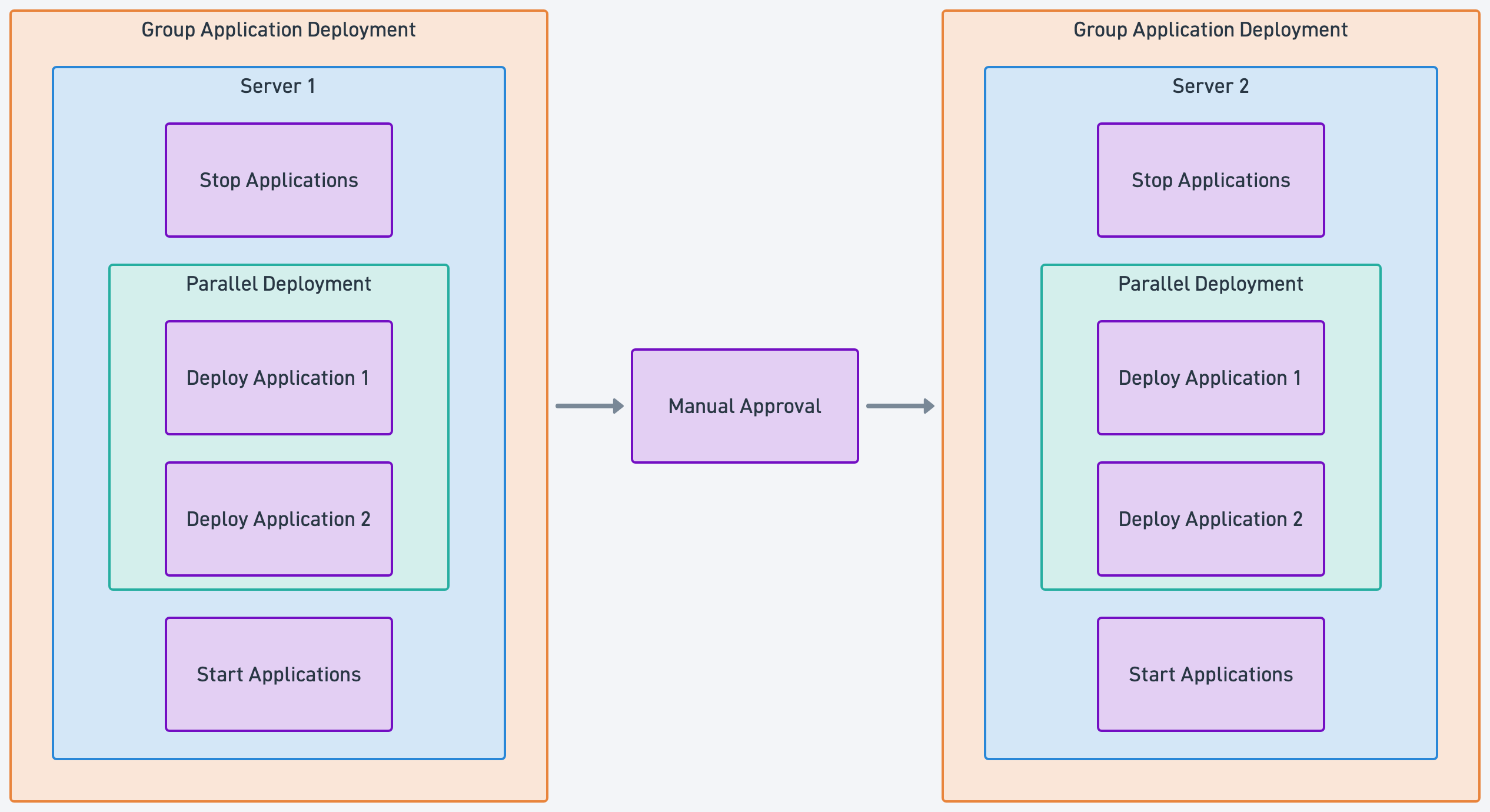
- Each server is deployed in sequence, so Server 1 is deployed first, then Server 2, and finally Server 3.
- The applications are stopped on the server before any new versions are deployed.
- Multiple applications are deployed to the server in parallel, so Application 1 and Application 2 are deployed at the same time.
- The applications are started on the server after all the applications have been deployed.
- A manual approval is required before the deployment can continue to the next server.
- Each application must be able to be deployed independently, so Application 1 can be deployed without deploying Application 2, and vice versa.
Starting, stopping, and deploying applications is routine and does not require any special support from Octopus. This post will not focus on these interactions.
The complexity comes from the requirement to process each server in sequence, process the applications on each server in parallel, and require manual approval before continuing to the next server. This fan-out, fan-in process is the focus of the post.
How Octopus supports the deployment requirements
Octopus provides a range of features that collectively support this deployment process.
Rolling deployments allow a set of steps to be executed sequentially on a specific number of targets at a time. When the number of targets is set to 1, the steps are executed on each target in sequence. This satisfies the requirement to process each server in sequence.
A parent, or orchestrator, project is created to coordinate the deployment of multiple child projects. Each child project then deploys a single application. However, the child project will deploy to all machines with the defined target tag by default. Our requirement is to deploy to a single server at a time.
Octopus supports deploying to a specific subset of deployment targets. This allows a deployment to be performed to a single target.
The Deploy Child Octopus Deploy Project community step template allows the orchestrator project to deploy a specific child project to a specific target. When the Deploy Child Octopus Deploy Project step is used in conjunction with rolling deployments, the orchestrator project can deploy each child project to a single target at a time, and then move on to the next target.
The Deploy Child Octopus Deploy Project step can initiate a deployment of a child project without waiting for the deployment to complete. This allows multiple child projects to be deployed in parallel to the same target.
Finally, the Octopus - Wait for task community step template provides the ability to wait for the task initiated by the Deploy Child Octopus Deploy Project step to complete before continuing. This allows the orchestrator project to wait for all child projects to complete before moving on to the next target.
This combination of features and steps allows us to satisfy all the requirements of the deployment process.
The child projects
This is an example deployment process for an individual application:
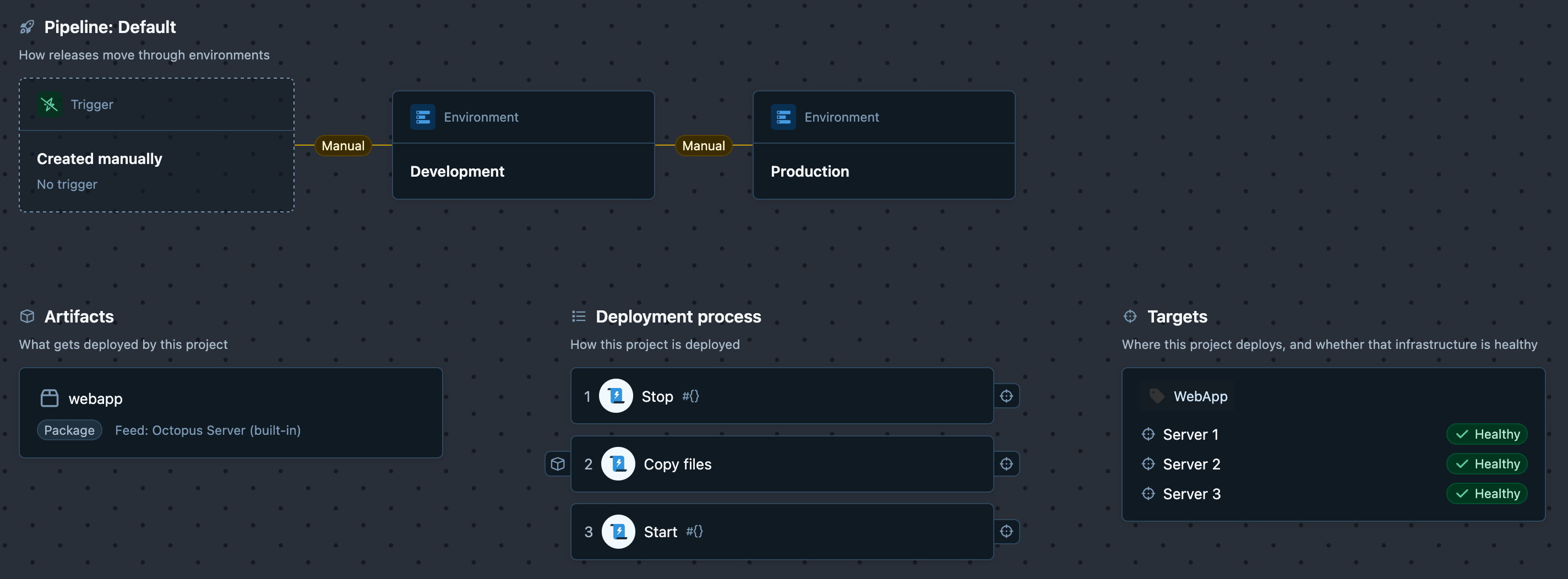
The Stop step stops the application on the server, the Copy files step performs the deployment of the application to the server, and the Start step starts the application on the server.
The Stop and Start steps are required to support deploying an application individually. However, these steps are only run if the EnableLifecycle variable is True:
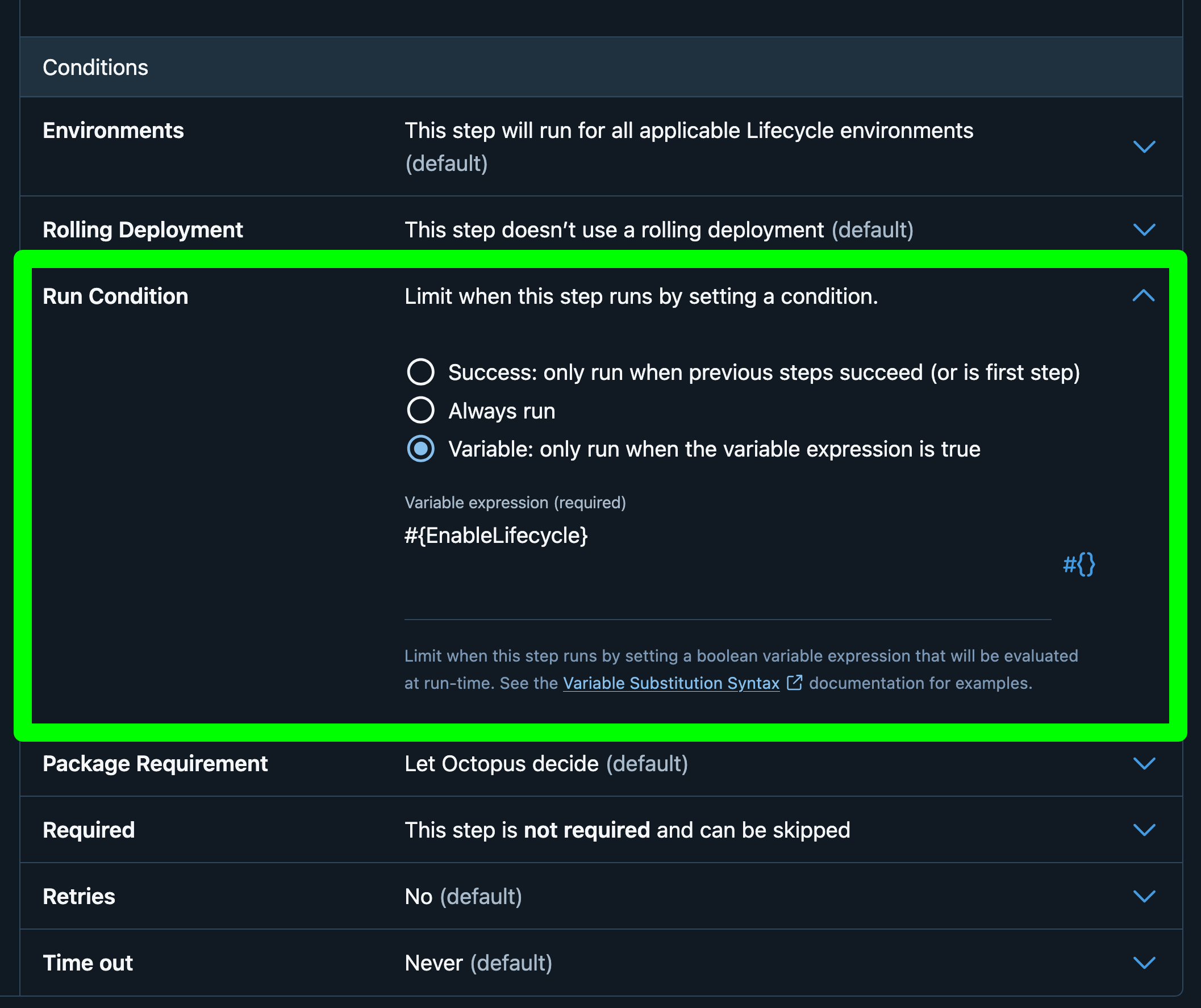
The EnableLifecycle variable is a prompted variable that is set to True by default but can be set to False when creating a release. This allows the Stop and Start steps to be skipped when deploying an individual application:
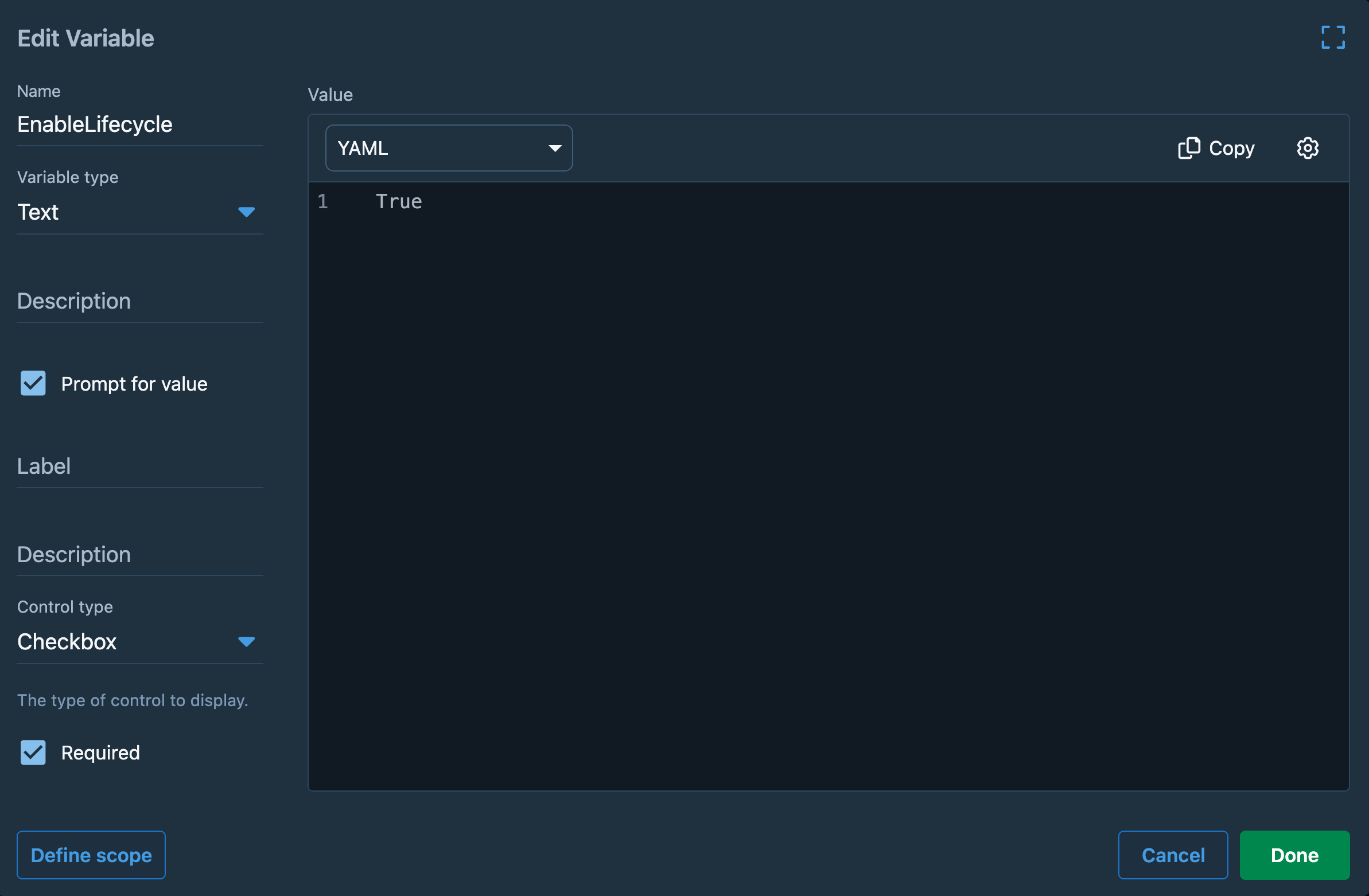
Overall, this is a simple deployment process for an individual application. The only complexity arises from the prompted variable, which allows the Stop and Start steps to be skipped.
The orchestrator project
The orchestrator project is where the ability to process each server in sequence, deploying the applications on each server in parallel, and require a manual approval before continuing to the next server is implemented:
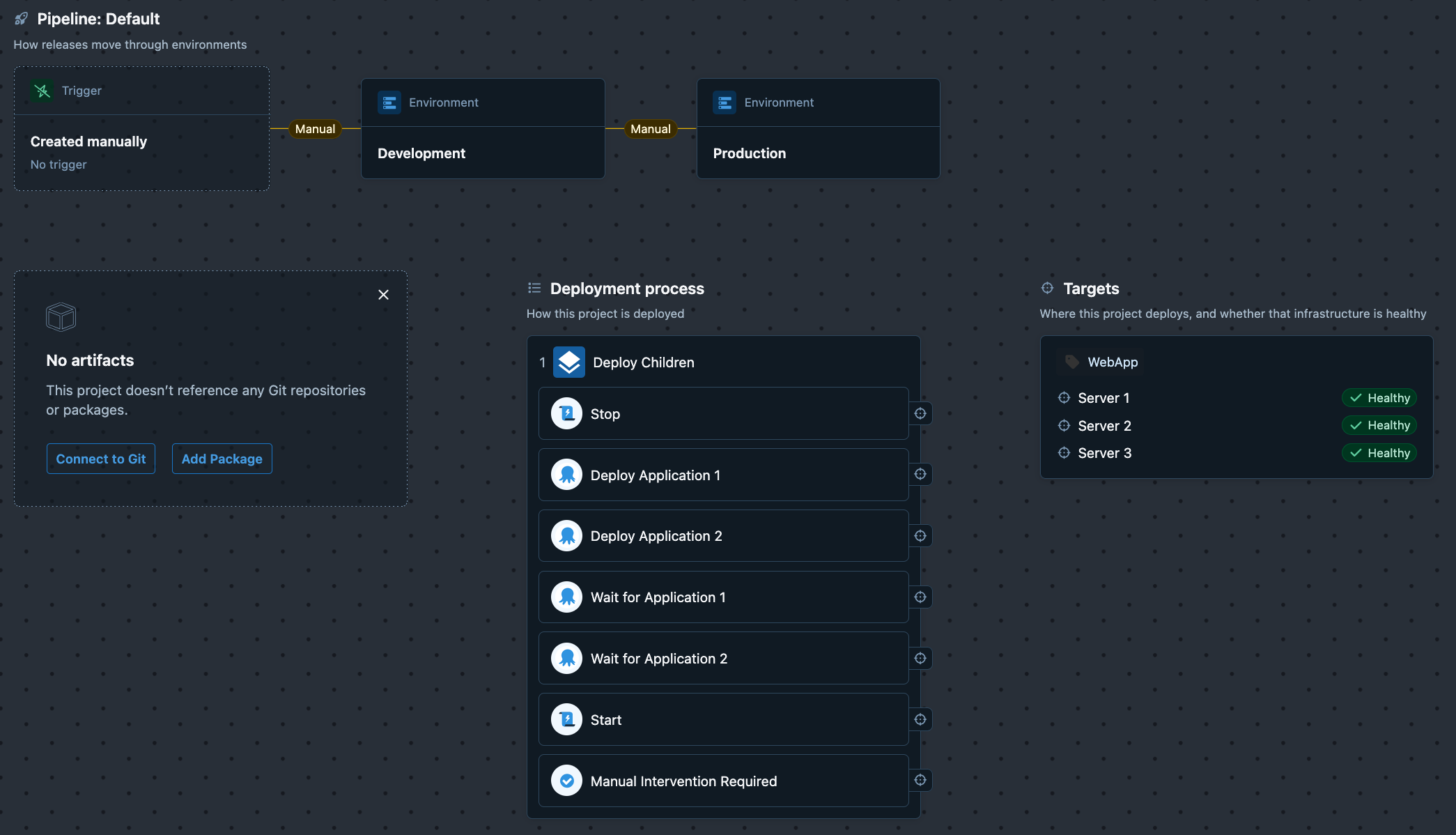
The steps are:
Deploy Children- a parent step executing a rolling deployment on each server in sequence, with the following child steps:Stop- stops multiple applications on a server.Deploy Application 1- uses theDeploy Child Octopus Deploy Projectcommunity step template to start the deployment of theApplication 1child project to the server.Deploy Application 2- uses theDeploy Child Octopus Deploy Projectcommunity step template to start the deployment of theApplication 2child project to the server.Wait for Application 1- uses theOctopus - Wait for taskcommunity step template to wait for the deployment ofApplication 1to complete.Wait for Application 2- uses theOctopus - Wait for taskcommunity step template to wait for the deployment ofApplication 2to complete.Start- starts multiple applications on a server.Manual Intervention Required- requires a manual approval before continuing to the next server.
Let’s look at the Deploy Application 1 step parameters in more detail:
Child Project Nameis set to the name of the child project to deploy, in this caseApplication 1.Specific Deployment Targetis set to#{Octopus.Machine.Id}, which is the current target being processed by the rolling deployment.Child Project Prompted Variablesis set toEnableLifecycle::False. This sets the prompted variable in the child project toFalse, which skips theStopandStartsteps in the child project.Wait for finishis set toFalse, which allows the orchestrator project to continue to the next step without waiting for the deployment ofApplication 1to complete.
The Deploy Application 2 step is identical to the Deploy Application 1 step, except that it deploys the Application 2 child project.
By not waiting for the task to complete, the Deploy Application 1 and Deploy Application 2 steps achieve the fan-out pattern, initiating the deployment of the applications in parallel.
The Deploy Child Octopus Deploy Project step emits an output variable called TaskId which contains the task ID of the task that was started. The Task ID parameter in the Wait for Application 1 and Wait for Application 2 steps are set to #{Octopus.Action[Deploy Application 1].Output.TaskId} and #{Octopus.Action[Deploy Application 2].Output.TaskId} respectively, which allows the orchestrator project to wait for the correct task to complete.
By waiting for the deployment tasks to complete, the Wait for Application 1 and Wait for Application 2 steps achieve the fan-in pattern, waiting for the application deployments to complete.
These steps satisfy all the requirements of the deployment process:
Deploy Childrenimplements a rolling deployment on each server in sequence.Stopstops multiple applications on a server.Deploy Application 1andDeploy Application 2deploy multiple applications on a server in parallel.Wait for Application 1andWait for Application 2wait for the deployments of the applications to complete before continuing.Startstarts multiple applications on a server.Manual Intervention Requiredrequires a manual approval before continuing to the next server.
Deploying the orchestrator project
This is an example deployment of the orchestrator project to the Development environment:
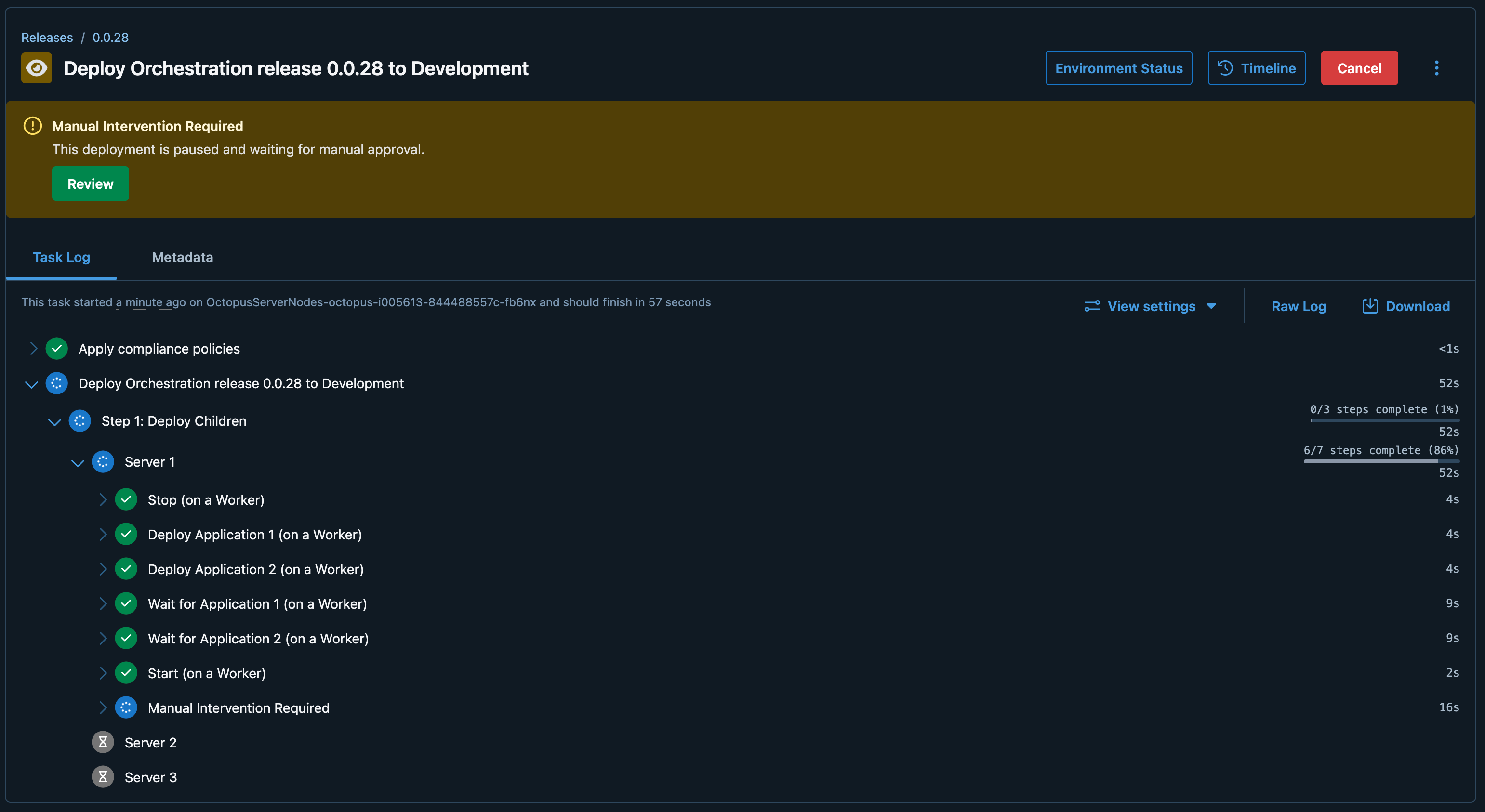
Note how the deployment processed the first server, stopped the applications, deployed both applications in parallel, waited for both deployments to complete, started the applications, and then required manual approval before continuing to the next server.
Once the manual approval was granted, the deployment continued to the next server and repeated the process:
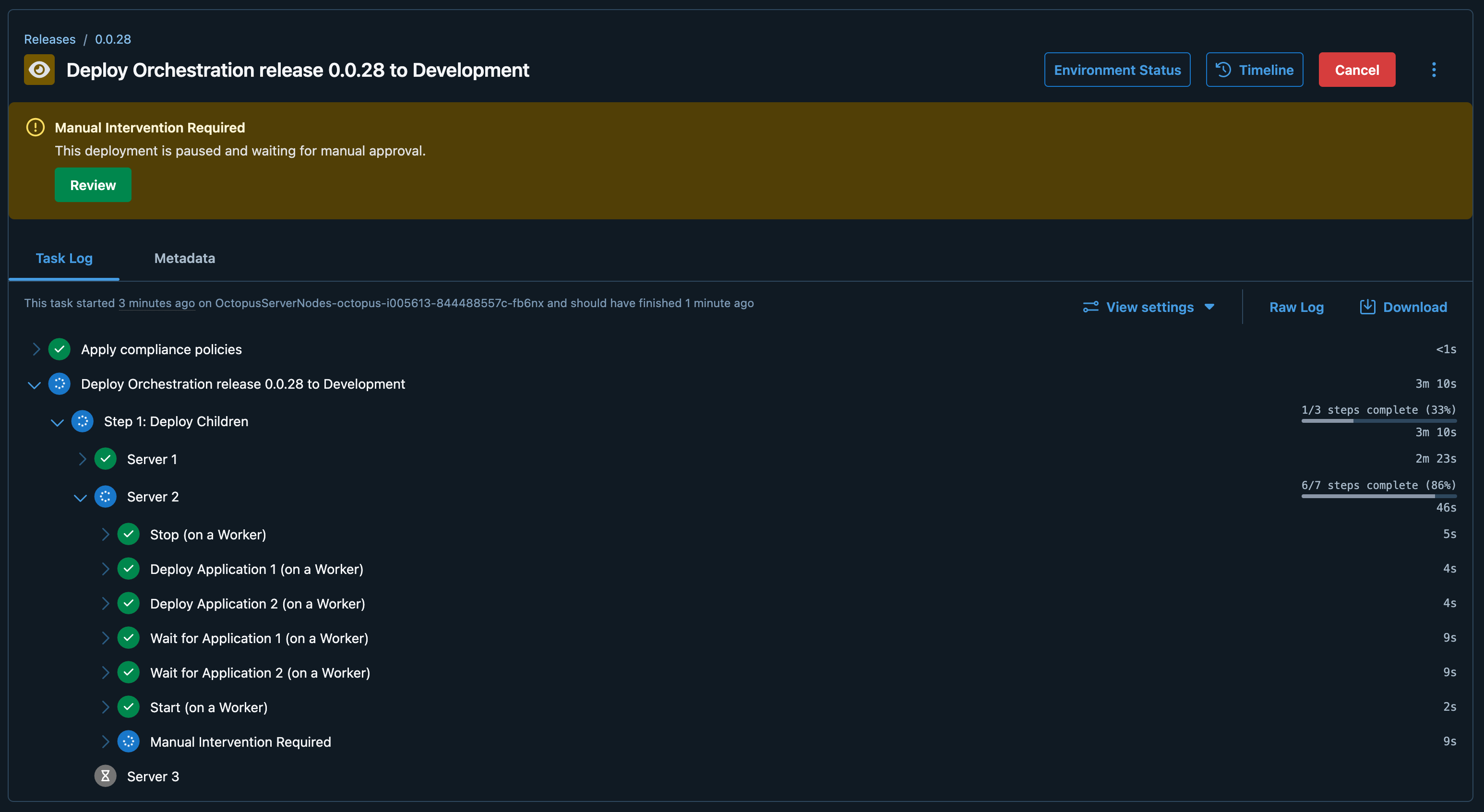
The process is then repeated for all the servers in the rolling deployment until the deployment is complete.
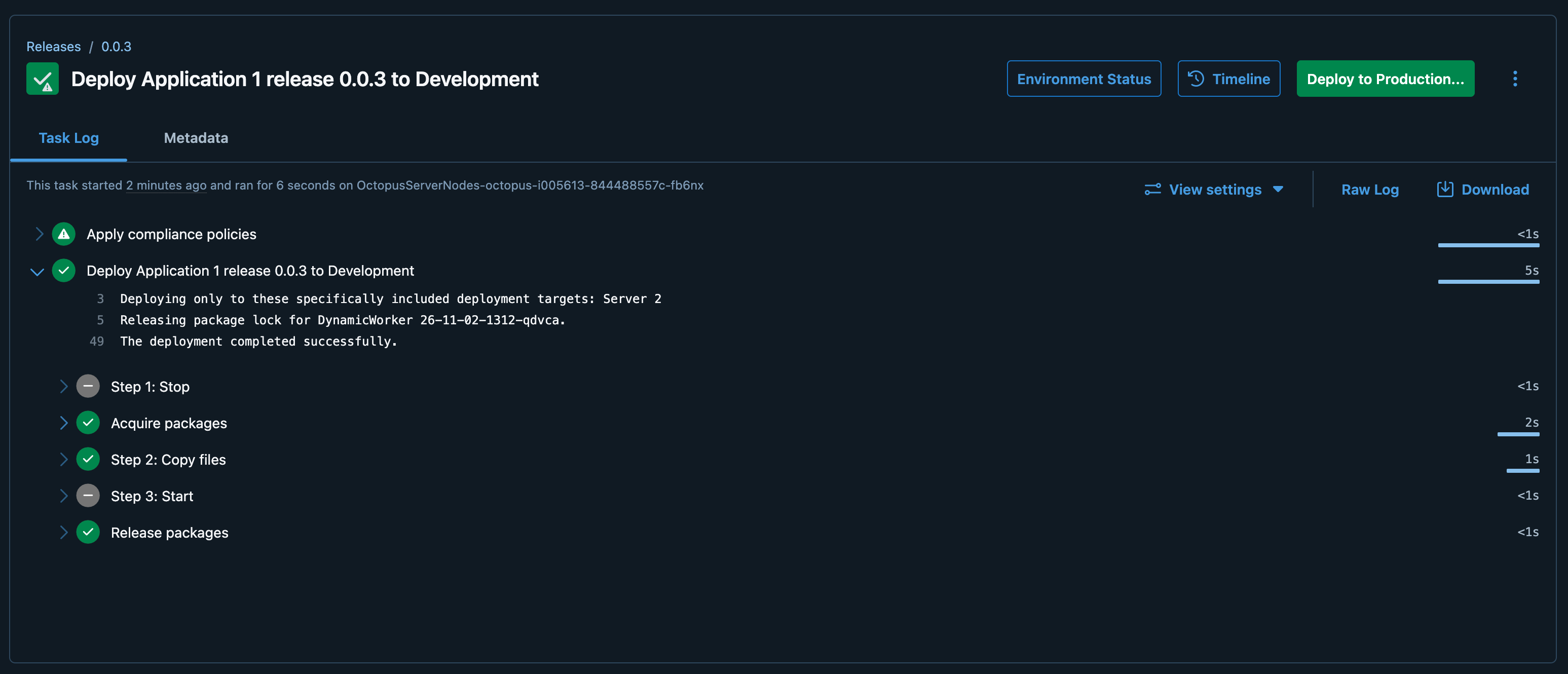
Looking at the application deployment, we see that the Start and Stop steps were skipped because the EnableLifecycle variable was set to False in the orchestrator project, and only 1 target was deployed to:
Conclusion
The combination of rolling deployments, the Deploy Child Octopus Deploy Project community step template, and the Octopus - Wait for task community step template allows us to implement a complex deployment process with tight control over the deployment of multiple applications to multiple servers, while still allowing each application to be deployed independently.
Happy deployments!