
The first time you open an unfamiliar Octopus project (inheriting it, joining a new team, or exploring a corner of your own instance you haven’t touched before), you’re looking at someone else’s decisions with none of the context that went into making them. Real projects pick up channels, triggers, approvals, and a growing list of targets over time.
The pipeline explorer brings a project’s configuration together in one place. It helps you understand how an Octopus project works, on one page.
It’s built for anyone who’s new to a project: joining a team, inheriting ownership, or exploring an unfamiliar corner of their own instance.
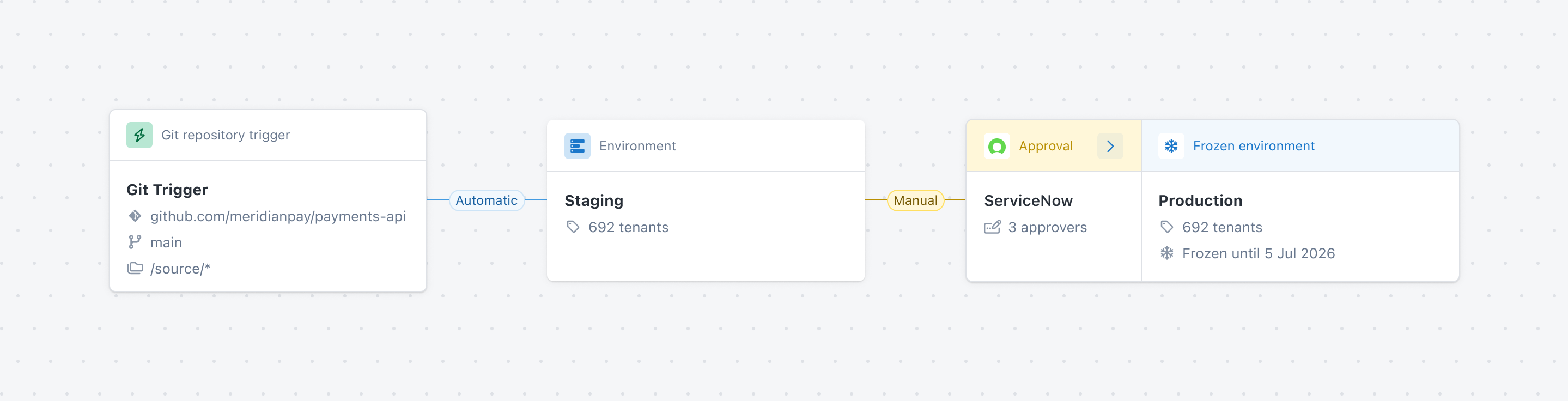
It visualizes your deployment pipeline and deployment process as workflow diagrams, showing you how a release gets triggered and how it moves through your environments depending on the channel.
What the pipeline explorer does
1. Pipeline visualization
The pipeline explorer presents your project’s deployment pipeline and deployment process as workflow diagrams. Seeing them visually lets you understand how a release is triggered and how it moves through your environments, without piecing that together from separate tabs.
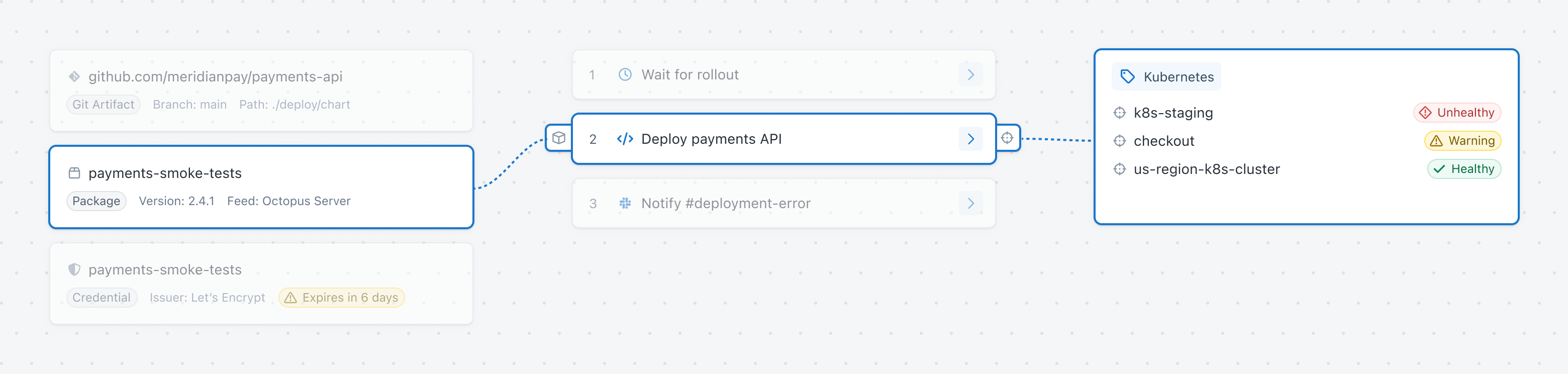
2. Process visualization
A project’s deployment process depends on settings that live outside its process, like lifecycles, deployment targets, credentials, and approvals. The pipeline explorer surfaces these connections directly, so you don’t need to already know where each one lives.
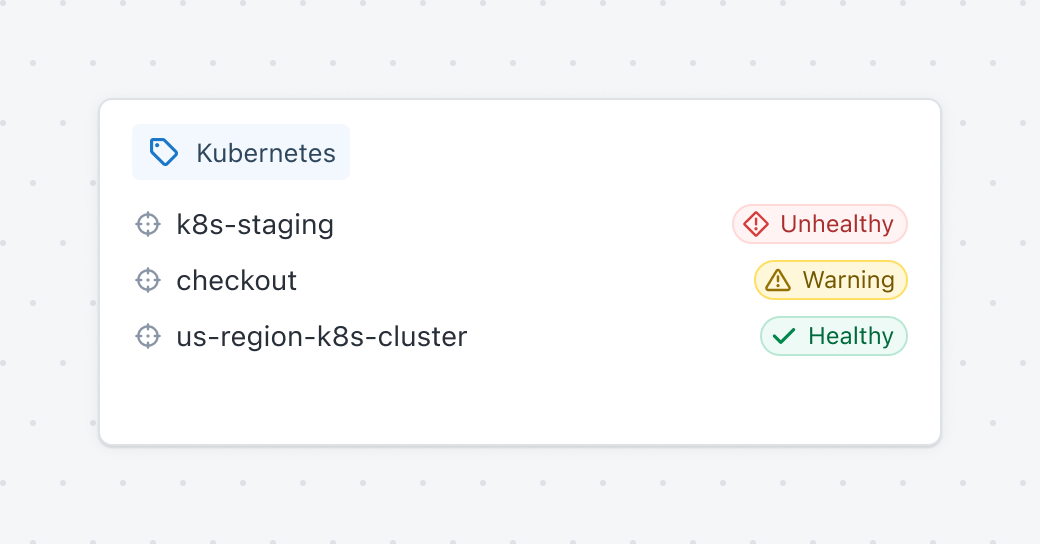
3. Configuration issues
The pipeline explorer flags conditions that could affect an upcoming deployment directly in the view where you’re already looking.
What it doesn’t do
The pipeline explorer doesn’t replace your existing process, variables, or settings pages. It’s a new view built on top of the same data, not a redesign of how you configure a project. Think of it as a project map.
Try it
Open any project and select Pipeline explorer from the navigation to see it for yourself. Next time you visit an unfamiliar project, this is where you’ll want to start.
Read the docs for more details.
Happy deployments!
Tags: