
Do you ever wish you could release a change to just a few users, to ensure it works and get feedback, before rolling it out to everyone? Have you ever deployed a change to production, only to see your logs start filling with errors, and wished you could instantly revert while you corrected the problem?
If so, we’re excited to share a feature we’ve been incubating — Feature Flags in Octopus.
Feature flags let teams control when and where new features are enabled, without needing to redeploy. You can experiment, test safely, roll back instantly, and ship continuously with confidence.
With Octopus Feature Flags you can:
- Toggle features on or off instantly — no redeployment required.
- Progressively roll out changes — deliver an upgrade to a single environment, to 10% of your tenants, or to a specific cohort of users.
- Develop on your main branch, keeping unfinished features safely hidden behind flags.
Built on OpenFeature
OpenFeature is an open standard that provides a vendor-agnostic, community-driven API for feature flagging that works with your favorite feature flag management tool or in-house solution.
When we came to build Octopus Feature Flags, we chose OpenFeature as the client SDK.
This means you get a robust, battle-tested SDK designed by the best minds in the feature flag business. More importantly, it means no vendor lock-in. If at some point you want to switch feature flag providers (we hope you never do), it’s a single line of code to change the registered provider. You can even register multiple providers. And we get to contribute to a thriving project.
As OpenFeature offers SDKs for all popular programming languages, we only need to create an Octopus OpenFeature provider for each language.
Here’s an example of configuring OpenFeature to use the Octopus Provider and evaluate a flag:
// configure OpenFeature to use Octopus as the feature flag provider
OpenFeature.setProvider(new OctopusFeatureProvider({ clientIdentifier: 'my-client-id' }));
const featureFlags = OpenFeature.getClient();

// evaluate a feature flag
const withDarkMode = await featureFlags.getBooleanValue('dark-mode', false);

if (withDarkMode) {
    // enable dark mode option
} else {
    // light mode only
}
Built into Octopus for seamless Continuous Delivery
Octopus Feature Flags live in Octopus projects. They’re not a stand-alone product — they integrate deeply with the Octopus features you already use, like environments, tenants, and releases, and they’re designed for releasing changes.
Environment targeting
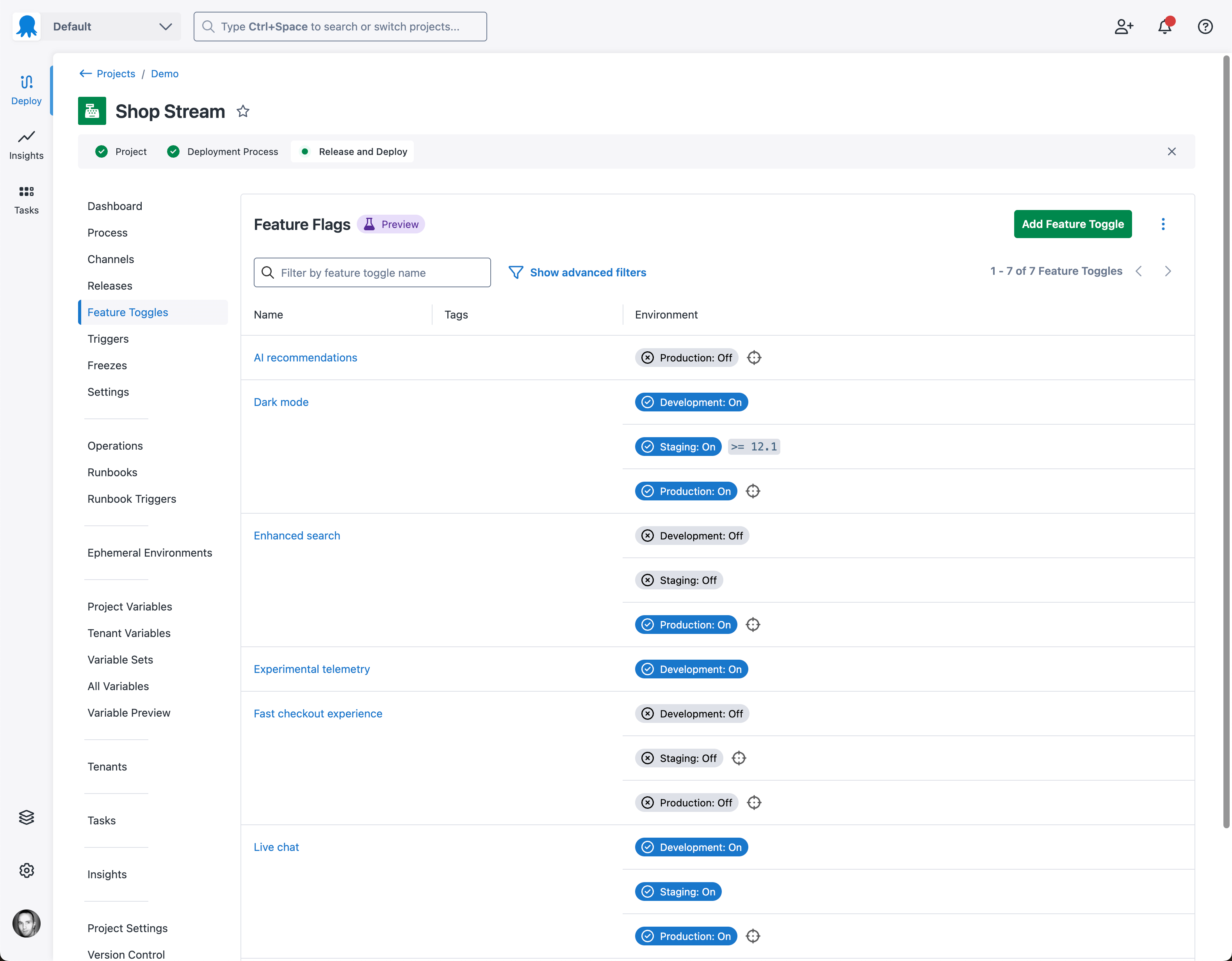
Deliver a different experience in each environment. Each environment has its own feature flag settings, so you can turn a feature on in Development and Test for your team to trial, while it stays safely off in Production.
Tenant rollout
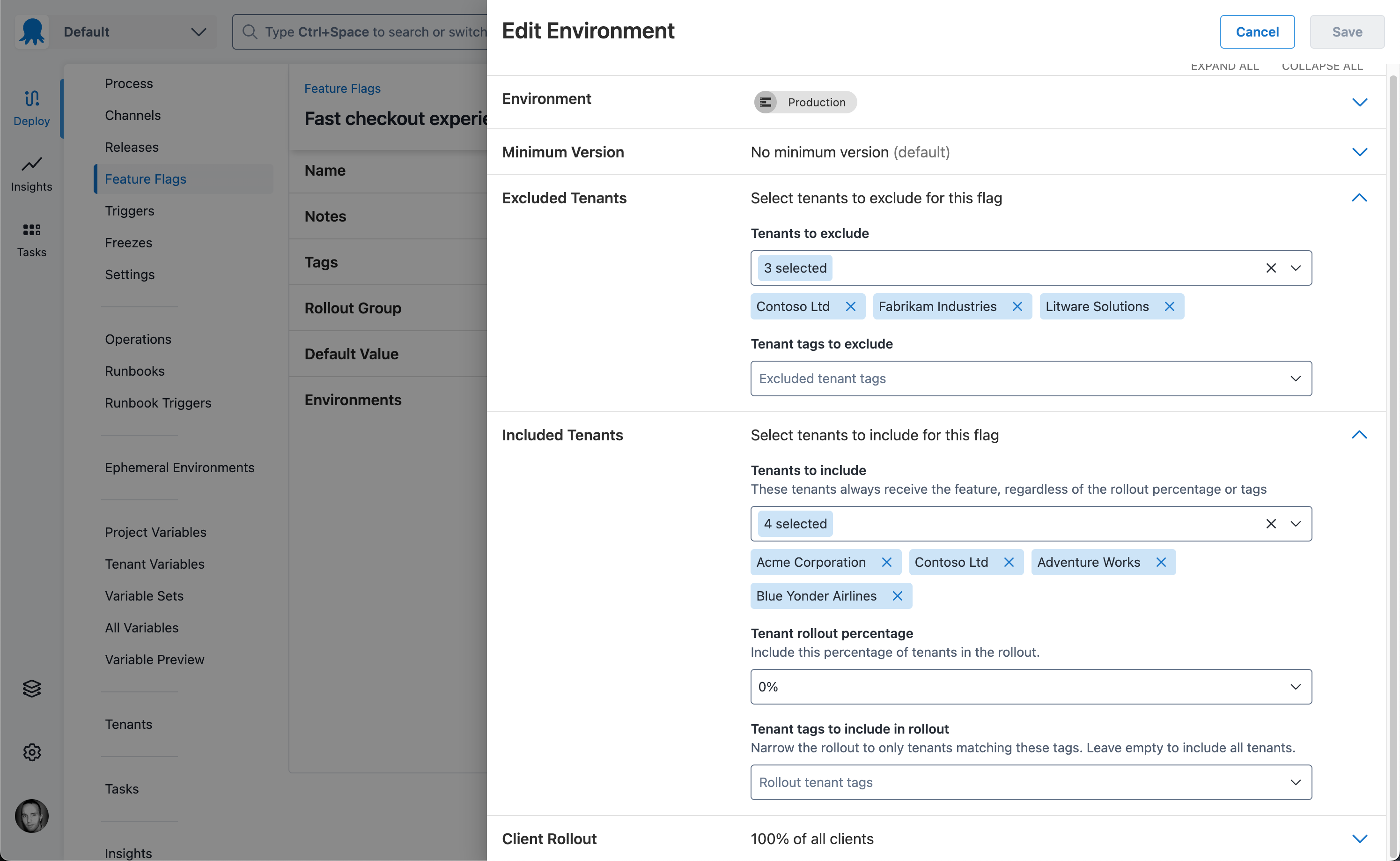
Deliver an upgrade to 10% of your tenants, and dial it up from there. You can enable a flag for specific tenants, for tenants matching a tenant tag, or for a percentage of tenants. You can even exclude specific tenants; maybe your tenants represent your customers, and there are select customers you’d prefer not to include as early adopters.
Minimum version targeting
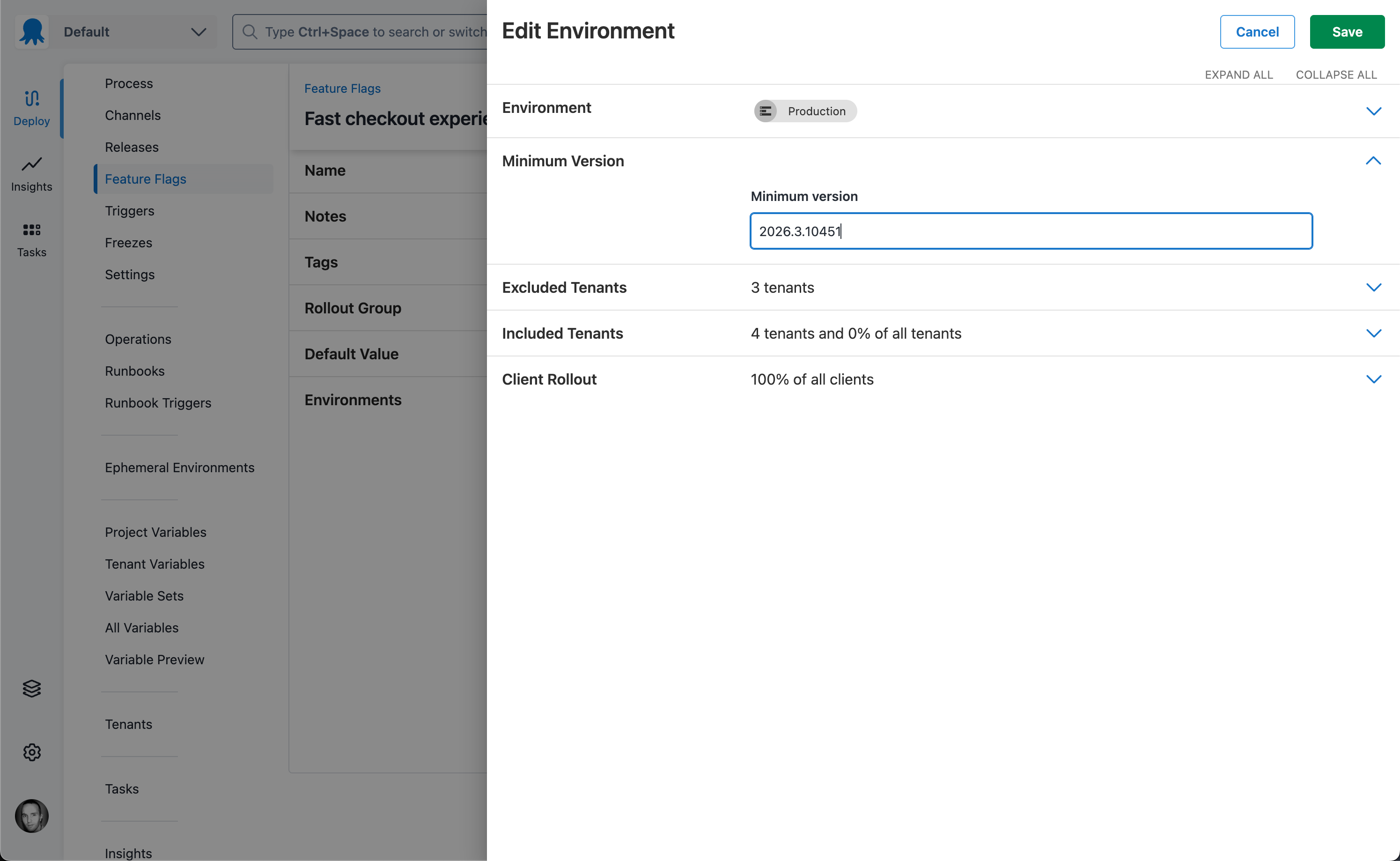
Because Octopus knows which versions of your project are deployed to each environment, you can configure a minimum version for a feature flag. The flag is enabled only after that release version (or a later one) has been deployed to the environment.
Client rollout and Segments
Release a feature to 5% of your users, or only to a chosen cohort — your staff, a geographic region, or a license type. Octopus Feature Flags support enabling a change for a percentage of your users (client rollout), or for a specific cohort via Segments.
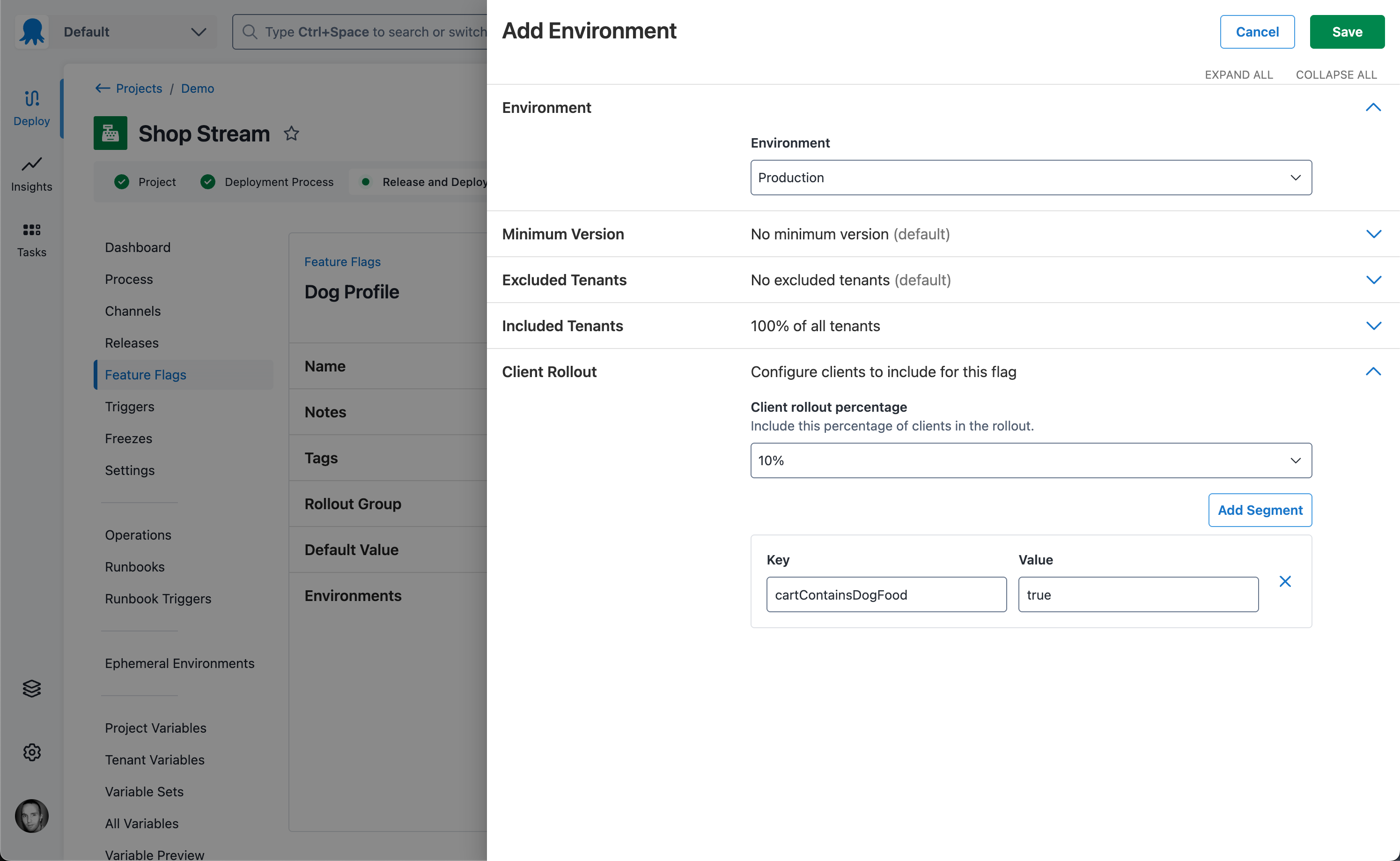
Segments are built on top of OpenFeature’s Evaluation Context concept. This lets your application pass context (for example information about the current user like geography, or license type) that feature flag providers, Octopus in this case, can use when evaluating a flag.
The following code sample demonstrates adding context values from your application code:
// values can be added at one of three different levels: global, client, or invocation

// add a value to the global context
// an example of a global context value might be if you have multiple sites, for different geographic regions
OpenFeature.setContext({ site: 'octopetshop.com.au' });

// add a value to the client context
// an example of values typically added to the client context are those associated with a specific web request, such as the user details
const client = OpenFeature.getClient();
client.setContext({
    email: webRequest.user.email,
    licenseType: webRequest.user.license.type
    });

// add a value to the invocation context
// the invocation context may be used to add values specific to the flag being evaluated
// for example a pet shop may have a feature specifically for dogs, and add a context
// value to indicate if dog food has been added to a shopping cart
const context: EvaluationContext = {
  cartContainsDogFood: 'true',
};

const flagValue = await client.getBooleanValue('dog-profile', false, context);
Read more about how Segments are evaluated in our docs.
Supported languages
We currently have OpenFeature providers for the following languages:
- TypeScript/JavaScript (web client)
- .NET (server)
- Java (server)
If you’re interested in using Octopus Feature Flags, and your language isn’t currently supported, please register your interest below and tell us which language you need.
Try Octopus Feature Flags
Octopus Feature Flags are now available to Octopus Cloud customers as a Public Preview. To get access, register your interest.
Feature Flags are available in all license tiers, including the Free tier. They’re currently available for Octopus Cloud only; we plan to make them available to self-hosted Octopus Server customers soon.
We’ve been releasing features in Octopus Deploy using Octopus Feature Flags for the past 12 months, and they’ve improved our ability to release progressively, and to roll back instantly, meaning our customers — that’s you — experience a more stable product than ever. We would love to help you do the same for your customers.
Happy deployments!
Tags: