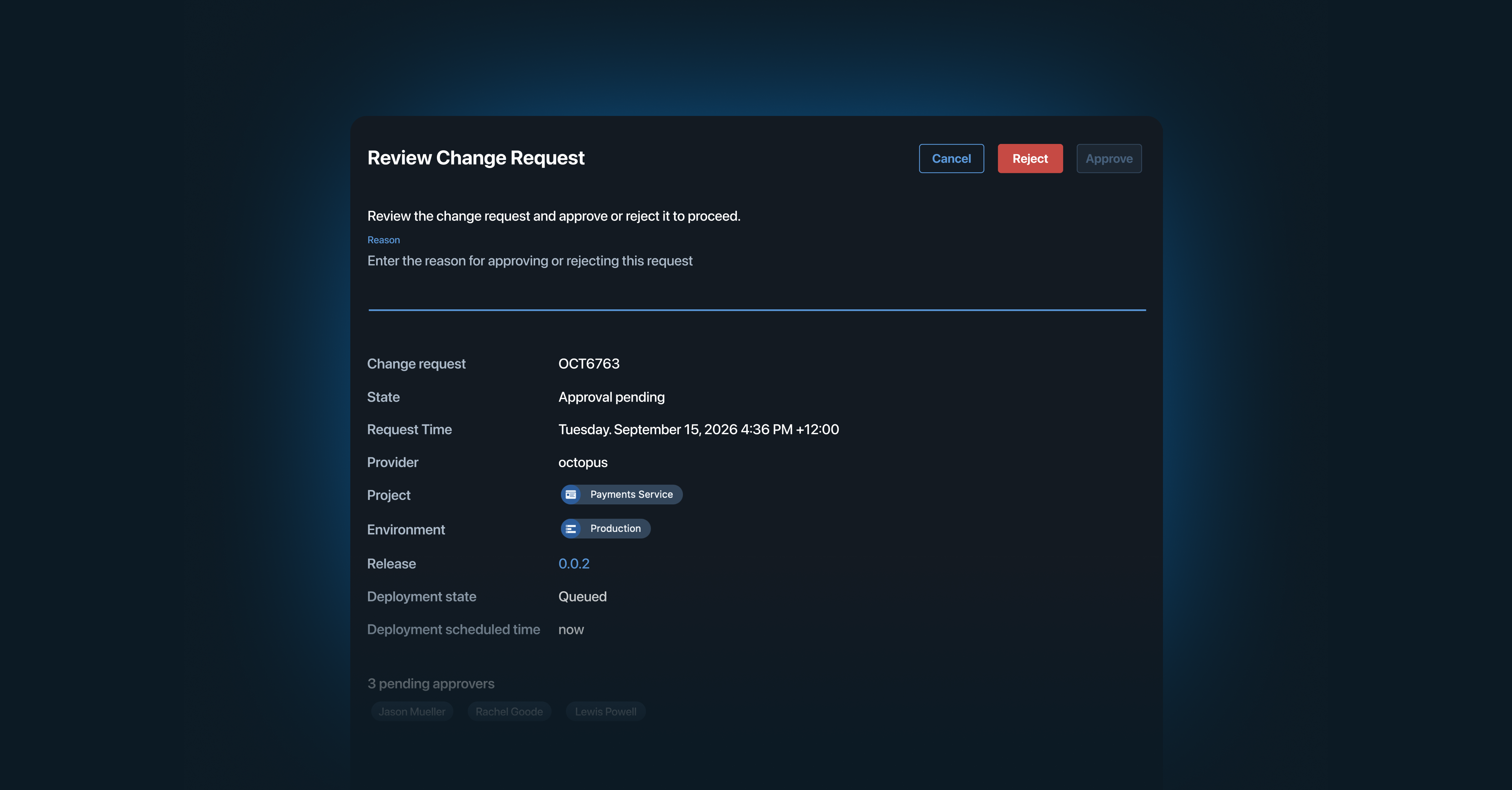

Octopus Approvals is a lightweight approval workflow that lets users gate deployments to environments that are sensitive to change. For customers that can’t justify the cost of a full ITSM implementation, it provides approval gating to ensure the right people review before a deployment progresses to the specified environments. This allows deployments to progress safely and satisfies standard compliance requirements.
The current landscape
Manual interventions were initially built to provide the ability to pause a deployment at crucial points to let a human review the state before progressing. We’ve seen customers build a makeshift approval system by stitching together a couple of manual intervention steps. This works for basic use cases but not particularly well at scale and has enforcement gaps.
The next step up is to use ITSM providers like SNOW and JSM. These are perfect for those in highly regulated industries with complex requirements. If you have strict redeployment processes or need to configure a subset of approvers, then that is still the right solution for you; we are not trying to replace these providers.
Why we’ve built Octopus Approvals
Not everyone needs a full ITSM change management system, but many still want to know that a release has the buy-in of key stakeholders before it goes out the door. Octopus Approvals have been designed for customers occupying the middle ground, with more complex approval requirements than manual interventions can meet, but who can’t yet justify the cost of a full ITSM implementation.
Our aim with Octopus Approvals is to bridge this chasm as your compliance requirements grow and help you reach the next level. Octopus Approvals occur before deployment begins; approval is not a step that can be skipped, and it won’t take up a spot in your task queue until it has been approved. Within Approvals, you can explicitly set the parameters required to approve a deployment, including preventing the deployment creator from approving and specifying how many people must approve and from which team(s).
Octopus Approvals walk-through
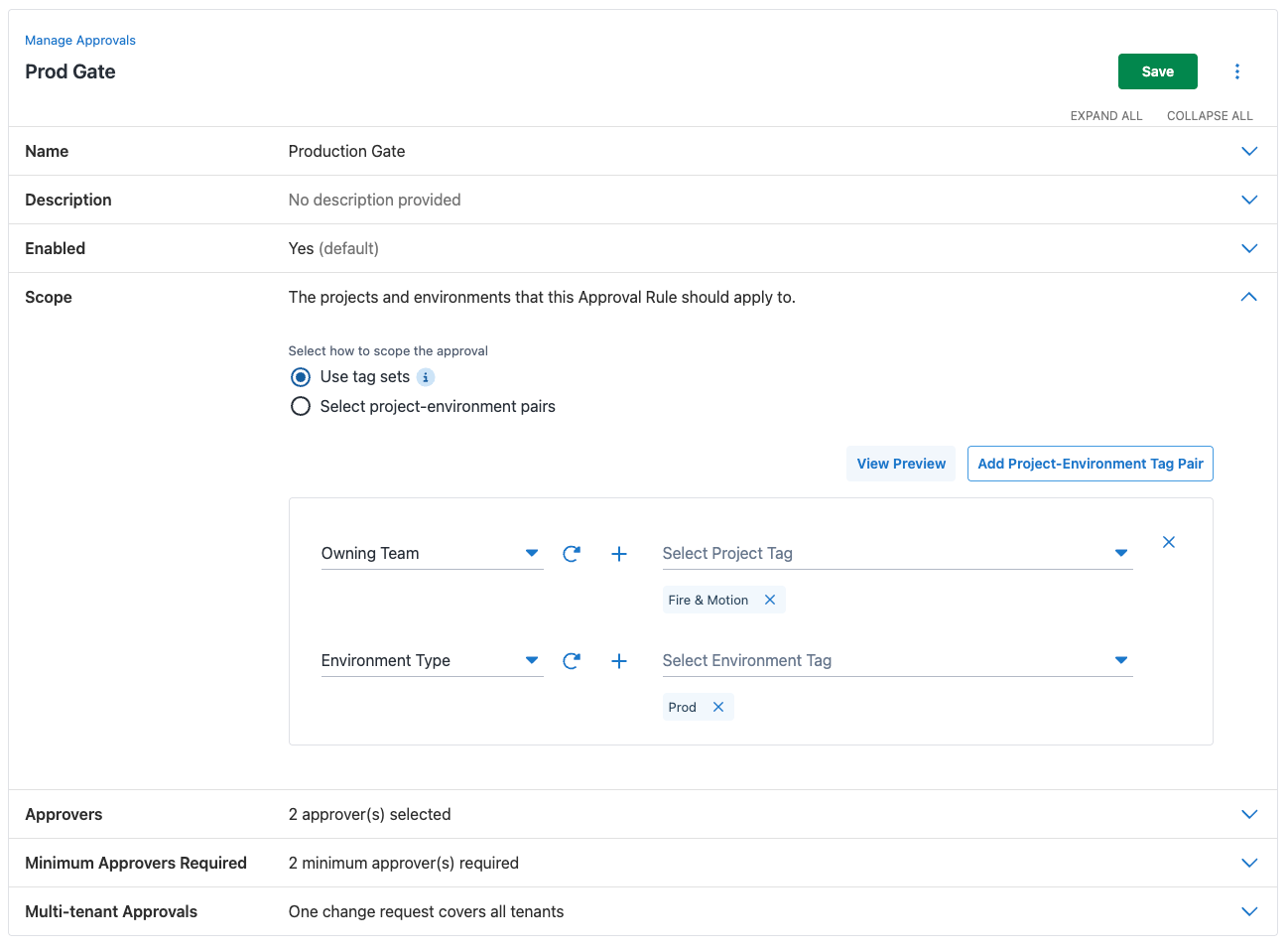
I want to set up an approval rule requiring at least two team members to approve a deployment before it goes to production. This applies across all projects in my team’s ownership, but only for production; I don’t want to slow down deployments to non-production environments.
Approvals are set at a space level; a single approval rule can span multiple projects. I’m going to use tags to determine which projects and environments are affected, enabling a more dynamic selection. Any new projects tagged as owned by my team will automatically have this rule applied.
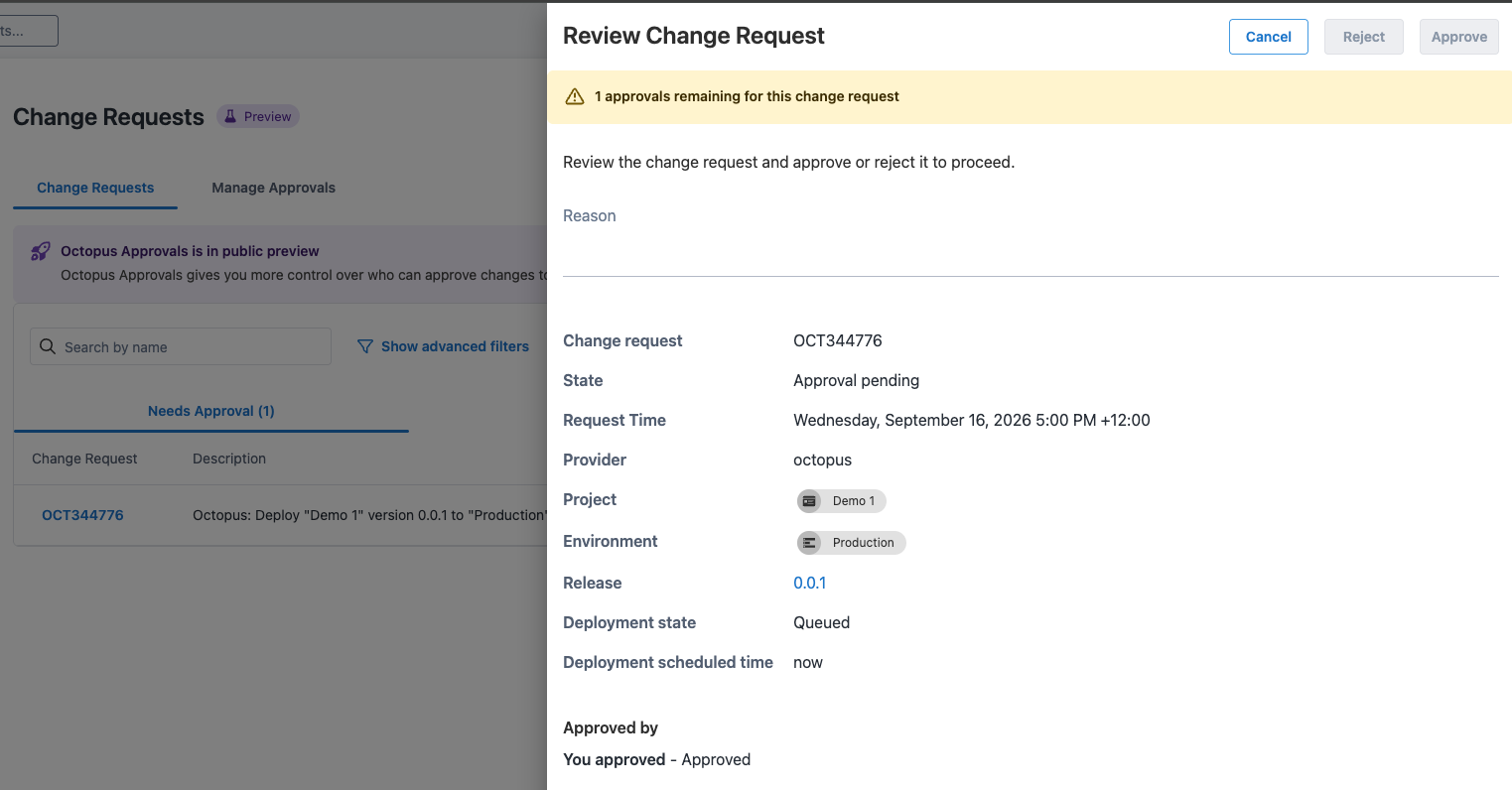
When a project owned by Fire & Motion has a deployment created for a production environment, the task will wait for all required approvals. Change requests can be reviewed and approved from the deployment task and the change request tab within the approvals page. Once all required approvals have been received, the deployment will continue.
Each release requires only one approval; redeployments of the same release to the same environment do not require another approval. This ensures that rollbacks to approved versions are not blocked.
For scheduled deployments, an approval will be available as soon as the deployment is created, so you can schedule a deployment outside working hours but approve it before you clock off. This ensures that deployments stay within the approved change windows, but the checks can happen when it’s practical for the team.
Rejected change requests
If any approver rejects the change request, the deployment will not proceed and will be marked as failed. You can not revive a rejected change request; you’ll need to create a new deployment, which will create a new change request. You can use your normal process to identify failed deployments, or set up a Subscription to be notified of change request status.
Reviewing and approving change requests
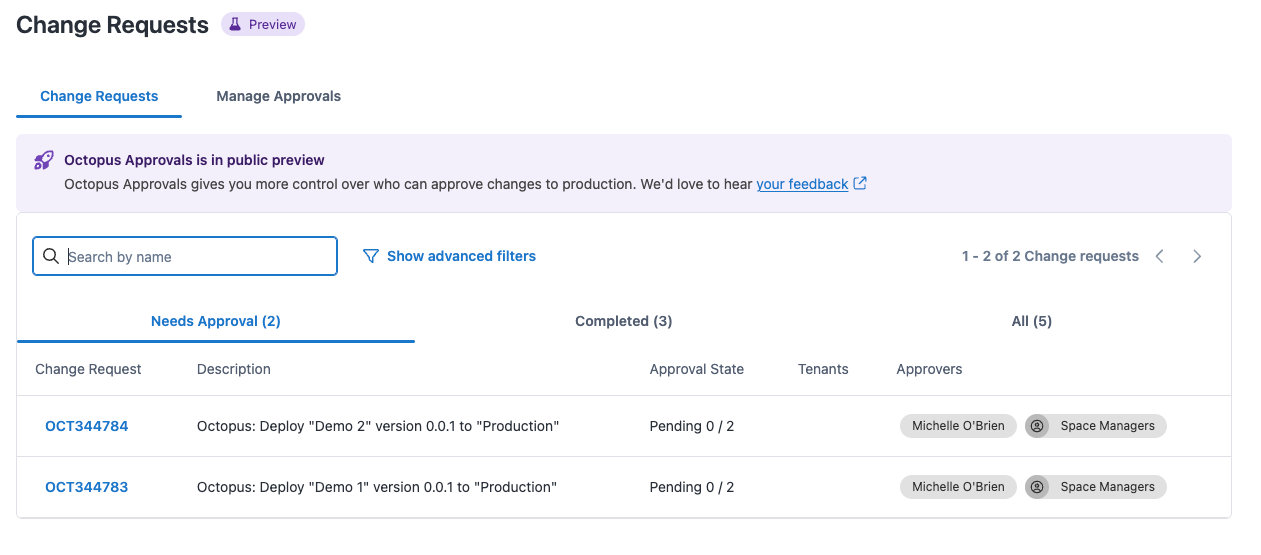
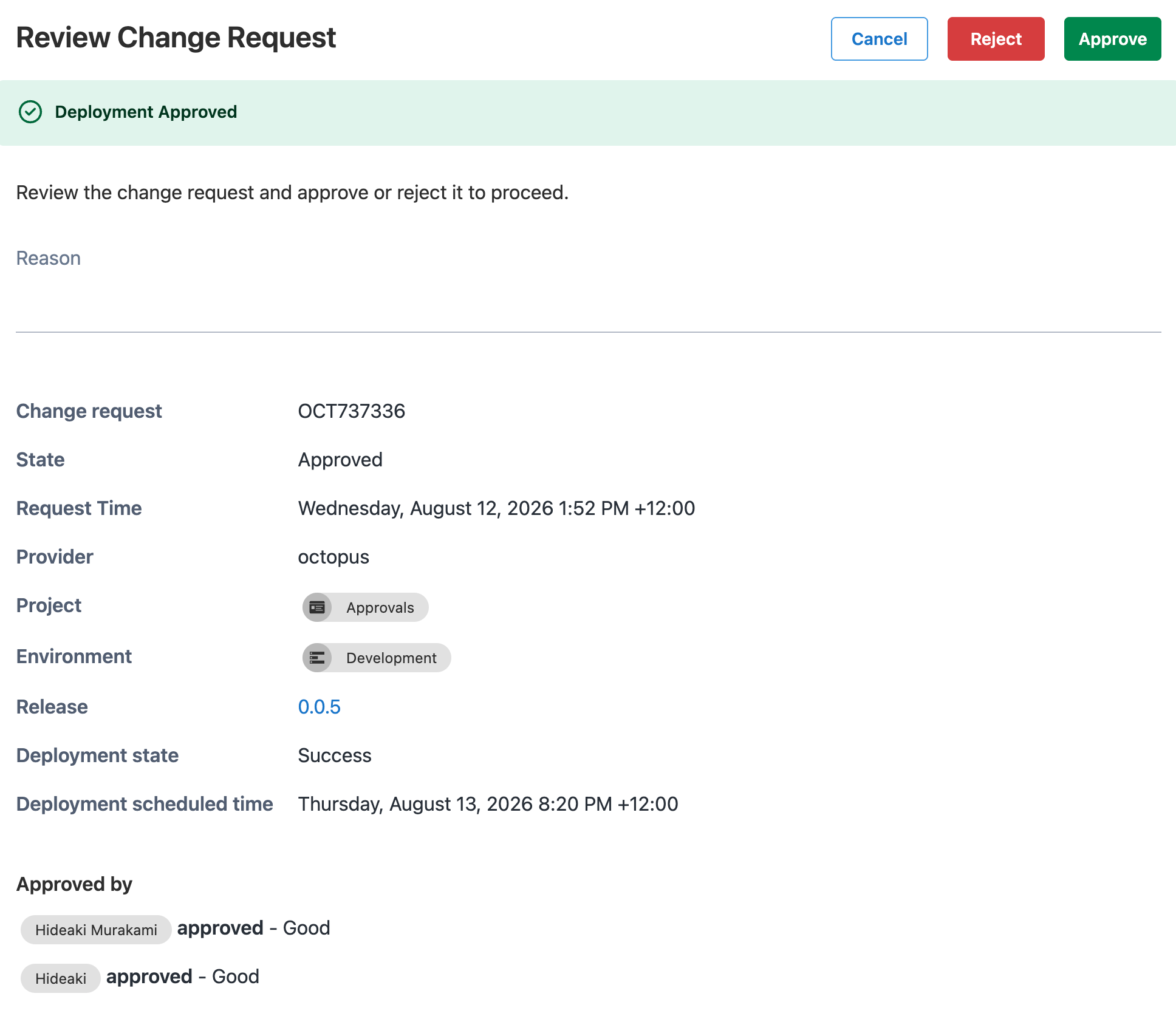
Change requests can be viewed on the Approvals page. From here, you can see who approved the deployment and when, along with deployment details. Approvals and changes to rules can also be tracked via the audit page; there are ‘Approval Rule’ and ‘Server Task Approval’ document types that the audit page can be filtered by.
Notifications
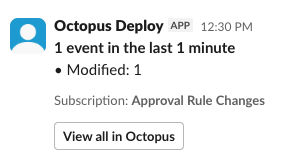
The same event types used to filter the audit page can also be used to set up targeted notifications. Using our subscriptions feature, you can subscribe to notifications about rule changes to help ensure your team remains compliant. Notifications can be sent via email, Slack, Teams or webhook. Note the below screenshot is the first iteration of our Slack integration, we are currently working on providing a more actionable message.
We will be releasing a separate blog post detailing how you can use subscriptions and webhooks to receive more targeted notifications, so that users who need to approve the deployment are the ones who receive the notification. Subscribe to our newsletter to get this in your inbox.
Known limitations
- Any of the required approvers are counted towards the total. If you specified two teams within the approvers, any two approvals across those teams will suffice.
- This cannot be used to automate your approval process.
- Approvals only work for deployments; this functionality is not available for runbooks.
- Approvals, unfortunately, cannot be used to finally get your mother-in-law’s approval.
Octopus Approvals is now available as a Public Preview for cloud customers and in the 2026.3 server release.
Read more about getting started with Approvals here.
Happy deployments!
Tags: