
If a deployment fails in Octopus and no one is around to see it, does it make a sound?
The gap between an event happening and the right person knowing about it is where deployments quietly stall. We’ve had consistent customer feedback that Octopus is one of many tools you use, and it’s easy to miss when something requires your approval or intervention.
We’ve built a Slack integration so Octopus can tell your team what needs action, in the tool they already have open. There are two ways to use it:
- Subscriptions: for event notifications that can be scoped to the teams that care about them
- Send a Slack Message step: for Slack messages sent from a specific point in a deployment or runbook process
Subscriptions: our notification engine
Subscriptions are an existing feature that let users subscribe to events in Octopus. In addition to webhooks and email notifications, you can now have these updates sent to a Slack channel.
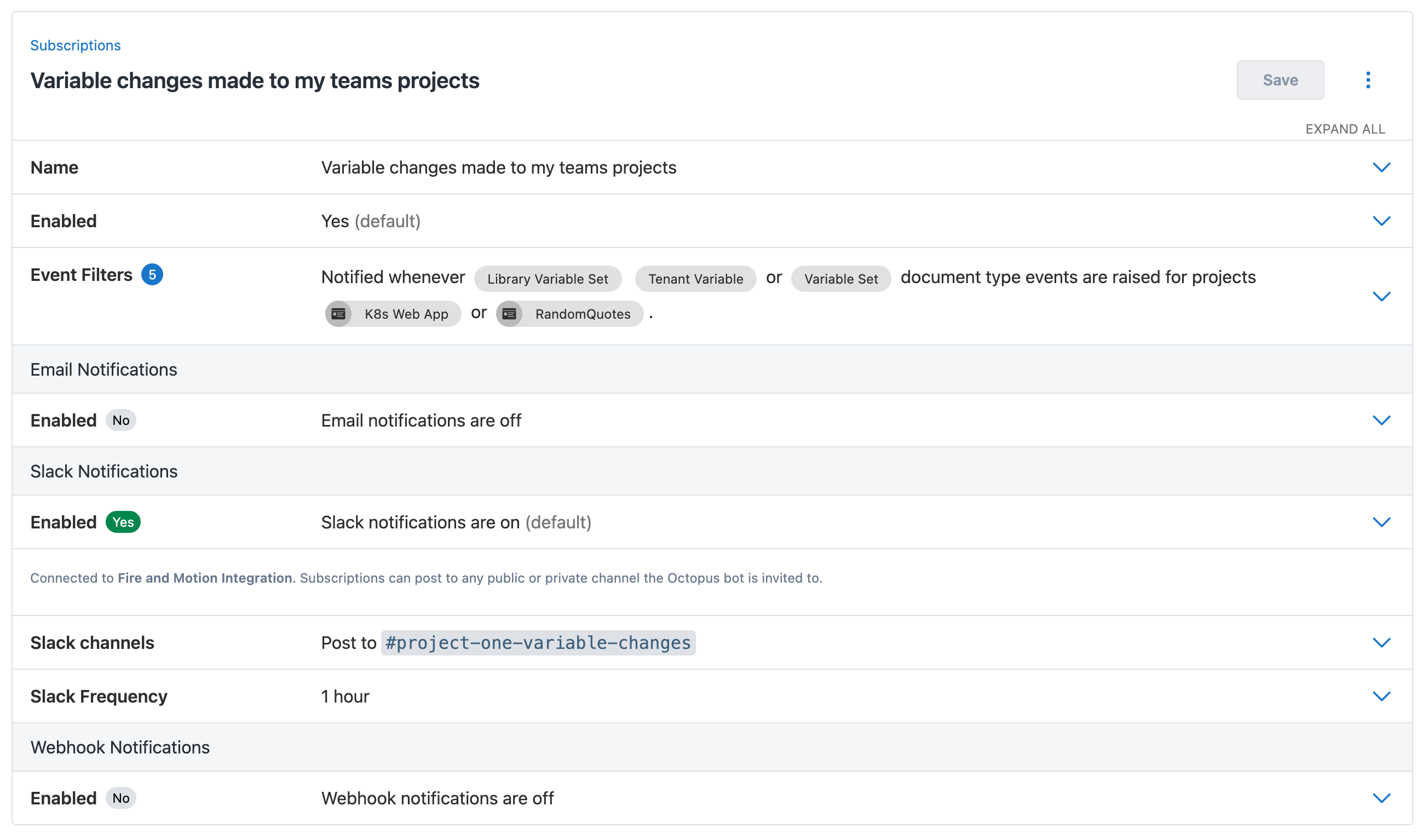
A couple of suggested Slack channels to help you keep up to date with important events in Octopus without constant monitoring are:
#deployment-failuresthat captures all deployment failures in one place#deployments-variables-changedthat notifies when a variable has been updated#octopus-api-expiriesthat gives you warnings prior to API expiry events#octopus-mcp-oauththat informs when MCP authorization tokens are issued

If you want your teams to be able to narrow notifications, event filters let you drill down into resources like projects, tags, and environments, so you can update a team channel with events they care about. Keeping your audience narrow and the notifications relevant prevents a mass muting event that makes the integration ineffective.
Slack steps made simple
We have a number of community steps that enable messages to Slack but the set up is more complex, our new Octopus Send a Slack Message step uses the oAuth integration so all you need to do is choose a channel and a message to send.
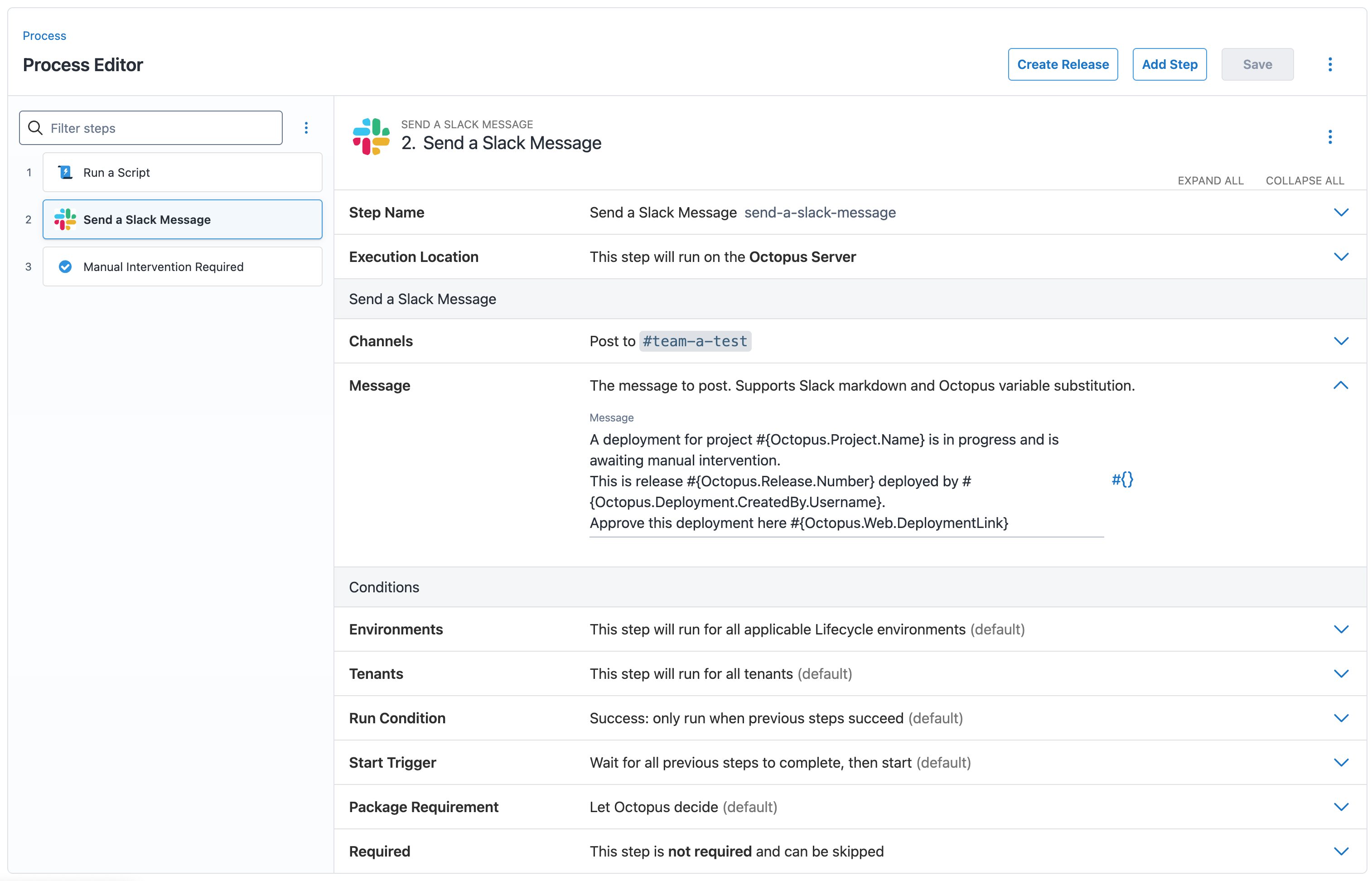
This step is particularly useful when placed immediately before a manual intervention step. The message goes out the moment the deployment reaches that point, so the approver knows to go and unblock it. The message field supports Slack markdown and Octopus variables, so you can include the project, release number, environment, and a link straight to the deployment.

Learn more
Learn more about setting up the Slack integration here.
What’s next for notifications?
- We’re gauging interest in a Microsoft Teams integration so if you’re a Teams team comment below.
- Notify and act: we’re adding webhooks triggers to runbooks so you can use the webhook event in subscriptions to trigger a runbook. Follow along here.
Happy deployments!