
As applications grow in complexity, they may be split into multiple independent microservices, each with its own deployment pipeline.
There are many characteristics defining microservices, but from a deployment perspective, Martin Fowler notes that:
These services are built around business capabilities and are independently deployable by fully automated deployment machinery.
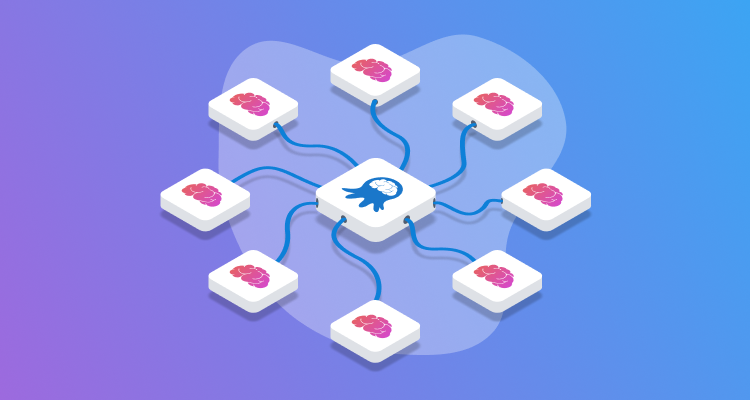
Independently deployable microservices don’t inherently need any special orchestration as projects in Octopus are already independently deployable. However, it is often useful to be able to promote a set of microservices as a single unit between environments, for example, from Test to Production. And while microservices are ideally independent, in practice, they often require a particular deployment order.
To support these scenarios, Octopus provides the Deploy a Release step, which allows one project to trigger the deployment of another project. This allows you to create an orchestration project that coordinates the deployment of multiple microservices.
In the previous post, you created a project that demonstrates blue/green deployments.
In this post, you’ll create an orchestration project that coordinates the sequential deployment of multiple Kubernetes microservices.
Prerequisites
- An Octopus Cloud account. If you don’t have one, you can sign up for a free trial.
- The Octopus AI Assistant Chrome extension. You can install it from the Chrome Web Store.
The Octopus AI Assistant will work with an on-premises Octopus instance, but it requires more configuration. The cloud-hosted version of Octopus doesn’t need extra configuration. This means the cloud-hosted version is the easiest way to get started.
Creating the project
Paste the following prompt into the Octopus AI Assistant and run it:
* Create a token account called "Mock Token".
* Create a feed called "Docker Hub" pointing to "https://index.docker.io" using anonymous authentication.
* Add a target called "Mock K8s", with the tag "Kubernetes", using the token account, pointing to "https://mockk8s.octopusdemos.com", using the health check image "octopusdeploy/worker-tools:6.5.0-ubuntu.22.04" from the "Docker Hub" feed, using the worker pool "Hosted Ubuntu".

---

Create a Kubernetes project called "20. Microservice 1", and then:
* Place the project in the "Orchestrator" project group.
* Configure the Kubernetes steps to use client side apply (client side apply is required by the "Mock K8s" target).
* Disable verification checks in the Kubernetes steps (verification checks are not supported by the "Mock K8s" target).
* Enable retries on the Kubernetes step.

---

Create a Kubernetes project called "20. Microservice 2", and then:
* Place the project in the "Orchestrator" project group.
* Configure the Kubernetes steps to use client side apply (client side apply is required by the "Mock K8s" target).
* Disable verification checks in the Kubernetes steps (verification checks are not supported by the "Mock K8s" target).
* Enable retries on the Kubernetes step.

---

Create an Orchestration project called "20. Kubernetes Microservice Orchestration" managing the projects "20. Microservice 1" and "20. Microservice 2".
The document separator (---) is used to split the prompt into multiple sections. Each section is applied sequentially, which allows you to create different types of resources in a single prompt.
The first section creates the shared infrastructure: a token account, a Docker Hub feed, and a Kubernetes target pointing to a mock Kubernetes server. The mock server exposes just enough of the Kubernetes API to allow deployment steps to execute successfully, without requiring access to a real Kubernetes cluster. See Octopus Easy Mode - Kubernetes for more details on the mock Kubernetes server.
The second and third sections each create identical Kubernetes microservice projects.
The fourth section creates the orchestration project, which is the focus of this post.
The orchestration project
The Kubernetes Microservice Orchestration project uses the Deploy a Release step type to trigger deployments of each child project. Its deployment process contains two sequential steps:
- Deploy K8s Microservice 1 — deploys a release of
K8s Microservice 1 - Deploy K8s Microservice 2 — deploys a release of
K8s Microservice 2
The child projects are deployed sequentially: K8s Microservice 2 only begins once K8s Microservice 1 has completed successfully. This ordering ensures that any service dependencies are respected.
Or, if you prefer, both child projects could be deployed in parallel by configuring the step start trigger:
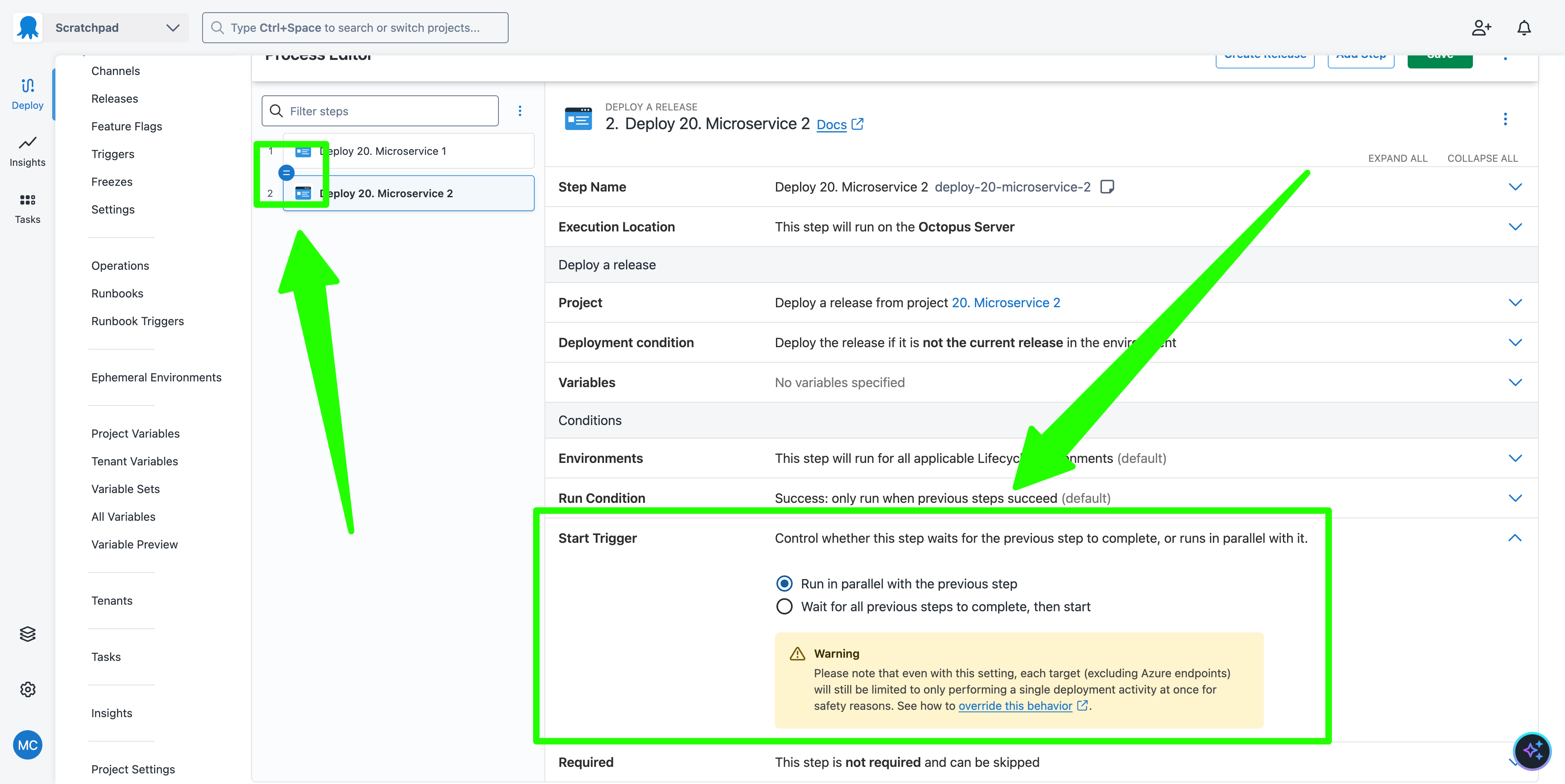
The orchestration project uses a lifecycle promoting releases through Development, Test, and Production environments in sequence. When a deployment is triggered for an environment, both child projects are deployed to that same environment.
The deployment process
The first step is to create a release of the child projects. There is nothing special about the release creation process for the child projects.
Once a release is available for each child project, a release of the orchestration project can be created. The projects referenced by the Deploy a Release steps will be presented much like a package reference, allowing you to select the release of each child project to deploy:
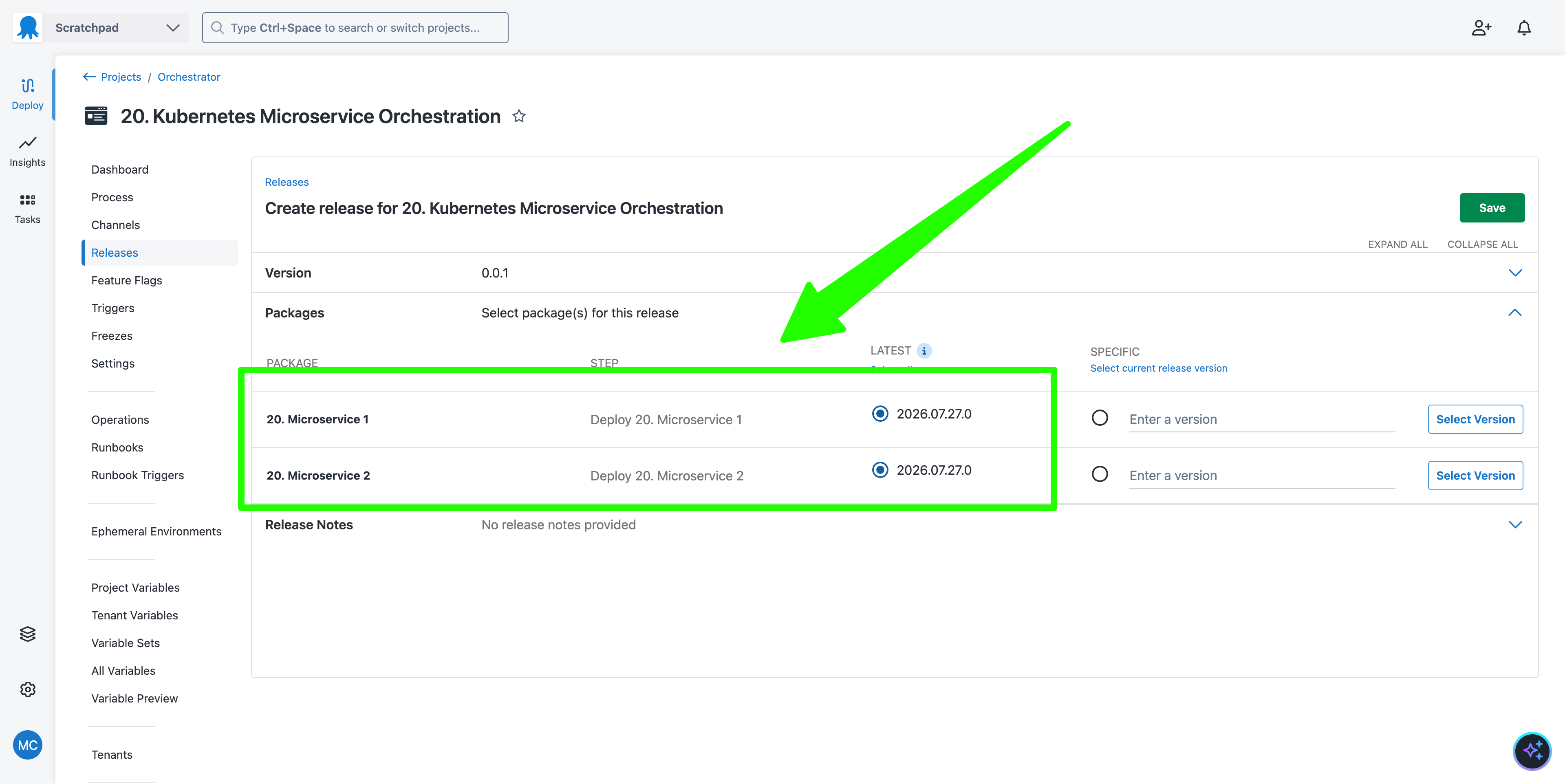
Deploying the orchestration project release triggers the deployment of each child project in sequence to the same environment. In this way, the orchestration project serves as a single deployment unit for the set of microservices.
Importantly, it is still possible to deploy a release of each child project independently, without using the orchestration project. The Deploy a Release step can skip the deployment of a child project if it has already been deployed to the target environment, or it can redeploy the child project. This allows the child projects to retain their independence while still allowing them to be promoted together as a single unit when required.
What just happened?
You created a sample setup consisting of:
- Two child Kubernetes microservice projects (
K8s Microservice 1andK8s Microservice 2) - A parent orchestration project (
Kubernetes Microservice Orchestration) that usesDeploy a Releasesteps to coordinate the sequential deployment of both microservices