
Done well, Platform Engineering can drive significant value for organizations. But it is easy to fall prey to the temptation to simply shift responsibility to the platform team. Rebranding the Operations Team is an example of this anti-pattern:
Organizations realize they need platform engineering, so they simply rename their existing Infrastructure or Operations team to Platform Engineers without changing the underlying operating model. The team continues to work in a ticket-based, reactive mode, handling manual requests for environments and access.
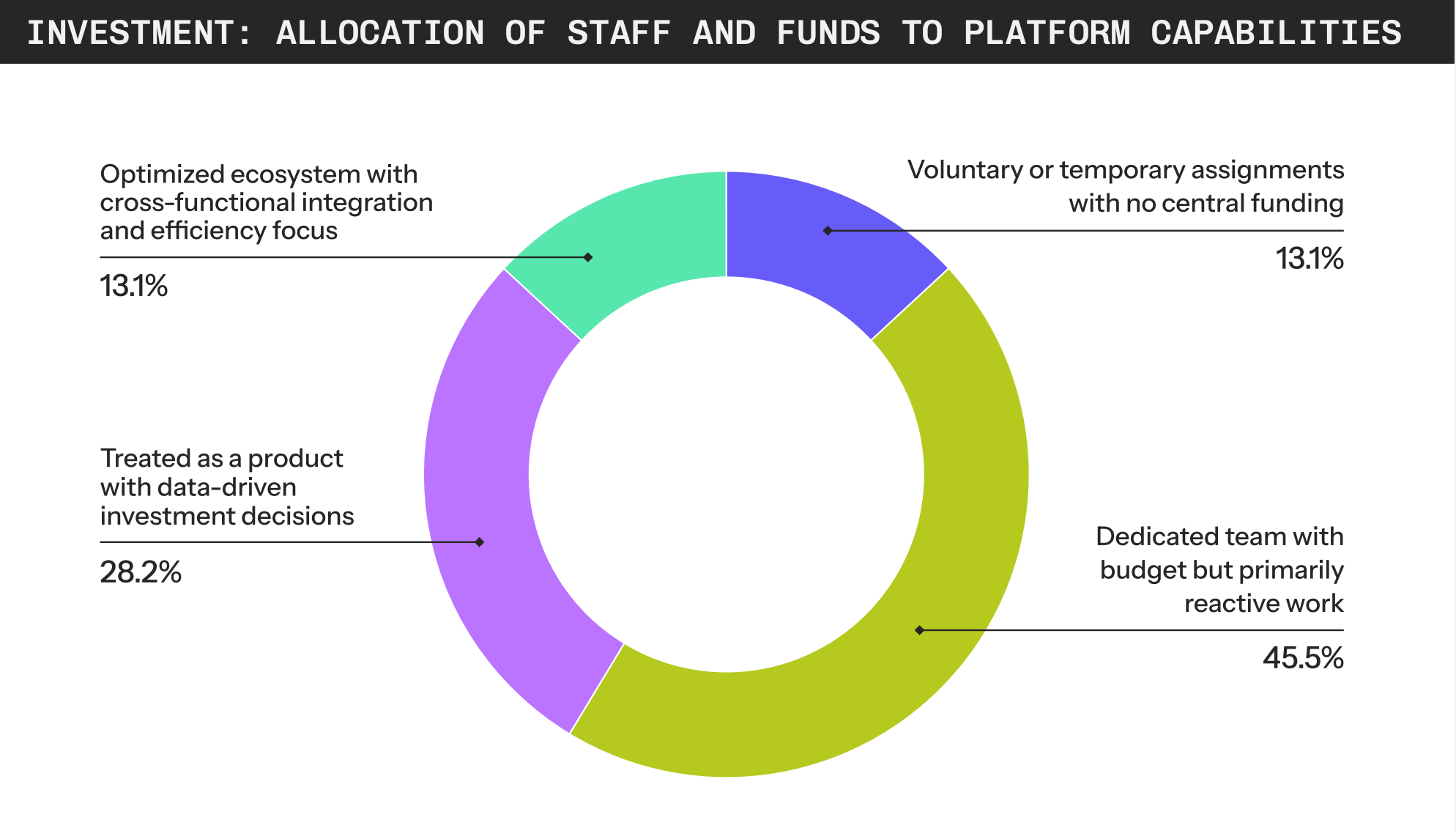
This is a common scenario, with the State of Platform Engineering Volume 4 2025 report noting that:
The distribution of staff and funding models shows that most organizations are still in the early stages of platform maturity. The largest share, at 45.5%, have a dedicated, budgeted team that remains mostly reactive, which suggests that platform functions are established but not yet strategic.
Documenting common solutions to common problems and surfacing that information on demand is one strategy Platform Engineering teams can implement to reduce their support burden. In this post, you’ll create a sample project guaranteed to fail and then add a step using AI to provide a self-support solution.
Prerequisites
- An Octopus Cloud account. If you don’t have one, you can sign up for a free trial.
- The Octopus AI Assistant Chrome extension. You can install it from the Chrome Web Store.
- A Claude API key.
- A GitHub personal access token.
- An Octopus Agent API key.
The Octopus AI Assistant will work with an on-premises Octopus instance, but it requires more configuration. The cloud-hosted version of Octopus doesn’t need extra configuration. This means the cloud-hosted version is the easiest way to get started.
Creating the project
Paste the following prompt into the Octopus AI Assistant and run it:
Create a Kubernetes project called "Web App", and then:
* Add a step called `Check for web-app-secret` before the existing YAML deployment step that checks for the presence of a Kubernetes secret named "web-app-secret" using a "Run a kubectl script" step.
    * Retry the check inside a bash loop 30 times. This allows the script to check every replica of the mock Kubernetes cluster for the secret. Do not sleep as part of the loop.
    * The step must run against the "Kubernetes" target tag.
    * Use the namespace "#{Octopus.Environment.Name | ToLower | Replace "[^A-Za-z0-9]" -}#{if Octopus.Deployment.Tenant.Name}#{Octopus.Deployment.Tenant.Name | ToLower | Replace "[^A-Za-z0-9]" -}#{/if}".
    * Uses the "Hosted Ubuntu" worker pool
    * The step runs the "octopusdeploy/worker-tools:6.5.0-ubuntu.22.04" execution container from the "Docker Hub" feed with anonymous authentication.
    * If the secret does not exist, exit with an error.
* The project must require a tenant to run.
* Create 3 tenants named "APAC", "EMEA", and "AMER" that can run the project.
* Create a kubernetes target and scope it to the tenants.

---

Create a runbook called "Create Secret" in the project "Web App" with the description "Creates the secret required by the Web App deployment."
* The runbook must include a step to create the secret called "web-app-secret" by deploying a secret YAML resource. Include a dummy value for the data.
* The step runs the "octopusdeploy/worker-tools:6.5.0-ubuntu.22.04" execution container from the "Docker Hub" feed with anonymous authentication.
* The step uses the "Hosted Ubuntu" worker pool.
* Disable server side apply.
* Disable step verification.
* The step runs against the "Kubernetes" target tag.
* The step runs in the namespace "#{Octopus.Environment.Name | ToLower | Replace "[^A-Za-z0-9]" -}#{if Octopus.Deployment.Tenant.Name}#{Octopus.Deployment.Tenant.Name | ToLower | Replace "[^A-Za-z0-9]" -}#{/if}".
* Enable retries on the step.
* The runbook must require a tenant to run.
* The runbook is scoped to the "Development", "Test", and "Production" environments.
There are some important details to note about this prompt.
It creates a mock Kubernetes deployment target. This target references a web application exposing just enough of the Kubernetes API to allow deployment steps to execute successfully, without requiring access to a real Kubernetes cluster. See Octopus Easy Mode - Kubernetes for more details on the mock Kubernetes server.
The mock Kubernetes server is hosted as an Azure Container App and can scale out to multiple replicas. But the web server is isolated and does not share state between replicas. This means that if a secret is created on one replica, it will not be visible to other replicas. This is why the deployment step checks for the secret up to 30 times, allowing it to verify every replica of the mock Kubernetes cluster.
You would not do this with a real Kubernetes cluster – it is only required to support the mock Kubernetes server.
Failing the deployment
Create a release of the Web App project and deploy it to the Development environment. The deployment will fail because the required secret does not exist. This is expected behavior, and it simulates a common scenario where a deployment fails due to a missing prerequisite.
You know that there is a supporting runbook that can create the secret. However, individual members of a DevOps team may not be aware that the runbook exists or that they have the permissions to run it. This will almost certainly result in a support request to the Platform Engineering team, which is exactly what you want to avoid.
To enable self-support, you will configure Platform Hub and link a process template that queries a knowledge base to the deployment process.
Configuring Platform Hub
Paste the following prompt into the Octopus AI Assistant and run it:
Configure the Platform Hub git repo to point to https://mockgit.octopusdemos.com/repo/platformhubrepo using the ".octopus" base path.This prompt configures Platform Hub to point to a mock Git repository. The mock repository contains several example process templates ready to add to your deployment process.
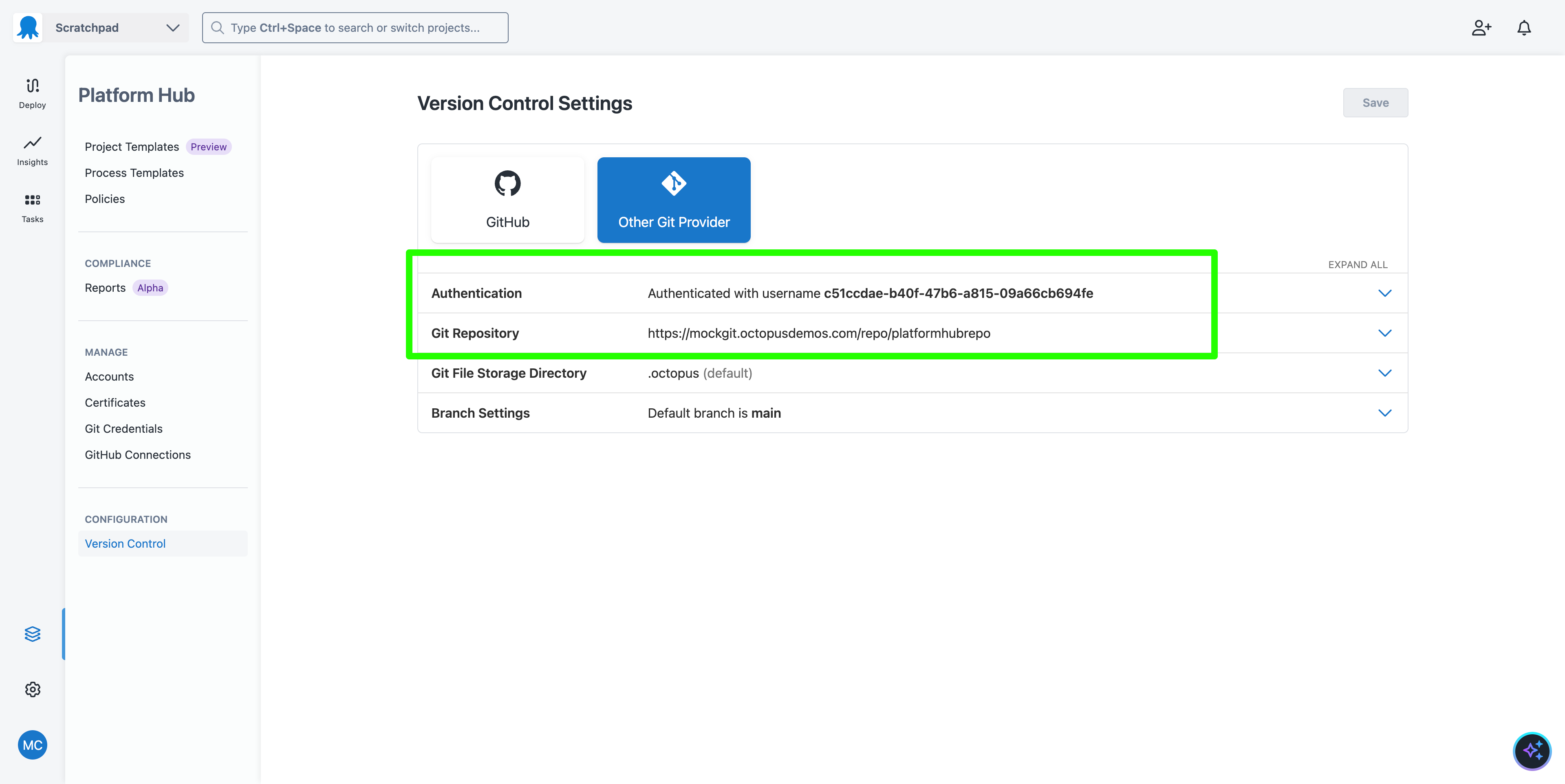
You can browse the mock repository at the URL https://mockgit.octopusdemos.com/browse/<username>/platformhubrepo, replacing <username> with the GUID defined in the Platform Hub authentication section.
The mock git repo resets after a period of time, so any changes you make will be lost. This is expected behavior.
You will add the process template called Self Support to the deployment process:
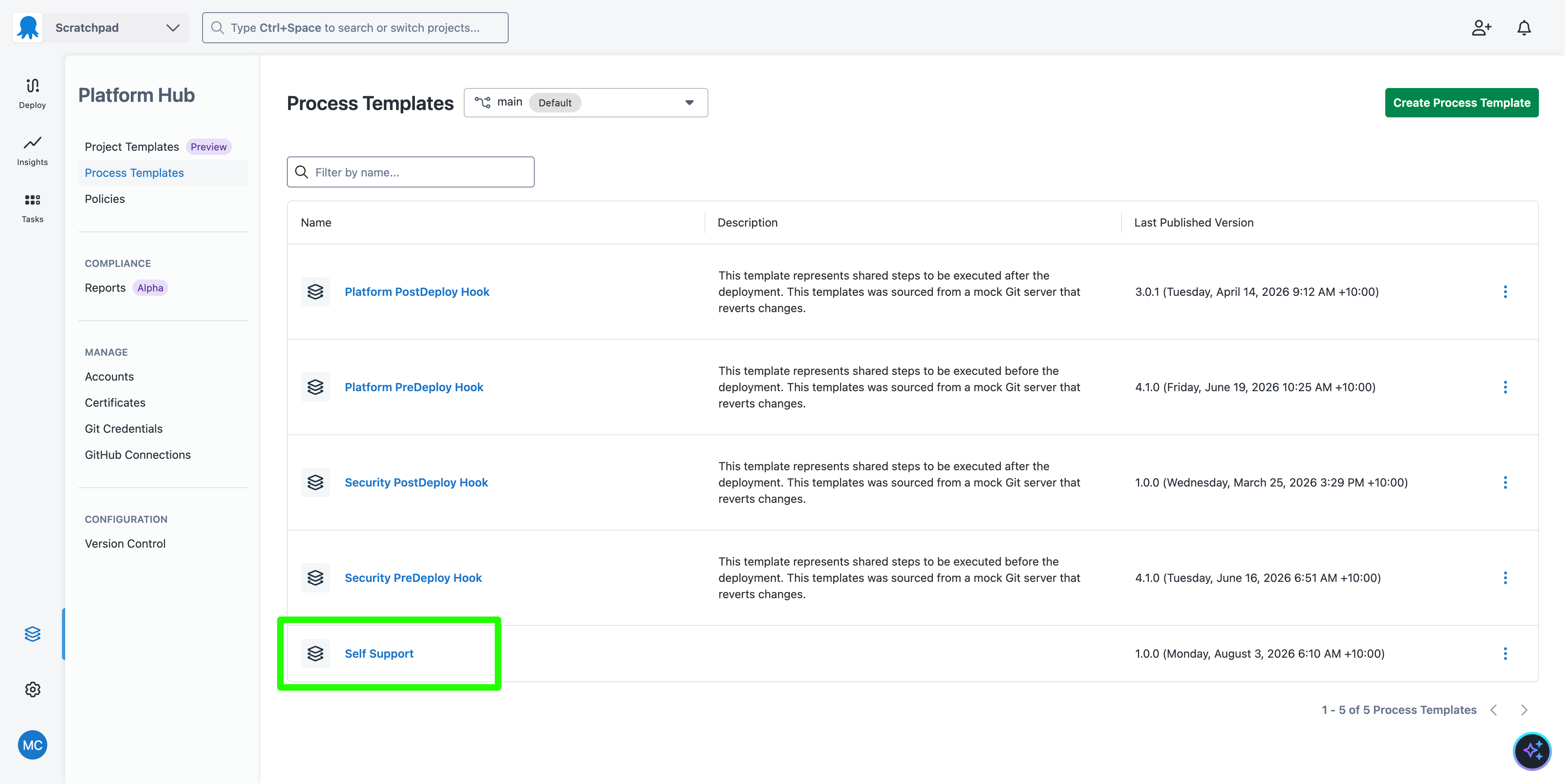
The Self Support process template contains a Run Claude Agent step that provides feedback regarding a failed deployment. This is the prompt it runs:
The deployment #{Octopus.Deployment.Id} in space #{Octopus.Space.Name} for project #{Octopus.Project.Name} has failed.

Your task is to provide guidance on how to troubleshoot and resolve the issue.

Provide a solution to the failure by:

* Getting the Octopus deployment logs and determining which step failed
* Getting the configuration of the deployment steps
* Getting any git diffs from the commits noted in the build information
* If the project is configured with config-as-code, checking the git repo hosting the project configuration for any recent changes
* Checking the GitHub issues at https://github.com/OctopusSolutionsEngineering/SelfSupportDemo for any relevant issues or known bugs that match the failed step

# Notes

* You must only use the MCP servers to gather information.
* You must not run any scripts, execute curl, or run any other CLI tools to gather information.
* You must not list every issue you find in GitHub.
* You must only reference an issue if it is directly related to the current deployment failure.
Two MCP servers, Octopus and GitHub, are configured to provide additional context to support the prompt:
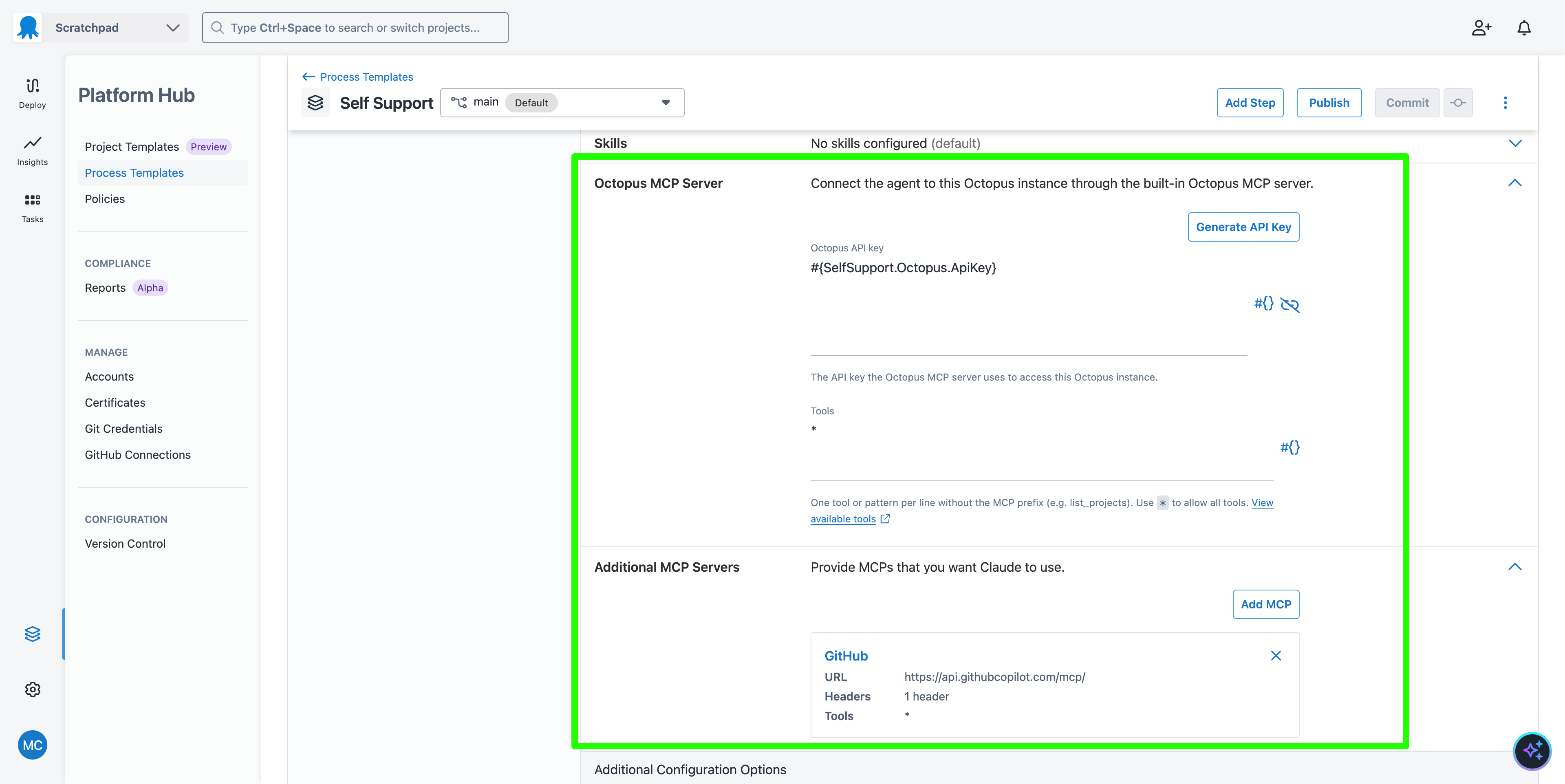
The GitHub repo includes a number of issues that document common problems and their solutions. This effectively serves as a knowledge base for the Self Support process template.
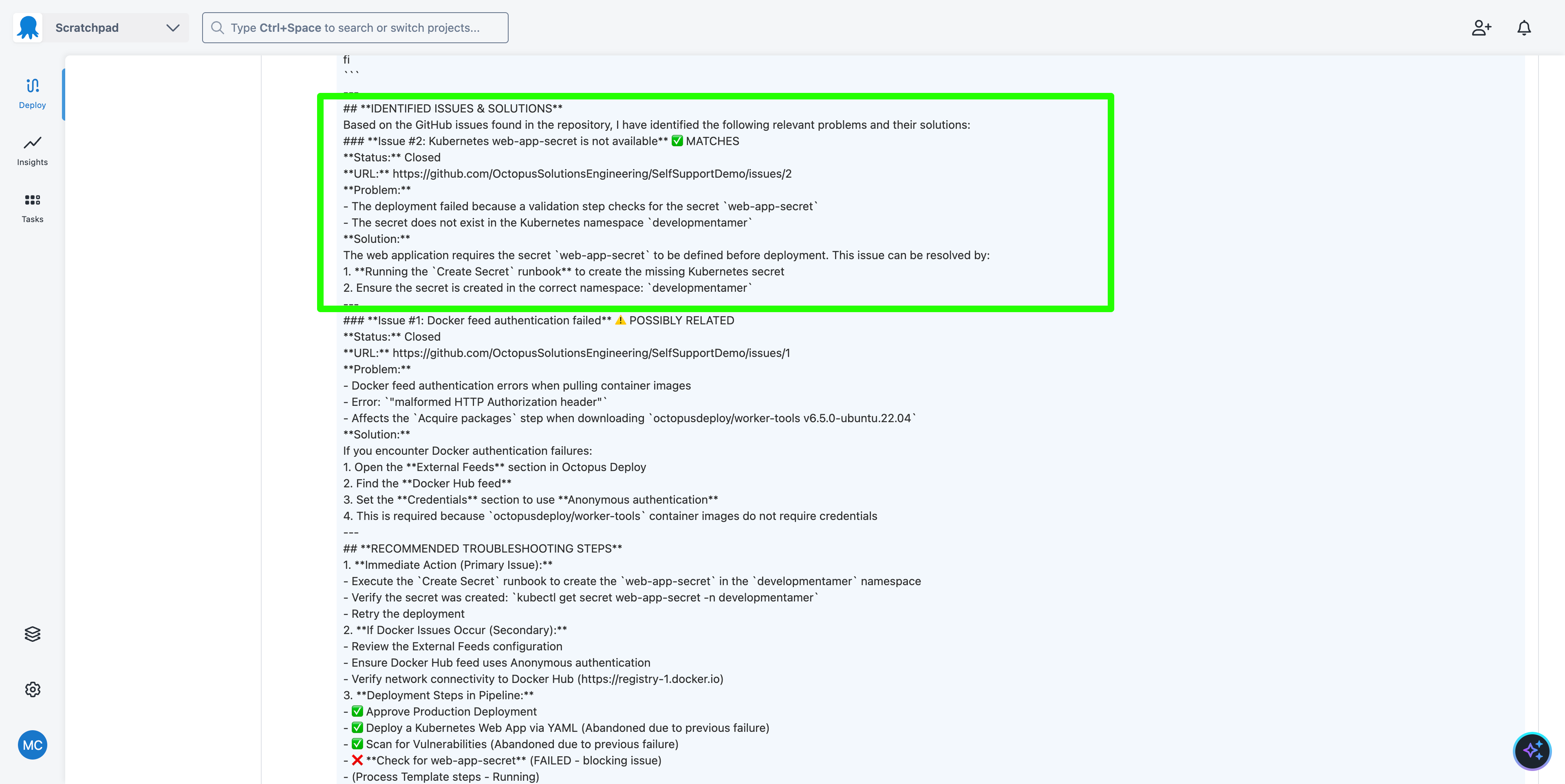
The result of this step is to collect as much information as possible about the deployment, link it to any relevant issues in the knowledge base, and provide guidance on how to resolve the problem.
This process template must be published and shared to your space. See Practical Platform Engineering in 5 Lunches: 2. Your First Project for more details on publishing and sharing process templates.
Adding the self-support process template to the deployment process
Once the process template is published, you can add it to the deployment process of the Web App project. The process template will add a step to the deployment process that queries a knowledge base for solutions to common problems.
You must define values for the process template parameters:
SelfSupport.WorkerPool: Set toHosted Ubuntu.SelfSupport.Claude.ApiKey: Set to your Claude API key.SelfSupport.GitHub.PAT: Set to your GitHub personal access token.SelfSupport.Octopus.ApiKey: Set to your Octopus Agent API key.SelfSupport.RunConditions: Set to#{if Octopus.Deployment.Error}True#{/if}. This sets the value toTrueif the deployment failed.
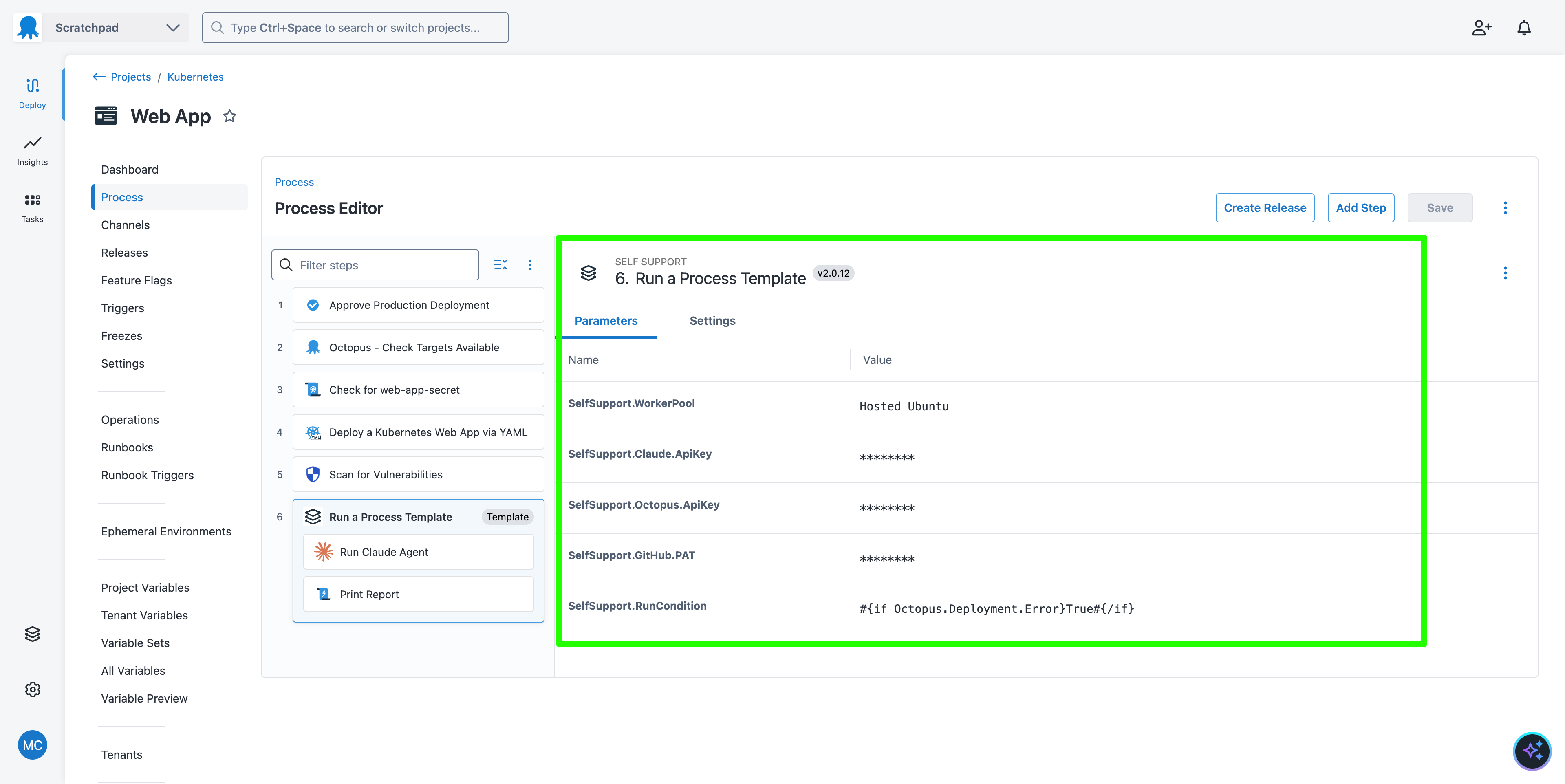
Deploy a new release of the Web App project to the Development environment. The deployment will fail, but this time the self-support step will run and provide guidance on resolving the issue.
Why this pattern supports Platform Engineering teams
Defining an AI-based self-support step as a Platform Hub Process Template enables Platform Engineering teams to embed a common, centrally managed solution across all projects. The process template can be updated to improve the prompt or to link to additional MCP servers to embed more context, and is distributed simply by publishing a new version.
The set of GitHub issues is also dynamic. As new solutions are discovered, they can be added to the knowledge base and surfaced to users without requiring any changes to the deployment process.
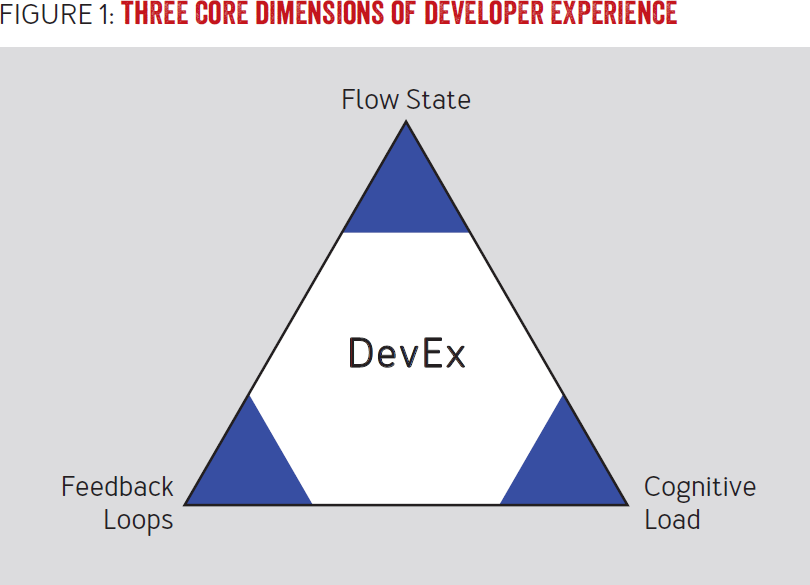
All of this enables short feedback loops for both Platform Engineering teams and platform users. It reduces the cognitive load by providing a single source of truth for common problems and their solutions, and it reduces the support burden on Platform Engineering teams by enabling users to self-support their deployments. It also improves flow state by allowing users to resolve problems without waiting for support from the Platform Engineering team.
These three dimensions are central to improving Developer Experience (DevEx) and are key to the success of any platform engineering initiative:
What just happened?
You created a sample project that:
- Was guaranteed to fail due to a missing prerequisite.
- With a runbook that resolved the prerequisite but was not known to the user.
- Then added a Platform Hub process template to the deployment process that provided AI-based self-support guidance to the user when the deployment failed.
Next steps
To productionize the example, you must configure Platform Hub with your own Git repo. You can then copy the Self Support OCL file to your own Git repository, which will make it available in Platform Hub.
You will also likely want to add additional MCP servers to provide more context to the prompt. Almost every major platform has a supporting MCP server these days.
The prompt used to generate support answers will also need to be tweaked to support any additional MCP servers. You will also likely want to refine the generated responses. Claude provides prompt engineering documentation to help you build a prompt.