
Governance, Risk, and Compliance (GRC) is a crucial requirement in regulated industries. This is especially true with the rise of AI, as this APRA Letter to Industry on Artificial Intelligence demonstrates. Since deployments are where changes meet production systems, it is important to be able to define and enforce policies ensuring Octopus projects meet an organization’s requirements.
Platform Hub provides the ability to define Open Policy Agent (OPA) policies, written in Rego, that can be applied to Octopus projects. In this post, you’ll create a policy that enforces the presence of the Self-Support process template created in the previous post.
Prerequisites
- An Octopus Cloud account. If you don’t have one, you can sign up for a free trial.
- The Octopus AI Assistant Chrome extension. You can install it from the Chrome Web Store.
- A Claude API key.
- A GitHub personal access token.
- An Octopus Agent API key.
The Octopus AI Assistant will work with an on-premises Octopus instance, but it requires more configuration. The cloud-hosted version of Octopus doesn’t need extra configuration. This means the cloud-hosted version is the easiest way to get started.
Creating the project
Use the instructions from the previous post to create the Web App project and then add the Self-Support process template to the project.
In this scenario, you’ll define a process to enforce a policy requiring the Self-Support process template to be present in all projects. This will be an incremental process that first identifies noncompliant projects and then begins enforcing the policy.
Creating the policy
The mock Git repository linked as part of the previous post contains a policy that enforces the presence of the Self-Support process template:
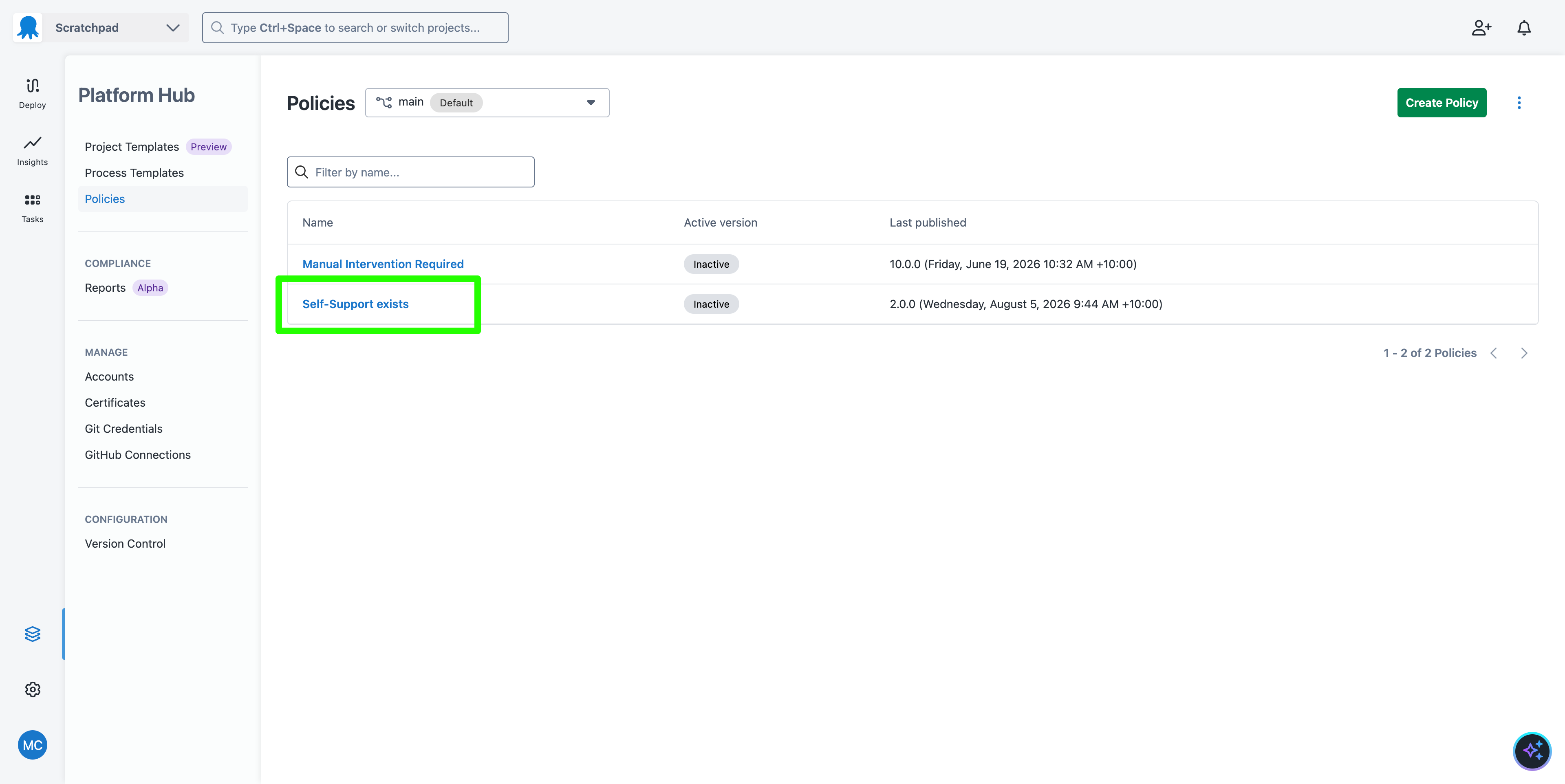
Policies have two parts:
- The Rego that defines which projects the policy applies to (Scope Rego).
- The Rego that defines the policy itself (Conditions Rego).
The default Scope Rego is this:
package self_support_exists

default evaluate := true

# The following are examples of available scoping options:
evaluate if {
    # Scope evaluation by Environment name
    # input.Environment.Name == "<environment-name>"
    # Scope evaluation to Space Id
    # input.Space.Id == "Spaces-1"
    # Scope evaluation to multiple Spaces
    # input.Project.Slug in ["<project-slug>", "<project-slug2>"]
}
The commented conditions need to be updated to reflect your local environment. The most common change is to define the space that the policy applies to. In this example, the policy applies to the custom space with the ID Spaces-1234:
package self_support_exists

default evaluate := true

# The following are examples of available scoping options:
evaluate if {
    # Scope evaluation by Environment name
    # input.Environment.Name == "<environment-name>"
    # Scope evaluation to Space Id
    input.Space.Id == "Spaces-1234"
    # Scope evaluation to multiple Spaces
    # input.Project.Slug in ["<project-slug>", "<project-slug2>"]
}
Changes committed to the mock Git repo are reset after a period of time. It is expected that the changes to the policy will be reverted.
The sample Conditions Rego is this:
package self_support_exists

# Default: Deny all deployments
default result := {"allowed": false}

# Allow: If a specific Process Template is used and not bypassed
result := {"allowed": true} if {
    some step in input.Steps

    # Ensure the step is derived from a Process Template
    step.Source.Type == "Process Template"

    # Target a specific template by its unique slug or ID
    step.Source.SlugOrId == "self-support"

    # Verify this specific step hasn't been added to the skipped list
    not step.Id in input.SkippedSteps

    # Verify the step is enabled
    step.Enabled == true
}
This policy ensures that a step of type Process Template is present in the deployment process and linked to the Self-Support process template, as indicated by the slug self-support. The step must not be skipped and must be enabled; otherwise, the deployment will fail.
The easiest way to see the step types is to download the deployment process as JSON:
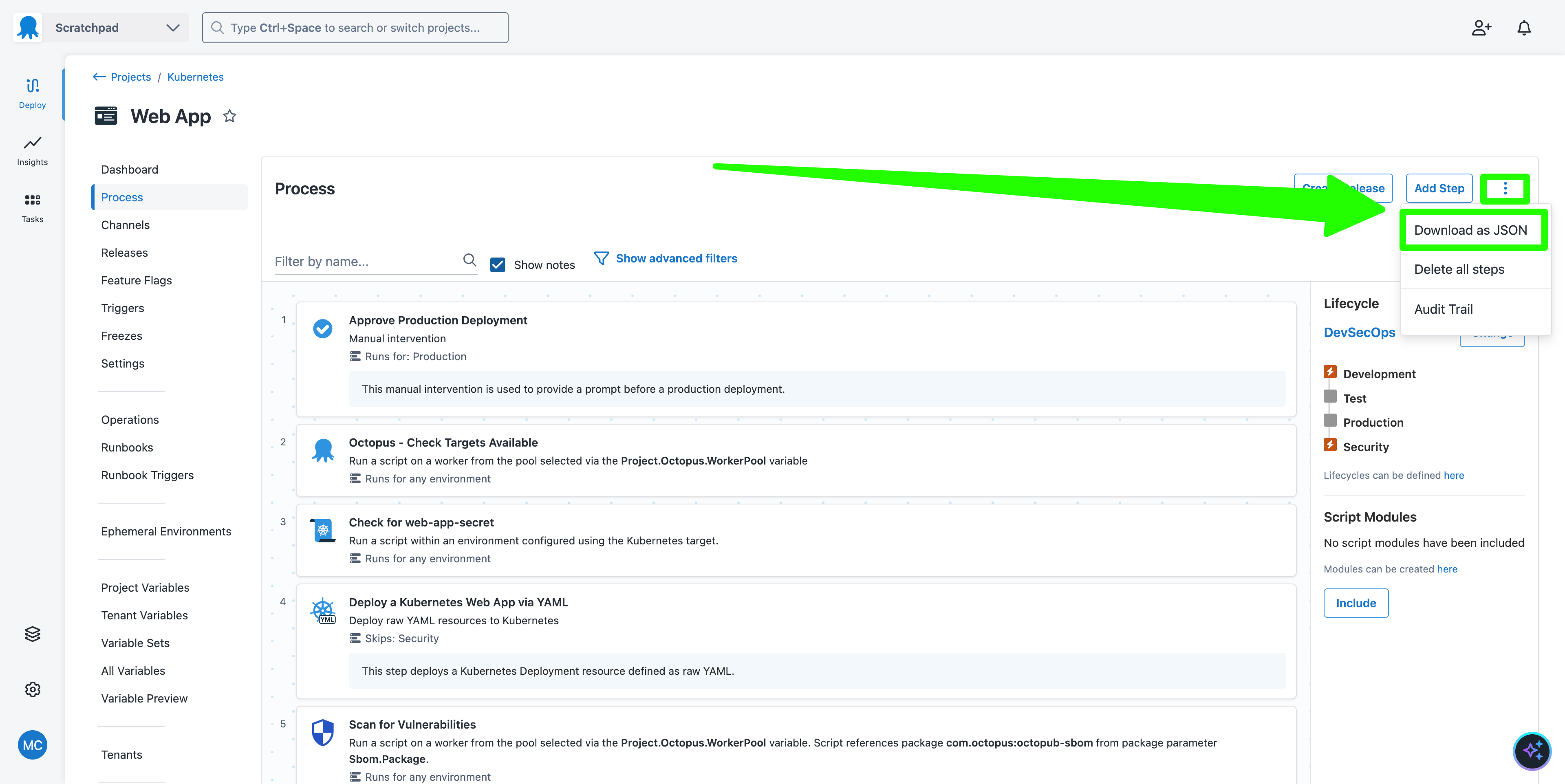
The resulting JSON blob can be quite large, but towards the end of the file, you will see code that looks like this:
"Actions": [
        {
          "Id": "fc95fd56-778c-42c6-ae35-fe611dfb4619",
          "Name": "Run a Process Template",
          "Slug": "run-a-process-template",
          "ActionType": "Octopus.ProcessTemplate",
          "Notes": null,
          "IsDisabled": false,
          "CanBeUsedForProjectVersioning": false,
          "IsRequired": false,
          "WorkerPoolId": null,
          "Container": {
            "Image": null,
            "FeedId": null,
            "GitUrl": null,
            "Dockerfile": null
          },
The ActionType property indicates the type of the step. In this example we can see this is a process template step. This value directly relates to the step.ActionType property in the rego schema.
In this case, however, the step.Source.Type == "Process Template" condition is defined to indicate that a process template must exist. This implies that the step must have an ActionType of Octopus.ProcessTemplate. The documentation provides the exact values for the Source.Type property.
You’ll then see a section that looks like this:
"Properties": {
            "SelfSupport.WorkerPool": "WorkerPools-7706",
            "SelfSupport.Claude.ApiKey": "#{LibraryVariableSet.Claude.ApiKey}",
            "SelfSupport.Octopus.ApiKey": "#{LibraryVariableSet.Octopus.ApiKey}",
            "SelfSupport.GitHub.PAT": "#{LibraryVariableSet.GitHub.PAT}",
            "SelfSupport.RunCondition": "#{if Octopus.Deployment.Error}True#{/if}",
            "Octopus.Action.ProcessTemplate.Reference.Slug": "self-support",
            "Octopus.Action.ProcessTemplate.Reference.VersionMask": "4.X"
          },
The Octopus.Action.ProcessTemplate.Reference.Slug property indicates the slug of the process template that the step is associated with, and this is the value that is assigned to the step.Source.SlugOrId property in the Conditions Rego.
Publishing a policy
The policy has the Violation Action setting configured to Warning. This means that if the scope is met but the conditions are not, a warning will be added to the audit log. Leave this value as it is for now.
The policy must be published before it can be evaluated:
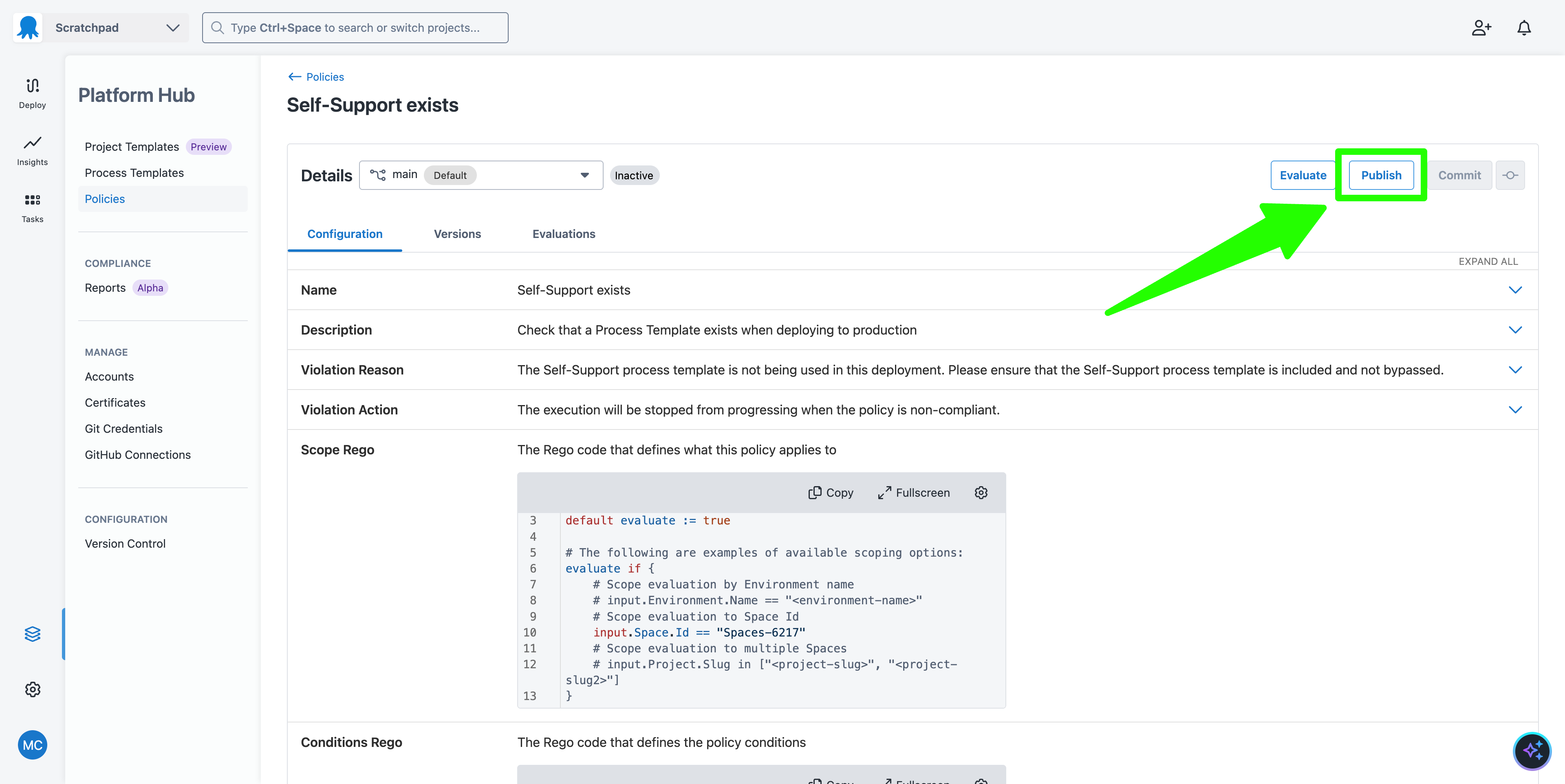
You will be asked to specify the policy version (or be forced to use version 1.0.0 if you are publishing it for the first time).
You can then configure the policy to be active or inactive.
An active policy will add a warning to the audit log, or fail the deployment (depending on the violation action), for any deployments that do not meet the policy.
An inactive policy is not considered when evaluating deployments. You can publish inactive policies to evaluate them against previous deployments without impacting any future deployments.
The published policy remains in effect even if the Git repo is reset.
Discovering non-compliant deployments
The easiest way to fail the policy is to disable the Self-Support process template:
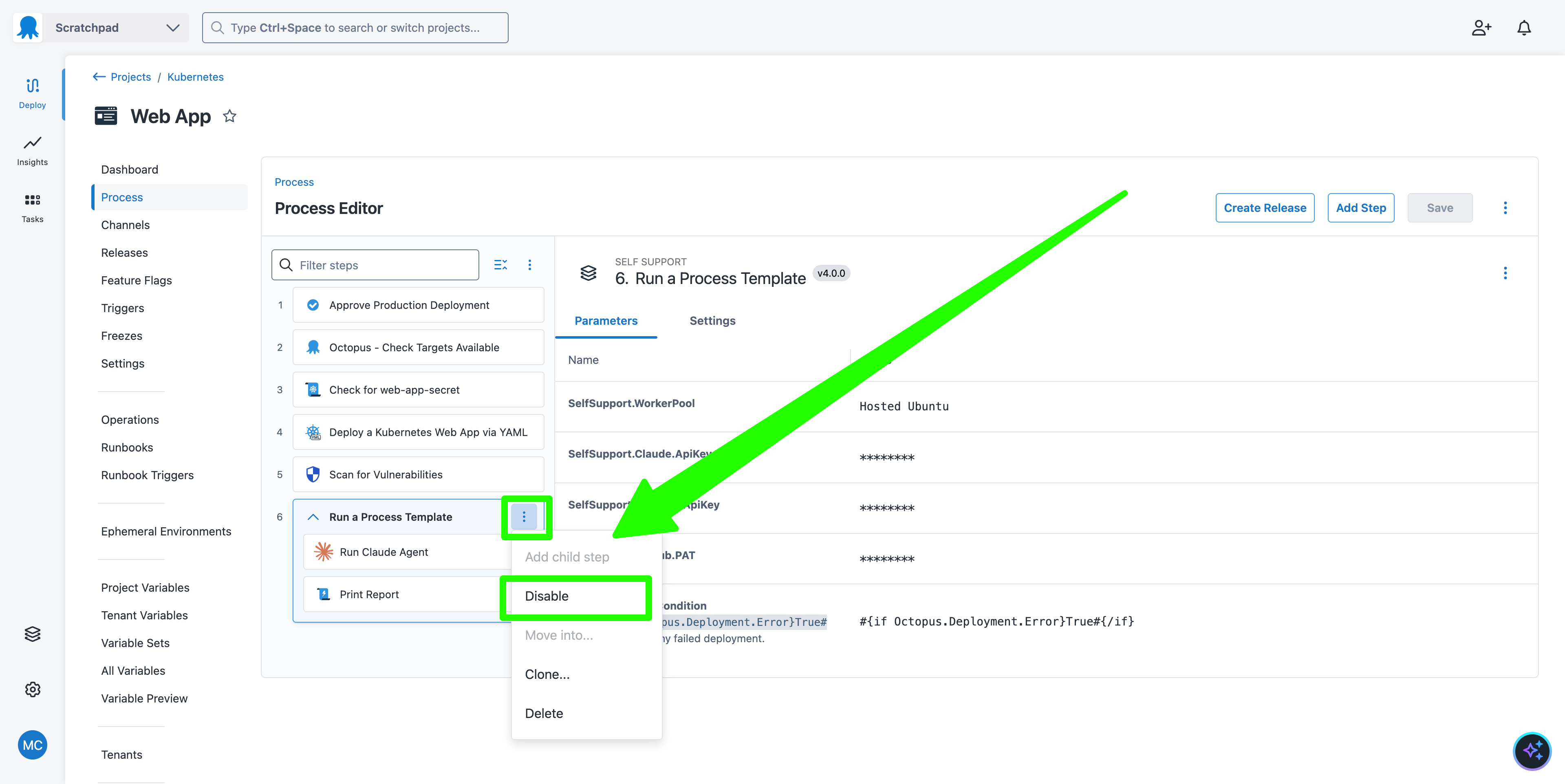
Create a release and deploy it. The deployment will succeed, but the audit log will show a warning that the policy was not met. You can filter the audit log by the event category Compliance Policy evaluated as non-compliant with warning outcome:
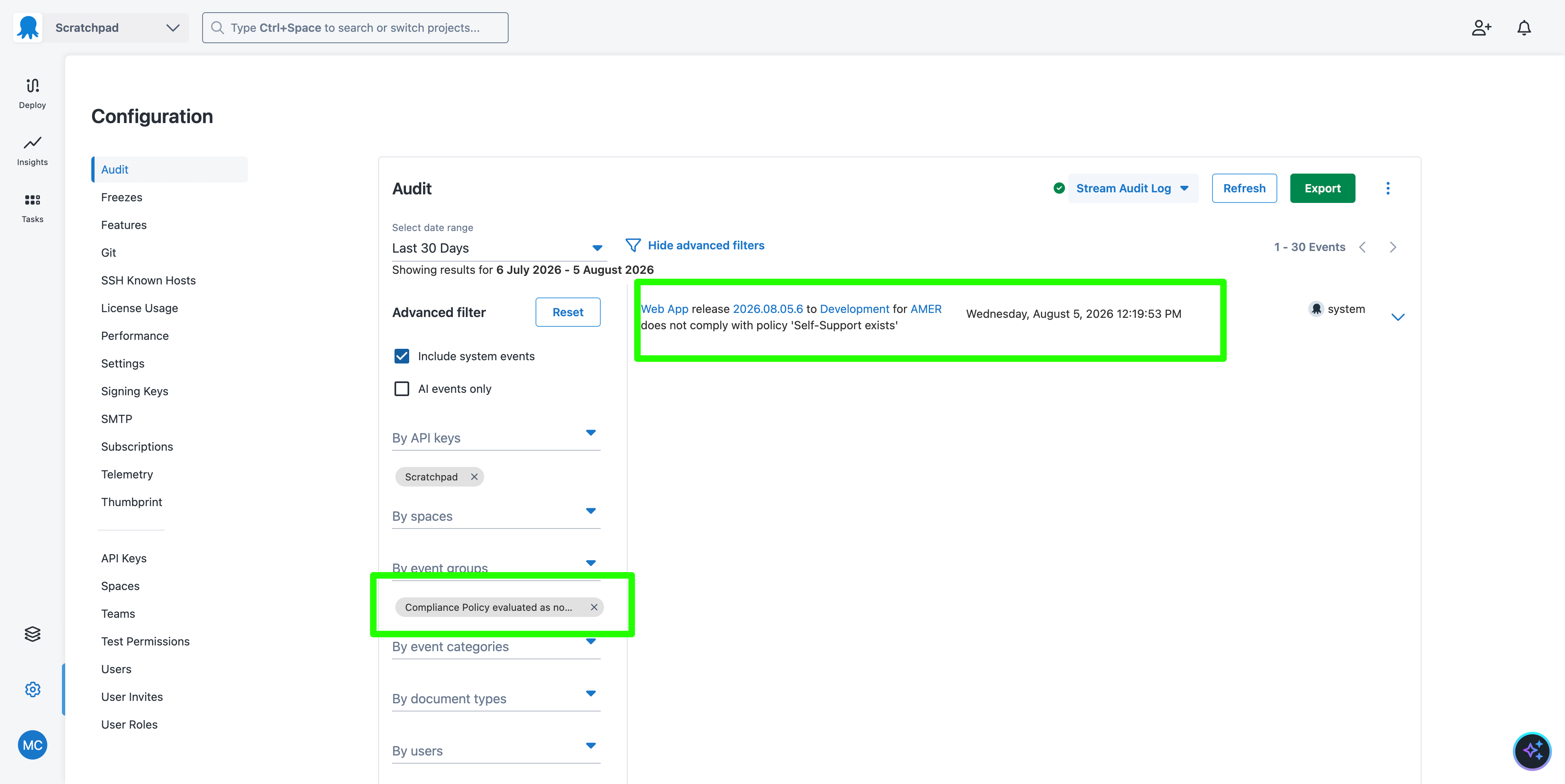
You can review these audit log entries to identify which projects need to have the Self-Support process template added to their deployment process. Crucially, you have not disrupted any deployments by setting the Violation Action to Warning.
Blocking deployments
Once you are satisfied that all projects have the Self-Support process template added to their deployment process, you can set the policy to block deployments. This will fail any project deployments that do not meet the policy.
Return to the Policies screen, edit the Self-Support exists policy, and change the Violation Action to Block:
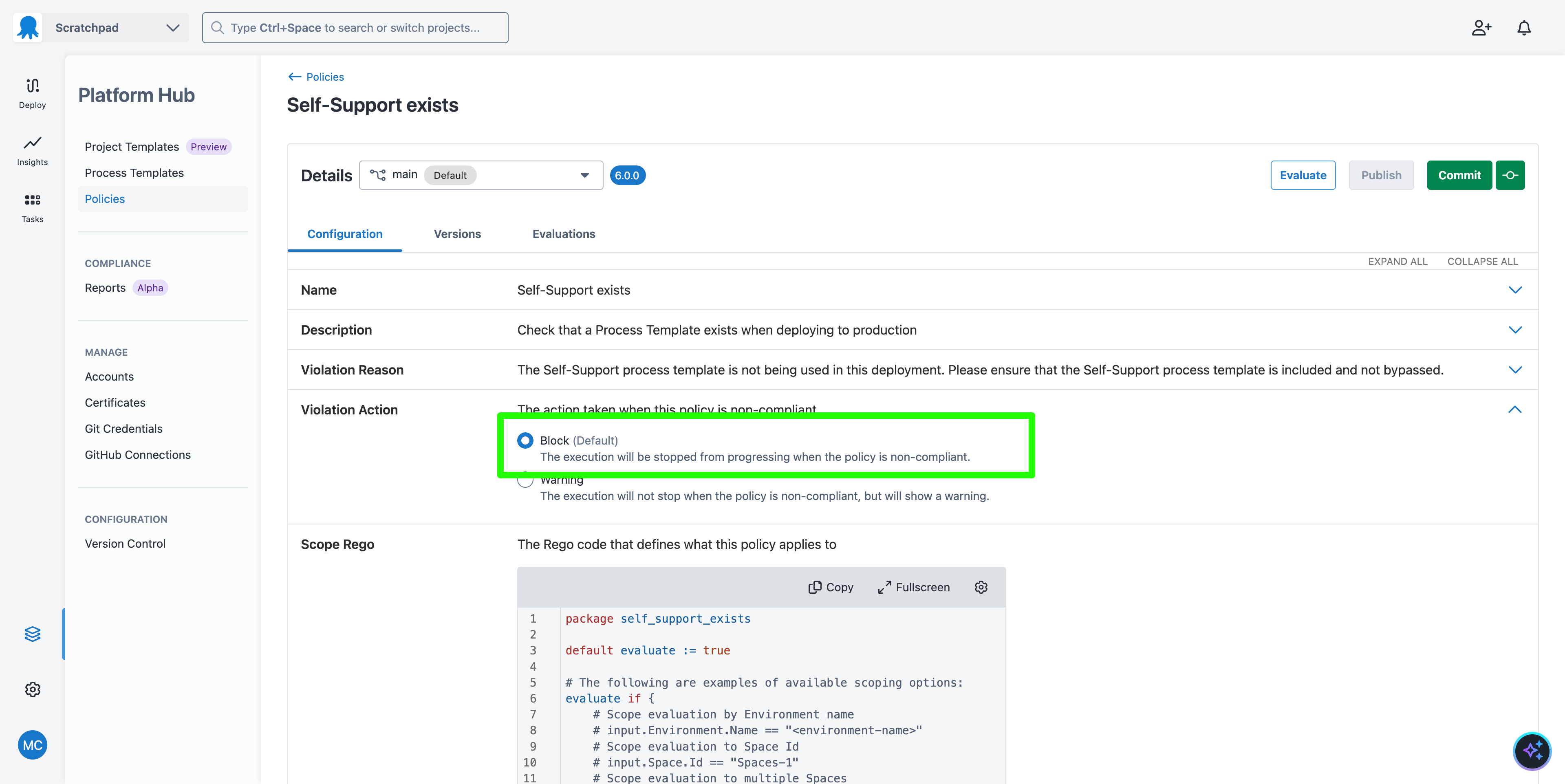
The mock Git repository has likely reset itself at this point, so you will need to reapply any changes to the scope rego.
Commit the changes and publish a new version of the policy in active mode.
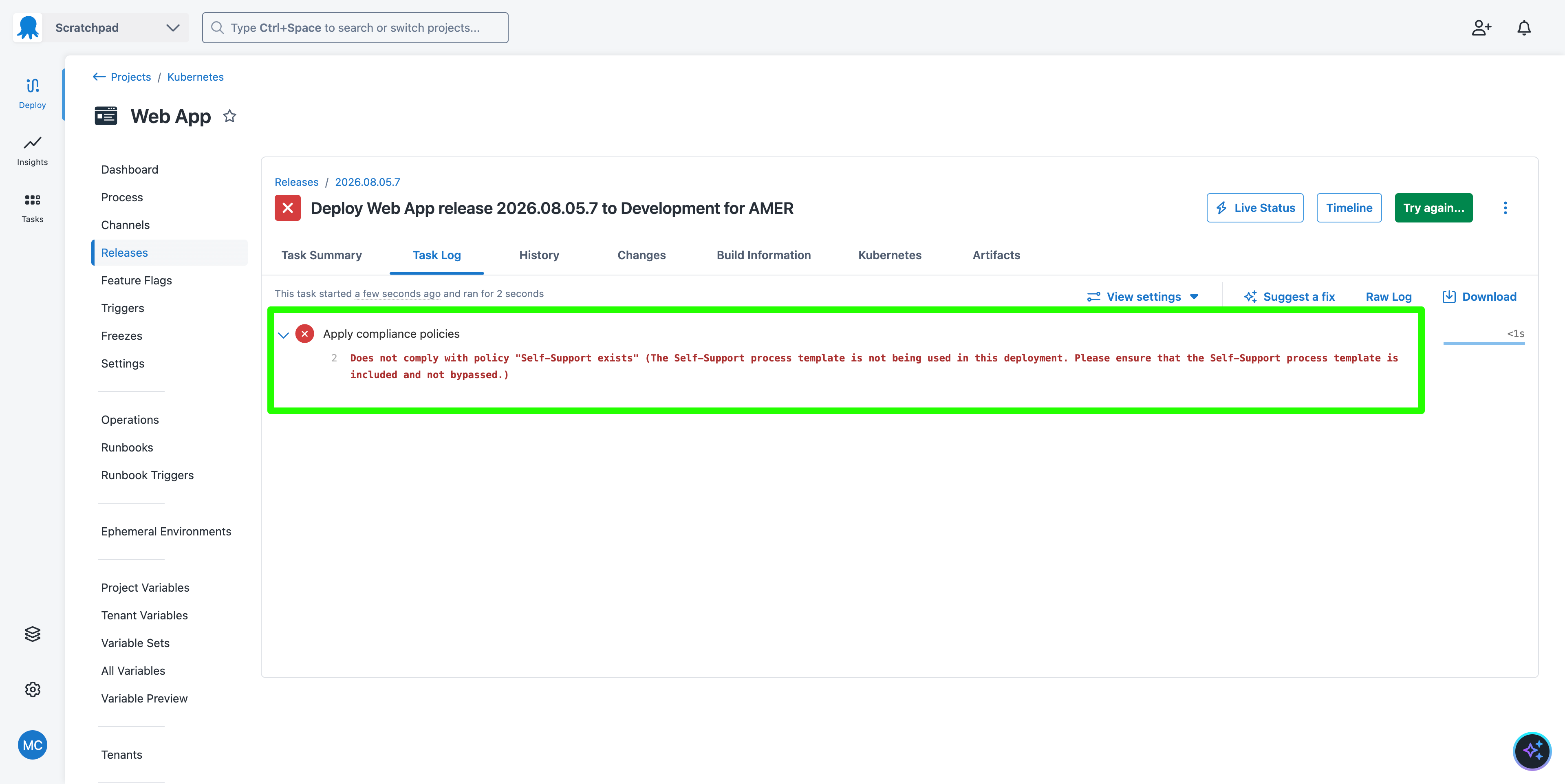
Now, when you deploy a new release, it will be blocked by the policy and fail:
What just happened
You created a policy to ensure the Self-Support process template is present in all projects. You then published the policy in warning mode to identify non-compliant deployments without impacting them. Finally, you changed the policy to block mode to prevent future deployments that do not meet it.
Next steps
To productionize the example, you can be notified directly when a policy is violated with subscriptions. A subscription responds to specific audit log events and then calls an external system like email, Slack, or an HTTP webhook.
You will also need to copy the policy to your own Git repo. Do this by saving the file self-support-exists.ocl, committing it to your own Git repo, and configuring the Platform Hub version control settings.