
The ability to support high performing DevOps teams at scale requires that you define, follow, and ideally automate best practices. This is self-evident when you consider the alternative, which is to imagine what happens when every individual team member is forced to define their own definitions of best practice - the results are predictably messy and impossible to scale.
AWS Well-Architected is a comprehensive set of best practices for deploying and operating workloads in AWS. While the best practices defined by AWS Well-Architected are necessarily broad to cover a wide range of AWS services, many of the practices either directly relate to CI/CD workflows or can be inferred from how applications and infrastructure are deployed.
To help DevOps teams measure their Octopus projects against AWS Well-Architected best practices, the Octopus AI Assistant can now generate AWS Well-Architected reports.
In this post we’ll look at how these reports are generated and the benefits for DevOps teams looking to standardize on AWS Well-Architected best practices.
AI as a policy engine
At a certain scale, DevOps teams must treat the entirety of their applications, infrastructure, pipelines, and processes as unstructured data. While Infrastructure-as-Code (IaC) does imply the presence of structured configuration defining many aspects of DevOps processes, it is simply not feasible to imperatively parse and interpret the wide variety of configuration formats, languages, and tools used by DevOps teams.
Fortunately, Large Language Models (LLMs) excel at interpreting and providing actionable insights from unstructured text. In the context of Octopus specifically, this allows us to extract a text based representation of a project and analyze it against plain text instructions that describe the best practices defined by AWS Well-Architected.
The Octopus AI Assistant automates this process by:
- Converting an Octopus project into a text-based representation
- Defining a prompt describing how AWS Well-Architected best practices are measured against an Octopus project
- Submitting the prompt and project representation to an LLM to generate a report
In short, the Octopus AI Assistant now generates reports that measure Octopus projects against AWS Well-Architected best practices with the click of a button. This allows DevOps teams to quickly and easily assess how well their projects align with AWS Well-Architected best practices without having to manually interpret the best practices themselves.
Generating an AWS Well-Architected report
To generate an AWS Well-Architected report for your Octopus project you need to install the AI Assistant Chrome extension from the Chrome Web Store.
Octopus Cloud users can use the AI Assistant without any additional configuration. If you are using an on-premises Octopus instance, you will need to configure your firewall to allow the AI Assistant to connect to your instance.
Once you have the AI Assistant installed, navigate to a project, and click the Generate an AWS Well-Architected report for the project link.
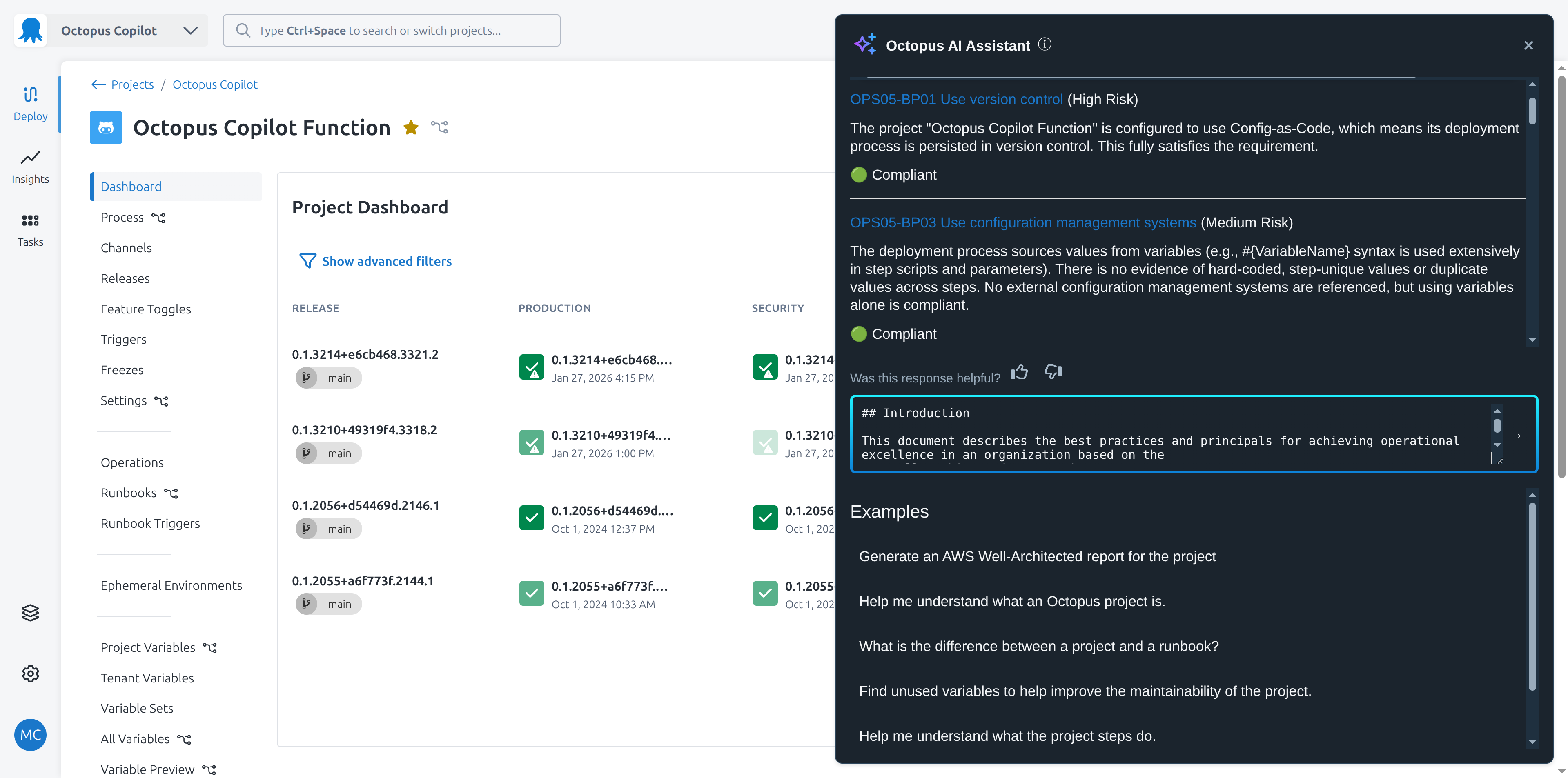
The prompt used to generate the report is entered into the prompt box automatically. You can then run the prompt as is, or modify it to suit your needs.
The result is a detailed report that measures your Octopus project against AWS Well-Architected best practices.
Conclusion
Mapping non-prescriptive best practices to concrete implementations has traditionally been a time-consuming task for DevOps teams. But, with the AI Assistant, teams can now generate AWS Well-Architected reports for their Octopus projects with the click of a button.
Happy deployments!