Sometimes multiple deployment or runbook run tasks for the same project/environment/tenant combination will be waiting in the task queue. Often this means some of the tasks are superseded and no longer required. Octopus can help you clean these tasks up automatically by cancelling them.
This feature is available from version 2026.
Configuration
The task cancellation behavior is configured per deployment or runbook process. It is on by default for new projects and runbooks, you can customize the setting via the project’s deployment settings or on each runbook.
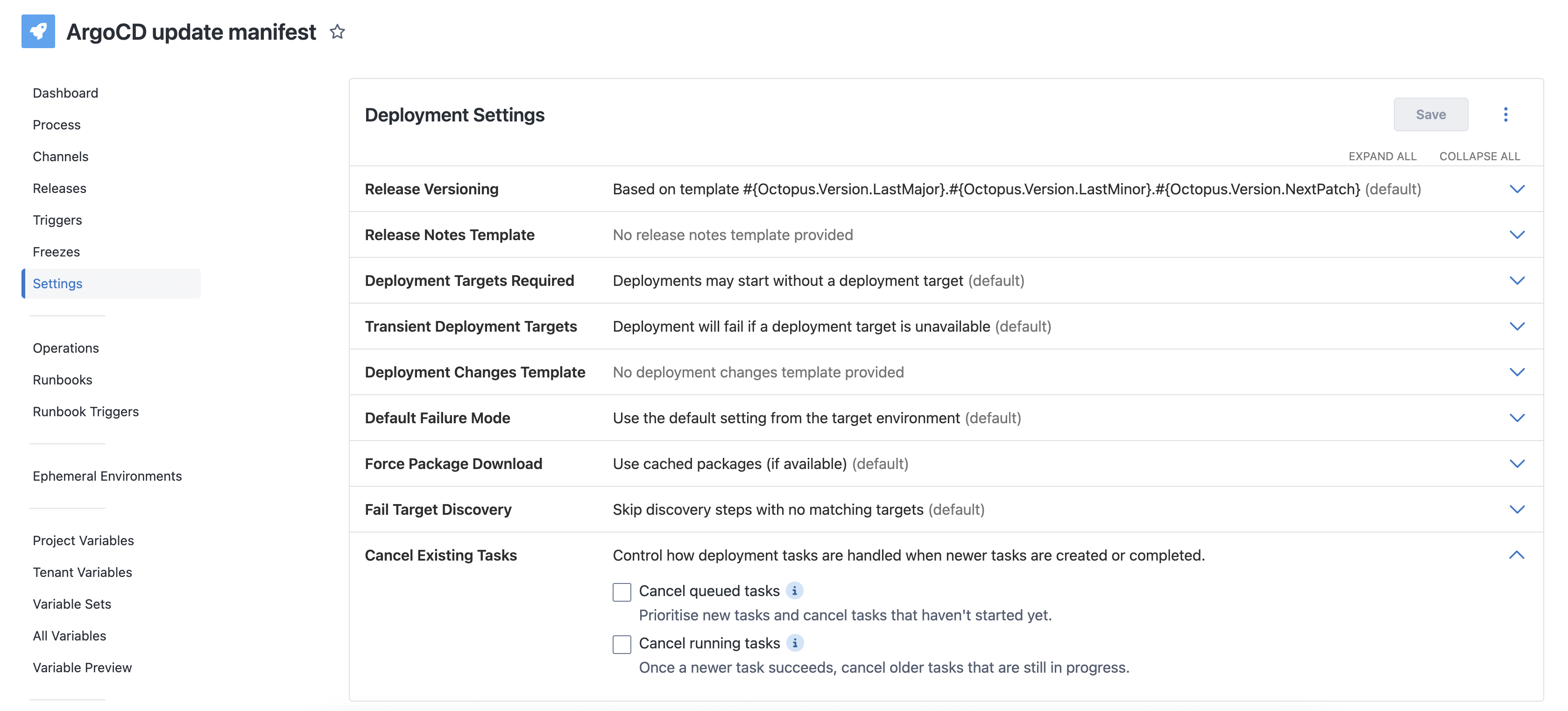
There are two settings that affect when superseded tasks are cancelled.
Cancel queued tasks
When a project’s lifecycle auto-deploys new releases and releases are created faster than they are deployed, the task queue fills with deployments to the same project/environment/tenant combination. This is a scenario that sometimes happens with external triggers.
When a new task is queued, Octopus will cancel older queued tasks that would’ve been overwritten by the latest task. The new task then takes the place of the earliest cancelled task in the queue.
Cancel running tasks
The Argo CD steps can be configured to a pull request for the required Git repository changes and then wait it to be merged before completing. Other deployment can start executing while the task is waiting for the pull request to be merged. When one of the pull requests is merged and the task completes successfully, the previous tasks and their pull requests are no longer required.
Another use case is when the first step of a deployment process is a manual intervention. Often deployments for multiple releases will be waiting for manual approval. Once the manual intervention step is approved and the task completes, the previous tasks are no longer required.
When a task completes successfully, Octopus will cancel older tasks that have started but are paused such as waiting for manual approval or pull requests to merge. No cancellation will taken place if the task fails.
Auditing
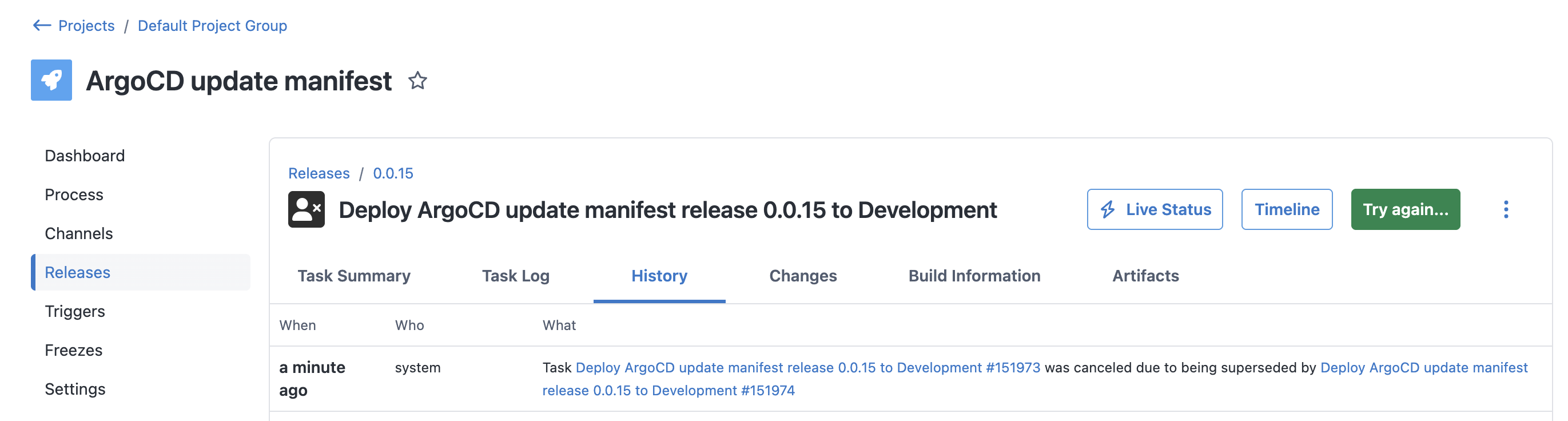
You can see whether a task was cancelled by system by inspecting the task audit history.
Exclusions
Sometimes only running the latest task may not yield the same result as having run all intermediate tasks. Octopus takes a safe-by-default approach by not cancelling tasks if it might yield a different result.
Tasks that don’t run the full process on all targets are not considered for cancellation, these include tasks that have:
- Machine filters (include/exclude) - this is either set by a user or auto-deploy from a target trigger
- Skipped steps - skipping steps may affect conditional steps that run according to a variable value
Queued tasks
-
When the queued task doesn’t run the full process on all targets, no earlier tasks will be cancelled.
-
When the queued task does run the full process on all targets, Octopus starts cancelling earlier tasks from the back of the queue and stops once it sees a task that doesn’t run the full process on all targets, it does not skip the task and keep going. This ensures the task order is preserved.
Running tasks
-
When the completed task doesn’t run the full process on all targets, no earlier tasks will be cancelled.
-
When the completed task does run the full process on all targets, Octopus cancels all earlier tasks that run the full process on all targets.