
In the previous post, you added retry logic to your deployment steps. In this post, you’ll add build information to our deployment process.
Octopus Easy Mode - Build Information
Prerequisites
- An Octopus Cloud account. If you don’t have one, you can sign up for a free trial.
- The Octopus AI Assistant Chrome extension. You can install it from the Chrome Web Store.
The Octopus AI Assistant will work with an on-premises Octopus instance, but it requires more configuration. The cloud-hosted version of Octopus doesn’t need extra configuration. This means the cloud-hosted version is the easiest way to get started.
Creating the project
This process is more involved than the previous exercises, as you need to upload build information to the Octopus instance and configure Jira integration. But don’t worry, you don’t need a Jira instance to follow along. You’ll be using a mock server to demonstrate how it works.
Paste the following prompt into the Octopus AI Assistant and run it:
Create a Script project called "05. Script App with Build Information", and then:
* Add a Maven feed called "Octopus Maven Feed" pointing to https://octopus-sales-public-maven-repo.s3.ap-southeast-2.amazonaws.com/snapshot with anonymous authentication
* Add a reference package to the script step from the Maven feed "Octopus Maven Feed" with the package ID "com.octopus:octopub-frontend"
Download the Octopus CLI, and authenticate it against your Octopus instance.
octopus loginSave this JSON to a file called buildinfo.json:
{
  "BuildEnvironment":"GitHub",
  "Branch":"main",
  "BuildNumber":"288",
  "BuildUrl":"https://github.com/OctopusSolutionsEngineering/OctopusCopilot/actions/runs/14208749702",
  "VcsType":"Git",
  "VcsRoot":"https://github.com/OctopusSolutionsEngineering/OctopusCopilot",
  "VcsCommitNumber":"64752356a0f1f4f97c2e8b55b5dcb0fb9c25c0ab",
  "Commits":[
    {
      "Id":"64752356a0f1f4f97c2e8b55b5dcb0fb9c25c0ab",
      "Comment":"DEMO-1 - test runbook with 0.15.0 of pipe"
    }
  ]
}
Don’t worry about the links or syntax of the buildinfo.json file. You would never generate this manually in a real-world scenario. We want to fake just enough of the build information to demonstrate how it works. In a production system, the build information is generated by CI plugins.
Push the build information to your Octopus instance using the Octopus CLI:
octopus build-information upload --space Default --package-id=com.octopus:octopub-frontend --version=20251210.491.1 --file=buildinfo.json --overwrite-mode=OverwriteExistingThe version associated with the build information must match the version of the package deployed in the script step.
Set the Jira Base Url to https://s6dstgcfnk6h6rmcbk3uqqmkte0nvnee.lambda-url.ap-southeast-2.on.aws. Use any values for the username and password - our mock service accepts any credentials.
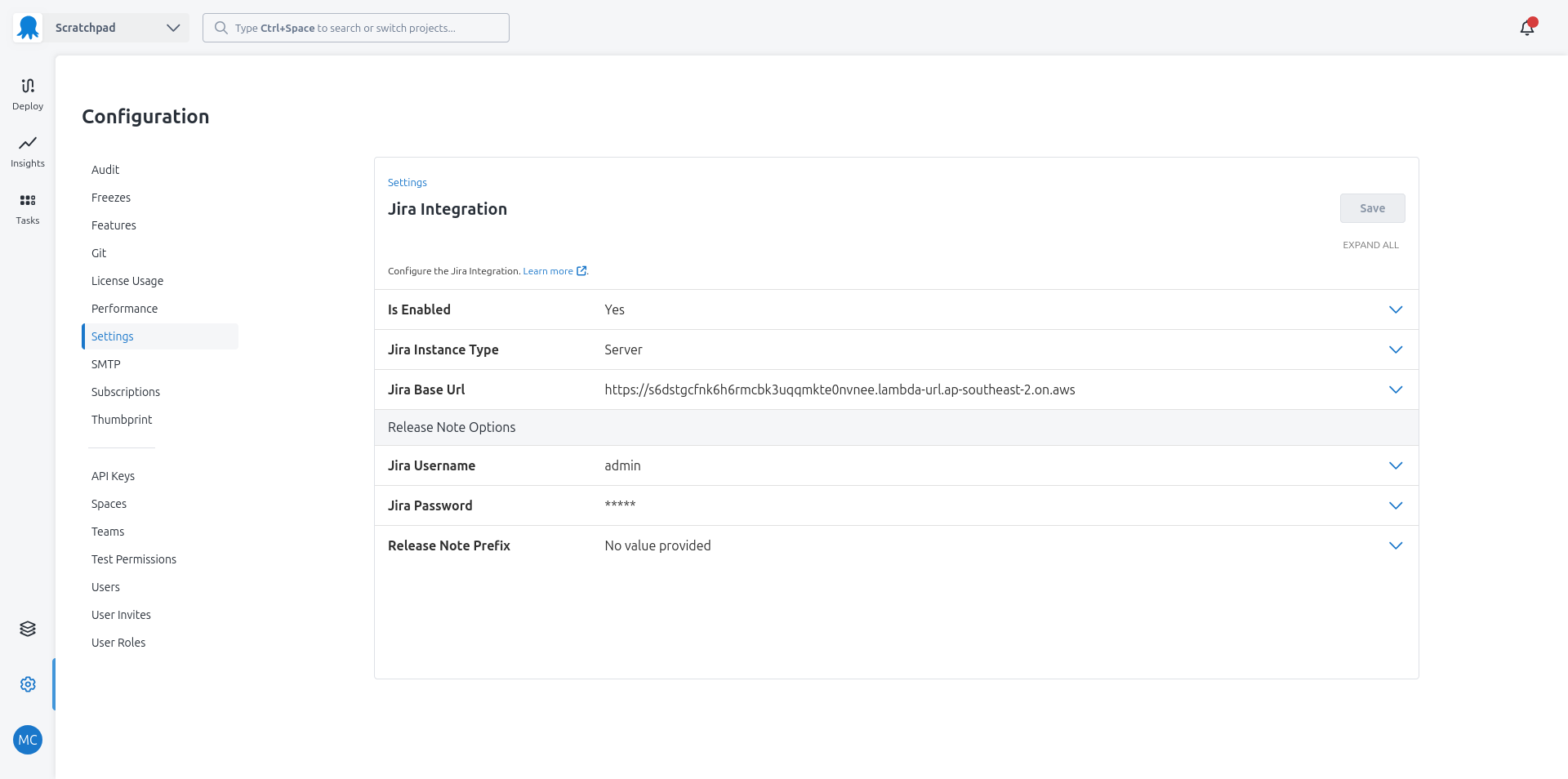
The mock Jira endpoint will return something for any issue in the build information. Use this curl command to see what it returns:
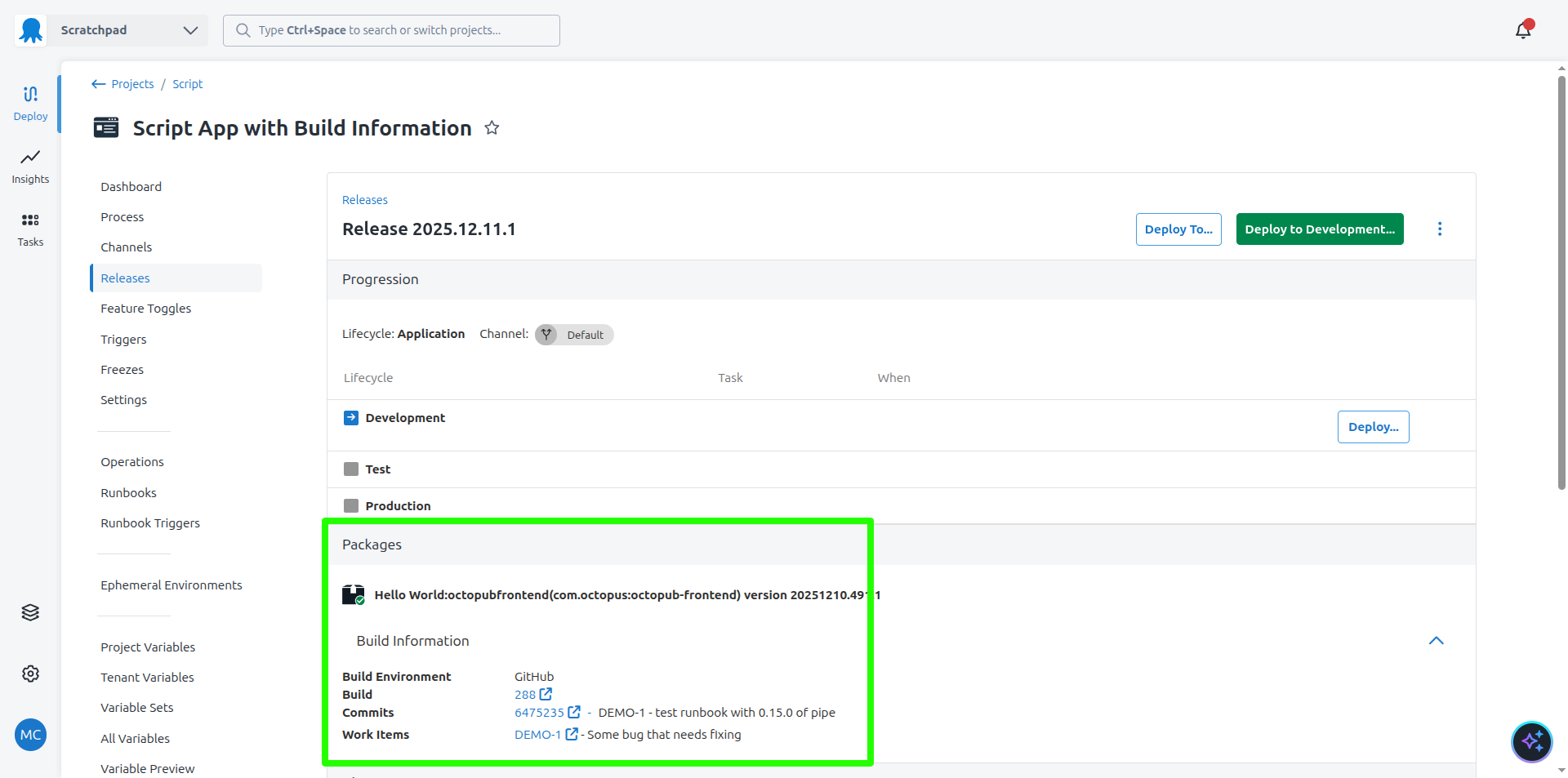
curl -X POST https://s6dstgcfnk6h6rmcbk3uqqmkte0nvnee.lambda-url.ap-southeast-2.on.aws/rest/api/2/search -H "Content-Type: application/json" -d '{"jql":"id in (DEMO-1)", "fields": ["summary", "comment"]}'You can now create a release. Octopus will query the feed for the package with the given version, link it to the build information, and present links to the CI build, Git commits, and work items associated with the package.
What just happened?
You created a sample project with:
- A script step with a reference package consuming an artifact from an anonymous Maven feed
- A build information package supplying mock metadata for the package in the script step
You also configured Octopus to point to a mock Jira server to return mock details associated with work items.
What’s next?
The next step is to add tenants.