How to run a runbook in Octopus Deploy
- Navigate to your project and select Runbooks.
- Select the runbook you want to run.
- Click RUN….
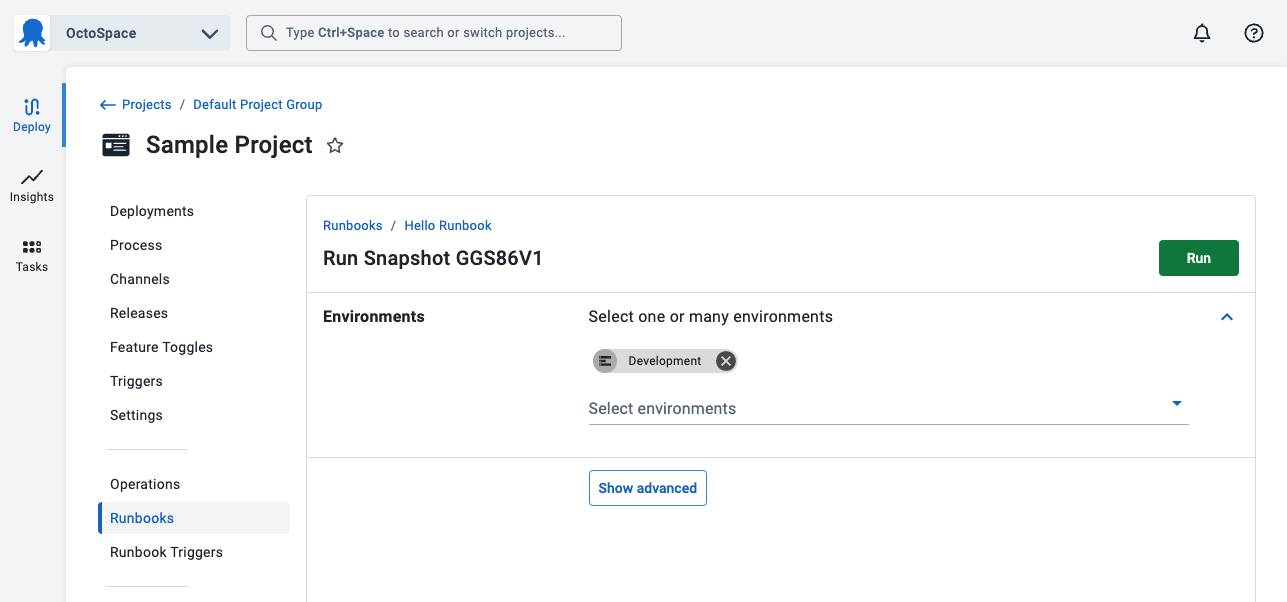
- Select one more more environments for the execution.
- Click RUN to run now, or select Show advanced to display advanced configuration options.
Schedule a runbook run
- After expanding the advanced options on your runbook run, expand the WHEN section and select later.
- Specify the time and date you would like the runbook to run.
- Click RUN.
Exclude steps from runbook runs
- After expanding the advanced options on your runbook run, expand the Excluded steps section and use the check-box to select steps to exclude from the runbook run.
- Click RUN.
Modify the guided failure mode
Guided failure mode asks for users to intervene when a runbook encounters an error. Learn more about guided failures.
- After expanding the advanced options on your runbook run, expand the Failure mode section, and select the mode you want to use.
- Click RUN.
Run on a specific subset of deployment targets
You can run a runbook on a specific subset of deployment targets.
- After expanding the advanced options on your runbook run, expand the Preview and customize section.
- Expand the Deployment Targets section.
- Select your target selection method:
- Include all applicable deployment targets (default)
- Include specific deployment targets: Choose individual targets to include
- Exclude specific deployment targets: Choose individual targets to exclude
- Include specific target tags: Include targets with selected tags
- Exclude specific target tags: Exclude targets with selected tags
- Click RUN.
Further reading
- Runbooks vs Deployments - Understand the key differences
- Runbook Variables - Learn about variable management
- Runbook Permissions - Configure access control
- Tag Sets - Learn about creating and managing tags