
With the news of the supply chain attack on the axios npm package, more than a few DevOps teams will be scrambling to understand their exposure and identify potentially affected applications. These kinds of attacks are just a fact of life, though, and while serious, simple changes to your deployment pipelines allow teams deploying applications to respond to these events in a more proactive and predictable manner.
In this post, I’ll show you how to proactively manage the risk associated with dependencies and supply chain attacks by associating Software Bill of Materials (SBOM) with deployed applications and automatically scanning those SBOMs for vulnerabilities.
You can complete the steps in this post in around 30 minutes.
Prerequisites
Sign up for a free trial of Octopus Cloud at https://octopus.com/start. The cloud-hosted version of Octopus is the easiest way to get started, as it doesn’t require any additional configuration to work with the Octopus AI Assistant.
Then install the Octopus AI Assistant Chrome extension from the Chrome Web Store.
Creating the sample application
To demonstrate the process of proactively managing and securing your application, we’ll create one of the sample applications provided by the AI Assistant.
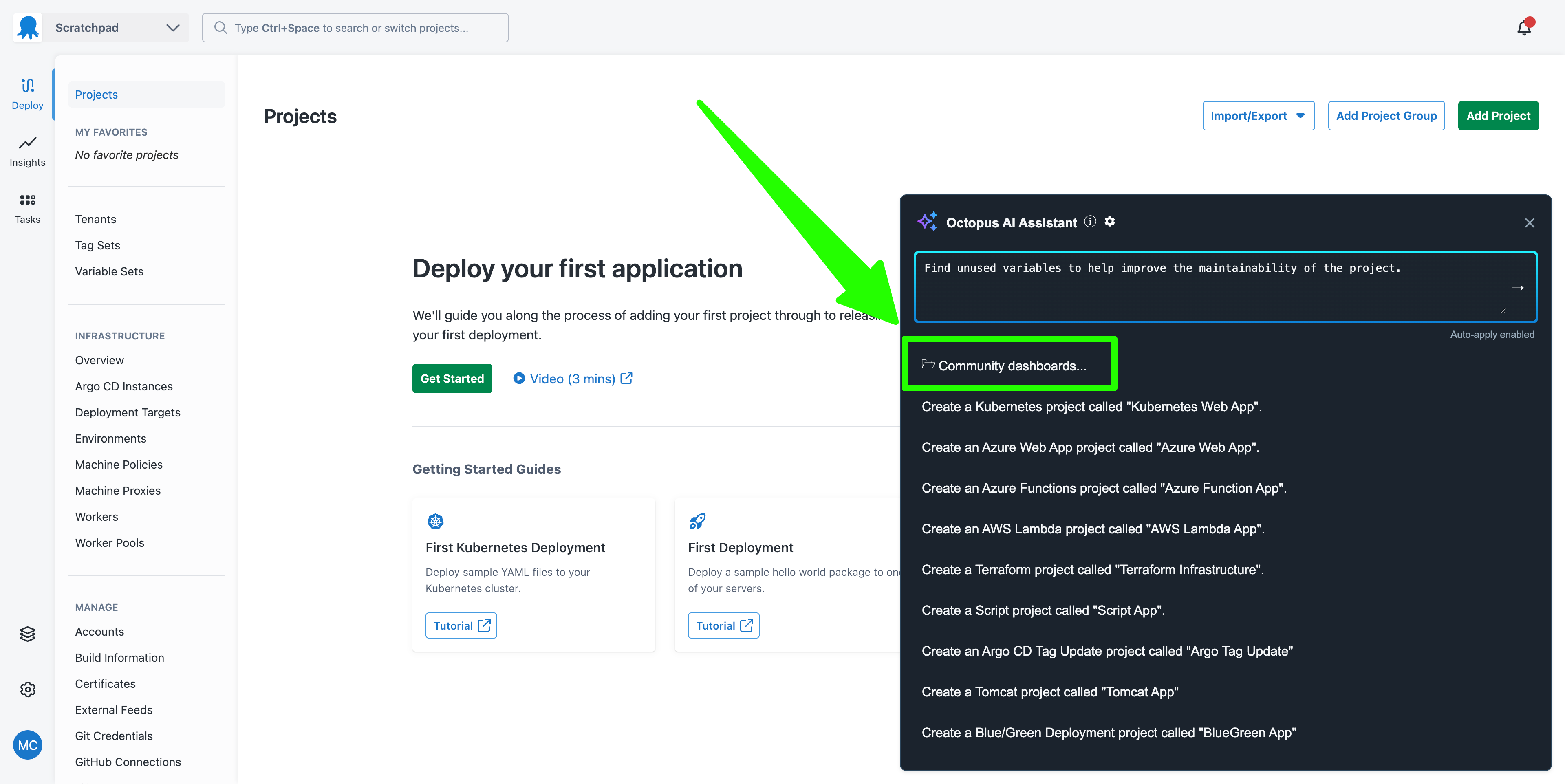
Open the AI Assistant and click the Community Dashboards... link:
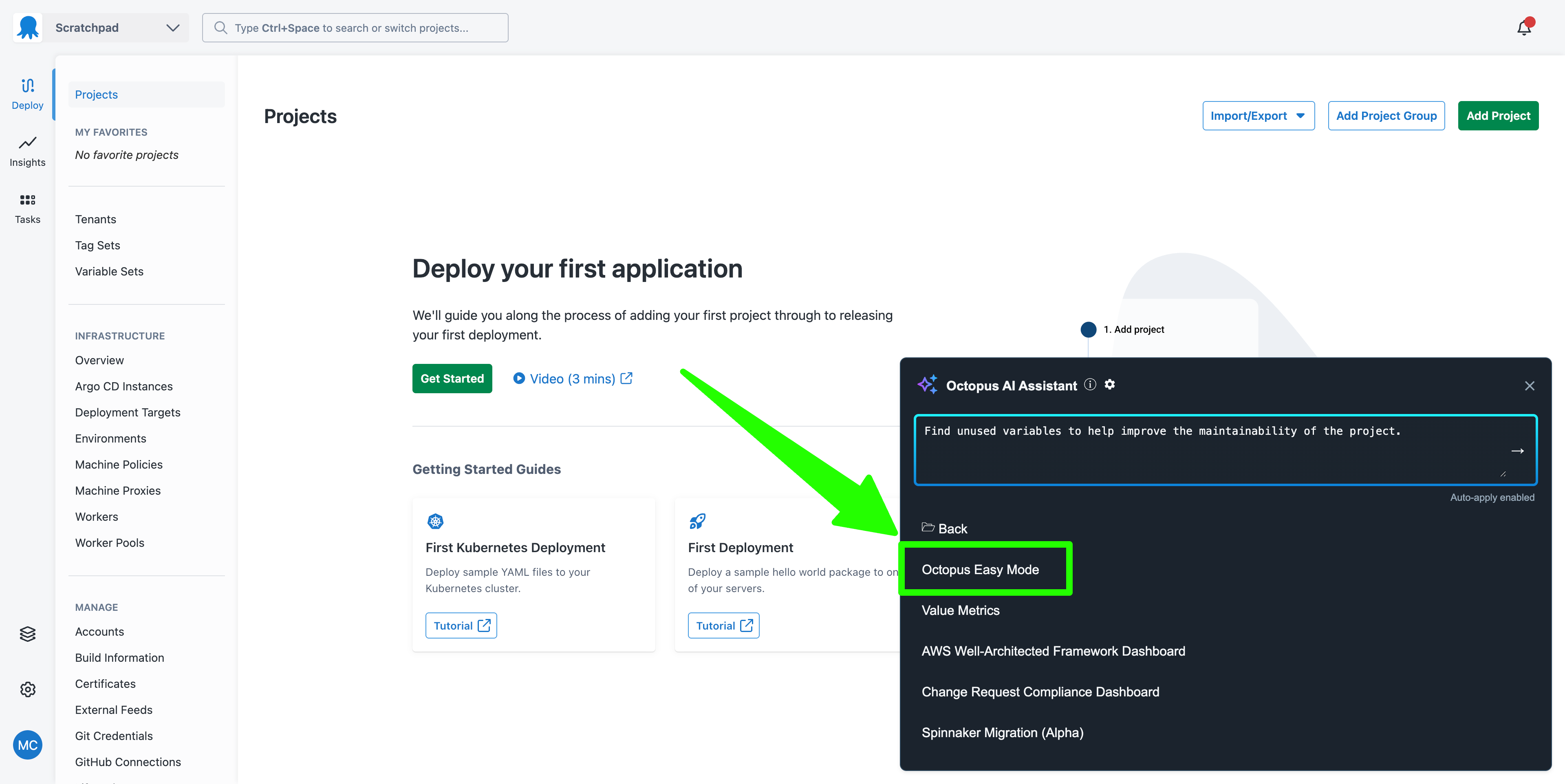
Click the Octopus Easy Mode link:
Octopus Easy Mode provides the ability to create sample projects based on best practices. We’ll create the sample Kubernetes project. Select the Kubernetes item and click the Execute button:
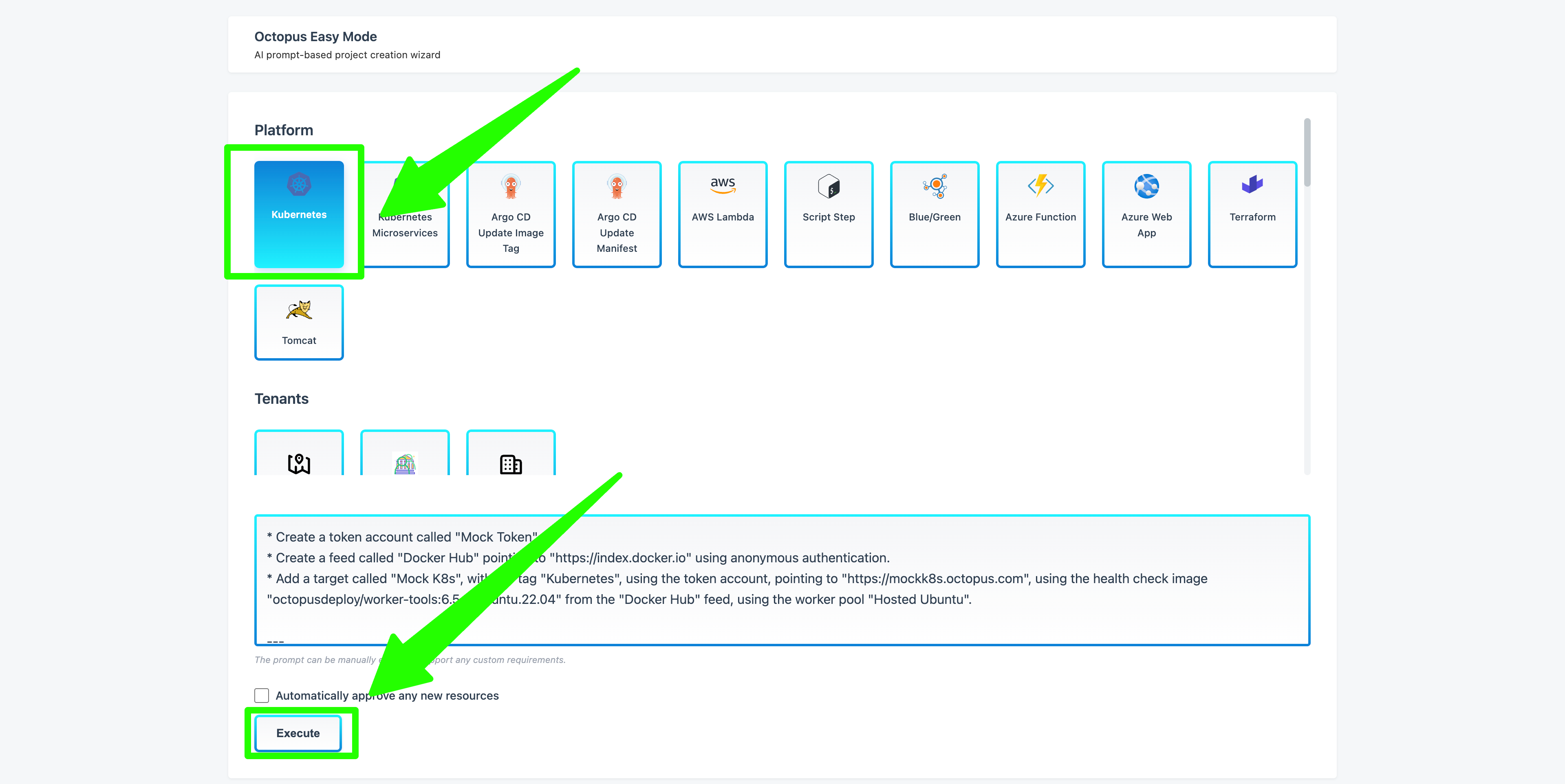
Once you review and approve the changes, this results in a project called My K8s WebApp being created in your space, along with all supporting resources like feeds, targets, environments, lifecycles, and accounts.
This sample project demonstrates proactive dependency management, and it starts with lifecycles and environments.
Security environment and lifecycles
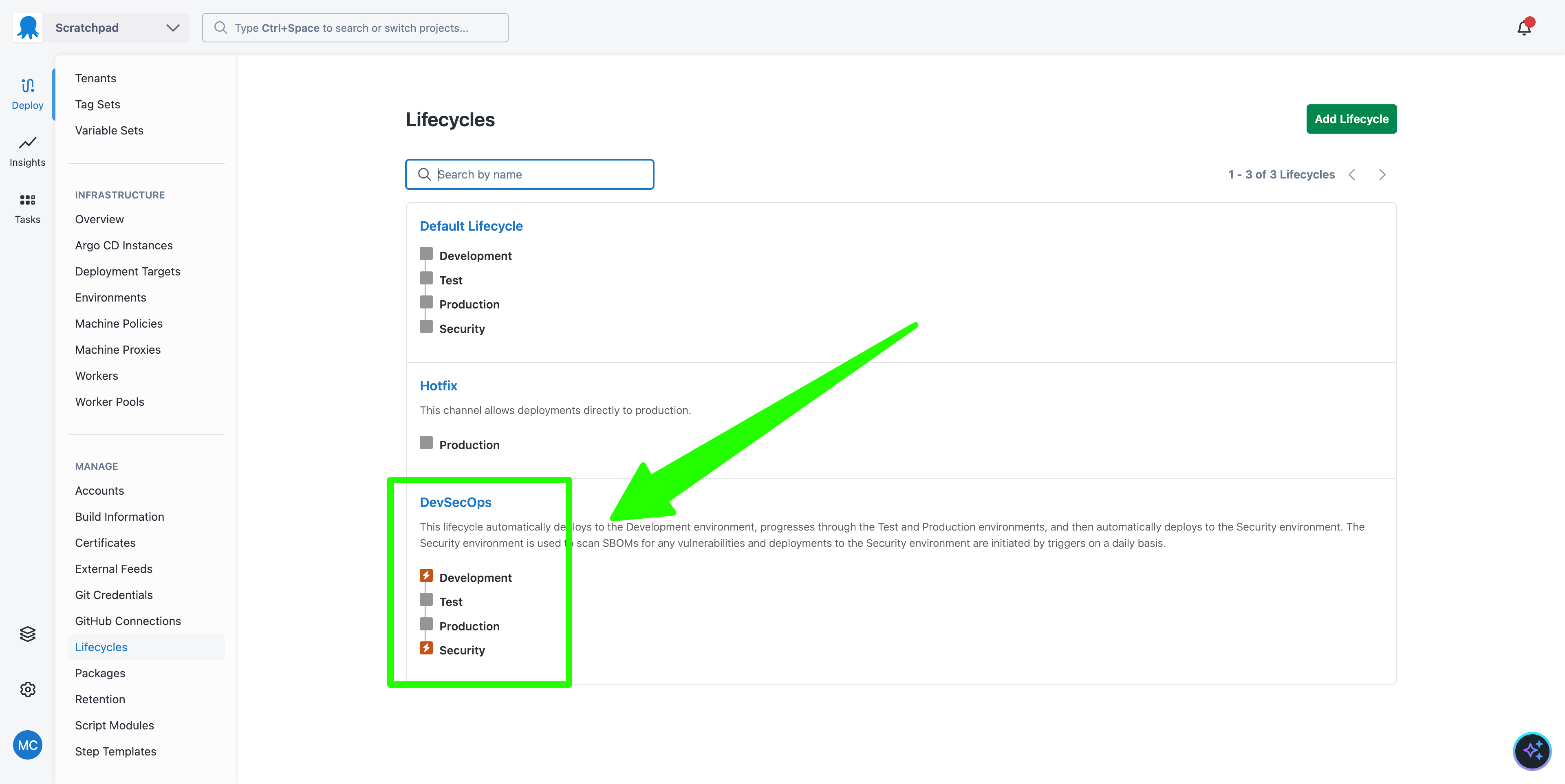
The AI Assistant created four environments: Development, Test, Production, and Security.
The first three environments represent the typical infrastructure used to host application deployments. The Security environment is a specialized environment that will host our dependency scanning and vulnerability management steps:
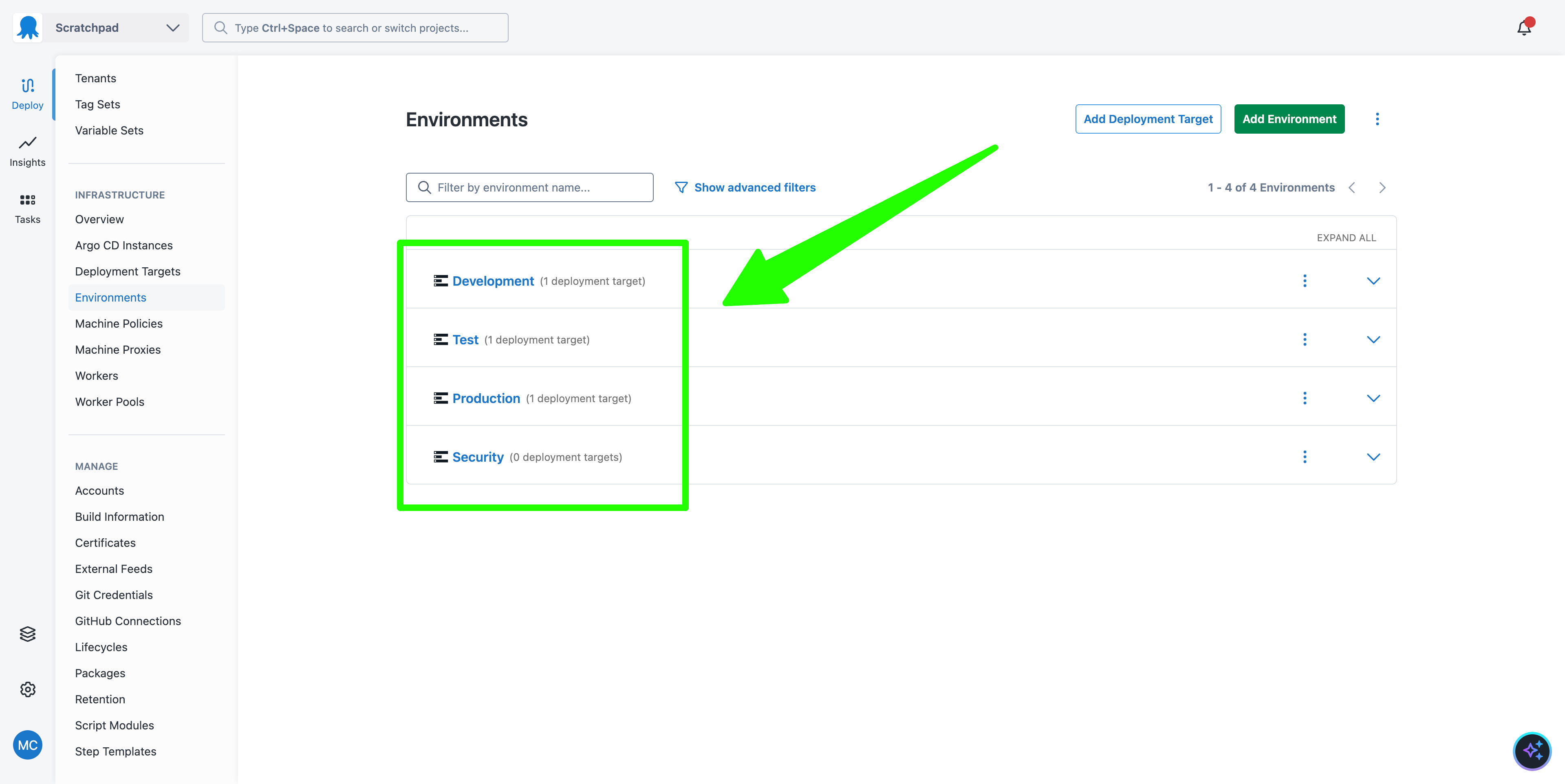
We then have a DevSecOps lifecycle that has four phases, one for each environment. Deployments are executed automatically to the Development and Security environments. This means when a deployment to the Production environment succeeds, it automatically starts a deployment in the Security environment. This will be important later on:
The deployment process
The deployment process for the sample application involves scanning the SBOM for a given application version. The final step, called Scan for Vulnerabilities, accepts a package containing an SBOM file and scans it with an open-source dependency-scanning tool.
Notably, the steps that deploy the application (Deploy a Kubernetes Web App via YAML in this example) skip the Security environment. This means deployments to all environments perform the security scan, but deployments to the Security environment only scan the SBOM file:
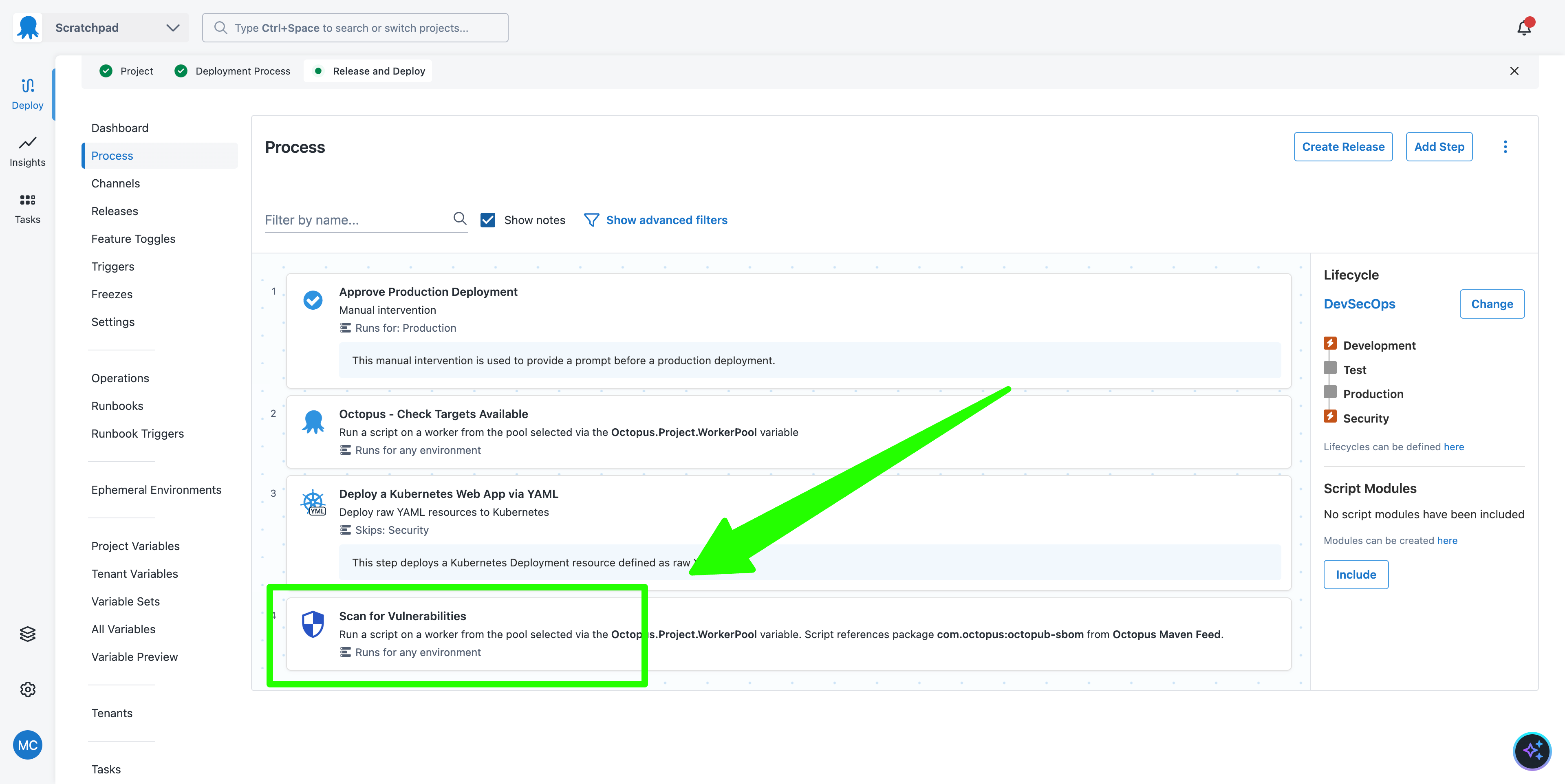
The end result of this deployment process is that every deployment to every environment performs an SBOM security scan, and once a deployment to the Production environment succeeds, a deployment is immediately triggered in the Security environment.
This initial sequence of a deployment to Production followed by a deployment to Security is not particularly useful, as it is unlikely that a new vulnerability was detected in the seconds between the deployments.
However, the deployment to the Security environment can then be rerun as part of a trigger.
Rerunning the security scan as a trigger
The sample project also includes a Daily Security Scan trigger. This trigger reruns the deployment in the Security environment once per day:
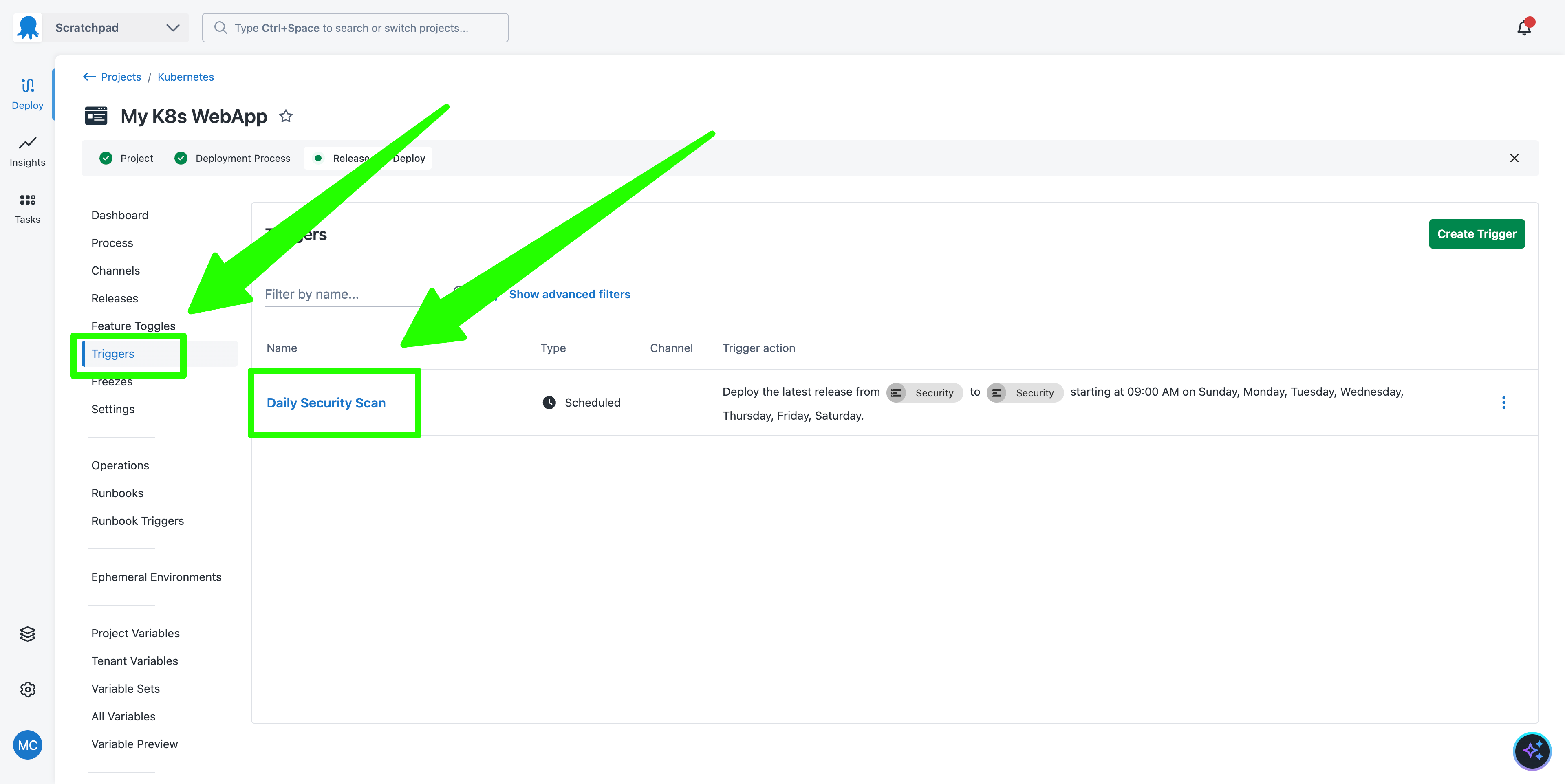
This results in a daily scan of the dependencies that contributed to the version of your application in the Production environment.
This demonstrates how a Continuous Deployment (CD) tool like Octopus complements Continuous Integration (CI) tools to implement DevSecOps. Because Octopus knows exactly which versions of your applications are currently in production (as opposed to the state of a dependency lock file in Git, which may not reflect code deployed to production), it can scan application dependencies to catch vulnerabilities as soon as they are discovered.
You can then automatically respond to any vulnerability reports with custom steps like email alerts or messages sent to a chat platform, and proactively address any issues in a predictable and controlled manner.
Next steps
Scanning an SBOM for vulnerabilities is just one example of risk management that is possible once you associate SBOMs with deployed applications and create an environment where security tasks can be run.
For example, you could scan the SBOM for known dependencies, even when there is no CVE associated with them, or generate reports on outdated dependencies.
What just happened?
By following along with this post, you created a sample Kubernetes application with:
- Deployments that captured both application code and its associated SBOM
- SBOM security scanning steps
- Environments and lifecycles that support proactive security management
- A trigger that performs a daily security scan of the dependencies in your production application
This pattern allows DevOps teams to determine what dependencies were included in a deployment and use that information to respond to known dependency vulnerabilities. This workflow complements other security practices such as SAST/DAST scanning at CI-time, dependency management, and runtime scanning to decrease the risks associated with dependency vulnerabilities and supply chain attacks.
Tags: