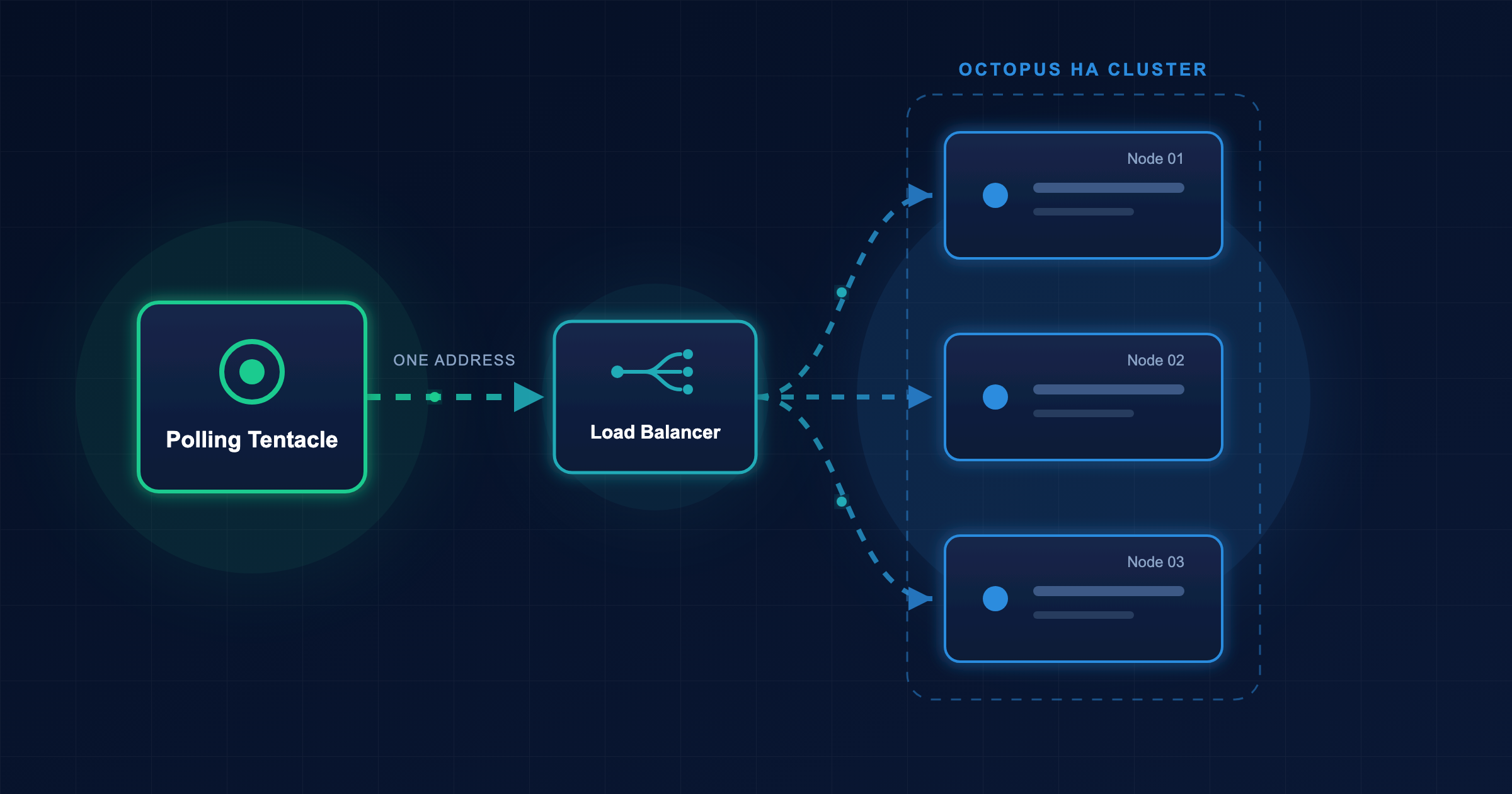
Imagine your CI/CD pipeline kicks off a deployment, but before it starts, two more commits land and trigger more deployments. Wouldn’t it be nice if Octopus only ran the last one and skipped the first two?
What are superseded tasks?
A task is superseded when a newer task makes it redundant. For example, if three deployments of the same project and environment are queued, the first two are superseded once the third is queued, as the third deployment will leave the environment in the desired state.
As AI coding tools push commit and PR volume upwards, a growing queue of superseded deployments becomes more pronounced
Instead of letting those redundant tasks run to completion, Octopus can automatically cancel them to expedite the latest task. The result is faster deployments, shorter feedback cycles and less resource use.
How does it work?
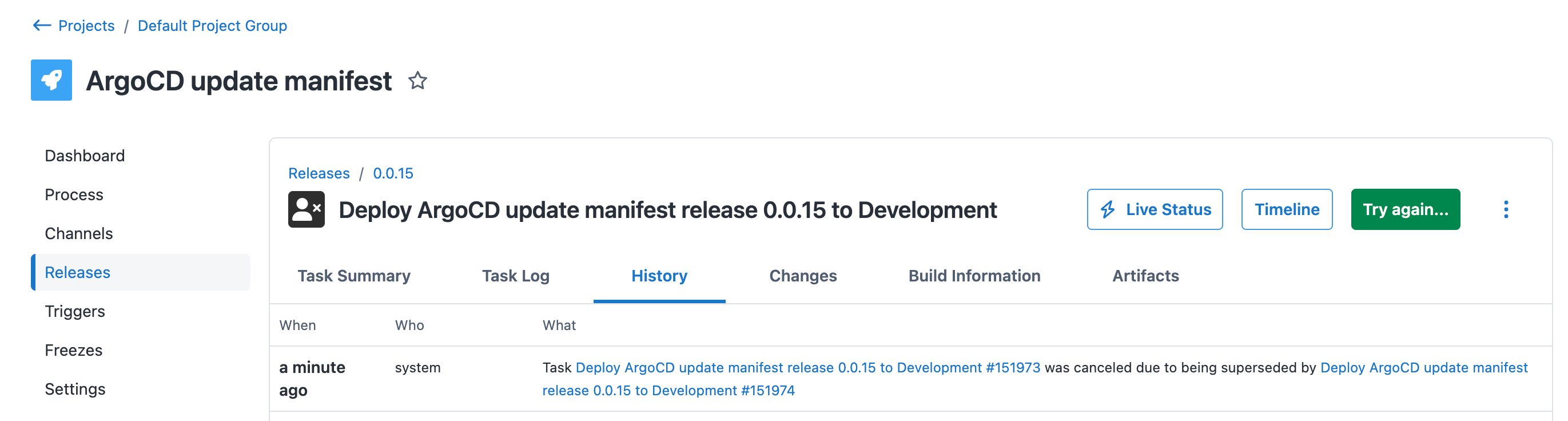
When a new deployment task is queued, Octopus checks for other queued tasks that target the same project and environment. If it finds tasks that are waiting to start, it cancels them and marks them as superseded.
A few important things to note:
- Only queued tasks that are yet to start are considered for cancellation. If a task has already started executing, Octopus won’t interrupt it mid-deployment.
- Tasks with skipped steps or included/excluded targets are not considered for cancellation since it’s difficult to ensure the intended changes are still flowing through the deployment pipeline
- Superseded tasks are cancelled, not deleted. You can still see them in the task log with a clear explanation of what happened and which task superseded them.
- This applies to deployments and runbook runs where the outcome of the newer task makes the older one irrelevant.
Variation - cancel running tasks
As we were developing the Argo CD integration, we realized that Octopus could potentially have many deployments paused while waiting for pull request approval for the same project and environment. Once the latest pull request merges, the user would need to cancel the previous deployments manually.
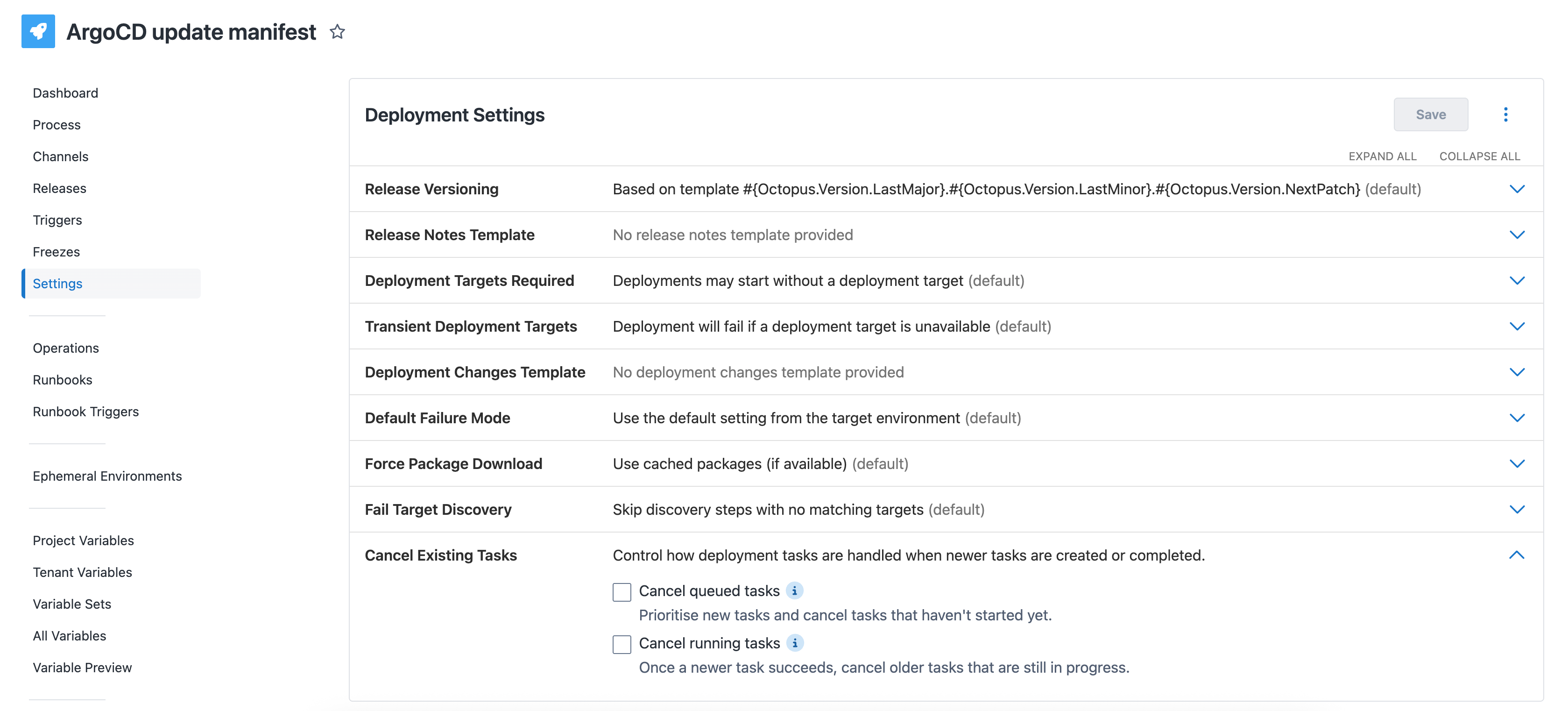
This is why we’ve added the option to also cancel running tasks that are waiting for external events like pull request merges and manual intervention.
How do I configure this?
These settings are active by default for all new projects, you can customize the behavior for each project’s deployment process or runbook by editing their respective settings.
Learn more
For the full details on how superseded tasks work, head to the official documentation.
Happy deployments!
Tags: