
Practical Platform Engineering in 5 Lunches is a series of blog posts that takes you through the process of building a hands-on Internal Developer Platform (IDP) using Octopus Deploy.
This is part 3 of the series. In the previous post, you configured a Kubernetes deployment project and began exploring the features of Platform Hub.
In this post, you’ll modify a shared process template in Platform Hub, publish the changes, and consume those changes in your project.
Prerequisites
Sign up for a free trial of Octopus Cloud at https://octopus.com/start. The cloud-hosted version of Octopus is the easiest way to get started, as it doesn’t require any additional configuration to work with the Octopus AI Assistant.
Then install the Octopus AI Assistant Chrome extension from the Chrome Web Store.
Updating a shared template
Open up Platform Hub, select the Platform PreDeploy Hook process template, edit the script step, and click the Commit Only button:
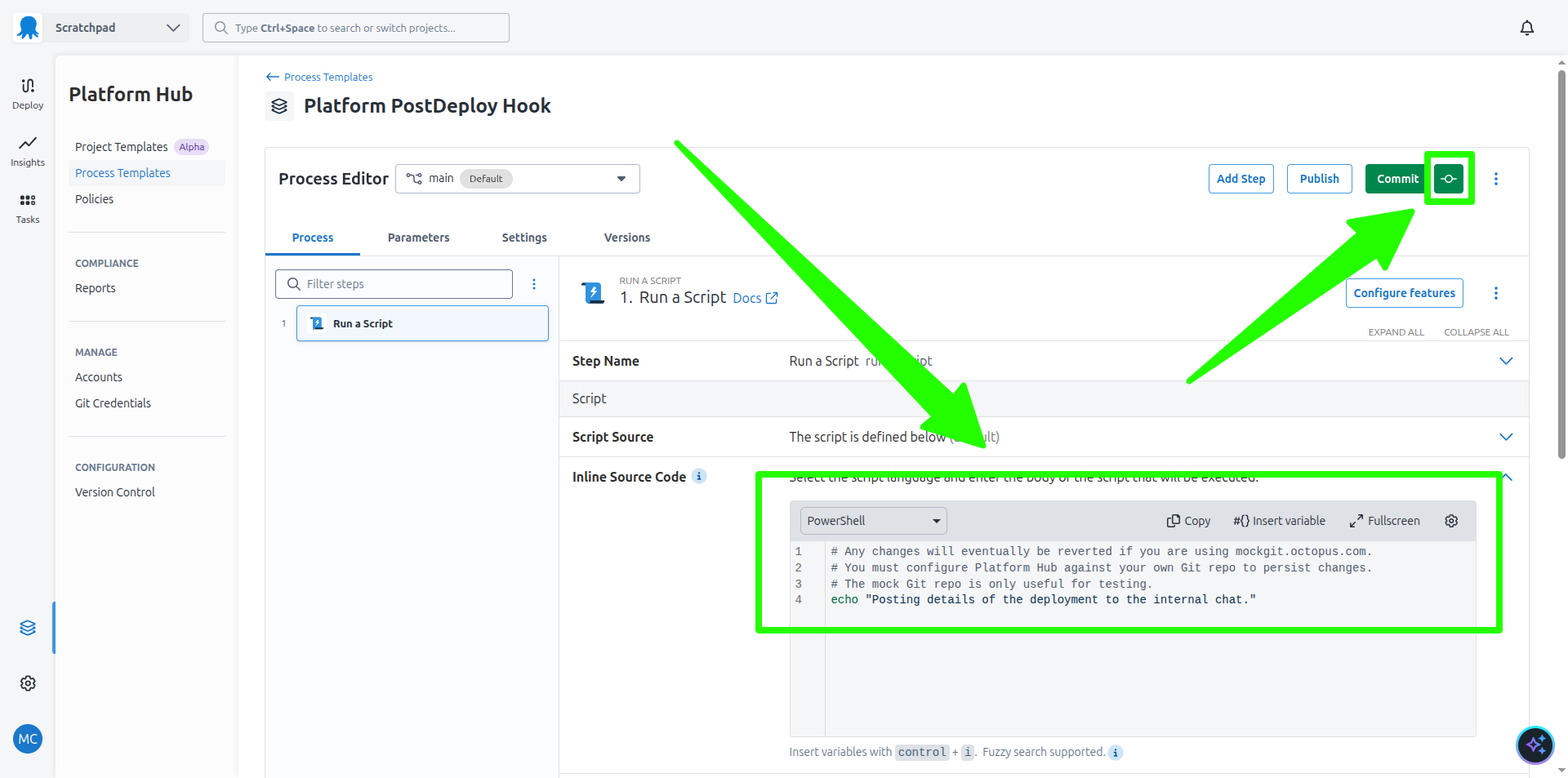
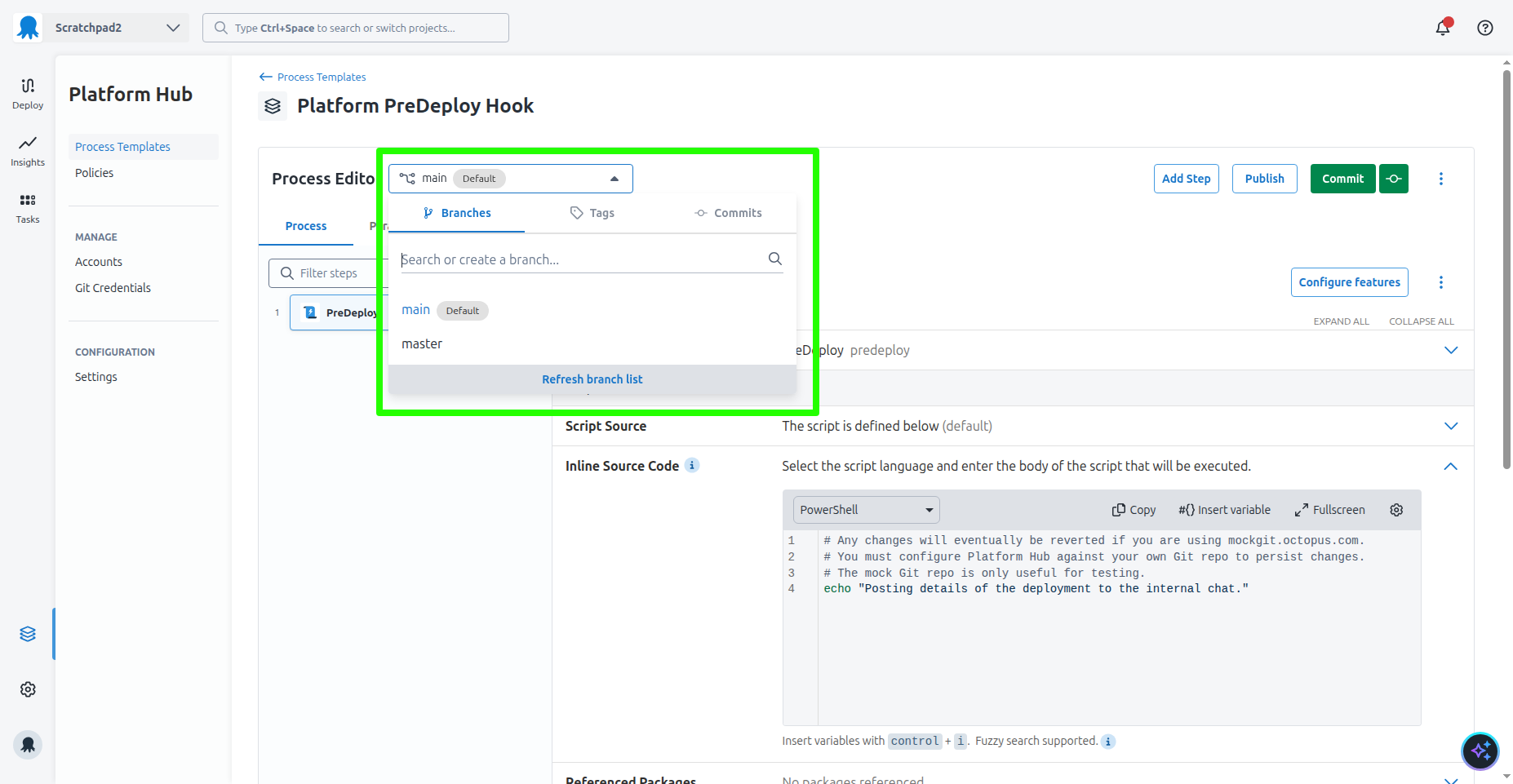
This commits your changes to Git. By default, your commits go to the main branch, but you can create or select a different branch to commit your changes to. This allows you to implement Git based workflows for managing changes to your shared templates.
Leaning into Git based workflows is an example of a strong opinion implemented by Platform Hub. Any team that has reached the point of defining and distributing shared templates has already implemented Git and is comfortable with pull/merge requests, branching strategies, and so on. By using Git as the underlying mechanism for managing changes to shared templates, Platform Hub allows teams to leverage existing knowledge and workflows instead of forcing them to learn a new system for managing changes:
You must publish your changes to make them available to projects that wish to consume the shared template.
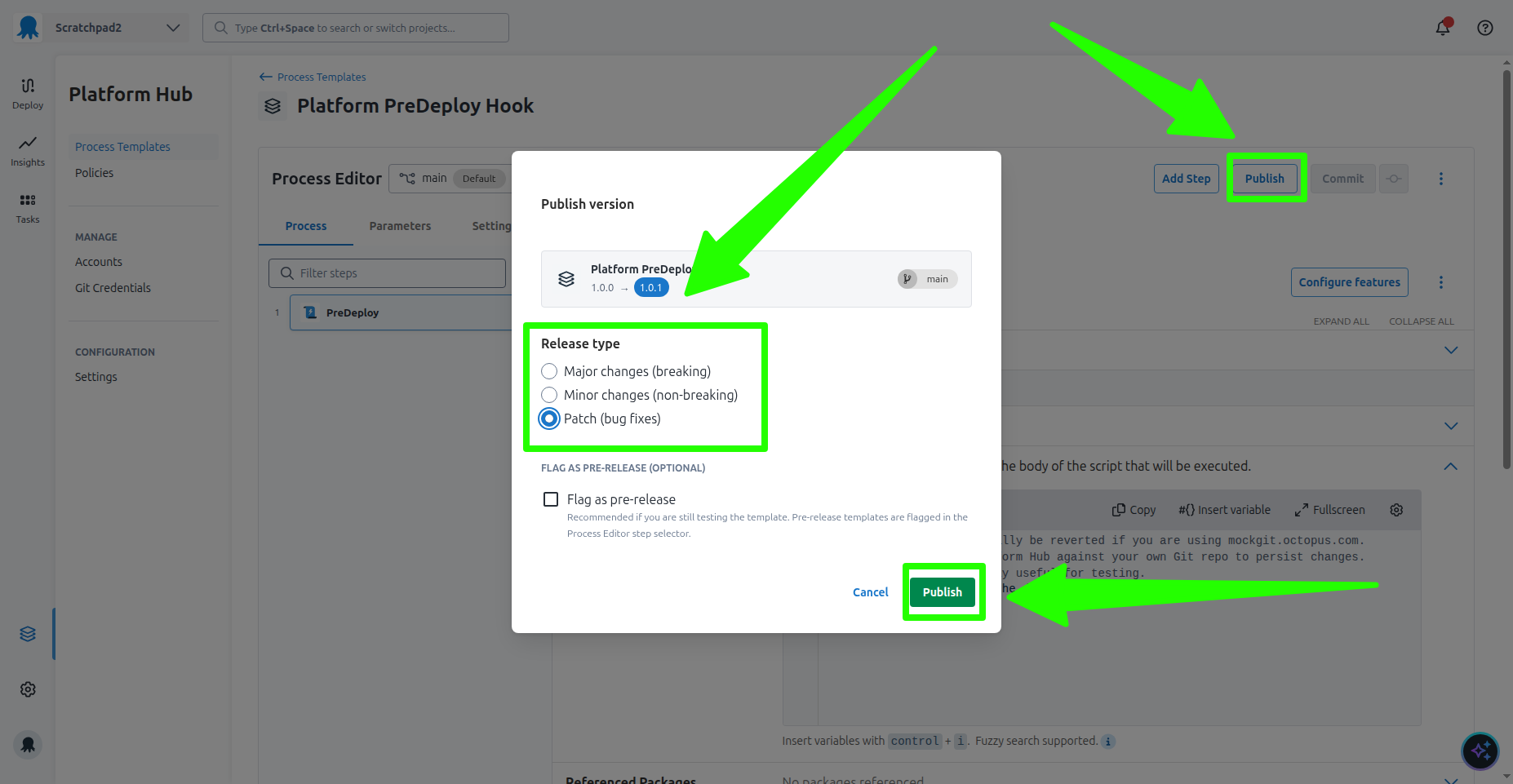
The use of the SemVer versioning scheme to quantify the impact of changes to shared templates is another strong opinion Platform Hub provides for platform teams. It requires that you quantify the impact of the change by categorizing it as a major, minor, or patch change.
If you recall from the previous blog post, the K8s Web App project is configured to consume either minor or patch updates to the Platform PreDeploy Hook template. In this example, you’ll publish a patch change, which means the change is non-breaking and is safe to apply to all projects.
Click the Publish button, select the Patch option, and click the Publish button:
Once published, the new version of the step template is automatically consumed by the K8s Web App project:
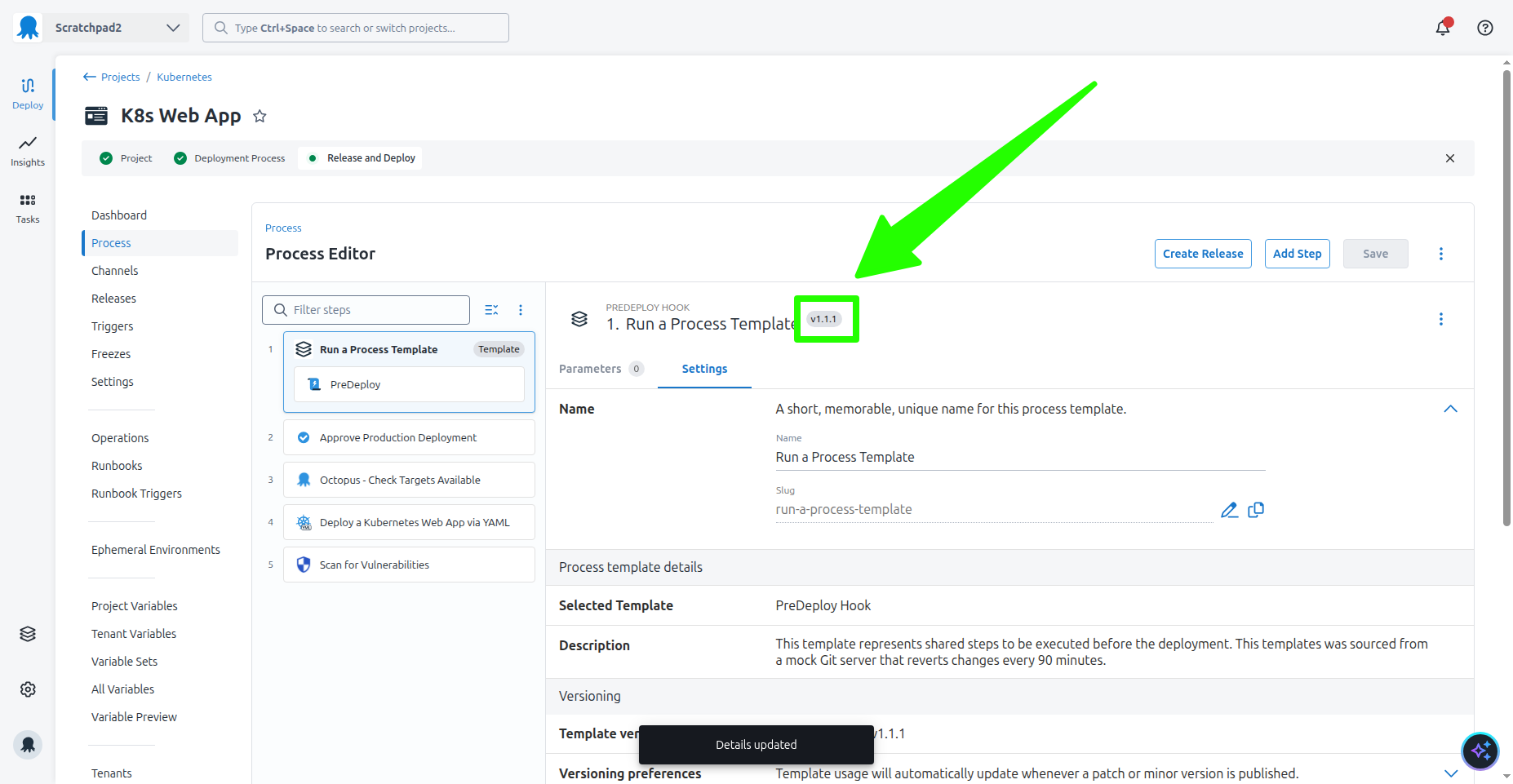
Although this example only applied the updates to a process template in a single project, the workflow scales to any number of projects across any number of spaces. This demonstrates the core requirement of an IDP: to provide a repository of architectural decisions (in the form of process templates) and distribute them at scale.
Platform Hub also demonstrates the value of a dedicated CD platform, like Octopus, when paired with traditional CI platforms, offering strong opinions that support platform teams as they create, distribute, and maintain architectural decisions.
What just happened?
At the end of this post, you have:
- Updated a shared process template in Platform Hub and published the changes.
- Verified that the changes appear in the project that consumes the shared template.
- Noted the strong opinions that Platform Hub provides to support platform teams in managing shared templates.
- Learned how Platform Hub complements traditional CI platforms.
What’s next?
You are 60% done with the series. In the next post, you’ll structure the process templates exposed by Platform Hub in a project to support multiple teams that own different parts of the deployment process.
Tags: