What are CI/CD providers?
Several CI/CD (Continuous Integration/Continuous Deployment) providers offer tools and services to automate software development pipelines. These tools help simplify the build, test, and deployment processes, enabling faster and more reliable software releases.
By implementing Continuous Integration (CI) and Continuous Delivery or Deployment (CD), these providers help ensure that code changes are integrated and delivered to production environments efficiently and with minimal manual intervention. CI/CD is key to modern DevOps practices because it bridges gaps between development and operations through automation and standardized workflows.
These providers offer tooling and environments that manage everything from source code integration to running automated tests, and from artifact management to application deployment. By using CI/CD providers, teams can catch issues early, reduce manual errors, speed up release cycles, and improve overall code quality.
The CI/CD market and trends
Market size and growth
The global market for Continuous Integration and Continuous Delivery (CI/CD) tools continues to expand as organizations adopt DevOps practices and automate software delivery pipelines. The market is valued around $13.2 billion and expected to grow to $22.9 billion by 2033, representing a compound annual growth rate (CAGR) of 8.2%.
Growth is largely driven by the widespread adoption of DevOps methodologies, the rise of microservices architectures, and the need to release software faster without sacrificing reliability. As development teams move toward Continuous Delivery models, CI/CD platforms have become core infrastructure for modern software development.
AI and DevSecOps integration
Modern CI/CD platforms are increasingly incorporating AI-powered DevSecOps capabilities. Vendors such as GitHub and GitLab are integrating AI across the development lifecycle, including code generation, automated testing, security enforcement, and deployment orchestration.
AI helps optimize pipelines by predicting test failures, prioritizing relevant tests, and identifying performance bottlenecks. Some platforms also support automated remediation and rollback processes. These capabilities reduce the operational burden on engineering teams and improve deployment confidence.
Segment trends: Continuous Integration vs Continuous Delivery
Within the CI/CD market, Continuous Integration (CI) currently represents the largest segment, accounting for around 45% of the market in 2026. CI tools manage code merges, trigger automated builds, and detect defects early in the development process. Because CI acts as the first automation layer in most development pipelines, it has become a foundational capability for modern software teams.
Continuous Delivery (CD) is expected to be the fastest-growing segment. Organizations are increasingly adopting CD to manage deployments across complex environments such as multi-cloud and hybrid infrastructure. CD platforms integrate with infrastructure-as-code tools, compliance controls, and container orchestration systems to automate reliable releases.
Enterprise vs SME adoption
Large enterprises currently dominate the CI/CD market, representing about 58% of total adoption. These organizations operate complex systems and large development teams, requiring centralized governance, security enforcement, and orchestration of thousands of automated pipelines. Enterprise platforms often include features such as automated rollbacks, compliance enforcement, and advanced DevSecOps integration.
At the same time, small and medium-sized enterprises (SMEs) represent the fastest-growing user segment. Cloud-based CI/CD services and SaaS platforms have reduced the barriers to adoption. Preconfigured workflows and DevOps-as-a-service models allow smaller teams to implement CI/CD without large infrastructure investments.
Key features of CI/CD providers
Automated build and test pipelines
Most CI/CD providers let teams define and execute build and test workflows automatically every time new code is pushed to the repository. These automated pipelines check out the latest code, run build scripts, and execute unit, integration, or other tests as configured. If any stage of the pipeline fails, the build is halted, and feedback is given immediately to developers, identifying regressions or errors before they reach production.
This automation accelerates the testing process and ensures consistency by removing manual steps from the pipeline. Teams can enforce standards across different projects or environments, reducing the risk of “it works on my machine” issues. Most platforms provide logs and artifacts from each pipeline run, making troubleshooting and root cause analysis straightforward for developers and operations teams.
Containerized build environments
Containerization is widely supported to ensure that applications are built and tested in consistent environments, regardless of the developer’s local setup. CI/CD providers often offer native support for Docker and other container technologies, allowing builds and tests to occur in predefined, isolated containers. This reduces inconsistencies across different development and production environments and lowers the chances of configuration drift.
This feature also enables teams to test code across multiple operating systems or versions in parallel without maintaining complex, bespoke build agents. With containerized builds, dependencies are explicitly defined, versions are fixed, and any potential environmental issues are minimized. This leads to faster setup, more reliable pipelines, and better alignment with modern cloud-native deployment practices.
Frequent integration and rapid feedback
Frequent integration refers to the practice of merging small code changes from multiple contributors into a shared repository several times a day. By continuously integrating code, CI/CD providers generate immediate feedback, either through build/test success or failure. This shortens the feedback loop and ensures that problems do not accumulate over time.
Rapid feedback expedites development and builds confidence in the deployment process. Developers receive near real-time notifications about build or test failures, allowing them to fix issues before they escalate. Many providers integrate with version control and notification systems, so stakeholders stay informed about the project’s build health and test outcomes.
Deployment automation
Deployment automation is a central feature, enabling teams to transition software from validated source code to production with minimal manual intervention. CI/CD providers can automatically deploy artifacts to various environments, such as development, staging, and production, based on defined triggers or pipeline steps. Rollbacks can be automated in case of failures, minimizing downtime and risk. Automating deployment ensures faster, reliable, and repeatable releases.
Environments remain consistent because the same scripts and settings are used each time. This reduces the manual workload, accelerates time-to-market, and helps teams follow best practices for configuration management and infrastructure as code. Automated deployment supports blue/green or canary releases for safer rollouts.
IDE and developer tools integration
Modern CI/CD providers integrate with popular IDEs and developer tools. This allows developers to trigger builds, see test results, and even manage pipelines from within their preferred development environments. This integration reduces context switching and simplifies workflow, as developers do not need to switch between multiple tools to monitor build status or manage pipelines.
Through plugins or built-in support, developers receive real-time notifications about the success or failure of their pipelines, code coverage reports, and linting results directly in their code editor. Integration with debugging and monitoring tools, as well as project management suites, keeps development aligned with operational goals and helps teams respond to feedback or failures much more quickly.
Notable CI/CD providers
Dedicated CI/CD platforms
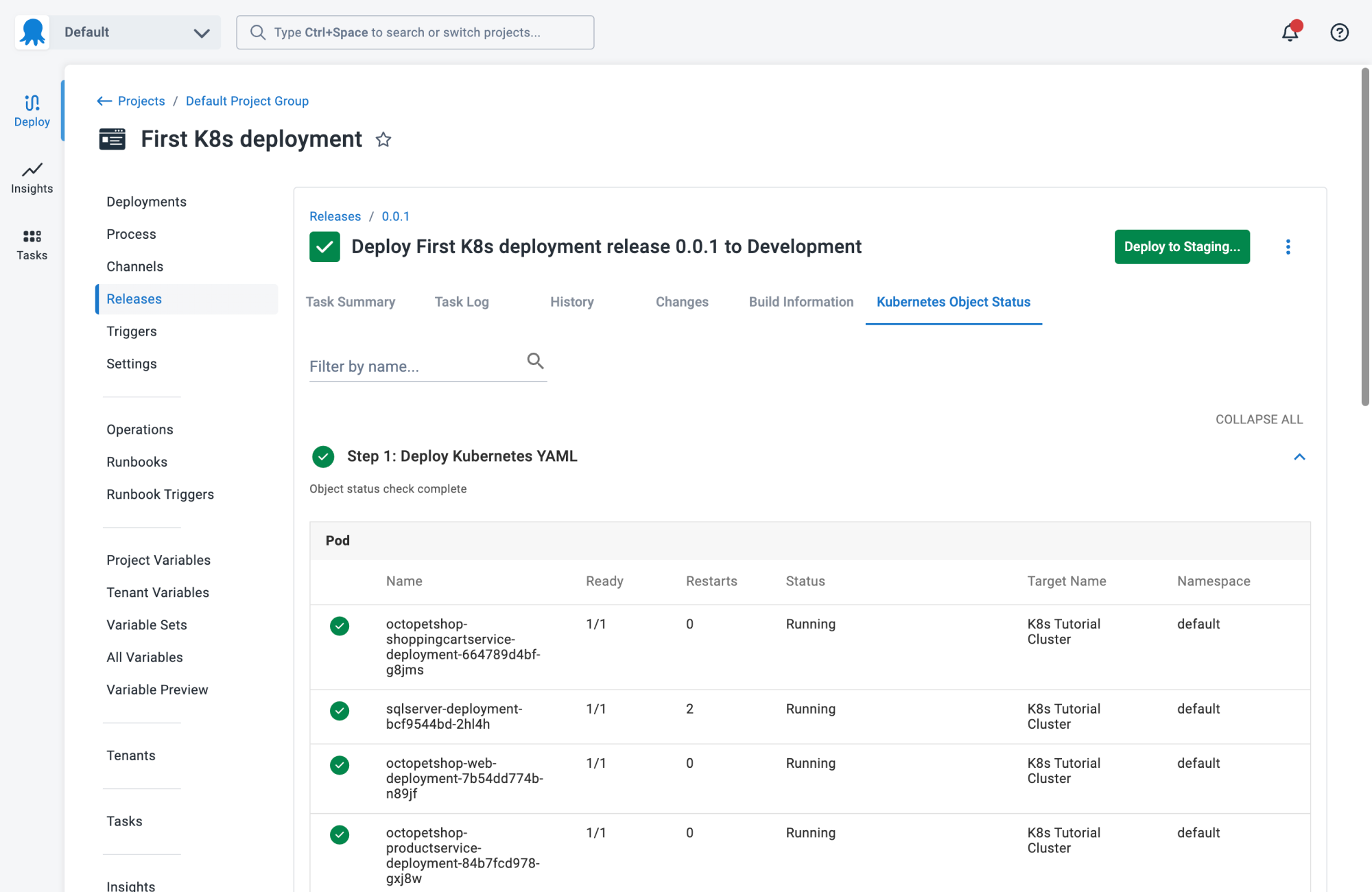
1. Octopus
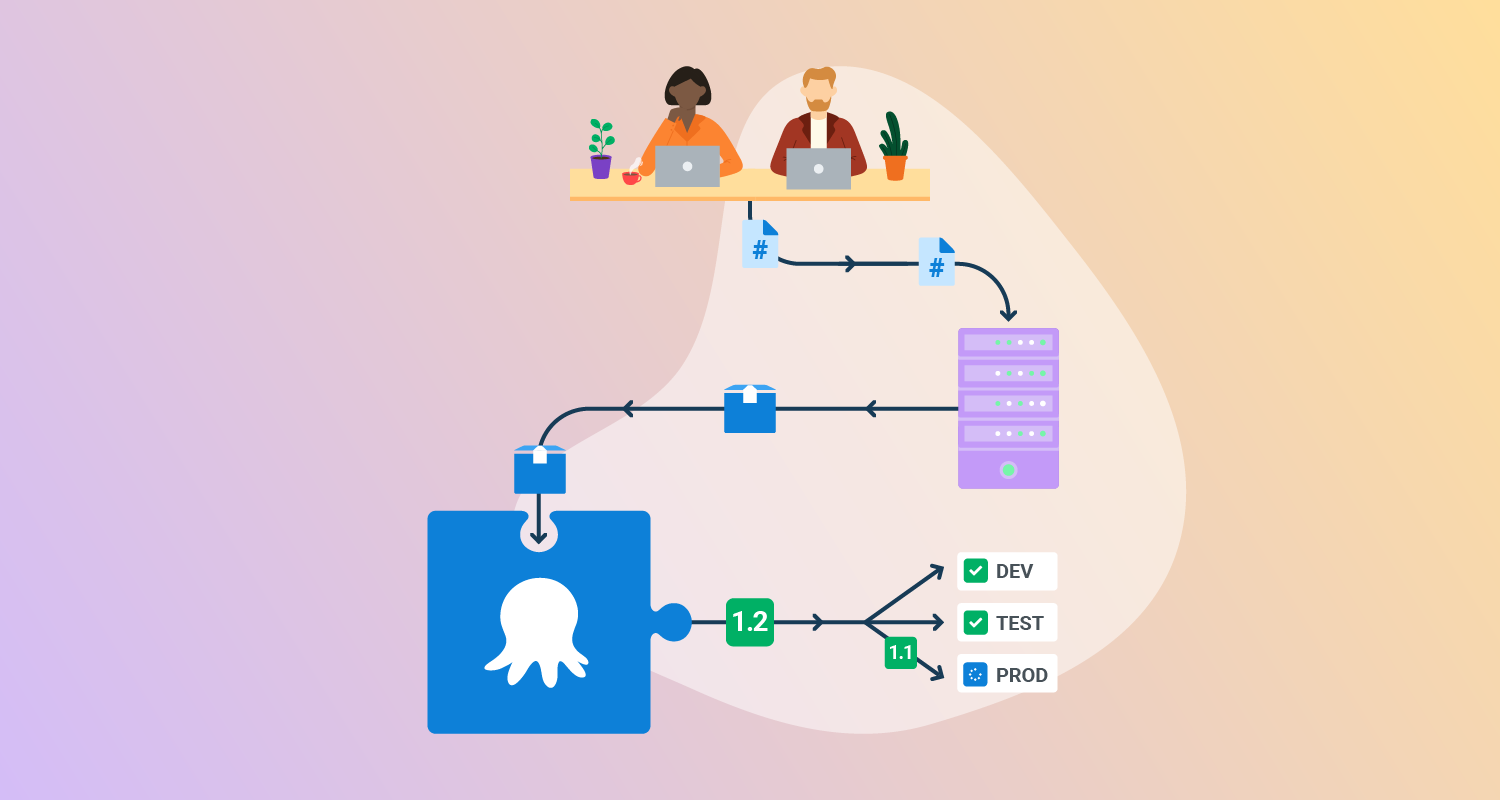
Octopus Deploy is a sophisticated, best-of-breed Continuous Delivery (CD) platform for modern software teams. It offers powerful release orchestration, deployment automation, and runbook automation while handling the scale, complexity, and governance expectations of even the largest organizations with the most complex deployment challenges.
License: Commercial
Features:
- Reliable risk-free deployments: Octopus lets you use the same deployment process across all environments. This means you can deploy to production with the same confidence you deploy to everywhere else. Built-in rollback support also makes it easy to revert to previous versions.
- Deployments at scale: Octopus is the only CD tool with built-in multi-tenancy support. Deploy to two, ten, or thousands of customers without duplicating the deployment process.
- One platform for DevOps automation: Runbooks automate routine and emergency operations tasks to free teams for more crucial work. They can also be used to provide safe self-service operations to other teams.
- Streamlined compliance: Full auditing, role-based access control and single sign-on (SSO) as standard to make audits a breeze and to provide accountability, peace of mind, and trust.

2. CircleCI
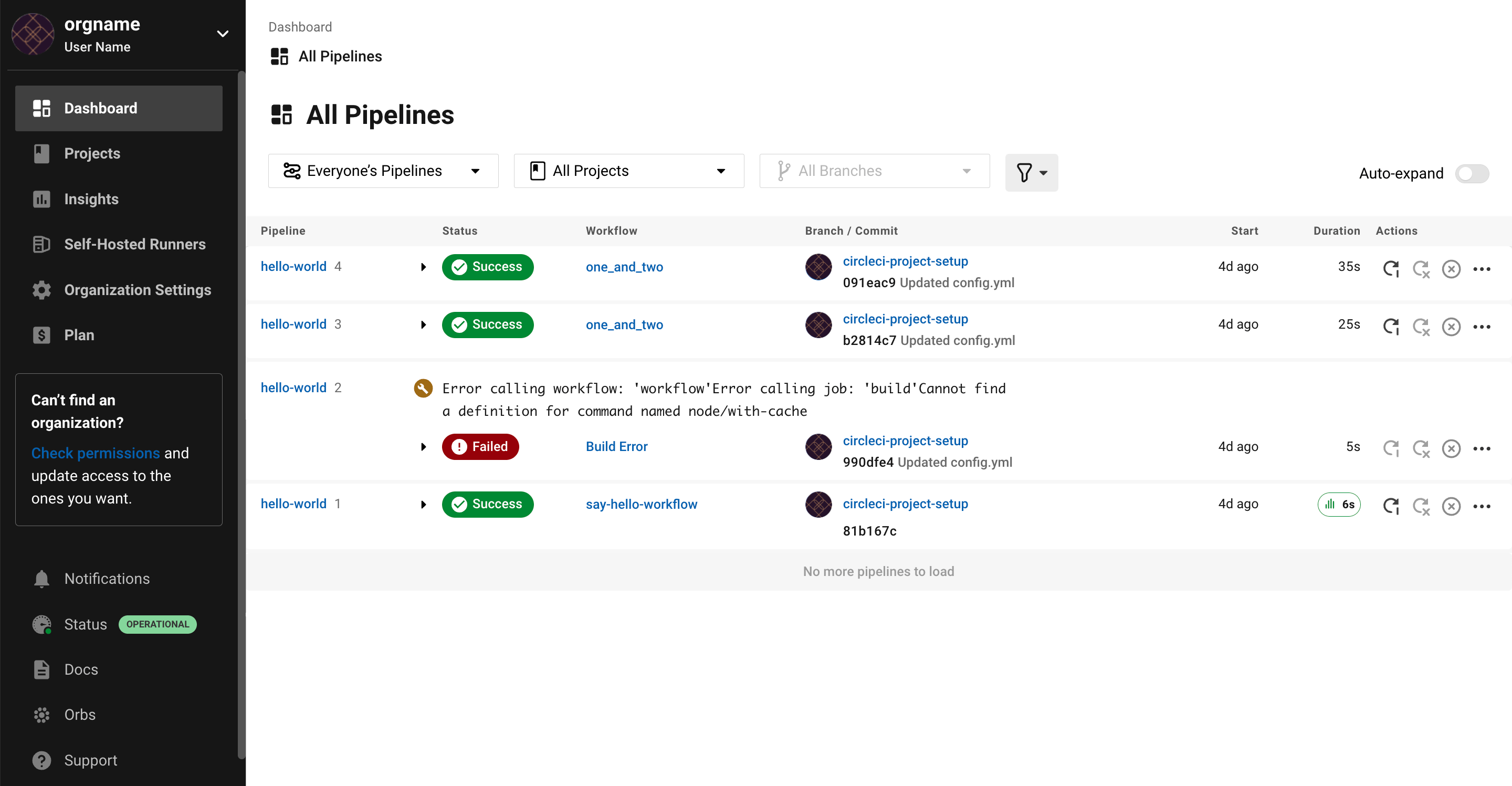
CircleCI is a CI/CD platform for automating builds, tests, deployments, and release workflows across different applications and infrastructure models. It supports cloud, hybrid runner, and on-premises server deployments, and connects with source control, cloud, and Kubernetes services.
Key features include:
- Execution environments: Supports cloud, hybrid runner, and on-premises server deployments, giving teams different ways to run CI/CD workloads across their own infrastructure or hosted environments.
- Workflow automation: Automates build, test, merge, deployment, rollback, and release steps within CI/CD workflows for teams managing software delivery pipelines.
- Build optimization: Includes build images, build optimization tools, and autoscaling features that support pipeline execution across changing workloads and project requirements.
- Integrations: Connects with GitHub, GitLab, Bitbucket, AWS, GCP, Azure, and Kubernetes as part of software delivery and deployment workflows.
- Use case coverage: Supports use cases including Continuous Integration, release orchestration, security and compliance, mobile delivery, and AI-related development workflows.
- Deployment flexibility: Supports applications deployed across a wide range of environments, including container-based systems, cloud services, operating systems, and language runtimes.

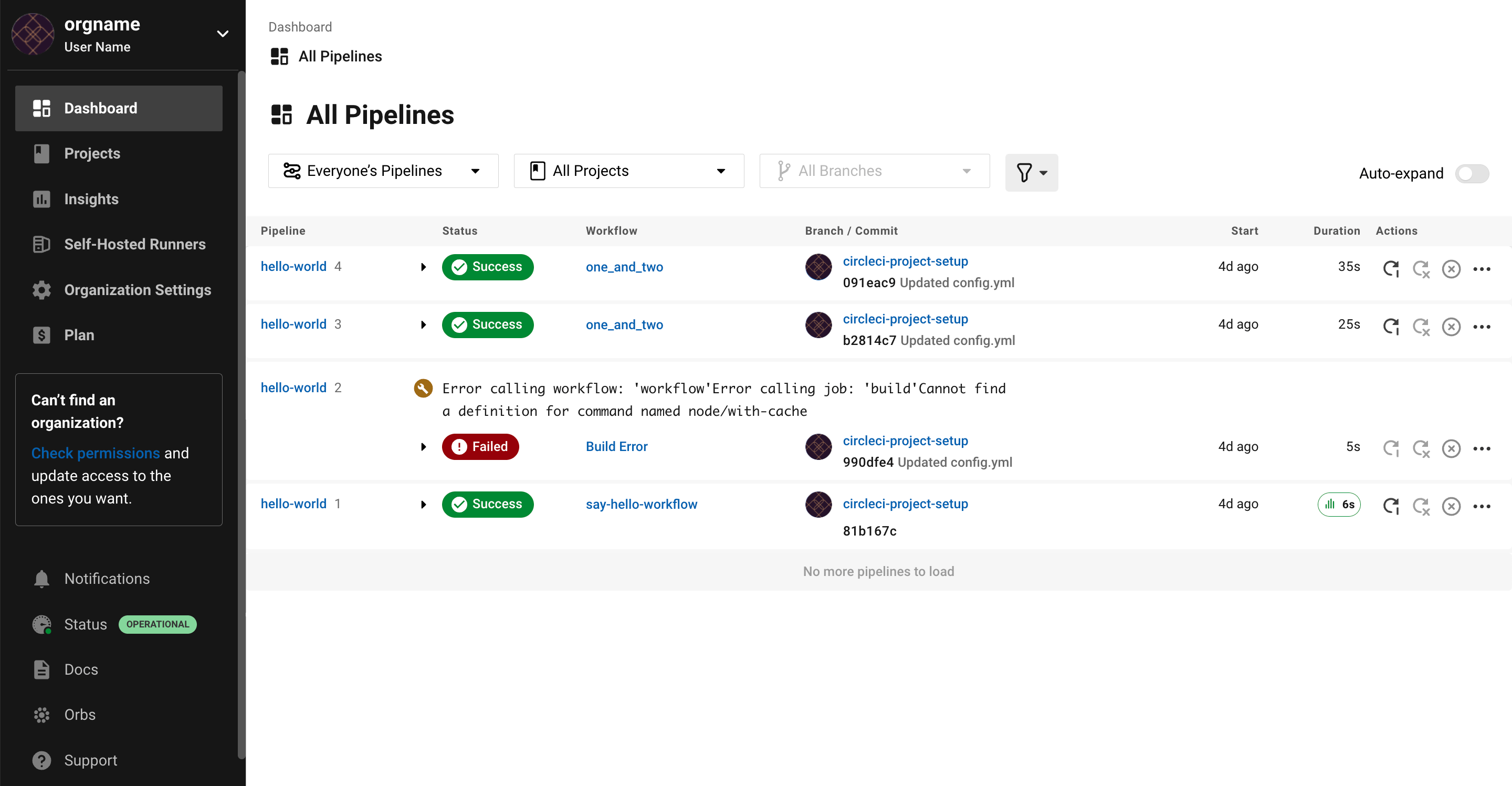
Source: CircleCI
3. Jenkins
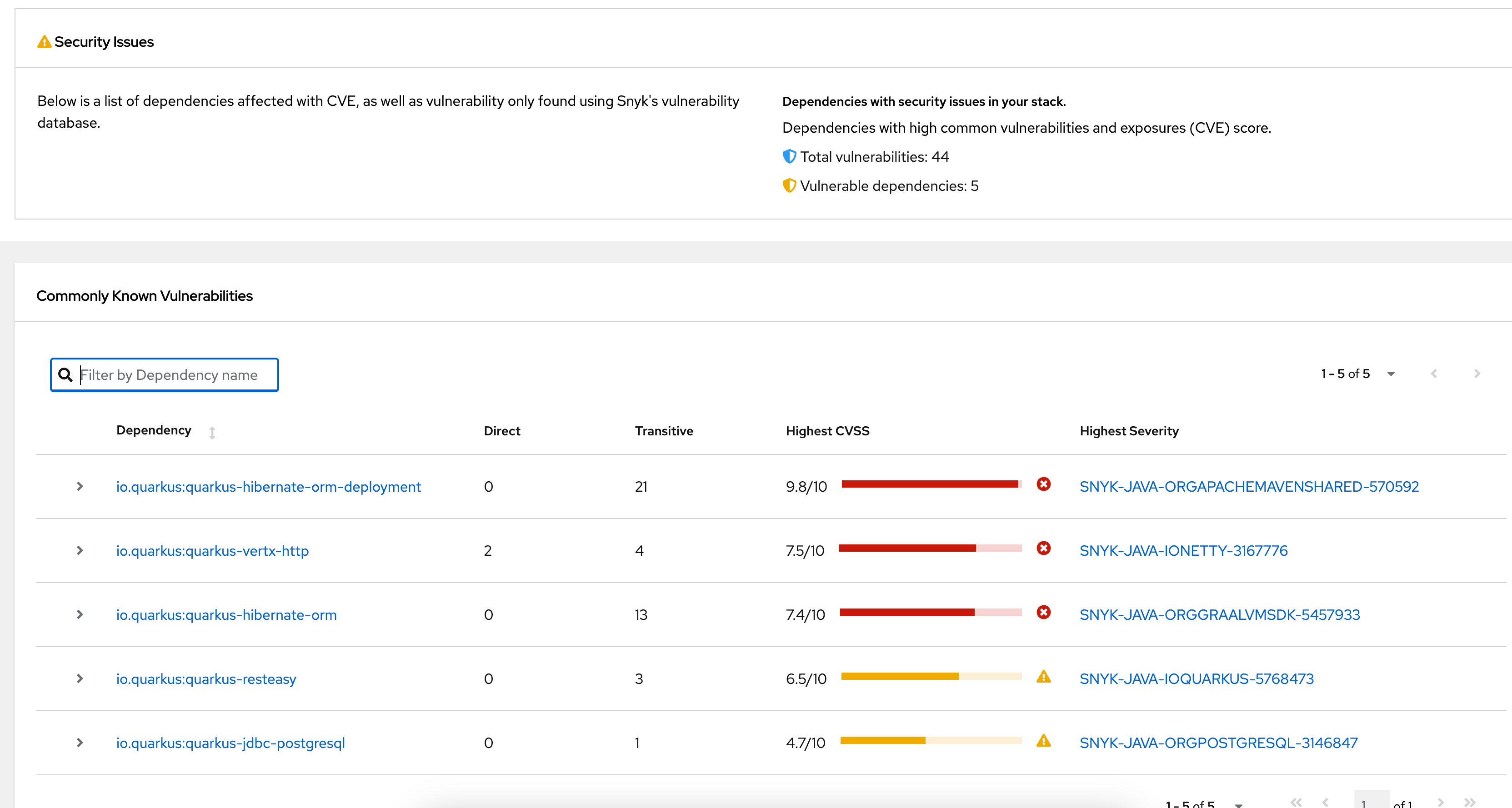
Jenkins is an open source automation server used for Continuous Integration and Continuous Delivery. It runs as a self-contained Java-based application, supports distributed workloads, and uses a plugin-based architecture to connect build, test, deployment, and automation tasks.
Key features include:
- Automation server: Can run as a simple CI server or operate as a Continuous Delivery hub for building, deploying, and automating software projects.
- Plugin ecosystem: Provides hundreds of plugins through its update center, allowing integration with tools used across Continuous Integration and Continuous Delivery toolchains.
- Extensible architecture: Uses a plugin architecture that allows teams to extend Jenkins with additional capabilities for different automation and workflow requirements.
- Distributed execution: Distributes work across multiple machines, helping teams run builds, tests, and deployments across several platforms more efficiently.
- Installation options: Runs as a self-contained Java-based program with packages for Windows, Linux, macOS, and other Unix-like operating systems.
- Web-based configuration: Includes a web interface for setup and configuration, with built-in help and on-the-fly error checks during administration tasks.

Source: Jenkins
Integrated DevOps platforms
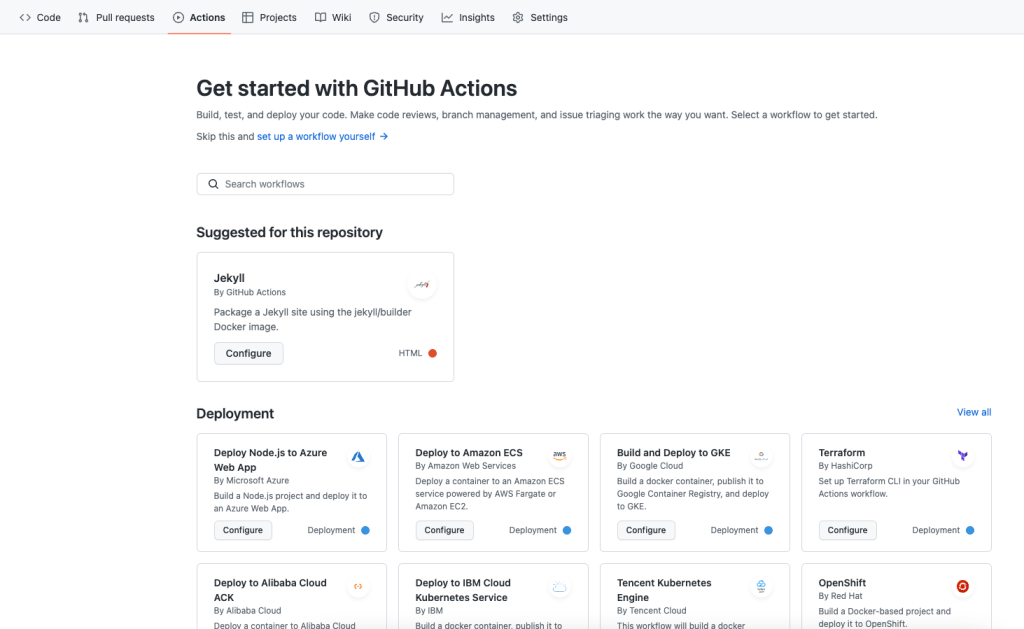
4. GitHub Actions
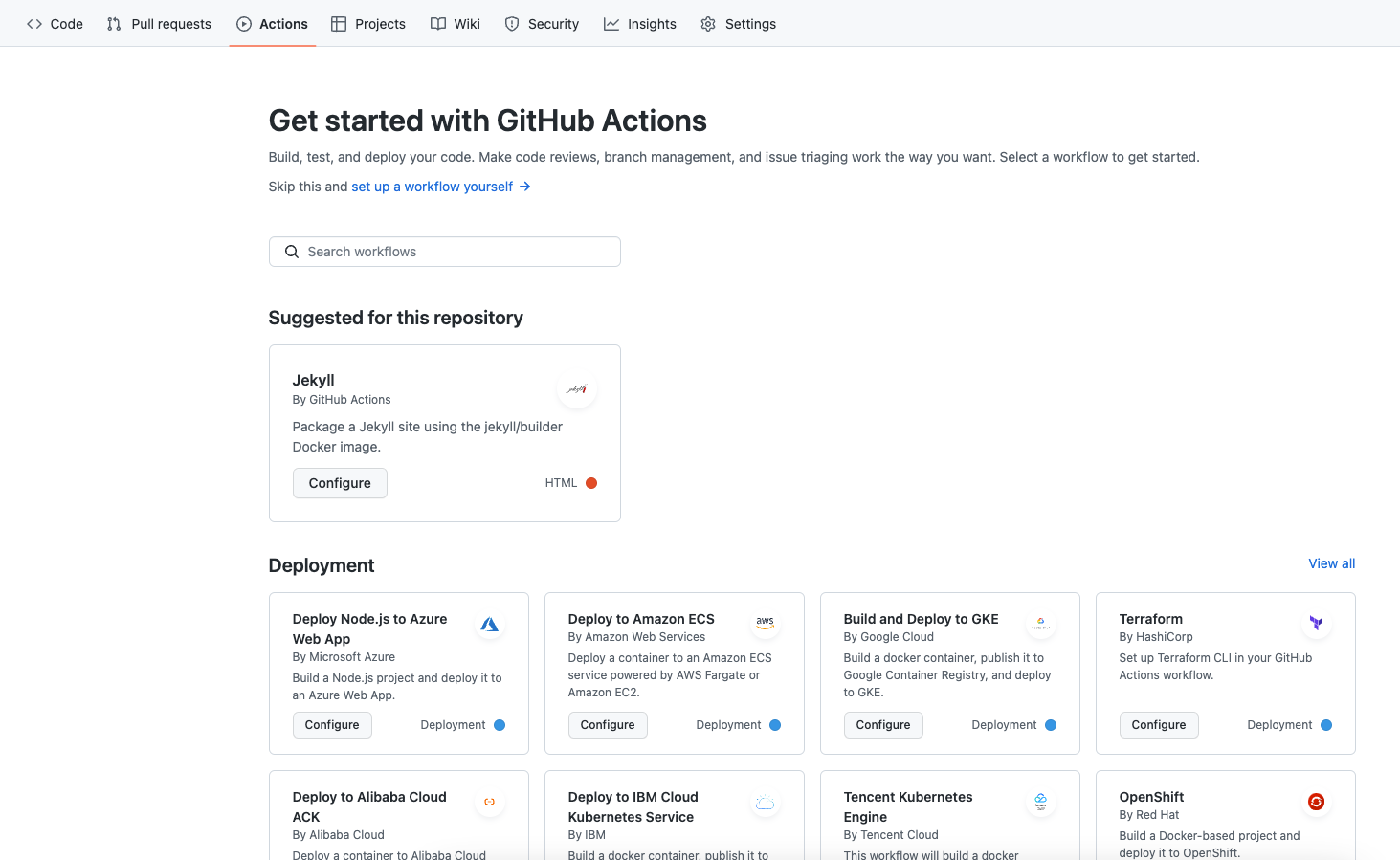
GitHub Actions is a workflow automation service built into GitHub that supports CI/CD tasks such as building, testing, deploying, and repository automation. It runs workflows from GitHub events, supports hosted and self-hosted runners, and includes marketplace integrations and package workflows.
Key features include:
- Event-based workflows: Starts workflows from GitHub events, allowing teams to automate builds, deployments, branch management, issue handling, and other repository tasks.
- Runner options: Supports GitHub-hosted runners on Linux, macOS, Windows, ARM, GPU, and containers, plus self-hosted runners in cloud or on-premises environments.
- Matrix builds: Runs tests across multiple operating systems and runtime versions at the same time to support broader automated test coverage.
- Language support: Supports Node.js, Python, Java, Ruby, PHP, Go, Rust, .NET, and other languages for build, test, and deployment workflows.
- Live logs: Shows workflow execution in real time and allows users to copy links that point to specific log lines from failures.
- Built-in secret store: Includes built-in secret storage so workflow files can use credentials and configuration values stored within GitHub-managed settings.
- Marketplace and custom actions: Supports marketplace actions, JavaScript actions, and container actions for integrating external tools, cloud deployments, APIs, and package publishing workflows.

Source: GitHub Actions
5. GitLab CI/CD
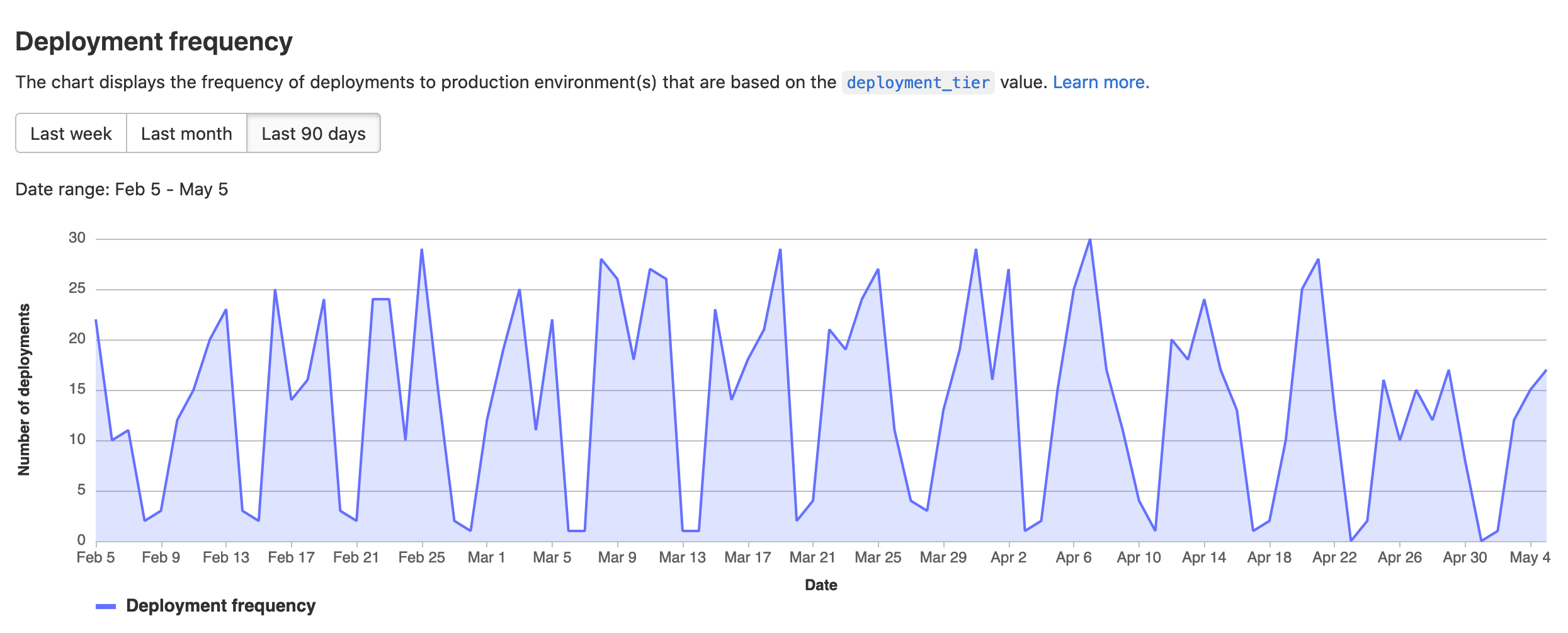
GitLab CI/CD is an integrated platform that automates the process of building, testing, packaging, and deploying applications from a single system. It uses pipeline-based workflows and reusable components to standardize delivery processes, while also embedding security and compliance checks into the development lifecycle.
Key features include:
- End-to-end pipeline automation: Automates code build, test, packaging, and deployment processes from commit to production.
- Reusable pipeline templates: Provides preconfigured templates and a CI/CD catalog to standardize and share pipeline components across teams.
- Pipeline scaling and optimization: Supports parent-child pipelines and merge trains to manage complex workflows and maintain stable main branches.
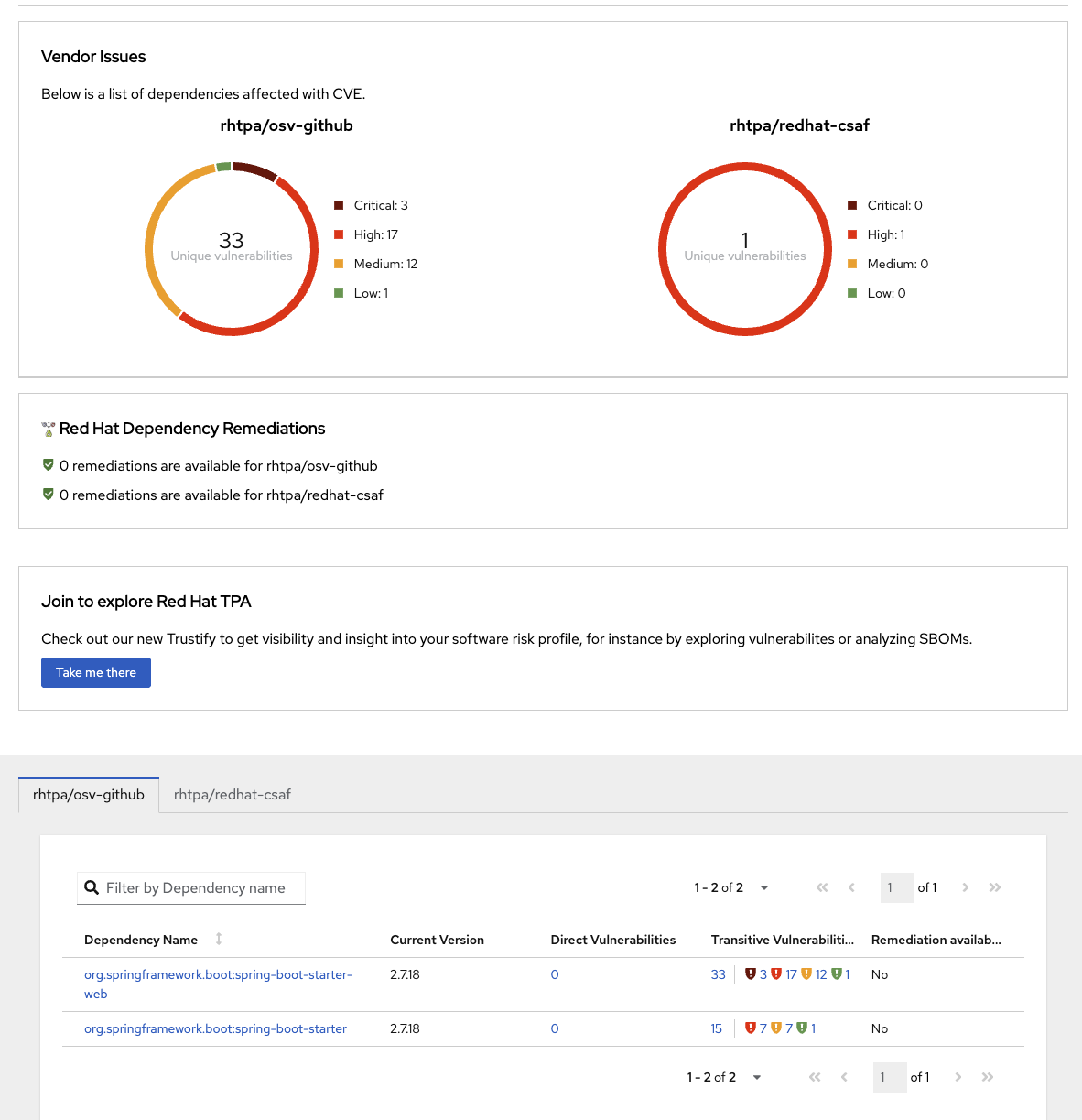
- Integrated security and compliance: Includes vulnerability scanning, static analysis, and compliance pipelines to detect and enforce policies early.
- Flexible execution with runners: Uses hosted or self-managed runners to execute jobs without requiring dedicated infrastructure.
- Progressive deployment strategies: Supports canary deployments and controlled rollouts to reduce risk during releases.
- Multi-environment deployment support: Deploys applications to virtual machines, Kubernetes clusters, or serverless platforms across different environments.

Source: GitLab
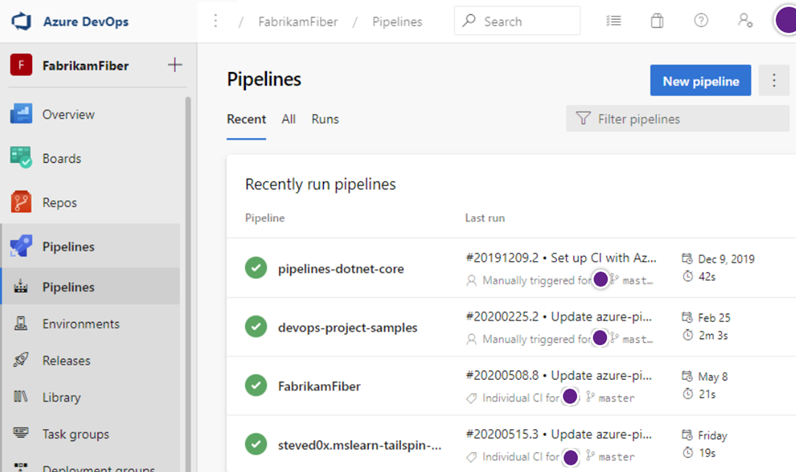
6. Azure DevOps
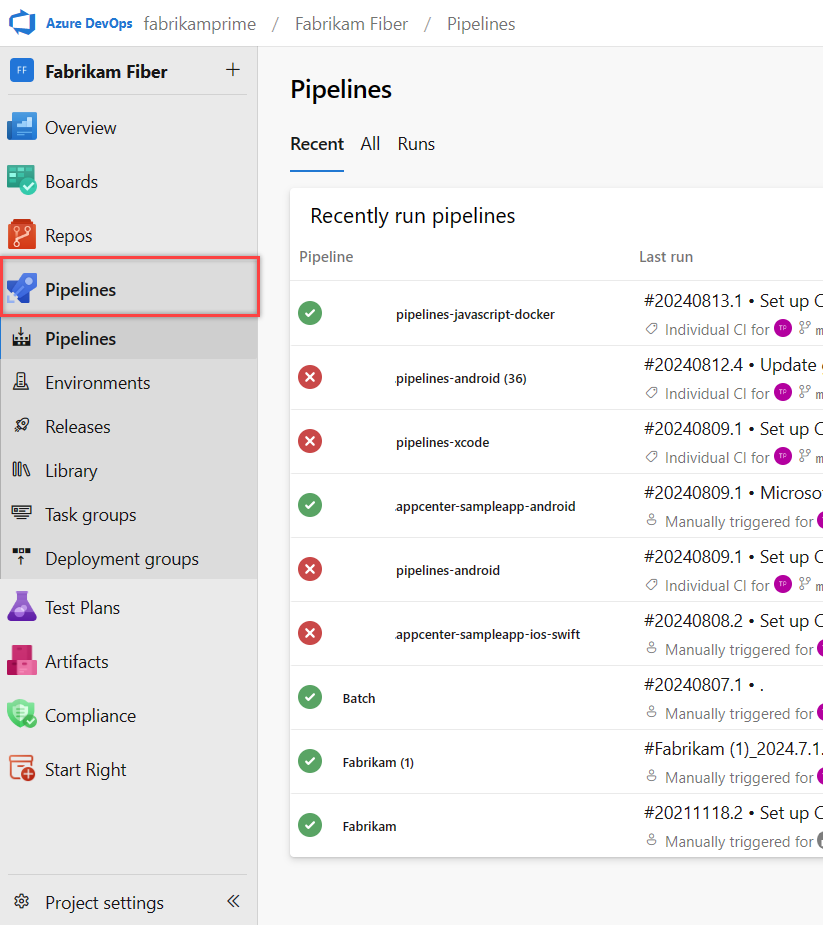
Azure DevOps is a cloud-based platform that provides a set of integrated tools for managing the entire software development lifecycle, including planning, coding, building, testing, and deployment. It combines multiple services into a single system, allowing teams to coordinate work, automate pipelines, and track progress across projects.
Key features include:
- End-to-end lifecycle management: Supports planning, development, testing, and deployment within a unified platform.
- Work tracking and planning tools: Includes Agile boards, backlogs, sprint planning, and dashboards for managing tasks, bugs, and features.
- Source control integration: Provides Git repositories and version control with branching, pull requests, and code reviews.
- CI/CD pipeline automation: Automates build, test, and deployment processes with support for multiple languages, platforms, and environments.
- Multi-environment deployment support: Deploys applications to cloud platforms, containers, virtual machines, or on-premises systems.
- Integrated testing capabilities: Supports manual and automated testing with test plans, reporting, and traceability.
- Package and artifact management: Hosts and manages packages such as NuGet, npm, Maven, and Python with version control and access management.

Source: Microsoft
Considerations for choosing CI/CD providers
When selecting a CI/CD provider, it’s important to evaluate how well the platform aligns with your team’s workflows, infrastructure, and operational goals. The wrong choice can result in longer setup times, unreliable pipelines, or poor developer experience. Below are key considerations to guide your evaluation:
- Hosting model and infrastructure control: Decide whether a cloud-hosted, self-hosted, or hybrid model fits your needs. Cloud-hosted services reduce operational overhead, while self-hosted options give more control over resources, security, and performance.
- Integration with existing tools: Look for native integrations with your version control system, container registries, artifact stores, issue trackers, and notification tools. Poor integration increases friction and manual work in the pipeline.
- Pipeline configuration and reusability: Evaluate the flexibility of pipeline configuration. YAML is common, but some tools support GUIs or DSLs. Reusable components or pipeline templates help standardize processes across teams and reduce duplication.
- Scalability and parallelism: Consider how well the provider supports scaling pipelines with parallel jobs, caching, and on-demand resource provisioning. For large teams or complex builds, limits in concurrency can become a bottleneck.
- Security and compliance features: Verify support for role-based access control (RBAC), secrets management, audit logs, and integration with security scanners. These are critical for regulated industries or organizations with high security standards.
- Execution environment customization: Determine how easily you can customize build environments, such as selecting base images, installing tools, or adjusting resource allocations. Restricted environments can hinder development and testing flexibility.
- Support for complex workflows: Assess whether the tool handles conditional execution, manual approval steps, multi-branch pipelines, and event-based triggers. These features are essential for modeling realistic software delivery processes.
- Cost and usage limits: Pricing varies widely; some providers charge by user, build minutes, or resource usage. Understand the free tier limits and what features are gated behind enterprise plans to avoid surprises as you scale.
- Reliability and observability: Consider platform uptime, historical incidents, and the availability of logging, metrics, and alerting for pipelines. Reliable feedback and observability are non-negotiable for Continuous Delivery at scale.
- Community and ecosystem support: A strong community or marketplace of prebuilt actions, plugins, and support resources can accelerate onboarding and problem-solving. Lack of ecosystem maturity often results in higher maintenance effort.
Conclusion
CI/CD providers play a central role in modern software delivery by bringing automation, consistency, and reliability to development workflows. They reduce the friction of building, testing, and deploying applications while giving teams confidence in rapid releases. By standardizing processes and integrating with existing tools, CI/CD providers enable organizations to scale their delivery practices without sacrificing quality or security.
Help us continuously improve
Please let us know if you have any feedback about this page.