What are configuration management tools?
A configuration management tool is software that automates the deployment, configuration, and ongoing management of IT infrastructure and applications, ensuring consistency, reliability, and adherence to desired states across systems. These tools manage various configuration items, from server settings and software to network devices and cloud resources, by using code (often YAML or DSLs) to define and enforce configurations.
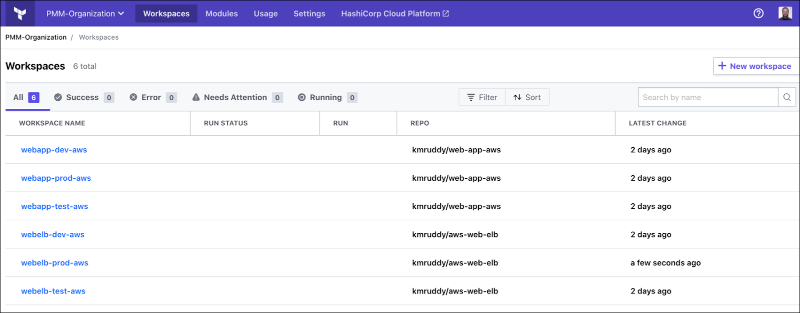
Popular examples include dedicated configuration management tools like Ansible and Pulumi, and broader infrastructure as code (IaC) solutions like Terraform and SaltStack.
A critical function of configuration management tools is to track changes and maintain records of all modifications made to systems. This audit trail allows teams to quickly identify, remediate, or roll back problematic changes, improving both the stability and security of IT systems. Through automation, configuration management tools simplify processes that would otherwise require manual intervention, such as provisioning servers or deploying application updates.
Key benefits of configuration management tools
Configuration management tools offer significant advantages for managing modern IT infrastructure. By automating routine tasks and enforcing consistency, these tools help teams scale operations while minimizing risk and manual overhead.
- Consistency across environments: Ensures uniform configuration of systems across development, testing, and production, reducing environment-specific bugs.
- Improved change control: Tracks all changes in a centralized log, making it easier to audit, troubleshoot, and roll back modifications if needed.
- Faster deployment and scaling: Automates provisioning and configuration, speeding up the deployment of applications and scaling of infrastructure.
- Reduced configuration drift: Maintains system states in line with defined templates, preventing unauthorized or accidental changes.
- Increased system reliability: Minimizes downtime by maintaining predictable infrastructure behavior and enabling rapid recovery from failures.
- Enhanced security and compliance: Enables enforcement of security baselines and compliance policies across all systems.
- Team collaboration and transparency: Offers version control and visibility into infrastructure changes, supporting collaboration across teams.
Core capabilities of configuration management tools
Version control for configurations
Version control is an essential capability in configuration management tools, enabling teams to track changes, revert to previous states, and maintain a detailed history of configuration files and settings. By storing configurations in version-controlled repositories, organizations ensure traceability and can enforce review processes before changes reach production environments.
This approach is parallel to how code versioning works in software development, promoting collaboration and accountability. With version control, teams can rapidly recover from issues by rolling back problematic configurations to known-good versions. This minimizes downtime and reduces the impact of human error during maintenance or deployment activities.
Automation and orchestration
Automation capabilities in configuration management tools eliminate the need for repetitive manual tasks by providing frameworks and workflows that define how environments should be built, configured, and maintained. Through automation, IT teams can provision servers, install software, and apply security patches at scale, all with minimal human intervention. This dramatically speeds up the deployment process and reduces the chance of errors.
Orchestration extends automation by coordinating multiple automated tasks across diverse infrastructures. For example, tools can ensure that databases are configured before web servers are started or that all dependencies are in place before application code is released. This workflow-driven approach guarantees that system changes occur in the correct order.
System provisioning
System provisioning refers to the automated creation and configuration of infrastructure components such as servers, virtual machines, or containers. Configuration management tools define desired states using code or templates, which can be executed to instantiate environments quickly and consistently. This codified approach eliminates the need to manually set up systems, increasing speed and reducing human error.
Automated provisioning also supports rapid scaling and disaster recovery. When additional resources are needed, the same configuration scripts can be reused to spin up new instances or rebuild environments after failures. As a result, organizations can respond flexibly to changing workload demands while maintaining consistent and secure infrastructure setups.
Configuration enforcement and drift management
Configuration enforcement ensures that all systems remain aligned with established policies and desired states. Configuration management tools continuously monitor environments, detect any deviations from expected settings, known as “drift,” and automatically remediate inconsistencies. This proactive approach strengthens compliance and greatly reduces the likelihood of security vulnerabilities caused by unauthorized changes.
Drift management also helps maintain system stability throughout the software delivery lifecycle. By catching configuration anomalies early, teams can address problems before they impact production, reducing troubleshooting time and minimizing risk. Ongoing enforcement reduces manual configuration efforts and supports seamless management at scale.
Integration with CI/CD pipelines
Modern configuration management tools integrate with Continuous Integration and Continuous Deployment (CI/CD) pipelines to automate testing, deployment, and rollout of infrastructure changes. This tight coupling allows teams to manage both application and environment updates in a unified workflow, increasing release velocity while protecting stability. Infrastructure-as-code practices, enabled by these tools, align infrastructure changes with software releases.
Integration with CI/CD pipelines also supports automatic validation of configurations before deployment, preventing errors from reaching production. Through automated testing and approval processes, configuration changes are subject to the same scrutiny as application code, ensuring consistent standards and reducing the likelihood of breaking changes during deployments.

Tony Kelly is a DevOps marketing leader who drives innovation and awareness of the latest trends in Continuous Delivery.
Notable configuration management tools
1. Ansible
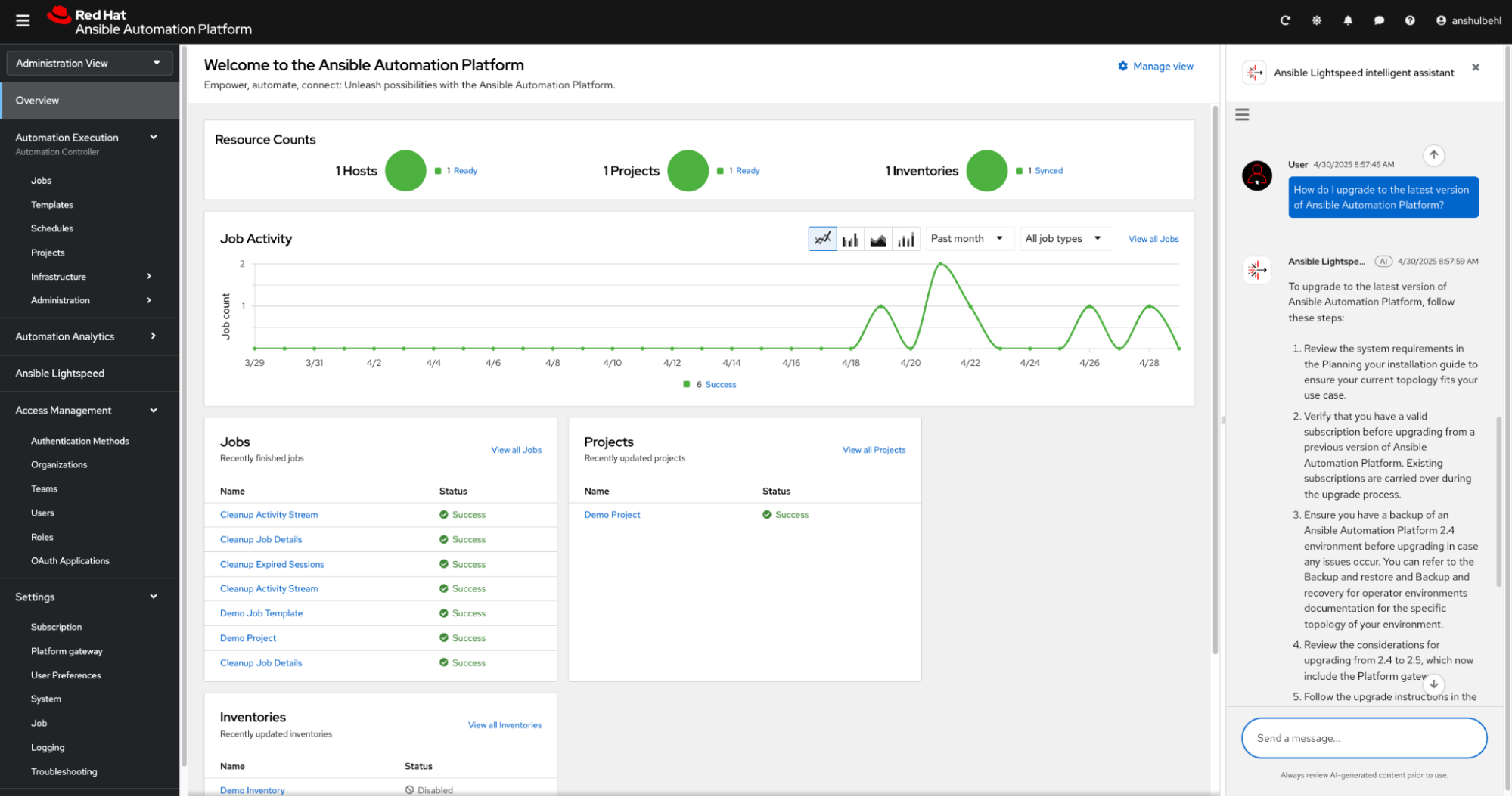
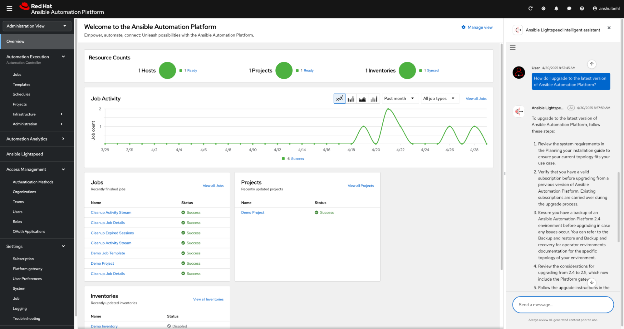
Ansible is an open source automation tool used to manage IT infrastructure by automating tasks such as provisioning, configuration management, application deployment, and orchestration. Its agentless architecture and human-readable YAML syntax make it accessible across teams. Ansible helps enforce consistency and simplify operations across hybrid and multi-cloud environments.
Key features include:
- Agentless architecture: Uses SSH or APIs to manage systems without requiring agents, reducing complexity and maintenance overhead.
- Playbooks and inventories: Automates workflows using YAML-based playbooks and inventory files that define infrastructure components and desired states.
- Policy as code: Enables automated enforcement of compliance and operational policies across environments, improving governance and auditability.
- Reusable content via collections: Offers modular content packages (roles and collections) through Ansible Galaxy to accelerate automation across domains like Kubernetes, middleware, and VMware.
- Event-driven automation: Supports triggering automation in response to system events, enabling real-time, reactive operations management.

Source: Ansible
2. Pulumi
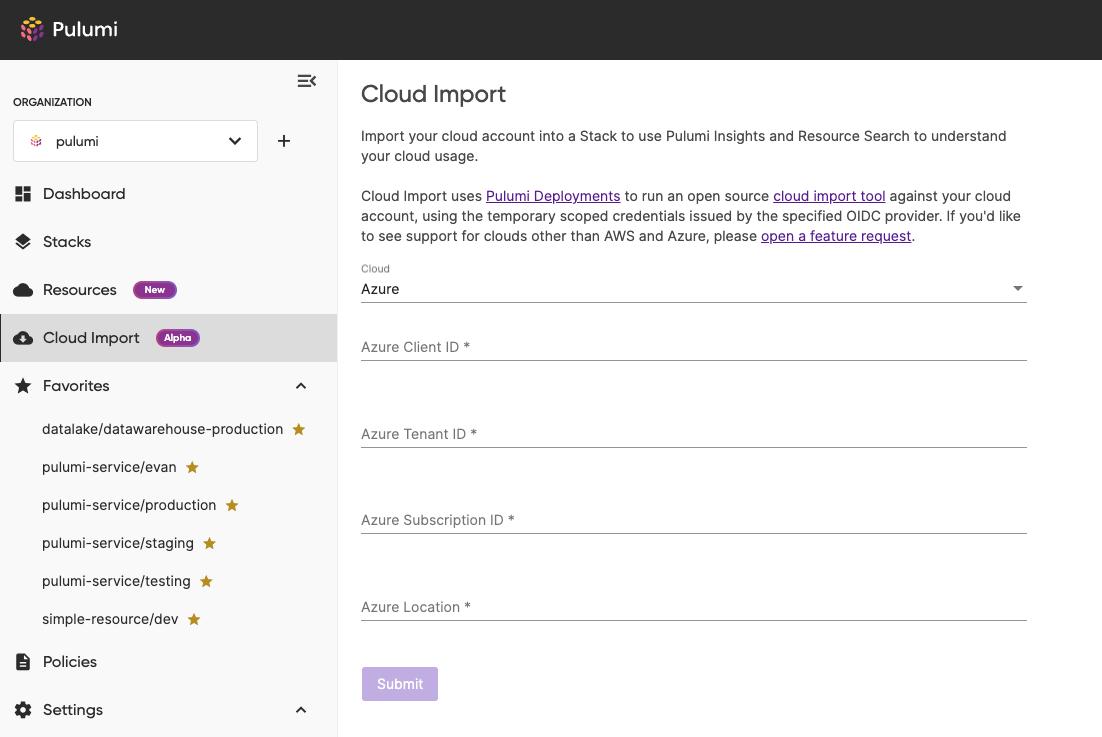
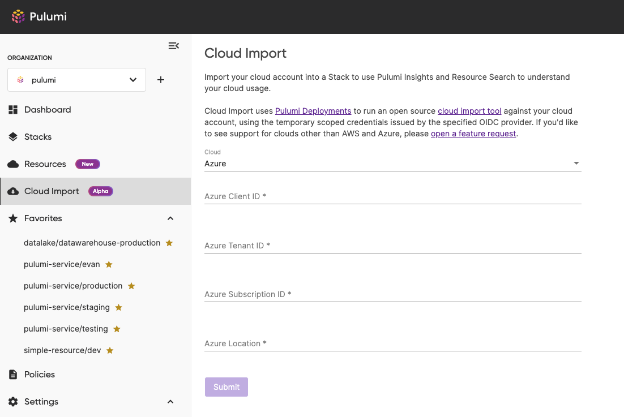
Pulumi is an infrastructure as code platform that uses general-purpose languages to define and manage cloud resources. The platform combines infrastructure as code, secrets management, policy governance, and AI automation in one system. It supports multi-cloud deployments and includes Pulumi ESC for centralized secrets and Pulumi Insights for visibility and governance.
Key features include:
- Infrastructure as code in real languages: Write configurations in TypeScript, Python, Go, C#, Java, or YAML, with IDE support, tests, reusable components, and multi-cloud deployment.
- Secure by default: Provide encrypted secrets, dynamic credentials, and audit trails, with SOC 2 Type II certification to meet compliance requirements.
- AI for infrastructure: Pulumi Neo understands organizational context, respects guardrails, reviews pull requests, debugs deployments, and executes complex tasks end-to-end with humans in the loop.
- Centralized secrets and configuration: Pulumi ESC unifies secrets from Vault, AWS Secrets Manager, Azure Key Vault, generates OIDC credentials, and operates independently of Pulumi IaC.
- Visibility and governance: Pulumi Insights offers a single view across clouds, natural language infrastructure search, automatic policy enforcement, compliance tracking, and vulnerability detection.

Source: Pulumi
3. Puppet
Puppet is a configuration management tool that automates the provisioning, configuration, and ongoing enforcement of infrastructure at scale. It uses Infrastructure as Code principles to define system configurations across operating systems, applications, and middleware, ensuring systems remain in a consistent and predictable state.
Key features include:
- Infrastructure as Code: Define, test, and deploy infrastructure configurations programmatically, enabling repeatable, version-controlled workflows.
- Continuous configuration automation: Enforce desired state continuously with automatic detection and correction of configuration drift across environments.
- Drift detection and alerting: Monitor systems for changes from the desired state using Puppet agents, providing real-time alerts and automatic remediation.
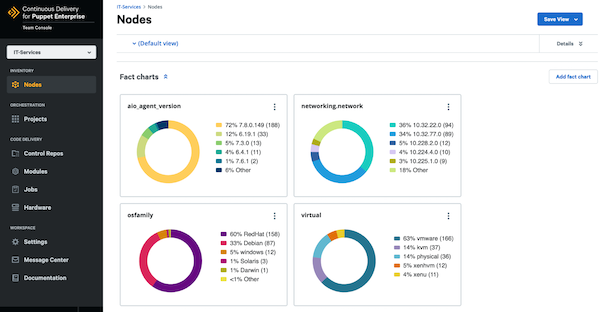
- Centralized visibility and control: Get a dashboard view of infrastructure inventory, configuration baselines, and compliance exceptions across the organization.
- Compliance and policy as code: Embed security and compliance policies directly into infrastructure code to enforce standards like CIS and NIS automatically.

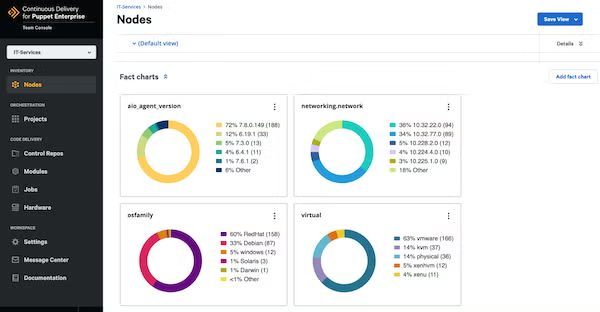
Source: Puppet
4. Chef
Chef Infra is a policy-based configuration management tool that automates the setup, maintenance, and compliance of systems across diverse environments. It enables Infrastructure as Code, allowing organizations to define, test, and enforce configuration policies that ensure systems remain in a consistent, desired state throughout their lifecycle.
Key features include:
- Policy as code: Define infrastructure configurations and compliance rules as human-readable code, making them versionable, testable, and reusable across environments.
- Drift detection and correction: Continuously monitors systems for configuration drift and automatically remediates any deviations from the defined state.
- Cross-platform management: Uniformly manages Windows, Linux, ARM-based cloud systems, and macOS devices at the edge through a single policy-driven approach.
- Chef Workstation: Provides tools for developing, testing, and validating configuration policies, including Chef Infra Client, InSpec, Habitat, and testing frameworks like Test Kitchen and Cookstyle.
- Cookbooks and recipes: Uses cookbooks to define system resources and recipes to describe desired system states, enabling precise, repeatable configuration management.

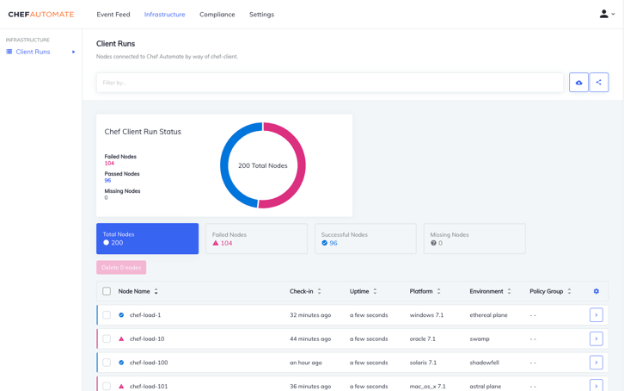
Source: Chef
5. Terraform
Terraform is an Infrastructure as Code (IaC) tool developed by HashiCorp that enables users to define and manage infrastructure across cloud and on-prem environments using human-readable configuration files. These files can be versioned, reused, and shared, providing a consistent workflow for provisioning and managing infrastructure throughout its lifecycle.
Key features include:
- Infrastructure as Code: Uses declarative configuration files to define the desired state of infrastructure, simplifying provisioning and enabling reproducibility.
- Multi-cloud and hybrid support: Works with thousands of providers, including AWS, Azure, GCP, Kubernetes, and GitHub, to manage infrastructure across diverse environments.
- Three-stage workflow (write, plan, apply): Users define infrastructure, preview the proposed changes, and then apply them in a controlled, dependency-aware sequence.
- State management: Maintains a state file that tracks real-world infrastructure and acts as the source of truth for updates, ensuring alignment with configurations.
- Dependency resolution and parallel execution: Builds a resource graph to identify dependencies and applies changes in parallel where possible, improving efficiency.

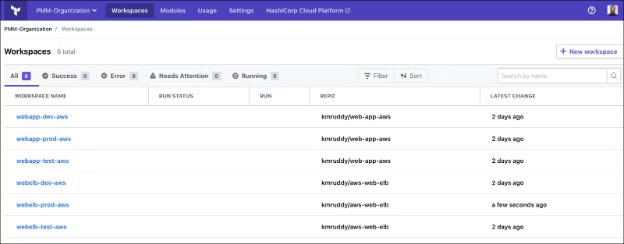
Source: HashiCorp
6. SaltStack
SaltStack (commonly referred to as Salt) is an event-driven automation and configuration management tool to manage infrastructure at scale. Built on Python, Salt enables organizations to automate system provisioning, configuration enforcement, software management, and orchestration across on-prem, cloud, and hybrid environments.
Key features include:
- Event-driven configuration management: Maintains systems in a defined state by automatically applying configurations and remediating drift whenever changes are detected.
- Remote execution engine: Executes commands on individual or grouped systems in parallel, not serially, using a lightweight and encrypted communication protocol for high performance.
- Cross-platform and multi-vendor support: Manages Linux, Windows, macOS, containers, VMs, network devices, and edge systems, regardless of vendor or operating system.
- Scalable and simple architecture: Uses a server/client model with minimal setup, supporting both small deployments and complex global infrastructure.
- Custom modules in Python: Allows users to extend functionality by writing execution modules, states, or returners in plain Python, with full integration via a command-line interface or API.

7. CFEngine
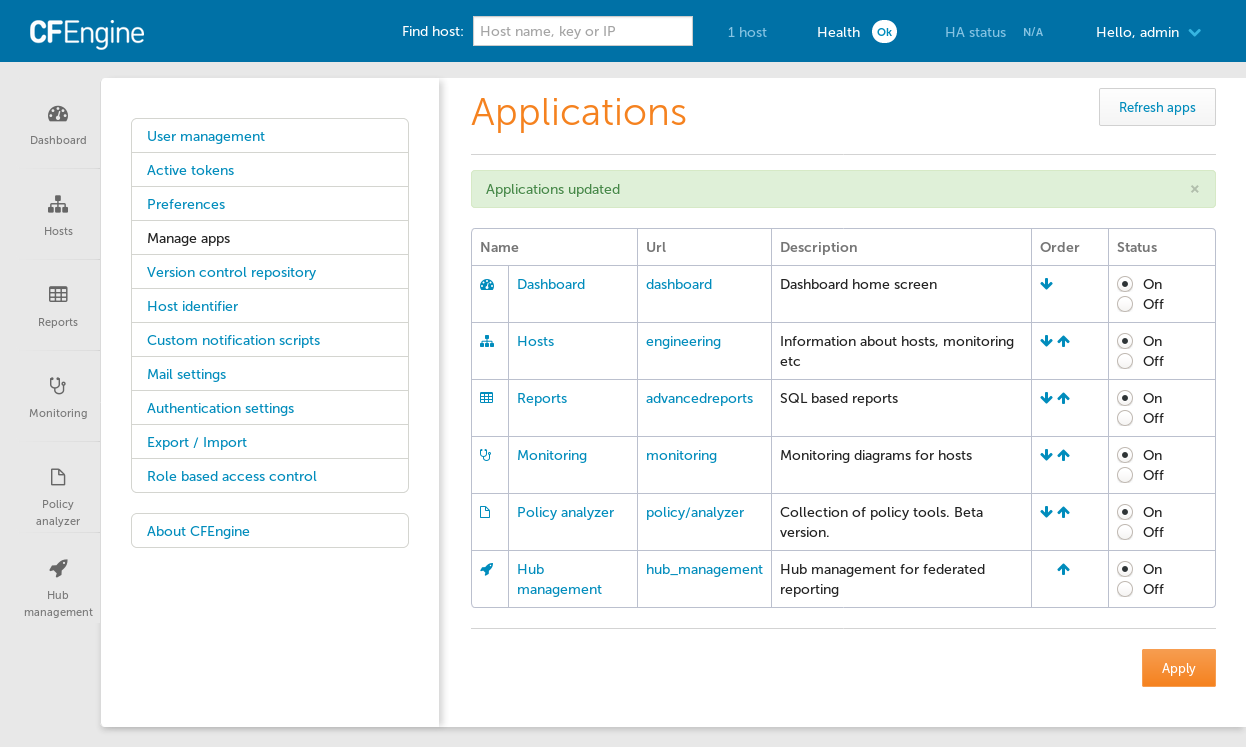
CFEngine is a configuration management and automation tool for managing large-scale, heterogeneous infrastructure across data centers, clouds, desktops, and IoT devices. It uses lightweight agents and a policy-based model to enforce system states, ensuring that managed devices remain secure, compliant, and up to date.
Key features include:
- Agent-based automation: A lightweight agent runs on each managed device, checking in every few minutes to enforce policies and maintain desired system states.
- Policy-driven configuration management: System configurations are defined as code using CFEngine’s policy language, enabling automated enforcement of security, compliance, and operational requirements.
- Real-time compliance and drift management: Automatically corrects deviations from the desired configuration, reducing vulnerabilities and ensuring continuous compliance.
- Mission Portal: A centralized web interface that provides dashboards, reports, and analytics for visibility into infrastructure state, compliance levels, inventory, and performance.
- Inventory and compliance reporting: Collects and visualizes infrastructure data across devices, from servers to IoT, through customizable reports for different stakeholders.

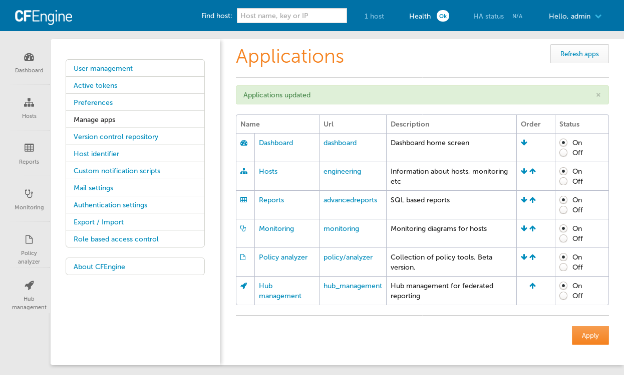
Source: CFEngine
8. Rudder
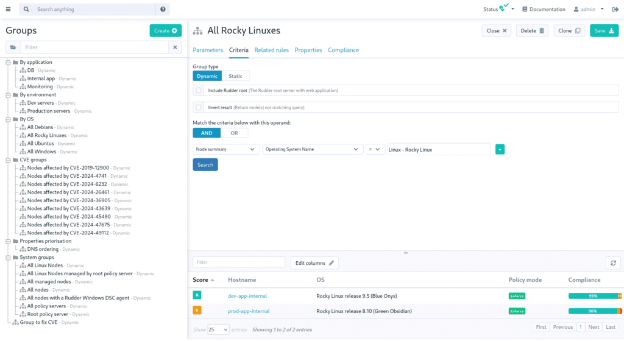
Rudder is an infrastructure automation and compliance management platform to help IT teams manage and secure systems across on-premises, cloud, and hybrid environments. It combines continuous configuration enforcement, patching, and security controls with compliance monitoring, giving teams a centralized, actionable view of their infrastructure.
Key features include:
- Continuous configuration automation: Enforces system configurations continuously across large, heterogeneous environments, minimizing manual intervention and reducing risk.
- Compliance by design: Uses dynamic baselines to ensure systems remain in their intended, secure state, helping organizations meet internal policies and external regulatory requirements.
- Visibility and reporting: Rudder Score and dashboards provide a clear, real-time overview of infrastructure compliance, system health, and configuration status.
- Scalable group and policy management: Allows dynamic grouping of systems and flexible application of policies, making it easier to manage large fleets with complex requirements.
- Patch and vulnerability management: Detects outdated or vulnerable systems and applies necessary patches automatically, supporting continuous security enforcement.

Source: Rudder
Considerations for choosing configuration management tools
Selecting the right configuration management tool depends on the specific needs of your organization, including infrastructure size, team expertise, regulatory requirements, and existing workflows. Here are some key factors to evaluate when making a decision:
- Ease of use and learning curve: Consider the complexity of the tool’s syntax and user interface. Tools like Ansible offer simpler, YAML-based configurations, while others like Puppet or CFEngine require more specialized knowledge.
- Agent vs. agentless architecture: Agentless tools reduce deployment complexity and overhead but may have limitations in functionality or scalability. Agent-based tools offer more control and continuous enforcement but add maintenance requirements.
- Integration capabilities: Evaluate how well the tool integrates with your existing ecosystem, including CI/CD pipelines, cloud providers, monitoring systems, and security platforms.
- Scalability and performance: For large environments or high-frequency updates, performance and scalability are critical. Tools like SaltStack and CFEngine are optimized for speed and low resource usage.
- Policy and compliance support: If your environment is subject to regulatory or internal compliance requirements, prioritize tools with built-in support for policy as code, audit trails, and compliance reporting.
- Community and vendor support: Open source tools often have strong communities and rich ecosystems of reusable modules. Enterprise offerings provide additional features and commercial support, which can be important for mission-critical systems.
- Cross-platform and multi-cloud support: Ensure the tool can manage all the operating systems, cloud providers, and infrastructure types in your environment, including edge and hybrid systems.
- State management and drift correction: Tools should provide robust mechanisms to track actual vs. desired state, detect drift, and auto-remediate changes without manual intervention.
- Cost and licensing: Weigh the total cost of ownership, including licensing fees, training, and maintenance. Open source options may reduce upfront costs but could require more internal effort to manage.
Help us continuously improve
Please let us know if you have any feedback about this page.