What is release management?
Release management is a process in software development that governs the planning, scheduling, and control of software builds through various stages and environments. It ensures that new software releases are adequately tested, validated, and successfully delivered to end users.
Release management helps maintain software quality and user satisfaction by managing the deployment of features and bug fixes. Through structured policies and procedures, release management coordinates the deployment of software changes from development to production environments.
This process minimizes disruptions and improves reliability by ensuring each release is stable and ready for production. Release management is integral in reducing deployment failures and accelerating time-to-market.
This is part of a series of articles about software deployment.
Release management market and trends
Organizations are investing in release management solutions to accelerate delivery cycles, reduce deployment failures, and maintain consistent software quality across complex development environments.
Release management solutions are widely adopted across several industries that rely on frequent software updates and stable deployment pipelines.
The IT and software services sector leads adoption with around 45% of total market revenue, driven by SaaS providers and enterprise software companies.
Other industries adopting release management tools include:
- Financial services (20%), where regulatory compliance and risk management require controlled release processes
- Telecommunications (15%), which depends on rapid service and infrastructure updates
- Healthcare and pharmaceuticals (10%), focusing on compliance and secure system updates
- Manufacturing and retail (10%), where digital transformation initiatives increase the need for reliable software releases
Healthcare is expected to experience particularly strong growth, with a projected 14% CAGR driven by telehealth platforms and digital health record systems.
Regional market trends
Demand for release management solutions varies across regions based on digital maturity and enterprise technology adoption.
North America holds the largest market share with approximately 40% of global revenue. This leadership is supported by mature DevOps ecosystems and early adoption of release automation tools.
Europe represents around 25% of the market, with strong adoption in countries such as the United Kingdom, Germany, and France. Government-backed digital transformation programs contribute to this growth.
Asia-Pacific accounts for about 20% of the market and is considered the fastest-growing region. Expansion of cloud infrastructure and increasing software development activity drive adoption in countries such as China and India.
The rest of the world contributes roughly 15%, with growing demand in Latin America and the Middle East as digital infrastructure investments increase.
Key drivers and emerging trends
Several industry trends are shaping the evolution of release management platforms.
One major driver is the adoption of agile development, DevOps practices, and continuous delivery pipelines, which require structured release workflows and automation to support frequent deployments.
Organizations are also investing in automation tools to reduce deployment errors and accelerate release cycles. Increased cloud migration is another factor, as cloud environments require scalable and reliable release processes.
Emerging technology trends influencing the market include:
- AI and machine learning integration for release decision-making and anomaly detection
- DevSecOps adoption, which integrates security checks directly into release pipelines
- Microservices and containerization, enabling modular releases that require advanced orchestration
- Edge computing and IoT deployments, which introduce decentralized release management needs
These trends are pushing vendors to develop more automated, intelligent, and cloud-native release management solutions.
Key features of release management tools
Release management solutions typically include the following features.
Automation capabilities
Automation improves efficiency and reduces human error during deployments. These tools automate repetitive tasks such as code integration, testing, and software builds. Automation ensures consistent processes, leading to faster and more reliable software releases.
With automated tools, developers can implement Continuous Integration and Delivery (CI/CD) pipelines, enabling new code to be tested and deployed quickly. This capability minimizes delays by providing rapid feedback on code quality and allowing for quick corrections when necessary.
Collaboration and communication
Release management tools improve collaboration and communication within development teams. They provide platforms for team members to share updates, address issues, and simplify workflows. These tools also enable coordination between diverse teams, aligning goals and timelines for release schedules.
Improved collaboration minimizes misunderstandings and alignment issues, ensuring everyone is on the same page. These tools maintain transparency in the development process by integrating messaging, notifications, and status updates.
Deployment and rollback functionality
Release management tools offer deployment and rollback functionalities critical for efficient software delivery. Deployment functions allow teams to automate and manage how applications are released into production environments. The process is precisely orchestrated, ensuring reliability during the installation.
In cases of deployment issues, rollback functions are essential. They allow users to quickly revert to a previous stable version, minimizing downtime and impact on end users. This safety net is crucial in maintaining service continuity and addressing unforeseen issues.
Integration with existing systems
Integration capabilities in release management tools enable connection with existing systems, improving efficiency. These tools can interface with various software, development environments, and infrastructure services. This flexibility ensures that new tools do not disrupt current workflows.
Integration reduces the learning curve for development teams and maintains consistent operations by aligning with existing systems. It enables the use of familiar tools while incorporating modern practices.
Metrics and analytics
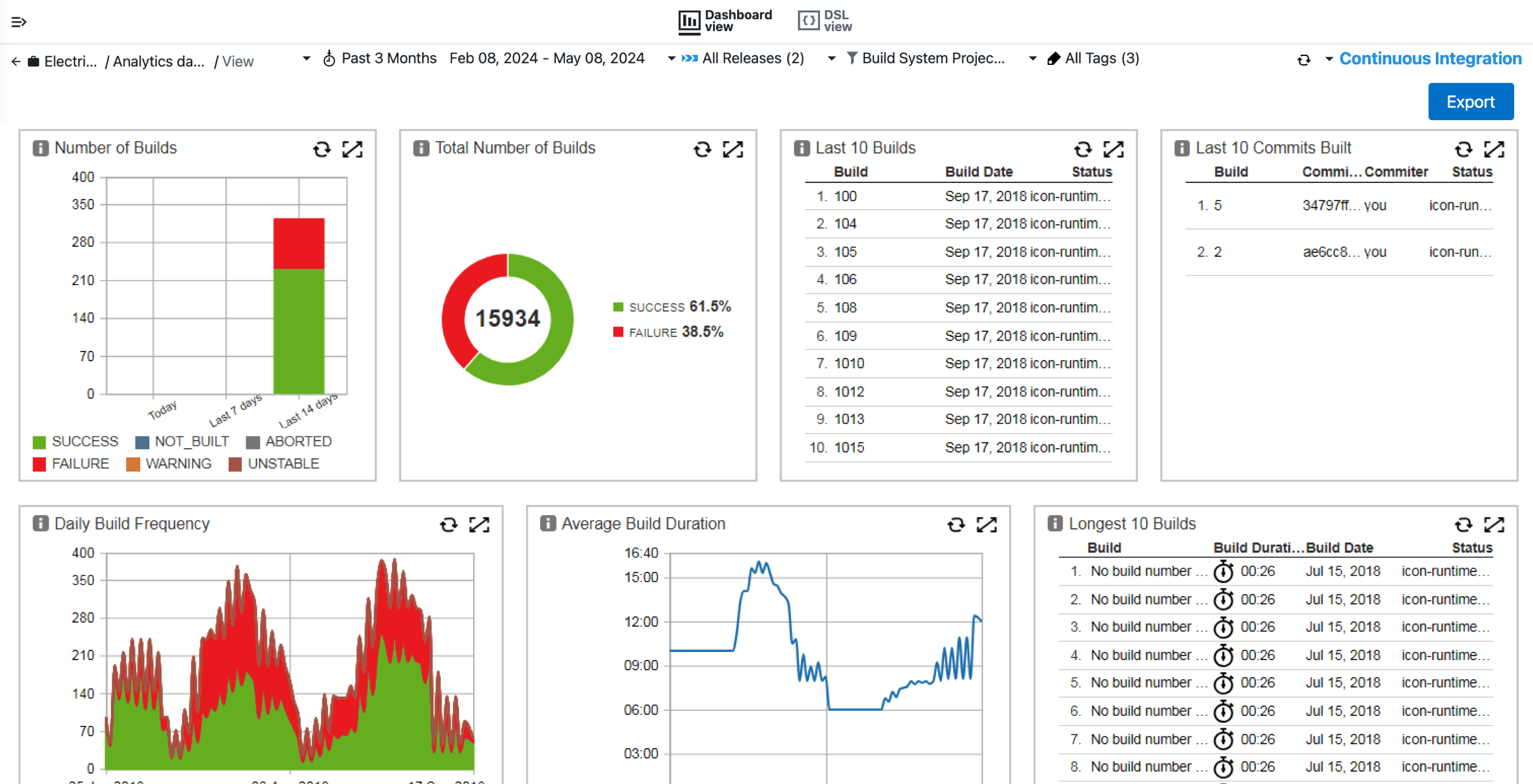
Release management tools with metrics and analytics provide valuable insights into process efficiency and software performance. They track key performance indicators, such as deployment frequency, failure rate, and recovery times, to assess the effectiveness of the release process.
Analytics help identify bottlenecks and improvement areas, guiding informed decision-making. By visualizing data trends and outcomes, development teams can optimize release processes, predict potential challenges, and refine practices.

Tony Kelly is a DevOps marketing leader who drives innovation and awareness of the latest trends in Continuous Delivery.
Notable release management tools
Dedicated release management platforms
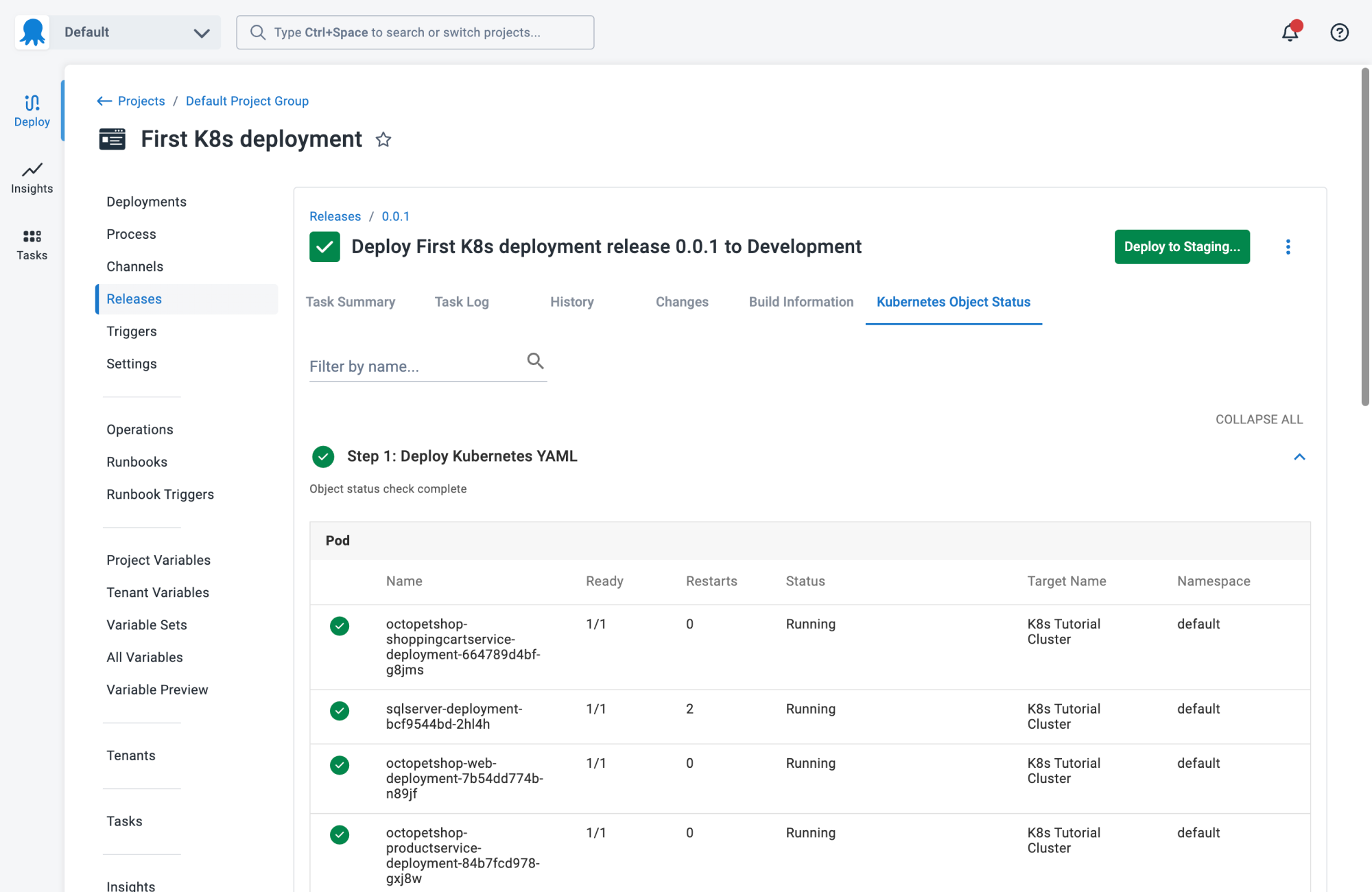
1. Octopus
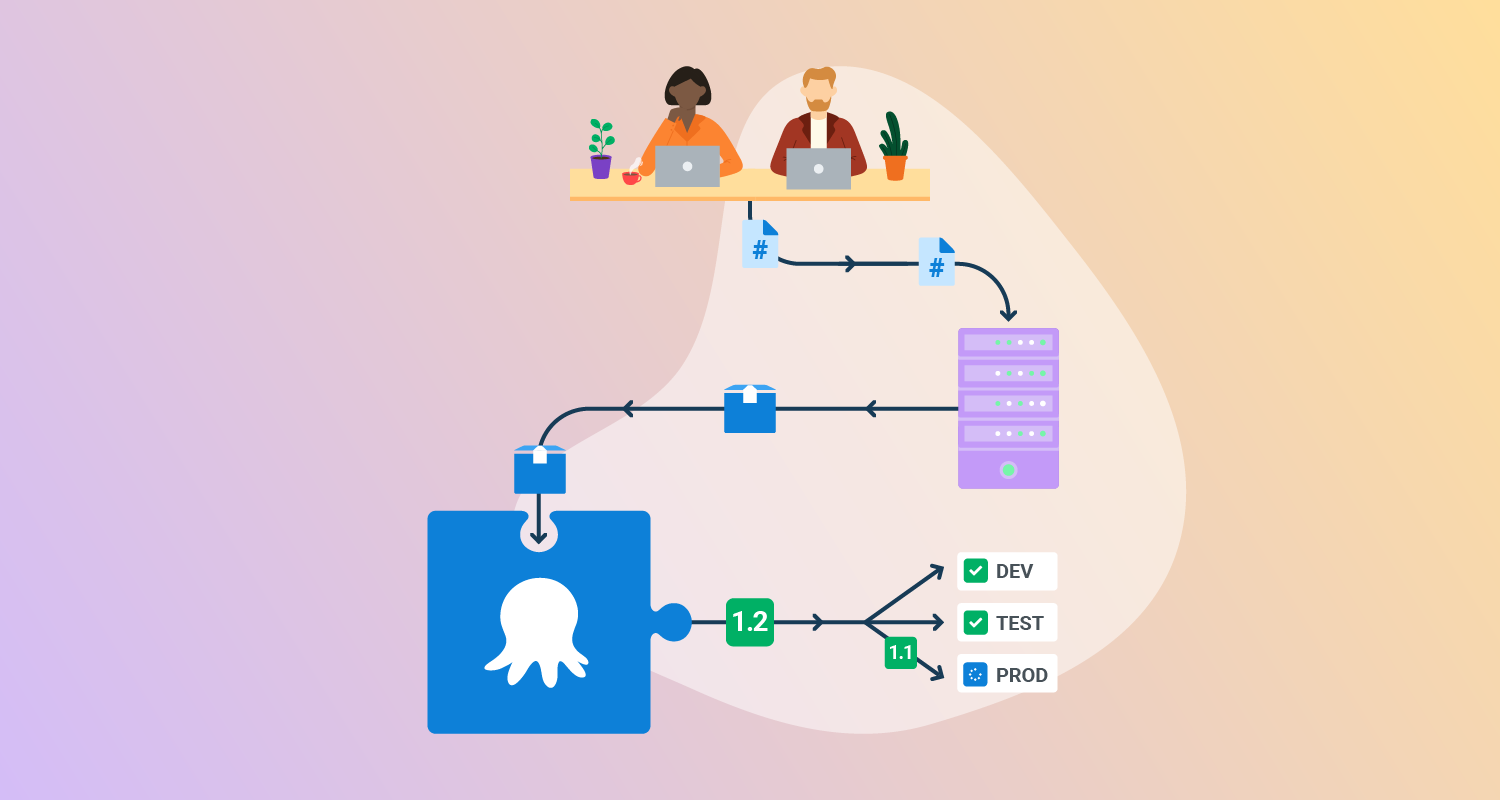
Octopus Deploy is a sophisticated, best-of-breed Continuous Delivery (CD) platform for modern software teams. It offers powerful release orchestration, deployment automation, and runbook automation while handling the scale, complexity, and governance expectations of even the largest organizations with the most complex deployment challenges.
License: Commercial
Features:
- Reliable risk-free deployments: Define your deployment process once and use it across all environments so you can deploy to production with the same confidence you deploy everywhere else.
- Deployments at scale: Octopus is the only CD tool with built-in multi-tenancy support. You can deploy many customer-specific instances using the same deployment process.
- One platform for DevOps automation: You can use runbooks to automate operations tasks to remove toil. You can use runbooks to provide safe self-service operations to other teams.
- Streamlined compliance: Octopus has role-based access control, single-sign-on (SSO) as standard, and a complete audit trail to make audits a breeze.

2. Planview (formerly Plutora)
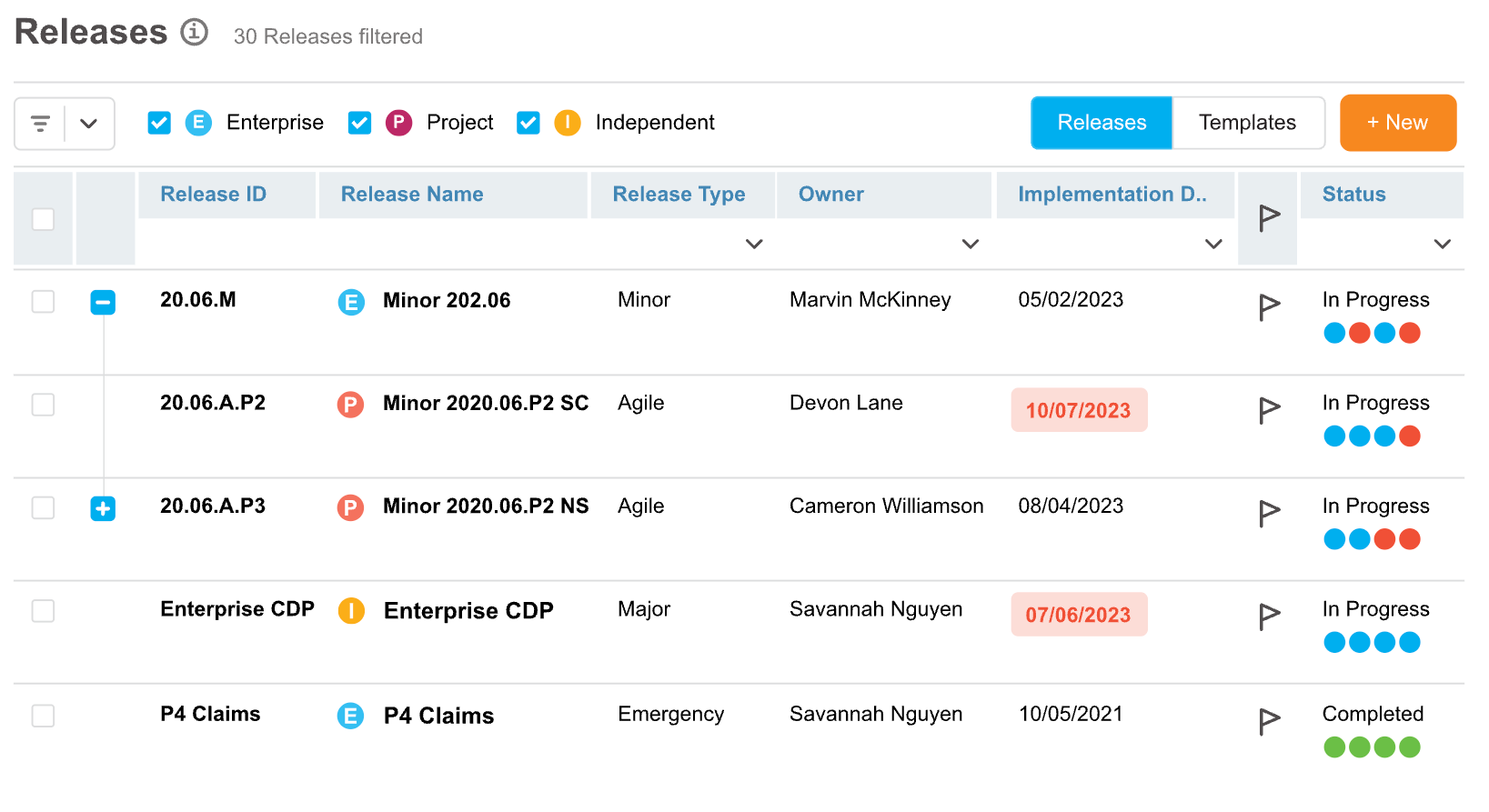
Planview is a release management platform to coordinate complex software releases across large development environments. It provides visibility into software delivery pipelines and helps teams manage dependencies between applications, releases, and environments. The platform also supports test environment management and value stream analytics.
Features:
- Release coordination and orchestration: Manage and coordinate releases across multiple applications, teams, and delivery pipelines to improve visibility and control.
- Value stream insights: Provide analytics and metrics that help organizations monitor software delivery performance and identify inefficiencies in development pipelines.
- Test environment management: Optimize the allocation and use of testing environments to reduce conflicts and delays during testing phases.
- Enterprise delivery visibility: Offer centralized oversight of release activities across complex development ecosystems to improve collaboration and planning.

Source: Plutora
3. CloudBees
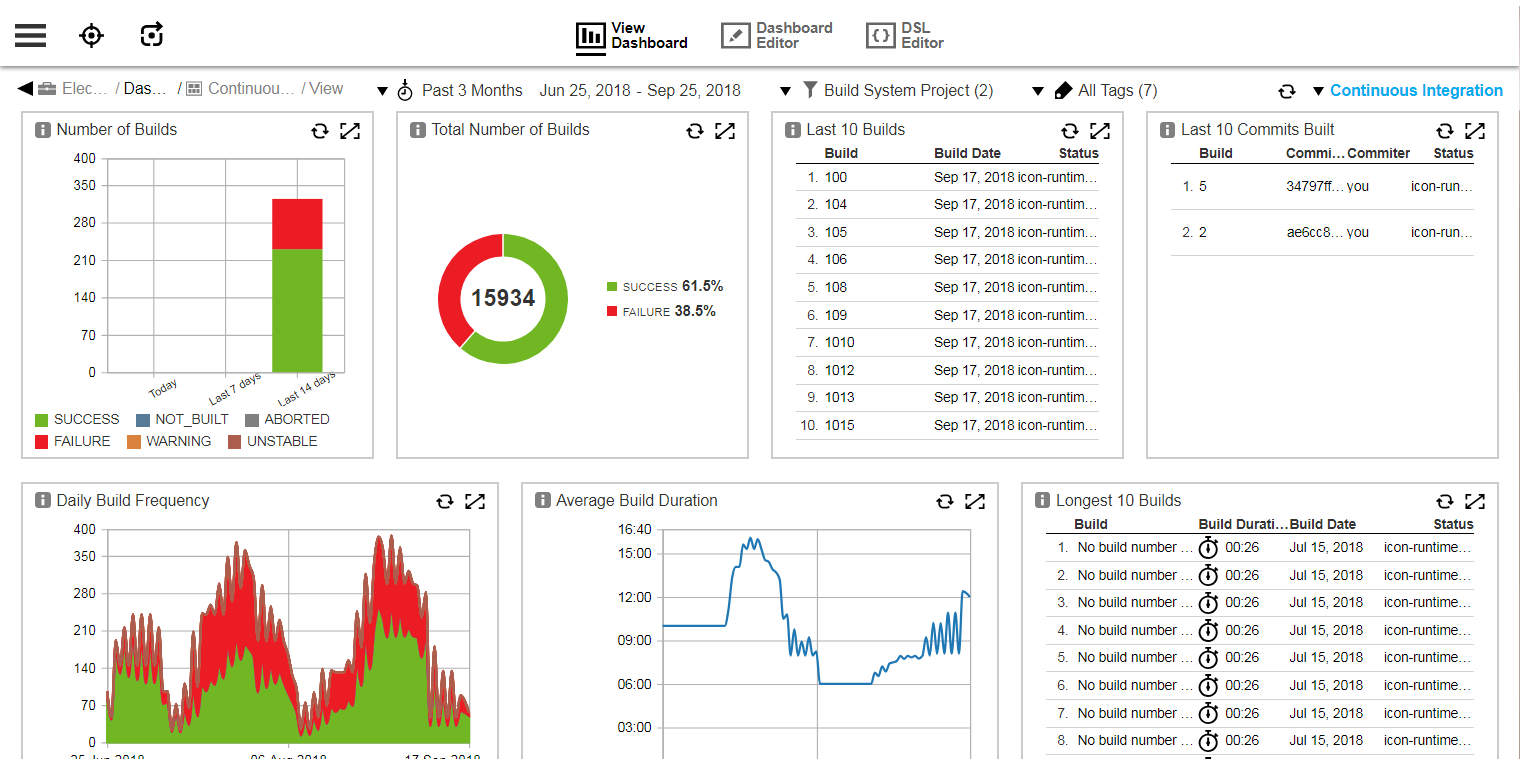
CloudBees provides enterprise software delivery tools that help organizations manage and automate complex CI/CD pipelines. Its platform focuses on coordinating development workflows across multiple tools and environments while providing governance, automation, and security controls for large-scale software delivery operations.
Features:
- Release orchestration: Automate and manage complex release pipelines across multiple systems and environments.
- Multi-tool pipeline governance: Coordinate CI/CD workflows across different development tools and platforms without replacing existing systems.
- Continuous security and compliance: Apply policy-driven controls and automated checks across the software delivery lifecycle to support governance and auditing.
- Pipeline analytics and insights: Analyze delivery pipelines to identify inefficiencies, improve performance, and support faster release cycles.

Source: CloudBees
4. Spinnaker
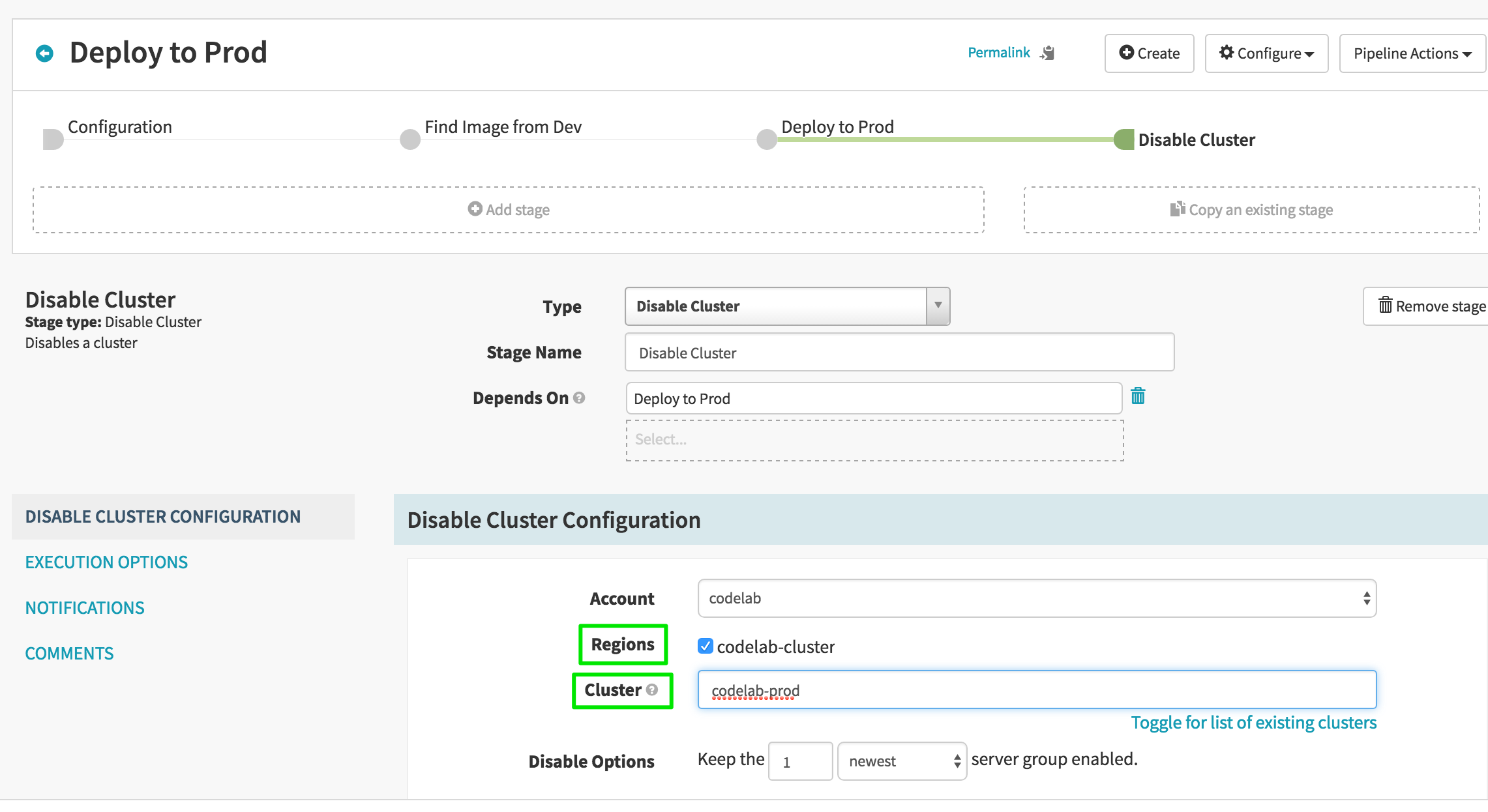
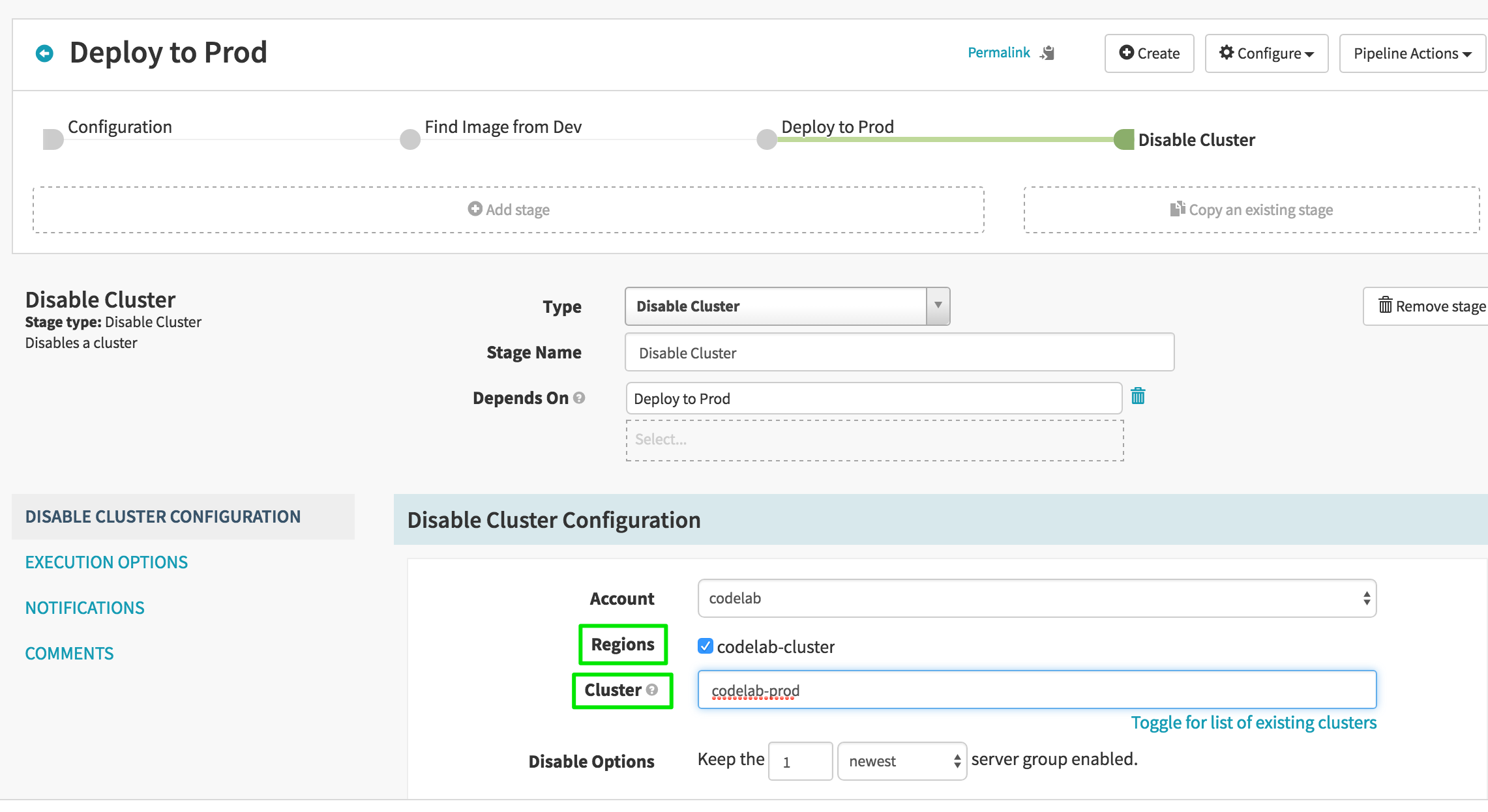
Spinnaker is an open-source continuous delivery platform originally created at Netflix. It provides tools for managing application deployments across cloud environments while supporting automated release pipelines and advanced deployment strategies. The platform integrates with major cloud providers and CI systems to help organizations standardize release processes and manage large-scale deployments.
Features:
- Pipeline-based deployment automation: Create pipelines that run tests, deploy applications, and manage server groups automatically.
- Multi-cloud deployment support: Deploy applications across cloud platforms such as AWS, Azure, Google Cloud, Kubernetes, and others.
- Advanced deployment strategies: Implement strategies such as blue/green and canary deployments to reduce risk during releases.
- Monitoring and notification integrations: Connect releases to monitoring services and send alerts through messaging and communication tools.

Source: Spinnaker
CI/CD and automation tools used for release management
5. Chef Infra
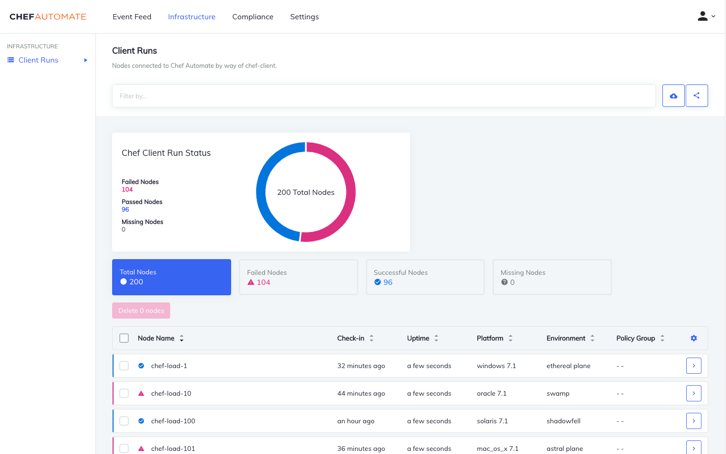
Chef Infra is a configuration management platform that automates infrastructure setup and maintenance using policy-based definitions written as code. It enables teams to define the desired state of systems and automatically enforce those configurations across servers, cloud environments, and edge devices. This approach supports consistent infrastructure management and helps integrate infrastructure changes into automated deployment pipelines.
Features:
- Policy-based configuration management: Define infrastructure policies as code that can be tested, versioned, and enforced automatically.
- Configuration drift correction: Continuously monitor system states and automatically correct deviations from the defined configuration.
- Cross-platform infrastructure management: Manage Windows, Linux, cloud systems, and edge devices through a unified configuration approach.
- Infrastructure testing and validation: Use integrated tools to test configuration policies and validate compliance before deployment.

Source: Chef Infra
6. Ansible
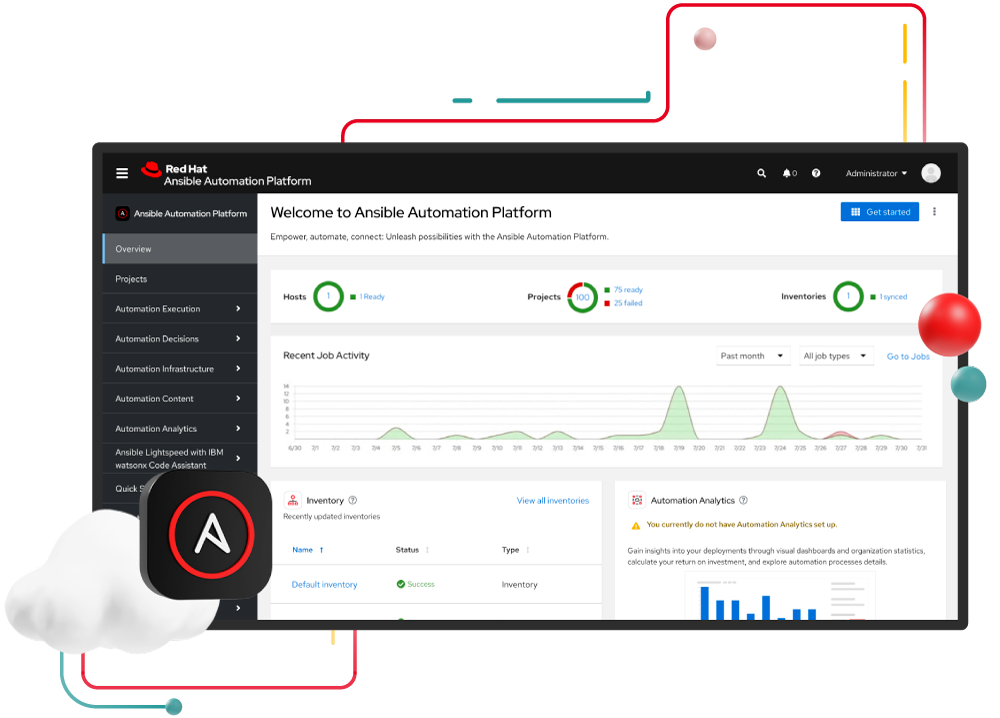
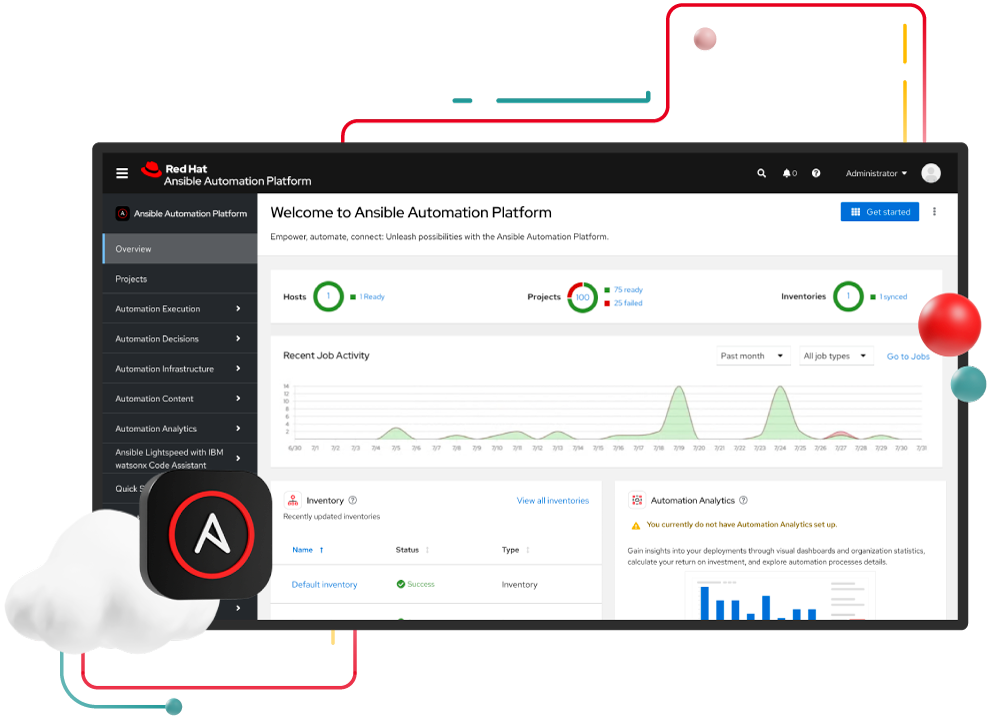
Ansible is an open-source automation tool used to automate configuration management, application deployment, and infrastructure tasks. It uses human-readable playbooks written in YAML to define system states and automate operational workflows. Ansible’s agentless architecture allows it to automate systems using standard protocols such as SSH without installing additional software on managed nodes.
Features:
- Agentless automation architecture: Manage infrastructure without installing agents on target systems by using existing protocols like SSH.
- Playbook-based automation: Define automation tasks using simple YAML playbooks that describe the desired state of systems.
- Configuration management: Maintain consistent system configurations across servers and infrastructure environments.
- Rolling updates and deployment automation: Support continuous deployment workflows and perform updates without service downtime.

Source: Red Hat
7. AWS CodePipeline
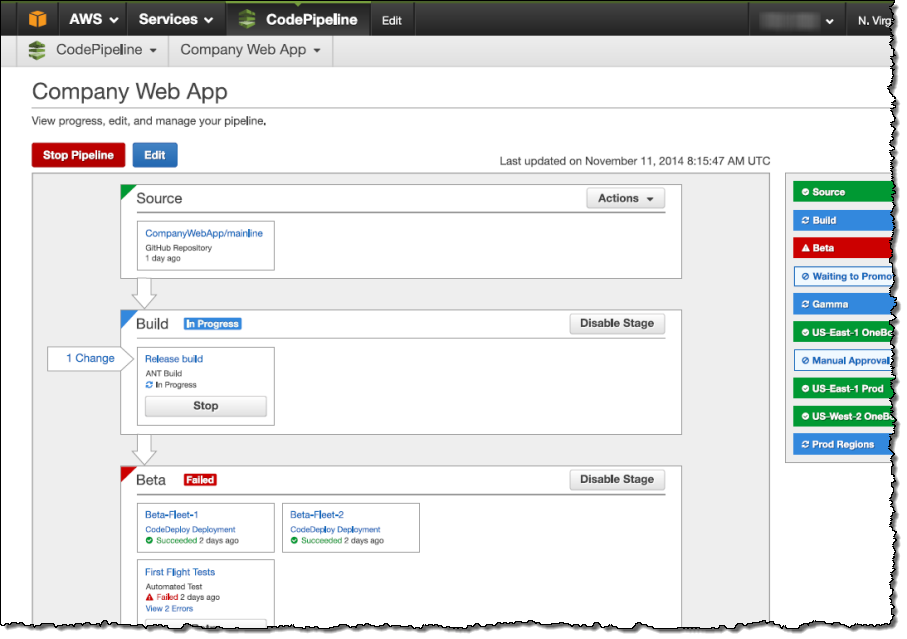
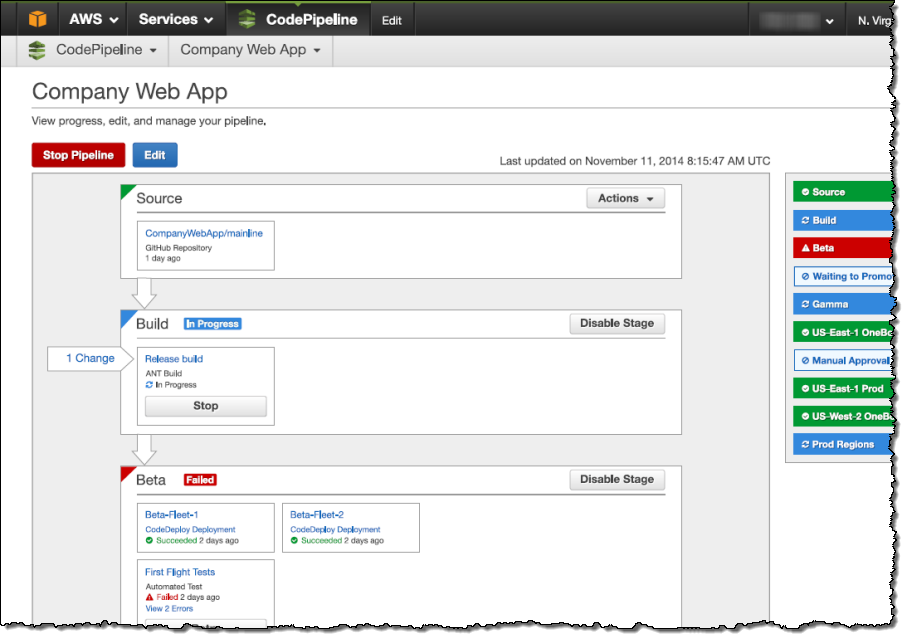
AWS CodePipeline is a cloud-based continuous integration and continuous delivery service that automates the process of building, testing, and deploying applications. It allows teams to define automated release pipelines that move code changes through stages of validation and deployment, helping organizations deliver software updates more quickly.
Features:
- Automated delivery pipelines: Define structured pipelines that automatically build, test, and deploy application changes.
- Event-based pipeline triggers: Start pipeline actions automatically when code changes occur or when specific events are detected.
- Access control and permissions: Manage pipeline access and permissions to control who can view or modify release processes.
- Integration with external tools: Connect pipelines with external systems and services to extend automation workflows.

Source: Amazon
8. Azure Pipelines
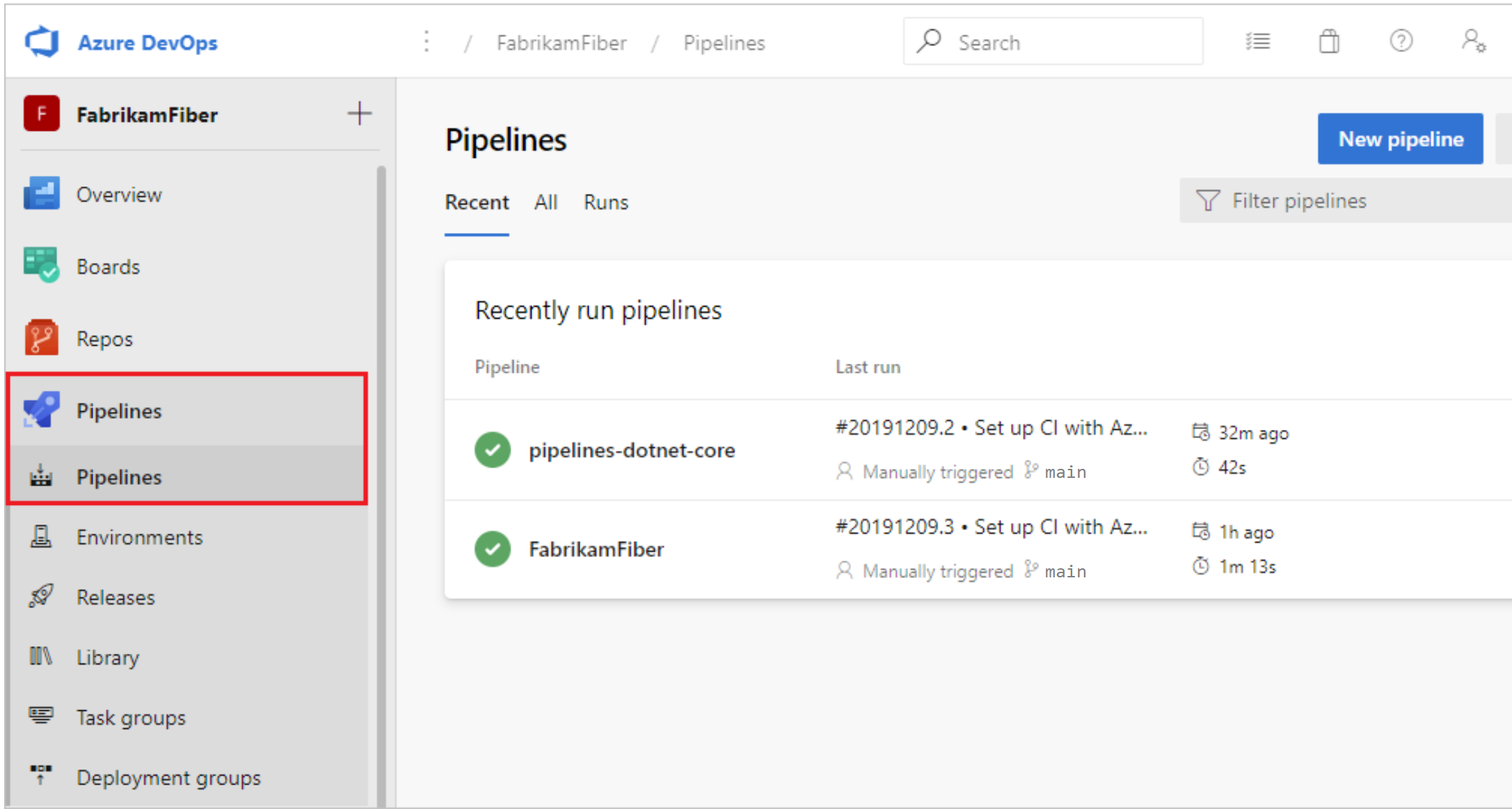
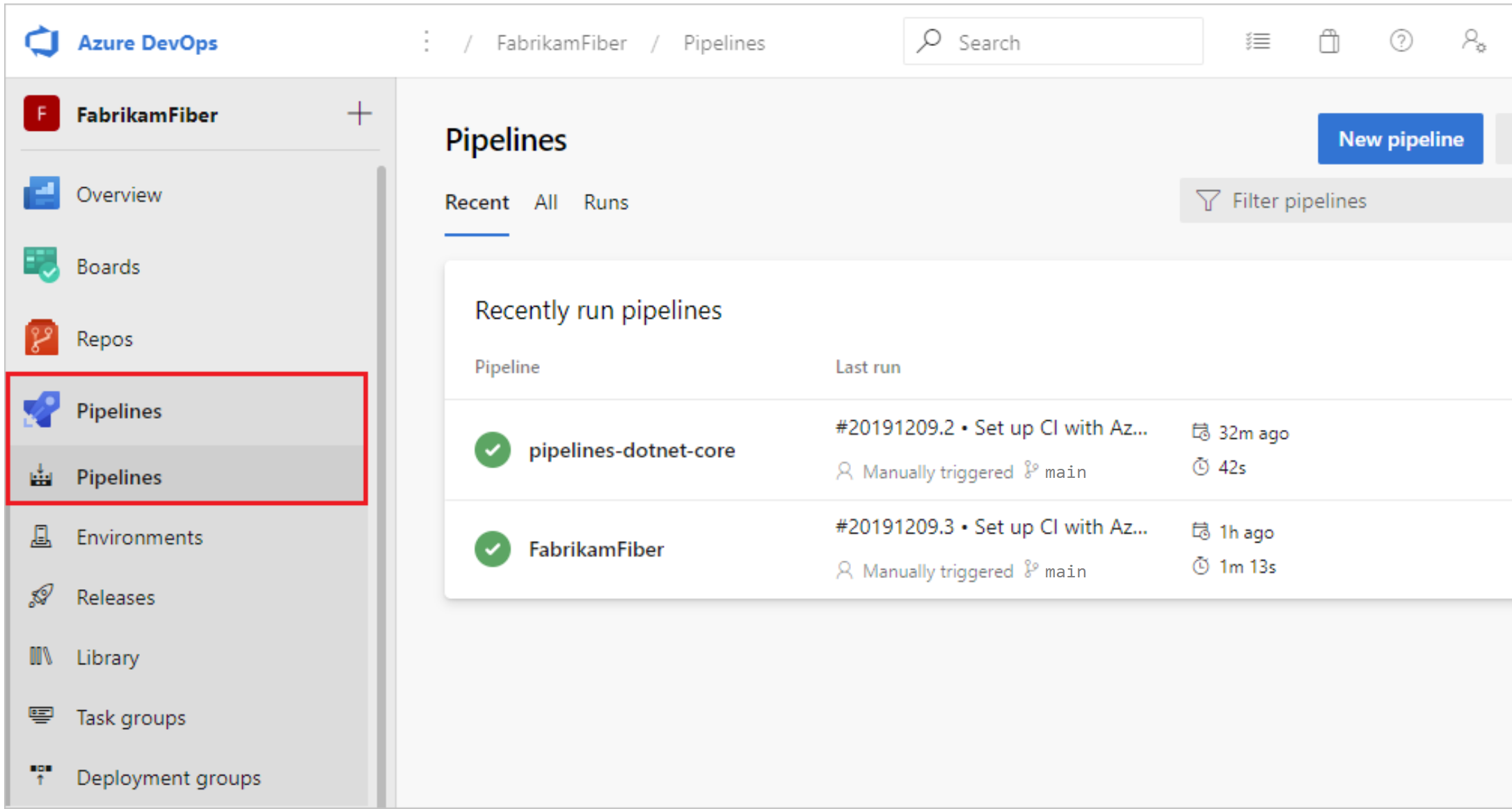
Azure Pipelines is a component of Azure DevOps that supports continuous integration, testing, and delivery workflows. It automates the process of building, testing, and deploying applications across different environments. The service works with a range of programming languages, platforms, and deployment targets, making it suitable for both cloud-based and on-premises applications.
Features:
- End-to-end CI/CD automation: Automates building, testing, and deploying applications through integrated continuous integration and continuous delivery pipelines.
- Multi-platform and language support: Works with major programming languages and runs on Windows, Linux, and macOS environments.
- Flexible deployment targets: Deploys applications to virtual machines, containers, cloud platforms, on-premises systems, and mobile app stores.
- Integration with version control systems: Connects with repositories such as GitHub and Azure Repos to trigger builds and validate code changes automatically.
- Built-in testing and analytics: Supports multiple testing frameworks and provides detailed test results and reporting to track application quality.
- Parallel and scalable execution: Runs jobs in parallel to improve efficiency and speed up build and deployment processes.

Source: Microsoft
9. Google Cloud Build
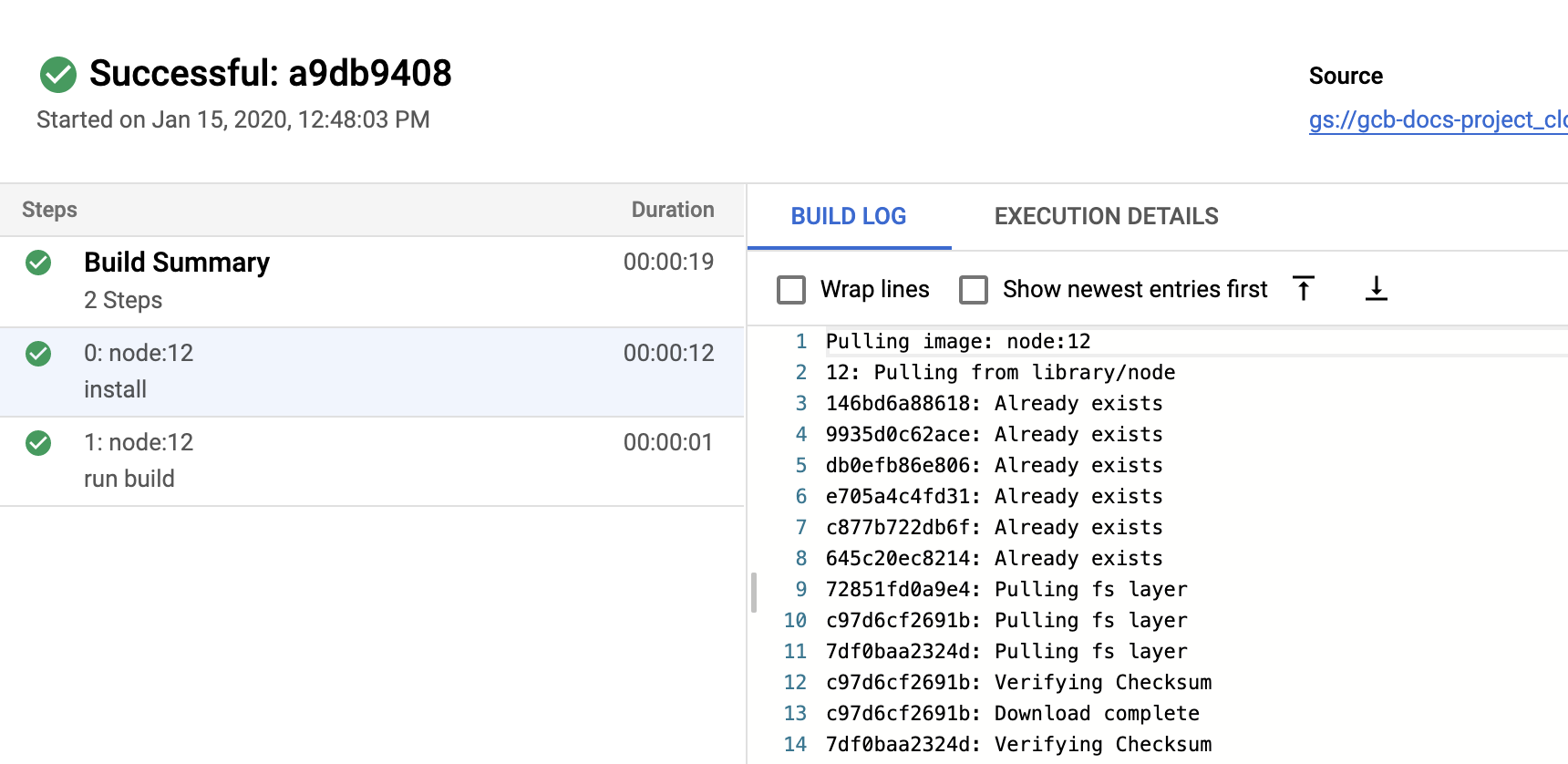
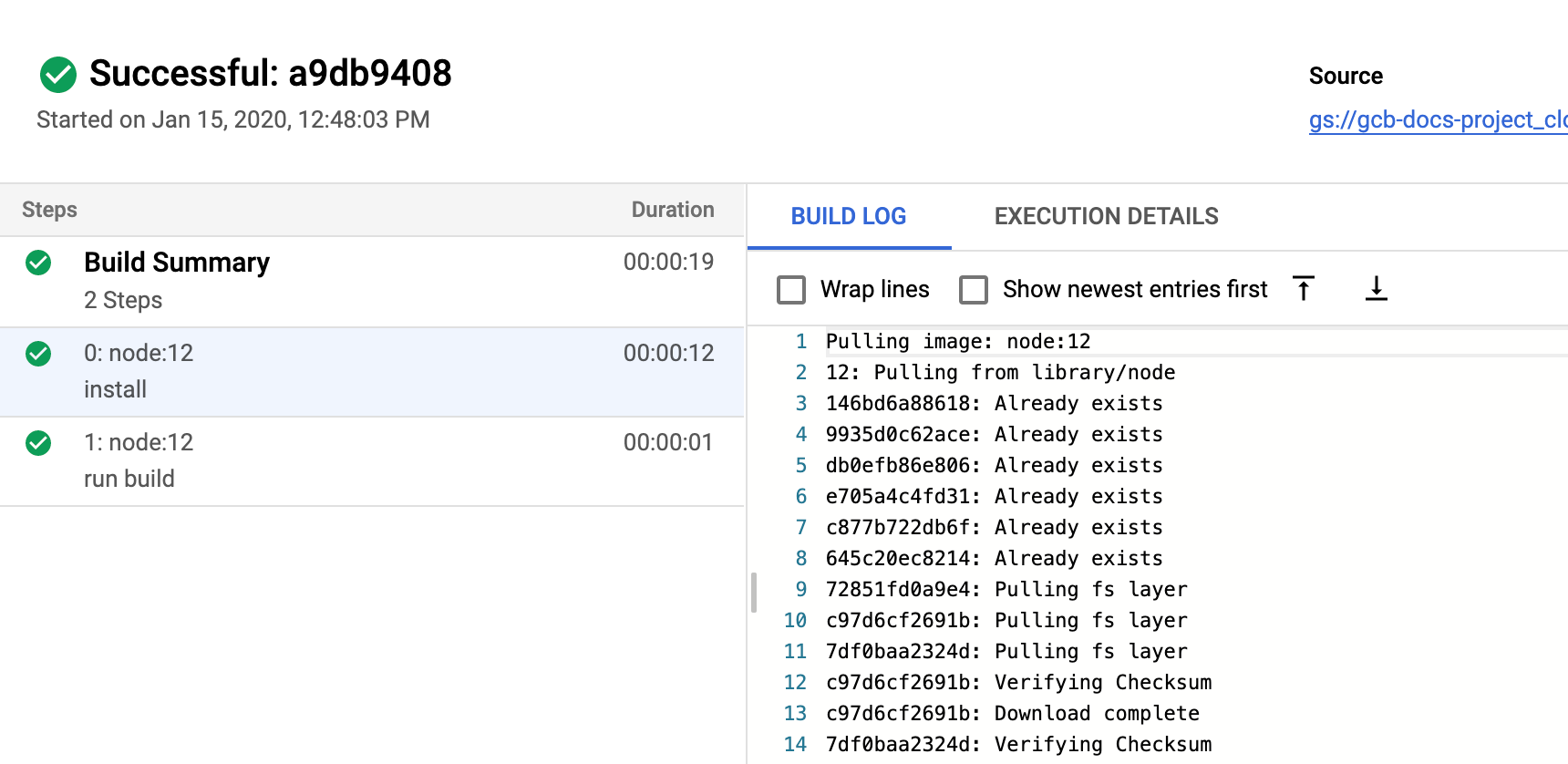
Google Cloud Build is a fully managed CI/CD platform that enables teams to build, test, and deploy software using scalable cloud infrastructure. It runs build processes in a serverless environment and integrates with popular source control systems and Google Cloud services to automate application delivery workflows.
Features:
- Serverless build infrastructure: Run builds in a managed environment that scales automatically without maintaining build servers.
- Automated deployment pipelines: Define build steps that automate application testing and deployment across environments.
- Source control integrations: Trigger builds automatically when changes are pushed to repositories such as GitHub, GitLab, or Bitbucket.
- Supply chain security controls: Scan artifacts and generate build provenance data to help verify software integrity.

Source: Google Cloud
10. Bamboo
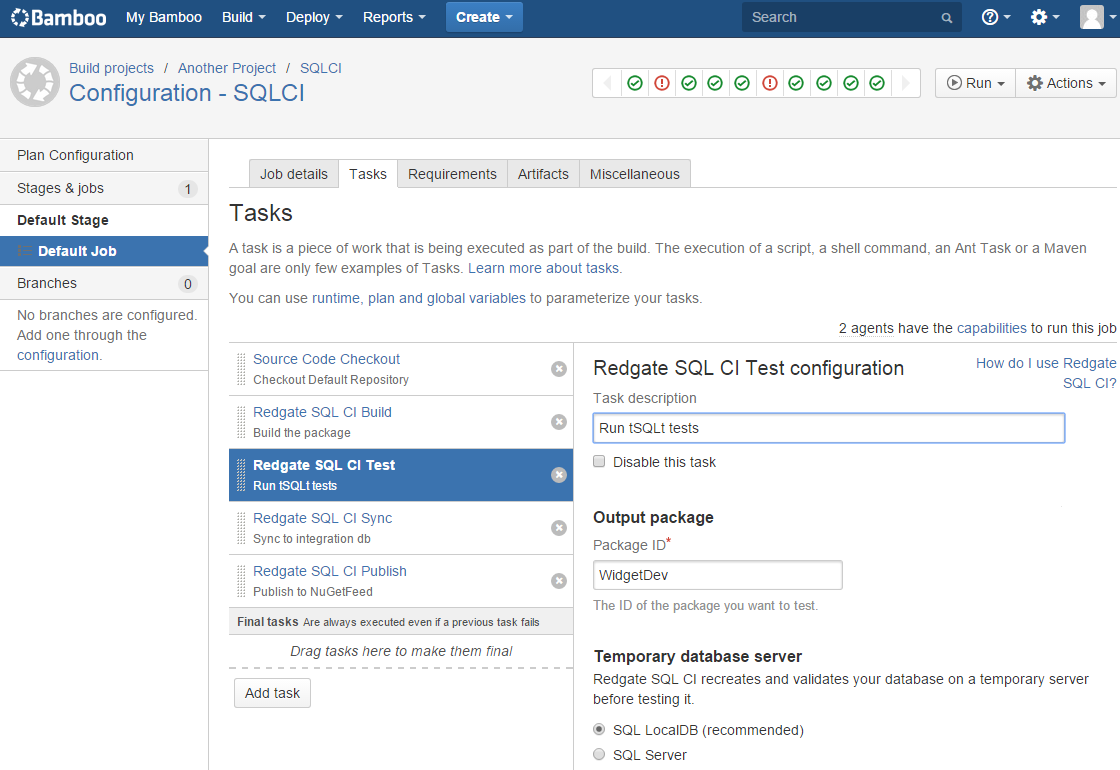
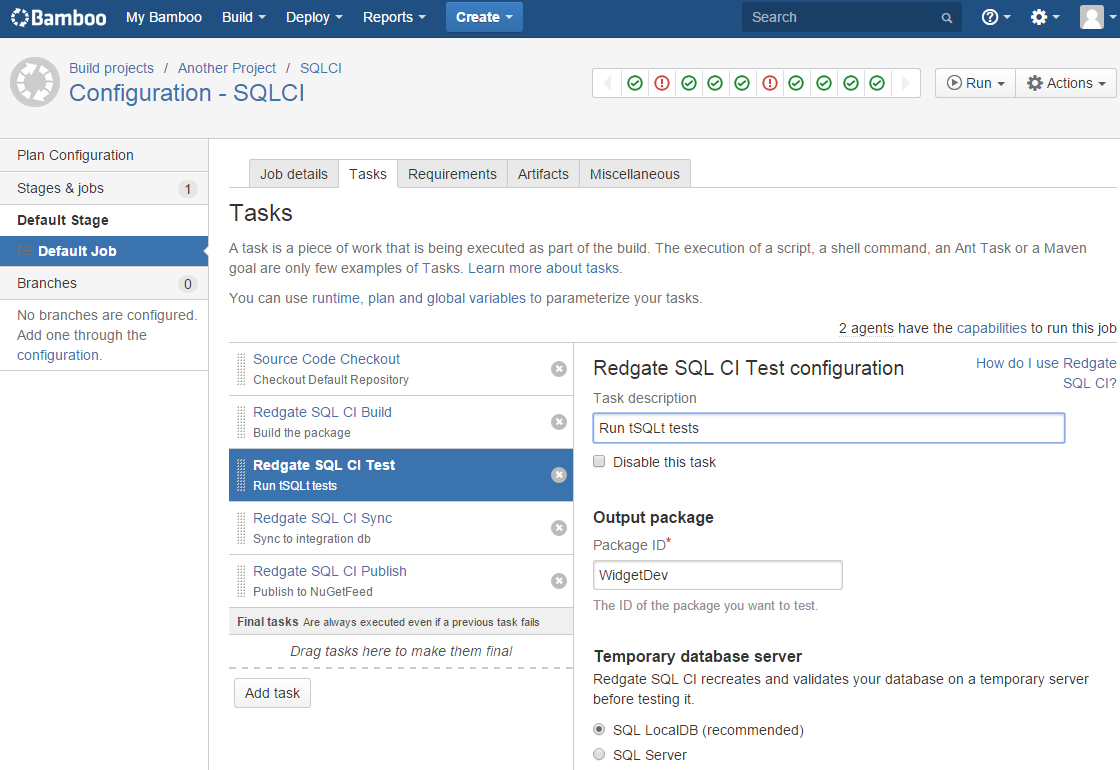
Bamboo is a continuous delivery server from Atlassian that automates the process of building, testing, and deploying applications. It integrates closely with other Atlassian development tools to provide traceability across the development lifecycle, from feature requests to deployment.
Features:
- Automated build and deployment workflows: Create automated pipelines that manage the process from code changes to deployment.
- Integration with development tools: Connect with tools such as Bitbucket and Jira to provide end-to-end visibility into development workflows.
- High availability and resilience: Provide build resilience and disaster recovery features to maintain pipeline reliability.

Source: Atlassian
Conclusion
Release management helps simplify the software development lifecycle by automating processes, improving collaboration, and reducing deployment risks. By integrating with existing systems, providing analytics, and enabling efficient workflows, these tools ensure that software releases are reliable, timely, and aligned with business goals.
Help us continuously improve
Please let us know if you have any feedback about this page.