What are deployment automation tools?
Deployment automation tools are software solutions designed to manage and simplify the process of releasing applications from development to production environments. These tools automate repetitive manual processes, helping development teams to reliably package, move, test, and deploy application code.
By reducing human intervention, deployment automation tools aim to decrease deployment times and minimize the potential for errors that often arise from manual processes. They can orchestrate complex workflows involving compilation, artifact management, configuration updates, and environment-specific customization tasks.
These tools integrate with version control systems, Continuous Integration servers, and infrastructure management platforms to provide a cohesive deployment pipeline. As a result, organizations can respond faster to changing requirements, maintain consistency across environments, and achieve more predictable software releases.
Key features of deployment automation tools
CI/CD integration
Continuous Integration (CI) ensures that code changes are regularly merged, built, and tested, while Continuous Delivery or Deployment (CD) automates the delivery of those changes to staging or production. Effective deployment tools integrate with CI/CD pipelines, allowing code to transition smoothly from development through validation and into release processes.
This integration accelerates feedback cycles, reduces manual steps in the deployment process, and promotes early discovery of defects. By automating builds, tests, and deployments, teams can maintain a rapid release cadence and ensure that new features or fixes are consistently and reliably introduced to end users. This eliminates bottlenecks that manual handoffs between teams often cause and helps enforce best practices in deployment.
Multi-environment support
Deployment automation tools must support multiple environments, such as development, staging, testing, and production. This capability allows teams to validate updates in various scenarios before pushing them live, ensuring higher reliability and reducing the risk of environment-specific issues during production deployments.
Tools that manage multi-environment deployments can apply environment-specific configurations, manage secrets, and ensure that each stage is consistent with the others. This standardization decreases variability between environments and helps catch errors early, improving deployment confidence and overall software quality. It also enables simultaneous or progressive deployments across different regions or business units.
Rollback capabilities
Rollback features are essential for minimizing the impact of failed deployments. An effective deployment automation tool enables easy rollback to a stable previous version, either automatically in response to errors or on demand if issues are discovered after a release.
Automated rollbacks save valuable time during incident recovery and help maintain service availability. They also allow teams to experiment and innovate with less risk, since problematic releases can be quickly reversed. This boosts user trust and enables organizations to adopt more frequent release cycles without exposing customers to prolonged service disruptions.
Configuration management
Configuration management ensures that application and infrastructure settings are correctly applied and maintained across environments. Deployment automation tools handle configuration files, secrets, and parameters as part of the deployment process, ensuring consistency regardless of where the software is running.
By managing configurations centrally and automating their application, these tools minimize discrepancies between environments and reduce manual errors. This is crucial for compliance, reliability, and simplified troubleshooting when issues occur. Effective configuration management also enables dynamic scaling and supports infrastructure as code practices.
Version control integration
Integration with version control systems is a core feature for modern deployment automation. By tying deployments to tags, commits, or branches, these tools track exactly what is being released and when, supporting traceability and accountability in software delivery.
Version control integration simplifies audits and post-incident investigations. Teams can reproduce builds, roll back to specified versions, or pinpoint the introduction of bugs. This connection ensures that only code meeting organizational standards and review processes is deployed to end users, enhancing security and code quality.
Scalability
Deployment automation tools must scale to accommodate applications of varying sizes and infrastructures. Scalability means handling everything from smaller projects with a few services to large-scale systems spanning thousands of nodes or multiple cloud providers. A scalable solution manages increased deployment traffic, orchestrates complex dependencies, and provisions infrastructure resources dynamically as demands change.
This ensures that performance and reliability are maintained even as organizations grow and software deployments become more frequent and complex. Scalability is essential for high-availability systems and global operations.
Security compliance
Security compliance features help ensure that deployments meet organizational and regulatory standards. Deployment automation tools enforce access controls, log operations, and apply security policies, reducing the risk of unauthorized changes or breaches during deployment.
Automated security checks in deployment pipelines can scan for vulnerabilities, validate configurations, and ensure that sensitive information is handled securely across environments. These capabilities help teams maintain compliance with standards such as GDPR, HIPAA, or SOC2, and demonstrate best practices in software delivery and operations.
Dedicated deployment automation platforms
1. Octopus Deploy
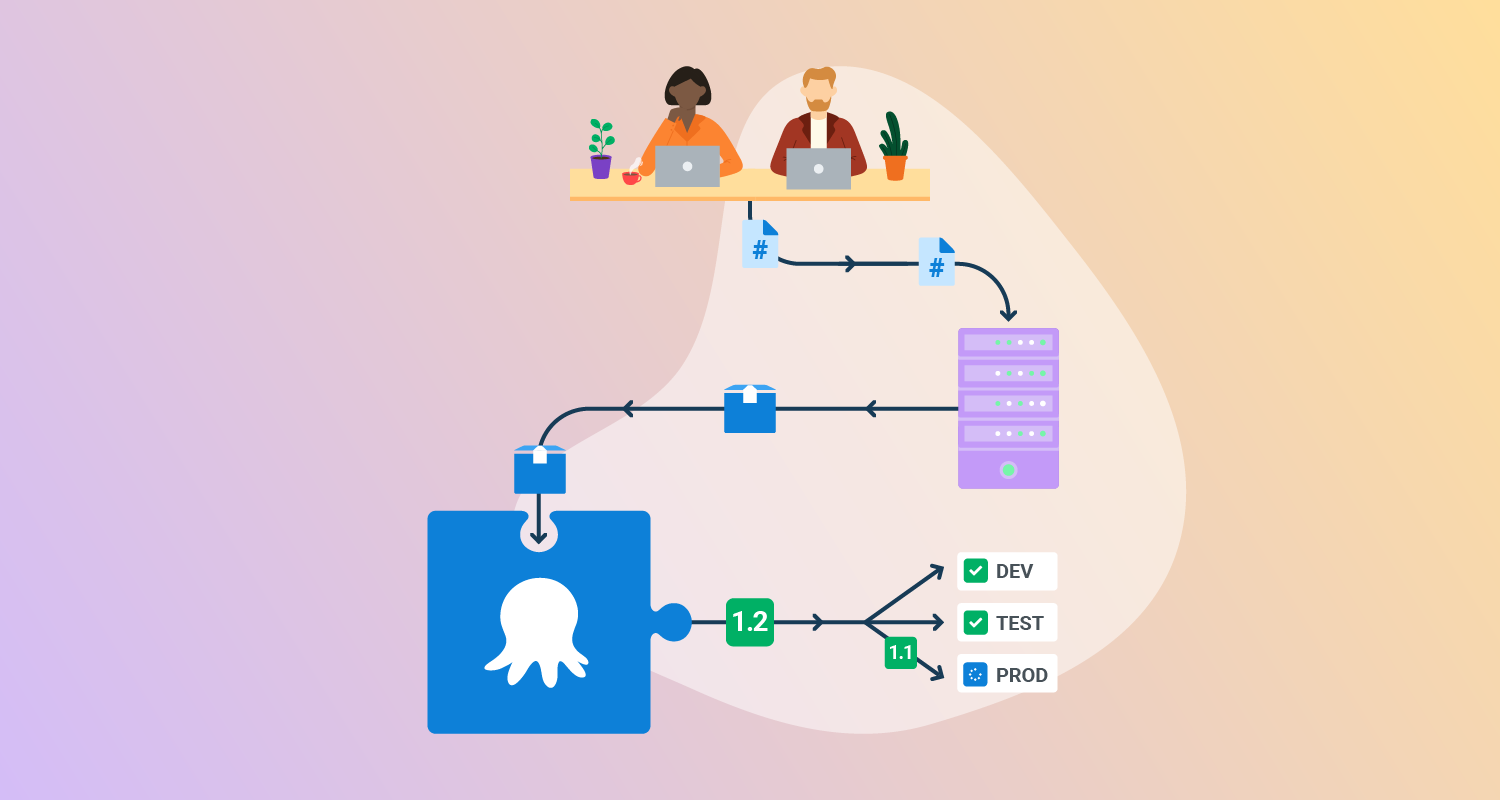
Octopus Deploy helps software teams deploy freely – when and where they need, in a routine way. With Octopus, you can orchestrate deployments from modern containers and microservices to trusted legacy applications. We support deployments in data centers, multiple cloud environments, and hybrid IT infrastructure.
Features of Octopus Deploy:
- Deployment and runbooks automation: Automates complex deployments and operations runbooks with hundreds of ready-made step templates, so you can avoid rolling your own scripts.
- All your deployments in one place: See all of your deployments in one place, including Kubernetes, cloud, data-center, and on-premises targets.
- Intuitive UI plus GitOps: Use the intuitive user interface to configure and run deployments, and store the deployment process as code in declarative version-controlled files.
- Configuration management: Easily handle complex configuration management and variable substitution to make sure every environment and instance has the correct configuration.
- Scalable, repeatable, reliable deployments: Removes the stress from deployments with robust automation options.

2. GitHub Actions
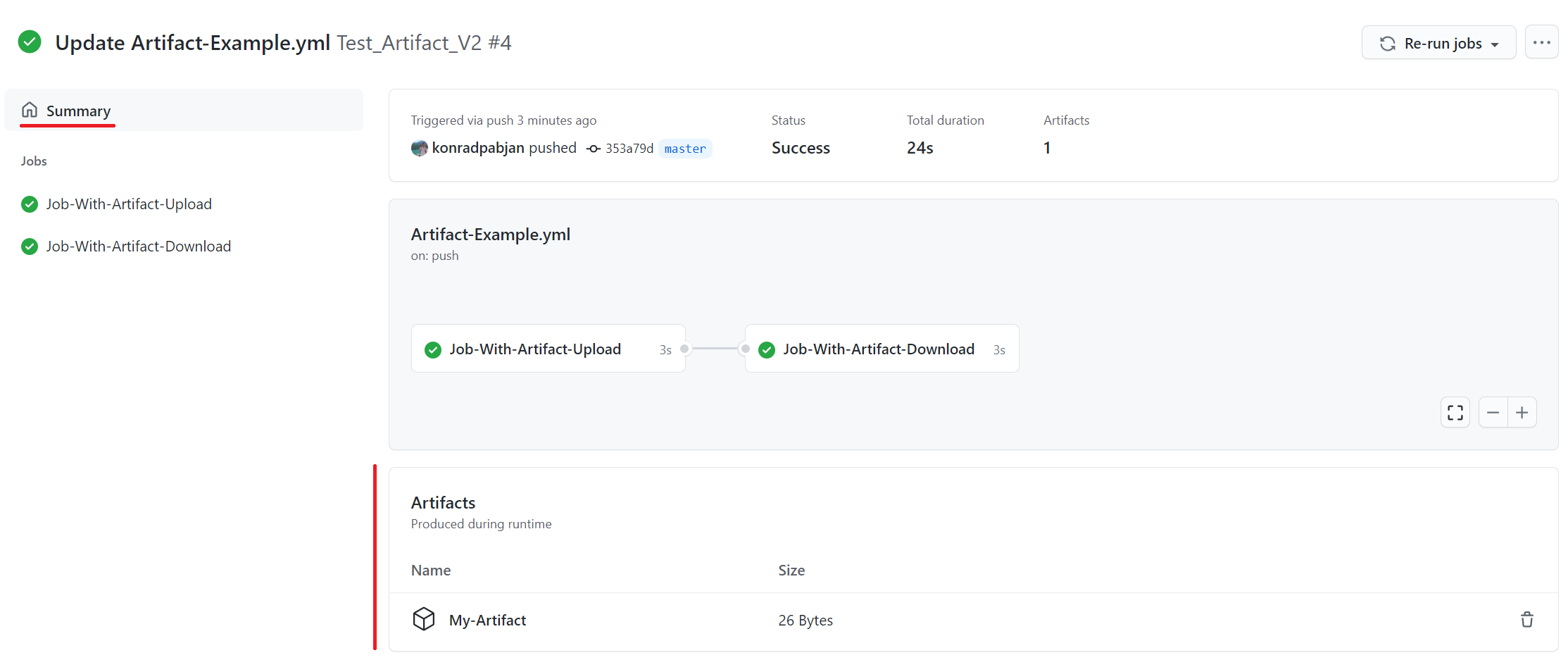
GitHub Actions is a workflow automation service integrated into GitHub that can be used for deployment pipelines. It runs workflows in response to repository events, such as code pushes, pull requests, or manual triggers. Deployment steps can be defined in YAML files stored alongside the code, making configuration version-controlled.
Key deployment automation features include:
- Native GitHub integration: Workflows can be triggered by repository activity, simplifying automation directly from the codebase.
- Flexible execution environments: Supports Linux, Windows, and macOS runners, with the option to self-host runners for custom environments.
- Reusable workflows: Common deployment steps can be packaged and reused across repositories and teams.
- Integration with cloud providers: Pre-built and community actions support deployments to platforms like AWS, Azure, Google Cloud, and Kubernetes.
- Secrets management: Deployment credentials and keys can be securely stored and used within workflows.

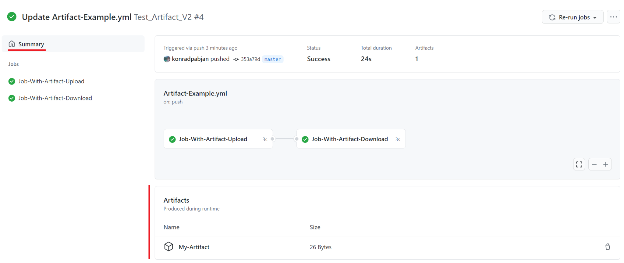
Source: GitHub
3. Spinnaker
Spinnaker is an open-source, multi-cloud continuous delivery platform designed for managing deployments at scale. It provides a centralized way to define pipelines that handle builds, tests, approvals, and rollouts across different environments. Spinnaker integrates with various cloud providers and container platforms to automate complex release workflows.
Key deployment automation features include:
- Multi-cloud support: Supports deployments to AWS, Google Cloud, Microsoft Azure, Kubernetes, and other platforms.
- Varied deployment strategies: Includes blue/green, canary, and rolling update deployments with built-in monitoring.
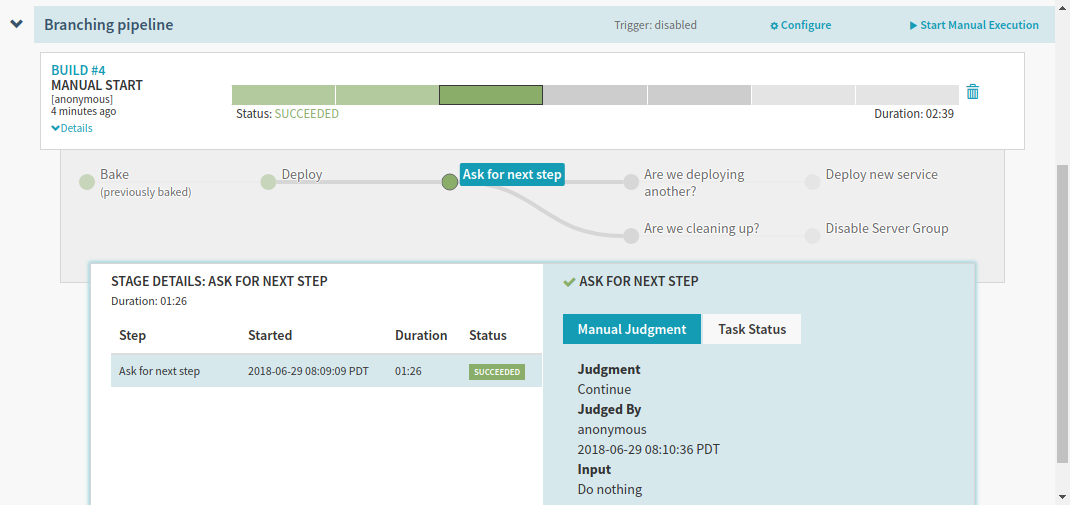
- Pipeline orchestration: Allows modeling of multi-step workflows with stages for manual approvals, automated tests, and integrations.
- Visibility and monitoring: Offers dashboards to track deployment status, resource health, and pipeline execution history.
- Policy enforcement: Can integrate with compliance and security controls to enforce governance in deployments.

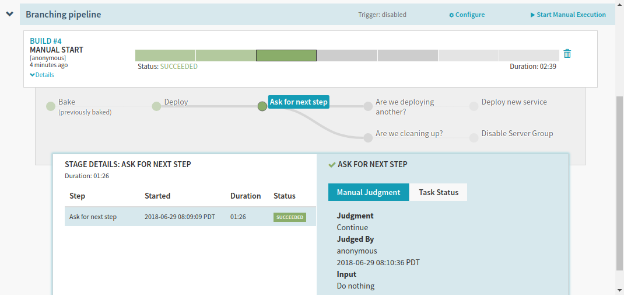
Source: Spinnaker
4. Harness
Harness is an AI-native software delivery platform that automates the software development lifecycle. Designed to accelerate engineering velocity, reduce manual effort, and eliminate bottlenecks, it helps organizations modernize DevOps practices and deliver software faster.
General features:
- Continuous Delivery (CD): Automates software deployments across multi-cloud, multi-region, and multi-service environments using declarative pipelines, GitOps, and AI verification.
- Database DevOps integration: Automates and tracks database schema changes alongside application code.
- Policy as code: Uses governance policies to enforce compliance in pipelines.
- Cost transparency: Provides insights into cloud resource costs associated with deployments.
- Pipeline as code: Pipelines can be defined and versioned in Git repositories.
Deployment automation features:
- Progressive deployment strategies: Supports canary, blue/green, and rolling deployments with automated rollback, traffic shifting, and health checks.
- Continuous verification: Uses monitoring tools and machine learning to automatically validate deployments, detect anomalies, and prevent issues from reaching production.
- Integrated GitOps workflows: Native GitOps support enables deployment pipelines that sync with Git repositories for version-controlled delivery processes.
- Service mesh integration: Works with Istio and other meshes for traffic routing during progressive delivery.
- Hybrid deployment support: Automates releases across on-premises infrastructure and multiple cloud providers.

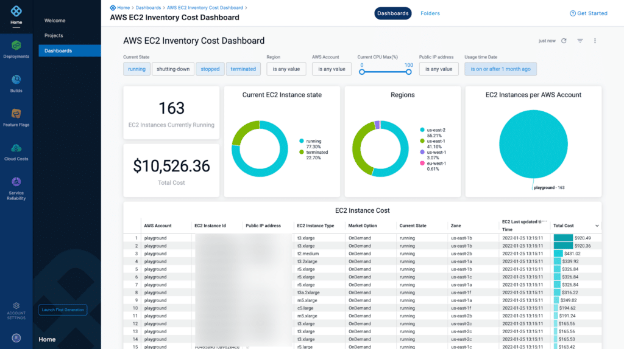
Source: Harness
5. AWS CodeDeploy
AWS CodeDeploy is a managed deployment service that automates application releases across various compute platforms, including Amazon EC2, on-premises servers, AWS Lambda functions, and Amazon ECS services. It supports a range of deployment targets from traditional code and configuration files to serverless functions and containerized workloads.
Key deployment automation features include:
- Multi-platform support: Automates deployments to EC2 instances, on-premises servers, Lambda functions, and ECS services.
- Deployment types – in-place and blue/green: For EC2/on-premises, supports in-place deployments (updating instances directly) and blue/green deployments (replacing old instances with new ones).
- Traffic shifting configurations: Lambda and ECS blue/green deployments support canary, linear, and all-at-once traffic shift strategies.
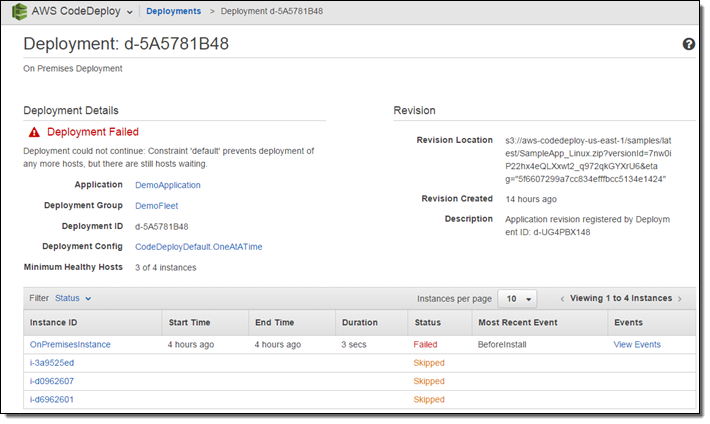
- Rollback capabilities: Deployments can be automatically or manually stopped and rolled back if health checks fail or errors occur.
- Centralized deployment management: Deployments can be tracked and managed using the AWS Management Console, CLI, or APIs.

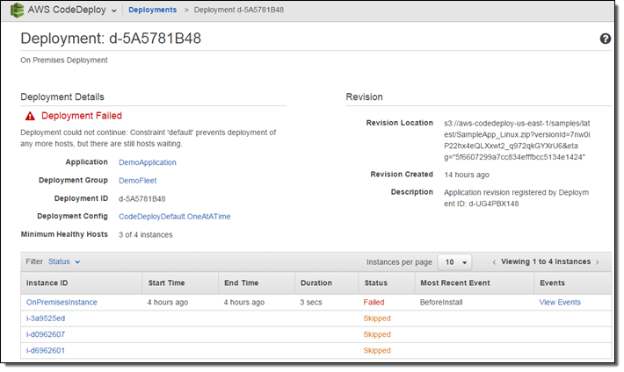
Source: Amazon
Full CI/CD solutions
6. GitLab CI/CD
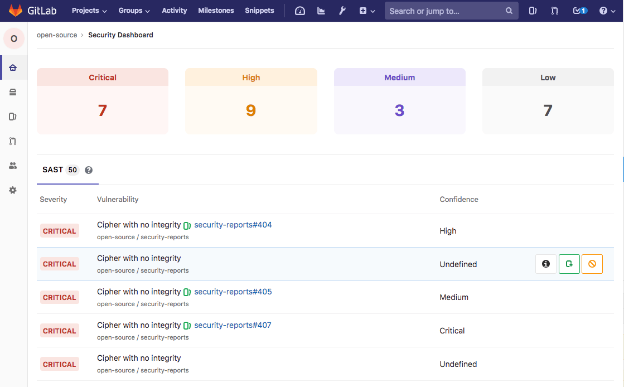
GitLab CI/CD is a deployment automation solution integrated within the GitLab DevSecOps platform. It automates the software delivery lifecycle by managing builds, tests, packaging, and deployments in a unified workflow. GitLab helps teams release code more frequently, standardize deployment processes, and scale workflows across projects and teams.
General features:
- CI/CD pipeline templates: Teams can use predefined or custom templates to automate build and deployment processes without starting from scratch.
- CI/CD catalogs: Public and private catalogs make reusable pipeline components available across teams.
- Progressive delivery support: Enables gradual rollouts through features like canary deployments and user-segmented releases.
- Parent-child pipelines: Large and complex pipelines can be split into smaller, manageable pieces.
- Hosted runners: Run jobs on GitLab-hosted infrastructure or integrate with in-house infrastructure.
Deployment automation features:
- Deployment environments: Configurable environments with tracking of deployment history, current version, and rollback options.
- Auto DevOps: Provides predefined CI/CD pipelines that detect project type and set up deployment workflows automatically.
- Kubernetes integration: Supports GitLab-managed clusters or external Kubernetes clusters for automated deployments.
- Secrets management: Handles deployment credentials and sensitive configuration values securely.

Source: GitLab
7. Azure DevOps
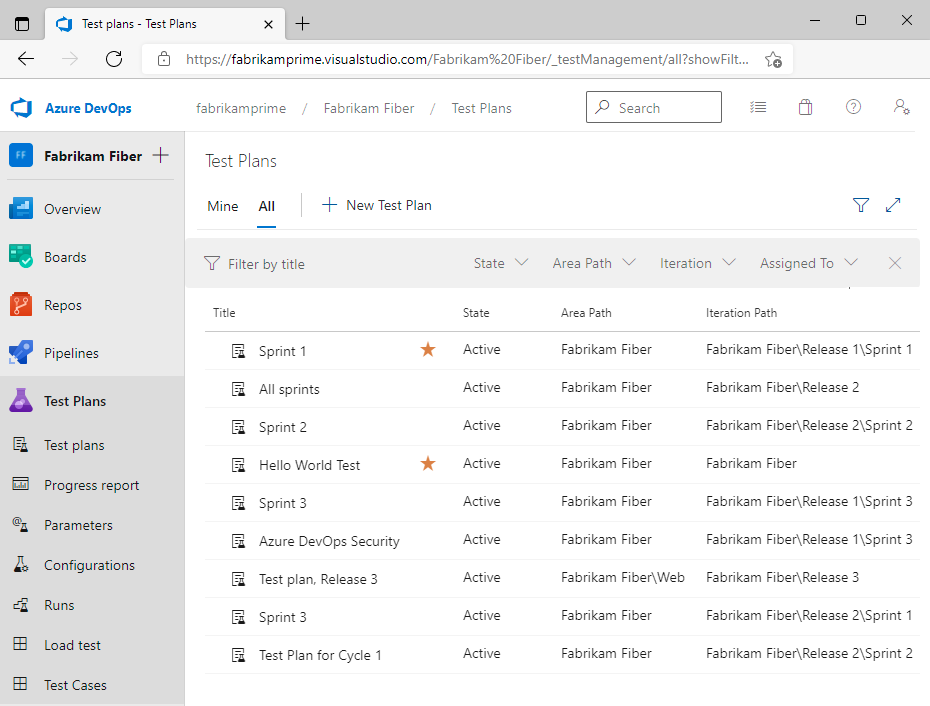
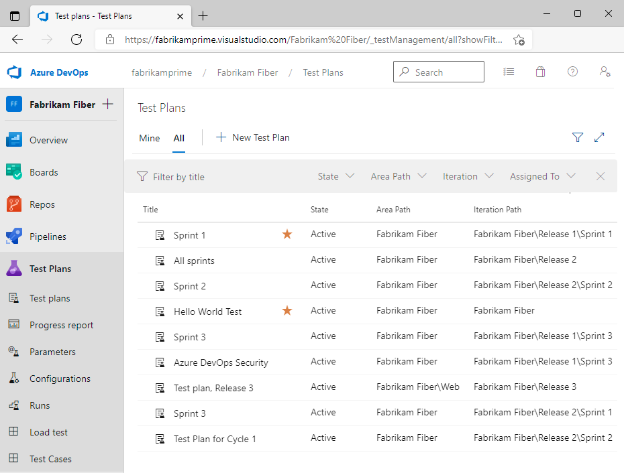
Azure DevOps is a suite of development tools and services that integrates source control, Continuous Integration, project management, automated testing, and artifact sharing into a unified platform. Azure DevOps supports both cloud-hosted and on-premises configurations, making it suitable for organizations with varying infrastructure preferences.
General features:
- Azure pipelines: Automates build, test, and release processes using cloud-hosted agents or self-hosted infrastructure.
- Boards: Agile planning tools for managing work items, backlogs, and sprints.
- Repos: Provides Git-based version control with pull request workflows.
- Test plans: Offers manual and automated test management integrated into pipelines.
- Artifacts: Hosts and shares build outputs such as packages and container images.
Deployment automation features:
- Multi-environment deployment support: Release pipelines can be configured to deploy to multiple stages, such as development, QA, staging, and production.
- Deployment templates and tasks: Uses predefined and custom deployment tasks to manage configuration, resource provisioning, and app deployment.
- Release management and approvals: Supports complex release workflows with manual intervention steps, automated gates, and environment-specific approval chains.
- Integration with Azure repos and GitHub: Automatically triggers deployments based on code commits, pull requests, or tagged releases from integrated version control systems.

Source: Microsoft
CI platforms with deployment features
8. Jenkins
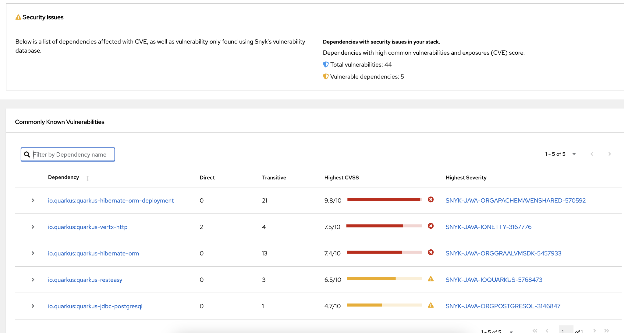
Jenkins is an open source automation server that enables Continuous Integration and Continuous Delivery by automating tasks across the software development lifecycle. It runs as a server-based application and supports various deployment environments via servlet containers like Apache Tomcat or its bundled Jetty web server.
General features:
- Plugin ecosystem: Supports hundreds of plugins to extend its capabilities, including integration with source control, build tools, and testing frameworks.
- Build triggers: Builds can be automatically triggered via webhooks, scheduled intervals, dependent builds, or manually through the UI.
- Pipeline as code: The Pipeline plugin (enabled by default in Jenkins 2.x) lets teams define their deployment processes using a Groovy-based DSL. Pipelines can include stages for build, test, and deploy, with logic for parallelization, retries, and conditional execution.
- Multi-environment support: Can deploy to multiple environments by managing environment-specific configurations within the pipeline script or through external configuration tools.
- Credential management: Credentials can be securely stored and accessed via a standardized API.
Deployment automation features:
- Flexible deployment pipelines: Pipelines can include stages for building, packaging, and deploying to multiple environments.
- Integration with configuration management: Works with Ansible, Puppet, Chef, and Terraform for provisioning and deployment automation.
- Artifact management: Deploys build artifacts directly to application servers, containers, or cloud storage.
- Rollback handling: Pipelines can define rollback steps triggered on failure conditions.

Source: Jenkins
9. Bamboo
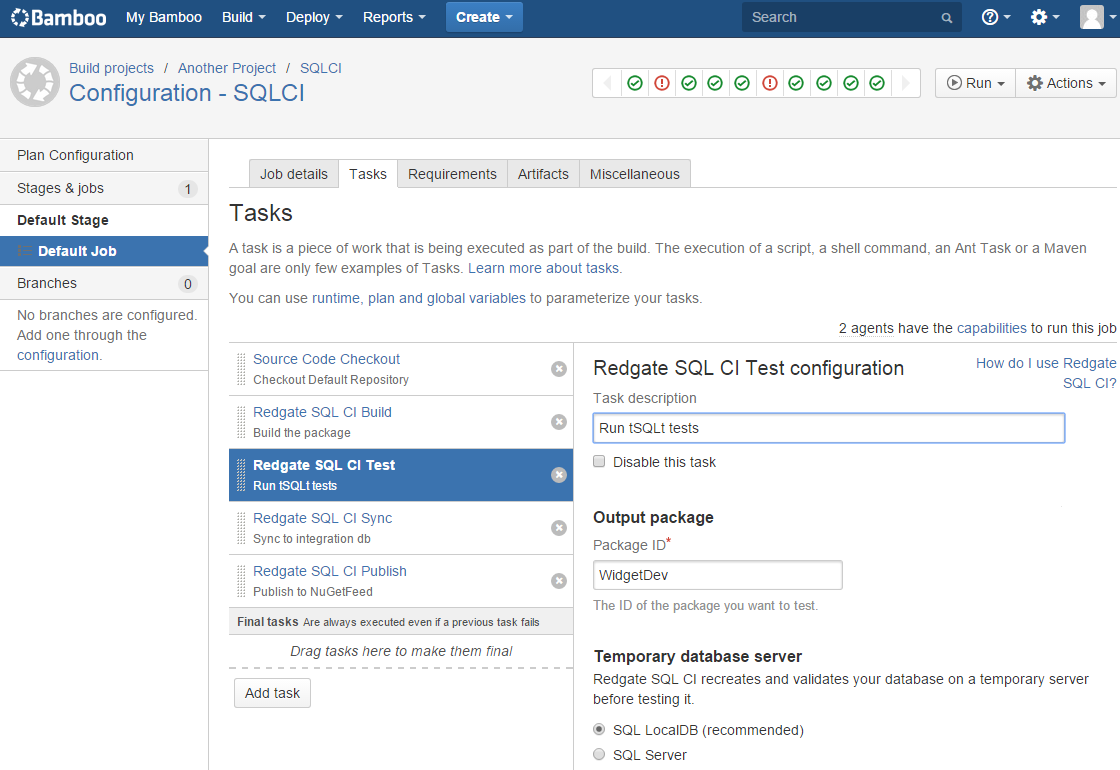
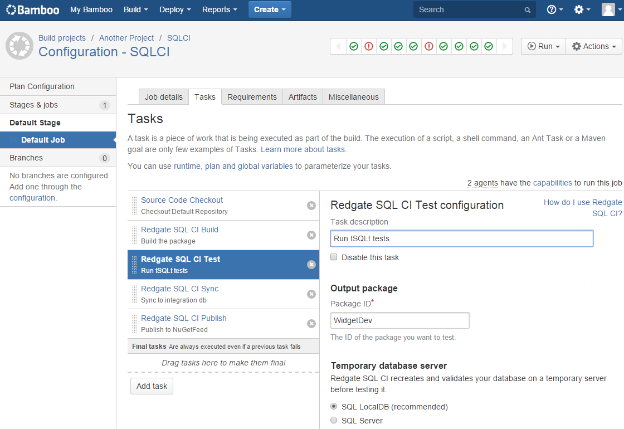
Bamboo is a Continuous Integration and Deployment server from Atlassian that automates the build, test, and release cycle of software development. It integrates with Atlassian tools like Bitbucket and Jira Software to provide traceability from issue creation to production deployment.
General features:
- Workflow automation: Automates the delivery pipeline from code commit to deployment.
- Environment deployment support: Users can configure multiple environments (e.g., dev, test, staging, production) with deployment projects that manage releases.
- Bitbucket and Jira integration: Integration with Bitbucket enables build triggers from pull requests and branches, while Jira Software links deployment status to issues.
- Disaster recovery and high availability: Bamboo Data Center provides resilience features like active clustering and disaster recovery options.
Deployment automation features:
- Integrated CI/CD pipeline: Supports Continuous Integration and Continuous Delivery out of the box, allowing builds and deployments to trigger automatically based on changes in source code repositories.
- Deployment versioning: Tracks application versions and deployment history across environments.
- Rollback support: Allows re-deploying previously successful versions in case of failure.
- Customizable release workflows: Teams can define manual or automated steps for staging and production releases.
- Integration with external tools: Works with container platforms, cloud providers, and configuration management tools.

Source: Atlassian
10. CircleCI
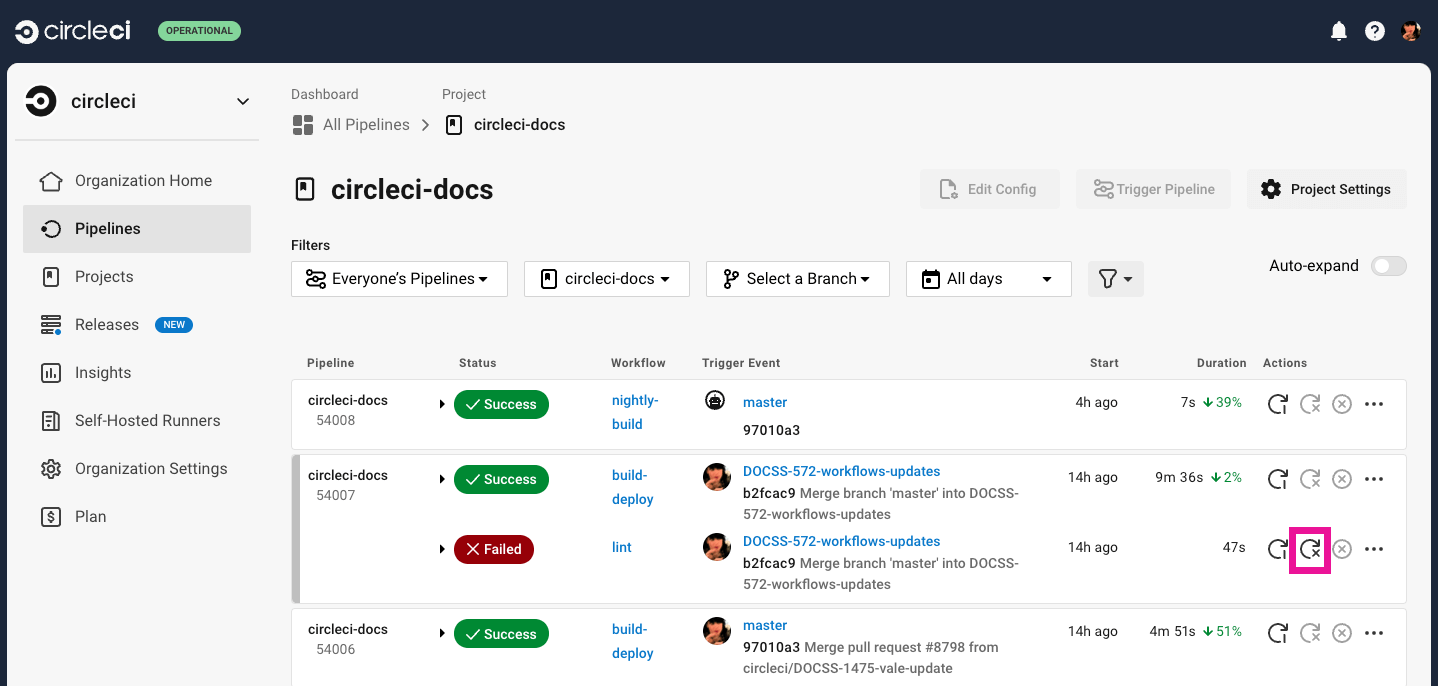
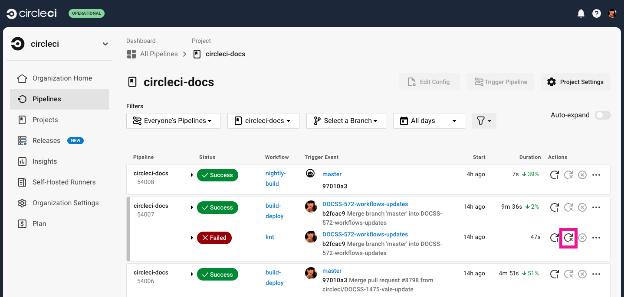
CircleCI is a cloud-native CI/CD platform that automates the software delivery process from building and testing to deployment and maintenance. It helps development teams eliminate manual steps, reduce deployment times, and maintain consistent software quality.
General features:
- Caching: Uses caching strategies to store dependencies and intermediate results.
- Test distribution: Automatically splits and parallelizes tests to reduce execution time.
- Orbs: Reusable packages of configuration that simplify integration with deployment targets and third-party services.
- Contexts and secrets management: Provides a secure way to manage environment variables and secrets across projects.
- Resource classes: Jobs can request specific machine types, Docker images, or GPU resources.
Deployment automation features include:
- Pipeline automation: Uses dynamic workflows that respond to code changes and conditions defined by the user.
- Automatic resource scaling: Adjusts compute resources based on workload demands.
- Automated deployment: Teams can configure deployment workflows to trigger automatically after successful builds and tests.

Source: CircleCI
Conclusion
Deployment automation tools have become critical for modern software delivery, enabling teams to release updates quickly, reliably, and at scale. By automating repetitive tasks, managing complex workflows, and ensuring consistency across environments, these tools reduce operational risks and improve overall deployment efficiency.
Help us continuously improve
Please let us know if you have any feedback about this page.