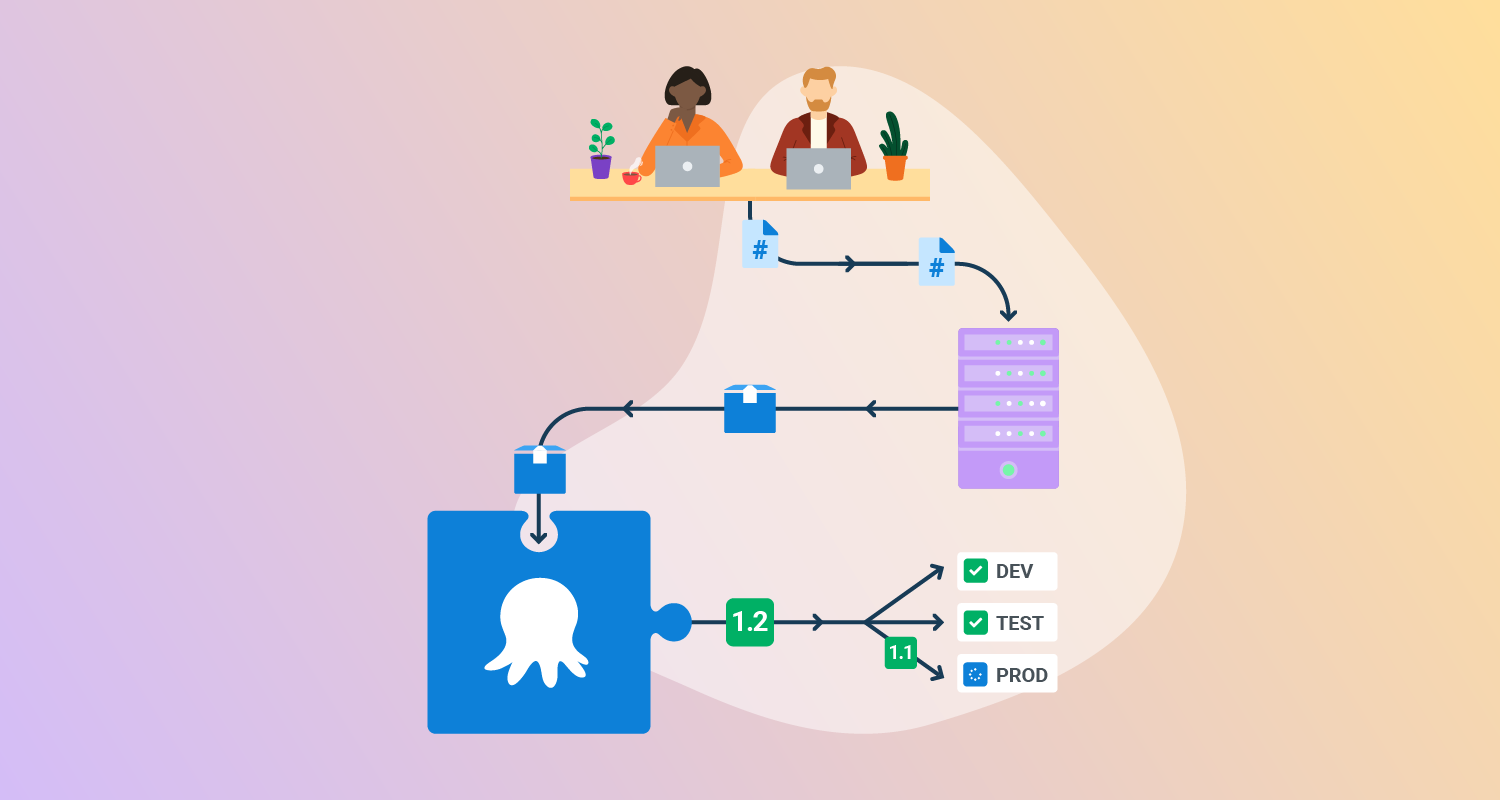
What is cloud-native deployment?
Cloud-native deployment is the process of deploying applications using practices and tools built for cloud environments. Rather than deploying to static servers or fixed infrastructures, cloud-native deployment relies on dynamic, scalable platforms that enable rapid, automated release of software into production. It emphasizes automation, standardization, and portability to support continuous delivery and operation at scale.
Key aspects of cloud-native deployment:
- Microservices: Applications are broken into independent services, each of which can be deployed separately. This enables frequent, incremental releases without redeploying the entire system.
- Containers: Each service and its dependencies are packaged into a container, providing consistency across development, testing, and production environments.
- Container orchestration: Tools like Kubernetes manage container lifecycles, handling deployment, scaling, and failure recovery across clusters.
- DevOps and CI/CD: Deployment is tightly integrated with DevOps practices and continuous delivery pipelines. This ensures code changes are automatically tested and deployed with minimal manual intervention.
- Resilience and observability: Deployment processes include health checks, rolling updates, and monitoring to ensure services remain available and failures are detected early.
- Portability: Cloud-native deployments can be consistently executed across public, private, and hybrid cloud environments without major reconfiguration.
This is part of a series of articles about deployment automation.
Key principles of cloud-native architecture
Cloud-native architecture is based on a set of core principles that help developers build scalable, resilient, and manageable applications for cloud environments. These principles guide how systems are structured, deployed, and maintained to maximize the benefits of cloud-native infrastructure.
- Microservices: In a cloud-native architecture, each application is split into a set of microservices, with each service responsible for a specific function. These services are developed and deployed independently, making it easier to scale, test, and update parts of an application without impacting the whole system. Communication between services is usually done via lightweight APIs such as REST or gRPC.
- Containers: Containers provide a lightweight and consistent runtime environment by packaging applications with all their dependencies. This ensures that applications run the same way across development, testing, and production environments. Containers improve portability and help isolate services from each other, reducing conflicts and simplifying updates.
- Container orchestration: Container orchestration platforms like Kubernetes manage the deployment, scaling, and operation of containers. They handle scheduling, service discovery, rolling updates, and failure recovery. This enables applications to maintain high availability and performance even in dynamic cloud environments.
- DevOps and CI/CD: Cloud-native systems are built with Continuous Integration and Continuous Delivery in mind. DevOps practices help automate testing, integration, and deployment workflows, allowing teams to ship features faster and with greater confidence. Infrastructure as code and automated pipelines reduce manual steps and ensure consistency.
- Resilience and observability: Resilience is built into cloud-native systems by design. Services are expected to fail and recover without disrupting the overall application. Observability tools such as metrics, logs, and traces provide visibility into system behavior, making it easier to detect, troubleshoot, and resolve issues.
- Portability: Cloud-native applications are designed to run on any cloud or hybrid environment without requiring changes to the code. This is achieved through standard interfaces, containerization, and abstraction layers, enabling organizations to avoid vendor lock-in and deploy consistently across platforms.
How do you deploy software to a cloud-native environment?
Deployment in a cloud-native environment involves using automation and orchestration tools to reliably move applications into production across various cloud targets.
Deploying to a VM in the cloud
Deploying to virtual machines typically involves packaging the application into an image (such as a machine image or disk snapshot), provisioning the VM using tools like Terraform or cloud-native APIs, and pushing the application using configuration management tools like Ansible or cloud-init scripts. Automation is key for repeatability, and CI/CD pipelines are often used to coordinate deployments across multiple VMs.
Deploying to Kubernetes
To deploy to Kubernetes, applications are containerized and defined using Kubernetes manifests or Helm charts. These definitions include deployment specifications, service definitions, and configurations. The kubectl CLI or GitOps tools push these definitions to the cluster. Kubernetes then schedules pods, manages replicas, and performs rolling updates or rollbacks as needed.
Deploying to serverless
For serverless platforms like AWS Lambda or Google Cloud Functions, deployment involves packaging the function code and uploading it via CLI tools or CI/CD pipelines. The platform handles provisioning and scaling automatically. Deployments often include specifying event triggers, memory allocation, and runtime environments, and can be automated using tools like the Serverless Framework or Terraform.
Deploying to PaaS platforms
Platform-as-a-Service (PaaS) offerings like Heroku or Google App Engine simplify deployment by abstracting infrastructure concerns. Developers typically push code using CLI tools or Git, and the platform builds, runs, and scales the application automatically. Configurations such as environment variables and buildpacks are managed through the PaaS interface or via deployment scripts.
Related content: Read our guide to deployment automation tools (coming soon)

Tony Kelly is a DevOps marketing leader who drives innovation and awareness of the latest trends in Continuous Delivery.
Pros and cons of cloud-native deployment
Deploying software to cloud-native environments offers significant advantages over traditional on-premises deployments, particularly in terms of speed, flexibility, and operational efficiency. However, it also brings new challenges that require adjustments in tooling, architecture, and team skills.
Pros:
- Scalability on deployment: Cloud-native platforms support dynamic scaling during and after deployment, allowing applications to adapt to load automatically without manual intervention.
- Faster release cycles: Automated CI/CD pipelines streamline the deployment process, reducing delays between development, testing, and production releases.
- Environment consistency: Containerization ensures that software behaves the same across development, staging, and production environments, reducing deployment errors.
- Zero-downtime deployments: Orchestration tools like Kubernetes enable rolling updates and canary deployments, minimizing user impact during rollouts.
- Automated rollbacks: Failures during deployment can trigger automatic rollbacks, ensuring system stability without manual recovery steps.
- Infrastructure as Code: Declarative deployment configurations allow teams to version and audit deployment changes just like application code.
Cons:
- Complex deployment pipelines: Setting up and managing automated deployments across microservices, clusters, and environments requires sophisticated CI/CD tooling and maintenance.
- Operational overhead: While deployment is automated, it involves maintaining infrastructure, networking, and configuration layers that are abstracted away in traditional setups.
- Deployment failures are harder to debug: Distributed deployments can fail for non-obvious reasons, such as service dependency issues or misconfigured manifests, making diagnosis more complex.
- Increased security surface: Deploying to cloud-native platforms involves securing multiple layers (e.g., containers, registries, orchestration tools), which adds complexity compared to monolithic deployments.
- Versioning and compatibility issues: With many independently deployed services, managing API compatibility and deployment order can become a challenge.
- Higher initial setup cost: Establishing a cloud-native deployment pipeline requires upfront investment in tools, cloud infrastructure, and team training.
- Vendor-specific deployment features: Using managed services or proprietary tooling can simplify deployment but may tie the application to a specific cloud provider, limiting future portability.
Key cloud-native deployment strategies
Cloud-native environments support advanced deployment strategies that enable automated, resilient deployments of complex software systems.
1. Rolling updates
Rolling updates are a strategy where new application versions are gradually introduced while older versions are phased out. This method minimizes downtime by ensuring that a portion of instances are always available and serving traffic during the update process. It allows seamless deployment of changes and simplifies rollback, as only a subset of instances needs to be reverted if issues arise.
Implementing rolling updates requires orchestration platforms like Kubernetes, which manage traffic routing and health checks for updated services. Health probes and readiness indicators ensure that only healthy instances receive production traffic. While rolling updates are straightforward for stateless services, extra care is needed for stateful components, where data consistency and migration must be meticulously handled.
2. Blue/green deployment
Blue/green deployment involves running two nearly identical application environments, typically labeled “blue” (current) and “green” (new). Traffic is routed to the blue environment while the green version is staged in parallel. When the green deployment is fully tested and ready, traffic is switched over instantly, achieving nearly zero downtime during cutover. If problems are detected after going live, switching back to the blue environment is immediate and simple.
This deployment pattern is particularly effective for critical systems where service interruption is unacceptable. Blue/green deployments can be managed with dynamic routing, load balancers, or DNS updates. However, this strategy demands doubled resource allocation during updates, which may not be cost-effective for all workloads. Data synchronization and backward compatibility must also be considered if the update involves database schema changes.
3. Canary releases
Canary releases involve deploying a new version of an application to a small segment of users before rolling it out to the entire user base. This approach reduces risk by exposing changes to a limited audience, gathering real-world feedback, and monitoring for issues before full release. If errors or regressions are detected, only a small number of users are impacted and rollbacks can be executed quickly.
Technically, canary releases are implemented by progressively adjusting traffic weights to the new version using load balancers or service meshes. This gradual exposure allows teams to validate system performance, error rates, and business metrics incrementally. Canary releases are effective for high-visibility features and provide a testbed for operational metrics and user experience before committing wider changes.
4. Immutable deployment
Immutable deployment extends the principle of immutable infrastructure to the application layer by ensuring that new versions are deployed as fresh, untouched instances. Instead of updating existing servers or instances, new instances running the updated code are provisioned and old ones are decommissioned. This strategy eliminates configuration drift and makes deployments more predictable by treating each deployment as a clean slate.
This method also simplifies rollback procedures: to revert, simply redeploy the previous version as a new immutable instance. Automation platforms handle orchestration and traffic switching, ensuring no manual intervention is required. While immutable deployment can increase resource consumption temporarily, increased reliability and repeatability often outweigh the overhead.
5. Shadow deployment
Shadow deployment introduces new versions of services alongside the current production version, receiving live traffic as a copy. However, only the shadow version’s output is logged for analysis; it does not affect live users. This technique enables teams to test performance, compatibility, and behavior of new features or infrastructure under real-world load, identifying issues without risk to end users.
Shadow deployments are particularly useful for testing major architectural changes, new algorithms, or database engines. By running both versions concurrently, organizations gain confidence that the new system behaves as expected before cutover. While implementation requires careful duplication of traffic and results analysis, the reduced risk makes it a preferred option for complex revisions or critical systems.
Best practices for successful cloud-native deployment
Organizations should consider the following practices when implementing cloud-native deployment.
1. Adopt declarative, GitOps-driven deployments
Declarative deployment means defining the desired end state of the system (e.g., in YAML manifests) rather than scripting the steps to reach it. This approach improves clarity, reproducibility, and auditability of deployment processes. GitOps enhances this by storing these declarations in Git repositories, which act as the single source of truth.
Using GitOps tools like Argo CD or Flux ensures that changes are automatically synchronized between Git and the actual environment. This reduces drift and enables version-controlled rollbacks by simply reverting Git commits. It also aligns operations with development workflows, making deployments more reliable and transparent.
2. Choose the right rollout strategy
Not every deployment strategy suits every application. For simple, stateless services, rolling updates or immutable deployments may suffice. For high-stakes or user-facing changes, canary or blue/green strategies offer safer, more controlled rollouts.
Selecting a strategy should consider the service’s criticality, statefulness, and tolerance for downtime. Teams should also factor in infrastructure capabilities, such as support for traffic splitting or real-time metrics, which can dictate what’s feasible operationally.
3. Gate releases on health and SLOs
Automated deployments should not proceed blindly; health checks and service-level objectives (SLOs) must act as gates. Integrate metrics such as error rates, latency, and availability into the deployment pipeline to ensure new versions meet performance thresholds before advancing.
This gating process prevents unhealthy builds from progressing to production and reduces mean time to recovery (MTTR). Coupling gates with observability platforms provides early detection of regressions and supports confident rollouts.
4. Configure probes thoughtfully
Readiness, liveness, and startup probes in Kubernetes define how and when containers receive traffic. Misconfigured probes can cause false positives, restart loops, or traffic routing to unready services, leading to failed deployments.
It’s essential to align probe thresholds with realistic startup and warm-up times of applications. Properly configured probes help orchestrators make informed decisions about scheduling and recovery, improving overall deployment robustness.
5. Control blast radius during updates
A key principle in safe deployments is limiting the blast radius, the scope of potential impact from a failure. This involves rolling out changes to a small number of instances or regions before expanding deployment.
Use deployment partitions, feature flags, or regional canaries to test updates incrementally. This approach ensures that problems are detected early and localized, minimizing disruption to end users and enabling targeted rollbacks.
6. Run release checkpoints
Release checkpoints are predefined validation stages that verify system readiness before proceeding to the next step in deployment. These checkpoints may include functional tests, load tests, or approval gates.
Incorporating checkpoints into pipelines enforces discipline and creates pause points for human or automated review. This is especially important for multi-stage rollouts or critical systems where additional verification is warranted.
7. Document rollback runbooks
Even with automation, teams need clear rollback procedures for when deployments go wrong. A rollback runbook documents step-by-step actions for restoring the previous version, including considerations for stateful data and dependencies.
Well-maintained runbooks reduce downtime and confusion during incidents. They should be tested regularly as part of release validation and stored alongside deployment code to ensure accessibility and consistency.
Help us continuously improve
Please let us know if you have any feedback about this page.