What is Kubernetes deployment automation?
Kubernetes deployment automation refers to using scripts, tools, or pipelines to manage the deployment of containerized applications to Kubernetes clusters without manual intervention. This automation covers all steps of the deployment process, including building container images, configuring deployment manifests, applying updates to resources, and rolling out changes across environments.
Automation ensures that applications are deployed consistently, allowing teams to move quickly without performing repetitive or error-prone manual steps. Kubernetes deployment automation enables reproducibility and reduces human error by codifying the deployment process, allowing it to be triggered by events such as code merges, version tags, or configuration changes.
This practice accelerates delivery and enforces desired states and compliance, as every deployment process is described and executed using predefined scripts or configuration files.
Benefits of automating Kubernetes deployments
Automating Kubernetes deployments helps teams manage complex applications more efficiently by using repeatable, script-driven processes. Key benefits include:
- Faster deployments: Automation removes delays caused by manual tasks, enabling rapid and frequent releases.
- Consistent environments: Ensures the same deployment process is followed across staging, testing, and production.
- Fewer errors: Reduces the chance of mistakes caused by manual configuration or deployment steps.
- Scalable operations: Easily handles deployment across multiple services and clusters without extra manual effort.
- Improved team collaboration: Shared, version-controlled pipelines increase visibility and coordination among teams.
- Quick rollbacks: Automated tracking of deployments makes it easier to revert to a known good state when needed.
3 technical approaches for automated Kubernetes deployment
Here are three ways teams can approach Kubernetes deployment automation. Many deployment pipelines combine two or more of these approaches.
CI/CD pipelines
CI/CD (Continuous Integration and Continuous Deployment) pipelines are the main framework for automating Kubernetes deployments. They orchestrate the building, testing, and deployment of code changes, ensuring that each change is validated before reaching production.
CI/CD systems integrate with Kubernetes clusters by defining steps to build Docker images, run unit and integration tests, publish images to registries, and update Kubernetes manifests or Helm charts. This end-to-end automation minimizes manual errors and makes deployment both faster and more reliable.
Integrating Kubernetes with CI/CD further enables quick feedback loops for development teams. Whenever code is committed, it is automatically tested and deployed to a staging or review environment, where teams can validate changes immediately. Pipeline configurations are usually stored as version-controlled code (pipeline as code), making the process transparent and audit-friendly.
Infrastructure as Code (IaC)
Infrastructure as Code (IaC) allows teams to define and manage their infrastructure using declarative configuration files. With IaC, provisioning Kubernetes clusters, configuring necessary cloud resources, and managing dependent infrastructure becomes automated and repeatable. Tools like Terraform and Pulumi enable teams to define the desired state of infrastructure, apply updates safely, and keep track of changes using version control systems.
Using IaC alongside Kubernetes deployment automation ensures consistent environments across development, staging, and production. This alignment reduces configuration drift and makes it easier to reproduce bugs or roll back changes if issues occur. IaC scripts can be integrated into CI/CD pipelines.
GitOps
GitOps is a deployment model that uses Git as the single source of truth for declaring application and infrastructure states in Kubernetes. All deployment manifests, configuration files, and environment-specific customizations are stored in a Git repository. An automation agent continuously monitors this repository and applies changes to the Kubernetes cluster as soon as they are committed.
This approach offers auditability, traceability, and simplified rollbacks—any state change can be initiated, tracked, or reverted by modifying the corresponding files in Git. GitOps also simplifies multi-environment management, allowing teams to promote versions across staging and production through pull requests and repository branching strategies.
Key steps for Kubernetes deployment automation
Automating Kubernetes deployments involves setting up a series of tools and configurations that enable consistent, hands-off delivery of containerized applications. Below are the core steps teams can follow to build a practical and maintainable automation workflow:
1. Containerize your application
Start by writing a Dockerfile that defines how to package your application and its dependencies. Build the image locally and push it to a container registry such as Docker Hub, GitHub Container Registry, or a private registry.
2. Define Kubernetes manifests
Create YAML files that define Kubernetes objects such as deployments, services, ConfigMaps, and ingresses. Use templating tools like Helm or Kustomize if you need to manage multiple environments or configurations.
3. Set up a CI/CD pipeline
Choose a CI/CD platform and define a pipeline that includes the following steps:
- Build and test the application
- Build and tag Docker images
- Push images to the container registry
- Apply Kubernetes manifests using
kubectl, Helm, or other deployment tools
4. Store configuration in version control
Keep all deployment-related files—including manifests, Helm charts, and pipeline configurations—in a Git repository. This makes the process auditable and supports collaborative changes through pull requests and code reviews.
5. Integrate secrets management
Avoid hardcoding secrets in manifests. Use Kubernetes secrets, or integrate tools like HashiCorp Vault, Sealed Secrets, or External Secrets Operator to manage and inject sensitive data securely.
6. Enable monitoring and rollbacks
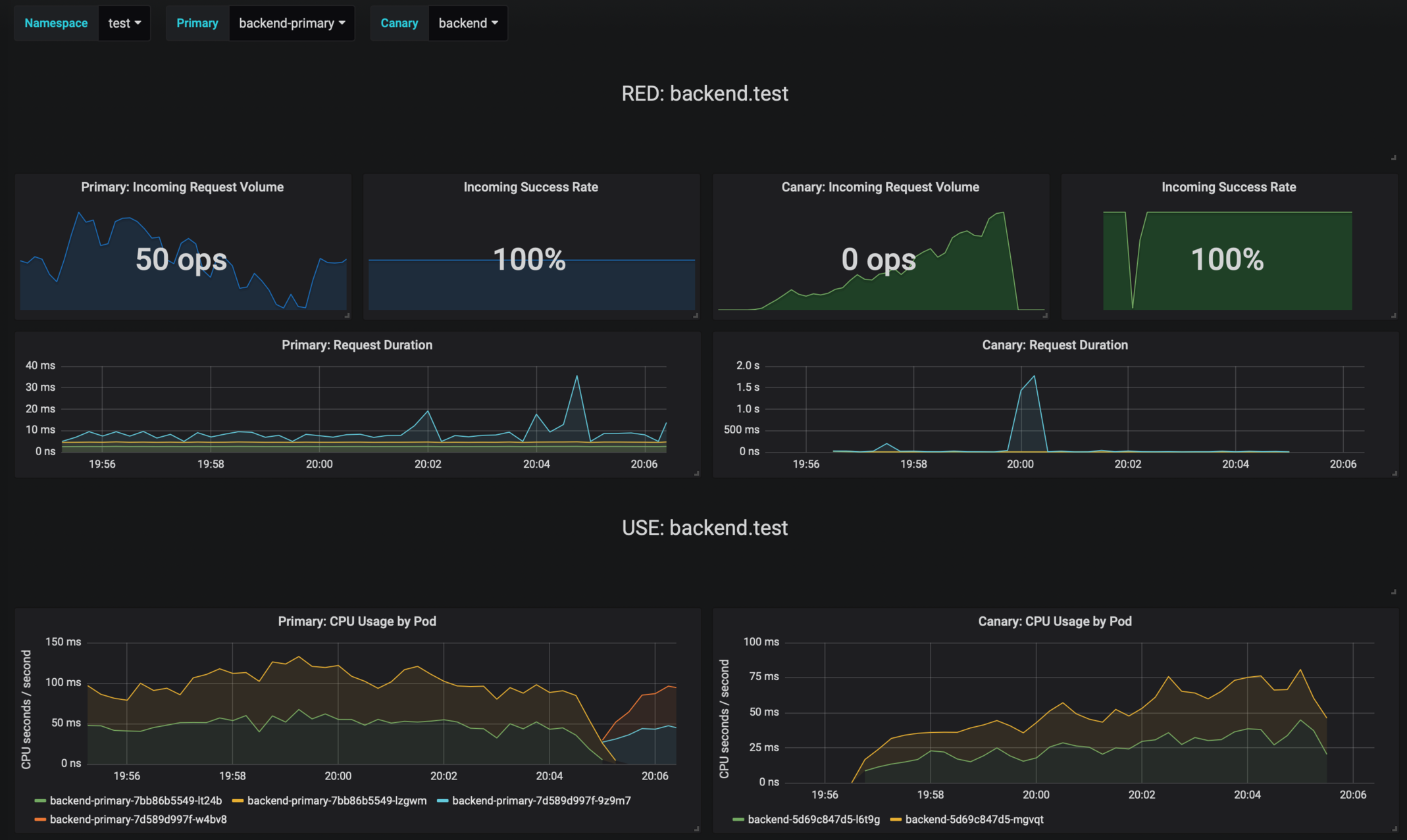
Incorporate observability into the pipeline by integrating monitoring and alerting tools (e.g., Prometheus, Grafana, Datadog). Use deployment strategies like canary or blue-green to minimize risk and support quick rollbacks if issues are detected.
7. Automate environment promotion
Automate the promotion of deployments from staging to production using GitOps workflows or pipeline logic that triggers based on successful tests and manual approvals.

Tony Kelly is a DevOps marketing leader who drives innovation and awareness of the latest trends in Continuous Delivery.
Notable tools for automating Kubernetes deployments
Full deployment automation solutions
Full deployment automation platforms provide comprehensive solutions for managing Kubernetes deployments from code commit to production rollout. These tools integrate CI/CD, configuration management, GitOps, and observability into a single workflow, reducing tool sprawl and operational complexity.
1. Octopus Deploy
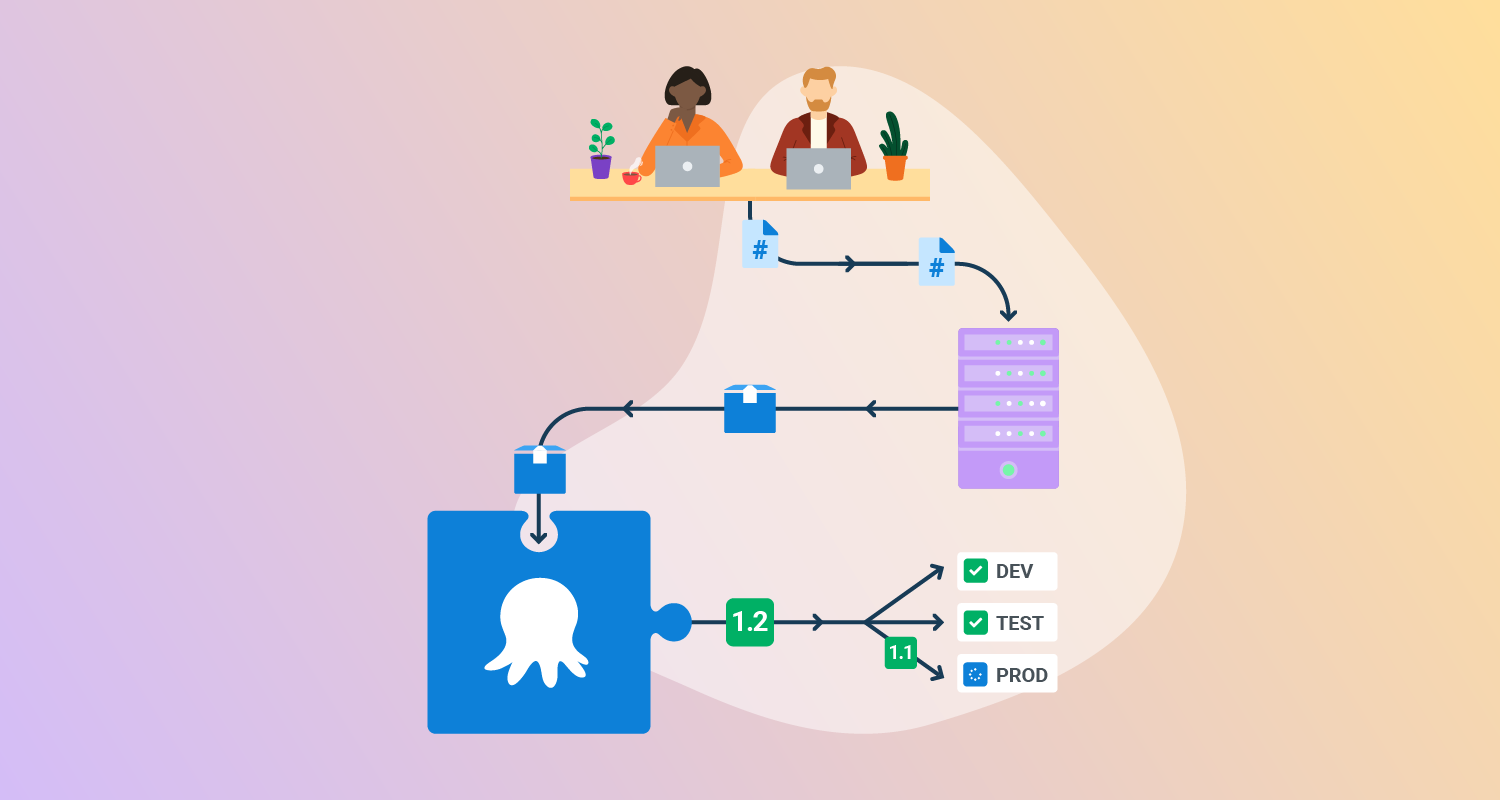
Octopus Deploy helps software teams deploy freely – when and where they need, in a routine way. With Octopus, you can orchestrate deployments from modern containers and microservices to trusted legacy applications. We support deployments in data centers, multiple cloud environments, and hybrid IT infrastructure.
Features of Octopus Deploy:
- Deployment and runbooks automation: Automates complex deployments and operations runbooks with hundreds of ready-made step templates, so you can avoid rolling your own scripts.
- All your deployments in one place: See all of your deployments in one place, including Kubernetes, cloud, data-center, and on-premises targets.
- Intuitive UI plus GitOps: Use the intuitive user interface to configure and run deployments, and store the deployment process as code in declarative version-controlled files.
- Configuration management: Easily handle complex configuration management and variable substitution to make sure every environment and instance has the correct configuration.
- Scalable, repeatable, reliable deployments: Removes the stress from deployments with robust automation options.

2. GitLab CI/CD
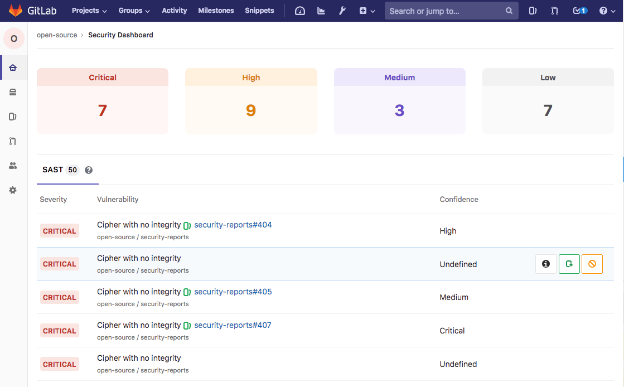
GitLab CI/CD is a fully integrated Continuous Integration and Continuous Delivery platform that automates the software delivery lifecycle. Defined through a .gitlab-ci.yml file stored in the same repository as the code, GitLab pipelines can build, test, scan, and deploy applications using declarative job definitions and shared runners.
License: Commercial, some functionality licensed under MIT
Key deployment automation features include:
- Pipeline as code: Pipelines are defined in YAML and versioned with the codebase, keeping the deployment logic transparent and repeatable.
- Pipeline templates and catalogs: Built-in templates and reusable CI/CD components reduce the need to write pipelines from scratch and allow organizations to standardize deployment workflows across teams.
- Parent-child pipelines: Large or complex delivery processes can be broken into modular pipelines, isolating stages and reducing dependency chains.
- Hosted and custom runners: Jobs can run on GitLab-managed infrastructure or on custom runners deployed to the organization’s environment.
- Progressive delivery support: Features like canary deployments and merge trains help teams deploy incrementally and with confidence.

Source: GitLab
Related content: Read our guide to deployment automation tools (coming soon)
GitOps tools
GitOps tools use Git as the source of truth for defining the desired state of applications and infrastructure in Kubernetes. They continuously synchronize the live cluster state with the declarations in Git, enabling version-controlled deployments, easy rollbacks, and drift detection. GitOps tools automate deployment, promote consistency across environments, and improve auditability by tying every change to a Git commit.
3. Argo CD
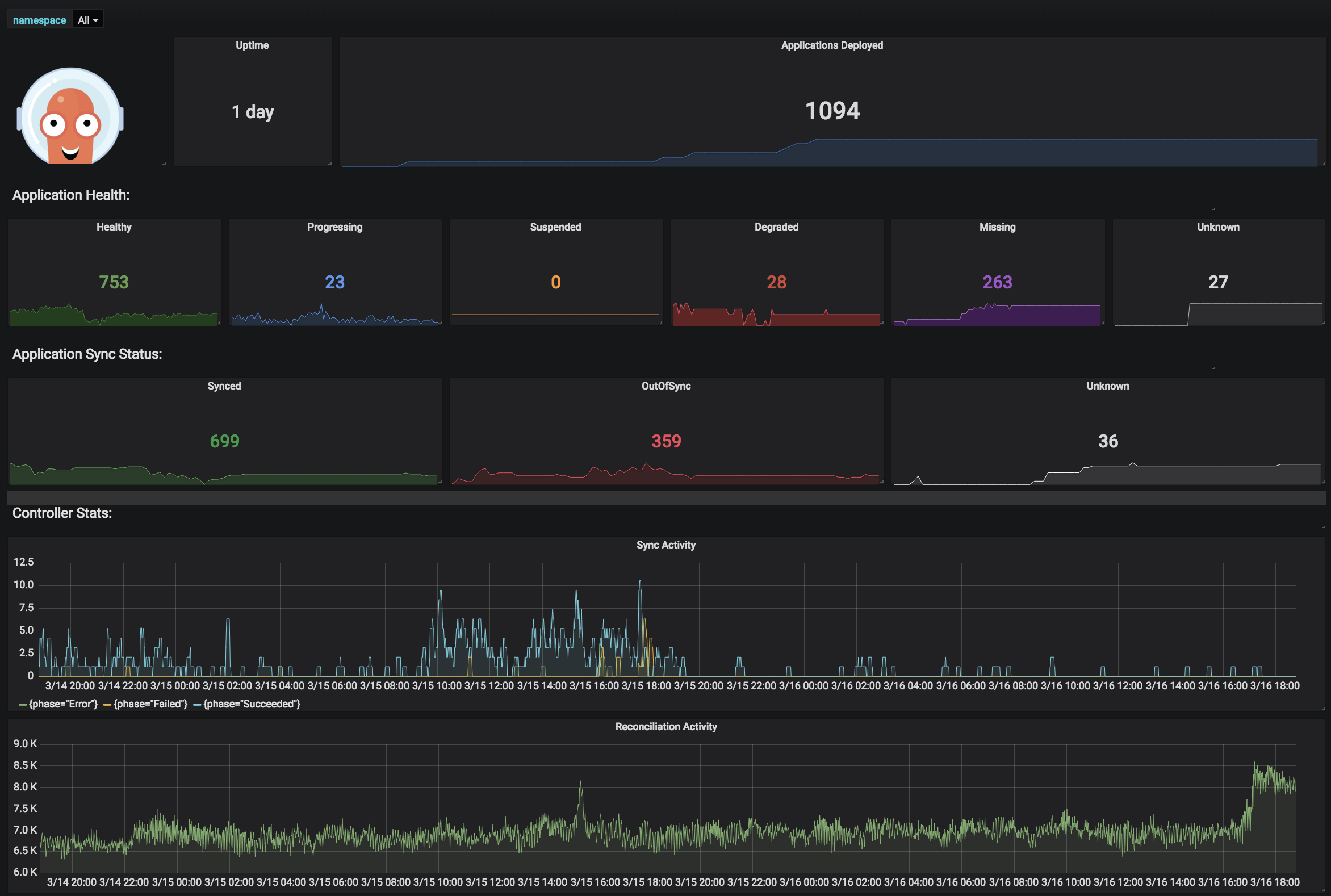
Argo CD is a declarative GitOps tool for Continuous Delivery in Kubernetes environments. It manages application deployments by syncing the desired state, defined in a Git repository, with the actual state in Kubernetes clusters. This ensures that any change committed to Git can be automatically or manually applied to the target environment.
License: Apache-2.0 license Repo: argoproj/argo-cd GitHub stars: 17K+ Contributors: 1400+
Key deployment automation features include:
- Git-centric deployment: Argo CD treats Git as the source of truth, enabling version-controlled deployments with rollback support based on commit history.
- Multi-format support: Supports a range of configuration tools like Helm, Kustomize, Jsonnet, plain YAML directories, and custom plugins.
- Automated syncing: Offers automatic and manual syncing to keep the live state of applications aligned with the declared Git state, reducing the risk of drift.
- Drift detection and visualization: Continuously monitors deployed resources and flags out-of-sync applications, providing visibility via a web UI.
- Multi-cluster management: Allows deploying and managing applications across multiple Kubernetes clusters from a single Argo CD instance.

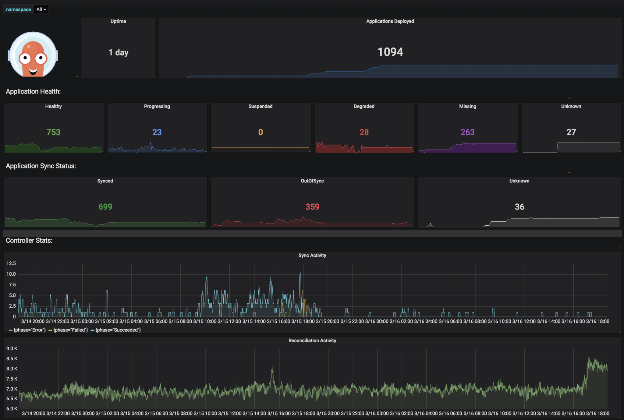
Source: Argo CD
4. Flux CD
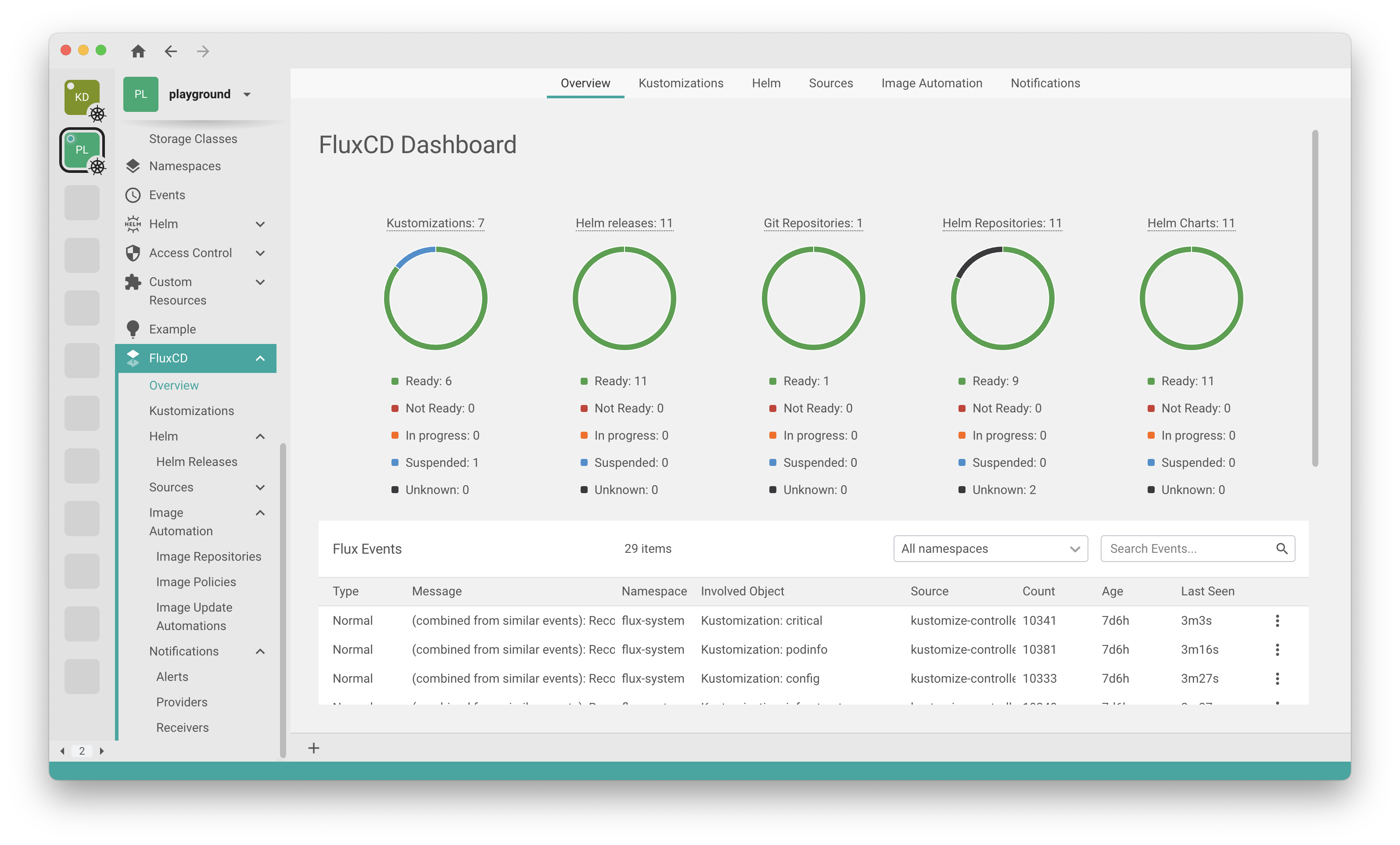
Flux CD is a GitOps tool for Continuous and Progressive Delivery on Kubernetes. It continuously reconciles the desired state defined in Git with the actual state in the cluster, managing both applications and infrastructure. Flux works with popular tools like Helm and Kustomize, and supports multi-cluster and multi-tenant setups. It uses a pull-based model for security and integrates with various Git platforms, container registries, and CI systems.
License: Apache-2.0 license Repo: fluxcd/flux2 GitHub stars: 7K+ Contributors: 150+
Key deployment automation features include:
- Git-driven reconciliation: Flux automatically syncs the cluster state with what’s defined in Git, eliminating the need to run
kubectlmanually. - Progressive delivery support: Through Flagger, Flux enables canary deployments, A/B testing, and feature flag rollouts.
- Multi-tenancy and RBAC: Supports multiple Git repositories, true Kubernetes RBAC via impersonation, and multi-cluster environments.
- Automated updates: Can update container image versions in Git repositories by scanning registries and committing changes back.
- Toolchain integration: Works with Helm, Kustomize, OCI artifacts, GitHub, GitLab, Bitbucket, and S3-compatible storage; supports Slack and webhook notifications.
- Security and auditability: Adheres to Kubernetes security practices, minimizes privileges, and provides full audit trails through Git history.

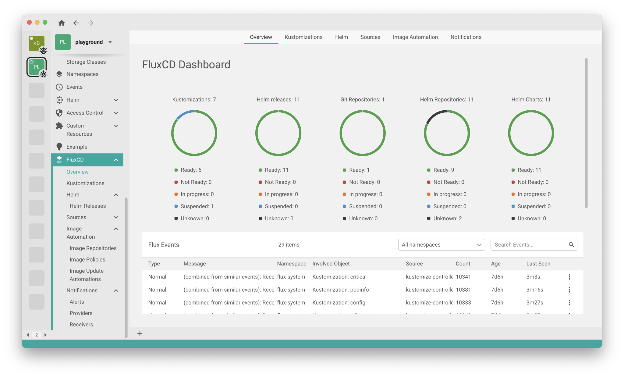
Source: Flux CD
Configuration management tools
Configuration management tools help define, customize, and manage Kubernetes manifests in a scalable, repeatable way. These tools reduce duplication, simplify environment-specific configurations, and enable modular application deployment. They support layering, templating, and variable substitution to manage complex application configurations efficiently, and integrate well with CI/CD and GitOps workflows.
5. Helm
Helm is a package manager to simplify the deployment and management of applications in Kubernetes clusters. It allows teams to define, install, and upgrade Kubernetes resources using Helm charts—pre-packaged collections of YAML files that describe the desired state of an application or service. Each installation of a chart creates a separate “release,” which can be independently managed, updated, or rolled back.
License: Apache-2.0 license Repo: helm/helm GitHub stars: 28K+ Contributors: 700+
Key deployment automation features include:
- Reusable templates: Helm charts let teams define Kubernetes objects once and reuse them across environments with parameterized configuration.
- Configuration overrides: Values can be overridden via YAML files (
--values) or inline (--set), supporting custom deployments without editing chart files. - Release management: Each deployment is tracked as a release, which simplifies upgrades (
helm upgrade), rollbacks (helm rollback), and history tracking. - Integration with registries: Helm can install charts from remote repositories or local files, enabling automated workflows that fetch and install predefined packages.
- Search and discovery: The
helm searchcommand helps automate the discovery of charts from both local and remote repositories, simplifying setup in CI/CD pipelines.

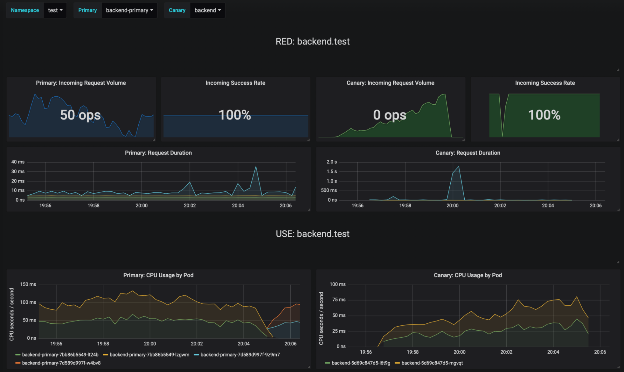
Source: Helm
6. Kustomize
Kustomize is a configuration management tool for Kubernetes that lets users customize raw, template-free YAML files using a kustomization.yaml file. It is integrated into kubectl, allowing native support for managing variations of Kubernetes manifests without modifying the original resource files. Kustomize supports layering, patching, composition, and cross-cutting configuration.
License: Apache-2.0 license Repo: kubernetes-sigs/kustomize GitHub stars: 11K+ Contributors: 400+
Key deployment automation features include:
- Declarative customization: Kustomize modifies Kubernetes manifests without templates by using a
kustomization.yamlfile. - ConfigMap and secret generation: Automates creation of ConfigMap and Secret objects from files, literals, or environment variables using
configMapGeneratorandsecretGenerator. - Cross-cutting field management: Applies global changes like namespace, name prefixes/suffixes, labels, and annotations across all resources.
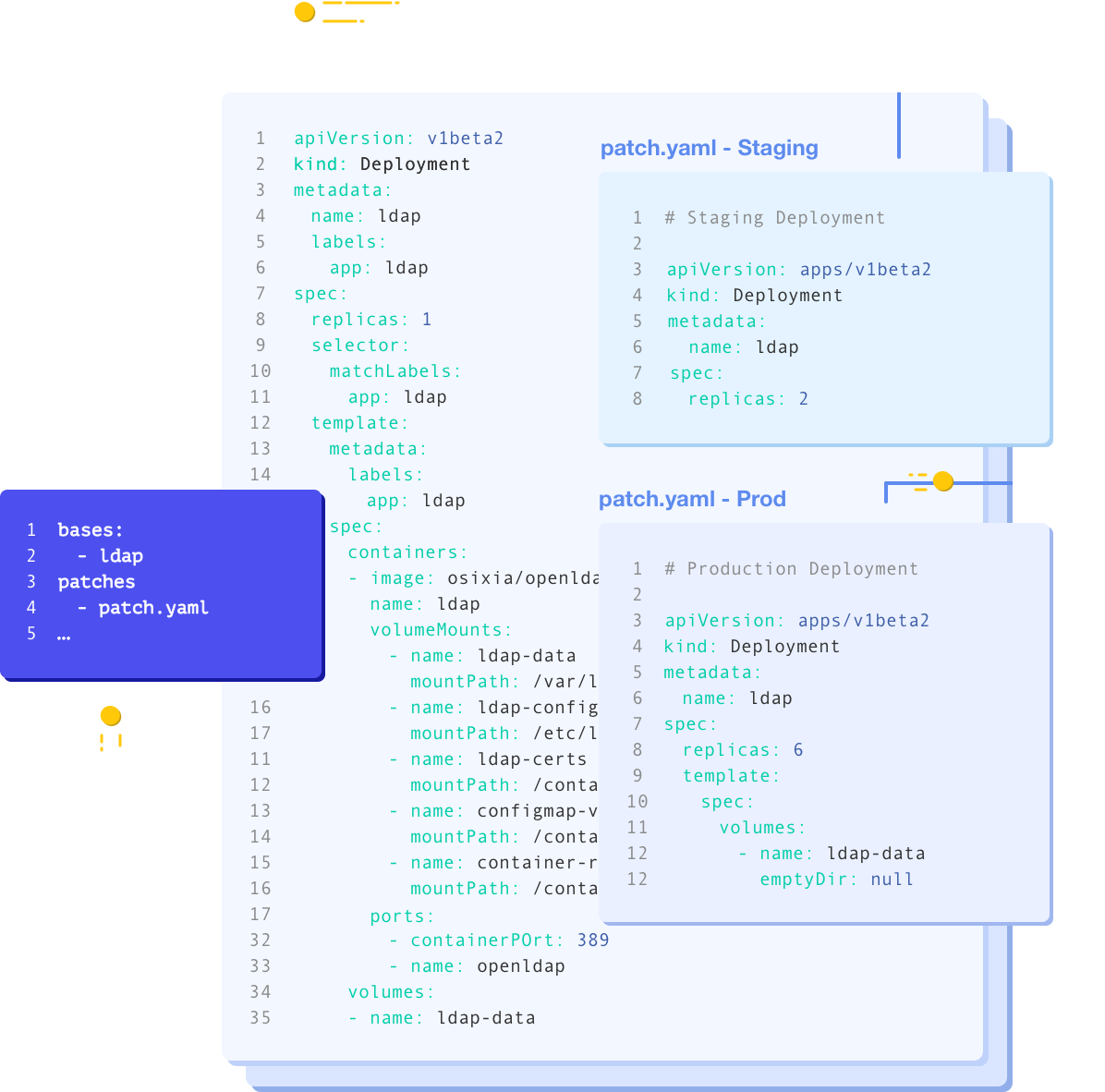
- Layered overlays: Supports a base/overlay structure where overlays inherit and modify base configurations. This allows reusable infrastructure across environments.
- Image customization: Provides a declarative way to swap out container images and tags directly in the kustomization file.

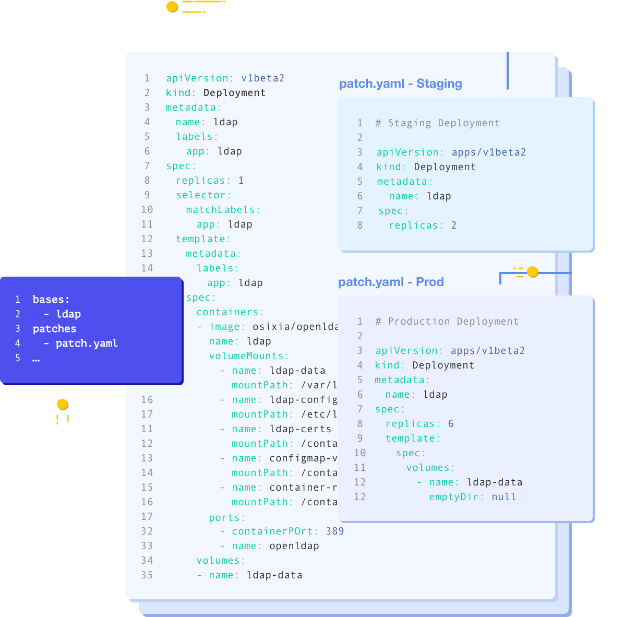
Source: Kustomize
7. Ansible
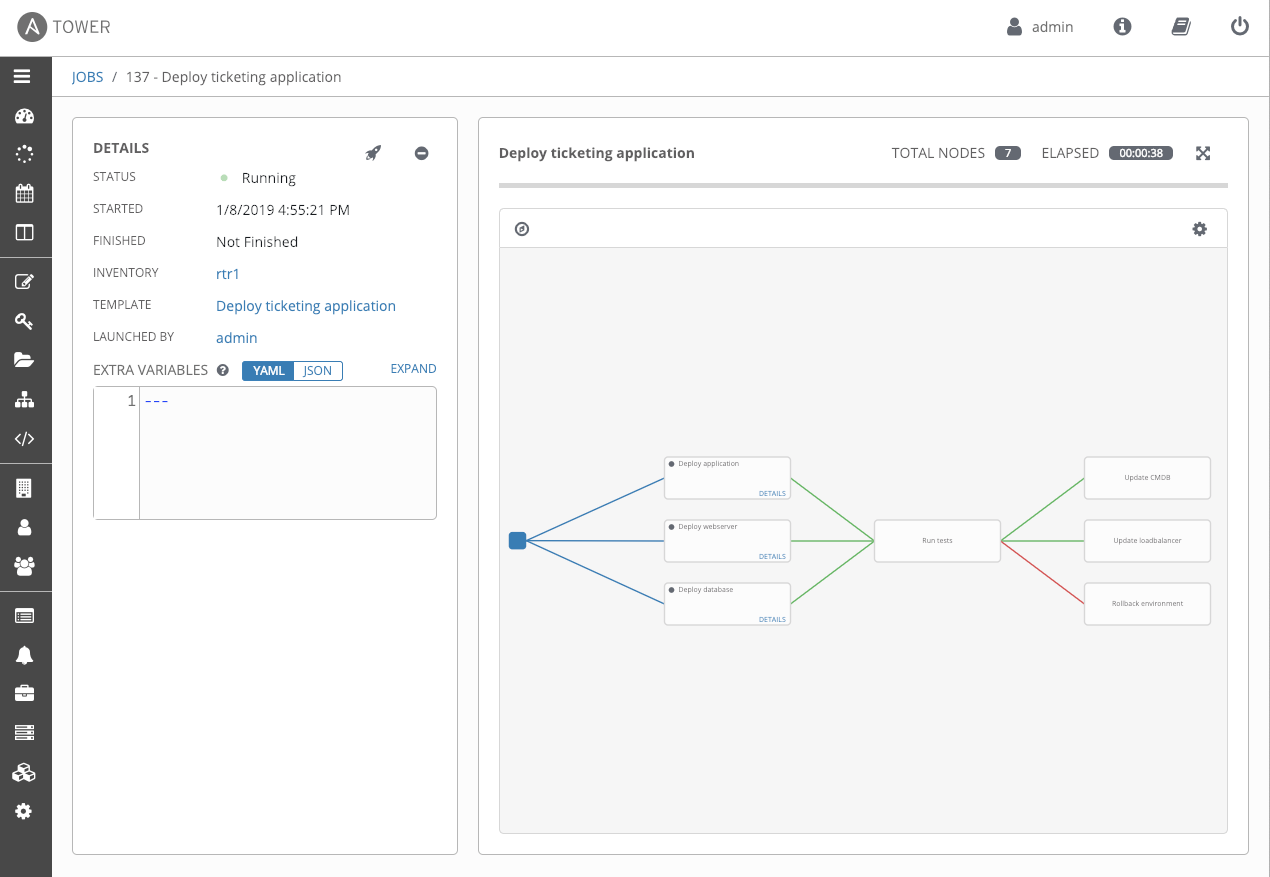
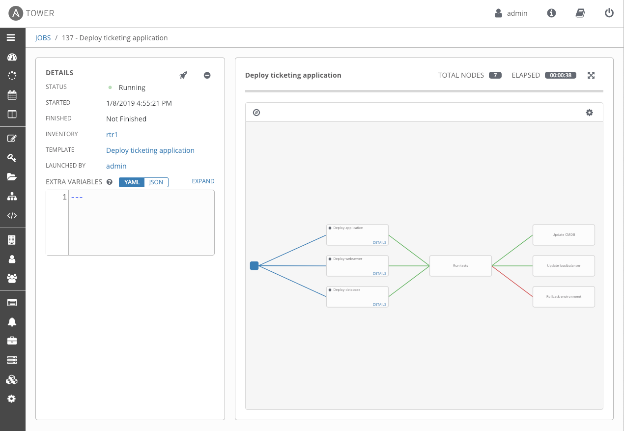
Ansible is an open source automation engine that handles provisioning, configuration management, and application deployment. It uses declarative playbooks written in YAML to define tasks, making it easy to describe and apply changes across systems and Kubernetes clusters. With the kubernetes.core collection, Ansible can provision and manage Kubernetes resources alongside cloud infrastructure.
License: GPL-3.0 Repo: ansible/ansible GitHub stars: 62K+ Contributors: 5K+
Key deployment automation features include:
- Playbooks: YAML-based definitions describe desired states for infrastructure, applications, and Kubernetes objects.
- Collections and roles: Pre-packaged modules (e.g.,
kubernetes.core) extend Ansible for Kubernetes and cloud management. - Agentless architecture: Ansible connects over SSH or API, requiring no agents on managed nodes.
- Orchestration: Supports multi-step workflows across infrastructure, clusters, and applications.
- Policy as code: Can enforce compliance by integrating policy rules into automation workflows.

Source: Ansible
Infrastructure-as-Code and cluster provisioning tools
Infrastructure-as-Code (IaC) tools let teams define clusters and resources declaratively, ensuring reproducibility and scalability. These tools automate provisioning of Kubernetes clusters and their dependent infrastructure across clouds and datacenters. They integrate with CI/CD and GitOps pipelines, making cluster creation and lifecycle management part of the same automated workflow as application deployment.
8. Terraform
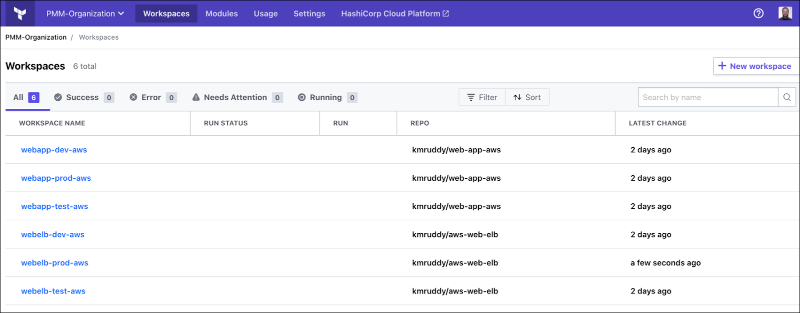
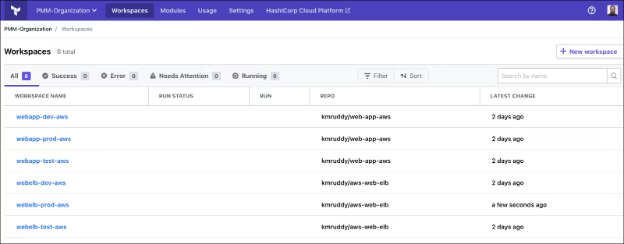
Terraform is an infrastructure-as-code tool for defining, provisioning, and managing infrastructure in a declarative way. It supports both low-level resources (compute, storage, networking) and higher-level services. Terraform configurations are written in HashiCorp Configuration Language (HCL) and can be applied consistently across multiple cloud providers.
License: MPL-2.0 license Repo: hashicorp/terraform GitHub stars: 42K+ Contributors: 1,800+
Key deployment automation features include:
- Declarative syntax: HCL defines desired infrastructure states that Terraform reconciles with the actual environment.
- Multi-cloud support: Providers cover AWS, Azure, GCP, Kubernetes, and many others.
- Execution planning:
terraform planpreviews changes before applying, reducing risk. - State management: Tracks resource state to manage drift and incremental updates.
- Kubernetes integration: Can provision Kubernetes clusters and deploy workloads via the Kubernetes provider.

Source: HashiCorp
9. Pulumi
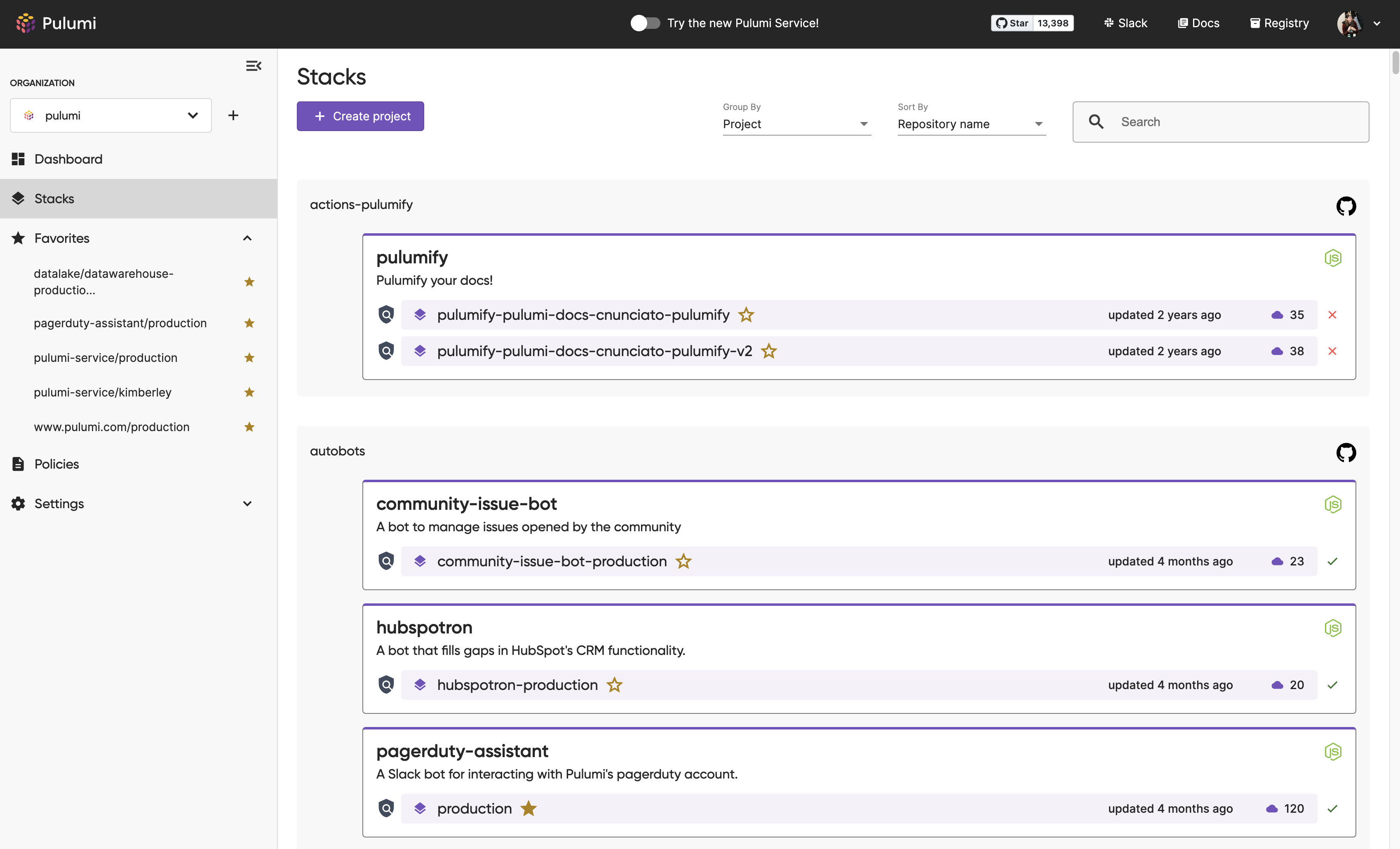
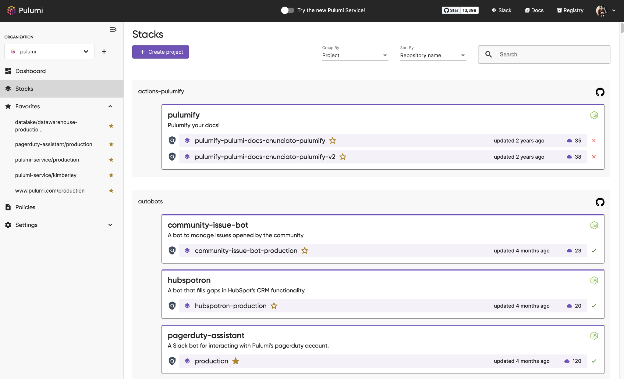
Pulumi is an infrastructure-as-code platform that allows defining cloud and Kubernetes resources using general-purpose programming languages such as TypeScript, Python, Go, C#, Java, or YAML. It integrates with IDEs, testing frameworks, and package ecosystems, making infrastructure management accessible to developers.
License: Apache-2.0 license Repo: pulumi/pulumi GitHub stars: 23K+ Contributors: 300+
Key deployment automation features include:
- Multi-language IaC: Supports programming languages for infrastructure definitions, enabling loops, conditions, and abstractions.
- Kubernetes-native: Provides SDKs for managing Kubernetes objects alongside cloud resources.
- Secrets management: Built-in encrypted secrets and integration with external secret stores.
- Policy enforcement: Pulumi ESC and Pulumi Insights enforce compliance and governance.
- Automation API: Embeds infrastructure workflows into existing applications and CI/CD systems.

Source: Pulumi
10. Crossplane
Crossplane is a Kubernetes-based framework for building control planes that provision and manage cloud infrastructure. It extends the Kubernetes API with custom resources that represent infrastructure, allowing teams to manage cloud services the same way they manage Kubernetes workloads.
License: Apache-2.0 license Repo: crossplane/crossplane GitHub stars: 10K+ Contributors: 200+
Key deployment automation features include:
- Kubernetes integration: Extends Kubernetes with new CRDs to model and manage external infrastructure.
- Providers: Connects to cloud platforms and services (e.g., AWS, Azure, GCP) for provisioning.
- Composable APIs: Lets teams create opinionated APIs for developers, hiding complexity behind abstractions.
- Policy enforcement: Integrates with RBAC and existing Kubernetes security features.
- Multi-cloud orchestration: Enables consistent workflows for infrastructure provisioning across environments.

11. Atlantis
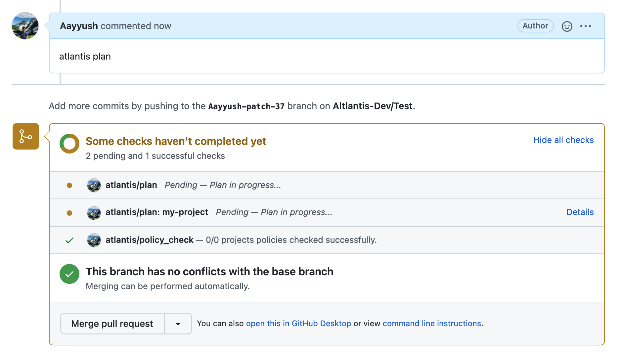
Atlantis is an open source tool that automates Terraform workflows through pull requests. It is designed to standardize and secure infrastructure changes by integrating directly with version control platforms and running Terraform plans and applies as part of code review.
License: Apache-2.0 Repo: runatlantis/atlantis GitHub stars: 8K+ Contributors: 400+
Key deployment automation features include:
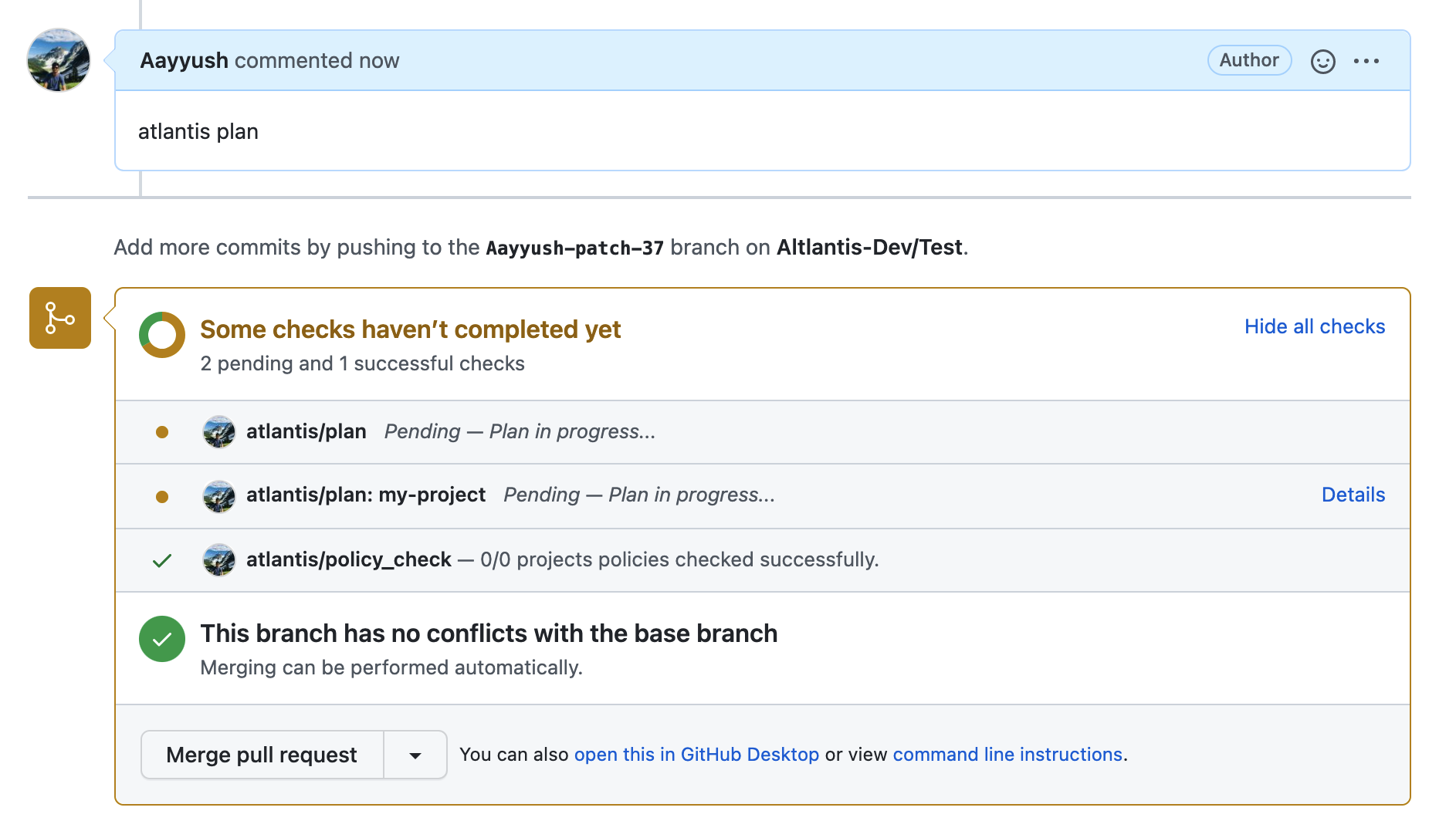
- Pull request automation: Runs
terraform planon pull requests and posts the output back as comments, allowing teams to review changes before apply. - Safe applies: Requires approvals before executing
terraform apply, ensuring controlled changes to production environments. - Audit logging: Keeps logs of Terraform plans, applies, and approvals for accountability.
- Self-hosted deployment: Can run securely on Kubernetes, VMs, or container platforms while keeping credentials within the organization’s environment.
- Multi-platform support: Integrates with GitHub, GitLab, Bitbucket, and Azure DevOps for managing workflows across diverse ecosystems.

Source: Atlantis
Security and compliance automation tools
Security and compliance automation tools help enforce guardrails in Kubernetes deployments. They define and validate security, governance, and compliance policies as code, ensuring consistent enforcement across clusters. These tools integrate into admission control, CI/CD pipelines, and runtime environments to block misconfigurations, detect drift, and generate audit trails.
12. Open Policy Agent
Open Policy Agent is a general-purpose policy engine that decouples policy decisions from application logic. Policies are written in the Rego language and can be applied across Kubernetes, CI/CD, microservices, and API gateways.
License: Apache-2.0 license Repo: open-policy-agent/opa GitHub stars: 10K+ Contributors: 400+
Key deployment automation features include:
- Rego language: Declarative policy definitions for flexible rule enforcement.
- Wide integration: Works with Kubernetes admission controllers, Envoy proxies, CI/CD pipelines, and custom apps.
- Auditability: Generates detailed audit trails for every decision.
- Performance: Uses pre-loaded, in-memory data for fast policy evaluations.
- Portability: Can run as a sidecar, library, or centralized service.

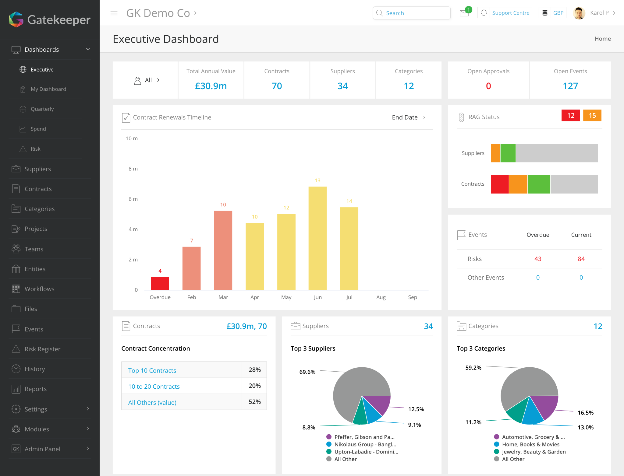
13. Gatekeeper
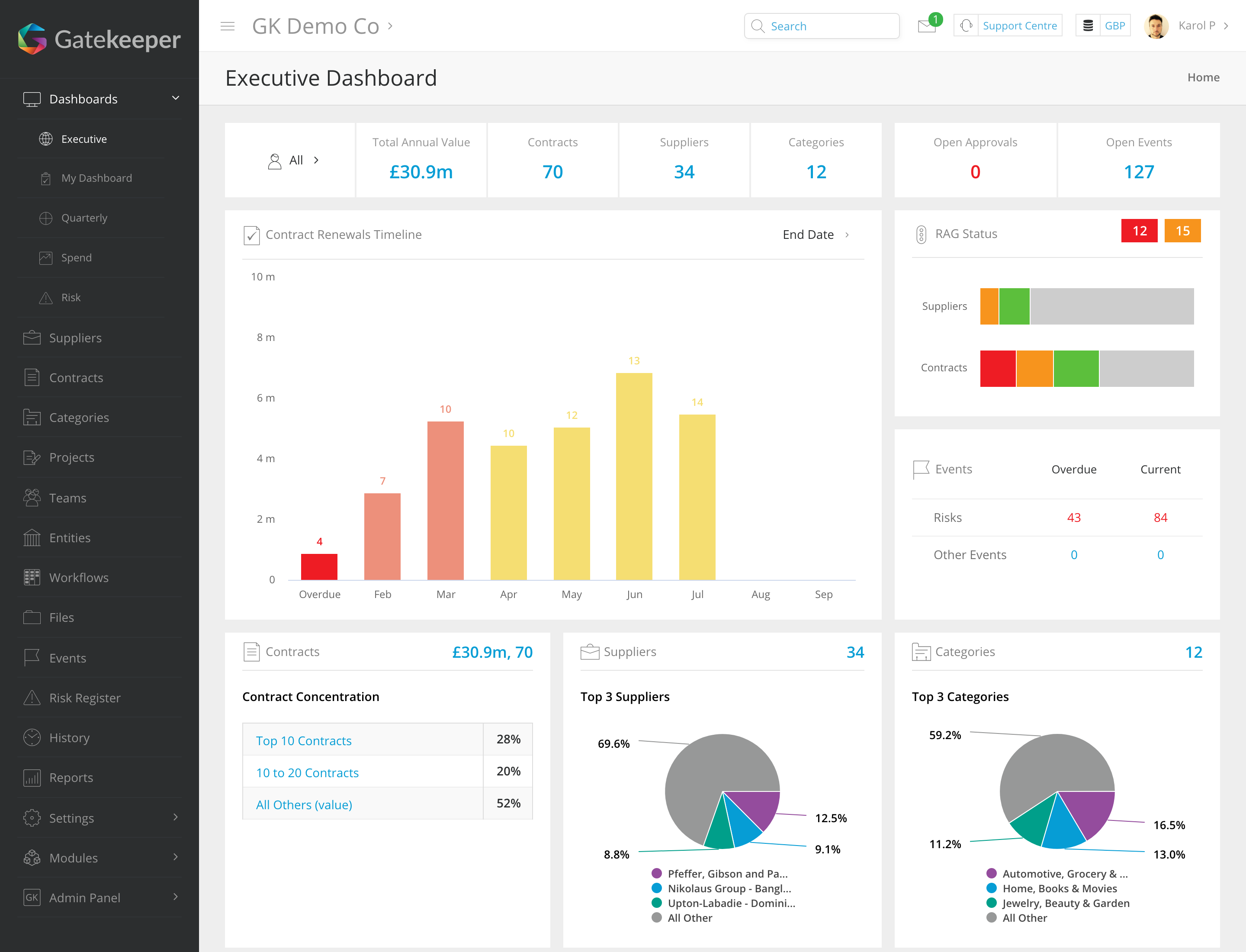
Gatekeeper is a Kubernetes-native policy controller built on top of OPA. It enforces policies on Kubernetes resources at admission time using CRDs called ConstraintTemplates.
License: Apache-2.0 license Repo: open-policy-agent/gatekeeper GitHub stars: 4K+ Contributors: 200+
Key deployment automation features include:
- Kubernetes-native: Uses CRDs to define and apply policies declaratively.
- Constraint templates: Extendable library of reusable rules for Kubernetes resource validation.
- Admission control: Prevents misconfigured or non-compliant resources from being created.
- Audit mode: Detects violations without blocking, useful for gradual enforcement.
- OPA integration: Uses OPA and Rego for flexible policy logic.

Source: Gatekeeper
14. Kyverno
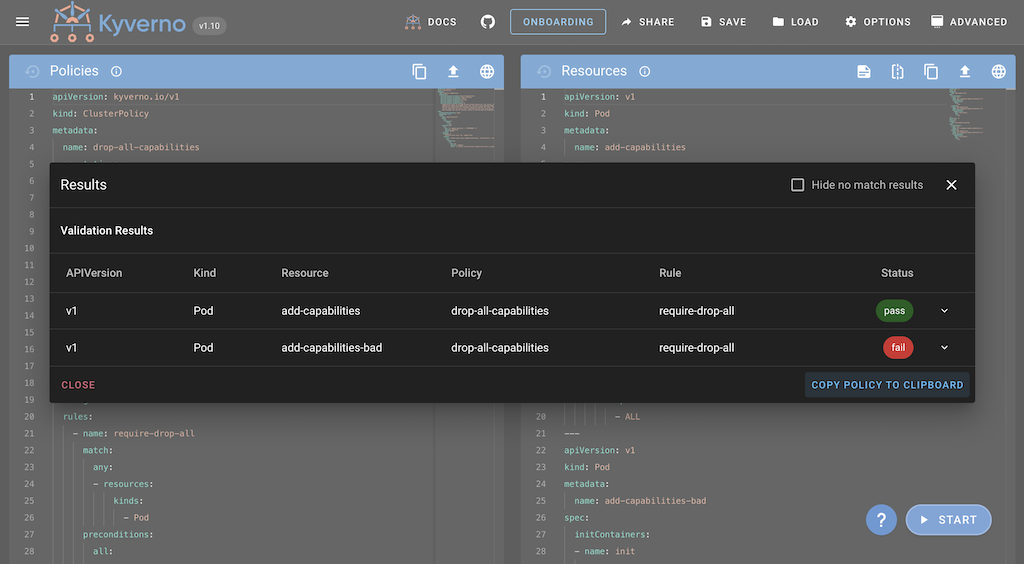
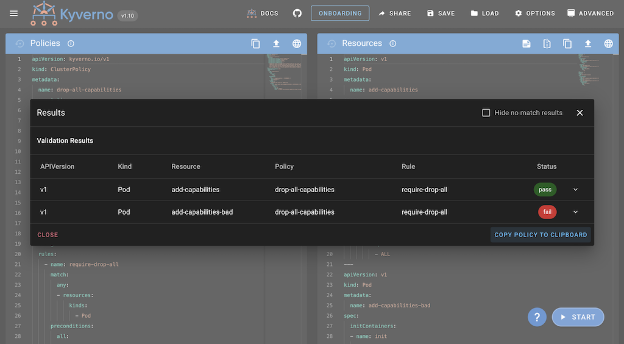
Kyverno is a Kubernetes-native policy engine that manages resources using declarative policies written as Kubernetes resources. It can validate, mutate, generate, and clean up resources as part of policy enforcement.
License: Apache-2.0 license Repo: kyverno/kyverno GitHub stars: 6K+ Contributors: 400+
Key deployment automation features include:
- Kubernetes CRDs: Policies are defined and applied as native Kubernetes objects.
- Resource lifecycle management: Supports validation, mutation, generation, and cleanup of resources.
- Image verification: Validates container images against signing and provenance requirements.
- Shift-left testing: CLI integration for validating IaC and CI/CD pipelines.
- Exception handling: Supports fine-grained, time-bound policy exceptions.

Source: Kyverno
Conclusion
Automating Kubernetes deployments simplifies the delivery of containerized applications by enforcing consistency, reducing manual effort, and minimizing the risk of errors. By codifying deployment processes and integrating them with version control and monitoring systems, teams can achieve faster release cycles and greater operational stability.
Help us continuously improve
Please let us know if you have any feedback about this page.