What is CI/CD software?
CI/CD software automates key stages in software development and delivery. It combines tools and practices from Continuous Integration (CI), Continuous Delivery (CD), and Continuous Deployment (also CD), allowing teams to build, test, and deploy code efficiently and reliably.
Continuous Integration is the practice of frequently merging code changes into a shared repository, usually several times a day. Each change triggers automated builds and tests to detect integration issues early. Continuous Delivery extends CI by automating the release process up to production. Code is always in a deployable state, but deployments still require a manual approval step.
Continuous Deployment goes one step further by automating the release into production without human intervention. Every successful code change passes through testing and is deployed automatically.
CI/CD software helps teams catch bugs early, reduce manual work, and speed up delivery cycles. It ensures consistent deployment processes, minimizes errors, and supports fast feedback loops, which are essential for iterative development.
Understanding the CI/CD tools market
The global CI/CD tools market is expanding as more organizations adopt automated software delivery. It is projected to reach $11.2 billion by 2034, growing at a 10.71% compound annual growth rate (CAGR).
CI/CD adoption is now widespread in enterprise software development. More than 86% of enterprise development teams use at least one CI/CD platform to automate build, test, and deployment workflows. In addition, 74% of software organizations deploy code multiple times per week using automated pipelines.
These tools support a large global developer ecosystem. Over 29 million developers across 182 countries rely on CI/CD automation. Many teams also use multi-tool CI/CD architectures, with more than 68% of DevOps teams combining multiple tools within their development pipelines.
CI/CD systems process large volumes of automation. Across environments, they handle over 1.2 billion automated builds each month.
Market segmentation
The CI/CD tools market is typically segmented by tool type and organization size.
By type, Continuous Deployment tools account for about 46% of automated deployment workflows. These tools automate production releases and often support advanced deployment strategies such as canary releases, blue-green deployments, and automated rollback.
Continuous integration tools are used in over 74% of automated build and testing workflows, enabling developers to run tests and validations whenever code changes are committed.
Build automation tools are also widely used, with more than 66% of DevOps teams relying on them to automate tasks such as dependency management, artifact packaging, and versioning.
By organization size, large enterprises represent about 64% of CI/CD deployments, often operating hundreds of pipelines and complex multi-cloud environments. Small and medium-sized enterprises (SMEs) account for the remaining 36%, frequently adopting SaaS-based CI/CD platforms and low-code pipeline configuration tools.
Key features of CI/CD software
CI/CD software solutions typically include the following capabilities.
Automated build processes
CI/CD software automates build processes, reducing manual efforts required to compile, package, and deliver code. These tools automatically trigger builds upon code changes, ensuring teams always work with up-to-date builds. This automation decreases the likelihood of code integration issues by testing and assembling code changes continuously.
Simplified build processes enable quicker iterations and ongoing delivery. They allow teams to detect and address bugs sooner, ensuring high-quality releases. Automated builds also decrease the time to market. By automating builds, teams can maintain development momentum and focus on new feature development and improvement.
Version control system integration
CI/CD tools integrate with version control systems (VCS), managing code changes efficiently. VCS integration enables collaboration by allowing multiple developers to work on separate features without interfering with one another. It tracks changes, maintains historical code versions, and enables quick rollbacks if necessary.
This integration also enables automated testing and deployment on every commit or pull request. As a result, teams catch integration errors early, promoting better code quality. VCS integration within CI/CD solutions provides transparency and traceability, crucial for diagnosing issues and maintaining accountability in the development process.
Pipeline as code
Pipeline as code is the management and configuration of build and deployment processes through code. This practice allows for versioning of pipeline configurations, ensuring consistency and reproducibility across different environments. Teams can store pipeline configurations in VCS, enabling collaboration and review among developers.
Pipeline as code also enables automation at all stages of the software delivery process, from initial code commit to final deployment. By codifying pipelines, organizations can implement standard practices, reduce manual errors, and improve flexibility.
Parallel execution
CI/CD software supports parallel execution, which allows teams to run multiple tests and build processes simultaneously. This feature considerably reduces the time required to validate code changes and complete deployments. Parallel execution uses hardware and cloud resources efficiently, optimizing the entire Continuous Integration and delivery pipeline.
Adopting parallel execution minimizes bottlenecks, enabling faster feedback loops and accelerating feature delivery. It ensures comprehensive test coverage within shorter timeframes, substantially improving software reliability. By executing tasks in parallel, teams can speed up their development cycles.
Environment provisioning
Environment provisioning involves the automated setup and configuration of testing and deployment environments. CI/CD tools aid in creating consistent and reproducible environments, mitigating issues caused by environment discrepancies. Environment provisioning automates resource allocation, configuration management, and system readiness.
With automatic environment provisioning, teams experience reduced setup times and improved deployment consistency across different stages. These tools handle infrastructure dependencies, reducing downtime and manual configuration errors.
Notable CI/CD tools for DevOps
Continuous Delivery / Deployment (CD) tools
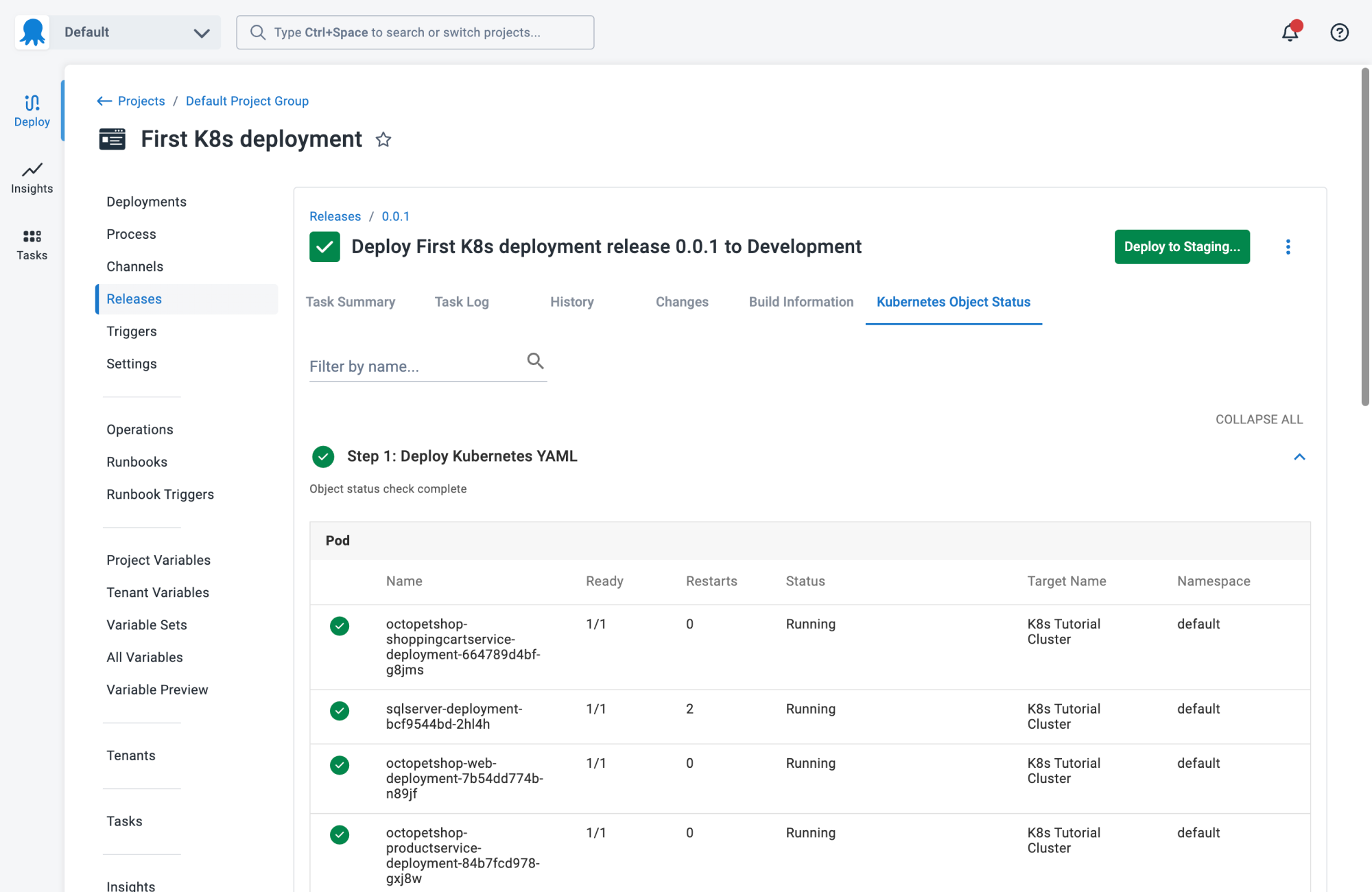
1. Octopus
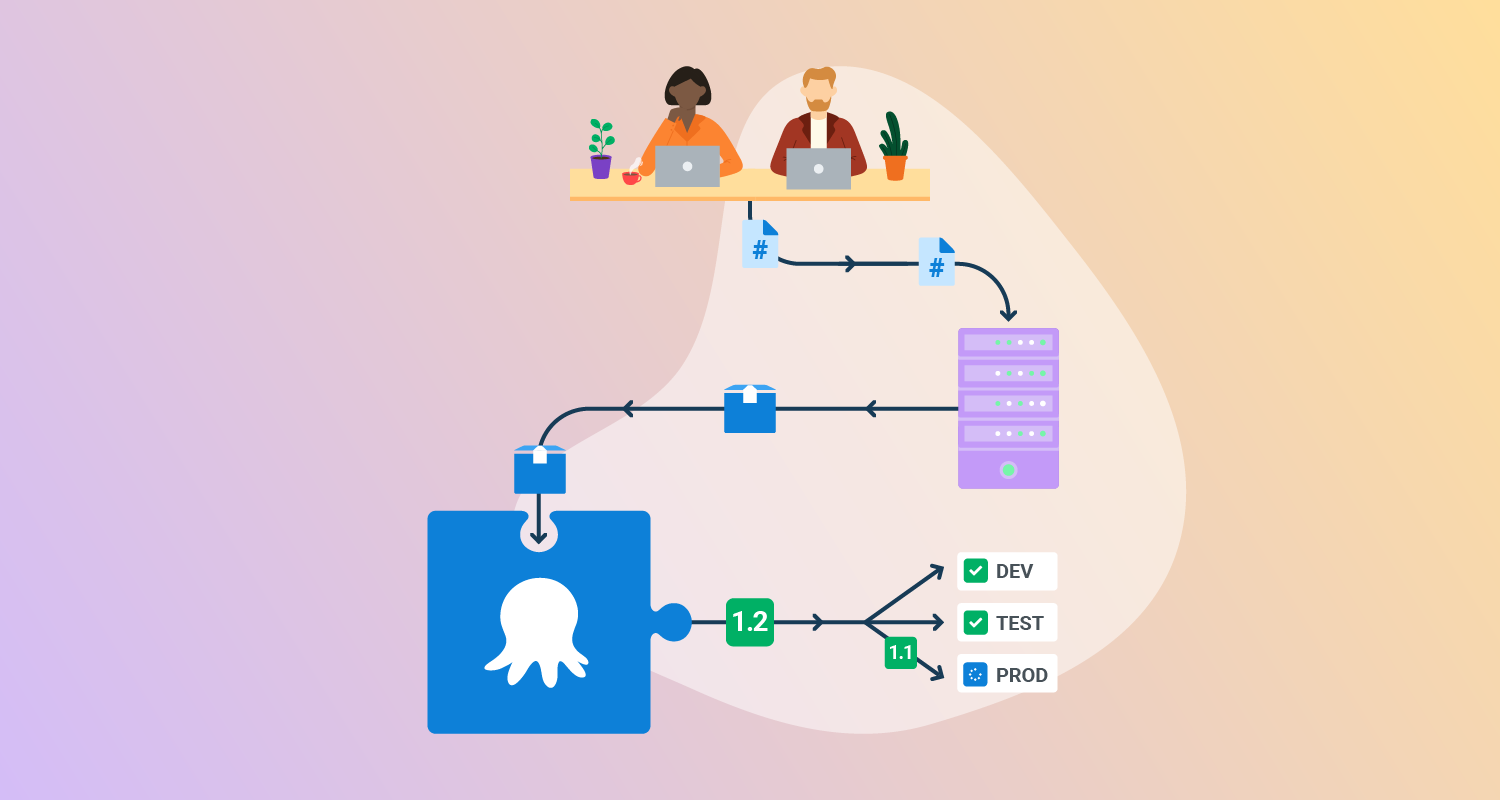
Octopus Deploy is a sophisticated, best-in-class Continuous Delivery (CD) platform for modern software teams. It offers powerful release orchestration, deployment automation, and runbook automation while handling the scale, complexity, and governance expectations of even the largest organizations with the most complex deployment challenges.
Features:
- Reliable risk-free deployments: Octopus lets you use the same deployment process across all environments. This means you can deploy to production with the same confidence you deploy to everywhere else. Built-in rollback support also makes it easy to revert to previous versions.
- Deployments at scale: Octopus is the only CD tool with built-in multi-tenancy support. Deploy to two, ten, or thousands of customers without duplicating the deployment process.
- One platform for DevOps automation: Runbooks automate routine and emergency operations tasks to free teams for more crucial work. They can also be used to provide safe self-service operations to other teams.
- Streamlined compliance: Full auditing, role-based access control, and single-sign-on (SSO) as standard to make audits a breeze and to provide accountability, peace of mind, and trust.

2. GitLab CI/CD
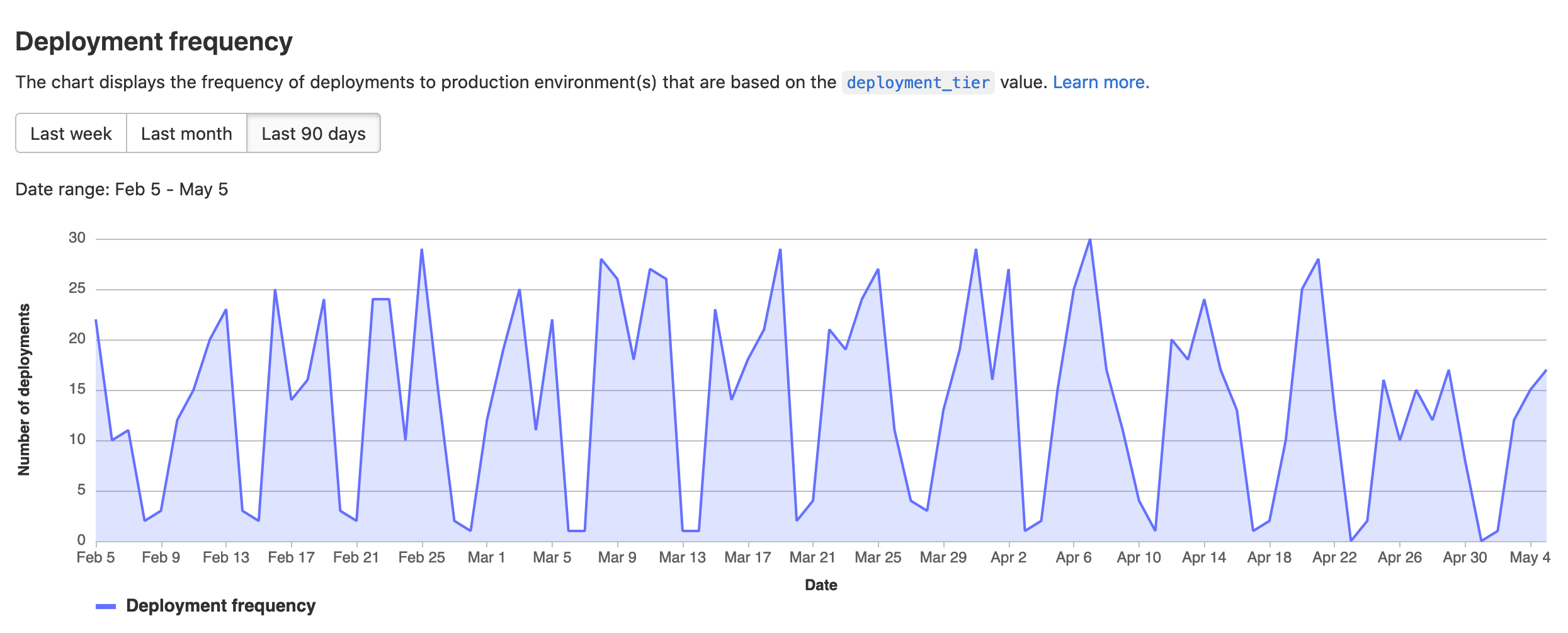
GitLab CI/CD is an integrated platform that automates the full software delivery lifecycle, from code commit to deployment. It enables teams to build, test, package, and release applications using structured pipelines, while also incorporating security checks and deployment controls within the same system.
Features:
- End-to-end pipeline automation: Automates building, testing, packaging, and deploying code through a single orchestrated workflow.
- Reusable pipeline components: Provides pre-configured templates and a CI/CD catalog to standardize and reuse pipeline configurations.
- Pipeline scalability and optimization: Supports parent-child pipelines and merge trains to manage complex workflows and maintain stable main branches.
- Integrated security checks: Includes vulnerability scanning, static analysis, and compliance pipelines to detect issues early in development.
- Flexible execution environments: Uses hosted or self-managed runners to execute jobs without requiring dedicated infrastructure.
- Progressive deployment strategies: Supports controlled rollouts such as canary deployments to reduce risk during releases.
- Multi-environment deployment support: Allows deployment to virtual machines, Kubernetes clusters, or serverless platforms across different cloud providers.

Source: GitLab
3. GoCD
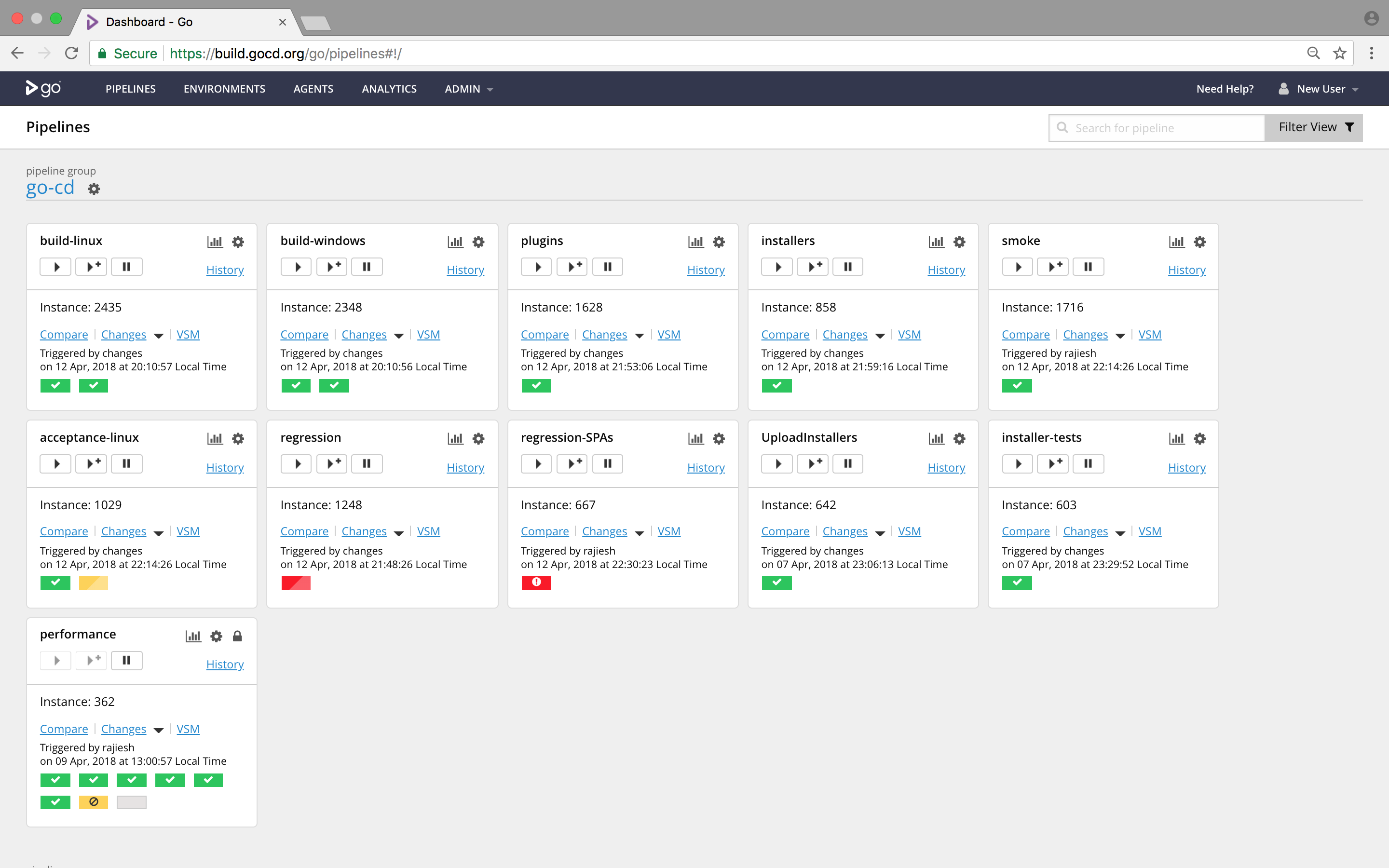
GoCD is an open-source CD platform for modeling deployment pipelines, managing artifact promotion, running tests, and tracking changes from commit to deployment. It supports sequential and parallel execution, manual deployment triggers, reusable templates, plugins, and audit-aware deployment controls.
Features:
- Workflow dependency modeling: Supports parallel and sequential execution, with fan-in and fan-out dependency management to model complex pipelines and avoid unnecessary builds.
- Trusted artifact promotion: Anchors each pipeline instance to a specific changeset and passes once-built binaries between stages so the deployed artifact remains traceable.
- Value Stream Map visibility: Provides a Value Stream Map that shows how changes move from commit to deployment and highlights upstream causes and downstream effects.
- Manual deployment triggers: Lets teams deploy any known good version to selected environments through manual triggers, with support for secure and auditable use.
- Parallel and cross-platform testing: Uses an agent grid to run tests in parallel across platforms and reports where and when a test first started failing.
- Build comparison tools: Compares files and commit messages across arbitrary builds, giving teams a bill of materials and additional context during troubleshooting.
- Template and plugin support: Reuses pipeline configurations through templates and extends the platform through plugin extension points and community or custom plugins.

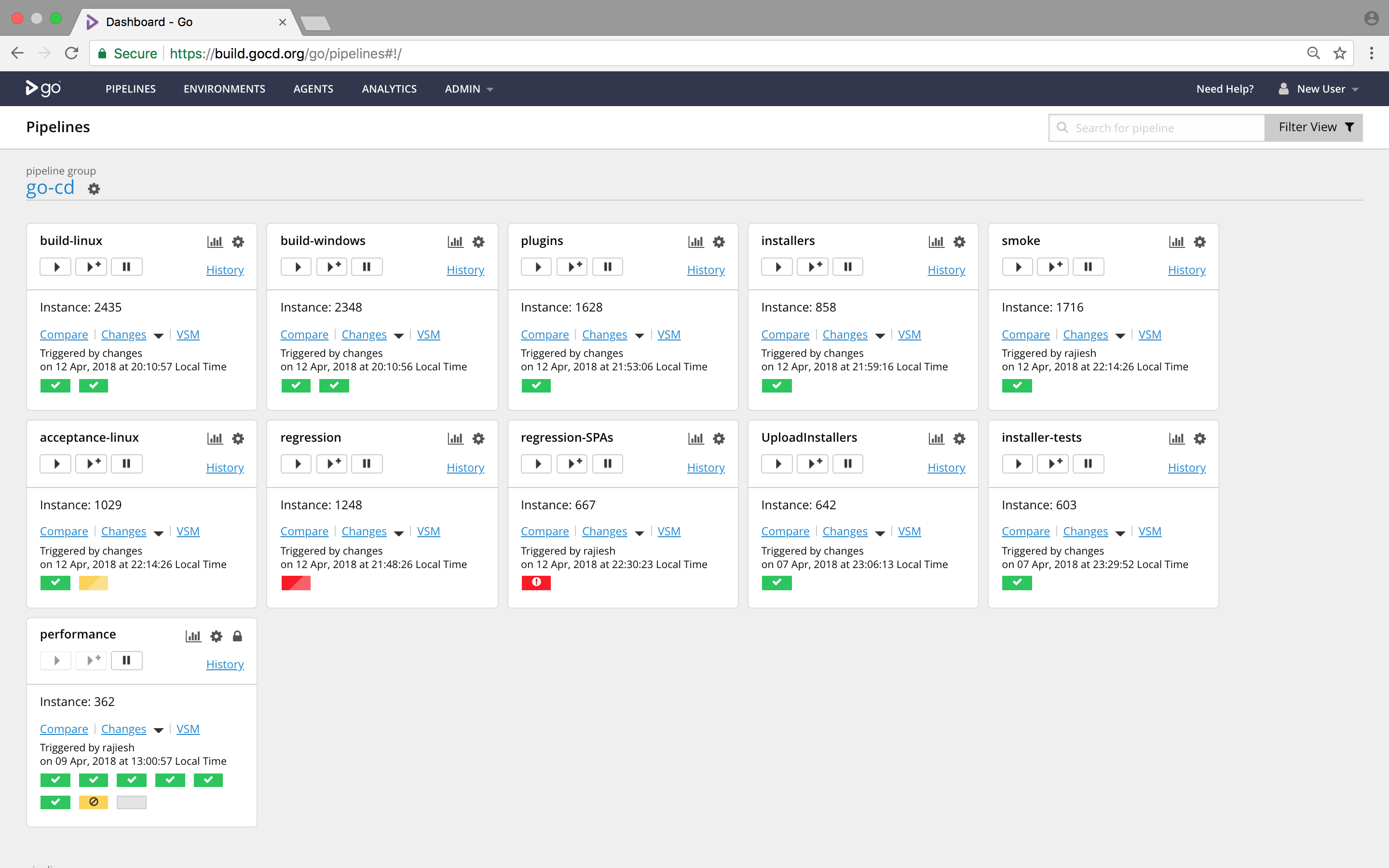
Source: GoCD
4. BuildMaster
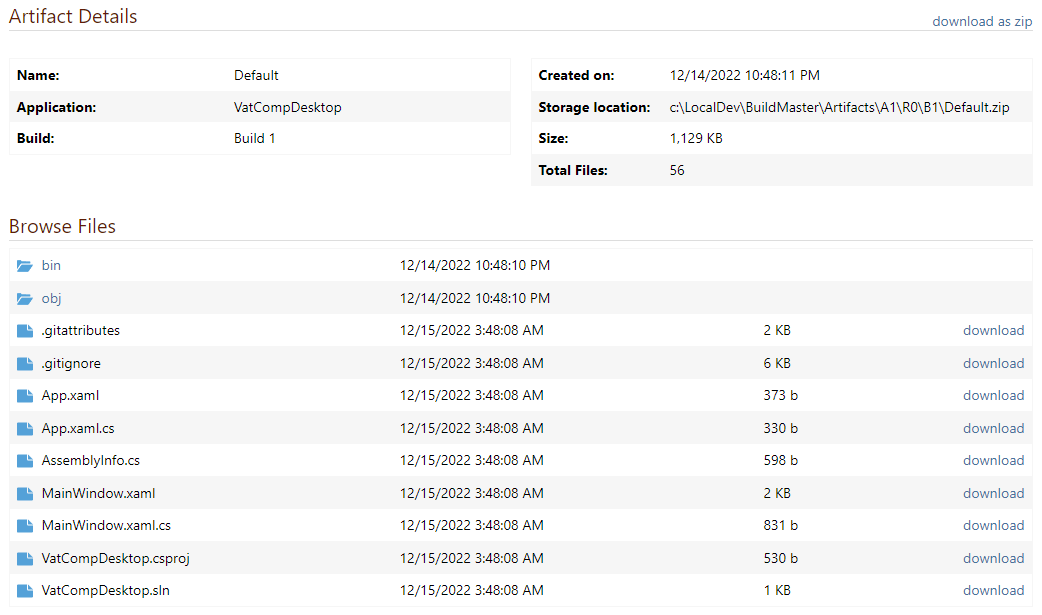
BuildMaster is a deployment automation and release management tool that coordinates builds and deployments across environments. It integrates with source control and CI systems, manages artifacts, and provides structured pipelines with approval controls to ensure consistent and traceable releases.
Features:
- CI tool integration and artifact management: Imports build artifacts from tools like Jenkins or TeamCity and manages them for consistent deployment across environments.
- Git integration and visibility: Connects with repositories to track commits, branches, and changes, and enables build creation from specific commits.
- Pipeline-based release processes: Defines repeatable deployment pipelines with stages, approvals, and automated checks.
- Environment and configuration management: Handles environment-specific settings, secrets, and configuration files across deployment targets.
- Container and deployment support: Supports containerized applications and manages container builds and deployments without requiring deep Docker expertise.
- Approval gates and deployment controls: Enforces manual approvals, deployment windows, and policy checks before progressing releases.
- Release tracking and visualization: Links builds, commits, and deployments to provide visibility into what is deployed and where.

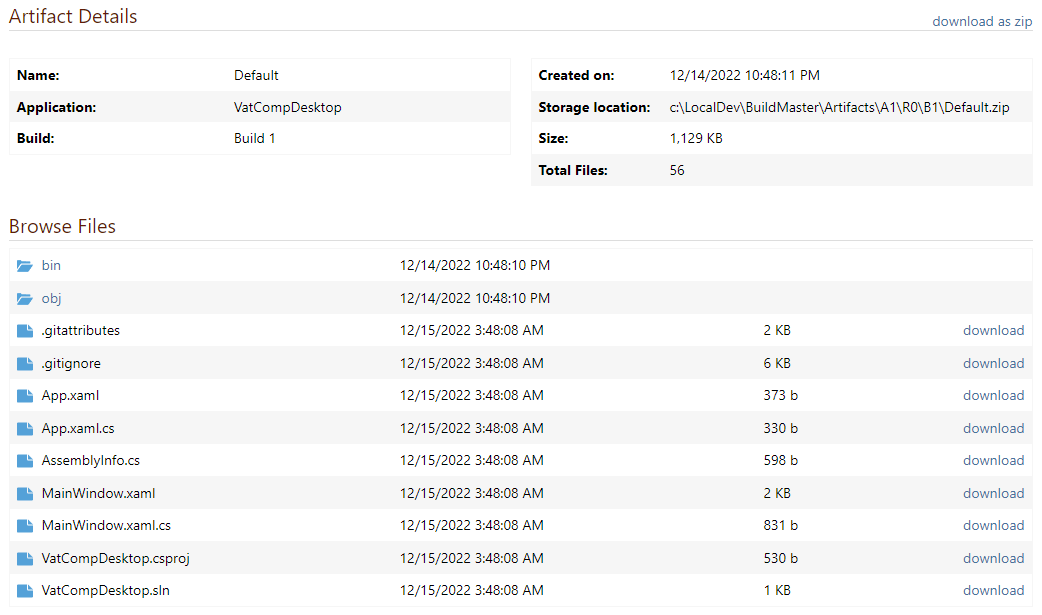
Source: Inedo
Continuous Integration (CI) tools
5. Jenkins
Jenkins is an open-source automation server used to automate building, testing, and deploying applications. It runs as a server-based system and integrates with version control systems and build tools to support continuous integration and delivery workflows.
Features:
- Automated build and deployment workflows: Automates software development stages, including build, test, and deployment processes.
- Broad version control support: Integrates with systems such as Git, Subversion, Mercurial, and others.
- Flexible build execution: Runs builds using tools like Maven, Ant, sbt, shell scripts, or batch commands.
- Plugin-based extensibility: Extends functionality through plugins for testing, reporting, integrations, and UI customization.
- Event-driven and scheduled triggers: Supports triggers via webhooks, cron schedules, or other build dependencies.
- Distributed build execution: Runs jobs across multiple agents, including remote systems accessed over SSH.
- Build monitoring and reporting: Generates test reports and visualizes build trends through the user interface.

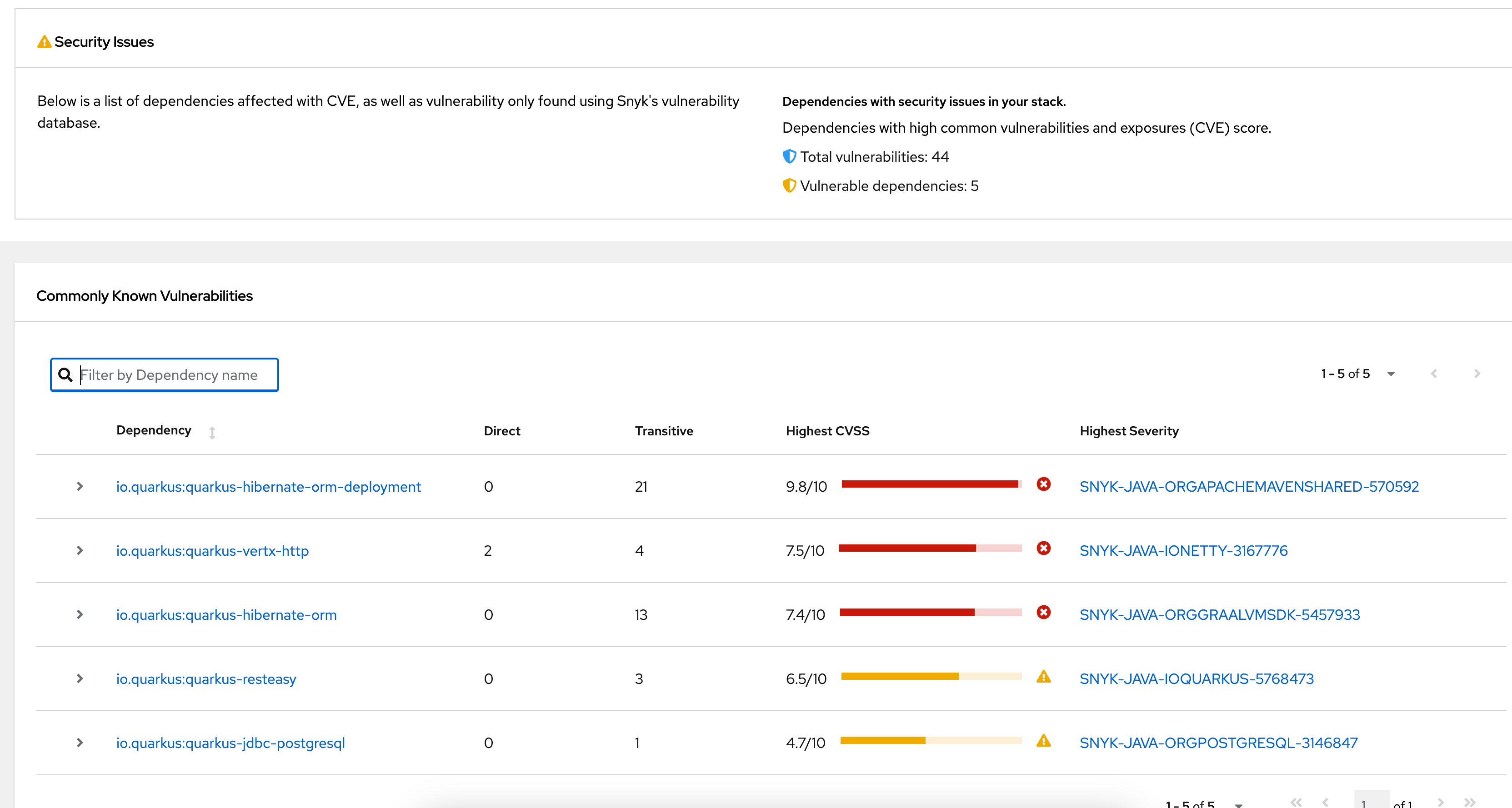
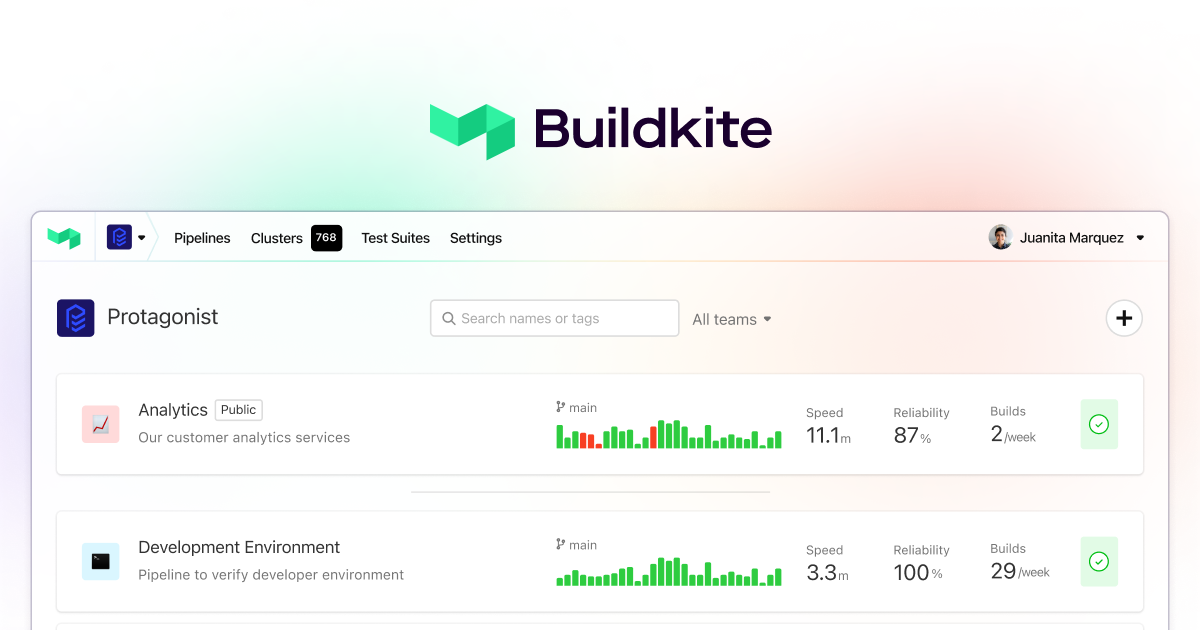
6. Buildkite
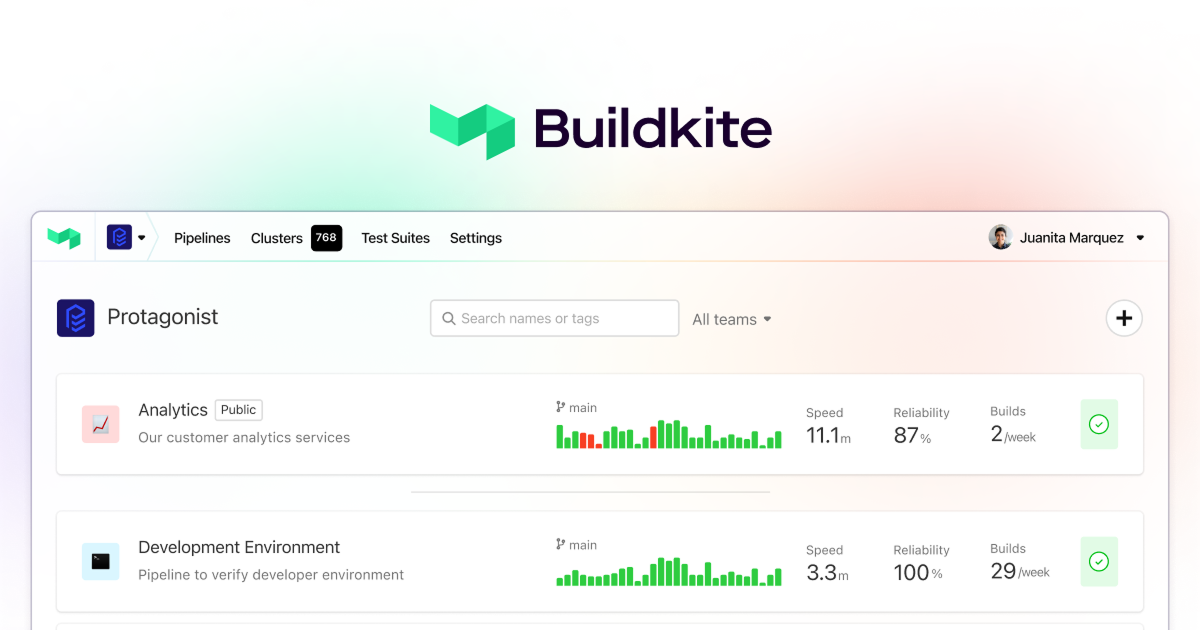
Buildkite is a CI platform that uses pipelines, agents, dynamic workflow controls, and test optimization tools to run builds and tests at scale. It supports large agent concurrency, pipelines as code, runtime-adaptable workflows, test analytics, package registries, mobile delivery, and AI-related workflow components.
Features:
- Elastic agent scaling: Scales build agents with demand from zero to large agent counts, allowing teams to handle high build volumes without fixed capacity limits.
- Parallel build execution: Runs tests, builds, and checks simultaneously through unlimited parallelism to shorten time to results across CI workloads.
- Dynamic pipeline controls: Supports dynamic pipelines, wait steps, block steps, trigger steps, conditional logic, and LLM integrations for workflow control at runtime.
- Pipelines as code: Gives platform teams composable primitives and code-based pipeline definitions for building workflows within operational and security guardrails.
- Test optimization tooling: Provides intelligent test splitting, flaky test isolation, performance insights, and analytics across unit, integration, and end-to-end tests.
- Universal build triggers: Starts builds from API calls, webhooks, or custom integrations, giving teams multiple ways to connect external systems into pipelines.
- Package and mobile delivery support: Includes package registries for asset management and a mobile delivery environment for automated testing, packaging, and app deployment.
Source: Buildkite
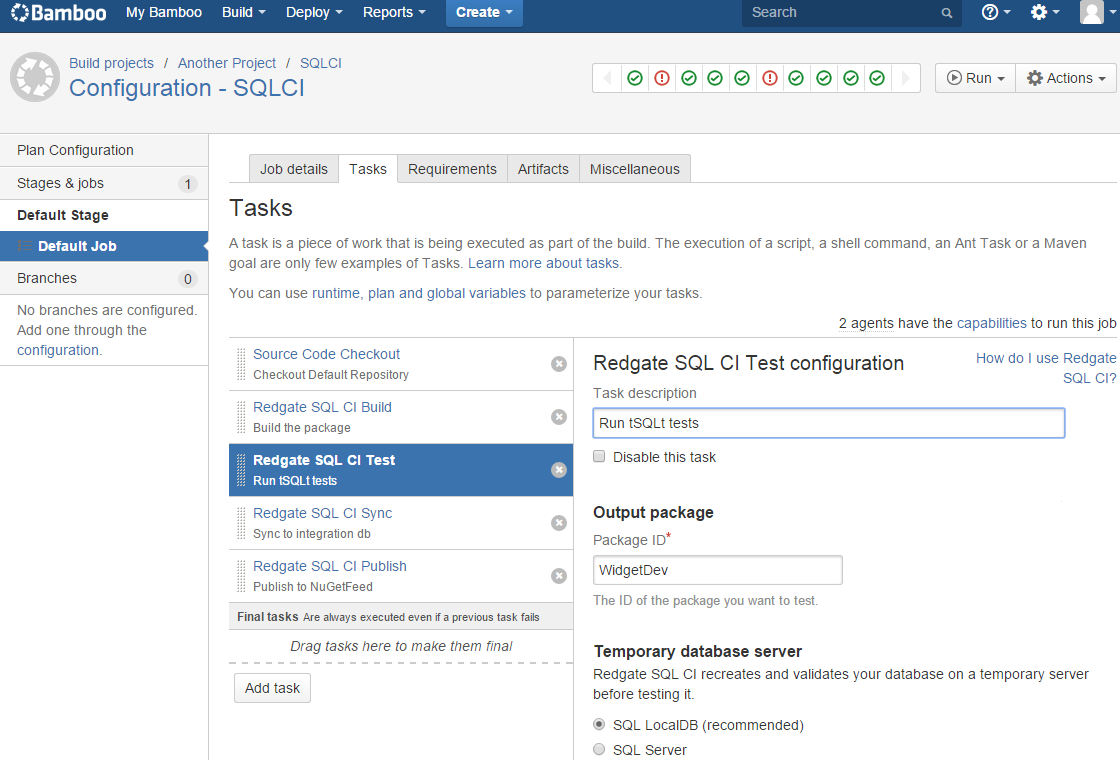
7. Bamboo
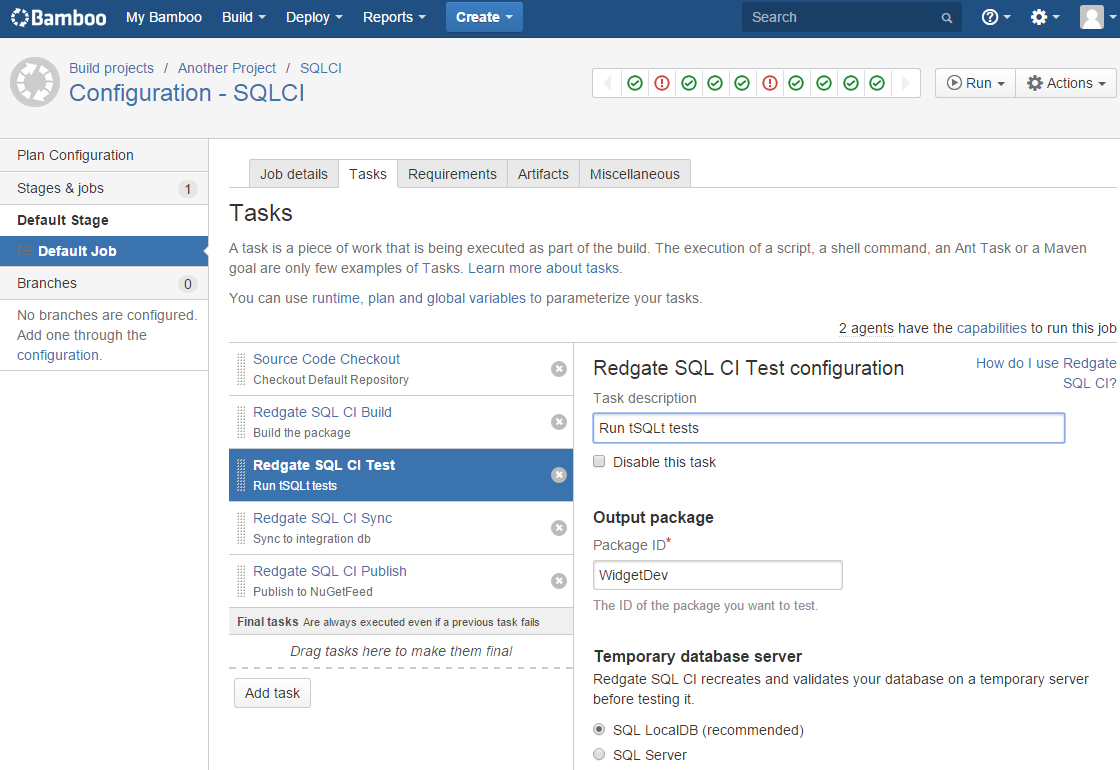
Bamboo Data Center is a Continuous Delivery pipeline tool for building, testing, and deploying software. It includes workflow automation, disaster recovery, scaling support, and integrations with Atlassian and deployment tools such as Bitbucket, Jira, Docker, AWS CodeDeploy, and Opsgenie.
Features:
- Build, test, and deploy workflows: Supports Continuous Delivery pipelines that automate software movement from code changes through testing and deployment stages.
- Workflow automation: Automates development workflows from code to deployment, supporting agile software delivery processes across teams.
- Built-in disaster recovery: Includes disaster recovery capabilities designed to maintain build resilience, availability, and team access during disruptions.
- Scalability for larger teams: Supports growing organizations by increasing capacity and maintaining performance as build and deployment demands expand.
- Bitbucket and Jira integration: Connects with Bitbucket and Jira to provide traceability from feature requests through development and deployment activities.
- Deployment tool integrations: Works with Docker and AWS CodeDeploy for release delivery and integrates with Opsgenie for incident investigation workflows.

Source: Atlassian
8. TeamCity
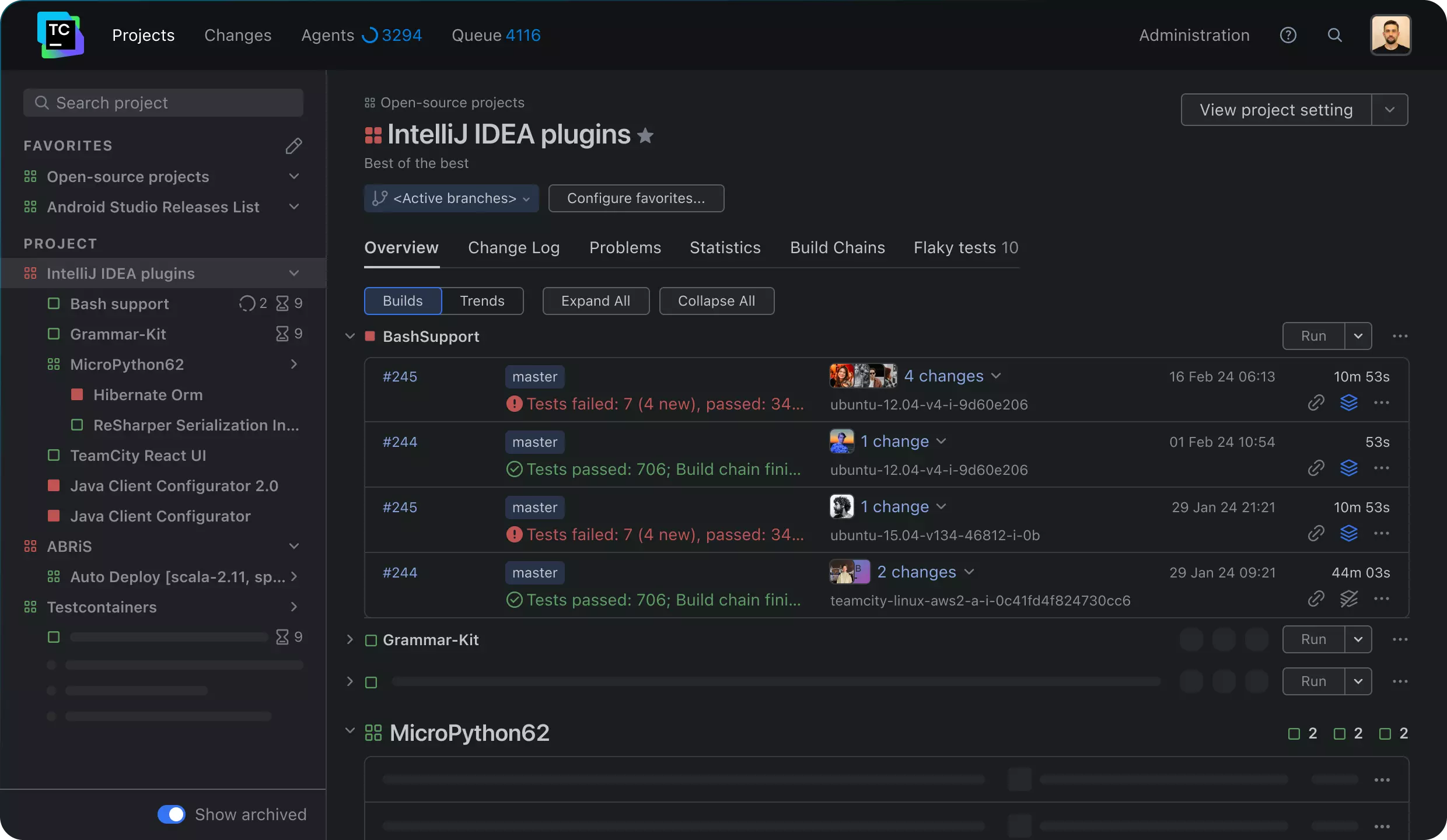
TeamCity is a CI/CD tool for managing build pipelines, test execution, and software delivery across different project sizes and infrastructure models. It supports configuration as code, build templates, test parallelization, build reuse, REST API access, security controls, and both cloud and on-premises deployment.
Features:
- Configuration as Code: Lets teams configure pipelines through the web UI or programmatically with a strongly typed DSL for reusable pipeline definitions.
- Build chain optimization: Supports build chains for multi-repository source code, automatic reuse of build parts, and caching to reduce repeated work.
- Test parallelization and reuse: Uses test parallelization and smart build reuse to shorten the path from development changes to production delivery.
- Large-scale concurrency support: Handles workflows ranging from a single project to many concurrent builds, including multi-node setups for larger environments.
- Real-time build feedback: Provides build logs and test reporting so teams can identify failures early and track issues during CI/CD execution.
- Build configuration templates: Includes templates and flexible setup options for managing repeated build patterns across growing project portfolios.
- Deployment model options: Offers both on-premises and cloud deployment models, including self-hosted infrastructure and JetBrains-hosted TeamCity Cloud.
Source: TeamCity
How to choose CI/CD software
When evaluating CI/CD software products, organizations should consider the following.
Integration capabilities
The software should integrate with existing development tools like version control systems, testing frameworks, and deployment platforms. This compatibility ensures smooth transitions between different phases of the development cycle.
Evaluating how well a CI/CD tool integrates with cloud services and third-party APIs is also important. A flexible tool will adapt to evolving technological environments, supporting both current and future development needs.
Customization and extensibility
CI/CD software should offer customization to meet project needs. This capacity includes modifying workflows, setting up custom triggers, and scripting custom build steps. Customization ensures that the software aligns with diverse development practices and industry standards.
Extensibility is a related critical factor, allowing for the development and integration of plugins or extensions to improve functionality. An extensible CI/CD solution supports the continuous evolution of development practices, enabling teams to adapt to changing technologies and workflows efficiently.
Security and compliance
Security features in CI/CD software are imperative, especially for sensitive projects. The selected tool should provide security measures like encrypted data transfer, secure access controls, and compliance with regulatory standards. Security ensures that development environments and pipelines are protected against potential threats and unauthorized access.
Compliance features also play a vital role, as they ensure the CI/CD process meets industry standards and legal regulations. A tool that supports detailed audit trails and compliance reporting aids in maintaining accountability and transparency within development activities.
Community and support
Strong community backing and support infrastructure are essential. Tools with active communities and substantial documentation provide valuable resources for troubleshooting and learning best practices. User forums, development communities, and official support channels contribute to faster problem resolution and improved knowledge sharing.
Official support from the vendor, such as dedicated customer service and timely updates, ensures the tool remains reliable and functional. Access to quality support strengthens a tool’s usability and helps organizations overcome barriers to successful adoption.
Cost
Cost is a significant factor impacting the budget and ROI for development processes. Evaluating the tool based on initial setup costs, licensing fees, and ongoing maintenance charges offers a comprehensive understanding of the total cost of ownership. This assessment helps in aligning the tool’s features and benefits with financial constraints.
Investigating whether a tool offers a free tier or trial period can provide insights into its value proposition before committing financially. Analyzing the cost in context with the tool’s features and long-term scalability ensures a cost-effective and sustainable investment in CI/CD capabilities.
Conclusion
CI/CD software is essential for simplifying modern software development. By automating build, test, and deployment workflows, it reduces manual effort and improves consistency across environments. These tools help teams detect issues early, respond to changes faster, and deliver high-quality software at scale.
Help us continuously improve
Please let us know if you have any feedback about this page.