What is Harness.io?
Harness.io is a platform for software delivery, enabling integration and management of applications. It simplifies the deployment process through automation, allowing teams to release software swiftly and with minimal errors. It integrates Continuous Delivery (CD) and Continuous Integration (CI) with cloud native deployment automation capabilities.
Harness.io’s platform supports progressive deployment strategies while providing real-time insights and analytics on deployments. This allows engineering teams to resolve issues promptly and improve delivery pipelines continuously.
Key capabilities of the Harness platform
Harness.io offers the following key features:
- Continuous Integration and Delivery (CI/CD): Harness provides an automated pipeline to build, test, and deploy applications. It simplifies software delivery through streamlined CI/CD processes.
- Feature management: Harness includes tools for managing feature flags, allowing teams to roll out features incrementally. This supports controlled experiments and progressive delivery strategies, such as canary or blue/green deployments.
- Cloud cost management: The platform offers real-time monitoring of cloud spending and optimization tools. This helps organizations identify and reduce unnecessary expenses while ensuring efficient use of cloud resources.
- Service reliability management: Harness tracks and analyzes service-level indicators (SLIs) to help teams monitor uptime and resolve reliability issues.
- Chaos engineering: Users can simulate failures in a controlled environment to test the resilience of their systems.
- Infrastructure as code (IaC) support: Harness integrates with IaC tools, enabling users to define and manage infrastructure through code.
- Security testing orchestration: The platform supports automated security checks at every stage of the pipeline, including vulnerability scanning, dependency analysis, and supply chain security enhancements.
- GitOps support: Harness enables GitOps workflows by integrating deployment pipelines with version control systems. This ensures all changes are auditable and traceable.
Harness release updates in 2026
Harness introduced several platform updates in 2026 focused on improving security, performance, automation, and reliability across its DevOps ecosystem. These updates enhance CI/CD pipelines, GitOps workflows, infrastructure management, and testing capabilities.
Key improvements include:
-
Enhanced authentication security: The platform now prevents the exposure of valid usernames in authentication error responses, reducing the risk of account enumeration attacks.
-
Improved permission enforcement: Fixes ensure that system feature flags correctly enforce user group permissions across the platform.
-
More efficient GitOps operations: GitOps repository updates now use direct source control APIs instead of cloning full repositories, improving performance and reducing resource usage.
-
Better Jenkins and cloud integrations: API request structures were updated to support newer Jenkins versions, and authentication issues for AWS Auto Scaling Group deployments using OIDC or IRSA credentials were resolved.
-
Improved anomaly detection: Updated anomaly detection models provide more accurate insights when only limited historical data is available.
-
Code repository improvements: The fork-sync API now returns a specific error code when merge conflicts occur, and Git LFS performance has been optimized to handle large file uploads more efficiently.
-
GitOps governance enhancements: Integration with Open Policy Agent (OPA) enables policy-based validation and governance for applications deployed through GitOps workflows.
-
Pipeline and execution improvements: New branch-based version counters allow independent build numbering across branches, and real-time step status updates are now available during container-based pipeline execution.
-
Build caching enhancements: Azure Blob Storage is now supported for Cache Intelligence using OIDC-based authentication, and Go builds on Linux benefit from automatic dependency caching.
-
Infrastructure as code updates: Harness added native support for AWS CDK and improved Terraform and Terragrunt workflows with better interfaces, expressions, and automation features.
-
Security scanning capabilities: Static application security testing (SAST) and software composition analysis (SCA) were introduced to detect vulnerabilities, exposed secrets, and insecure dependencies in code and container images.
-
Chaos engineering expansion: The fault library now includes additional Linux and Windows fault types, such as network, DNS, process, and service disruptions, enabling more comprehensive resilience testing.
-
Disaster recovery and load testing: New disaster recovery management entities and APIs were introduced, and load tests can now be cloned directly from the interface.
-
Cloud cost management improvements: Updates improved anomaly visibility, strengthened audit trails for budgets and perspectives, and introduced options to better control long-term capacity commitments.
Harness plans and pricing
Harness offers three subscription tiers, Open Source, Free, and Enterprise.
Open Source
The Open Source plan is free and gets users started without upfront costs. It includes core tools for software delivery, such as:
- Code repository for managing and collaborating on source code.
- Continuous integration to automate building and testing code changes.
- Continuous delivery for automated deployment pipelines.
- Cloud development environments for simplified cloud-based workflows.
- Artifact registry for storing and managing build artifacts.
This plan is suitable for individuals and small teams seeking DevOps tools with no budgetary constraints.
Free
The Free plan also has a $0 price tag but includes additional features beyond the Open Source plan, such as:
- Feature management & experimentation, enabling feature rollouts and controlled experiments.
- Infrastructure as code management (IaCM) for defining and managing cloud infrastructure via code.
- Cloud cost management, offering tools to monitor and optimize cloud spending.
- Chaos engineering, which provides controlled experiments to improve system resilience.
It also comes with 2,000 Cloud Credits per month, giving teams access to Harness cloud resources. This plan is suited for small teams or startups looking to explore Harness’s broader capabilities without incurring costs.
Enterprise
The Enterprise plan does not have publicly available pricing. According to Vendr.com, the cost for an organization with 200 employees ranges between $23K-41K per annum. It includes all features from the Free plan and adds these capabilities:
- Service reliability management for monitoring and improving service uptime.
- Software engineering insights to gain analytics-driven insights into engineering performance.
- Internal developer portals to improve developer experience and collaboration.
- Security testing orchestration and supply chain security to improve software security at every stage.
- Custom cloud cost management solutions tailored to enterprise-level usage.
Organizations can pick and choose the features they need, ensuring the plan aligns with their unique requirements. This plan is suitable for enterprises seeking a scalable devops solution.
Harness limitations
Harness.io has some limitations that users should consider. These constraints can affect usability, learning, and customization, particularly for teams new to the platform or seeking new capabilities. These limitations were reported by users on the G2 platform:
- Complex user interface: Some users report that the interface can appear cluttered, making navigation and locating key deployment information more difficult.
- Steep learning curve for new users: The platform includes many configuration options and settings, which may overwhelm teams that are unfamiliar with DevOps tooling or the Harness ecosystem.
- Missing or immature features: As a relatively new platform, certain capabilities are still evolving, and some users note that expected features may be limited or not fully developed.
- Performance issues in the interface: Users have reported slow page loading and delays when navigating dashboards or reviewing deployment pipelines.
- Limited filtering and customization options: Some areas of the platform lack advanced filtering capabilities, such as filtering cloud cost data by multiple attributes like account or service type.
- API and configuration management challenges: Managing API keys across different SDKs and environments can be difficult and may require improvements.
- Occasionally slow support responses: Some reviewers mention that customer support response times may not always meet expectations.
Notable Harness competitors and alternatives
1. Octopus Deploy
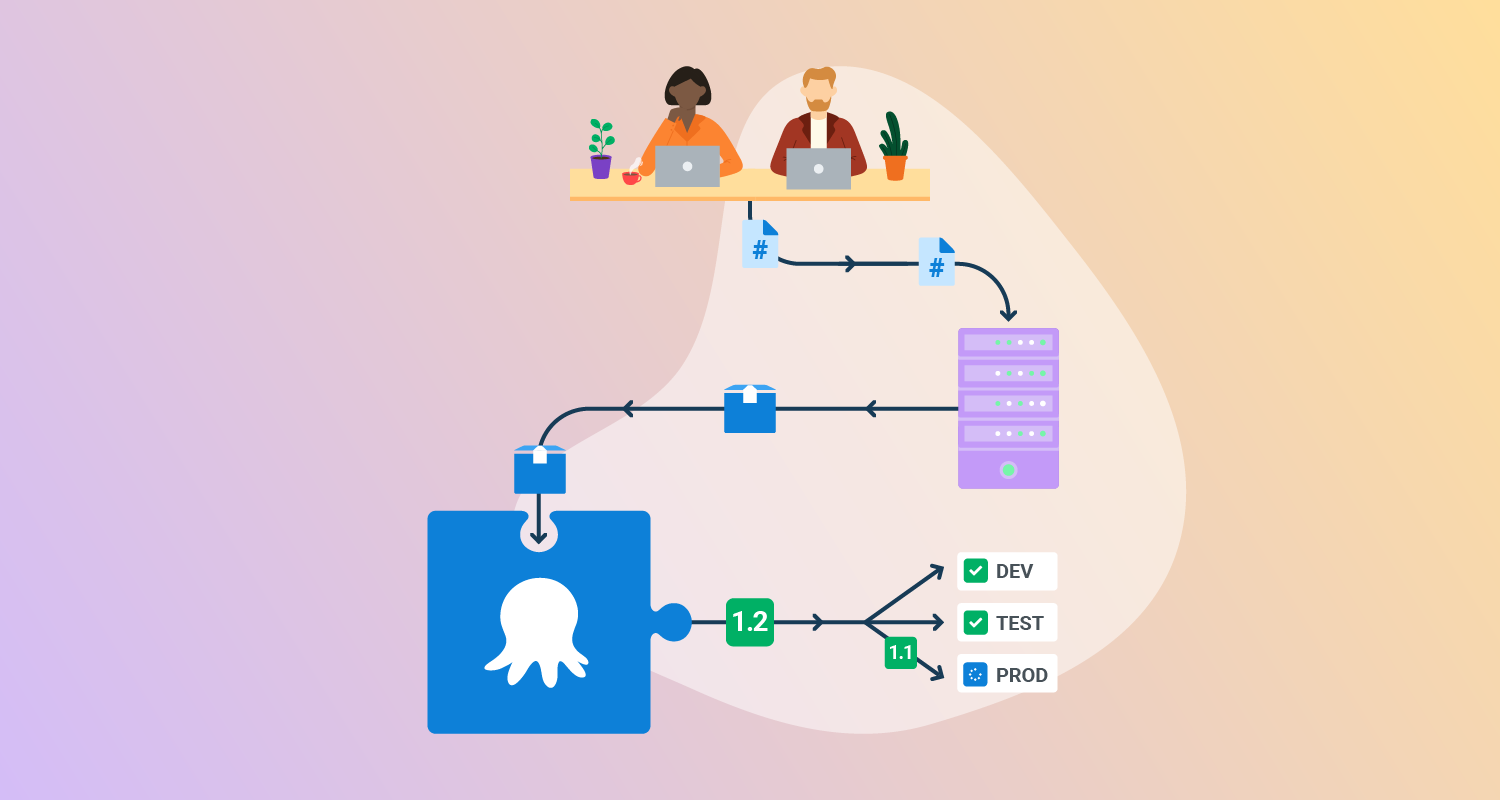
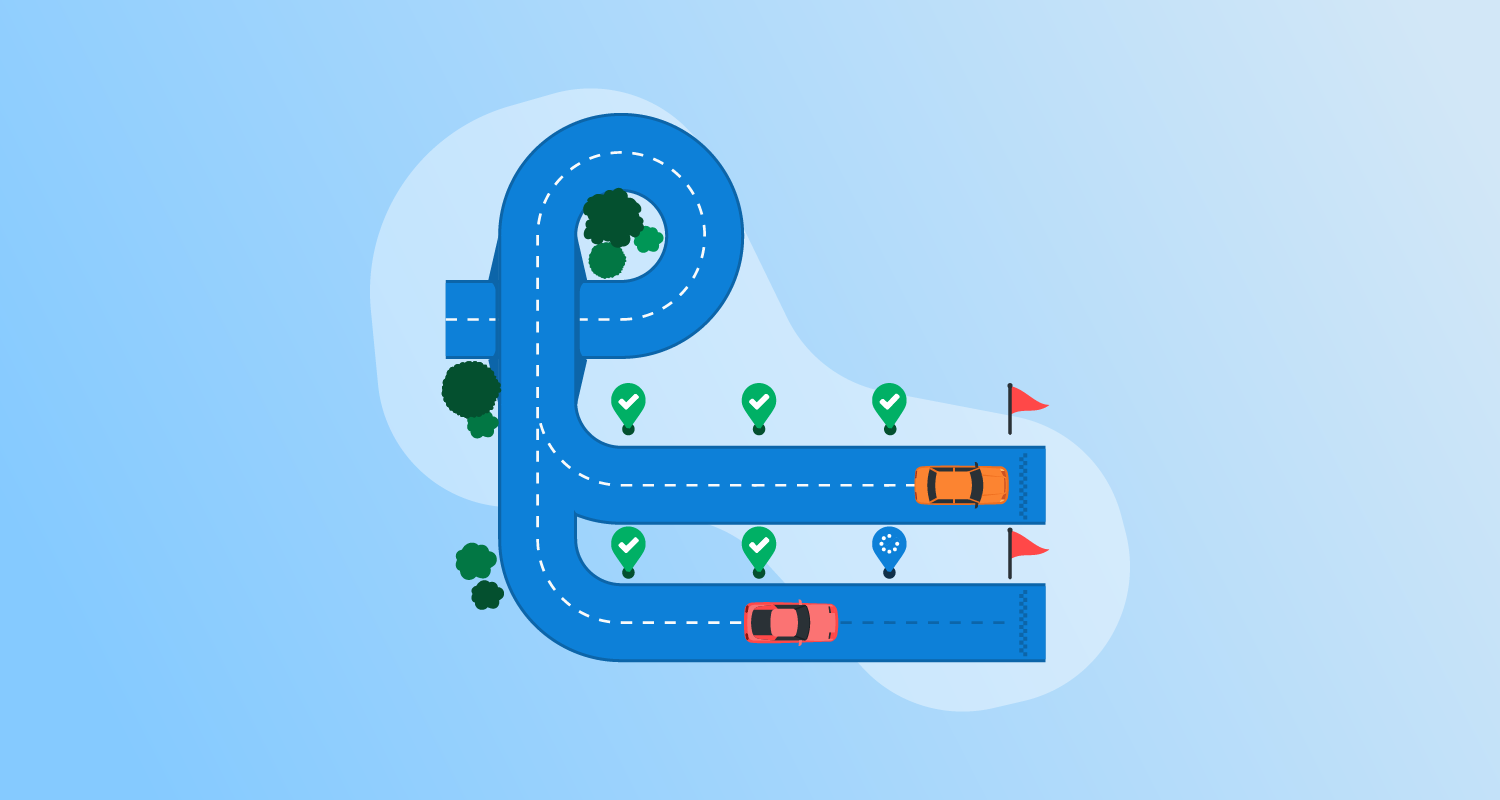
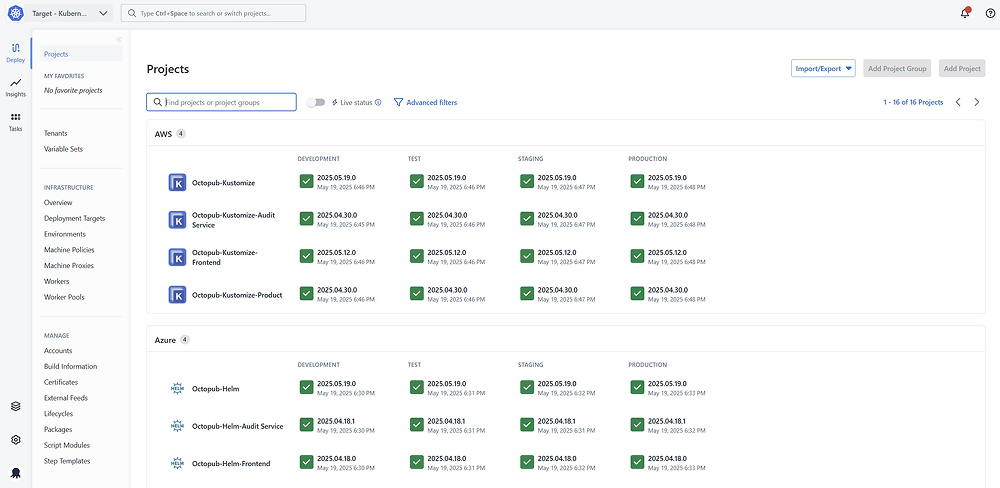
Octopus Deploy is a sophisticated, best-of-breed Continuous Delivery (CD) platform for modern software teams. It offers powerful release orchestration, deployment automation, and runbook automation while handling the scale, complexity, and governance expectations of even the largest organizations with the most complex deployment challenges.
License: Commercial
Key features of Octopus include:
- Reliable risk-free deployments: Define your deployment process once and use it across all environments so you can deploy to production with the same confidence you deploy everywhere else.
- Deployments at scale: Octopus is the only CD tool with built-in multi-tenancy support. You can deploy many customer-specific instances using the same deployment process.
- One platform for DevOps automation: You can use runbooks to automate operations tasks to remove toil. You can use runbooks to provide safe self-service operations to other teams.
- Streamlined compliance: Octopus has role-based access control, single-sign-on (SSO) as standard, and a complete audit trail to make audits a breeze.

2. Codefresh
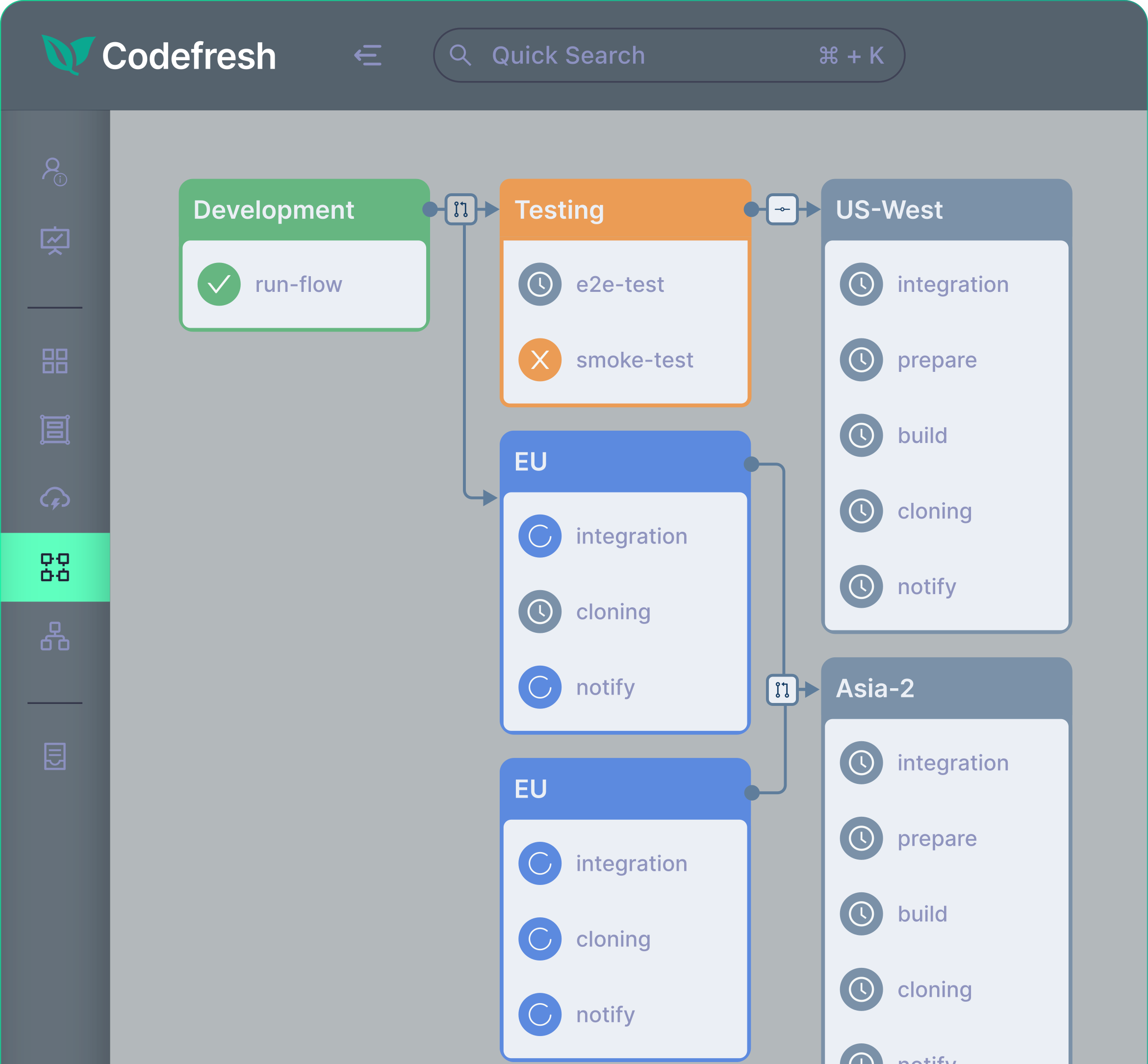
Codefresh is a GitOps-based software delivery platform for cloud-native applications. It simplifies CI/CD workflows through automation, enabling fast and reliable software deployments. Built on Argo, Codefresh integrates performance, observability, and progressive delivery, providing organizations with a tool for managing builds, releases, and infrastructure.
License: Commercial
Key features include:
- Performance optimization: Fast builds supported by caching and parallelization to unblock developers and accelerate workflows.
- Reliability assurance: Progressive delivery, automated rollbacks, and end-to-end visibility simplify troubleshooting and reduce deployment risks.
- Efficiency and scalability: Simplified pipeline creation and DRY (don’t repeat yourself) principles minimize pipeline sprawl, improving CI/CD efficiency.
- Cloud-native focus: Designed for Kubernetes and other cloud-native environments, Codefresh provides tailored deployment tools for modern infrastructure.
- Comprehensive deployment options: Supports strategies like canary, blue/green, and GitOps, ensuring precise control over software releases.
Source: Codefresh
3. GitLab CI/CD
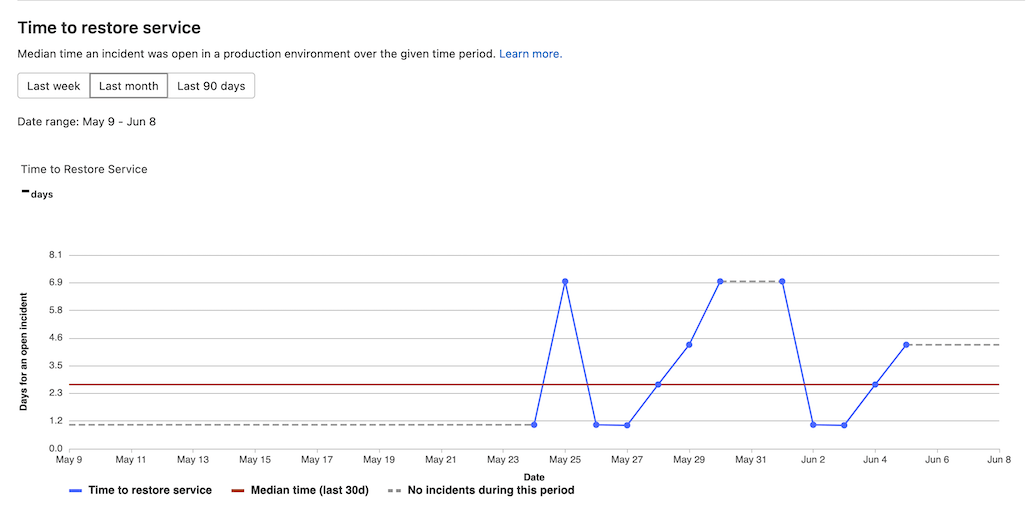
GitLab CI/CD provides continuous integration and continuous delivery workflows within GitLab. It uses YAML-based pipeline configuration, runs jobs through runners on physical or virtual machines, supports scheduled and event-based pipeline triggers, and includes variables, expressions, and reusable pipeline components.
License: Commercial, some functionality licensed under MIT
Key features include:
- YAML pipeline configuration: Pipelines are defined in a
.gitlab-ci.ymlfile, where users specify stages, jobs, scripts, variables, and execution rules for CI/CD workflows. - Stages and jobs: Pipelines are organized into stages that define execution order, while jobs perform tasks such as building, testing, and deploying application code.
- Flexible pipeline triggers: Pipelines can run from commits, merges, schedules, and other events, allowing teams to automate workflows for different development and release scenarios.
- Runner-based execution: Jobs run on runners that can be hosted on Linux, Windows, or macOS, or registered on self-managed and local environments.
- CI/CD variables and secrets: Key-value variables can store configuration data and sensitive values, with protected and masked options to control exposure in jobs and logs.
- Expressions for dynamic configuration: CI/CD expressions allow pipeline configuration to use inputs and matrix values dynamically, supporting more flexible and parameterized workflows.
- Reusable CI/CD components: Components can be included as reusable configuration units to reduce duplication and share pipeline logic across multiple projects.
Source: GitLab
4. Azure DevOps
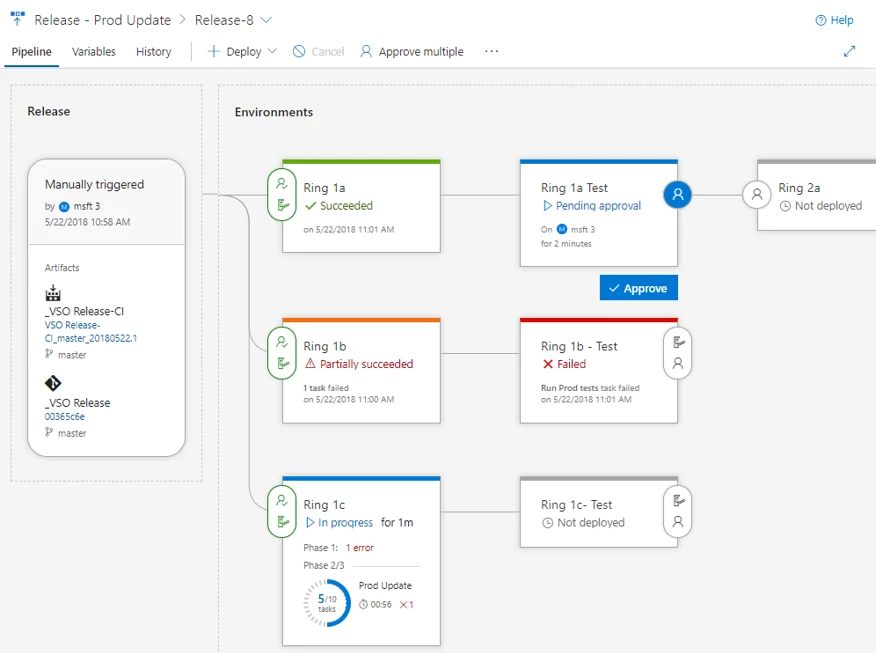
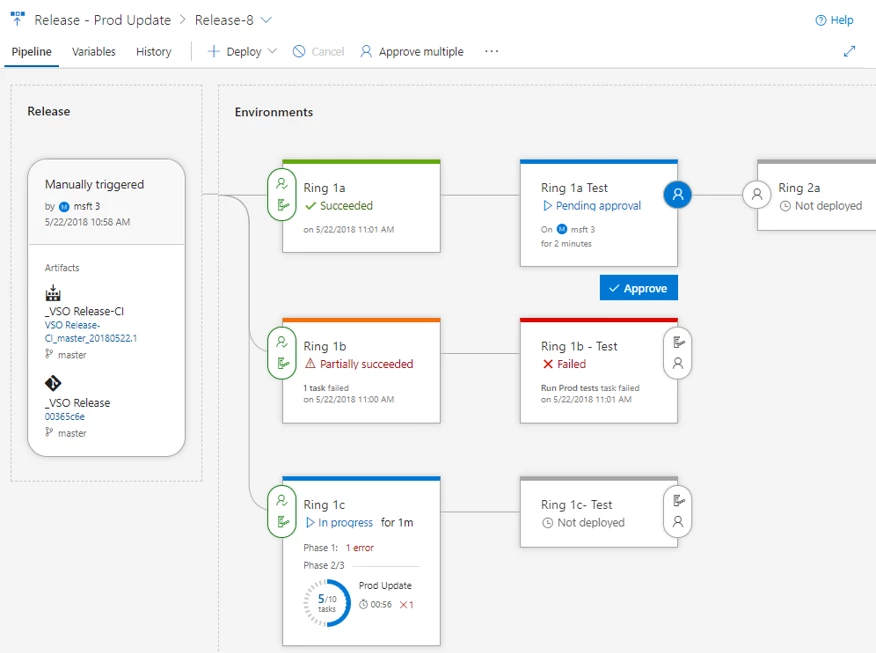
Azure DevOps provides a set of DevOps services for planning, tracking, building, testing, deploying, and managing software delivery workflows. It includes separate products for boards, pipelines, repos, test plans, artifacts, and security, with support for cloud-hosted and customizable development environments.
License: Commercial
Key features of Azure DevOps include:
- Work planning and tracking: Azure Boards provides configurable Kanban boards and related work tracking tools for planning, discussing, and managing tasks across teams.
- CI/CD pipelines: Azure Pipelines supports building, testing, and deploying applications across languages, platforms, and cloud environments, and can connect to GitHub or other Git providers.
- Version control repositories: Azure Repos offers unlimited cloud-hosted private Git repositories, pull requests, and advanced file management for source code collaboration.
- Manual and exploratory testing: Azure Test Plans supports manual and exploratory testing workflows to help teams validate software before release.
- Package management: Azure Artifacts lets teams create, host, share, and consume packages, with native integration into Azure Pipelines workflows.
- Security testing integration: GitHub Advanced Security for Azure DevOps adds security testing capabilities that support secure development from code creation through deployment.
- Customizable agent pools: Managed DevOps Pools allow teams to create and customize agent pools while balancing security, cost, performance, and common DevOps workflow needs.

Source: Microsoft
5. GitHub Actions
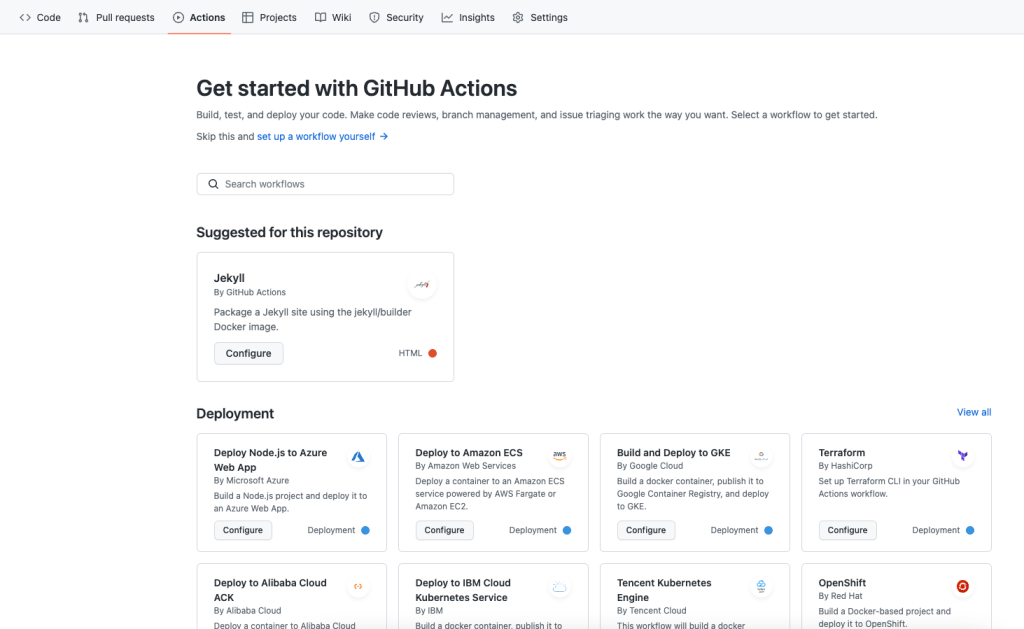
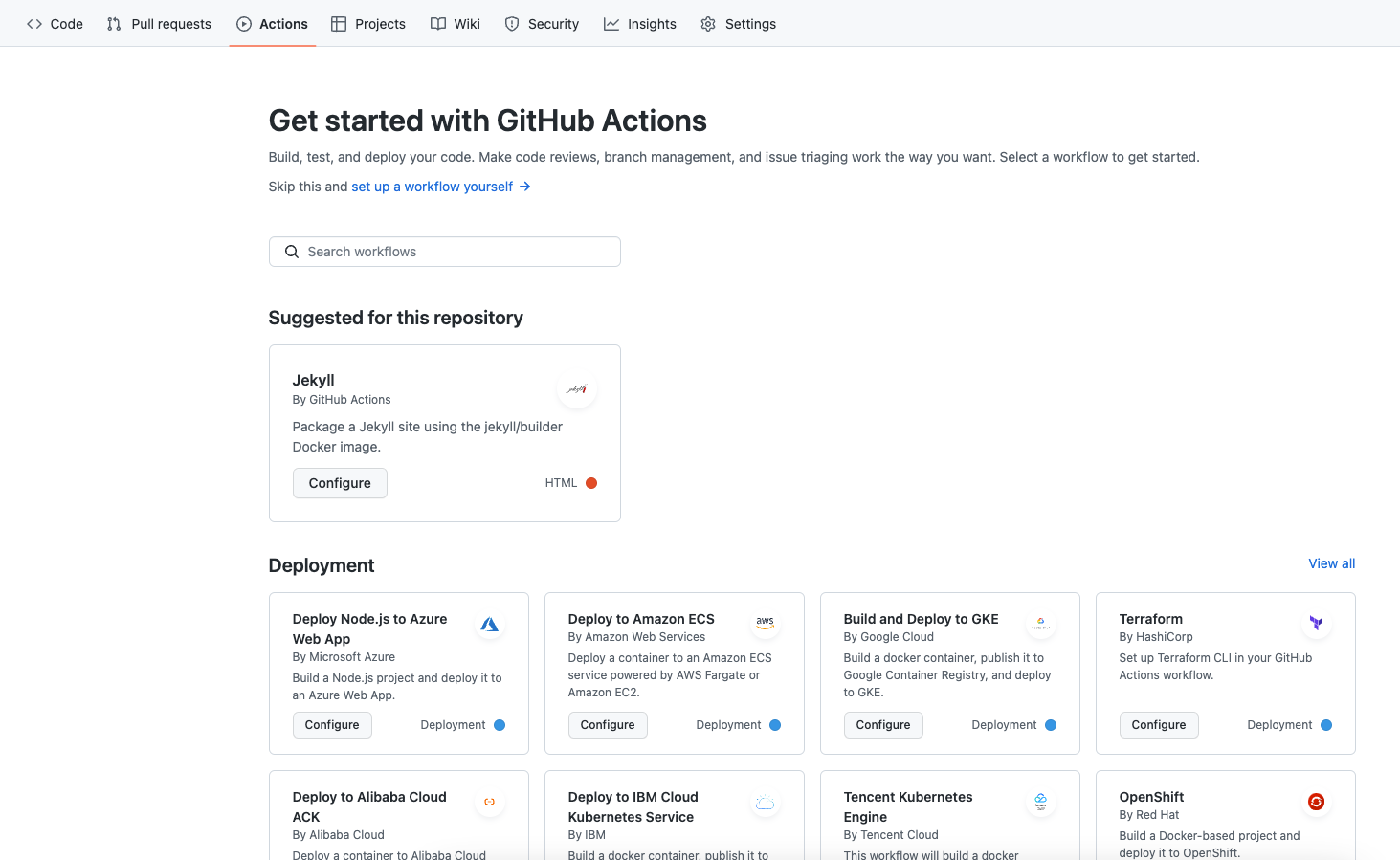
GitHub Actions automates software workflows directly in GitHub repositories. It supports event-based automation, hosted and self-hosted runners, matrix testing, built-in secrets, marketplace actions, and workflow definitions stored in repository files.
License: Free for public repositories, commercial for private repositories (varies by usage)
Key features include:
- Event-driven workflows: Workflows can start from GitHub events such as pushes, issue activity, releases, and manual triggers to automate development and repository tasks.
- Hosted and self-hosted runners: Jobs can run on GitHub-hosted Linux, macOS, Windows, ARM, GPU, and container environments, or on self-hosted virtual machines.
- Matrix builds: Matrix workflows allow teams to test across multiple operating systems and runtime versions at the same time within one pipeline definition.
- Broad language support: GitHub Actions supports Node.js, Python, Java, Ruby, PHP, Go, Rust, .NET, and other languages for build, test, and deployment workflows.
- Live workflow logs: Workflow runs provide realtime logs with shareable links to specific lines, making it easier to inspect and discuss failures.
- Built-in secret store: Secrets can be stored and used in workflow files so credentials and sensitive values are managed inside repository automation.
- Marketplace and custom actions: Teams can use marketplace actions for common tasks or create their own actions in JavaScript or containers for custom automation.
Source: GitHub Actions
Conclusion
Harness.io provides a platform for managing the software delivery lifecycle, combining automation with insights to improve reliability and efficiency. While its extensive feature set caters to modern DevOps practices, it’s important to evaluate specific organizational needs to determine the best fit among alternatives. By exploring tools like Harness and its competitors, teams can find solutions that align with their workflows, goals, and scale.
Help us continuously improve
Please let us know if you have any feedback about this page.