What is Jenkins?
Jenkins is an open-source automation server used primarily for Continuous Integration (CI). It allows developers to automate the process of building, testing, and deploying software. Jenkins supports plugins, allowing users to extend its capabilities to fit diverse workflows and environments. With a large and active community, Jenkins offers integrations with various tools for version control, notifications, artifact management, and more.
Several alternatives to Jenkins exist for Continuous Integration and Continuous Delivery (CI/CD), offering various features, hosting options, and integrations. Factors to consider when choosing an alternative include:
- Hosting preference: Cloud-based (SaaS) or self-hosted solutions. Integration needs: compatibility with existing tools and platforms (e.g., version control, cloud providers).
- Scalability and performance: Ability to handle current and future workload demands.
- Features and customization: Specific CI/CD capabilities and flexibility for tailoring workflows.
- Cost and licensing: Pricing models for commercial tools or resource requirements for open-source options.
- Community and support: Availability of documentation, community forums, and vendor support.
Intelligent list of Jenkins alternatives in 2026: try our AI agent
We collected accurate, vetted information about more than 20 Jenkins alternatives, updated February 2026, and built an AI agent to help you choose an alternative. Fill in the details below, and the agent will provide smart, personalized recommendations.
Why consider Jenkins alternatives?
While Jenkins remains a widely used CI tool, many teams are reevaluating its role in modern software delivery pipelines. As development practices evolve toward cloud-native, containerized, and fully automated workflows, Jenkins presents several challenges that can slow teams down:
- Maintenance overhead: Jenkins must be installed, hosted, and managed, often requiring dedicated resources just to keep it running. This includes maintaining the server itself and dealing with complex configurations and plugin dependencies. What began as a tool to automate development has, for many, become a system that demands automation of its own.
- Plugin-based architecture: Once a key strength, this has become a liability for many teams. Critical functionality, such as integrations, notifications, and deployment strategies, relies on plugins that may be outdated, poorly maintained, or incompatible with others. Managing these dependencies adds risk and friction to the development process.
- Security: Jenkins has a long history of vulnerabilities, and because it depends so heavily on third-party plugins, every plugin becomes a potential attack vector. This makes it harder for organizations, especially those with strict compliance requirements, to trust Jenkins as a secure automation platform.
- Lack of compatibility with cloud-native environments: It was built in an era of on-premises infrastructure, and adapting it to cloud platforms often requires complex workarounds. Native support for container orchestration tools like Kubernetes or integration with modern DevOps platforms is lacking. As a result, teams must invest more time to make Jenkins fit into their cloud-based workflows.
- User experience: Jenkins uses a Groovy-based scripting language that can be difficult to learn and verbose to maintain. Its user interface is often seen as outdated and unintuitive, especially compared to newer CI/CD tools with simplified UIs and GitOps-style workflows.
All these issues compound as teams scale. This is why many teams are choosing to move away from Jenkins.
10 notable Jenkins alternatives
1. Octopus Deploy
Octopus Deploy is a sophisticated, best-of-breed Continuous Delivery (CD) platform for modern software teams. It offers powerful release orchestration, deployment automation, and runbook automation while handling the scale, complexity, and governance expectations of even the largest organizations with the most complex deployment challenges.
General features of Octopus:
- Reliable risk-free deployments: Octopus lets you use the same deployment process across all environments. This means you can deploy to production with the same confidence you deploy to everywhere else. Built-in rollback support also makes it easy to revert to previous versions.
- Deployments at scale: Octopus is the only CD tool with built-in multi-tenancy support. Deploy to two, ten, or thousands of customers without duplicating the deployment process.
- One platform for DevOps automation: Runbooks automate routine and emergency operations tasks to free teams for more crucial work. They can also be used to provide safe self-service operations to other teams.
- Streamlined compliance: Full auditing, role-based access control, and single-sign- on (SSO) as standard to make audits a breeze and to provide accountability, peace of mind, and trust.
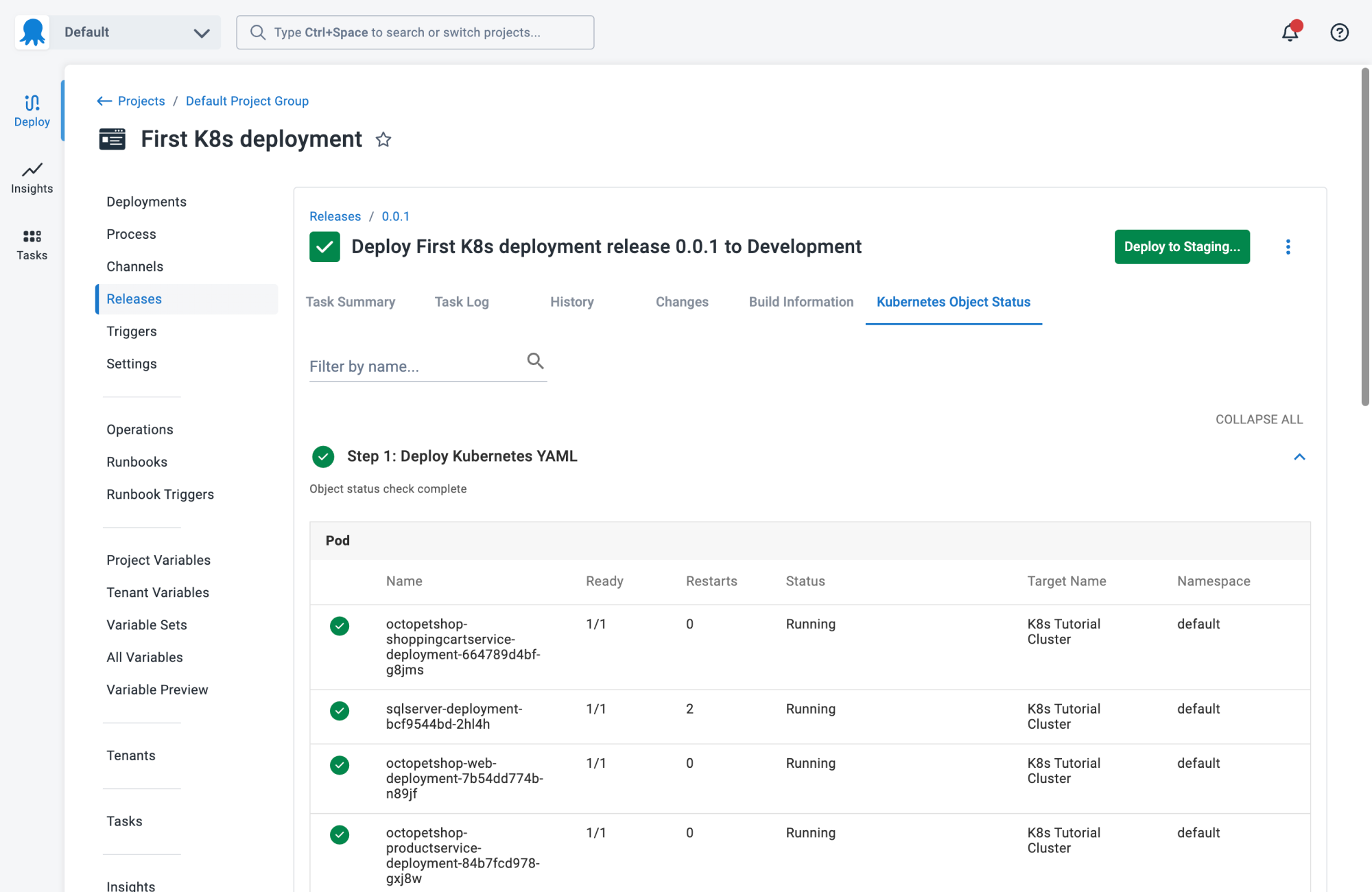
Kubernetes-specific features:
- Environment progression: Spend less time updating manifest files or writing custom scripts with built-in environment modelling and progression.
- Single pane of glass: Get everything you need in one place, such as live status, deployment history, logs, and manifests across all clusters and environments.
- Enterprise-grade compliance: Use role-based access controls (RBAC) to handle access to applications and environments, and built-in ITSM integrations for change management.

Get started with Octopus for free
Standardize and automate Kubernetes deployments across teams and environments.
2. GitHub Actions
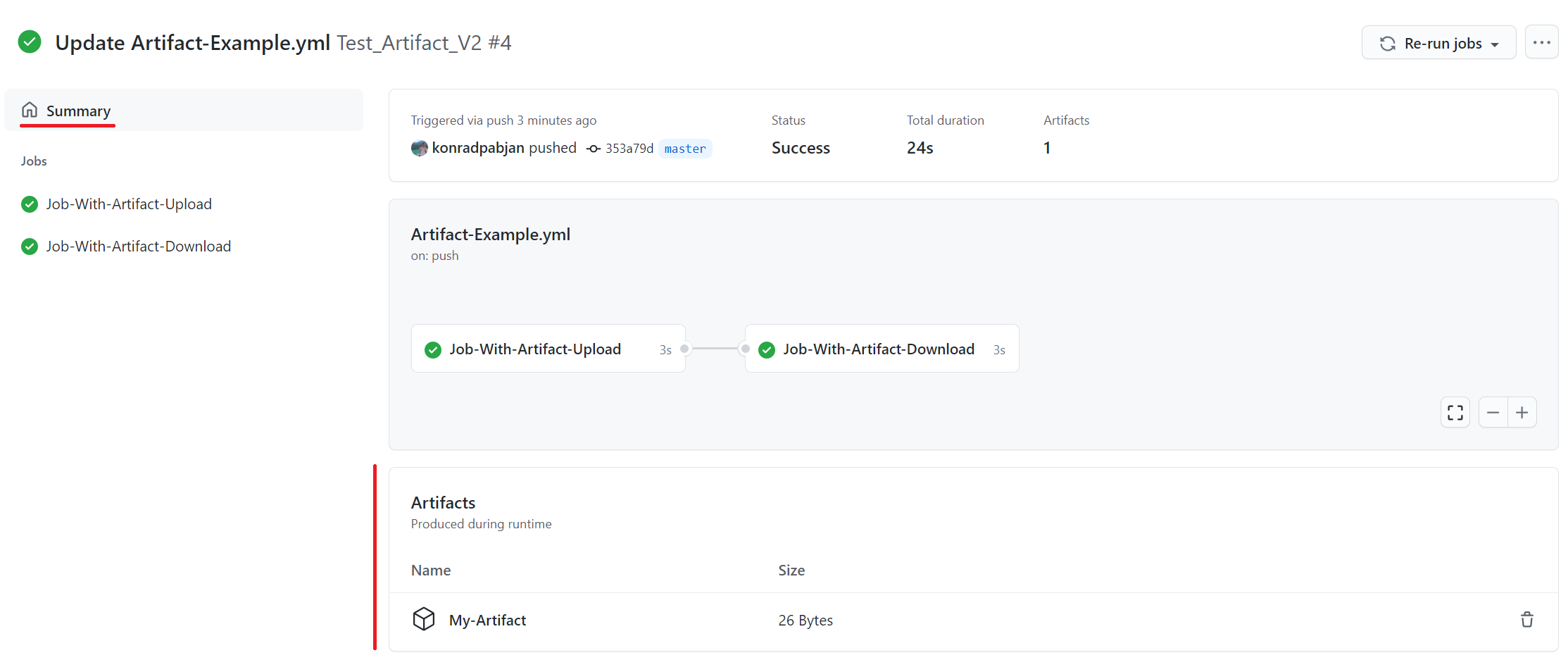
GitHub Actions is a CI/CD platform built into GitHub, making it possible to automate software workflows without leaving the repository. It allows teams to build, test, and deploy code based on GitHub events like pushes, pull requests, or releases. Actions provide a native way to connect development, automation, and deployment in one place.
Key features include:
- Event-driven workflows: Trigger pipelines on any GitHub event, from code pushes to issue creation.
- Hosted and self-hosted runners: Run jobs on GitHub-hosted Linux, macOS, Windows, ARM, and GPU machines, or use your own infrastructure.
- Matrix builds: Test across multiple operating systems and runtime versions in parallel.
- Language support: Works with Node.js, Python, Java, Ruby, PHP, Go, Rust, .NET, and more.
- Live logs: Monitor builds in real time with shareable logs for easier troubleshooting.
3. GitLab CI/CD
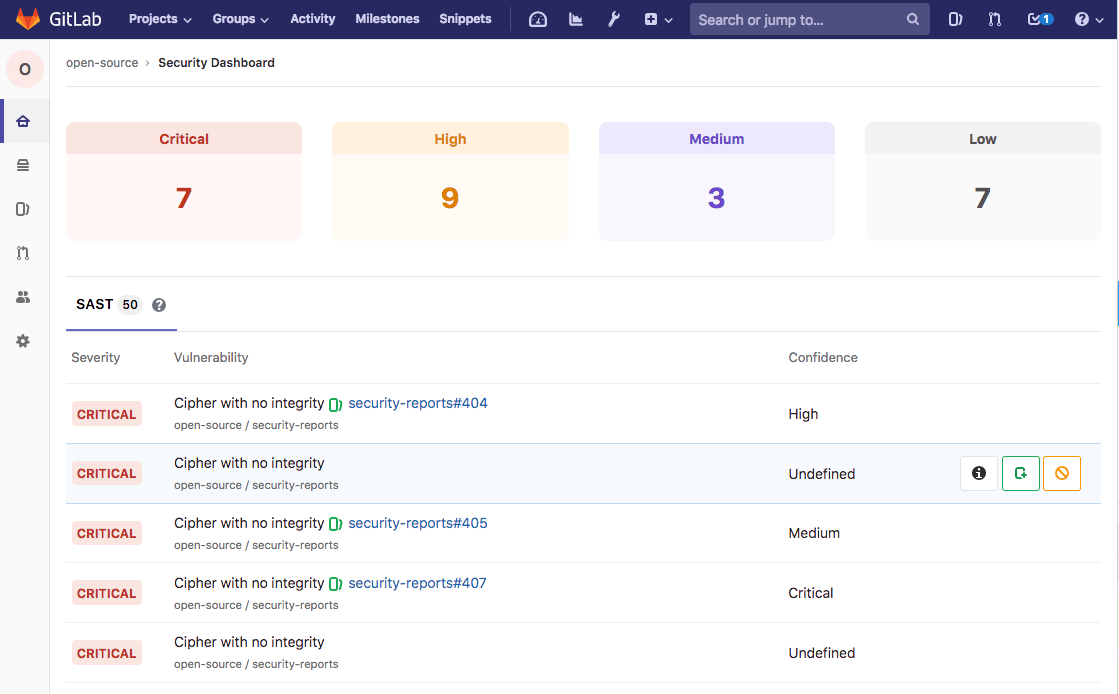
GitLab CI/CD is a fully integrated part of the GitLab platform that automates the entire software delivery lifecycle, from code commit to production deployment. It enables teams to build, test, package, and release secure software faster, while embedding security and compliance checks into every stage.
Key features include:
- Pipeline automation: Automate building, testing, packaging, and deploying code directly from commits.
- Pipeline templates and catalogs: Use built-in templates or preconfigured components from a public or private catalog to speed up setup.
- Merge trains: Keep the main branch stable by automatically merging and testing changes in sequence.
- Parent-child pipelines: Break large pipelines into smaller, faster, and more manageable pieces.
- Hosted or self-hosted runners: Run CI/CD jobs on GitLab-managed infrastructure or your own.
Learn more in our detailed guide to Jenkins vs GitLab (coming soon)
4. CircleCI
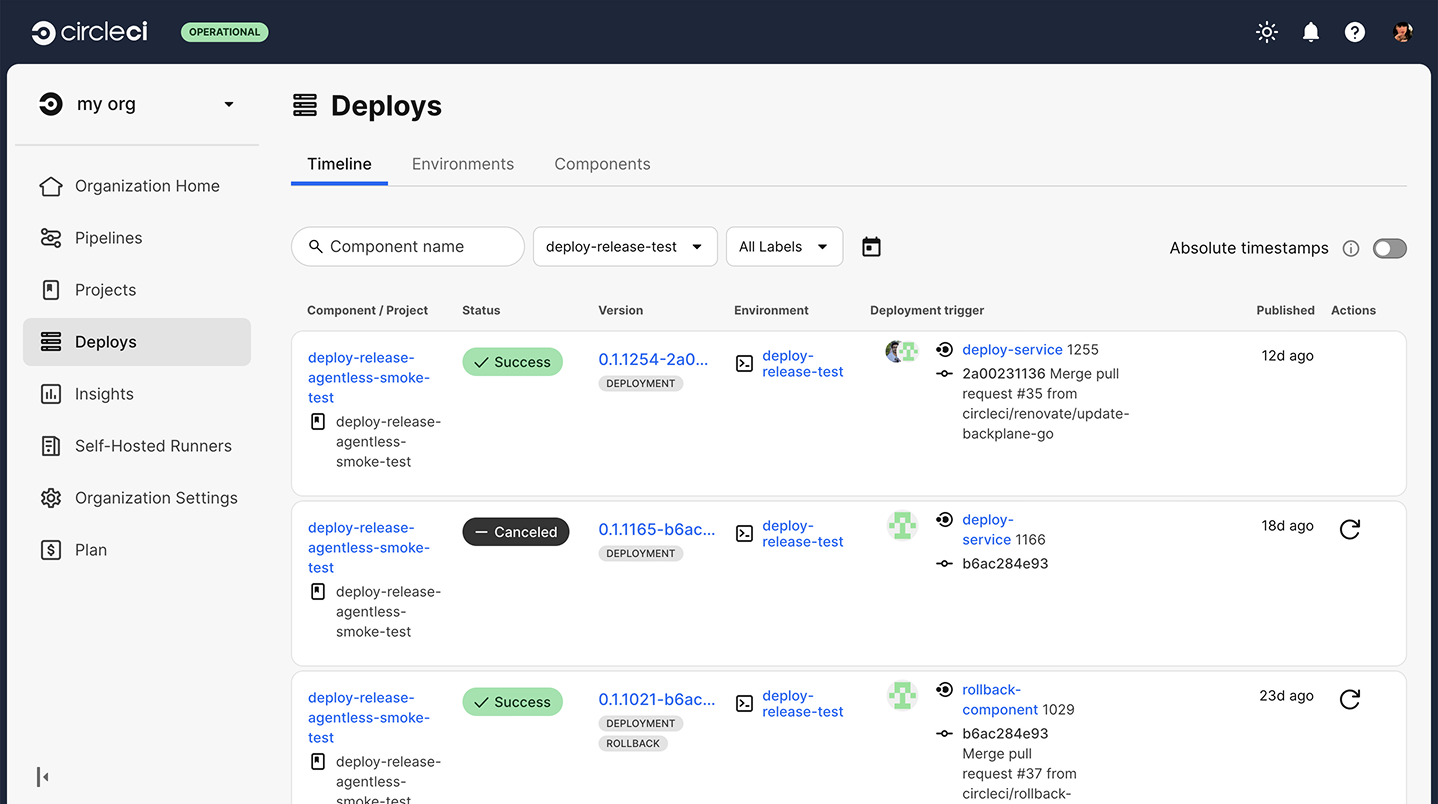
CircleCI is a CI/CD platform focused on speed, reliability, and validation of code changes. It helps teams ship software by testing, orchestrating, and automating releases across diverse environments. It offers capabilities for developers, platform engineers, and AI-driven workflows.
Key features include:
- Validation: Continuously validate changes from developers, dependencies, or AI-generated code.
- Fast feedback loops: Deliver rapid test results to keep development moving without bottlenecks.
- Test orchestration: Run, distribute, and manage tests at scale to improve coverage and reliability.
- Release management: Monitor incremental releases, automate rollbacks, and track live changes for safer deployments.
- Insight generation: Detect failures quickly and provide actionable information to resolve them.

5. Travis CI
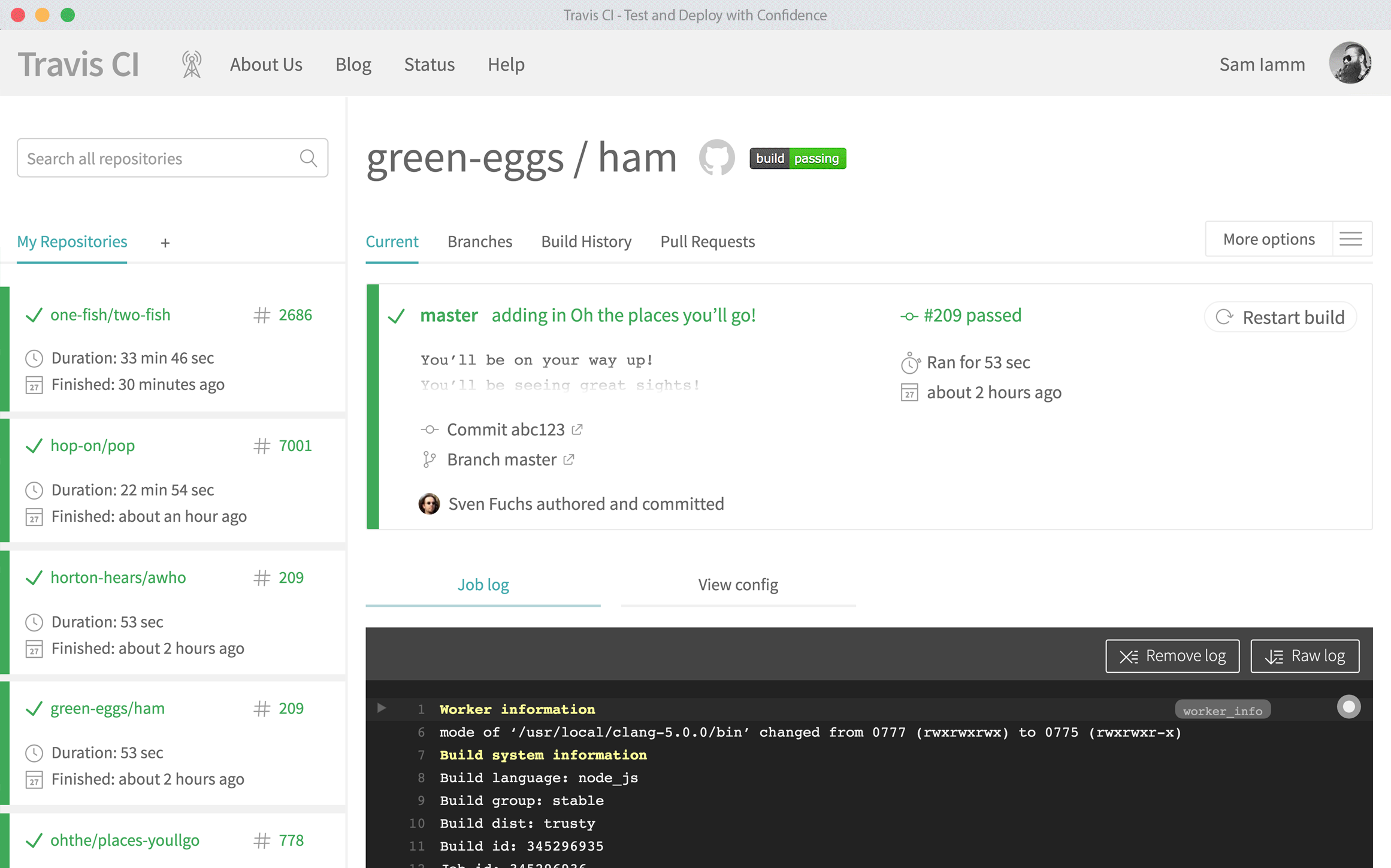
Travis CI is a lightweight CI/CD platform for developers who want simple pipelines without unnecessary complexity. It emphasizes a minimal configuration approach, letting teams define tests and deployments quickly with clean, compact syntax. It supports multiple languages, operating systems, and parallel builds.
Key features include:
- Quick setup: Build pipelines with minimal configuration and preconfigured environments.
- Multi-language support: Works with Python, JavaScript, Java, C/C++, PHP, Rust, Go, C#, Ruby, and more.
- Parallel and matrix builds: Run jobs across different languages, runtime versions, or dependencies simultaneously.
- Configuration as code: Define workflows in a single
.travis.ymlfile with simplified syntax. - Cross-platform builds: Test on multiple operating systems and architectures for broad coverage.
6. AWS CodePipeline
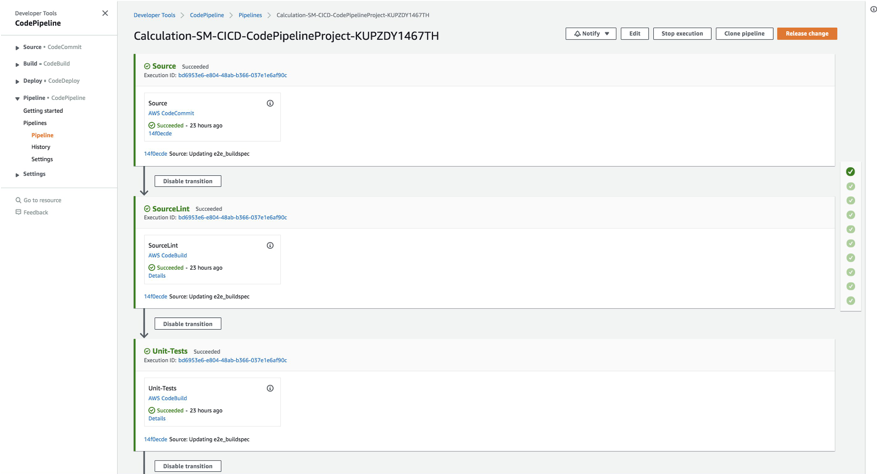
AWS CodePipeline is a fully managed Continuous Delivery service that automates the release process for applications and infrastructure. It helps teams build, test, and deploy code faster by modeling workflows as pipelines, removing the need to set up or manage servers. It offers deep integration into the AWS ecosystem and support for custom plugins.
Key features include:
- Serverless automation: Run CI/CD pipelines without provisioning or managing servers.
- Pipeline modeling: Define release stages through the AWS Management Console, CLI, or JSON templates.
- Rapid delivery: Speed up feature releases with automated testing and deployment for every code change.
- Plugin flexibility: Use AWS-provided or custom plugins at any stage of the pipeline.
- Notifications: Track pipeline events with Amazon SNS for status updates and quick issue response.

7. Azure DevOps
Azure DevOps is a cloud-based platform that unifies the software development lifecycle into one suite of tools. It helps teams plan work, collaborate on code, build and test applications, and deploy to production. With flexible service models, it supports both small teams and large enterprises managing complex projects with a modular design.
Key features include:
- Azure Boards: Plan and track work with agile tools, Kanban boards, backlogs, sprint planning, and reporting dashboards.
- Azure Repos: Host private Git repositories or use TFVC for version control, with support for pull requests, code reviews, and branching policies.
- Azure Pipelines: Build, test, and deploy using CI/CD pipelines that work across any language, platform, or cloud, with support for containers and Kubernetes.
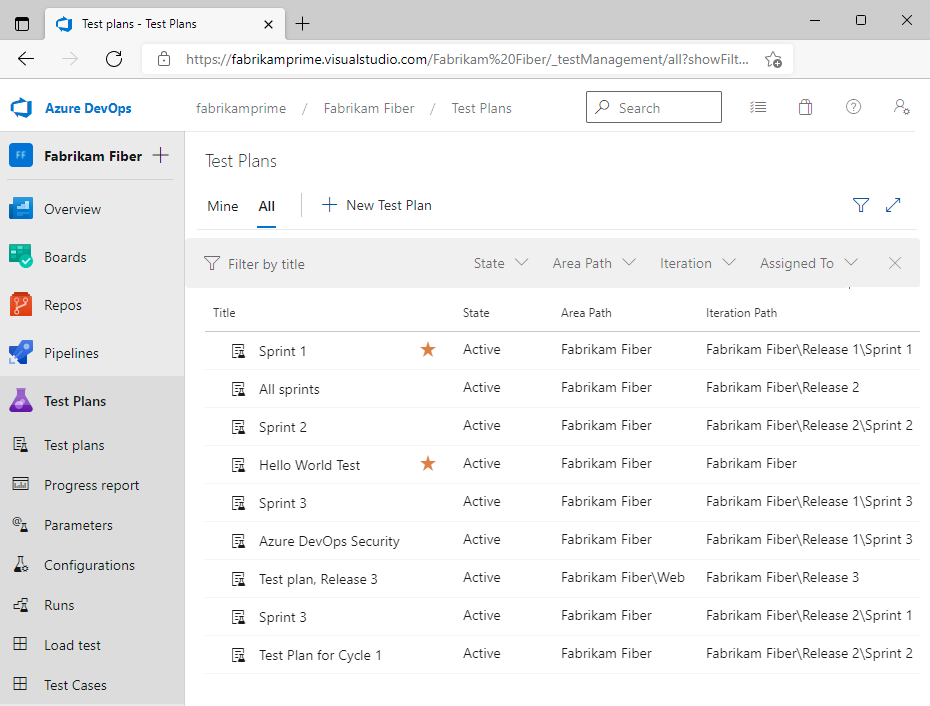
- Azure Test Plans: Manage manual, exploratory, and automated tests with traceability from requirements to results.
- Azure Artifacts: Create and share NuGet, npm, Maven, Python, and Universal packages, integrated with pipelines for consistent package management.

8. TeamCity
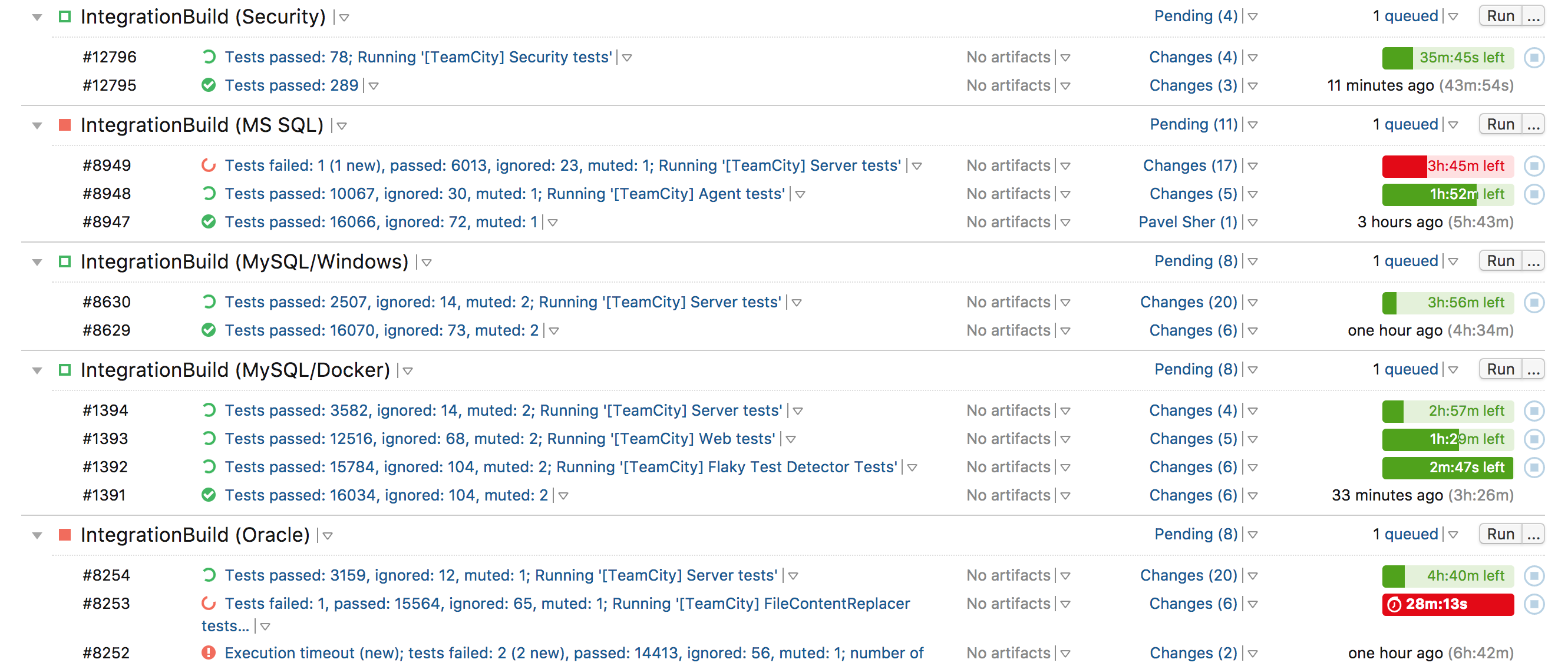
TeamCity is a CI/CD platform from JetBrains to accelerate software delivery across the tech stack at scale. It enables teams to configure pipelines as code, optimize builds with automation, and scale from small projects to thousands of concurrent builds. It includes compliance features and integrations across industries.
Key features include:
- Intelligent pipelines: Self-optimizing build pipelines that reduce runtime by up to 40%.
- Build chains and reuse: Link builds across multiple repositories, reuse parts of builds, and use caching to save time.
- Scalability: Handle workflows from a single project to thousands of concurrent builds with multi-node setups at no extra cost.
- Fast feedback loops: Enable fail-fast strategies with real-time feedback, detailed build logs, and robust test reporting.
- Test intelligence: Run tests in parallel and detect issues early to shorten the time to production.
Learn more in our detailed guide to Jenkins vs TeamCity (coming soon)
9. Harness
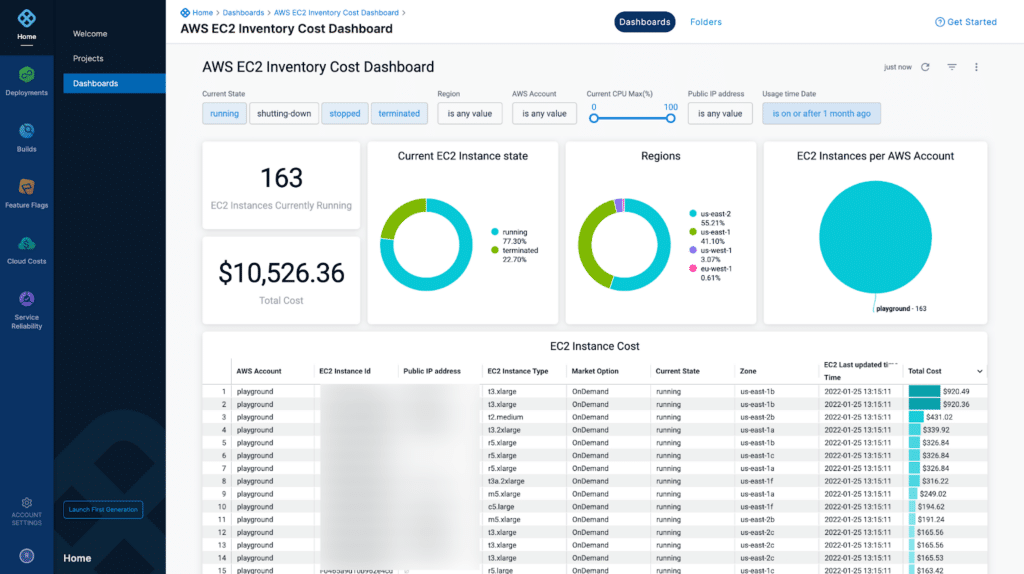
Harness is a software delivery platform that integrates AI across the SDLC to automate, optimize, and secure DevOps workflows. Since introducing AI-driven Continuous Verification in 2017, Harness has evolved to provide agent-based AI capabilities that support coding, building, testing, deploying, monitoring, and cost management.
Key features include:
- AI-powered coding: Generate code, create tests, and automate repetitive tasks using natural language prompts and semantic search.
- Smart pipelines: Simplify CI/CD management with AI-driven automation, contextual troubleshooting, and consistent deployments.
- Intelligent testing: Speed up test creation with natural language, use self-healing tests to reduce maintenance, and apply intent-based testing for stable automation.
- Release and incident management: Deploy safely with feature flags, canary releases, and automated rollbacks to reduce risk.
- Cloud cost optimization: Monitor, forecast, and optimize cloud spend with AI-powered FinOps recommendations and dashboards.

10. Spinnaker
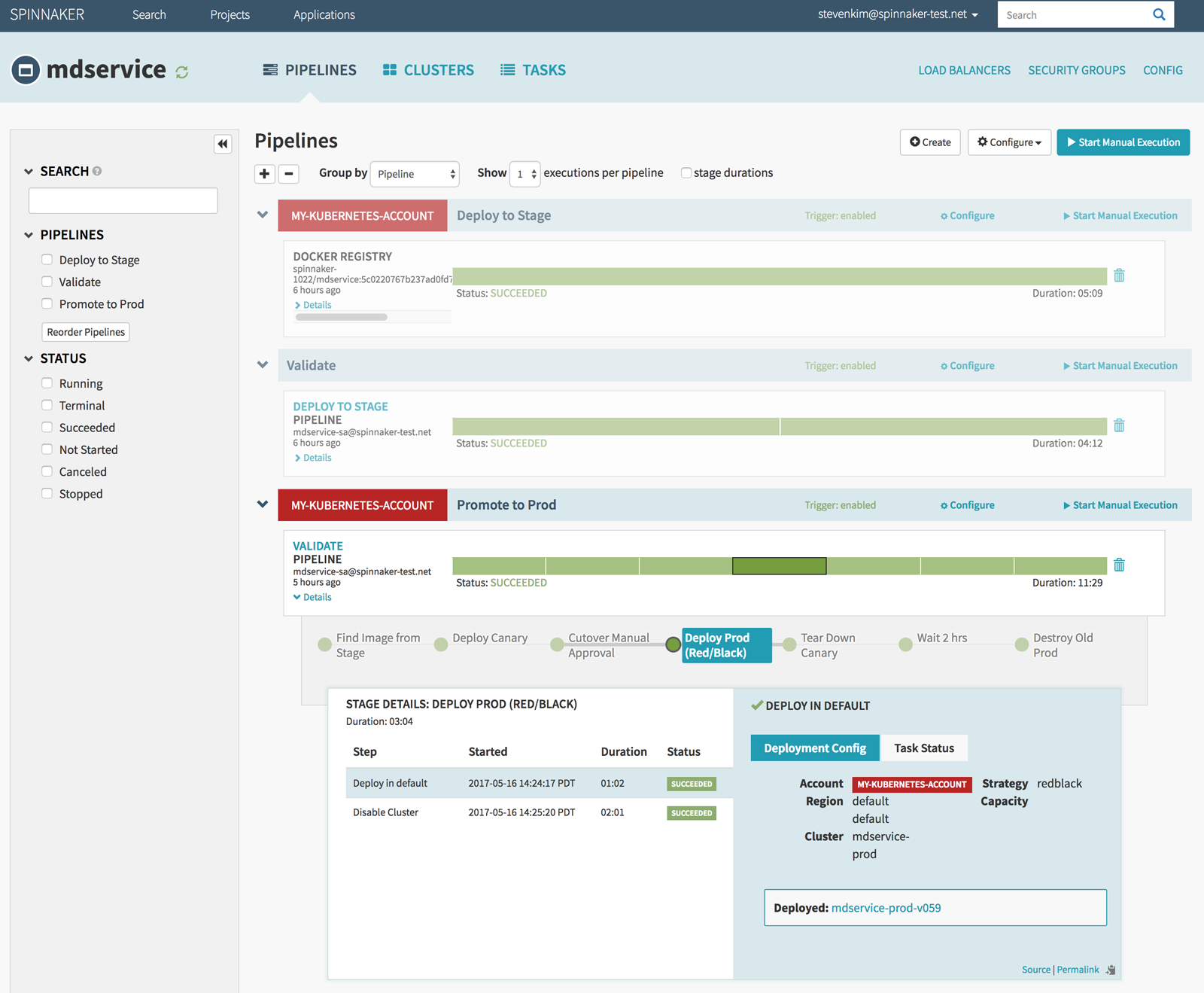
Spinnaker is an open-source, multi-cloud Continuous Delivery platform originally created at Netflix and now used by enterprises worldwide. It provides application management and automated deployment pipelines that enable teams to release software quickly, consistently, and with confidence. With integrations across major cloud providers and built-in deployment strategies, Spinnaker helps organizations standardize releases and improve reliability at scale.
Key features include:
- Pipeline automation: Define flexible pipelines triggered by Git events, CI tools, CRON, Docker registries, or other pipelines.
- Deployment best practices: Use immutable infrastructure with strategies like blue/green, canary, or custom rollouts for safer deployments.
- Multi-cloud support: Deploy across AWS, GCP, Kubernetes, Azure, Oracle Cloud, Cloud Foundry, and more.
- Role-based access control: Secure deployments by integrating with OAuth, SAML, LDAP, X.509, Google Groups, Azure Groups, or GitHub Teams.
- Chaos engineering: Integrate with Chaos Monkey to validate resilience by simulating instance failures.
Factors to consider when choosing a Jenkins alternative
Choosing the right Jenkins alternative depends on your team’s goals, infrastructure, and workflow requirements. Not all CI/CD platforms offer the same features or integration depth, so it’s important to evaluate options based on technical and operational needs.
Hosting preference
Teams that want to minimize infrastructure management often prefer cloud-hosted CI/CD solutions like GitHub Actions, CircleCI, or Harness. These tools offer built-in scalability, high availability, and security updates without requiring teams to provision or maintain servers. They’re suitable for fast-moving teams or organizations without dedicated DevOps support.
Self-hosted platforms such as Jenkins, GitLab CE, or TeamCity give teams full control over data, configurations, and network access. This is useful for organizations with strict compliance requirements or custom networking setups. However, self-hosting comes with additional responsibilities, including patching, scaling, and securing the environment.
Scalability and performance
Cloud-native CI/CD tools often offer elastic scalability, automatically adjusting compute resources based on pipeline load. Platforms like CircleCI and GitHub Actions can parallelize builds, distribute workloads across runners, and auto-scale based on usage patterns, helping large teams maintain short feedback loops.
Self-managed systems may struggle to scale as smoothly. Jenkins, for example, requires manual configuration of agents and queue management to achieve horizontal scalability. Without careful tuning, pipeline runtimes can increase and affect developer productivity.
Features and customization
Modern CI/CD platforms prioritize opinionated workflows and tight integration over extensive customization. Tools like GitHub Actions or AWS CodePipeline offer simplified, event-driven pipelines that work well with their respective ecosystems, but may lack deep flexibility for complex use cases.
Tools like Jenkins or Spinnaker offer high customization through plugins, scripting, and modular pipelines. This allows tailored workflows but often comes at the cost of complexity, requiring more expertise and ongoing maintenance to stay efficient and secure.
Cost and licensing
Open-source options like Jenkins and GitLab CE have no licensing costs but can incur hidden costs from infrastructure management, plugin development, or internal support. They may be cost-effective for teams with DevOps experience and stable usage patterns.
SaaS CI/CD platforms typically charge based on usage, such as build minutes, concurrency, or user seats. While they reduce operational overhead, costs can grow quickly with scale, making it important to monitor consumption and optimize workflows to avoid budget overruns.
Community and support
Mature platforms like Jenkins, GitLab, and GitHub benefit from large, active communities with extensive documentation, forums, and community plugins. This makes troubleshooting easier and accelerates learning curves for new users.
Commercial offerings often include dedicated support, SLAs, and professional services. Tools like Octopus Deploy, TeamCity, Harness, or Azure DevOps provide enterprise-grade support options, which can be critical for high-stakes deployments or regulated environments where reliability and response time are paramount.
Conclusion
CI/CD platforms are central to modern software delivery, enabling teams to release updates faster, more reliably, and with greater confidence. The right solution reduces operational complexity, integrates smoothly with existing workflows, and supports scalability as projects grow. By carefully evaluating requirements around hosting, security, automation, and ecosystem compatibility, organizations can select a platform that not only accelerates delivery but also strengthens collaboration, compliance, and long-term maintainability.
Help us continuously improve
Please let us know if you have any feedback about this page.