Argo CD is a declarative Continuous Delivery tool for Kubernetes based on the GitOps pattern. It automates the deployment of applications by syncing them from a Git repository to a Kubernetes cluster. Argo CD tracks the state of applications in the cluster and ensures that they match the desired state specified in the Git repo, enabling automated or manual syncing and providing a visual UI for easy monitoring.
Argo CD supports Single Sign-On (SSO), an authentication process that allows a user to access multiple applications or systems with one set of credentials. This means that after logging in once, the user can navigate between different services without the need to re-enter authentication details. It works by establishing a trust relationship between an identity provider (IdP) and various service providers (SPs).
In the context of Argo CD, SSO can simplify the login process for users and improve security. Users can sign in with existing organizational credentials or via popular development platforms. Later in this article we’ll show how to enable login into ArgoCD via GitHub credentials, which most developers already have.
Options to configure SSO in Argo CD
There are several ways to set up SSO in Argo CD.
Bundled Dex OIDC provider
Argo CD integrates Dex as an in-built service. Dex supports SSO by acting as an intermediary that can connect with multiple IdPs using different protocols like LDAP, SAML, and OIDC. This bundled Dex OIDC provider allows Argo CD to connect to external authentication sources even if they do not natively support OIDC or if advanced mapping of user information is required.
Configuring SSO in Argo CD through Dex involves specifying the necessary connector settings within the argocd-cm ConfigMap. These settings detail how Argo CD should communicate with Dex and, subsequently, with the external IdP for authentication purposes.
Existing OIDC provider
Argo CD supports direct integration with an existing OpenID Connect (OIDC) provider, allowing organizations to leverage their current identity management solutions for user authentication. This option is suitable for environments where an OIDC-compliant identity provider like Okta, Google, or Auth0 is already in use.
The integration process involves updating the argocd-cm ConfigMap with the OIDC configuration details such as the issuer URL, client ID, and client secret. Administrators can also specify scopes and claims to request specific user information from the identity provider. This allows for fine-grained access control based on user attributes fetched from the OIDC provider.
Quick tutorial: configuring SSO in Argo CD with Dex
Here’s an overview of how to configure SSO in Argo CD using Dex. The code is adapted from the Argo CD documentation.
Prerequisites
Before proceeding, make sure ArgoCD is running in your Kubernetes cluster:

Set a domain name for your ArgoCD installation:
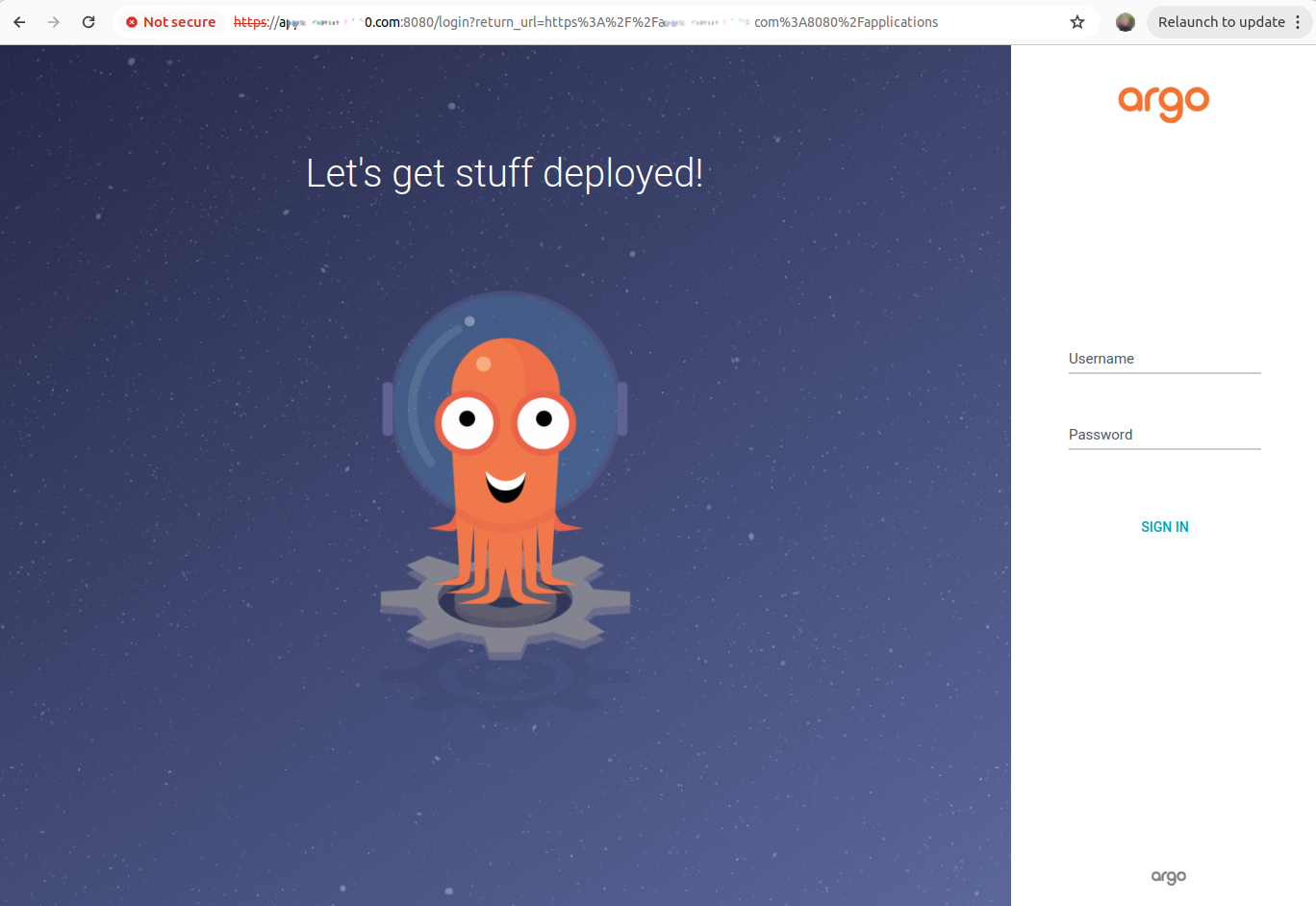
Ensure your /etc/hosts has an IP, with domain name mapping. In addition, the IP address for service/argocd-server must be mapped against your domain, as shown in the screenshots below.
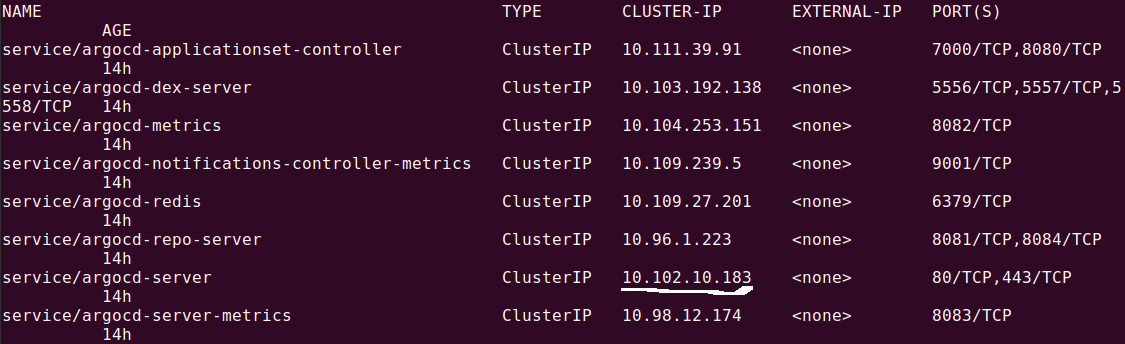
Finally, ensure dex server is running for your ArgoCD installation:

Register your application in the IdP
To set up SSO in Argo CD using an identity provider like GitHub, register a new OAuth application in the provider’s platform. The registration process involves specifying a callback URL that points to the /api/dex/callbackendpoint of your Argo CD instance (e.g., https://argocd.demo.com/api/dex/callback).
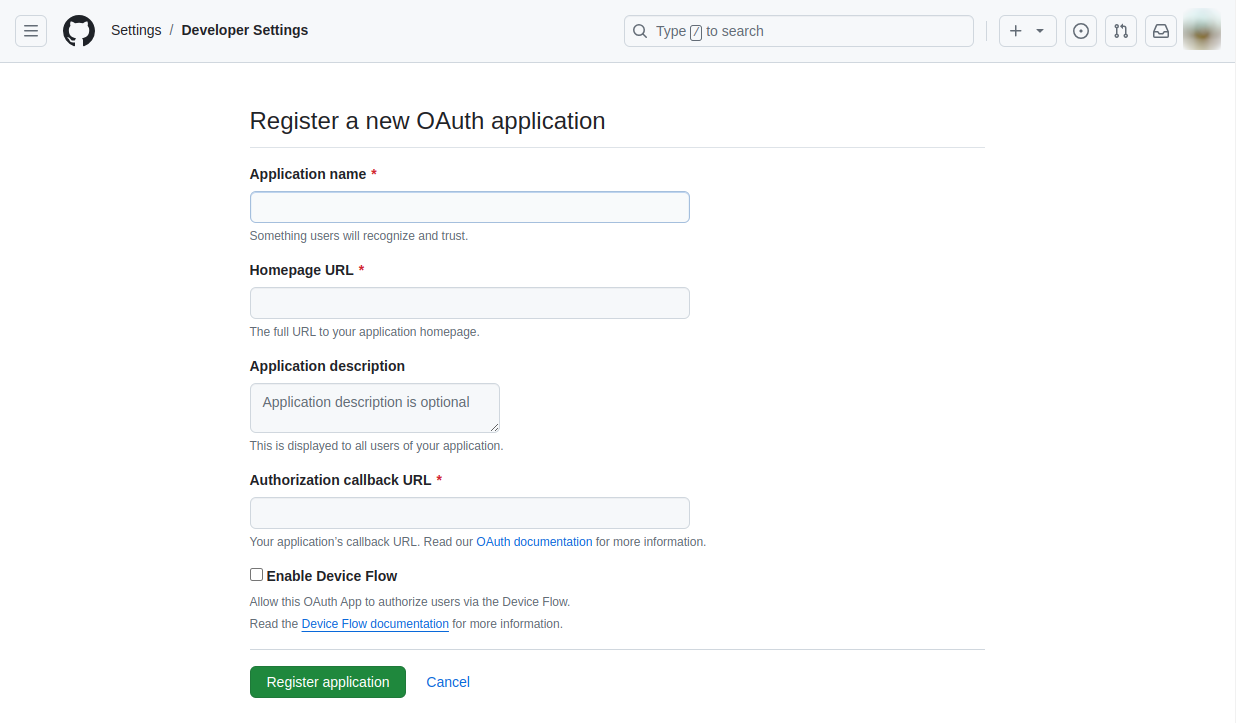
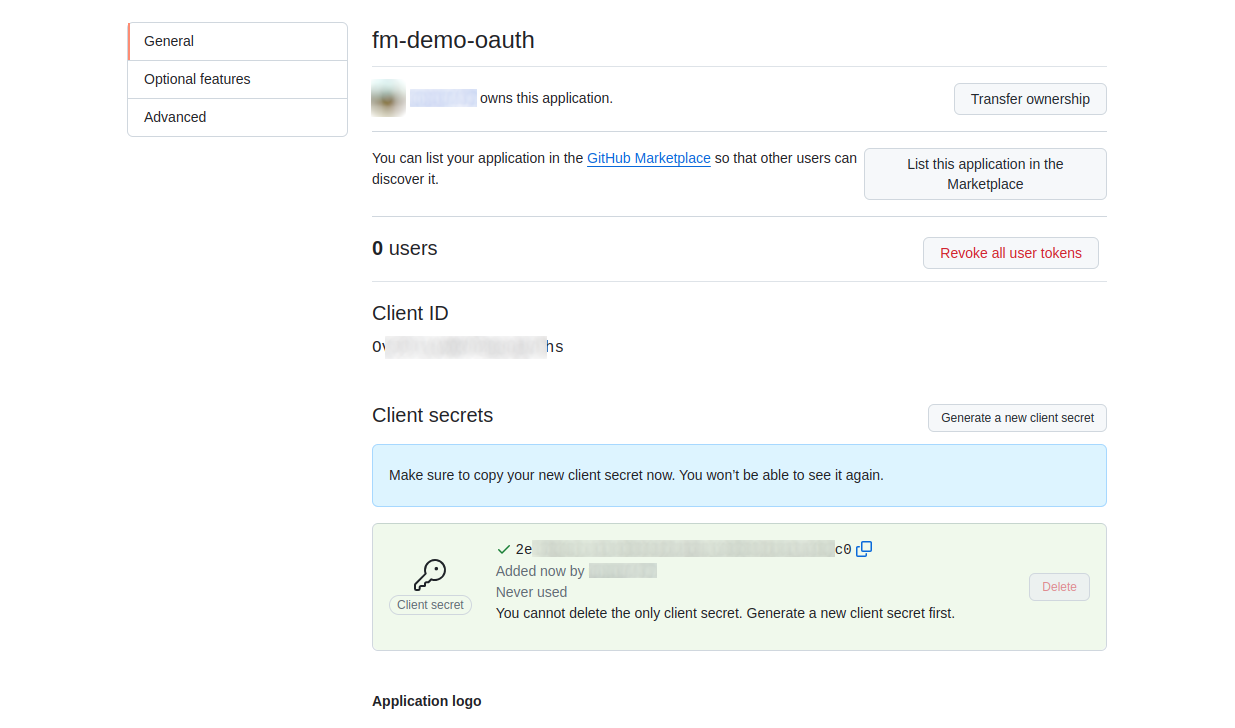
After completing the registration, you’ll receive an OAuth2 client ID and secret. These credentials are essential for configuring the connection between Argo CD and the identity provider. The configuration in Dex should look like the following:
data:
  dex.config: |
    connectors:
      - type: github
        id: github
        name: GitHub
        config:
          clientID: aabbccddeeff00112233
          clientSecret: $dex.github.clientSecret
          orgs:
          - name: my-github-org
You can create the secret using the command:
create secret generic dex-github-secret --from-literal=clientSecret=<secret>Configure SSO for Argo CD
To configure Argo CD for SSO, modify the argocd-cm ConfigMap in the Argo CD namespace. This involves setting up the base URL of your Argo CD instance and defining the Dex configuration with your identity provider’s details.
The url key should contain the base URL of Argo CD, while the dex.config key should include connector configurations corresponding to your identity provider:
data:
  url: https://argocd.demo.com
  dex.config: |
    connectors:
      - type: github
        id: github
        name: GitHub
        config:
          clientID: abcd12345678
          clientSecret: $dex.github.clientSecret
          orgs:
          - name: my-github-org
Configure OIDC with Dex
To use Dex for OIDC authentication in Argo CD, configure the argocd-cm ConfigMap with the appropriate connector settings. This involves specifying the OIDC provider’s information, including the issuer URL, client ID, and client secret.
Here’s a basic configuration example:
Data:
  url: "https://argocd.demo.com"
  dex.config: |
    connectors:
      - type: oidc
        id: oidc
        name: OIDC
        config:
          issuer: https://demo-OIDC-provider.demo.com
          clientID: abcd123456789
          clientSecret: $dex.oidc.clientSecret
The issuer URL typically contains .well-known/openid-configuration, which Dex uses to communicate with the provider.
To request additional ID token claims such as groups, update your configuration to include them under the scopes entry and enable insecureEnableGroups for group claims:
data:
  url: "https://argocd.demo.com"
  dex.config: |
    connectors:
      - type: oidc
        id: oidc
        name: OIDC
        config:
          issuer: https://demo-OIDC-provider.demo.com
          clientID: abcd123456789
          clientSecret: $dex.oidc.clientSecret
          insecureEnableGroups: true
          scopes:
            - profile
            - email
            - groups
This extended configuration specifies that Dex should fetch additional user information by requesting specific scopes from the OIDC provider. The insecureEnableGroups flag allows Dex to retrieve group membership information, which can be useful for implementing role-based access controls within Argo CD.
Enabling Users to Sign into Argo CD with GitHub
Here’s an overview of how to configure SSO in Argo CD using GitHub.
Configure an OAuth Application in GitHub
To integrate SSO with GitHub into Argo CD, begin by creating an OAuth application. Navigate to your GitHub account settings, access the developer settings, and select OAuth Apps. Click New OAuth App and fill in the application details including a name, homepage URL, and callback URL formatted as: https://<argocd-instance>/auth/callback.
Specify the OAuth scope as read:org
Upon saving your OAuth application on either platform, you’ll be provided with a Client ID and Client Secret. Ensure these values are securely stored as they will be used in the next step.
Modify the Argo CD ConfigMap
To integrate SSO with GitLab in Argo CD, update the argocd-cm ConfigMap to include the Dex configuration for GitHub as an identity provider. This involves specifying details such as the application ID and secret obtained from GitHub, and setting up the redirect URI to point back to Dex after authentication.
Here’s how to structure this configuration:
data:
  dex.config: |
    connectors:
      - type: github
        id: github
        name: GitHub
        config:
          baseURL: https://github.com
          clientID: $DEMO_APP_ID
          clientSecret: $DEMO_CLIENT_SECRET
          redirectURI: https://demo.argocd.com/api/dex/callback
After updating the ConfigMap, restart the Dex server for changes to take effect:
kubectl rollout restart deployment argocd-dex-server -n argocd
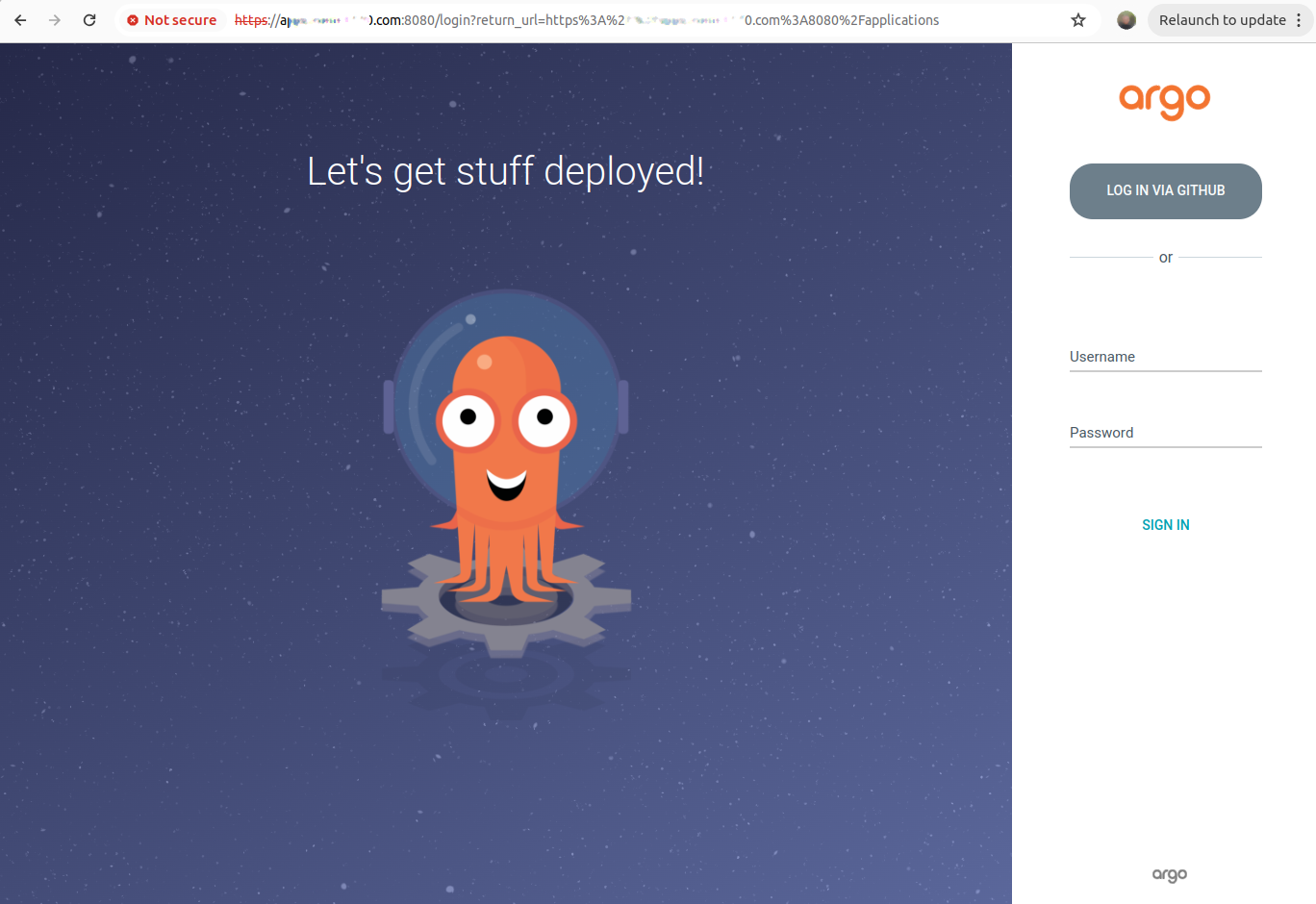
This command triggers a rolling restart of the Dex server deployment within the Argo CD namespace, ensuring that your updated configuration is loaded. Once restarted, users attempting to log into Argo CD will be redirected to GitHub’s login page for authentication, thereby leveraging SSO capabilities for streamlined access management.
Help us continuously improve
Please let us know if you have any feedback about this page.