What are Kubernetes deployment tools?
Kubernetes deployment tools enable the management and scaling of container-based applications. They help automate the deployment, scaling, and operations of application containers across clusters of hosts. These tools aim to simplify Kubernetes cluster administration, ensuring that applications run exactly as specified and can recover from failures.
Deployment tools are often used to support Continuous Delivery and Continuous Integration (CI/CD) processes when deploying updates to Kubernetes clusters. By allowing declarative configuration and management, they ensure the reproducibility of application environments. Their automation reduces the overhead associated with manual updates and deployments, enabling fast, reliable releases.
Kubernetes market and trends
Market growth
The Kubernetes market is growing quickly as organizations increasingly adopt container orchestration platforms. The market is expected to expand from USD 3.13 billion to USD 8.41 billion by 2031, representing a 21.85% compound annual growth rate (CAGR) between 2026 and 2031.
Adoption is now widespread among large organizations. Nearly every large enterprise treats Kubernetes as its default container orchestrator, and 96% of enterprises report using or evaluating Kubernetes for production workloads.
Managed Kubernetes services account for most new deployments. Organizations often prefer these services because they provide simplified cluster management, automated upgrades, and integrated security and compliance features.
Market segmentation trends
Several trends are visible across components, deployment models, and organization sizes.
By component, solutions hold 55.40% of the market, including Kubernetes distributions and management platforms. However, services are growing faster, with a projected 23.3% CAGR through 2031 as organizations seek help with migration, optimization, and compliance.
By deployment model, managed Kubernetes account for 62.30% of the market. Multi-cloud managed offerings are expected to grow rapidly as companies aim to avoid vendor lock-in and distribute workloads across multiple environments.
In terms of organization size, large enterprises represent 69.20% of the market, but small and medium-sized enterprises (SMEs) are expected to grow faster due to simplified managed services and improved automation.
Regional trends
North America leads the Kubernetes market, accounting for 36.40% of global revenue. The region benefits from strong cloud infrastructure, early enterprise adoption, and large developer communities.
The Asia-Pacific region is forecast to grow the fastest, with a 22.6% CAGR between 2026 and 2031. Digital transformation initiatives, expanding cloud infrastructure, and investments in technologies such as 5G are increasing demand.
Europe also maintains a strong presence in the market, driven by organizations adopting Kubernetes for hybrid architectures while meeting regional data protection and compliance requirements.
Key features of Kubernetes deployment tools
Kubernetes deployment tools typically include some or all of the following capabilities:
Environment promotion
Environment promotion involves moving applications and services through different stages, such as development, staging, and production. Kubernetes deployment tools support this process by automating application promotion across environments. This is typically achieved through pipelines that enforce checks, validations, and automated testing before an application is promoted to the next stage.
Templating and application modeling
Kubernetes deployment tools often use Helm charts or similar templating mechanisms to define the desired state of an application. These templates enable developers to abstract the complexity of Kubernetes manifests, making it easier to manage different configurations for various environments. Application modeling further allows teams to represent the architecture of an application, including its dependencies and required resources.
Smooth integration with CI and other DevOps tools
Kubernetes deployment tools integrate with Continuous Integration (CI) systems and other DevOps tools. This integration enables automated testing, building, and deployment of applications whenever code changes are committed. It reduces the time and effort required to move from code commit to production, while also improving the traceability of deployments.
Deployment success monitoring
Deployment tools offer built-in monitoring features that track the status of deployments, including metrics such as pod availability, application performance, and resource use. These tools can provide real-time alerts and dashboards that allow teams to quickly identify and address issues that arise during or after deployment.
Secret and configuration management
Kubernetes deployment tools provide mechanisms for securely storing, accessing, and managing sensitive information such as API keys, passwords, and certificates. They also allow for dynamic configuration of applications, enabling updates without the need for redeploying the entire application. By integrating secret management into the deployment process, these tools help maintain security and compliance.
Security and compliance
Deployment tools often include features to enforce security policies, such as role-based access control (RBAC), network policies, and vulnerability scanning. They can also automate compliance checks, ensuring that deployments meet industry standards and organizational policies. This helps protect sensitive data and ensure that applications comply with regulatory requirements.
Full-featured Kubernetes deployment tools
1. Octopus
Octopus Deploy is a Continuous Delivery (CD) platform enabling deployment orchestration for Kubernetes as well as deployments to other platforms. Octopus provides an engine to template Kubernetes configurations, build advanced deployment processes and model environment promotion. Octopus allows you to apply DevOps best practices to Kubernetes, combining them with GitOps-style deployments and Kubernetes-native tools.
License: Commercial
Key features of Octopus Deploy:
- Environment promotion: environments in the core concept of Octopus. You can define environments and promotion flows for groups of applications. Octopus allows the separation of application configuration and environment properties to make adding or modifying environments across myriads of applications easy.
- Configuration templates: with Octopus, you can manage Kubernetes configuration using Helm, Kustomize, or YAML. You also have the option to create a configuration using the Octopus UI. By combining declarative configurations with Octopus variables, you can create templates that are reusable across multiple environments or applications
- Advanced deployment pipelines: deployment pipelines can include smoke tests, approvals, change management, notifications, and more. The pipeline can also combine multiple deployments, like creating a resource with Terraform and deploying a database and an app on Kubernetes.
- Service tasks: go beyond deployments with maintenance tasks like app scaling, restarts, or troubleshooting. Design your maintenance tasks by combining Octopus steps or adding your own.
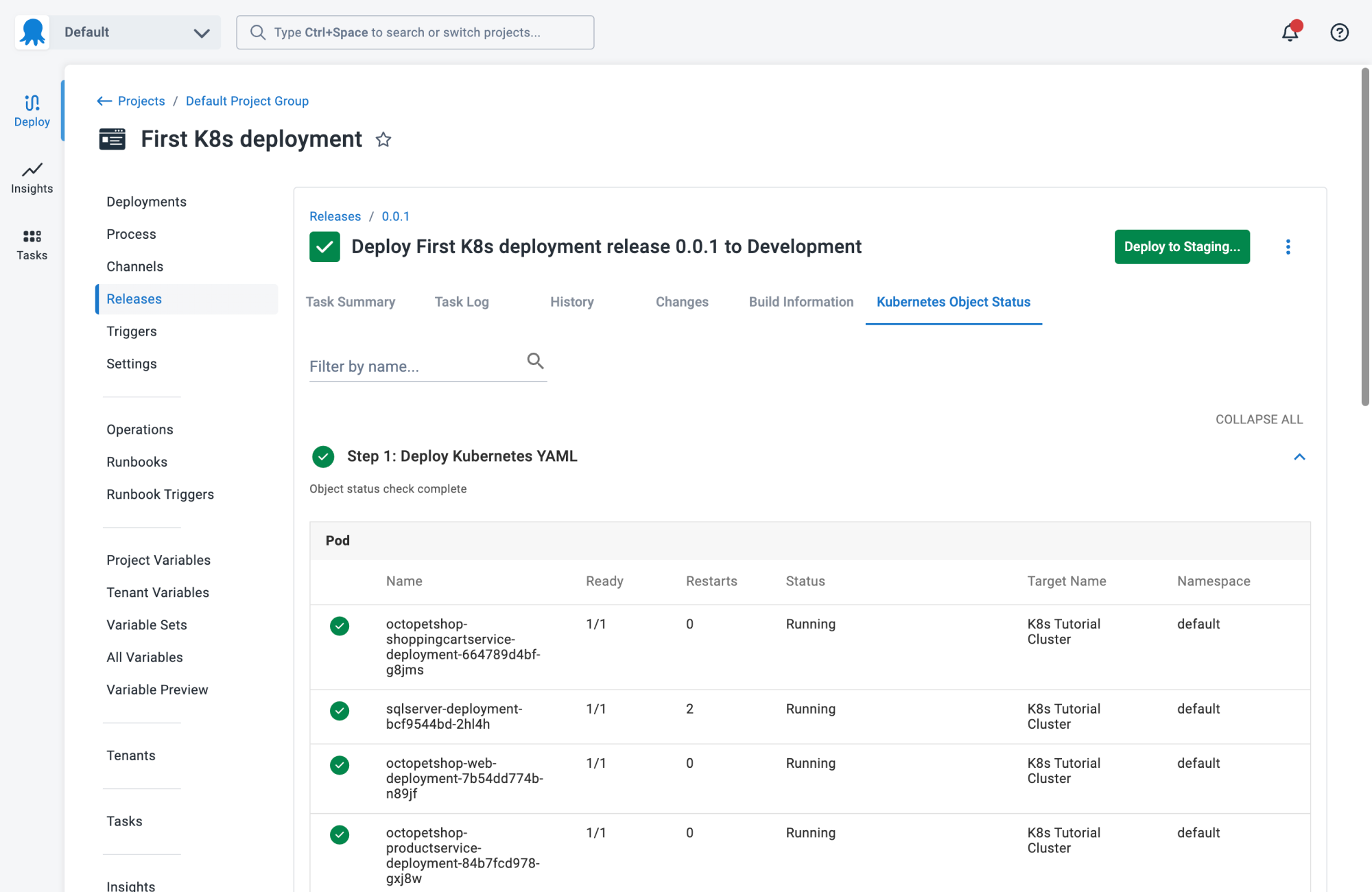
- Deployment verification and configuration visualization: get confidence that a cluster achieved the desired state after deployment and see all the objects deployed with Kubernetes Object Status.
- Simplified access to clusters: install Octopus Kubernetes agent on your cluster to safely run deployments and maintenance tasks without exposing the cluster API.

2. Codefresh
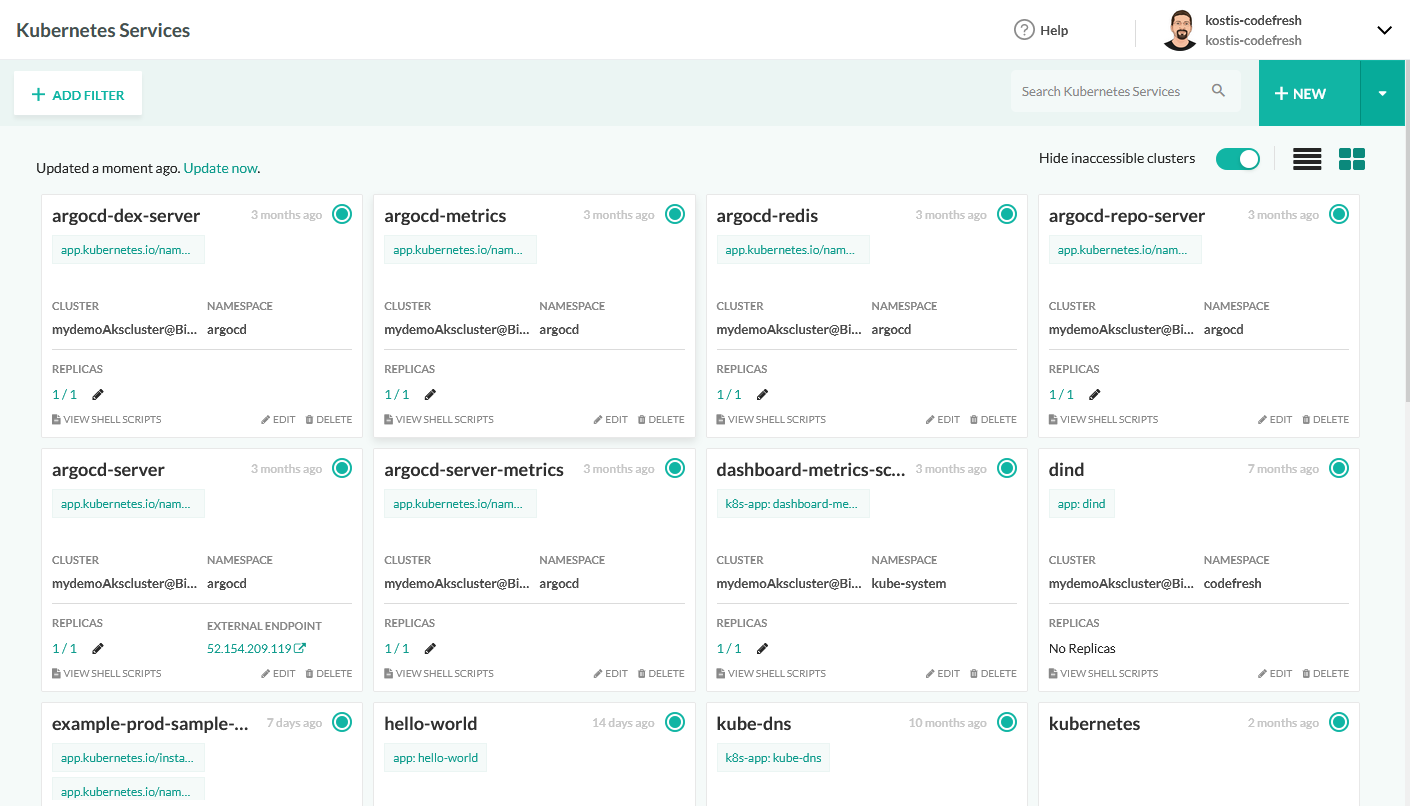
Codefresh is the GitOps platform built for enterprises. Remove the barriers to modernization with an Argo platform built for progressive delivery, security, and scale with the best practices of GitOps baked right in.
License: Commercial
Key features of Codefresh:
- GitOps control plane: Blind spots in your software delivery are a thing of the past with a control plane that connects every developer to the argo runtimes, clusters, and applications they care about.
- Simplified progressive delivery: Be confident in your software releases with streamlined Canary and Blue/Green deployments and automated rollbacks with unrivaled visibility.
- A new dimension of observability: The first platform to truly offer end-to-end transparency into every deployment process, the build and images it came from, and your most essential integrations in one place.
- GitOps deployments: Tame the complexity of microservice deployments with our GitOps application creation wizard and progressive delivery monitoring that brings critical insights from your favorite integrations and complete control over the deployment process.
- Eliminate production downtime: Incidents in production are no longer an all-hands-on-deck situation with comprehensive dashboards and critical insights that help you efficiently identify problems and remediate them with minimal downtime.
- Modern architecture: First-in-class hosted Argo CD means zero maintenance GitOps is immediately available to developers while offering advanced flexibility for experts wanting to scale with unlimited argo runtimes on their infrastructure.
This allows not only your developers to view and better understand your deployments, but it also allows the business to answer important questions within an organization. For example, if you are a product manager, you can view when a new feature is deployed or not and who it was deployed by.
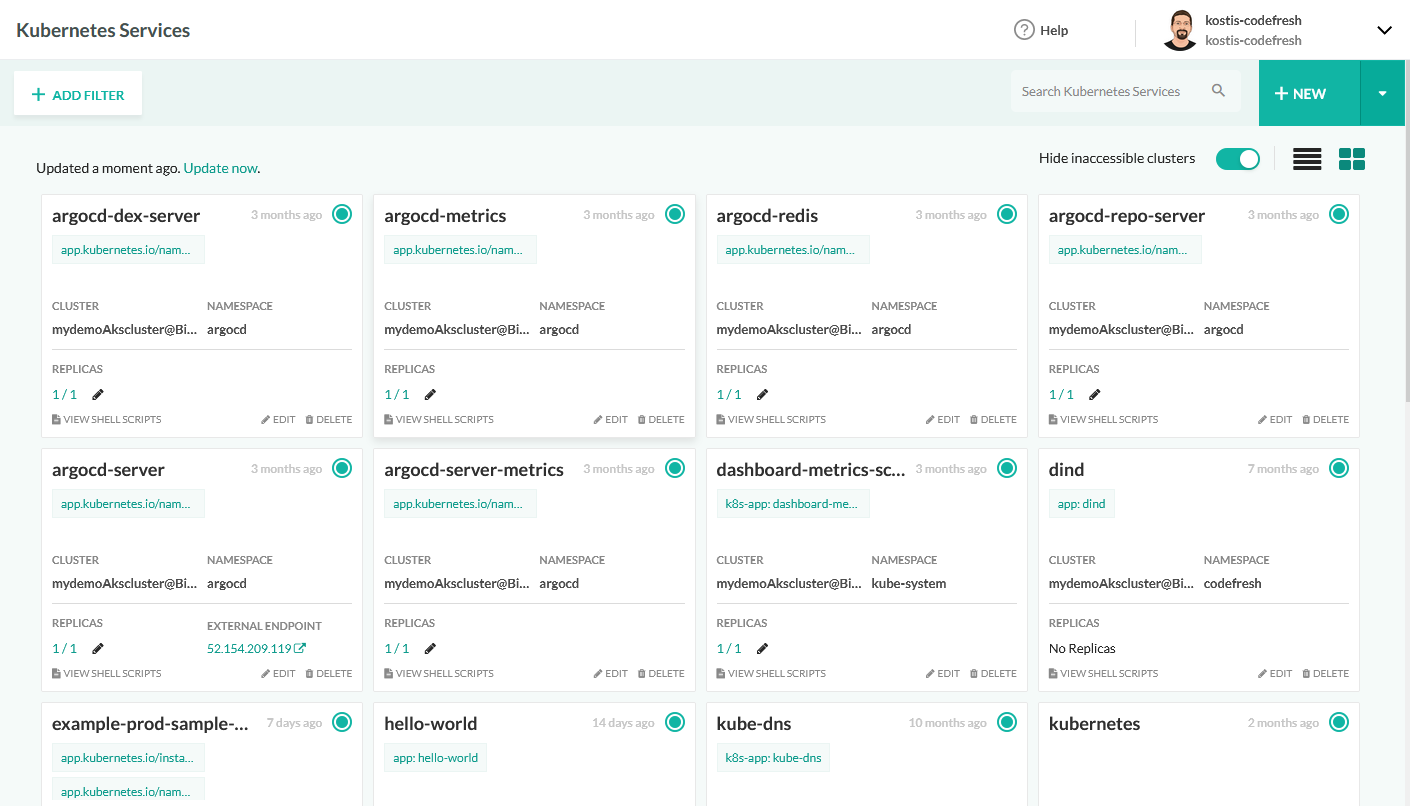
Source: Codefresh
3. Argo CD and Argo Rollouts
License: Apache-2.0 Repo: https://github.com/argoproj/argo-cd GitHub stars: 17K+ Contributors: 1400+
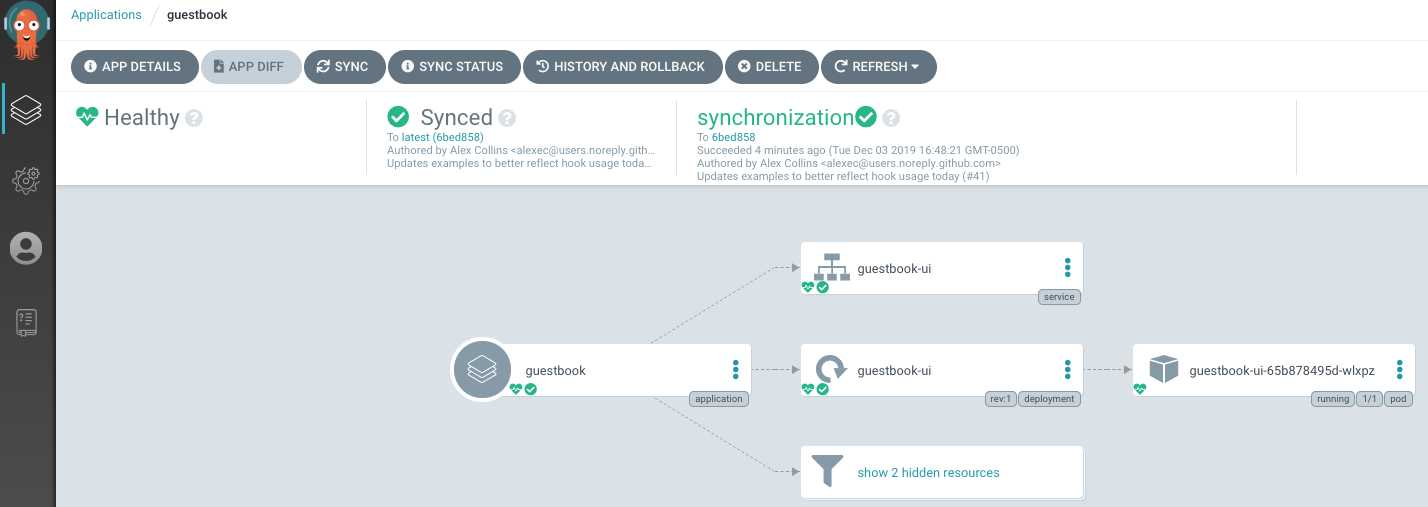
Argo CD is a Kubernetes-native continuous delivery tool that implements the GitOps model by using Git repositories as the source of truth for application configurations and deployment states. It continuously compares the desired configuration stored in Git with the live state of Kubernetes clusters and synchronizes them when differences occur. Argo Rollouts complements Argo CD by providing advanced deployment strategies that enable controlled, progressive application releases.
Key features of Argo CD and Argo Rollouts:
- GitOps-based deployment management: Uses Git repositories as the authoritative source for application definitions and deployment configurations.
- Continuous state reconciliation: Monitors clusters and automatically synchronizes resources when configuration drift is detected.
- Multi-cluster deployment management: Allows a single control plane to deploy and manage applications across multiple Kubernetes clusters.
- Flexible configuration management: Supports multiple configuration tools including Helm, Kustomize, Jsonnet, and plain YAML manifests.
- Progressive delivery strategies: Argo Rollouts enables deployment approaches such as canary and blue-green releases.
- Traffic shaping and metric analysis: Integrates with ingress controllers, service meshes, and monitoring systems to gradually shift traffic and evaluate release performance.

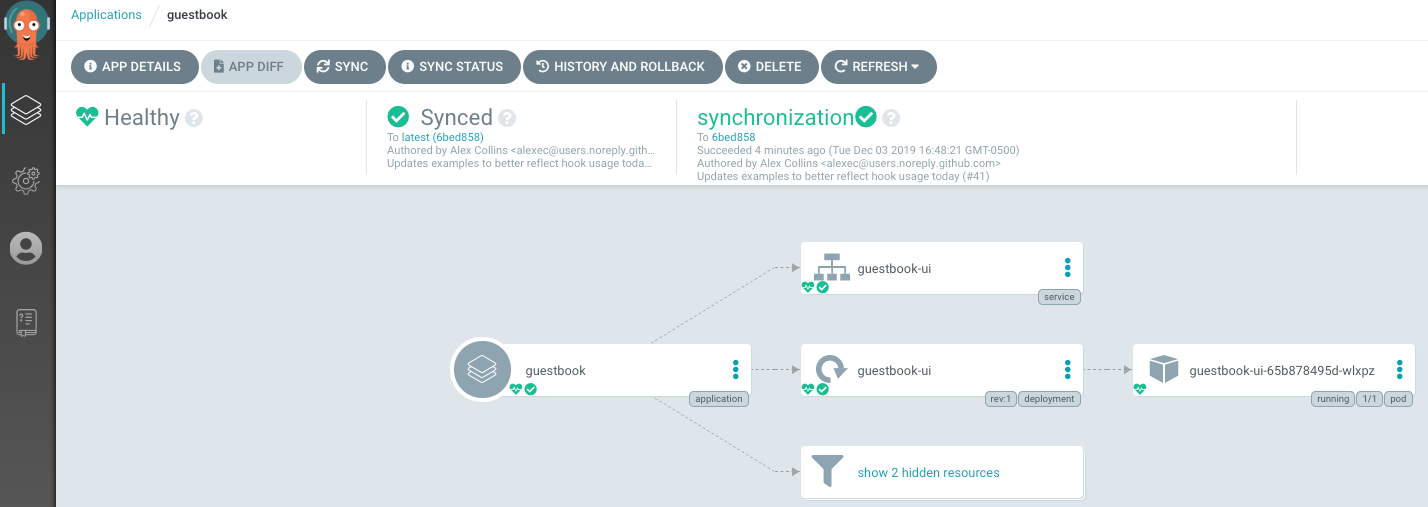
Source: Argo CD
4. Flux and Flagger
License: Apache-2.0 Repo: https://github.com/fluxcd/flagger GitHub stars: 4K+ Contributors: 150+
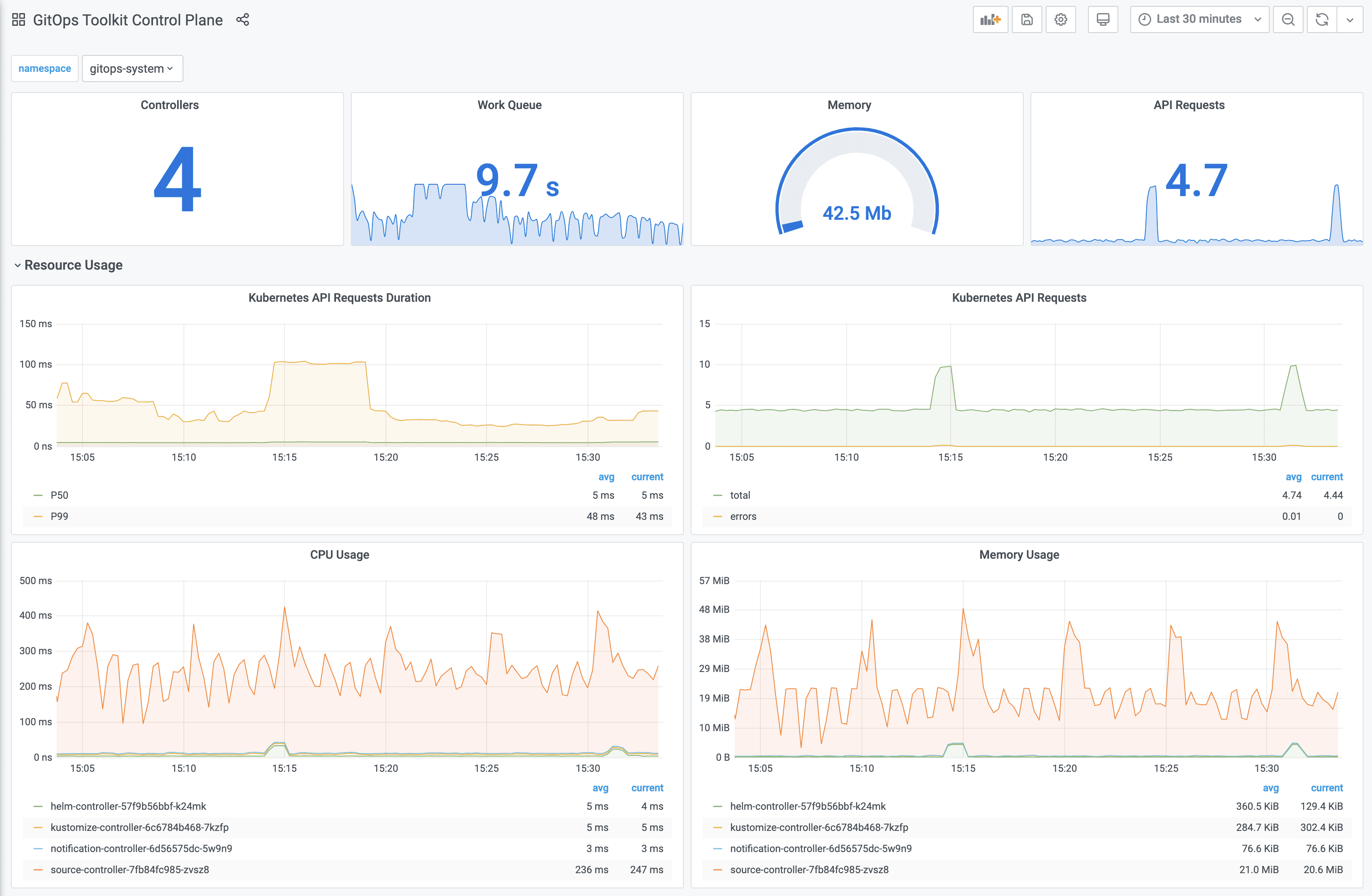
Flux and Flagger are open-source tools that implement GitOps-based continuous and progressive delivery for Kubernetes. Flux synchronizes Kubernetes clusters with configuration stored in Git repositories, while Flagger automates progressive deployment strategies by controlling traffic between application versions and validating releases using runtime metrics.
Key features of Flux and Flagger:
- GitOps-driven deployment model: Uses Git repositories as the single source of truth for application configuration and infrastructure definitions.
- Automatic reconciliation: Continuously synchronizes cluster state with Git configuration without manual intervention.
- Progressive delivery automation: Flagger supports canary, blue-green, and A/B testing deployment strategies.
- Traffic management integration: Works with ingress controllers and service meshes to shift traffic gradually between versions.
- Metrics-based release validation: Uses monitoring systems such as Prometheus or Datadog to evaluate application performance during rollouts.
- Multi-cluster and multi-tenant support: Manages deployments across multiple clusters using Kubernetes RBAC and Git repositories.

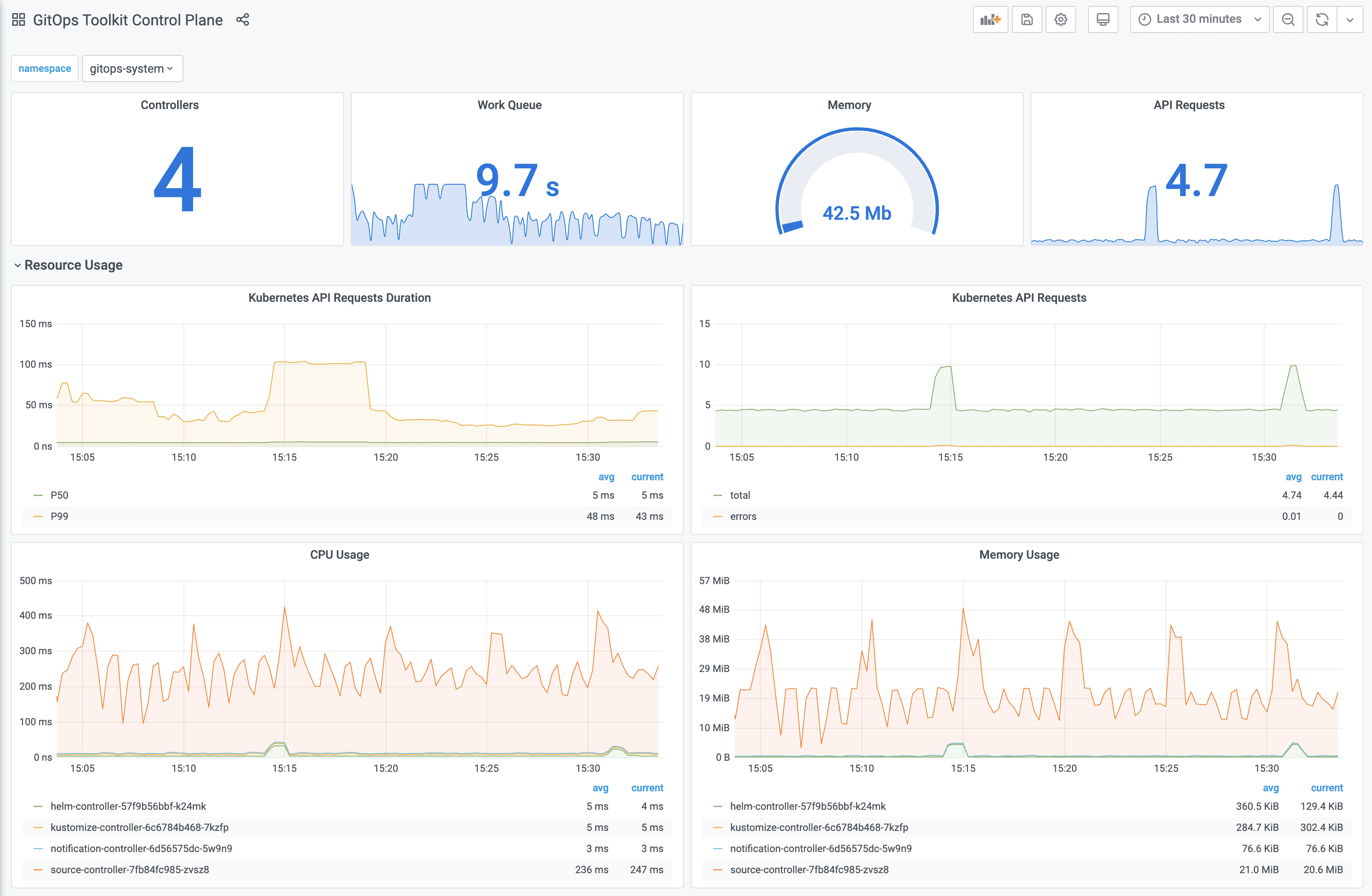
Source: Flux
5. Harness
License: Commercial
Harness is a software delivery platform that automates CI/CD pipelines and Kubernetes deployments while incorporating AI-driven analytics and automation. It integrates pipeline automation, security testing, infrastructure management, and operational monitoring within a single delivery platform.
Key features of Harness:
- Automated CI/CD pipelines: Supports automated pipelines for deploying applications across multi-cloud and multi-service environments.
- GitOps-based deployment workflows: Uses Git repositories to define deployment configurations and manage application state.
- AI-assisted testing and verification: Uses analytics and automated testing tools to evaluate application changes and identify issues.
- Integrated security testing: Includes security analysis and vulnerability detection across the software delivery lifecycle.
- Infrastructure and pipeline automation: Automates infrastructure provisioning and operational workflows as part of deployment pipelines.
- Cloud cost and performance insights: Provides analytics for monitoring infrastructure usage and optimizing operational efficiency.

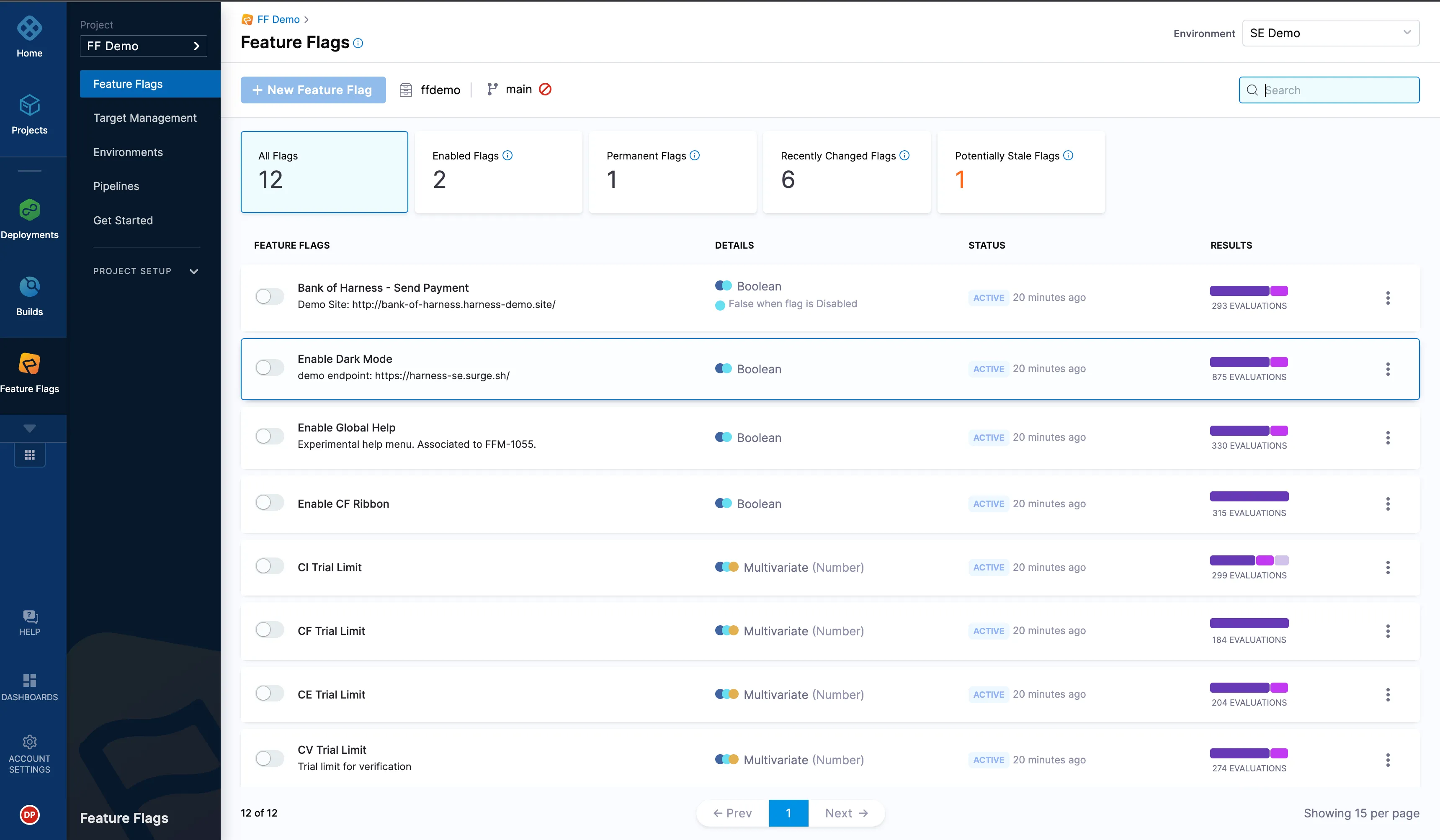
Source: Harness
6. Spinnaker
License: Apache-2.0 Repo: https://github.com/spinnaker/spinnaker GitHub stars: 9K+ Contributors: 100+
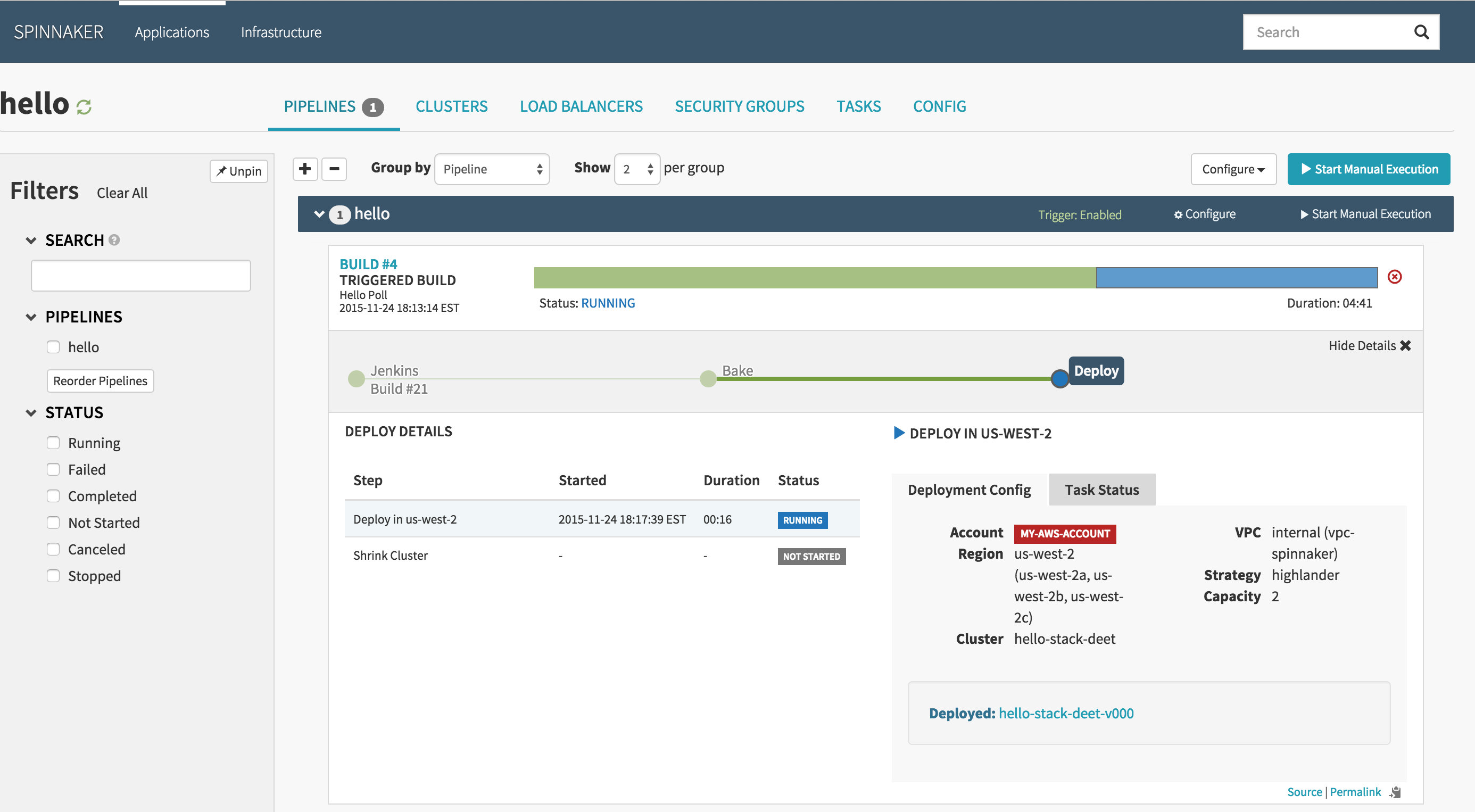
Spinnaker is an open-source continuous delivery platform for managing application deployments across multiple cloud environments. Originally developed at Netflix, it provides tools for creating automated deployment pipelines and managing application releases across infrastructure platforms including Kubernetes and public cloud providers.
Key features of Spinnaker:
- Multi-cloud deployment management: Supports deployments to multiple cloud providers including Kubernetes, AWS, Google Cloud, Azure, and Cloud Foundry.
- Automated deployment pipelines: Enables teams to create pipelines that automate application builds, testing, and release workflows.
- Integrated CI triggers: Pipelines can be triggered by events such as Git commits, Docker image updates, cron schedules, or external CI systems.
- Built-in deployment strategies: Provides deployment approaches such as blue-green and canary releases for safer updates.
- Role-based access control: Supports integration with authentication systems such as OAuth, LDAP, SAML, and identity providers.
- Monitoring and notification integrations: Connects with monitoring platforms and messaging systems to track deployments and alert teams.
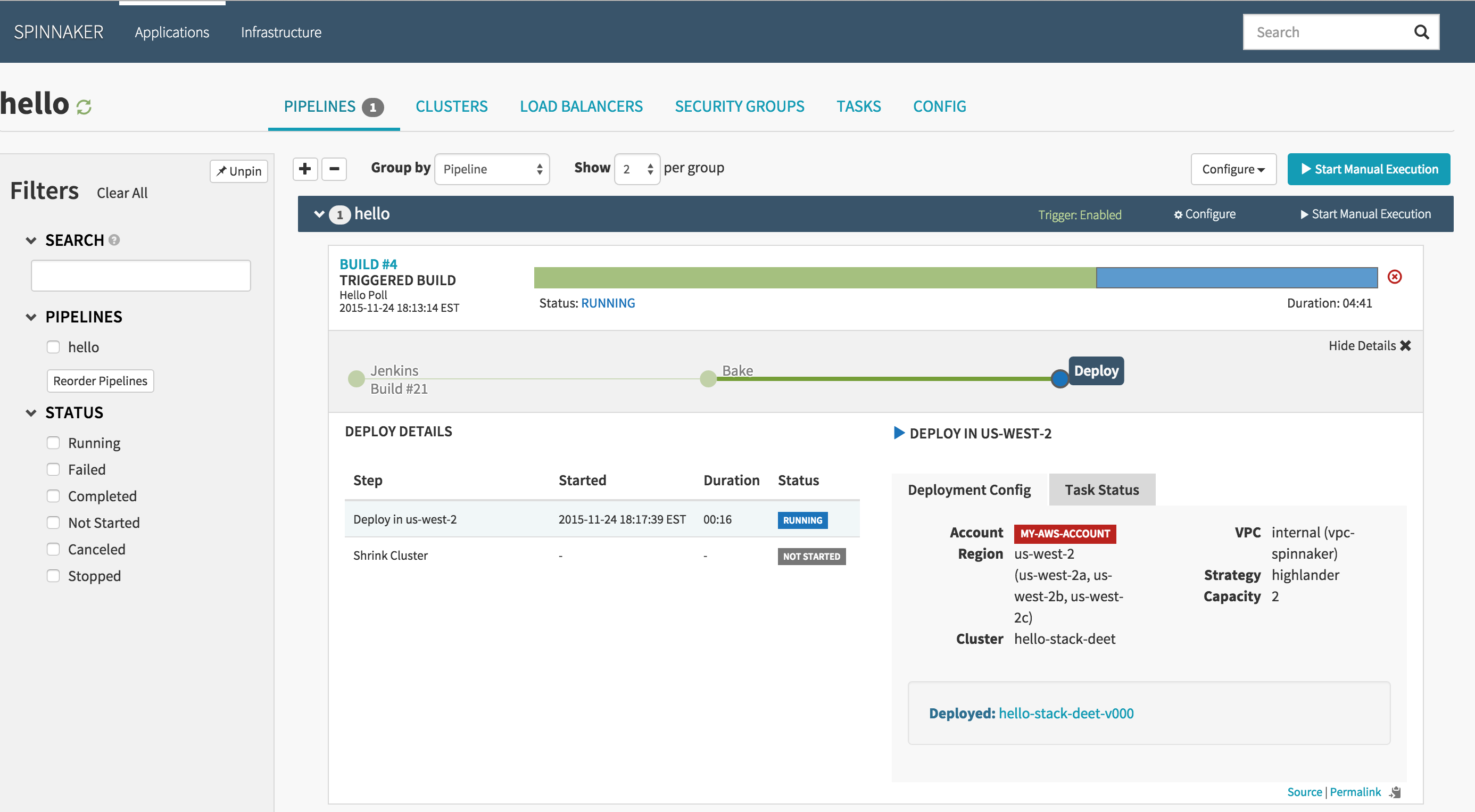
Source: Spinnaker
7. Kargo
License: Apache-2.0 Repo: https://github.com/akuity/kargo GitHub stars: 1K+ Contributors: 50+
Kargo is a Kubernetes continuous delivery tool to orchestrate application promotion across multiple environments using GitOps principles. It works alongside GitOps tools such as Argo CD to automate the progression of application versions through development, staging, and production environments.
Key features of Kargo:
- GitOps-driven promotion workflows: Uses Git repositories as the source of truth for application configuration and artifact promotion.
- Multi-stage environment orchestration: Models deployment environments as stages and manages the promotion of application changes between them.
- Automated promotion pipelines: Automatically promotes application updates from one stage to another without requiring custom CI scripts.
- Artifact tracking: Tracks deployable artifacts such as container images, Kubernetes manifests, and Helm charts throughout the promotion process.
- Integration with existing GitOps tools: Works with platforms like Argo CD to manage deployments across Kubernetes clusters.
- Deployment visibility and guardrails: Provides visibility into changes across environments while enforcing validation and safety controls during promotions.

Continuous integration tools supporting Kubernetes
General purpose Continuous Integration tools often support deployment to Kubernetes. Here is how this is supported in a few popular tools.
8. Jenkins
License: MIT Repo: https://github.com/jenkinsci/jenkins GitHub stars: 22K+ Contributors: ~800
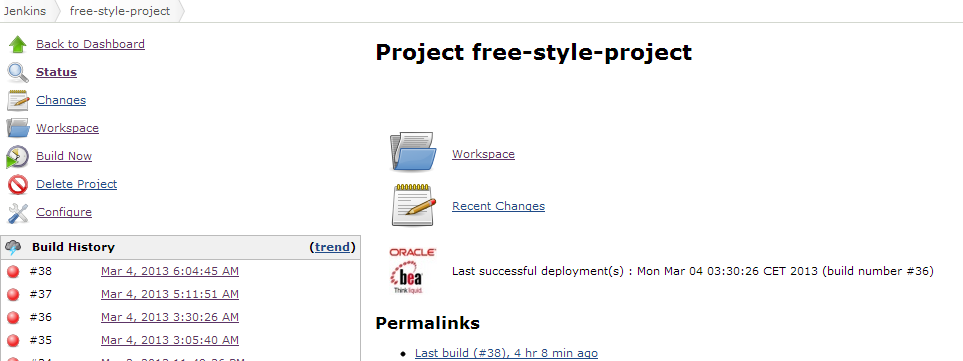
Jenkins is an open-source automation server used to implement CI/CD pipelines across many development environments. It supports Kubernetes deployments through plugins and pipeline automation, allowing teams to build, test, and deploy applications in container-based infrastructure.
Key features of Jenkins:
- Extensible automation server: Jenkins supports automation for building, testing, and deploying software projects through configurable pipelines.
- Plugin-based integrations: Provides hundreds of plugins that integrate with container registries, Kubernetes clusters, and CI/CD tools.
- Pipeline as code: Pipelines can be defined using
Jenkinsfileconfigurations stored alongside application code in version control systems. - Distributed execution: Jenkins distributes build and deployment workloads across multiple machines or agents.
- Scalable build infrastructure: Supports running jobs across distributed environments to handle large-scale CI workloads.

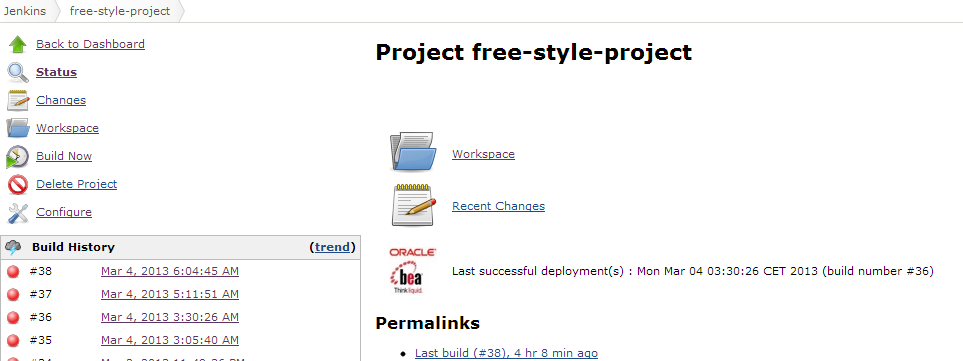
Source: Jenkins
9. GitHub Actions
License: MIT Repo: https://github.com/actions/starter-workflows GitHub stars: 8K+ Contributors: 350+
GitHub Actions is a CI/CD automation platform integrated into GitHub repositories. It allows developers to define automated workflows triggered by repository events such as commits, pull requests, or releases, enabling automated building, testing, and deployment of applications to environments including Kubernetes clusters.
Key features of GitHub Actions:
- Event-driven workflow automation: Workflows can be triggered by repository events such as commits, pull requests, or scheduled tasks.
- Hosted and self-hosted runners: Supports Linux, macOS, Windows, ARM, GPU, and container-based environments for executing jobs.
- Matrix builds: Enables workflows to run across multiple operating systems and runtime versions simultaneously.
- Marketplace integrations: Provides reusable actions that integrate with Kubernetes tools, cloud providers, and development services.
- Integrated secrets management: Stores and manages credentials securely for use in automated workflows.

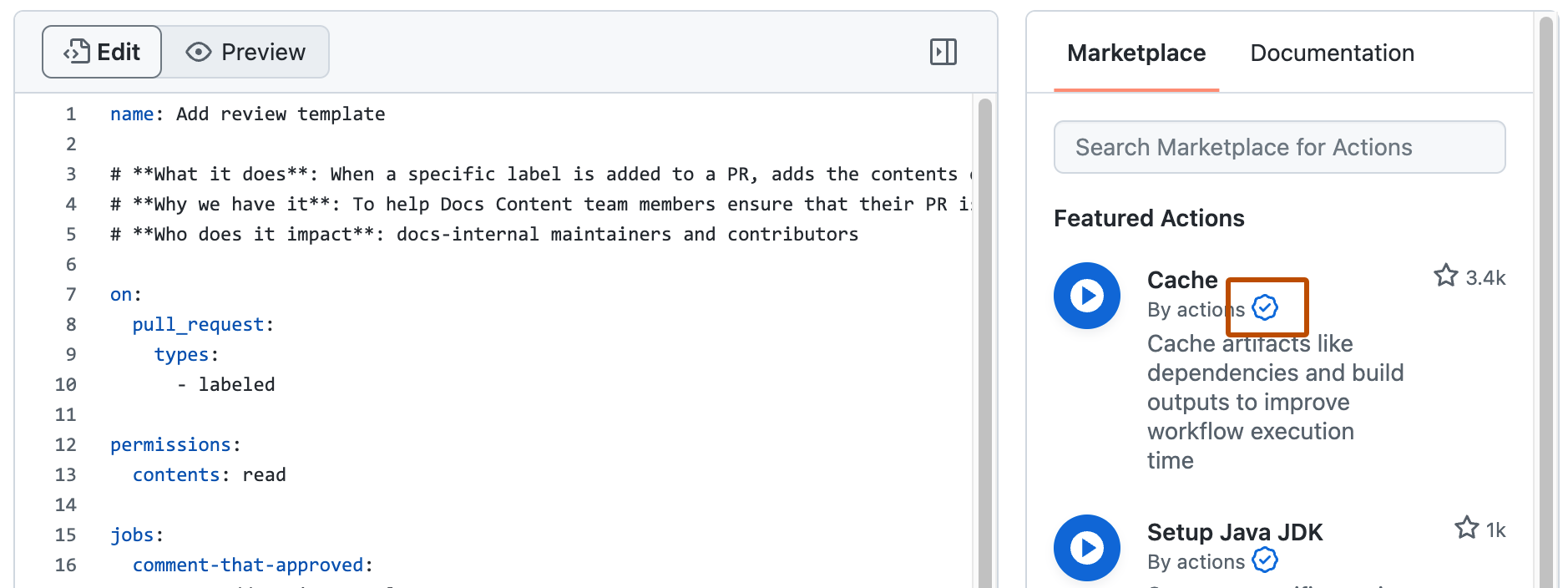
Source: GitHub
10. GitLab
License: Commercial, MIT license
GitLab is a DevOps platform that combines source code management, CI/CD pipelines, and Kubernetes deployment capabilities within a single application. It provides integrated tools that automate software development workflows from code commit through deployment and operations.
Key features of GitLab:
- Unified DevOps platform: Combines planning, version control, CI/CD pipelines, and deployment management within one system.
- Pipeline configuration as code: CI/CD pipelines are defined using
.gitlab-ci.ymlfiles stored in the repository. - Integrated Kubernetes management: Allows teams to connect and manage Kubernetes clusters directly from the GitLab interface.
- Built-in security scanning: Includes security tools such as vulnerability scanning and compliance checks integrated into pipelines.
- Automated deployment workflows: Supports GitOps-style deployment automation driven by changes in repository configuration.
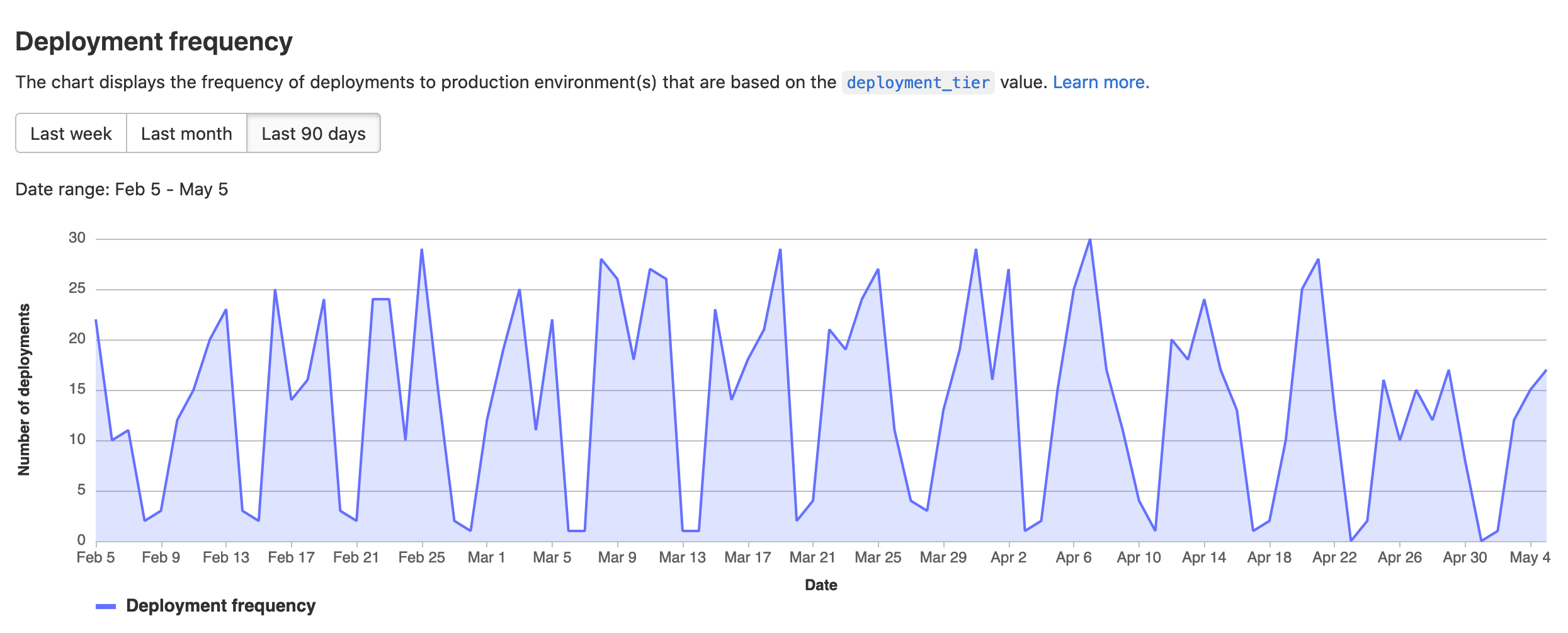
Source: GitLab
Kubernetes tools commonly used for deployments
Within the Kubernetes ecosystem, several tools are commonly used to automate and optimize deployments. Here are a few examples.
11. Helm
License: Apache-2.0 Repo: https://github.com/helm/helm GitHub stars: 26K+ Contributors: 650+
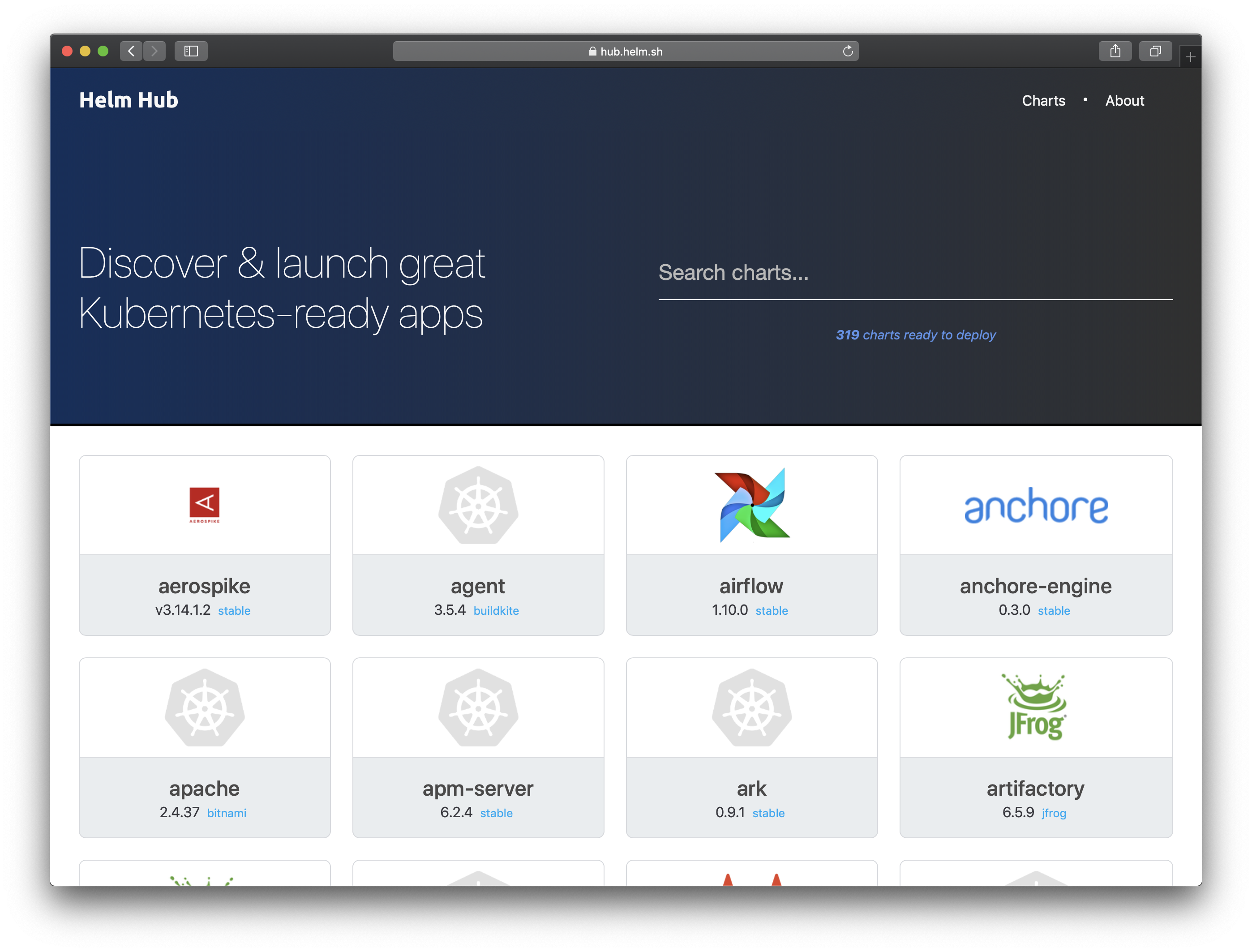
Helm is a package manager for Kubernetes that simplifies application deployment and lifecycle management. It packages Kubernetes resources into reusable templates called charts, enabling teams to define, install, upgrade, and manage complex applications using versioned configurations.
Kubernetes deployment features of Helm:
- Helm charts: Package Kubernetes resources into reusable configurations that define application deployments.
- Application lifecycle management: Supports installing, upgrading, and removing Kubernetes applications through versioned releases.
- Complex application modeling: Charts can describe multi-component applications and their dependencies.
- Versioning and sharing: Charts can be stored, versioned, and distributed through repositories.
- Rollback capabilities: Supports reverting applications to previous release versions when deployment issues occur.

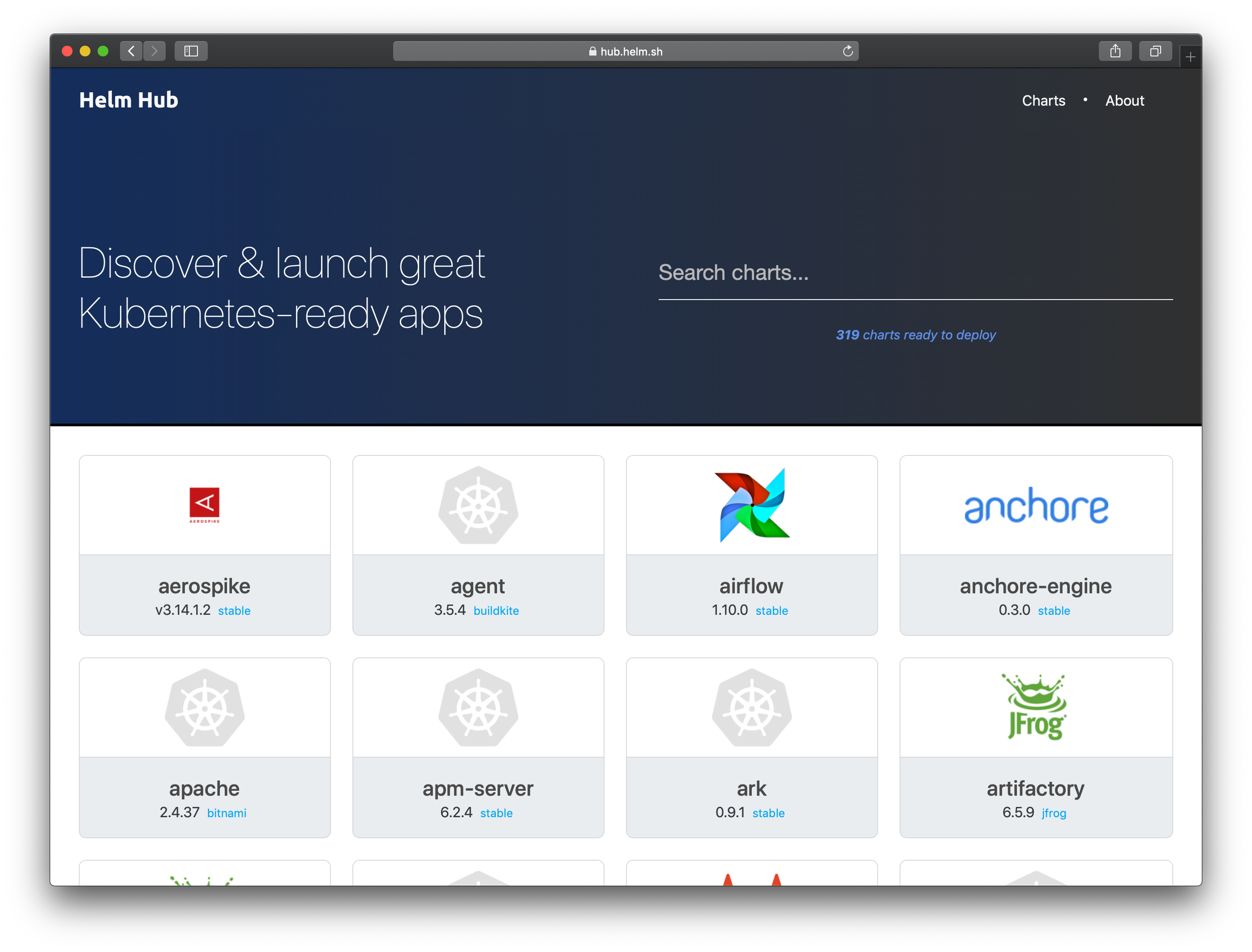
Source: Helm
12. Kustomize
License: Apache-2.0 Repo: https://github.com/kubernetes-sigs/kustomize GitHub stars: 10K+ Contributors: 400+
Kustomize is a Kubernetes configuration management tool that enables users to customize Kubernetes manifests without modifying the original configuration files. It applies transformations to YAML resources and allows teams to manage environment-specific configurations using a declarative approach.
Key features of Kustomize:
- Template-free configuration customization: Allows modifications to Kubernetes resources without using templates.
- Native kubectl integration: Built into
kubectl, enabling configuration management through theapply -kcommand. - Layered configuration model: Supports base configurations with overlays that customize deployments for different environments.
- Declarative configuration management: Uses YAML-based configuration files that describe how resources should be transformed.
- Reusable configuration components: Enables teams to reuse and combine configuration resources across multiple applications.

13. Kubeflow
License: Apache-2.0 Repo: https://github.com/kubeflow/kubeflow GitHub stars: 14K+ Contributors: ~300
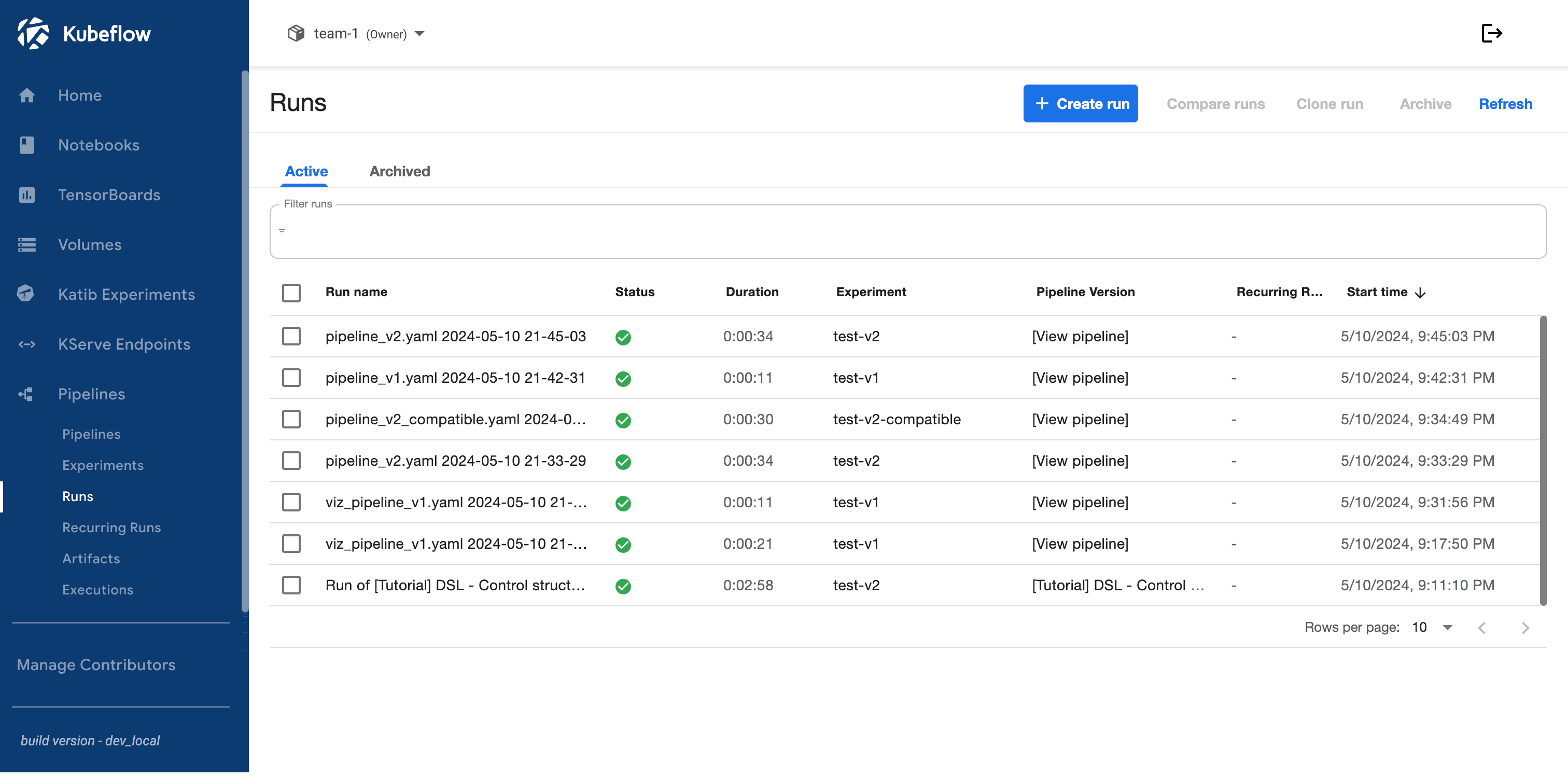
Kubeflow is an open-source toolkit for building and deploying machine learning workflows on Kubernetes. It provides a collection of components that support model training, experimentation, pipeline orchestration, and model serving in Kubernetes environments.
Key features of Kubeflow:
- Machine learning workflow orchestration: Supports the full ML lifecycle from data preparation and model training to deployment.
- Distributed training support: Enables large-scale machine learning training across Kubernetes clusters.
- Kubeflow pipelines: Provides tools to build, automate, and reuse machine learning workflows.
- Multi-framework compatibility: Supports frameworks such as PyTorch, TensorFlow, XGBoost, and others.
- Integrated model serving: Enables scalable deployment and monitoring of machine learning models.

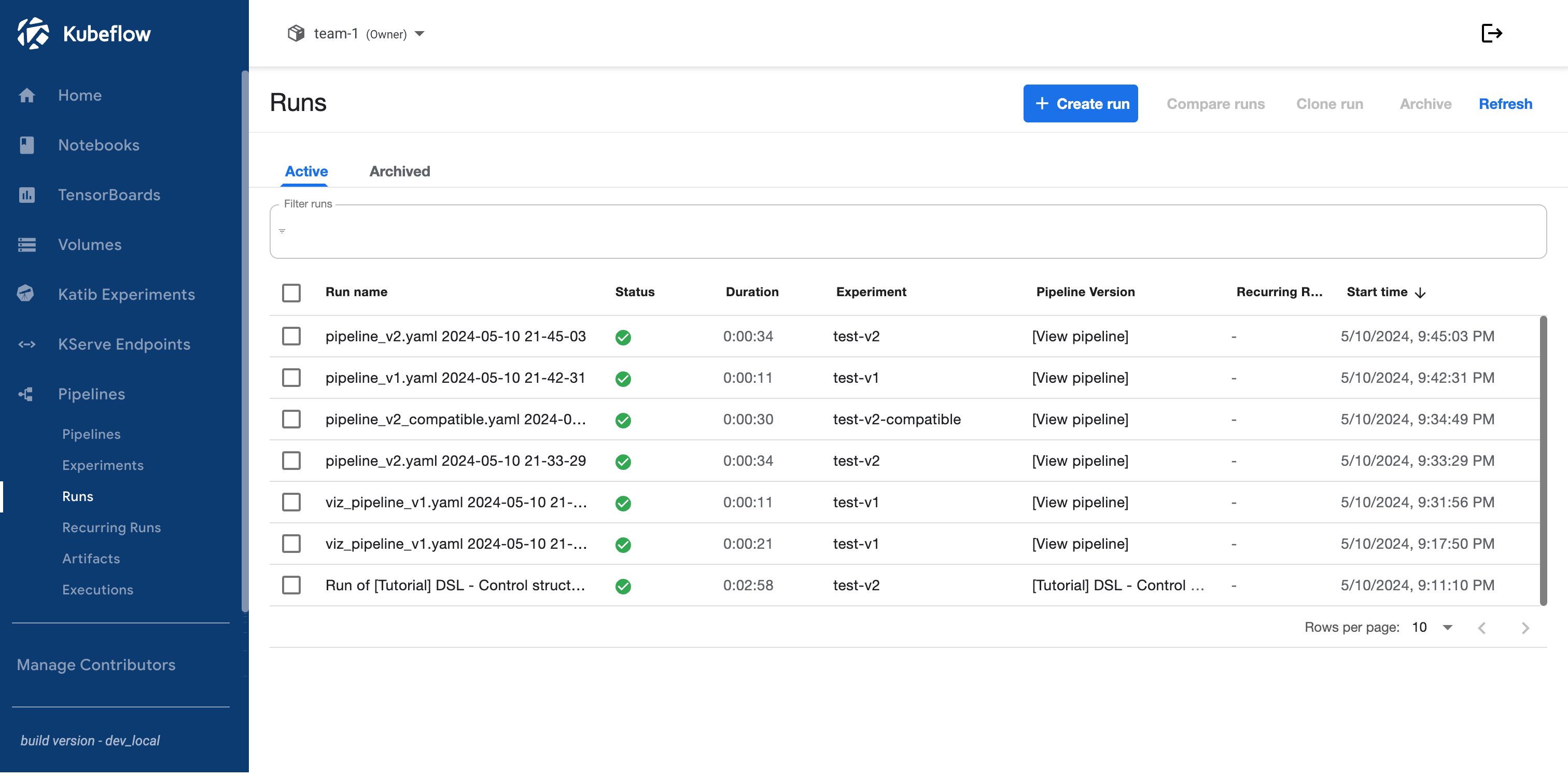
Source: Kubeflow
14. Rancher
License: Apache-2.0 Repo: https://github.com/rancher/rancher GitHub stars: 23K+ Contributors: 250+
Rancher is an open-source Kubernetes management platform that provides centralized control over multiple Kubernetes clusters across cloud, on-premises, and edge environments. It simplifies cluster operations and provides tools for managing containerized workloads at scale.
Key features of Rancher:
- Multi-cluster management: Allows administrators to manage multiple Kubernetes clusters through a unified interface.
- Role-based access control: Provides security policies and access management using Kubernetes RBAC.
- Application catalog: Offers a catalog of preconfigured Kubernetes applications for deployment.
- Integrated monitoring and logging: Integrates with observability tools such as Prometheus and Grafana.
- Edge and IoT support: Supports lightweight Kubernetes distributions such as K3s for edge deployments.

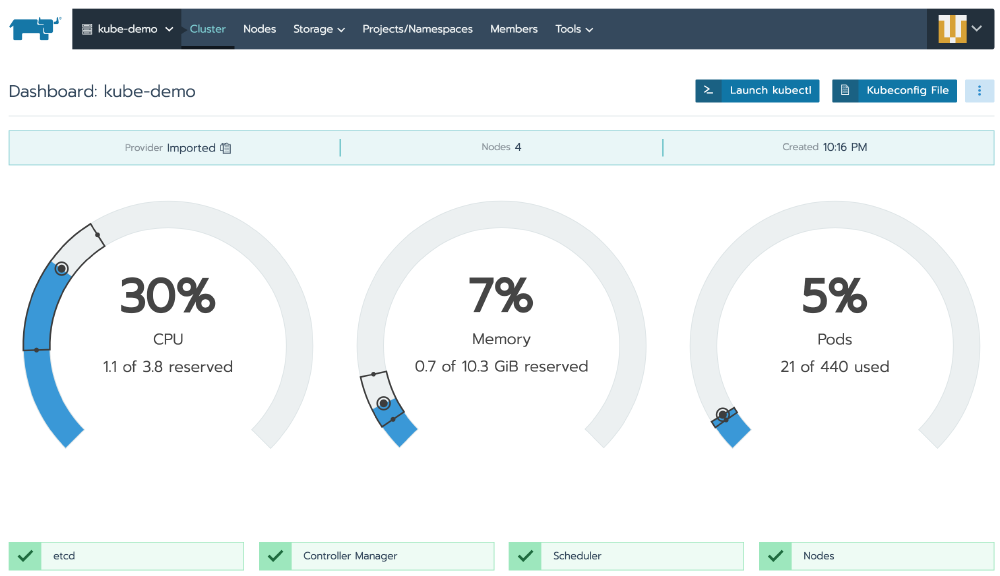
Source: Rancher
15. OpenShift
License: Apache-2.0 Repo: https://github.com/openshift/origin GitHub stars: 8K+ Contributors: 500+
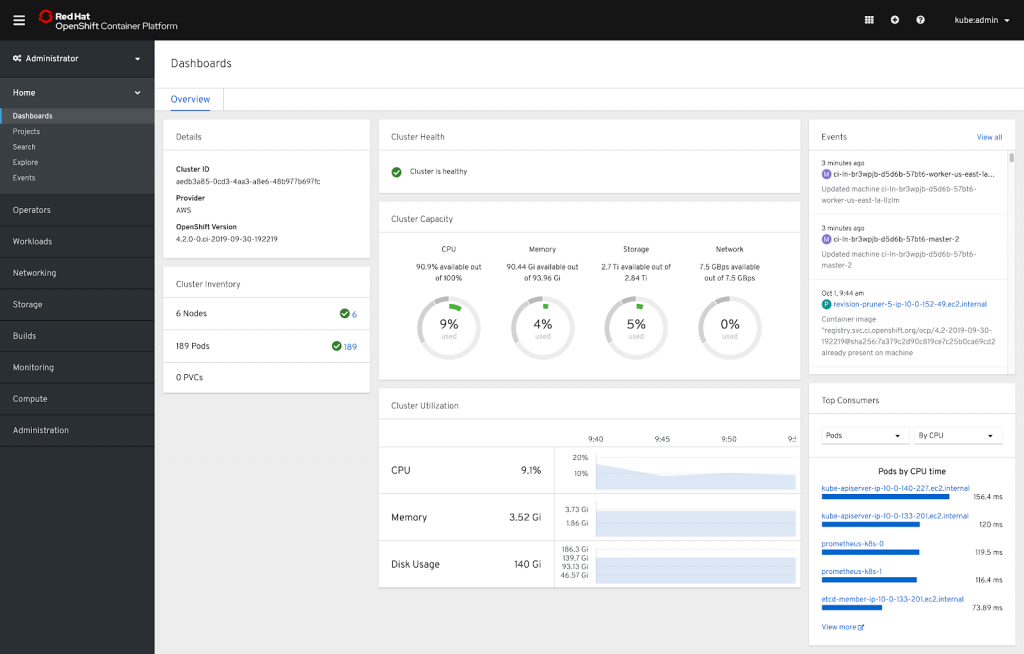
OpenShift is a Kubernetes-based platform developed by Red Hat that provides an integrated environment for building, deploying, and managing containerized applications. It combines Kubernetes orchestration with developer tools, CI/CD capabilities, and enterprise-grade security features.
Key features of OpenShift:
- Integrated developer tools: Provides web console interfaces, command-line tools, and development integrations.
- Built-in CI/CD capabilities: Supports automated pipelines and GitOps workflows through OpenShift Pipelines and GitOps tools.
- Enterprise security features: Includes built-in image scanning, network policies, and security controls.
- Operator framework: Automates lifecycle management for complex applications using Kubernetes Operators.
- Hybrid cloud support: Supports deployment across on-premises infrastructure, public cloud environments, and edge locations.

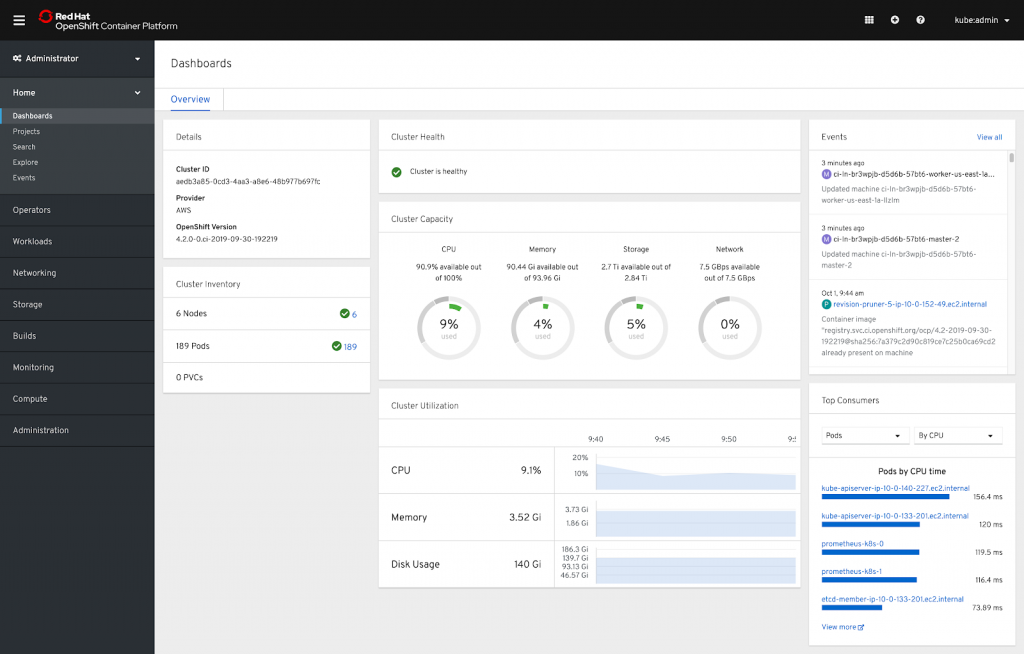
Source: Red Hat
Related content: Read our guide to Kubernetes deployment strategy
We recommend
All the tools mentioned above can be used for deploying to Kubernetes. When choosing a tool, it’s important to consider if it’s actively developed, well-supported, designed for your specific scenarios, and adaptable to your evolving tasks.
When considering the best Continuous Deployment tools for Kubernetes, we recommend the following options.
Argo CD and Argo Rollouts
If you are new to Kubernetes, prefer open-source solutions, and don’t require complex deployment setups, Argo CD/Rollouts is a great option for you.
You should consider using Argo CD/Rollouts if you have fewer than 5 static environments and regions, a small number of application teams with Kubernetes experience, and less than 100 applications.
Argo CD’s advantages over other open-source tools are its great observability and friendly UI.
Codefresh GitOps
If you decide to grow on Argo CD and need to enable automated deployments to many clusters/environments/regions for multiple Applications teams, Codefresh GitOps is the right choice for you.
With Codefresh GitOps you can automate environment promotions and also manage Argo CD at scale.
Octopus Deploy
If you need an no-compromise enterprise-level solution to automate deployments for hundreds of developers, and your landscape is constantly evolving, consider Octopus Deploy.
With Octopus Deploy you can template your configurations, model multi-step deployment pipelines, automate maintenance tasks, and deploy to Kubernetes and other platforms.
GitHub Actions
If you’re already using GitHub, GitHub Actions could be a good option for you. It’s similar to Argo CD and works well if your setup is relatively simple. However, GitHub Actions lacks observability, so you may need to add an additional tool to your setup.
GitHub Actions is mainly a CI tool. As your deployments become more complex, you should think about adding a dedicated CD tool to your pipelines.
Conclusion
Kubernetes deployment tools play a critical role in the modern software development lifecycle by automating and simplifying the deployment process across complex environments. They enhance operational efficiency, reduce the risks associated with manual deployments, and ensure consistency and reliability through declarative configurations and continuous monitoring.
By integrating with existing CI/CD pipelines and providing strong security and compliance features, these tools empower teams to deliver applications faster, with greater confidence and scalability.
Learn more about Octopus for Kubernetes
Help us continuously improve
Please let us know if you have any feedback about this page.