What are Kubernetes management tools?
Kubernetes management tools are software applications that automate the administration of Kubernetes clusters. They simplify tasks like deployment, scaling, monitoring, and configuration management, catering to the needs of managing containerized applications.
With these tools, users can improve the reliability of their Kubernetes development process while reducing administrative overhead and complex Kubernetes operations. Their goal is to make Kubernetes user-friendly for organizations at various maturity levels.
Management tools serve functions ranging from infrastructure provisioning to application lifecycle management. By integrating these tools, teams can enforce standardized practices throughout their Kubernetes operations. This standardization optimizes workflow processes and improves the security and compliance posture of containerized environments.
Kubernetes market and trends
Market growth and adoption
The Kubernetes market is projected to grow from USD 2.57 billion to reach USD 8.41 billion by 2031, representing a 21.85% compound annual growth rate (CAGR).
Kubernetes has become the default orchestration platform for many enterprises. Around 96% of organizations report that they are already using or evaluating Kubernetes for production workloads. Much of the recent growth comes from managed Kubernetes offerings, as companies prefer platforms that include operational tooling, security controls, and automated maintenance.
Several technology trends are accelerating the adoption of Kubernetes across industries:
- Microservices architectures: Many organizations are replacing monolithic applications with smaller services that can be deployed and updated independently. Kubernetes provides orchestration features that manage these distributed services, enabling faster releases and improved system resilience.
- AI and machine learning workloads: Kubernetes supports capabilities such as node autoscaling, GPU scheduling, and high-availability services. More than half of enterprises already run AI or ML workloads on Kubernetes clusters, often using specialized tools such as Kubeflow to manage model training and deployment.
- Hybrid and multi-cloud strategies: Enterprises increasingly run workloads across multiple cloud providers and private data centers. Kubernetes enables consistent deployment and management across these environments, while platforms like Google Anthos, AWS EKS Anywhere, and Azure Arc provide centralized control for distributed clusters.
Different market segments show varying levels of Kubernetes adoption.
- Solutions represented 55.40% of the market, including Kubernetes distributions and management platforms.
- Services, such as consulting and migration support, are expected to grow faster with a 23.3% CAGR through 2031.
- Large enterprises held 69.20% of total spending, although adoption among small and medium-sized enterprises (SMEs) is growing rapidly due to Kubernetes-as-a-Service offerings.
Industry adoption also varies. Information technology and telecom accounted for 32.60% of market revenue, while healthcare is projected to grow the fastest as organizations modernize digital health systems and telemedicine infrastructure.
Challenges affecting market growth
Despite rapid adoption, several factors continue to slow Kubernetes implementation.
One challenge is the shortage of skilled professionals. Many organizations report gaps in DevOps and DevSecOps expertise, making it difficult to operate complex Kubernetes environments without external support.
Another barrier is security and compliance complexity. Enterprises must implement controls such as network policies, zero-trust access, and continuous vulnerability scanning. These requirements increase operational overhead but are essential for regulated industries adopting containerized platforms.
Types of Kubernetes management tools
Here are some of the main categories of management tools for Kubernetes:
- Cluster management tools simplify creating, managing, and scaling Kubernetes clusters. They enable teams to handle infrastructure tasks such as provisioning new nodes, balancing workloads across clusters, and upgrading cluster components without downtime. They also offer automation features that reduce the manual effort needed for routine operations like backup and recovery, disaster recovery, and cluster scaling.
- Deployment management tools focus on the release process of containerized applications. They automate the deployment, scaling, and rollback of applications across the cluster, ensuring that updates can be delivered continuously and reliably. They often integrate with CI/CD pipelines, allowing teams to automate end-to-end workflows from code changes to production deployments.
- Configuration management tools handle the organization and automation of application configuration across different environments. They help maintain consistency in application settings such as environment variables, secrets, and network configurations, which are essential for applications to run correctly in different clusters or regions.
- Observability tools provide insights into system performance and behavior. These tools collect, aggregate, and visualize data from running applications to monitor their health. They enable teams to detect performance issues, diagnose root causes, and troubleshoot Kubernetes applications in real time.
- Monitoring tools track application health, resource usage, and performance metrics. They collect data on system activities and alert administrators to potential issues, promoting proactive system maintenance. With these tools, teams can measure application performance against defined benchmarks, identifying areas for improvement.
Related content: Read our guide to Kubernetes deployment strategy

Tony Kelly is a DevOps marketing leader who drives innovation and awareness of the latest trends in Continuous Delivery.
K8s cluster management tools
1. Rancher
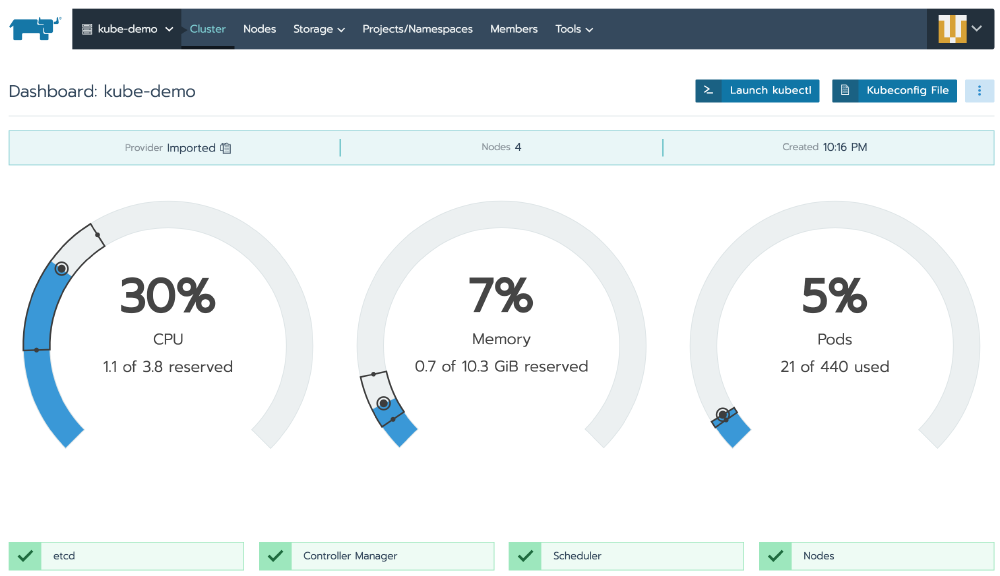
Rancher is a Kubernetes management platform for operating clusters across datacenters, cloud environments, and edge locations. It focuses on multi-cluster administration and provides a software stack for handling operational and security tasks tied to containerized workloads.
Key features include:
- Multi-cluster management: Manages Kubernetes clusters across datacenter, cloud, and edge environments from a single platform, supporting teams that operate container workloads in several locations.
- Kubernetes-as-a-service support: Provides a platform for delivering Kubernetes-as-a-service, helping teams standardize how clusters are provisioned and operated across different infrastructure environments.
- Integrated operational tooling: Includes tools for handling day-to-day operational tasks involved in running containerized workloads and managing Kubernetes environments at scale.
- Security and performance controls: Addresses security and performance requirements tied to Kubernetes operations, helping teams apply consistent controls across multiple managed clusters.
- Application development support: Includes application development capabilities alongside infrastructure management, connecting cluster operations with the needs of teams deploying containerized applications.
- Kubernetes distributions support: Supports Kubernetes distributions as part of its platform, allowing organizations to work with different cluster implementations under one management layer.
Official repo: https://github.com/rancher/rancher

Source: Rancher
2. Platform9
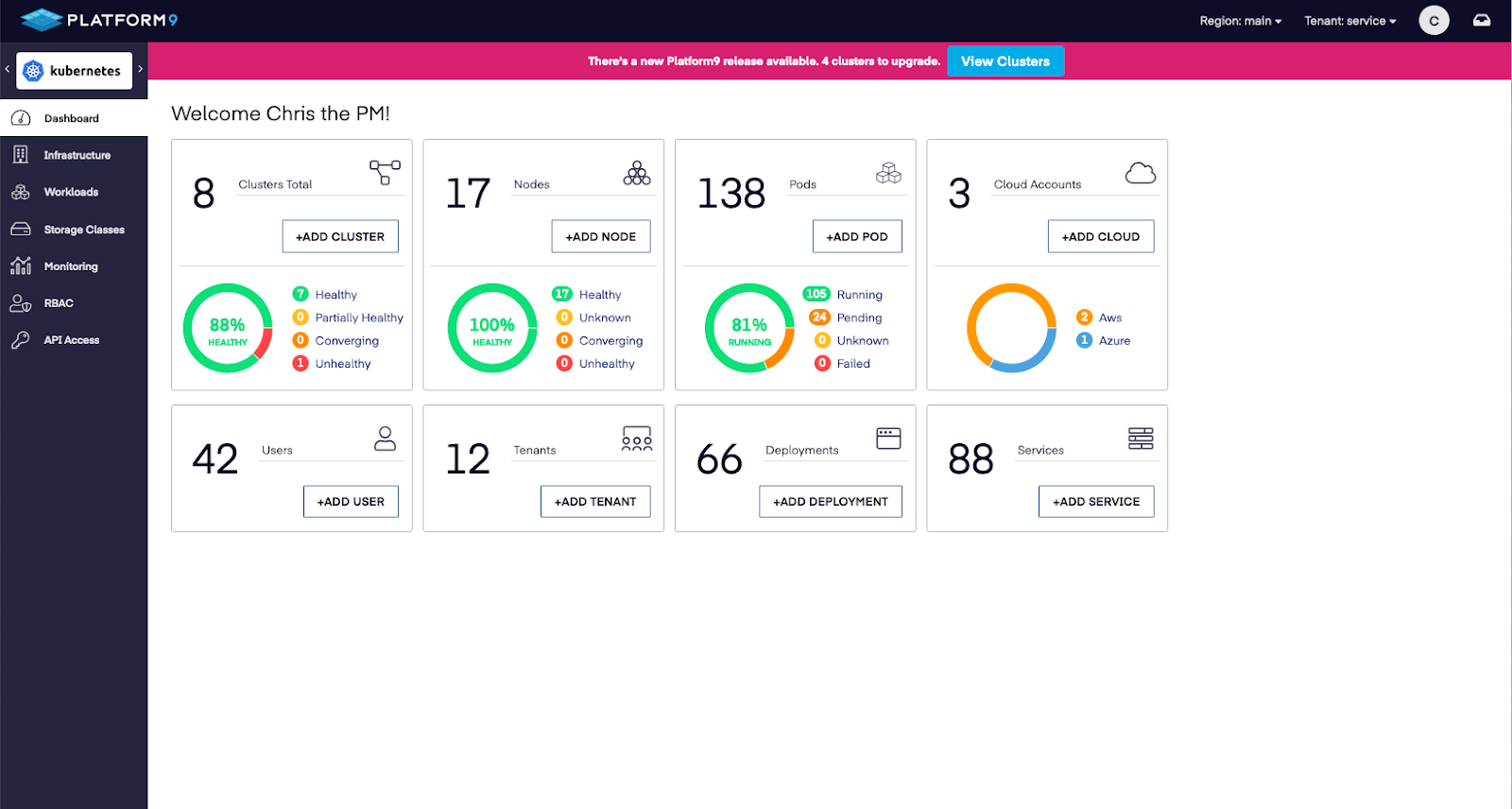
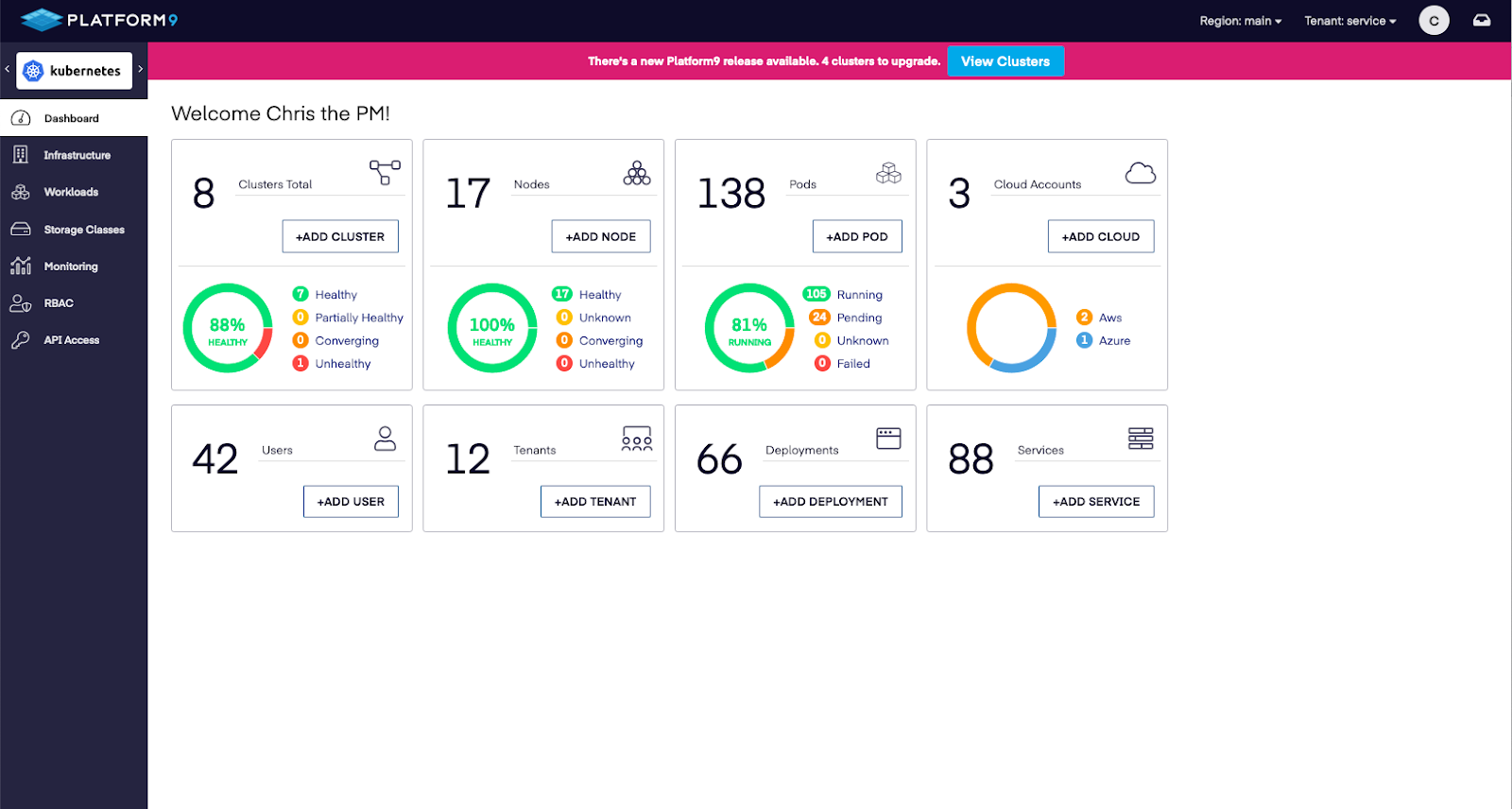
Platform9 provides a management platform for private cloud infrastructure and Kubernetes operations on existing hardware and storage. It combines virtualization management, built-in Kubernetes, multi-tenancy, and API-driven control in a single control plane for enterprise environments.
Key features include:
- Unified control plane: Manages virtual machines and containers from one control plane, combining virtualization operations with built-in Kubernetes for infrastructure teams running mixed workloads.
- Existing infrastructure reuse: Works with existing servers, storage, backup, and disaster recovery tools, allowing teams to keep current hardware and storage systems in place.
- Multi-tenancy and self-service: Includes multi-tenancy, self-service, API access, and single sign-on capabilities for organizations that need centralized platform controls across teams.
- High availability and live migration: Provides high availability, live migration, and dynamic resource balancing features for workloads running on private cloud infrastructure.
- Automated migration tooling: Includes automated migration tooling for moving from VMware environments, supporting transitions without requiring a full platform rebuild first.
- Enterprise security and compliance: Supports enterprise security requirements and notes SOC 2 compliance, which is relevant for organizations managing regulated infrastructure environments.
Source: Platform9
3. Atmosly
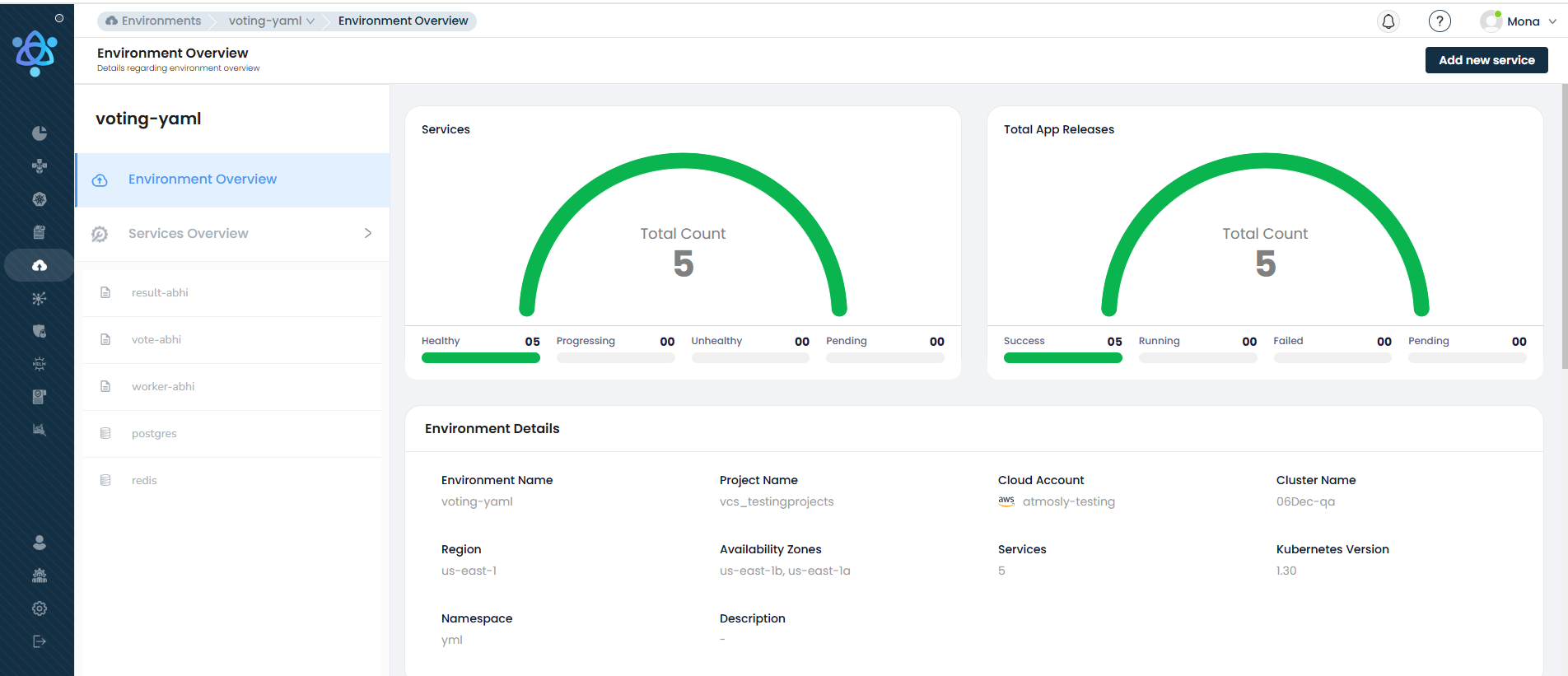
Atmosly is a Kubernetes platform for application deployment and cluster operations. It combines deployment automation, environment cloning, cost analysis, security controls, and AI-based debugging for teams running workloads on Kubernetes across cloud providers.
Key features include:
- AI-assisted debugging: Uses an AI copilot to analyze pod failures, YAML errors, and deployment problems, then suggest fixes based on Kubernetes-specific patterns.
- Environment cloning: Replicates Kubernetes clusters, workloads, and configurations with one-click environment cloning for testing, demos, staging, and quality assurance workflows.
- Pipeline automation: Provides a drag-and-drop pipeline builder for building, testing, and deploying applications to Kubernetes clusters through standardized CI/CD workflows.
- Cost intelligence: Breaks down Kubernetes spending by application, infrastructure, and idle capacity so teams can identify wasted resources and adjust usage.
- Security and policy enforcement: Continuously scans workloads and enforces OPA and Kubernetes security policies, with mappings to controls such as CIS, SOC 2, and PCI.
- Multi-cluster operations: Manages EKS, GKE, AKS, and on-premises clusters from a single control plane for teams operating Kubernetes across multiple environments.
Source: Atmosly
4. DevSpace
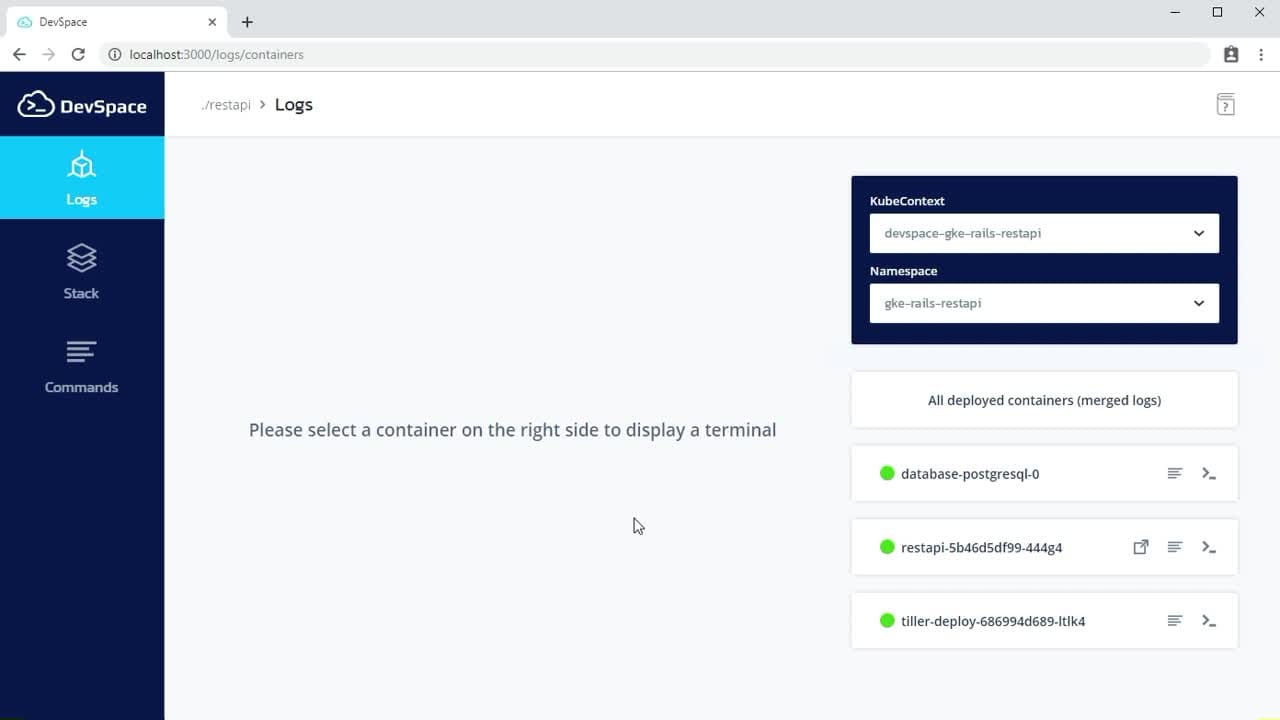
DevSpace is an open-source Kubernetes developer tool for deploying and developing cloud-native applications. It is a client-side CLI that works with any Kubernetes cluster and supports image builds, deployments, realtime sync, terminal access, logs, and a local development UI.
Key features include:
- Client-only Kubernetes workflow: Runs as a lightweight client-side CLI that uses the current kube-context and does not require components to be installed inside the cluster.
- Build and deployment automation: Automates image builds and deployments using tools such as Helm, kubectl, Kustomize, or custom scripts for Kubernetes workflows.
- Realtime file synchronization: Watches source files, syncs changes into running containers, and supports hot reloading to reduce repeated image rebuilds during development.
- Logs and terminal access: Provides commands for streaming logs and opening interactive terminal sessions directly into deployed containers for faster troubleshooting.
- Development UI: Includes a localhost UI for Kubernetes development with namespace inspection, log streaming, status monitoring, and one-click port forwarding.
- Cross-environment configuration: Uses one declarative config with profiles, patches, variables, and custom commands so teams can share workflows across environments.
Official repo: https://github.com/devspace-sh/devspace

Source: DevSpace
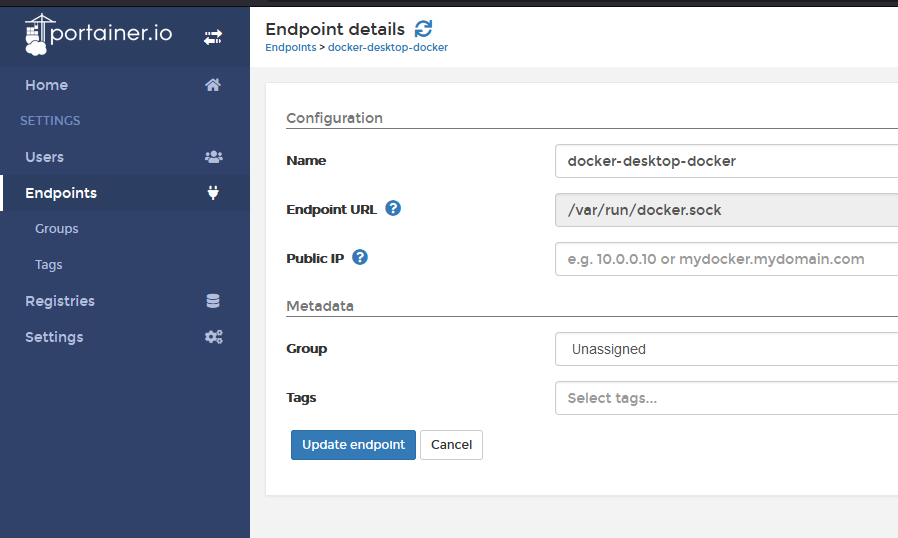
5. Portainer
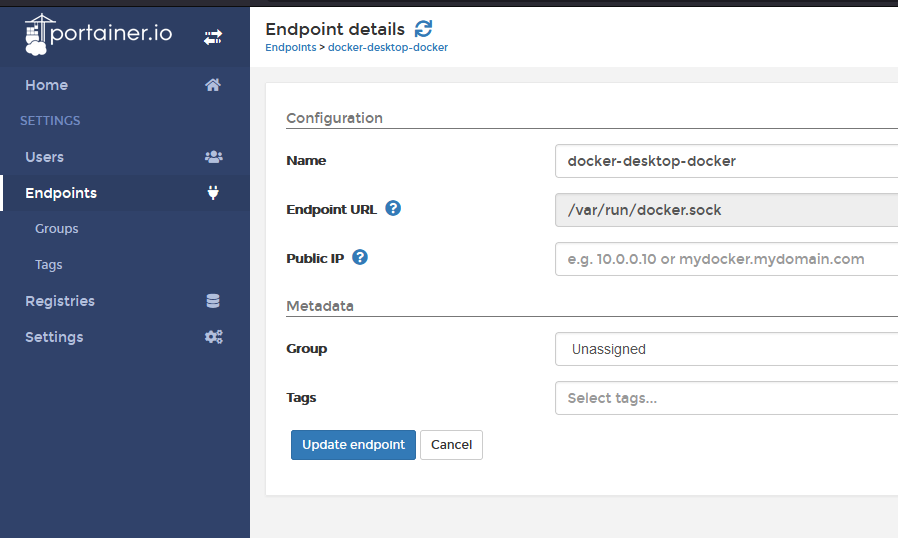
Portainer is an operational control plane for managing container platforms across enterprise IT and industrial environments. It supports Kubernetes, Docker, and Podman, with tools for fleet management, access control, governance, GitOps workflows, and application delivery.
Key features include:
- Multi-cluster fleet management: Manages Kubernetes, Docker, and Podman environments across enterprise and edge infrastructure through a multi-cluster control plane.
- Policy-based governance: Applies security, access, and configuration policies consistently across on-premises, cloud, and industrial edge environments from one interface.
- Identity and access control: Supports access control features including RBAC, SSO, LDAP, and OIDC for controlled operations across container platforms.
- GitOps automation: Includes a built-in GitOps reconciler so applications can be deployed through controlled GitOps workflows without requiring external tooling.
- Consistent application delivery: Enables repeatable self-service application deployment for users who do not have deep Kubernetes expertise but need governed workflows.
- Offline and edge operations: Supports management of remote edge nodes and clusters, including environments that may be disconnected, low-resource, or air-gapped.
Official repo: https://github.com/portainer/portainer
Source: Portainer
6. K9s
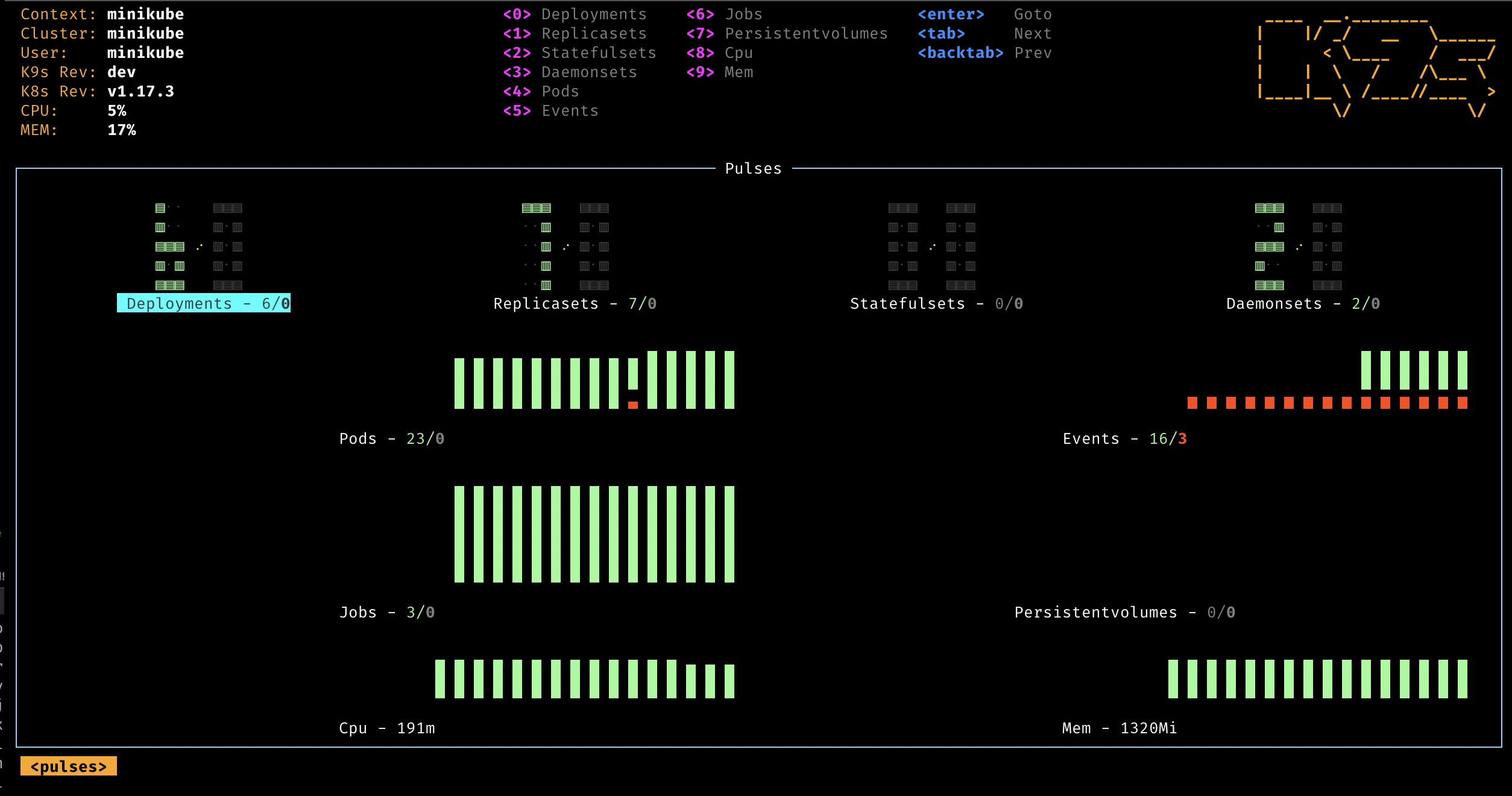
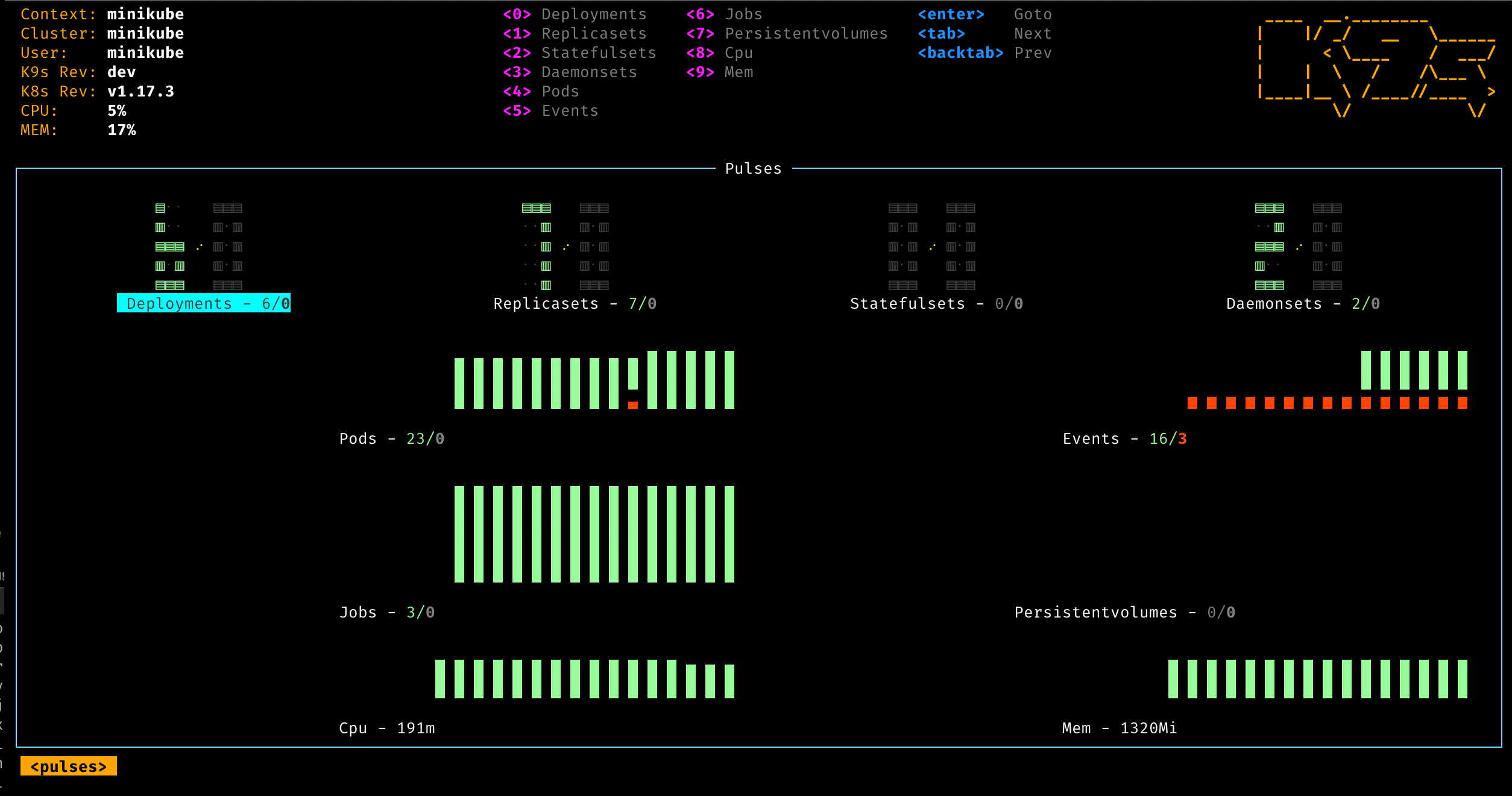
K9s is a terminal-based user interface for interacting with Kubernetes clusters. It watches cluster resources in realtime and provides commands for observation, troubleshooting, navigation, metrics, RBAC inspection, and resource management from the terminal.
Key features include:
- Realtime cluster observation: Continuously watches Kubernetes resources and updates views as changes happen, helping users monitor workloads directly from the terminal.
- Standard and custom resource support: Handles standard Kubernetes resources as well as custom resource definitions, making it usable across extended cluster environments.
- Cluster metrics visibility: Tracks realtime metrics for resources such as pods, containers, and nodes to help operators inspect cluster activity quickly.
- Administrative cluster commands: Provides commands for logs, scaling, restarts, and port-forwarding so users can perform common cluster management tasks without leaving the UI.
- Filtering and navigation tools: Includes filtering, aliases, hotkeys, and resource traversal features for drilling into workloads and their related resources.
- RBAC inspection: Supports viewing RBAC roles, bindings, and reverse authorization lookups to see what users, groups, or service accounts can do.
- Dashboard and dependency views: Offers Pulses and XRay views for high-level dashboards and dependency inspection across cluster resources.
Official repo: https://github.com/derailed/k9s
Source: K9s
7. Tigera
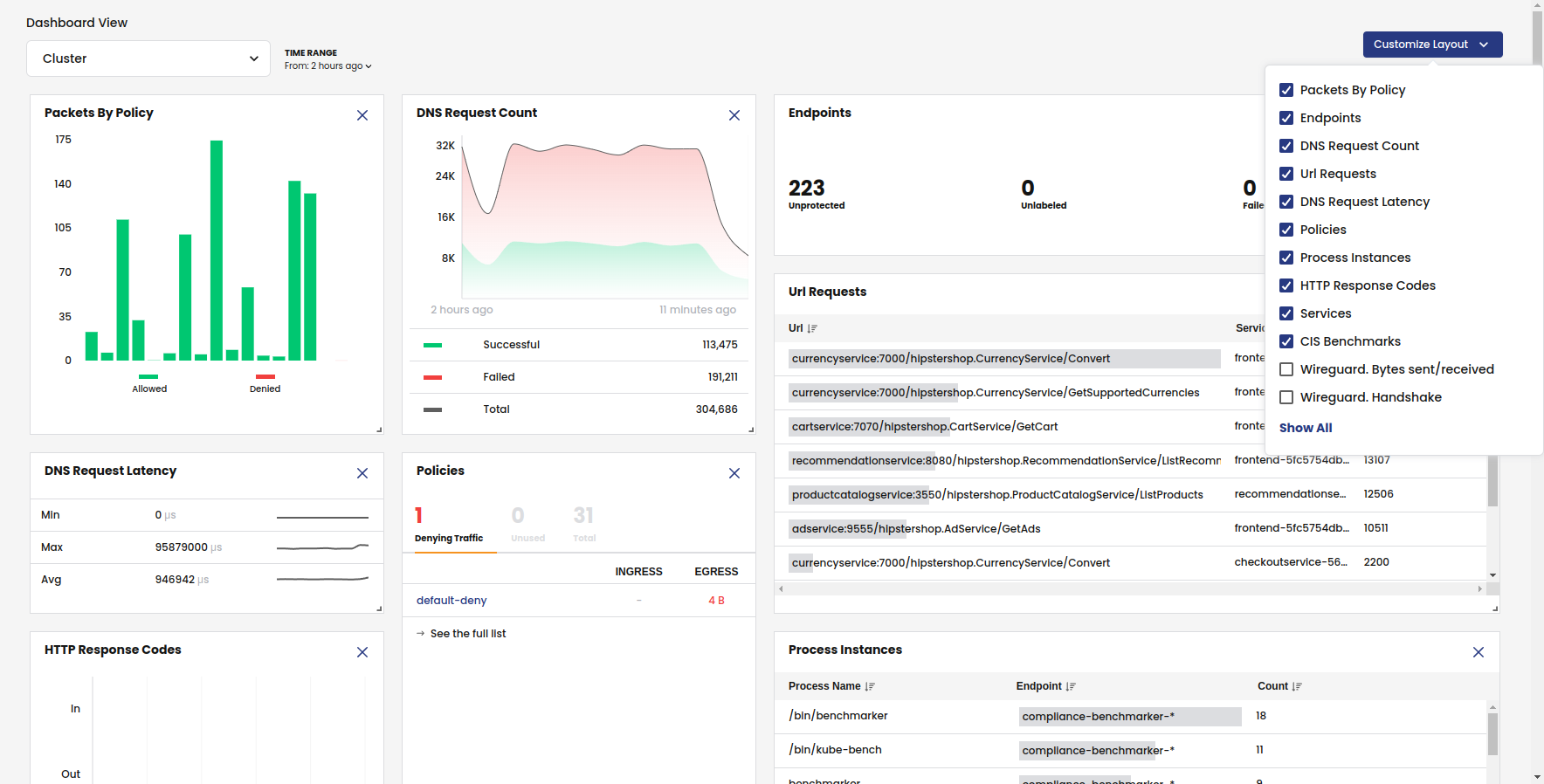
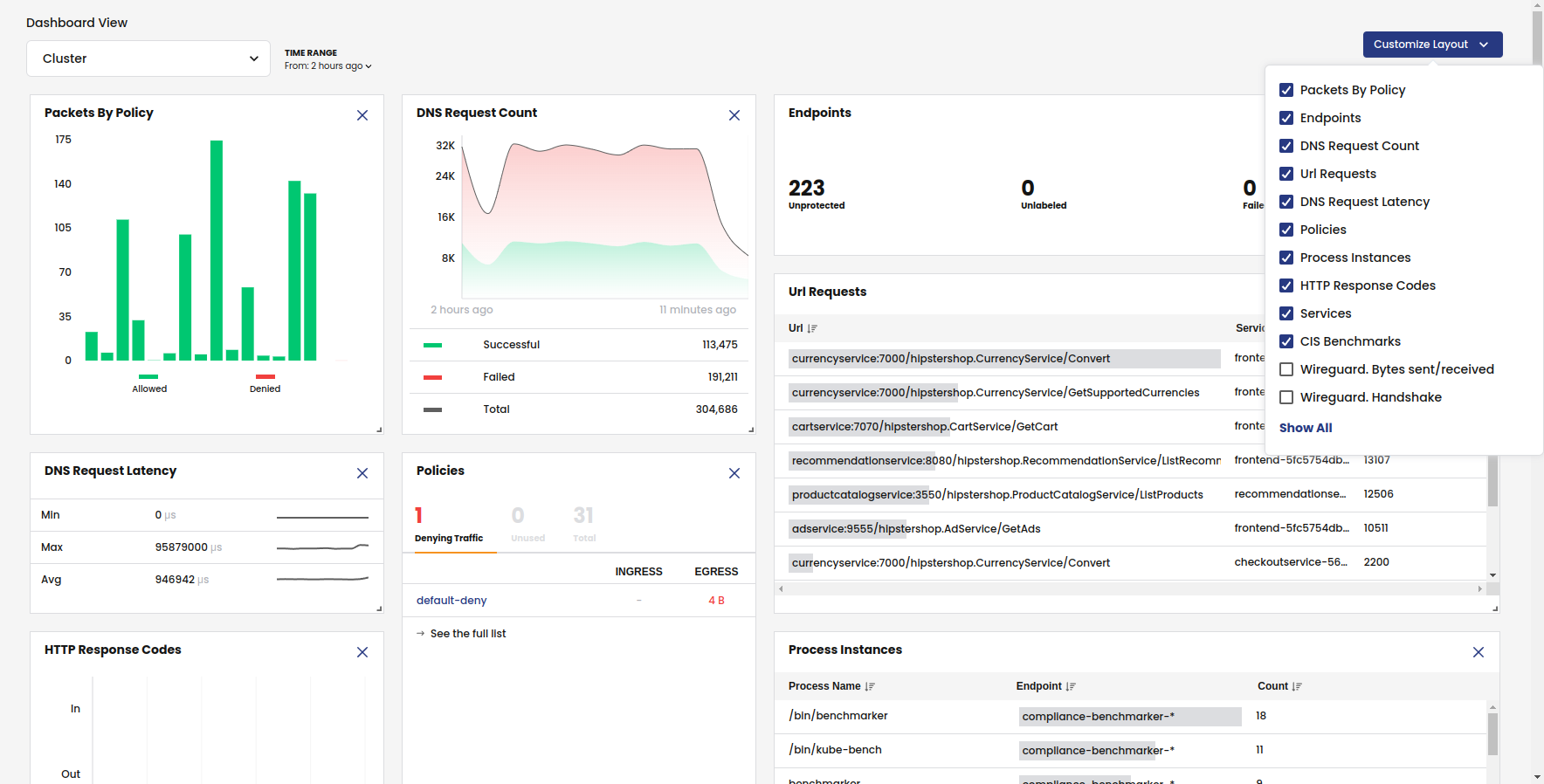
Tigera provides Kubernetes networking, security, and observability through Calico. Its platform covers network security controls, multi-cluster connectivity, ingress and egress management, observability, and high-performance networking with support for multiple data planes.
Key features include:
- Unified network security platform: Combines Kubernetes networking, network security, and observability functions into a single platform for containerized environments.
- Consistent security controls: Applies network security controls across Kubernetes distributions, helping teams enforce policies in different cluster environments.
- Multi-cluster and hybrid coverage: Extends controls to multi-cluster applications, virtual machines, and bare-metal systems rather than limiting policy to one cluster.
- High-performance networking: Supports pluggable data planes including eBPF, nftables, Windows, and VPP for different performance and infrastructure needs.
- Ingress and egress management: Includes ingress gateway and egress gateway capabilities for controlling traffic into and out of Kubernetes environments.
- Observability and troubleshooting: Provides observability and troubleshooting capabilities tied to networking and policy activity inside Kubernetes clusters.
Official repo: https://github.com/projectcalico/calico

Source: Tigera
K8s deployment management tools
8. Octopus
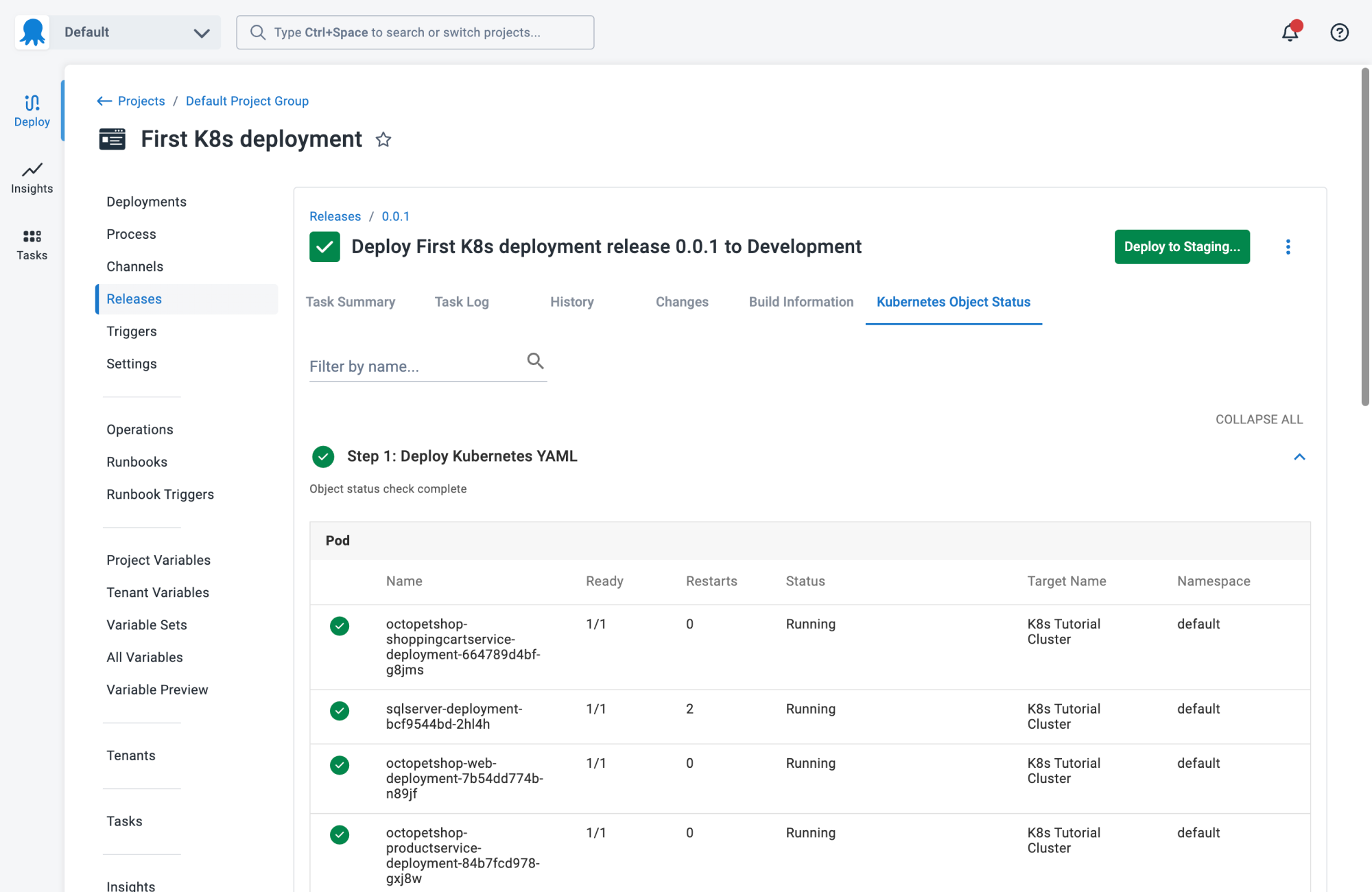
Octopus is a deployment automation and continuous delivery platform for Kubernetes, cloud services, servers, and other deployment targets. It handles release orchestration, environment promotion, operational workflows, and Kubernetes delivery with centralized visibility and compliance controls.
Key features include:
- Deployment automation at scale: Automates releases, deployments, and operations for software and AI workloads across Kubernetes, multi-cloud, and on-premises environments.
- Kubernetes deployment visibility: Shows live status, deployment history, logs, and manifests for applications across clusters and environments from one interface.
- Environment promotion workflows: Supports automated promotion between environments using reusable deployment processes rather than separate pipelines for each environment.
- Tenanted deployments: Uses tenancy features to apply one deployment process across many customers, locations, or application instances without duplicating configuration.
- Compliance and access controls: Includes RBAC, audit logs, and ITSM integrations to support controlled deployments and traceable changes in regulated environments.
- Argo CD and GitOps support: Automates GitOps deployments with Argo CD across applications, clusters, and environments while keeping centralized oversight.

Source: Octopus
9. Codefresh
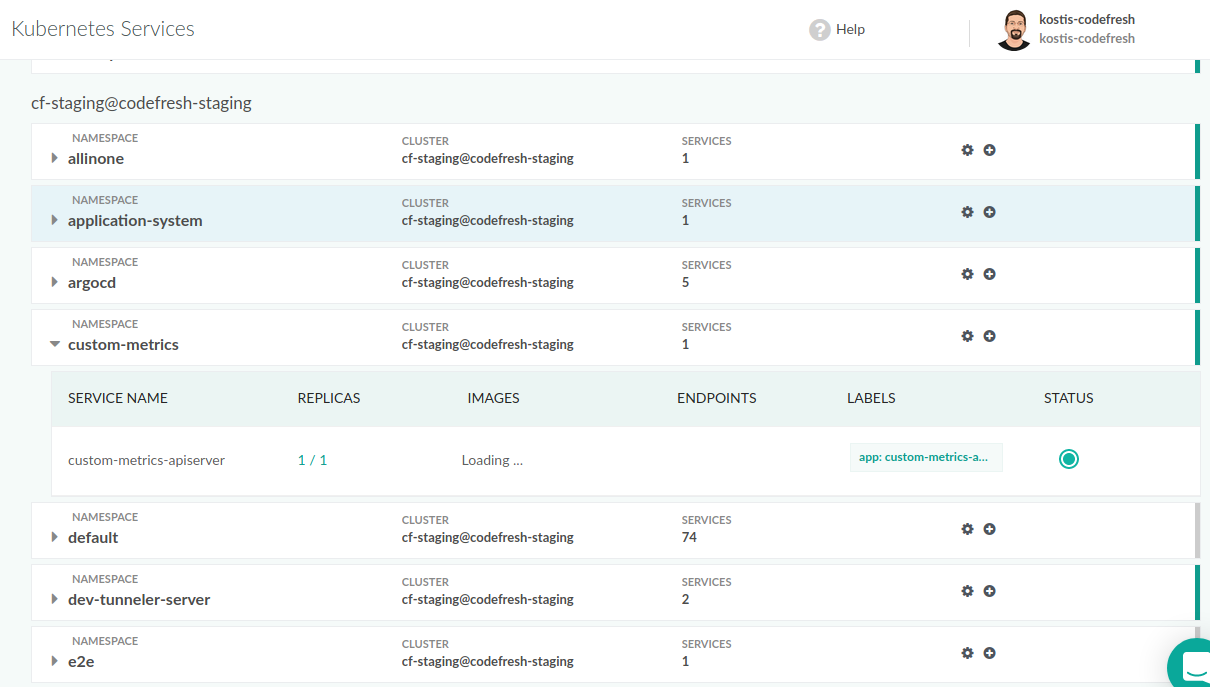
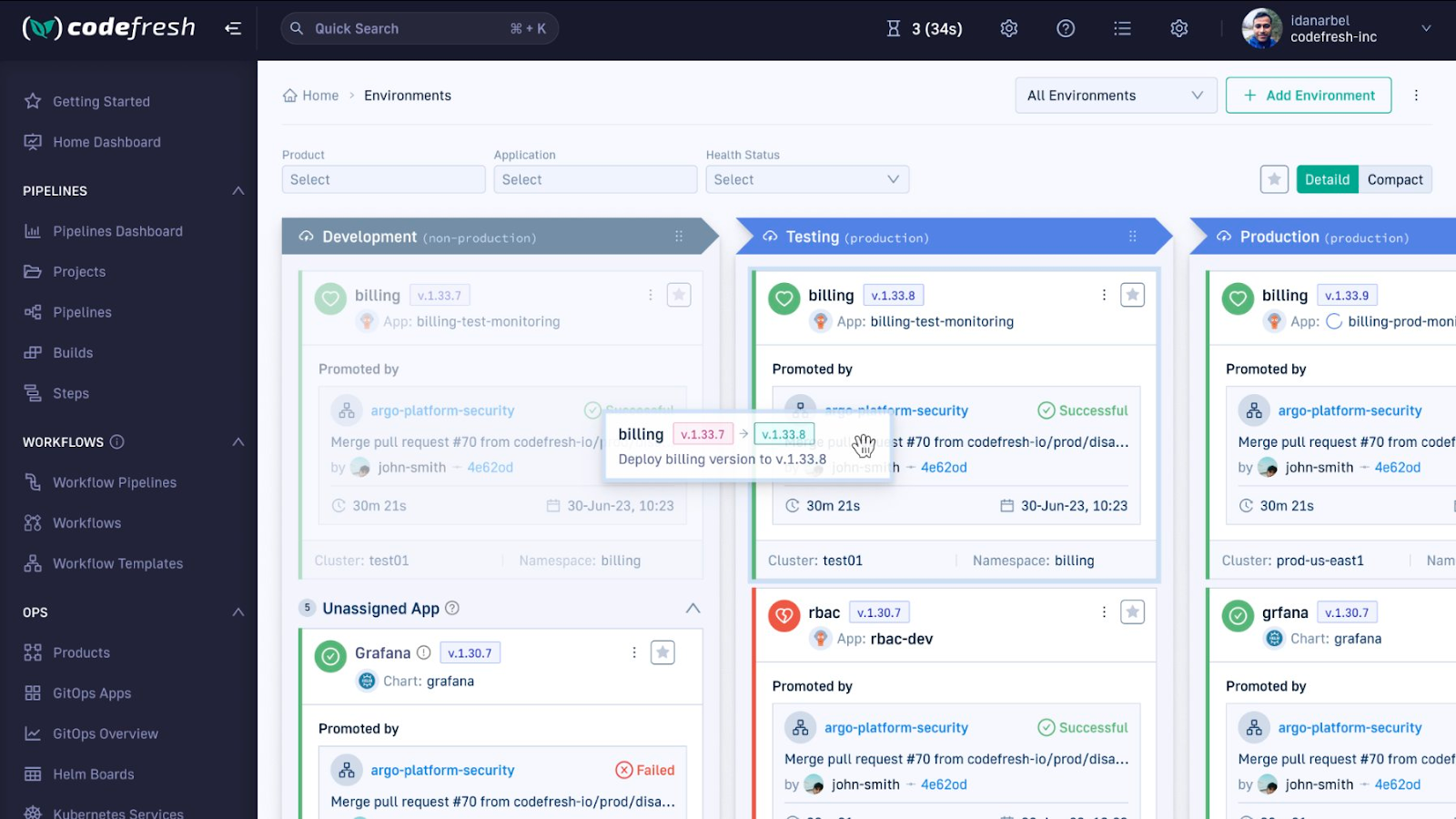
Codefresh is a Kubernetes-focused CI platform built around container-based pipelines. It supports pipeline steps, reusable triggers, shared state, integrations for secrets, and debugging and traceability features for teams building and deploying microservices.
Key features include:
- Container-based pipeline steps: Uses container-based steps that can be built internally or selected from a step marketplace for build and deployment workflows.
- Pipeline execution controls: Supports conditional logic, parallel steps, build stages, approvals, and similar controls to shape more complex delivery processes.
- Shared pipeline volume: Provides a shared volume that lets steps and executions share persistent state without extra configuration between pipeline stages.
- Reusable triggers for microservices: Uses advanced triggers so a single pipeline can be reused across similar microservices instead of creating one pipeline per service.
- Secret management integrations: Integrates with tools such as Vault and AWS Secrets Manager so secrets can be accessed securely during pipeline execution.
- Debugging and traceability: Includes live pipeline debugging, performance metrics, image traceability, and error tracking for investigating pipeline behavior.
Source: Codefresh
10. Argo CD
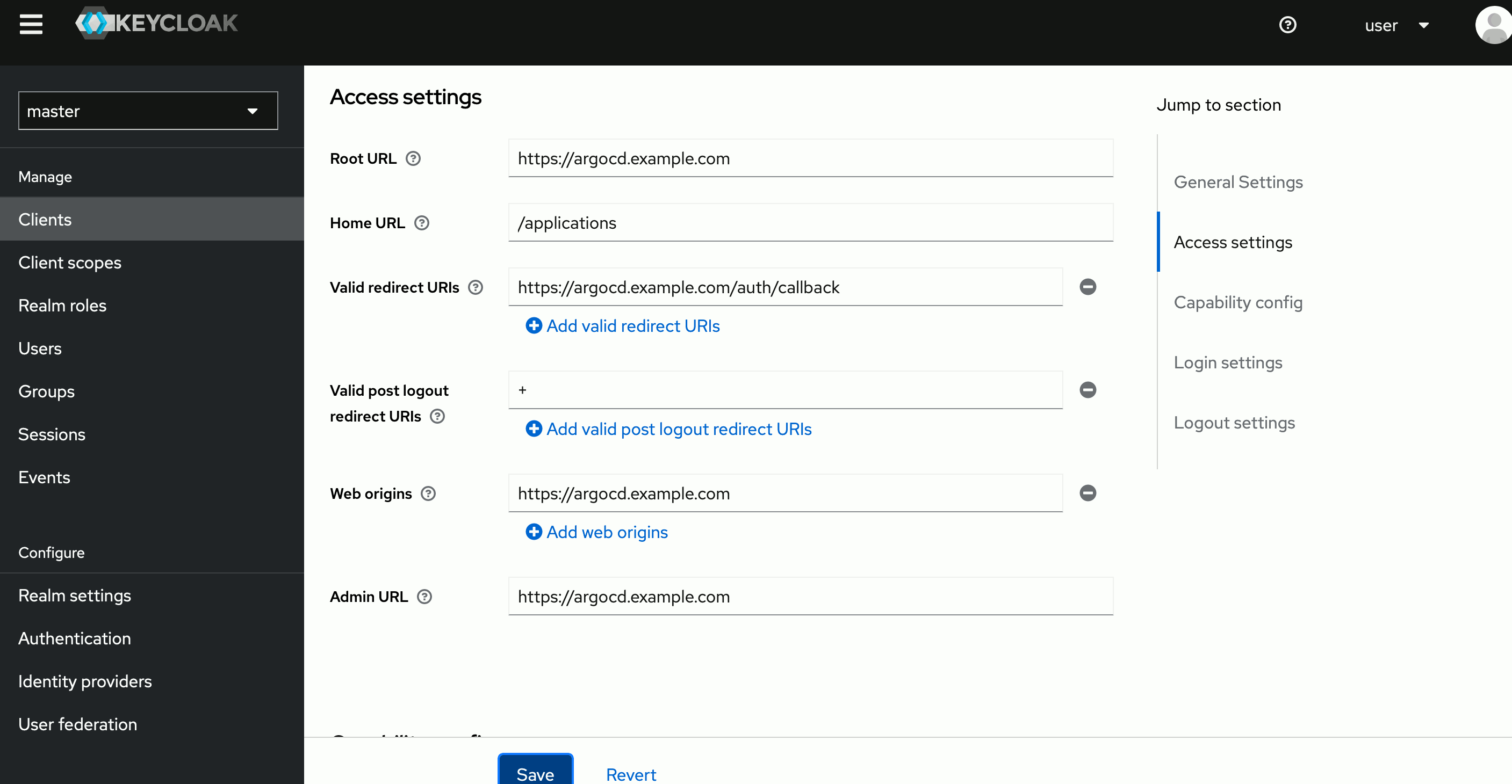
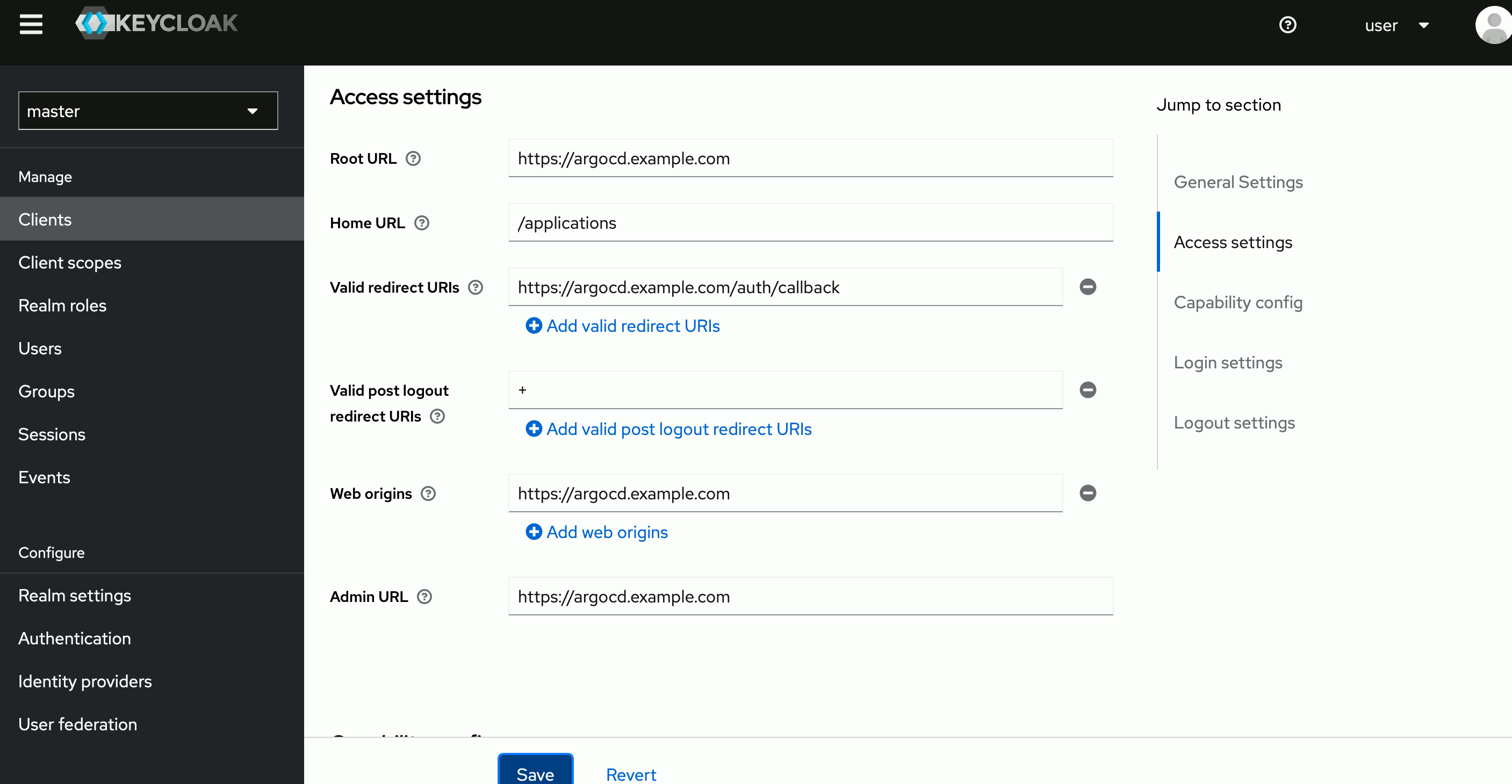
Argo CD is a declarative GitOps continuous delivery tool for Kubernetes. It treats Git repositories as the source of truth, monitors live cluster state against desired configuration, and supports syncing, drift detection, multi-cluster delivery, and multiple configuration formats.
Key features include:
- Git as source of truth: Uses Git repositories to define desired application state, configurations, and environments for Kubernetes deployments.
- Continuous state comparison: Continuously compares the live cluster state with the target state stored in Git and identifies when applications are out of sync.
- Automated or manual sync: Allows applications to be synced back to the desired state automatically or manually when drift is detected.
- Multiple config format support: Supports Helm, Kustomize, Jsonnet, plain YAML or JSON manifests, and custom config management plugins.
- Multi-cluster deployment: Manages and deploys applications across multiple Kubernetes clusters from the same delivery system.
- Rollback and audit support: Supports rollbacks to previous Git-tracked configurations and records audit trails for application events and API calls.
- Access control and SSO: Includes RBAC, multi-tenancy support, and integrations with identity providers through OIDC, OAuth2, LDAP, SAML, and others.
Official repo: https://github.com/argoproj/argo-cd

Source: Argo CD
11. Helm
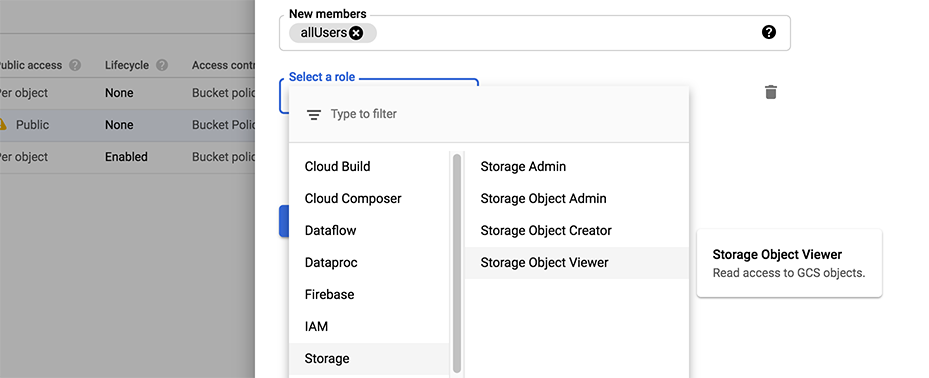
Helm is a package manager for Kubernetes that uses charts to define, install, upgrade, and share applications. It helps teams manage complex application definitions, perform in-place updates, roll back releases, and distribute reusable application packages.
Key features include:
- Chart-based packaging: Uses Helm Charts to define Kubernetes applications so installation and upgrades can be managed from reusable package definitions.
- Complex application management: Supports deployment and management of complex Kubernetes applications through a single packaging and release mechanism.
- Repeatable installation workflows: Provides repeatable application installation so teams can deploy the same packaged application consistently across environments.
- In-place upgrades: Supports updating deployed applications through in-place upgrades rather than recreating the full release each time.
- Rollback support: Includes a rollback command that lets users return to an earlier release version when a deployment needs to be reversed.
- Chart versioning and sharing: Allows charts to be versioned, published, hosted, and shared on public or private chart repositories.
Official repo: https://github.com/helm/helm

Source: Helm
K8s configuration management tools
12. Kustomize
Kustomize is a Kubernetes-native configuration customization tool that modifies manifests without templates. It works with plain YAML, is built into kubectl, supports multiple customized configurations, and can run as either a standalone binary or kubectl feature.
Key features include:
- Template-free customization: Adds, removes, and updates configuration options in Kubernetes manifests without requiring a separate templating language.
- Built into kubectl: Is available natively through kubectl with the
-kflag, allowing configuration customization without a separate toolchain. - Declarative configuration model: Uses a purely declarative approach for defining customizations to Kubernetes resources and related application configuration.
- Multiple environment variants: Manages many distinctly customized Kubernetes configurations from shared resources, which helps teams adapt settings per environment.
- Plain YAML artifacts: Uses plain YAML for all artifacts so configurations remain easy to validate, inspect, and process with other tooling.
- Standalone and integrated usage: Can run as a standalone binary for integrations and extensions or as part of kubectl workflows.
Official repo: https://github.com/kubernetes-sigs/kustomize

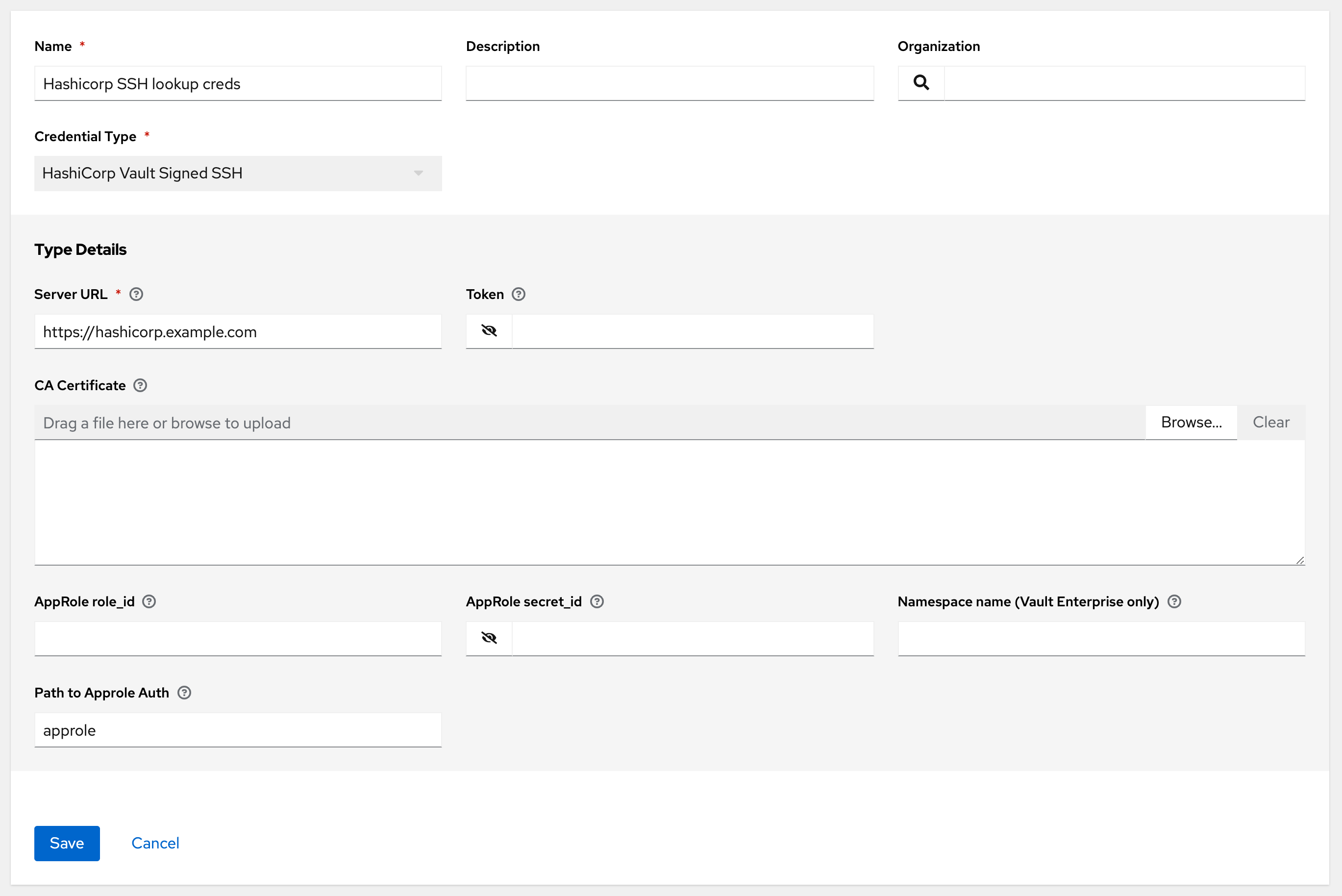
13. Ansible
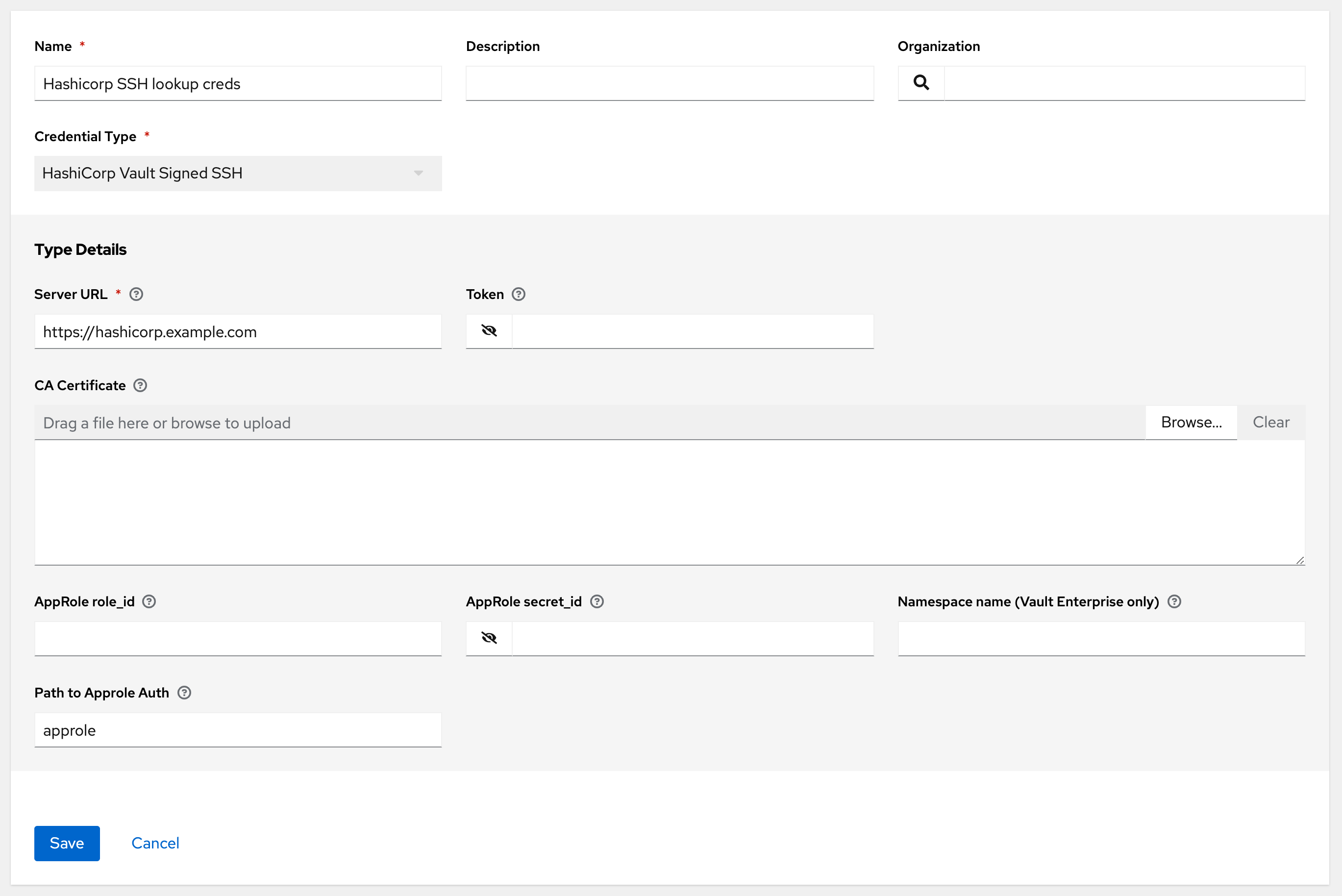
Ansible is an open-source automation language and engine for automating system management, software deployment, and orchestration. It can describe infrastructure in readable code, automate remote systems, and extend workflows through modules and supporting ecosystem tools.
Key features include:
- Readable automation language: Uses automation code designed to read like documentation, making infrastructure and workflow definitions easier to understand and maintain.
- Remote system management: Automates management of remote systems and controls their desired state across infrastructure environments.
- Application deployment and orchestration: Supports software deployment, system updates, and advanced workflows tied to application delivery and system operations.
- Custom module extensibility: Lets developers create modules, extend existing functionality, and modify automation behavior for different technical requirements.
- Execution environments: Uses container-based execution environments that act as control nodes for running Ansible automation content consistently.
- Developer tooling ecosystem: Includes developer tools for creating automation content, bootstrapping projects, and setting up CI/CD pipelines around Ansible workflows.
Official repo: https://github.com/ansible/ansible
Source: Ansible
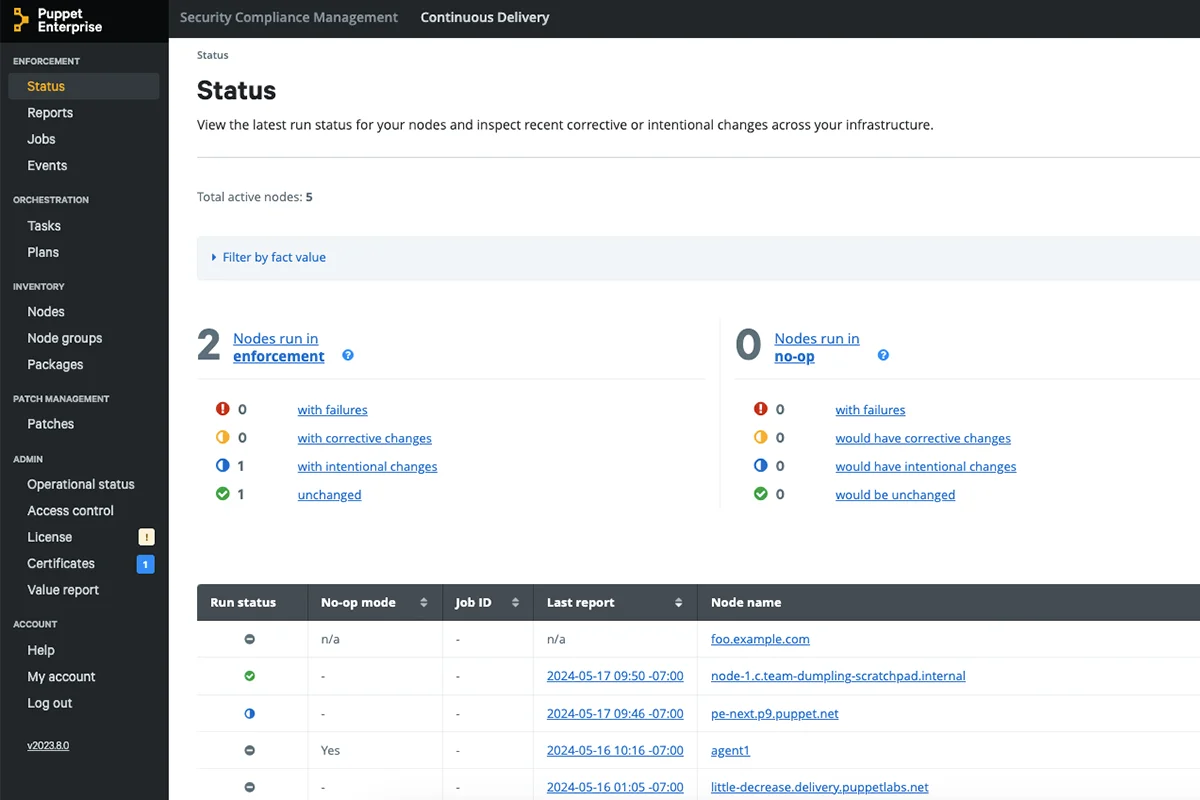
14. Puppet
Puppet is a desired state automation platform for managing configuration, policy enforcement, compliance, and governance across hybrid infrastructure. It supports servers, cloud, networks, and edge systems with policy-driven automation and audit-focused controls.
Key features include:
- Desired state automation: Maintains systems in a defined desired state and automates repetitive management tasks across large-scale environments.
- Policy-driven controls: Applies policy-based automation for security, compliance, and configuration management across servers, networks, cloud, and edge infrastructure.
- Enterprise governance platform: Provides governance and control features for organizations that need stronger oversight of infrastructure at scale.
- Security policy enforcement: Enforces security policies to address issues before they develop into broader operational or compliance risks.
- Audit reporting: Includes audit reporting capabilities that help track system changes and support compliance review across managed infrastructure.
- DevOps toolchain integration: Integrates infrastructure automation with DevOps toolchains so automated infrastructure changes can align with software delivery workflows.
Official repo: https://github.com/puppetlabs/puppet
Source: Puppet
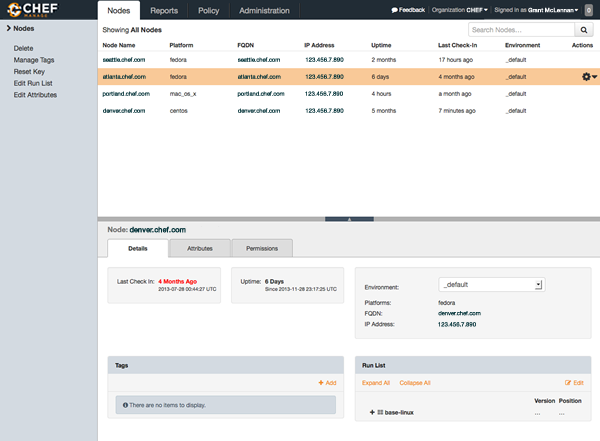
15. Chef
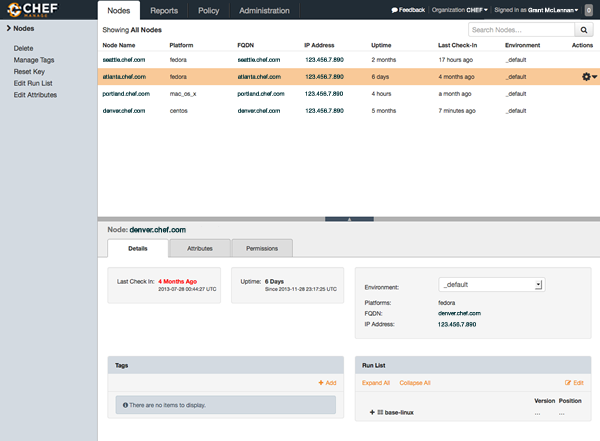
Chef is an infrastructure automation platform for configuration management, compliance, orchestration, and application delivery. It supports UI-based enterprise automation, predefined workflow templates, environment-agnostic execution, and job orchestration across cloud and on-premises systems.
Key features include:
- Infrastructure management: Standardizes infrastructure configuration so teams can manage systems in a repeatable way across enterprise environments.
- Continuous compliance: Runs compliance audits on demand or on schedules using standards-based content for infrastructure validation and reporting.
- Workflow orchestration: Orchestrates operational workflows and coordinates separate DevOps tools from a single control plane.
- Environment-agnostic execution: Executes jobs across cloud, on-premises, hybrid, and air-gapped setups without limiting workflows to one infrastructure type.
- Predefined workflow templates: Includes templates for incidents, certificate rotation, and other planned or ad hoc operational processes.
- Application delivery and node management: Provides application delivery and node management functions as part of a broader infrastructure automation platform.
Official repo: https://github.com/chef/chef
Source: Chef
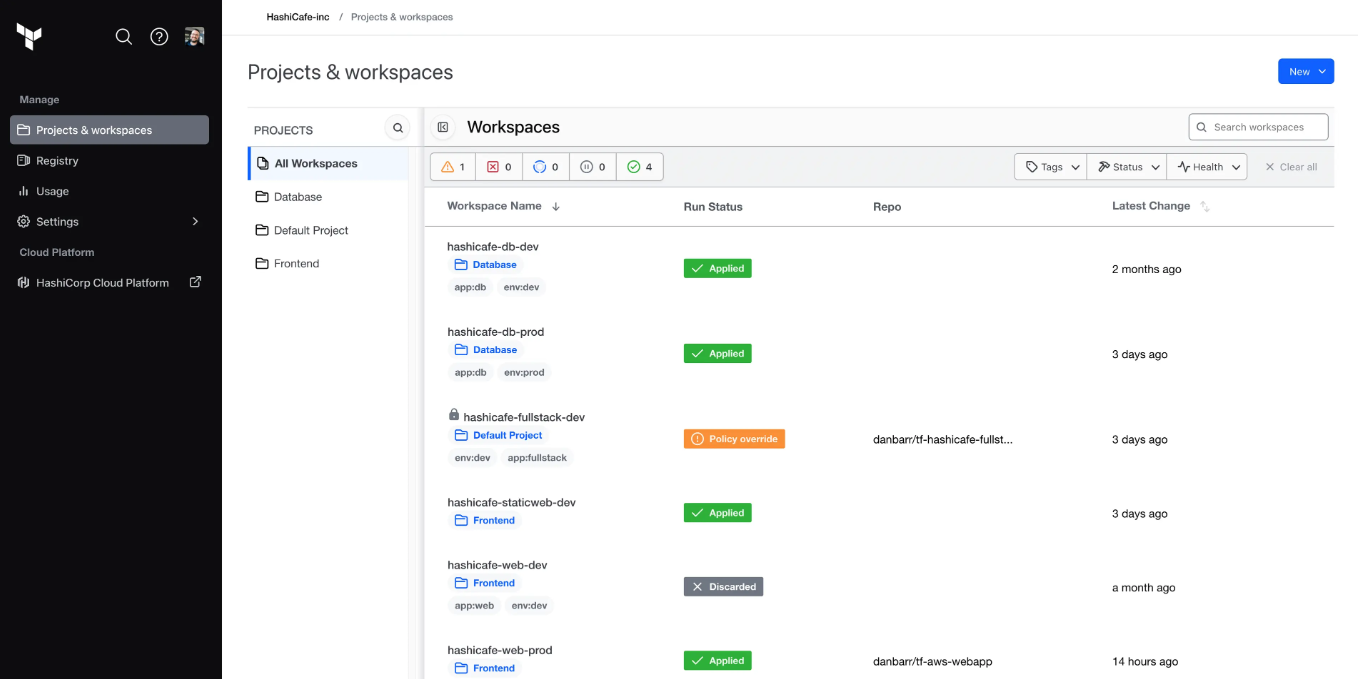
16. Terraform
Terraform is an infrastructure as code tool for building, changing, and versioning infrastructure across cloud providers and services. It uses configuration files, CLI-based workflows, and shared tooling for managing both low-level resources and higher-level services.
Key features include:
- Infrastructure as code workflows: Uses configuration files to define infrastructure so resources can be built, changed, and versioned through repeatable workflows.
- Low-level and high-level resource support: Manages compute, storage, networking, DNS, and SaaS features within the same infrastructure definition model.
- Configuration language: Uses its own configuration language to describe resources, relationships, and infrastructure behavior in declarative files.
- CLI-based provisioning: Supports command-line workflows for provisioning and managing infrastructure from local environments or automation pipelines.
- Multi-cloud support: Works with providers such as AWS, Azure, Google Cloud, Oracle Cloud, and Docker for cross-platform infrastructure provisioning.
- Team collaboration support: Includes HCP Terraform for teams that need shared infrastructure provisioning, collaboration, and workflow management.
Source: Terraform
K8s observability and monitoring tools
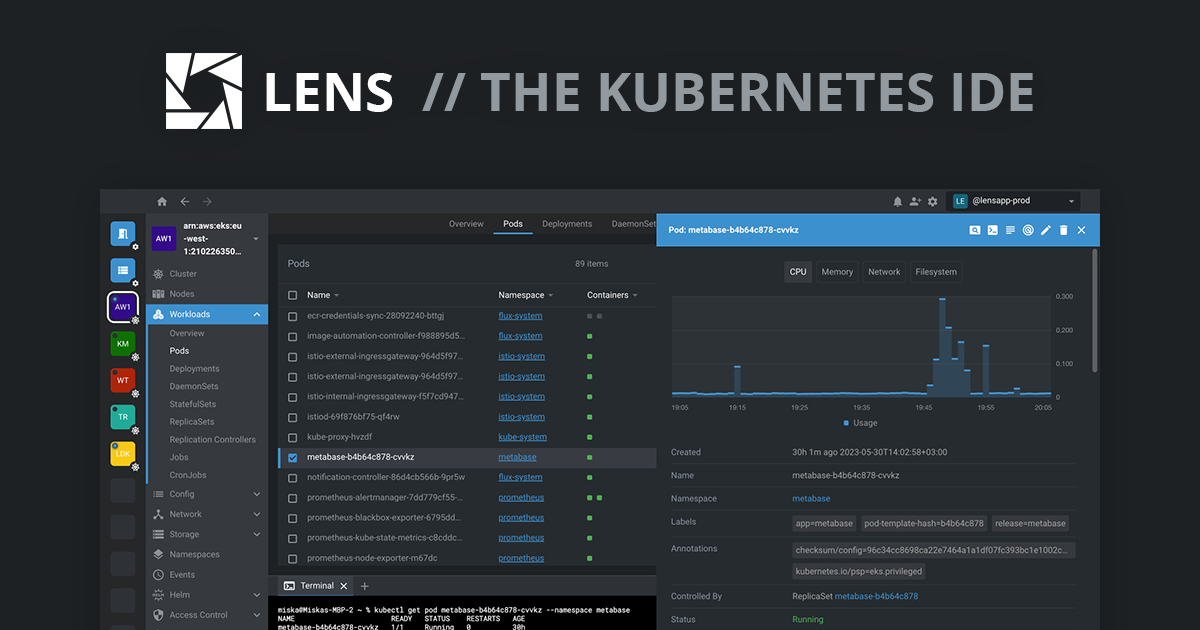
17. Lens
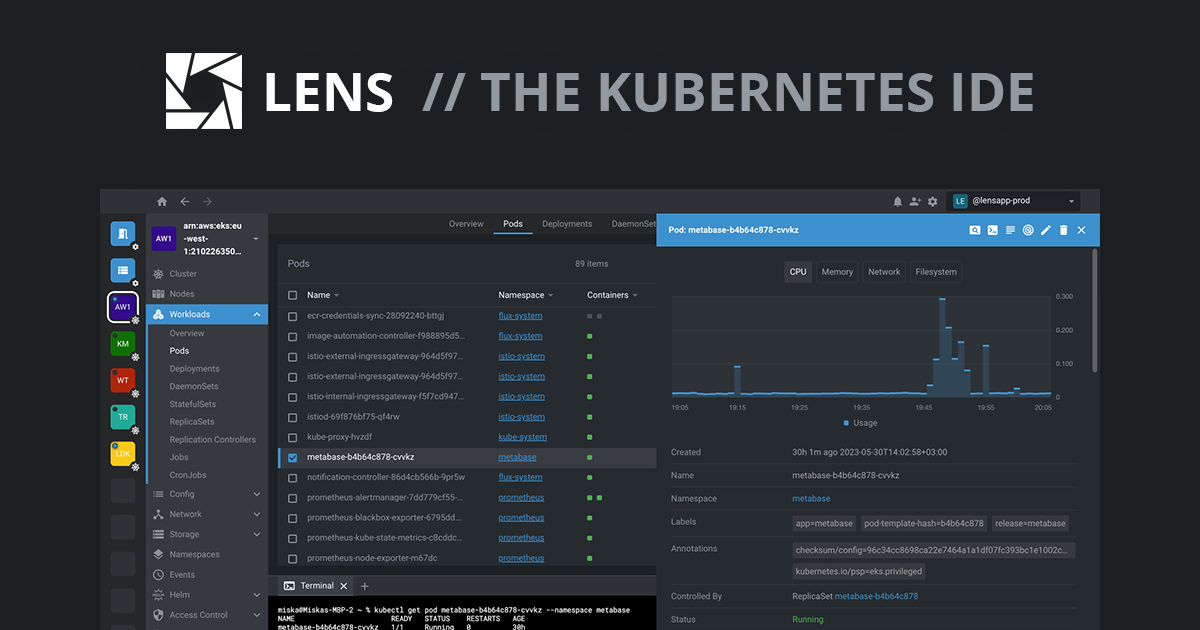
Lens is a Kubernetes IDE for development, operations, troubleshooting, and observability. It provides local access to Kubernetes clusters, works with existing credentials and RBAC, and combines cluster visibility, observability, and AI-assisted troubleshooting in one interface.
Key features include:
- Kubernetes IDE interface: Provides a desktop environment for Kubernetes development, operations, troubleshooting, and observability rather than a browser-based management console.
- Local-first access model: Runs locally with the user’s credentials and respects Kubernetes RBAC, fitting into existing access and security controls.
- Cluster clarity and control: Brings together cluster views and operational context so users can inspect Kubernetes workloads with less tool switching.
- AI-assisted troubleshooting: Includes an AI assistant inside the IDE for troubleshooting and optimization tasks related to Kubernetes and LLM workloads.
- Fast onboarding: Moves from installation to cluster insight without requiring a backend service or cloud dependency, using a download-and-run model.
- Support for evolving workloads: Covers Kubernetes clusters and LLM application observability from the same tool family, extending beyond basic cluster inspection.
Official repo: https://github.com/lensapp/lens
Source: Lens
18. Prometheus
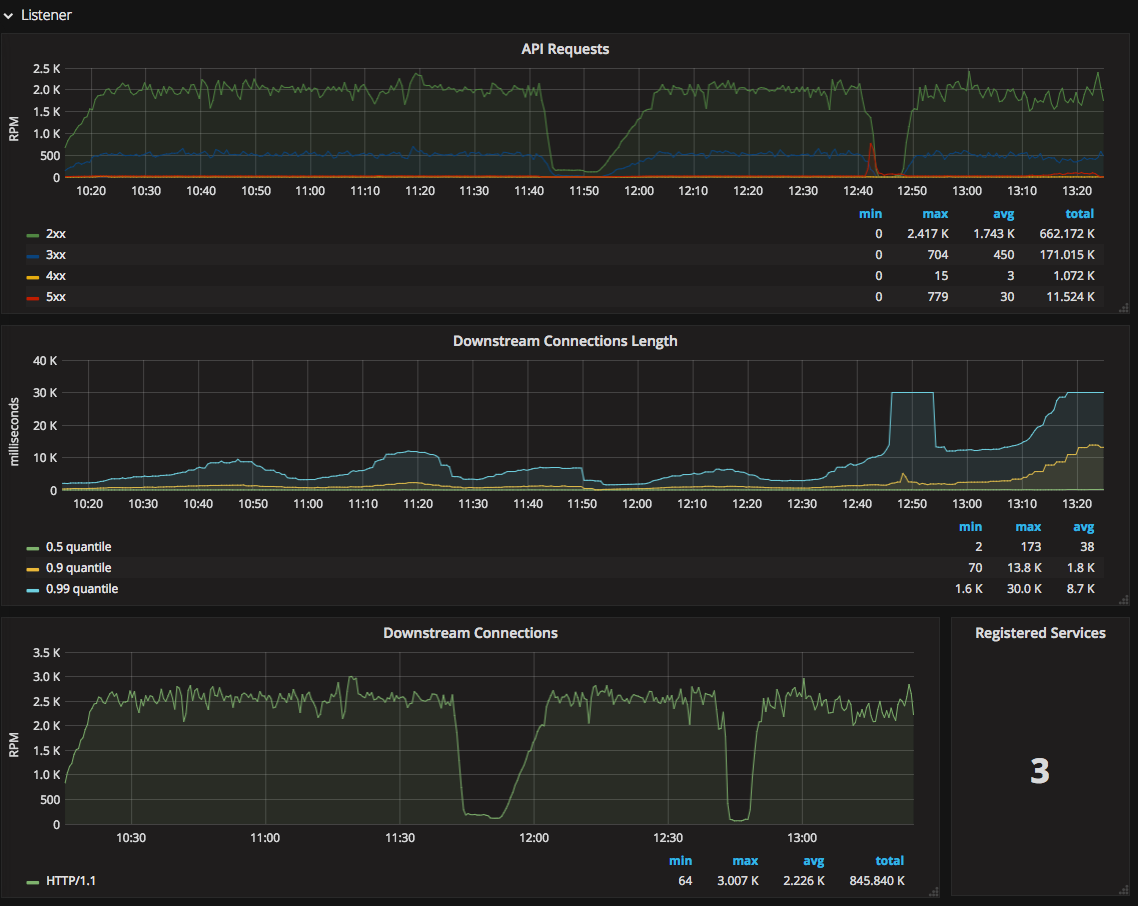
Prometheus is an open-source systems monitoring and alerting toolkit that stores metrics as time series data. It supports labels, pull-based collection, PromQL queries, alerting, service discovery, and exporters for monitoring Kubernetes and other dynamic systems.
Key features include:
- Time series data model: Stores metrics as time series with timestamps and optional key-value labels for multi-dimensional monitoring analysis.
- PromQL query language: Includes a flexible query language for analyzing labeled metric data and building monitoring views from collected samples.
- Pull-based metric collection: Collects time series data over HTTP by scraping targets directly, with push support available through an intermediary gateway.
- Standalone server model: Uses autonomous server nodes that do not rely on distributed storage, which supports simpler and more resilient operation.
- Service discovery support: Finds monitoring targets through service discovery mechanisms or static configuration for dynamic infrastructure environments.
- Alerting ecosystem: Includes an alert manager component and rule evaluation support for generating alerts from collected monitoring data.
- Exporter and client library support: Uses exporters and client libraries to collect metrics from applications, services, and systems across different environments.
Official repo: https://github.com/prometheus/prometheus
Source: Prometheus
19. Grafana
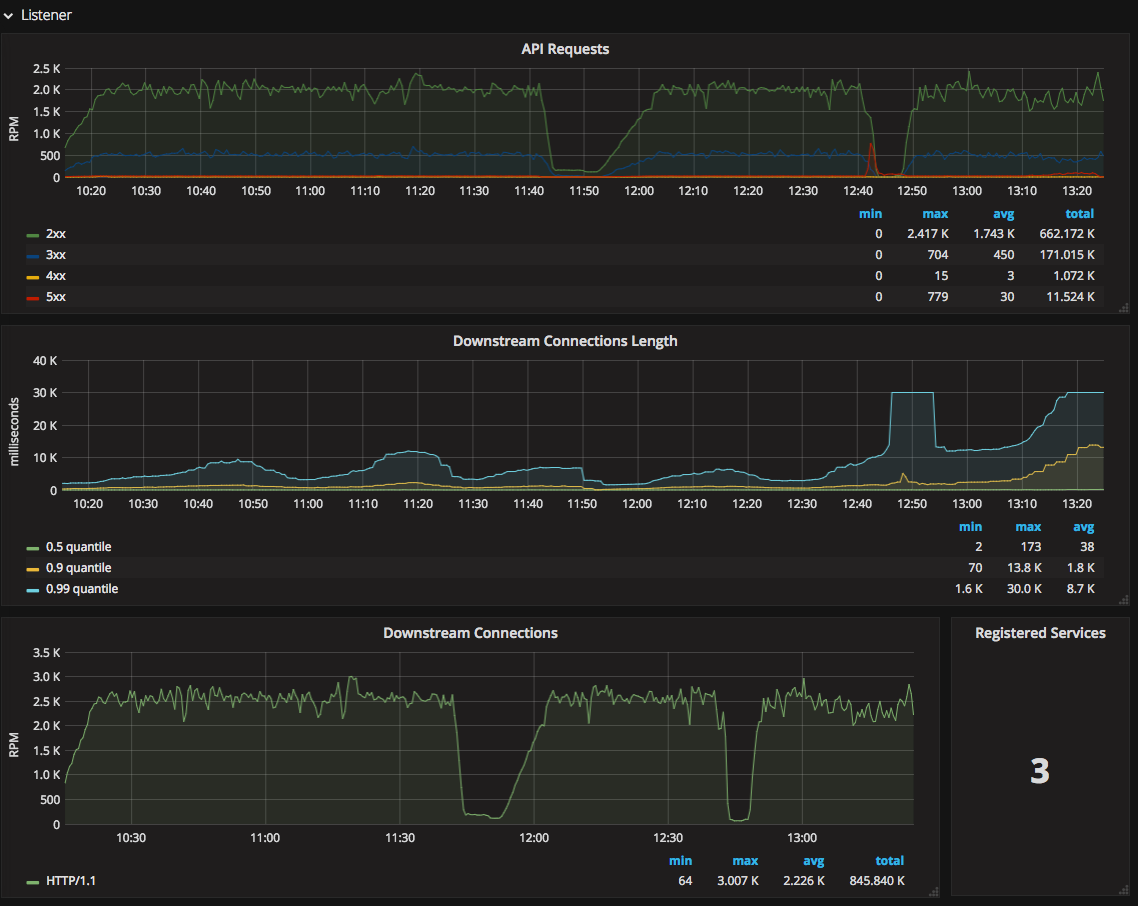
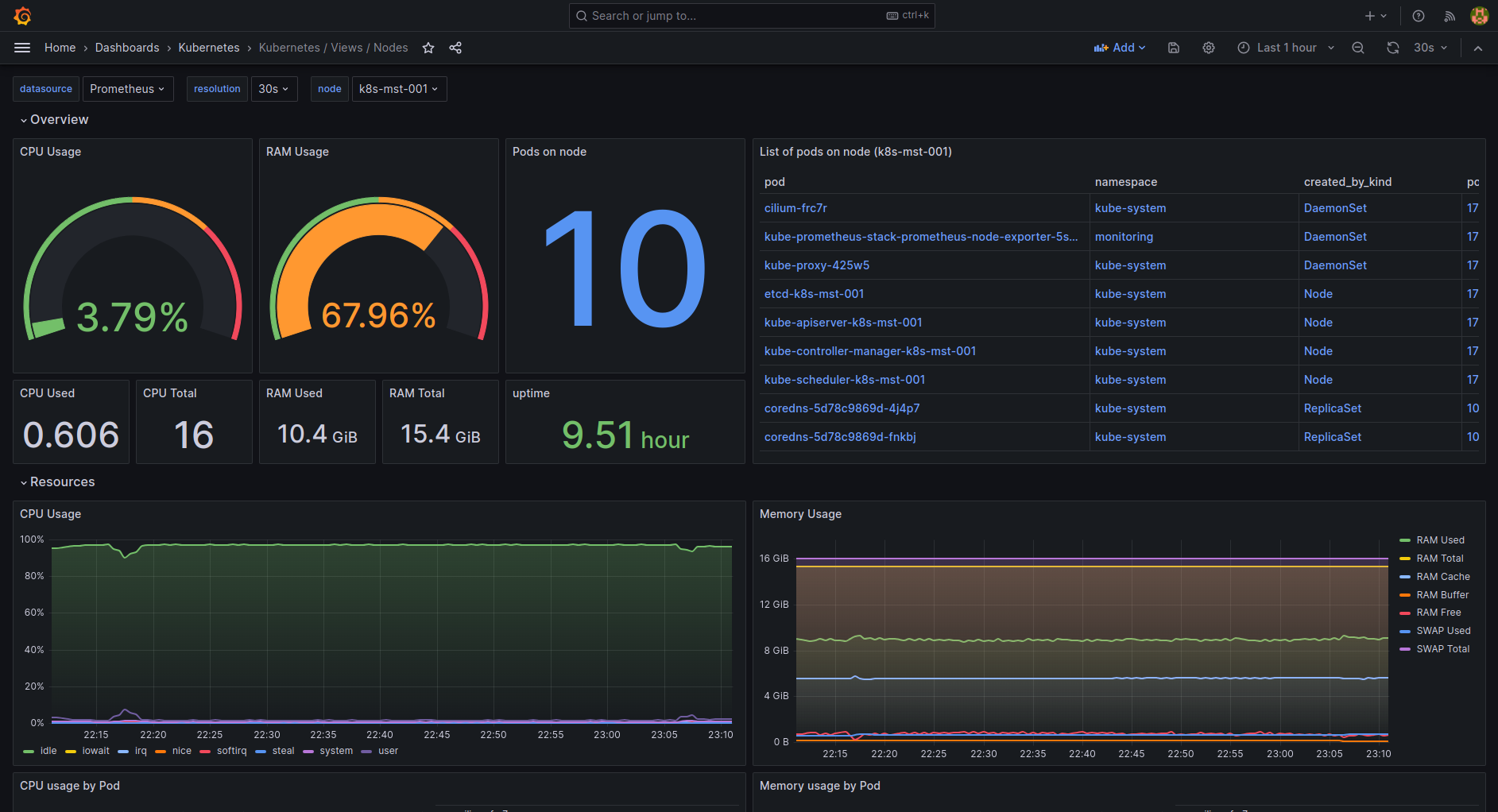
Grafana is a visualization and observability platform for metrics, logs, traces, profiles, and related telemetry. It connects to many data sources, supports dashboards and alerting, and includes incident response, synthetic monitoring, and integrations for Kubernetes monitoring.
Key features include:
- Dashboard visualization: Provides dashboards for querying, visualizing, and alerting on telemetry data from infrastructure and applications.
- Broad data source integrations: Connects with many systems and services, including Prometheus, MongoDB, Oracle, Jira, Datadog, and cloud platforms.
- Metrics, logs, traces, and profiles: Supports multiple telemetry types through components such as Grafana, Loki, Tempo, Mimir, and Pyroscope.
- Alerting and incident workflows: Includes alerting, incident response, on-call management, and SLO tools tied to observability data.
- Kubernetes monitoring support: Includes out-of-the-box integrations and pre-built solutions for Kubernetes health, performance, and cost monitoring.
- Plugin and template ecosystem: Offers dashboard templates, enterprise data source plugins, and community integrations for extending visualization and analysis workflows.
- Testing and synthetic monitoring: Adds load testing and synthetic monitoring capabilities through Grafana k6 and related observability tools.
Official repo: https://github.com/grafana/grafana

Source: Grafana
20. Jaeger
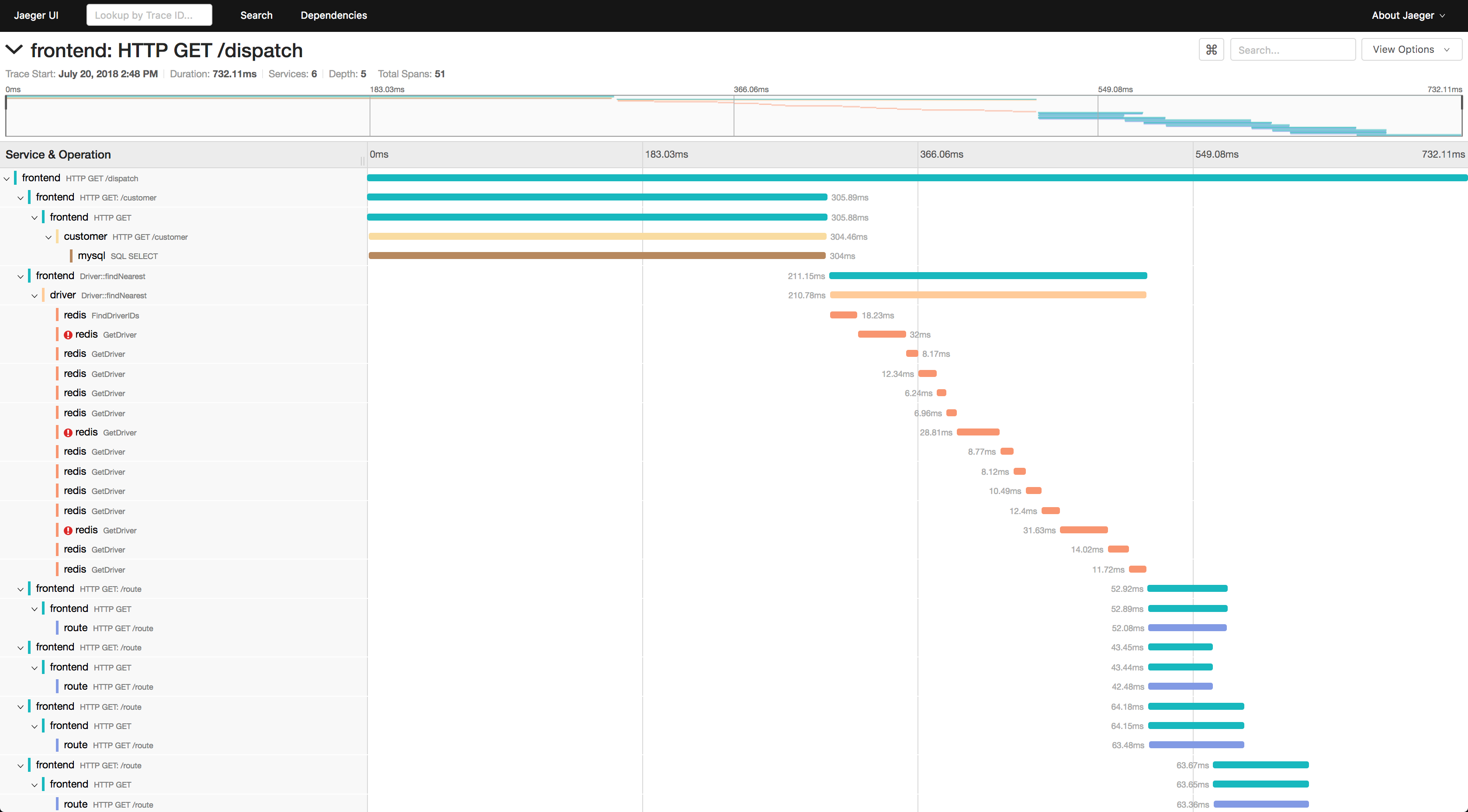
Jaeger is an open-source distributed tracing platform for monitoring and troubleshooting microservices-based systems. It maps request flows across services and helps teams identify bottlenecks, trace dependencies, analyze failures, and inspect behavior in distributed environments.
Key features include:
- Distributed request tracing: Traces requests as they move through multiple services, helping teams inspect behavior across distributed system components.
- Performance bottleneck analysis: Helps identify latency issues and bottlenecks introduced by one or more services inside a traced workflow.
- Root cause investigation: Connects activity across services so operators can track down causes of failures in complex application paths.
- Service dependency analysis: Shows dependencies between services, which supports troubleshooting and architectural understanding in microservice environments.
- Monitoring of distributed workflows: Supports ongoing monitoring of workflows that span many services rather than focusing on one component in isolation.
- Cloud-native tracing platform: Operates as an open-source, cloud-native tracing system intended for modern distributed application architectures.
Official repo: https://github.com/jaegertracing/jaeger

Source: Jaeger
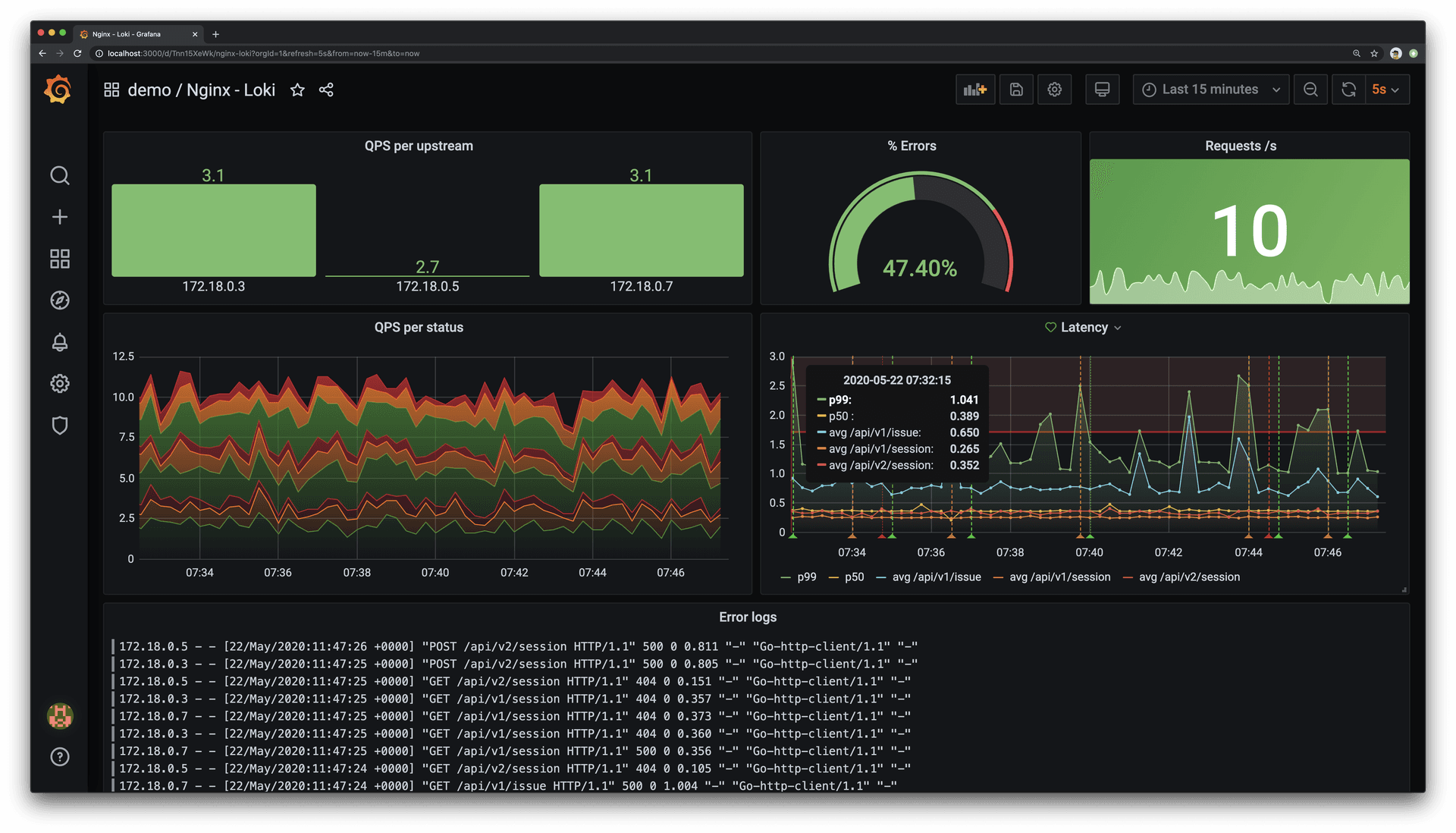
21. Loki
Loki is a horizontally scalable, highly available log aggregation system for cost-effective log storage and querying. It uses labels rather than full-text indexing, integrates with Grafana, and is especially suited for Kubernetes pod logs and multi-tenant environments.
Key features include:
- Label-based log indexing: Indexes log metadata rather than full log contents, using labels to group and query log streams efficiently.
- Horizontally scalable architecture: Supports high availability and horizontal scaling for larger logging workloads and multi-tenant environments.
- Kubernetes pod log support: Automatically scrapes and indexes Kubernetes pod metadata, making it a strong fit for Kubernetes log collection.
- Grafana integration: Works natively with Grafana for querying, displaying, and exploring logs alongside metrics and other observability data.
- Multi-tenant log aggregation: Aggregates logs from multiple tenants within one system while keeping collection and query workflows centralized.
- Simple operational model: Can run as a single-binary system with minimal dependencies, which reduces operational complexity compared with some logging systems.
- Alloy-based log collection: Uses Grafana Alloy as the agent for gathering logs and sending them into Loki for storage and querying.
Official repo: https://github.com/grafana/loki

Source: Elestio
Conclusion
Kubernetes management tools play a crucial role in simplifying the administration of clusters, enabling teams to automate and standardize their workflows. By integrating these tools, organizations can improve scalability, enhance security, and maintain operational efficiency across cloud-native applications, reducing the risks and complexity associated with managing Kubernetes environments.
Help us continuously improve
Please let us know if you have any feedback about this page.