What are CI/CD solutions?
Continuous Integration (CI) means regularly merging code changes into a shared repository, where automated builds and tests validate the updates. This approach eliminates most integration issues by limiting the amount of change held outside of the main branch, and helps detect and resolve any issues early, ensuring code stability.
Continuous Delivery (CD) builds on CI by automatically preparing code changes for deployment to production. Continuous Deployment goes a step further, automating the release of every validated change directly into production without manual intervention.
CI/CD solutions are tools that support these practices by automating the build, test, and deployment stages of software development. They help development teams deliver updates more frequently and efficiently. These tools often include features like version control integration, pipeline configuration, test orchestration, and deployment automation to simplify end-to-end delivery workflows.
Understanding the CI/CD market and trends
Market size and growth outlook
The global market for Continuous Integration and Continuous Delivery (CI/CD) tools is expanding steadily as organizations increase their investment in automated software delivery. The market is estimated to reach $22.9 billion by 2033, representing a compound annual growth rate (CAGR) of 8.2%.
This growth is largely driven by the widespread adoption of DevOps practices, the increasing use of microservices architectures, and the need to release software faster while maintaining system stability. As software delivery becomes central to digital business operations, CI/CD platforms are evolving from simple automation tools into critical infrastructure for modern development workflows.
Impact of AI and DevSecOps on CI/CD platforms
AI-enabled DevSecOps platforms are reshaping how CI/CD pipelines operate:
- Modern platforms increasingly integrate AI capabilities across multiple stages of the development lifecycle, including code generation, testing, security validation, and deployment orchestration.
- These AI-driven features improve pipeline efficiency by embedding analytics and automated decision-making into delivery workflows. For example, AI systems can predict likely test failures, prioritize relevant test cases, and trigger automated remediation or rollback mechanisms when issues occur. This reduces manual effort while improving deployment reliability and confidence.
- CI/CD infrastructure is becoming more closely tied to broader engineering performance metrics, such as those measured by DORA benchmarks, which track deployment frequency, lead time, reliability, and recovery performance.
Regional market trends
North America is expected to remain the largest market for CI/CD tools, accounting for roughly 45% of global market share. The region benefits from a high concentration of cloud-native companies, major hyperscale cloud providers, and leading DevOps platform vendors. Mature cloud adoption and widespread use of SaaS-based development tools further strengthen the region’s leadership.
Asia Pacific is projected to be the fastest-growing market. Rapid digital transformation across countries such as China, India, Japan, Australia, and several ASEAN economies is driving strong demand for DevOps and CI/CD platforms. Growth is supported by expanding developer communities, increased enterprise IT investment, and widespread cloud adoption among both startups and established organizations.
Europe represents a stable and mature market where adoption is influenced by strict regulatory frameworks such as GDPR and NIS2. These regulations increase demand for CI/CD platforms that emphasize compliance, auditability, and secure software supply chains.
The rise of compliance automation
Security and compliance requirements are increasingly being integrated directly into CI/CD pipelines through DevSecOps practices. Instead of performing security checks after deployment, organizations now embed automated security scans, access validation, and configuration checks within the pipeline itself.
This approach allows teams to enforce compliance policies automatically before code reaches production. Techniques such as policy-as-code enable organizations to encode regulatory requirements into automated validation rules. If a build fails these checks, the pipeline blocks deployment automatically.
10 notable CI/CD solutions
Continuous Delivery / Deployment (CD) or full CI/CD platforms
1. Octopus
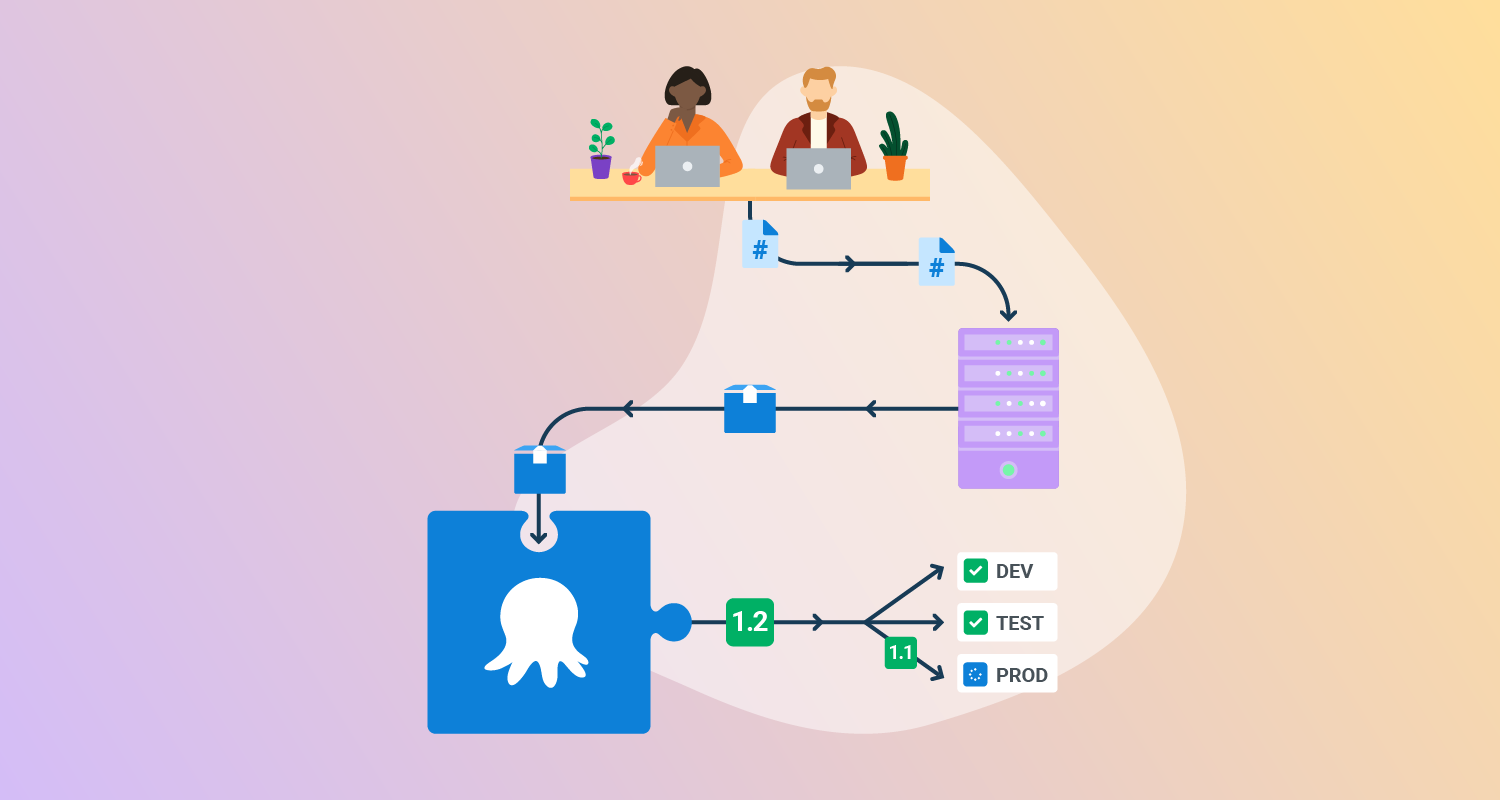
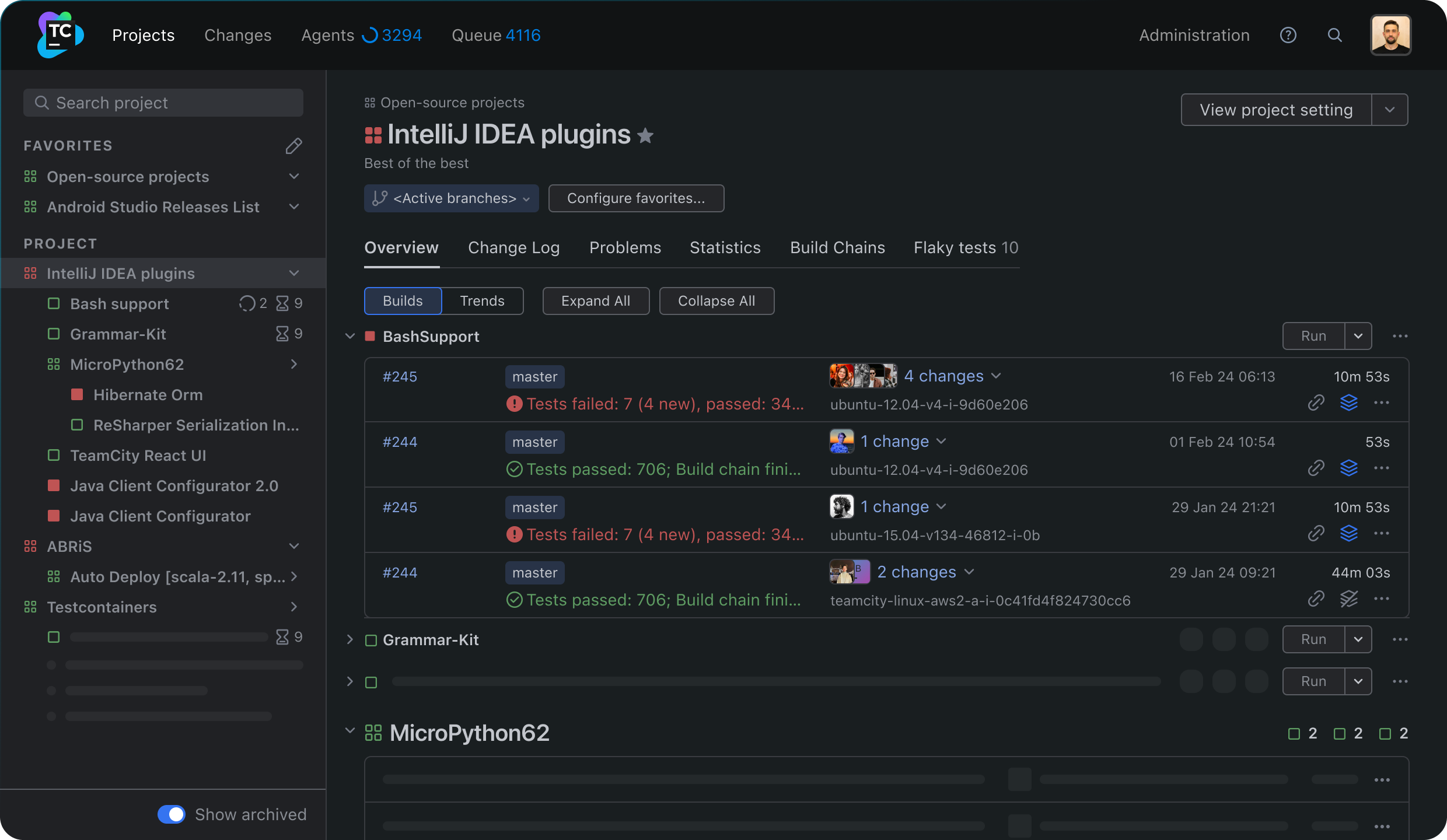
Octopus Deploy is a sophisticated, best-of-breed Continuous Delivery (CD) platform for modern software teams. It offers powerful release orchestration, deployment automation, and runbook automation while handling the scale, complexity, and governance expectations of even the largest organizations with the most complex deployment challenges.
License: Commercial
Key features include:
- Reliable risk-free deployments: Octopus lets you use the same deployment process across all environments. This means you can deploy to production with the same confidence you deploy to everywhere else. Built-in rollback support also makes it easy to revert to previous versions.
- Deployments at scale: Octopus is the only CD tool with built-in multi-tenancy support. Deploy to two, ten, or thousands of customers without duplicating the deployment process.
- One platform for DevOps automation: Runbooks automate routine and emergency operations tasks to free teams for more crucial work. They can also be used to provide safe self-service operations to other teams.
- Streamlined compliance: Full auditing, role-based access control, and single-sign-on (SSO) as standard to make audits a breeze and to provide accountability, peace of mind, and trust.

2. Codefresh
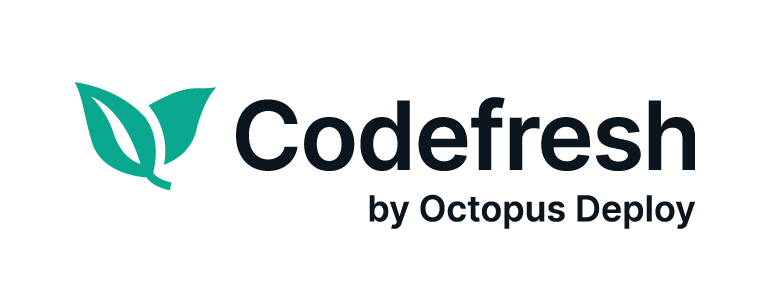
Codefresh is a CI/CD platform for cloud-native applications, offering a simplified approach to building, testing, and deploying software. It integrates with Kubernetes and provides automated workflows powered by Argo, ensuring efficient GitOps-based deployments.
Key features include:
- Performance: Build caching and parallelization are used for faster builds.
- Reliability: Supports progressive delivery, automated rollbacks, and end-to-end deployment visibility.
- Efficiency: Reduces pipeline sprawl with reusable templates and DRY (don’t repeat yourself) principles.
- Cloud-native: Designed for Kubernetes deployments with deep integrations.
- Developer experience: Provides real-time logs, environment states, and quick feedback loops.
3. GitLab CI/CD
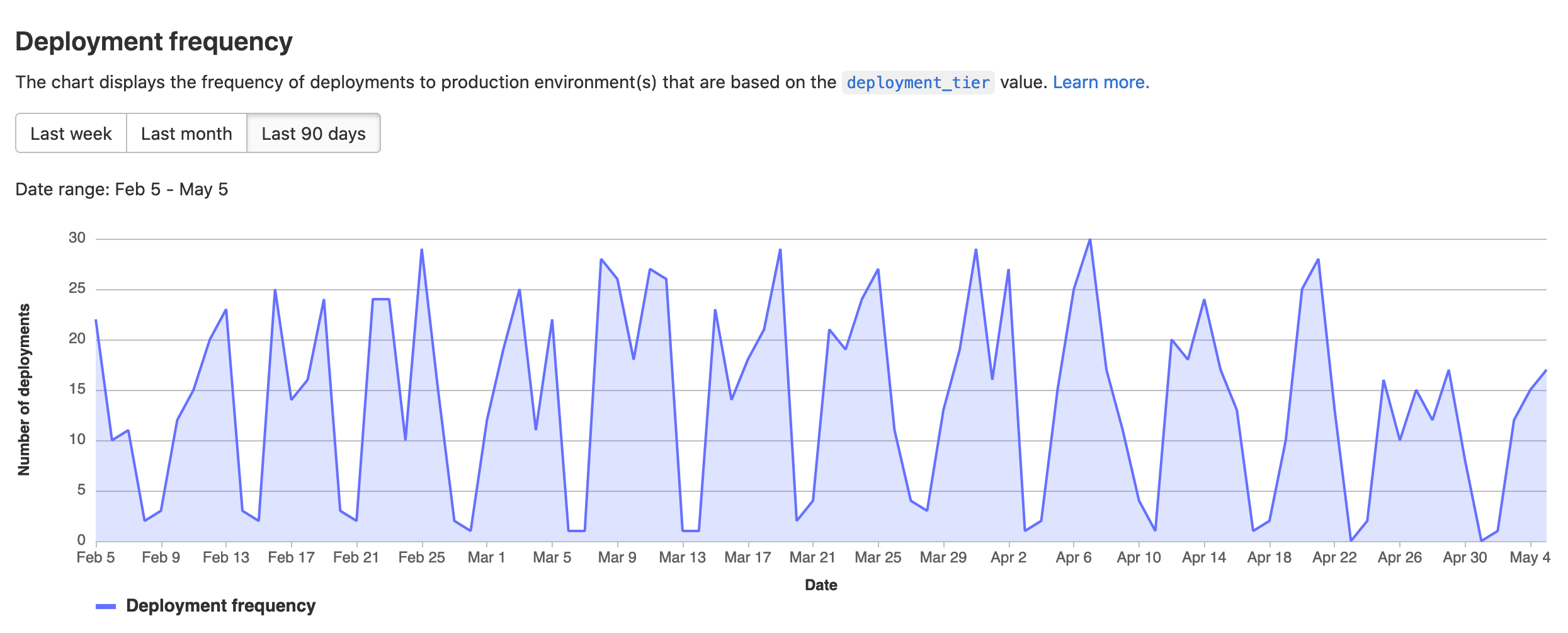
GitLab CI/CD is a continuous integration and delivery system that uses pipeline configuration files, runners, variables, expressions, and reusable components to build, test, deploy, and monitor code changes. Pipelines are defined in YAML, organized into stages and jobs, and can run from events such as commits, merges, or schedules.
Key features include:
- Pipeline configuration: Uses a
.gitlab-ci.ymlfile to define stages, jobs, scripts, variables, dependencies, and execution rules for each pipeline in a project. - Stages and jobs: Organizes pipelines into ordered stages such as build, test, and deploy, with jobs defining the specific tasks performed at each step.
- Runner execution: Runs jobs on runners that can operate on physical machines or virtual instances, and can use specified container images during execution.
- Pipeline triggers: Starts pipelines from events such as commits, merges, and schedules, and supports integration with external tools and platforms.
- Variables and secrets: Stores configuration values and sensitive data as CI/CD variables, including custom and predefined variables with masking and protection controls.
- Dynamic expressions: Uses
$[[ ]]expressions to inject typed inputs and matrix values into pipeline configuration and validate them when a pipeline is created. - Reusable components: Supports CI/CD components that can be included in pipelines to reuse configuration, reduce duplication, and share common pipeline logic across projects.

Source: GitLab
4. Buildkite
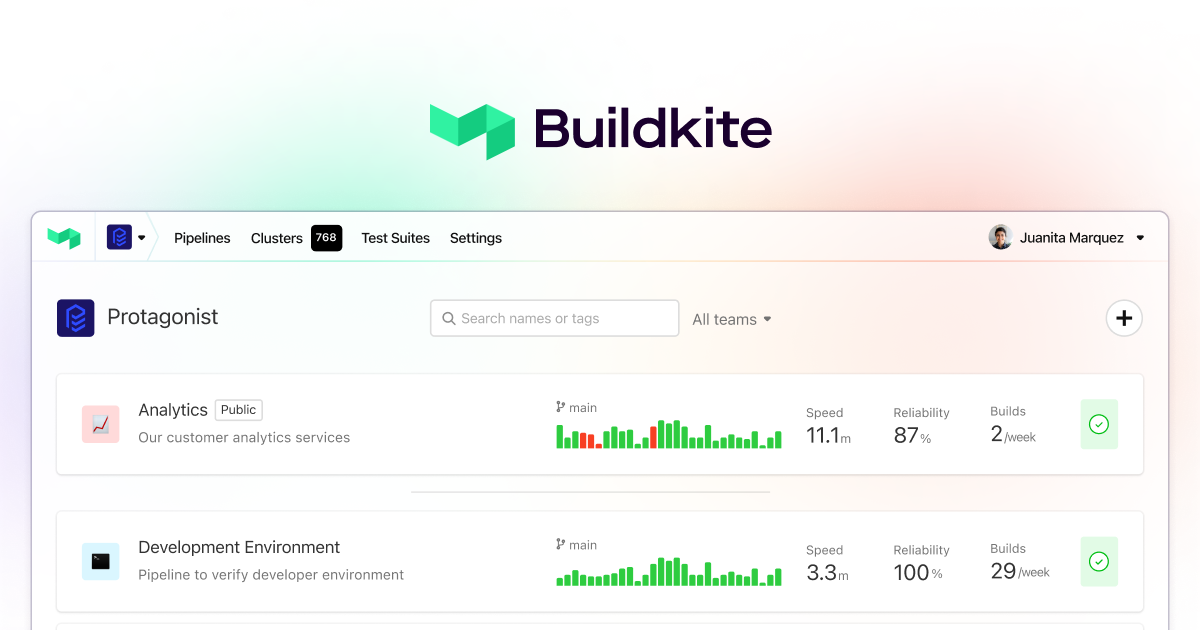
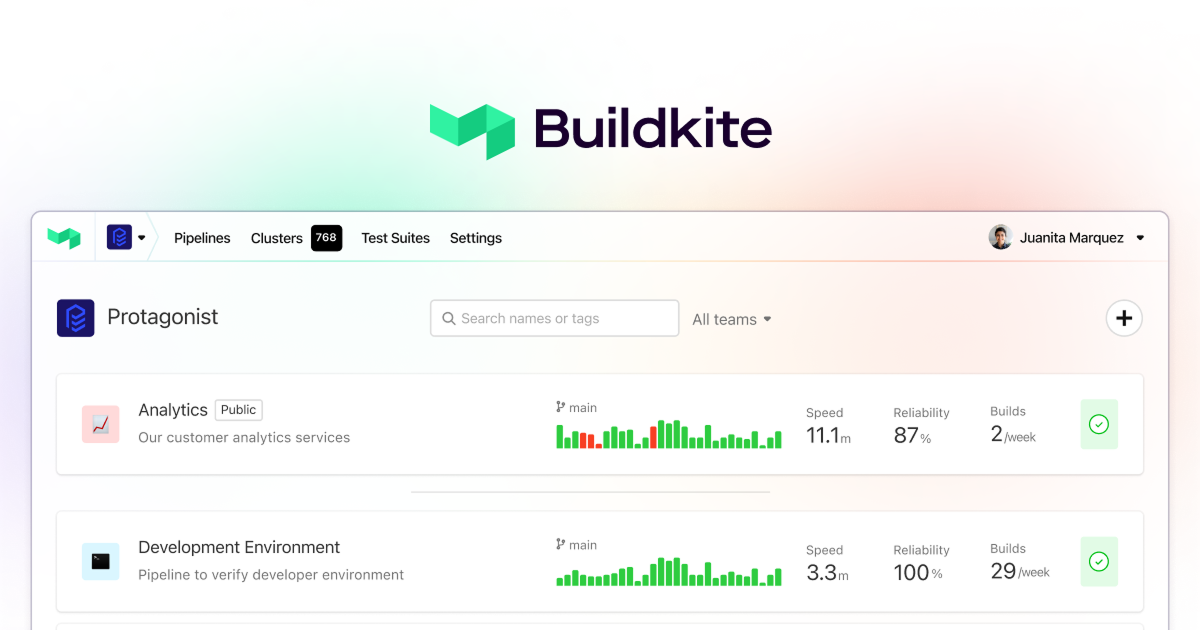
Buildkite is a CI platform that provides pipelines, test optimization, package registries, and mobile delivery tools for software teams running builds at large scale. It uses pipelines as code, dynamic workflow controls, elastic agents, and test analysis features to manage CI workloads across different compute environments.
Key features include:
- Elastic build agents: Scales build agents with demand, from zero to large concurrency levels, to run CI workloads without fixed capacity limits.
- Pipelines as code: Uses composable pipeline definitions and workflow primitives so platform teams can build CI processes with code-based configuration and guardrails.
- Dynamic pipelines: Supports wait steps, block steps, trigger steps, conditional logic, and runtime adaptation for workflows that change during execution.
- Parallel execution: Runs tests, builds, and checks simultaneously with high parallelism to reduce feedback time for development teams.
- Test optimization: Provides test splitting, performance insights, flaky test isolation, and unified analytics across unit, integration, and end-to-end test suites.
- Universal triggers: Starts builds from API calls, webhooks, or custom integrations, allowing pipelines to connect with external systems and automation flows.
- Package registries: Manages software assets for builds and deployments through registries intended to support supply chain control and faster package access.
Source: Buildkite
5. Buddy
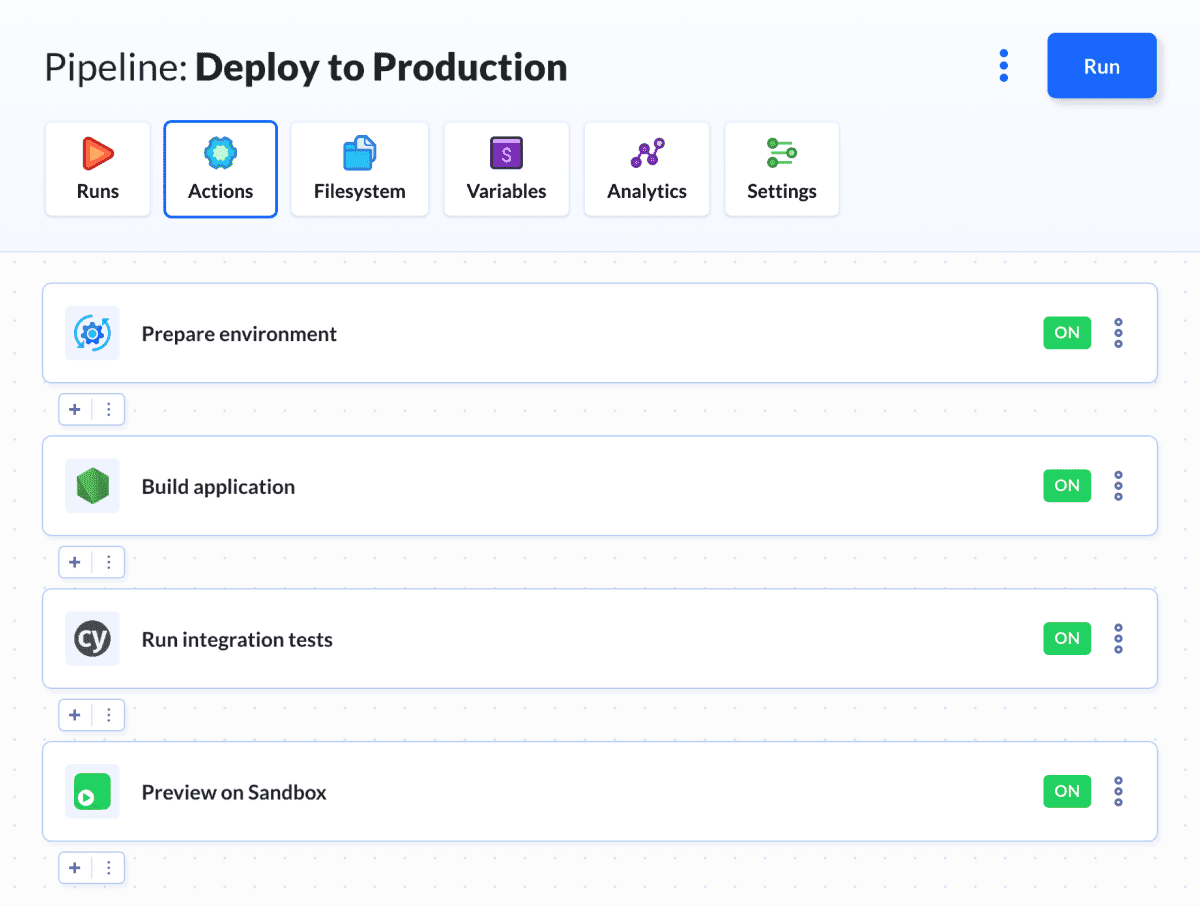
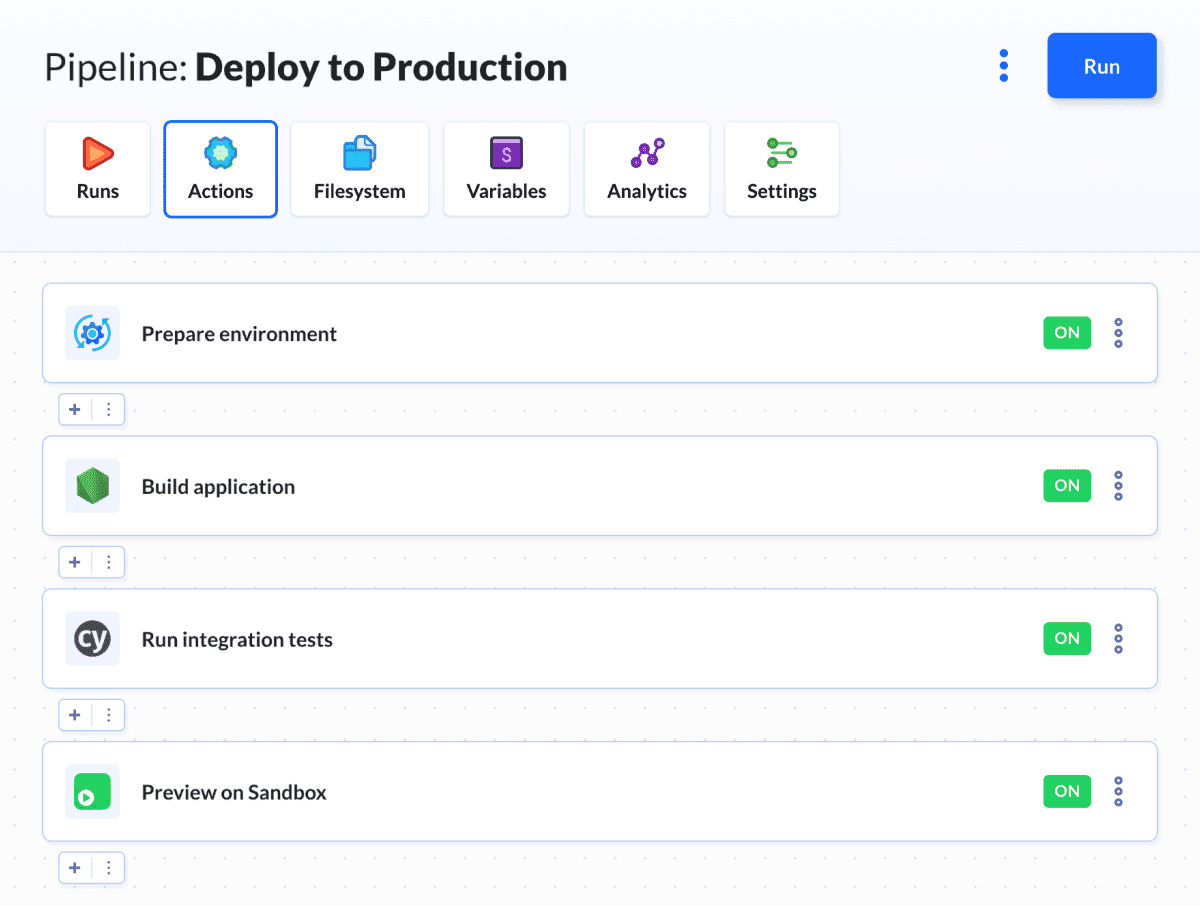
Buddy is a CI/CD platform that supports pipelines, remote deployments, environment management, visual testing, tunnels, domains, and cloud runtime environments. It combines UI-based and YAML-based workflow configuration, supports multiple operating systems and architectures, and includes deployment controls for large target fleets.
Key features include:
- Remote deployments: Deploys to cloud services, virtual private servers, bare metal systems, and CDNs, with support for agent-based and agentless delivery models.
- Pipeline design options: Lets teams create workflows through a visual interface, YAML files, or generated code, with support for reusable automation patterns.
- Multi-platform execution: Runs actions in containers across Intel, ARM, Linux, Windows, Mac, and NixOS environments for different build and deployment needs.
- Deployment controls: Supports manual approvals, role-based access control, one-click rollback, change-aware builds, and deployments to large numbers of targets.
- Secrets and identity: Provides a secrets store and OIDC support for managing credentials and identity-based access during pipeline execution.
- Environment management: Creates automated environments for branches, pull requests, stages, developers, and demos on Buddy infrastructure or user-managed cloud environments.
- Visual testing: Runs visual and interaction tests across browsers, operating systems, and view-ports, with support for Playwright, Selenium, Cypress, Figma, and Storybook.

Source: Buddy
Continuous Integration (CI) tools
6. Jenkins
Jenkins is an open source automation server that supports continuous integration and continuous delivery through a plugin-based architecture. It can run as a self-contained Java application, supports distributed workloads across multiple machines, and integrates with a large number of tools used in software delivery.
Key features include:
- Automation server: Can be used as a CI server or as a continuous delivery hub for building, deploying, and automating software projects.
- Plugin ecosystem: Provides hundreds of plugins in the update center to connect Jenkins with tools used across CI and CD workflows.
- Extensible architecture: Uses a plugin-based model that allows teams to extend Jenkins with additional capabilities for different automation requirements.
- Distributed execution: Distributes builds, tests, and deployments across multiple machines to support faster execution on different platforms.
- Installation options: Runs as a self-contained Java-based program with packages for Windows, Linux, macOS, and other Unix-like operating systems.
- Web-based configuration: Includes a web interface for setup and configuration, with built-in help and on-the-fly error checks during administration.

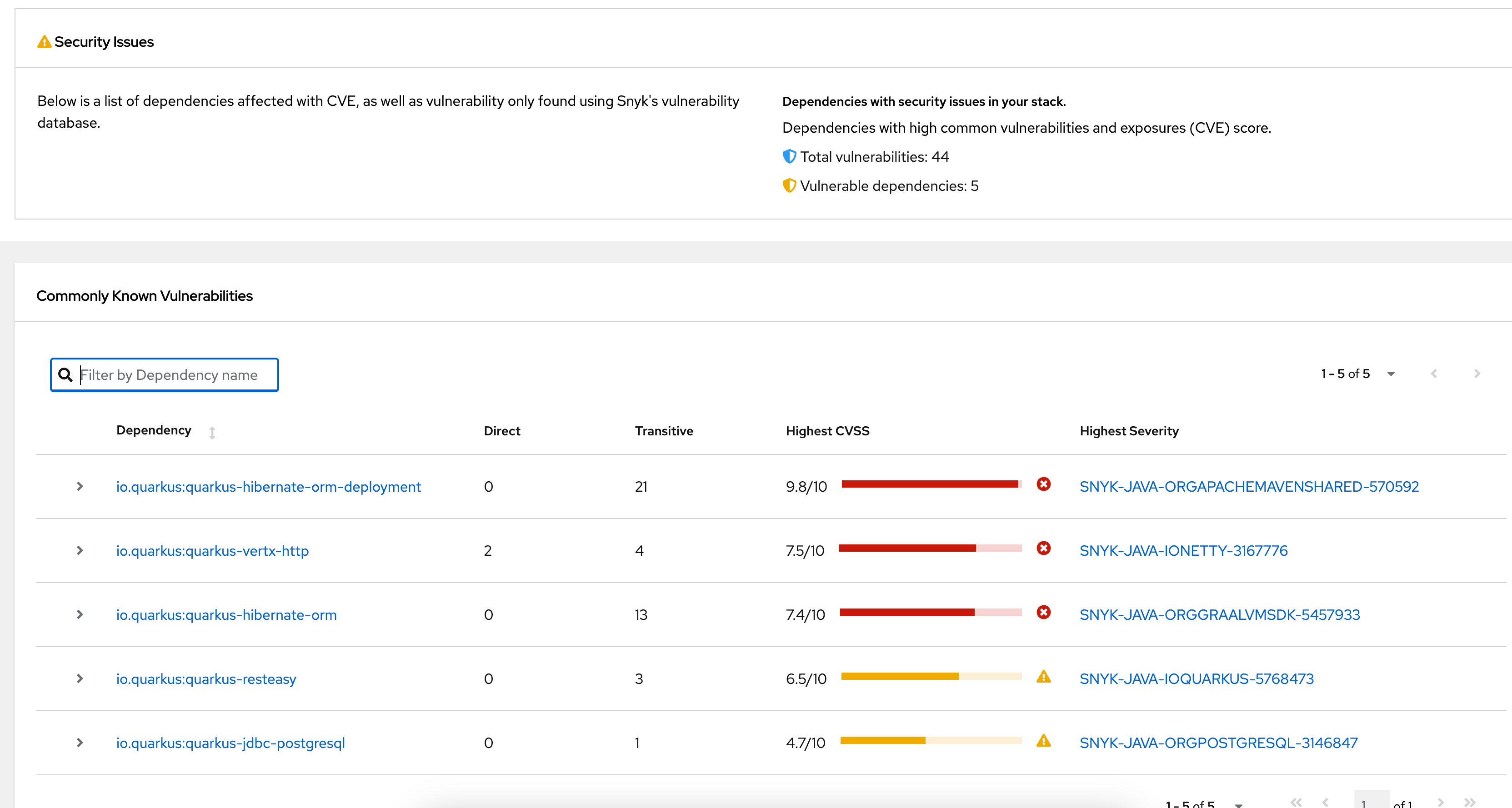
Source: Jenkins
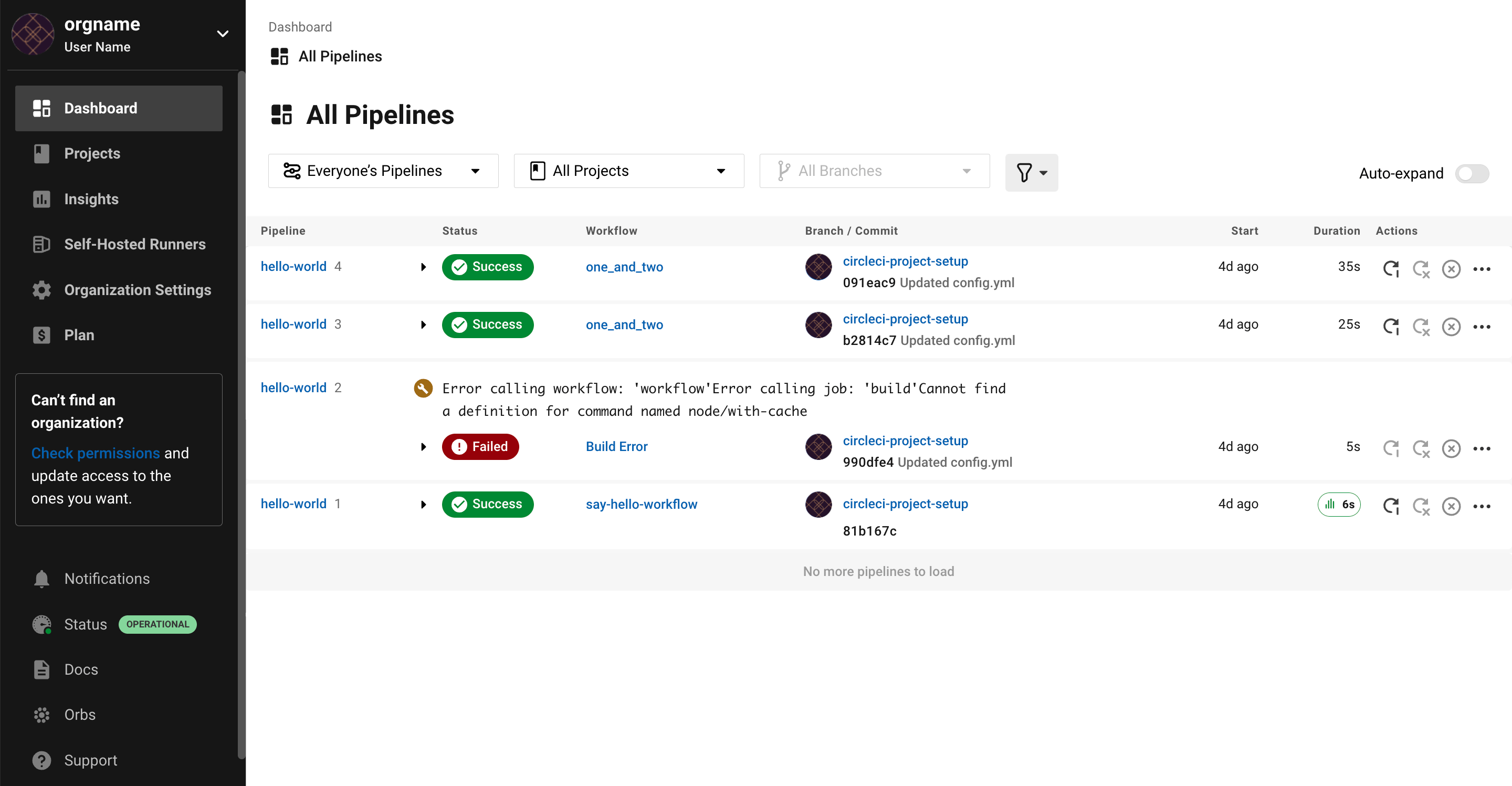
7. CircleCI
CircleCI is a CI/CD platform that supports automated testing, validation, and software delivery across a range of applications, environments, and integrations. It provides hosted and hybrid deployment options, build optimization features, integrations with cloud and source control systems, and workflow automation for teams running at different scales.
Key features include:
- Execution environments: Supports different execution environments and hosting models, including cloud, hybrid runner setups, and on-premises server deployments.
- Integrations: Connects with GitHub, GitLab, Bitbucket, AWS, GCP, Azure, and Kubernetes as part of software delivery workflows.
- Build optimization: Includes build optimization and autoscaling features to improve pipeline performance and handle changing workload demands.
- Workflow automation: Automates build, test, merge, deployment, rollback, and release processes through CI/CD workflows managed on the platform.
- Testing support: Supports testing-focused workflows and validation processes intended to reduce delays caused by slow or inefficient test runs.
- Platform visibility: Provides a centralized system for managing applications and workflows across different teams, project types, and delivery environments.

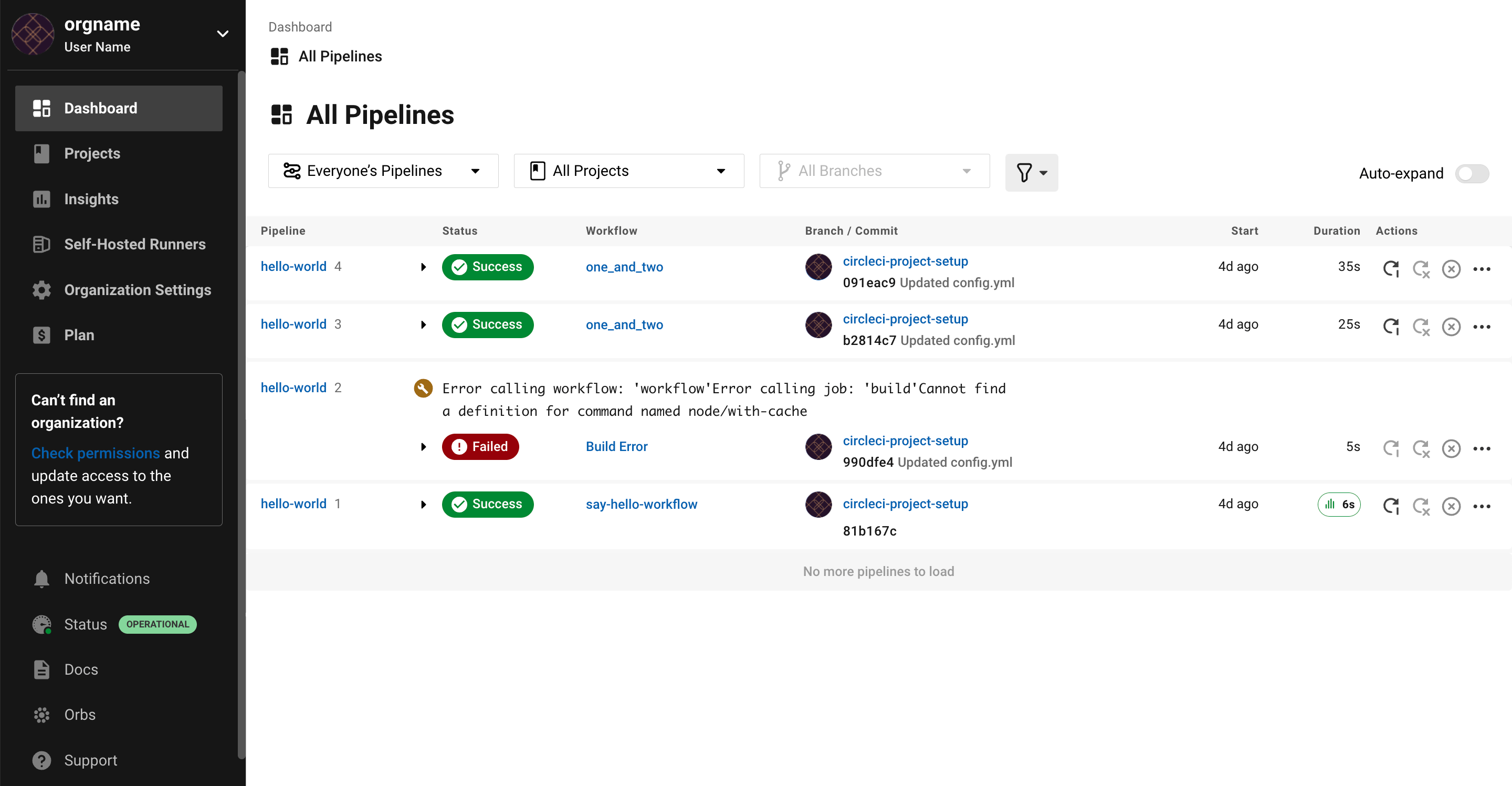
Source: CircleCI
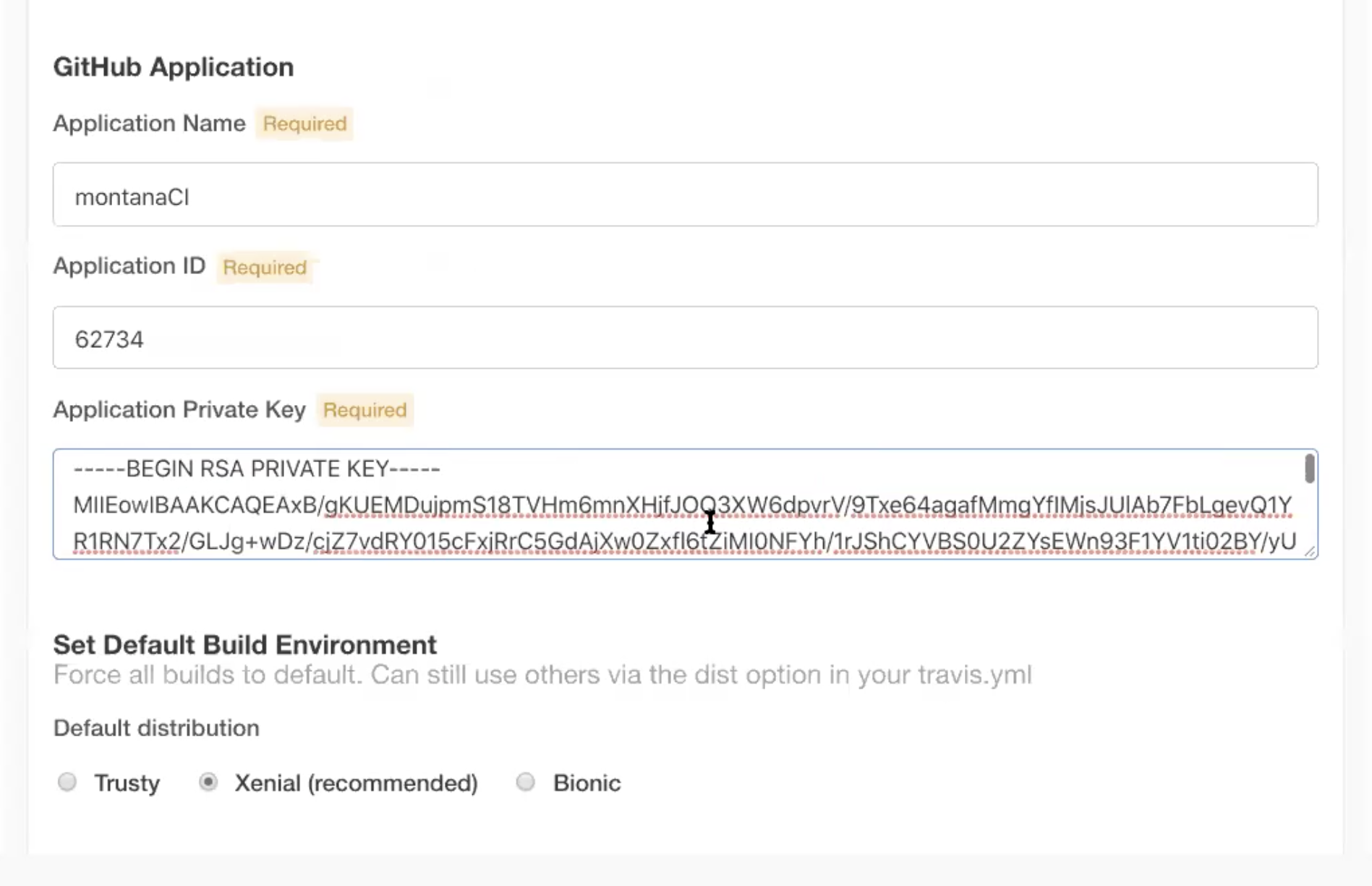
8. Travis CI
Travis CI is a CI/CD platform that defines build, test, and deployment workflows in a single configuration file. It supports multiple programming languages, parallel jobs, build matrices, and multi-environment automation, with integrations and security features for pipeline execution.
Key features include:
- Configuration as code: Defines testing and deployment automation in one configuration file, using a compact syntax to manage pipeline behavior and job settings.
- Language environments: Provides preconfigured environments for languages such as Python, JavaScript, Java, C/C++, PHP, Rust, Go, C#, and Ruby.
- Build matrix support: Runs tests across multiple runtime versions, dependency versions, or language combinations through matrix configuration for broader automated coverage.
- Parallel builds: Executes jobs in parallel and supports multi-environment builds, helping teams run separate tasks such as linting, testing, and documentation generation together.
- Pipeline controls: Supports build stages, conditional execution, notifications, integrations, and multiple operating systems and architectures within the same CI/CD workflow definition.
- Security features: Includes build isolation, HashiCorp Vault integration, secure artifact signing, and scoped credentials for controlling secrets and protecting pipeline execution.
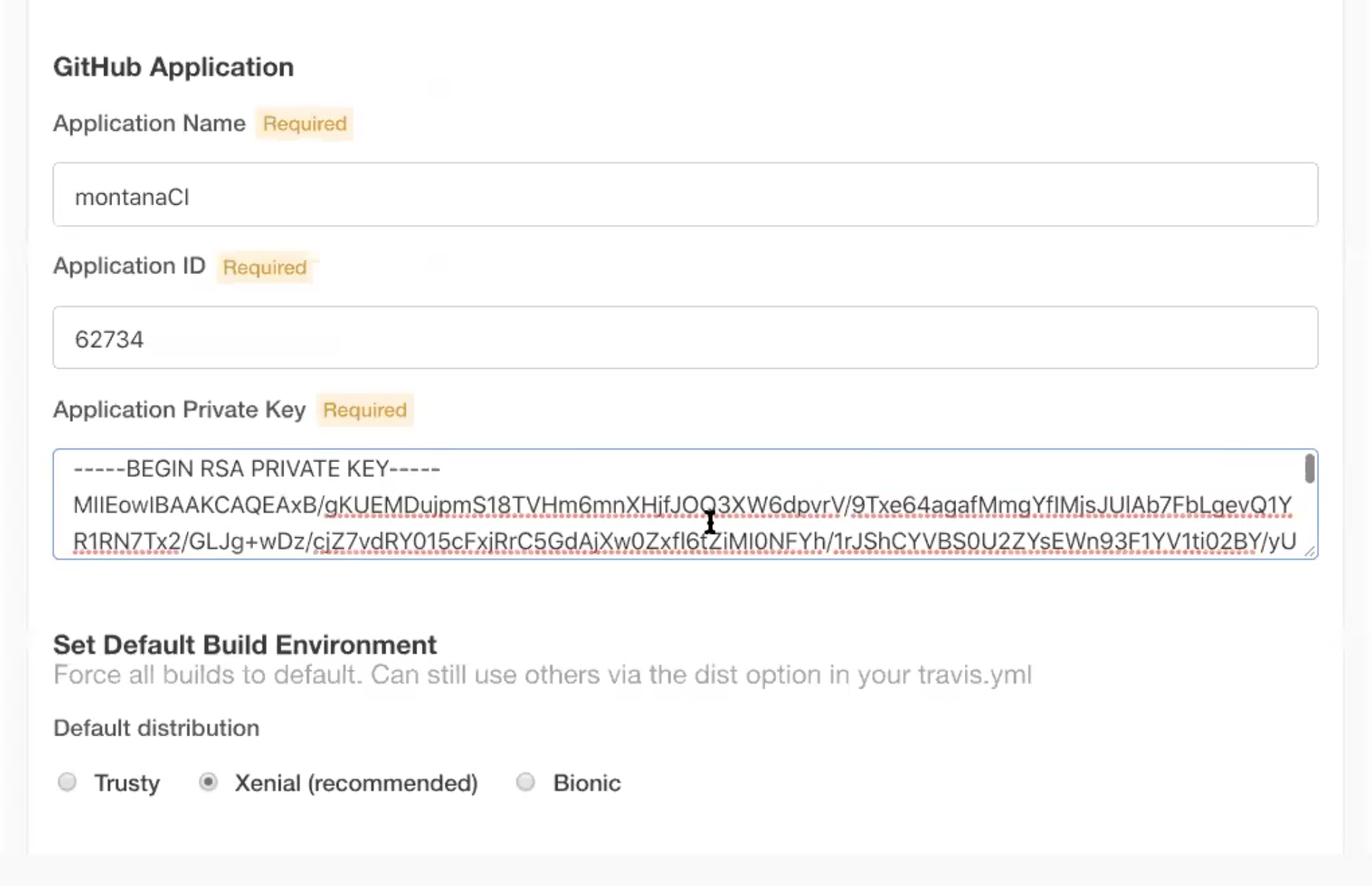
Source: Travis CI
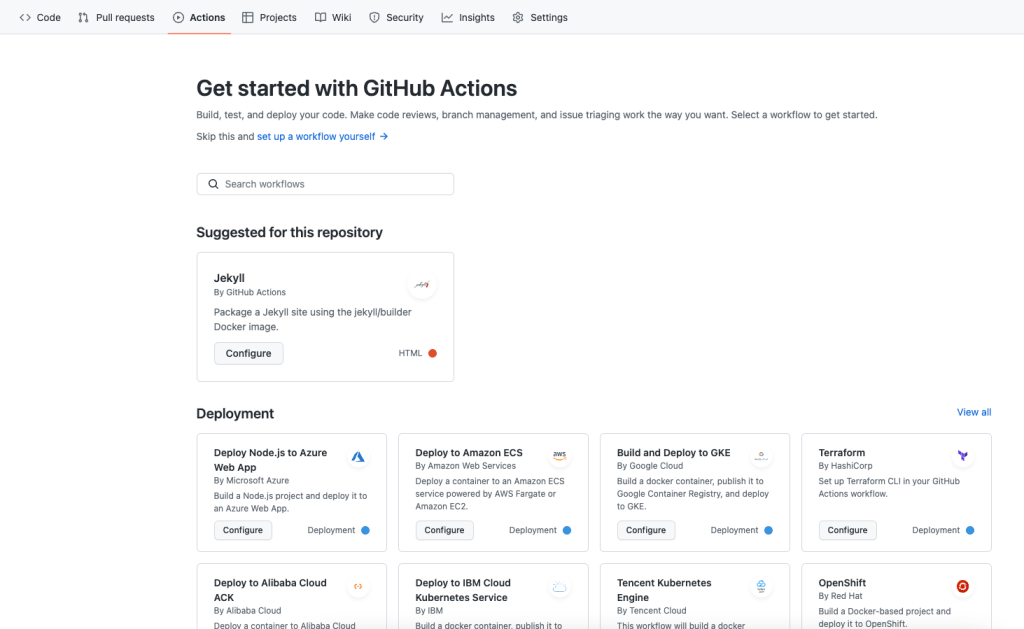
9. GitHub Actions
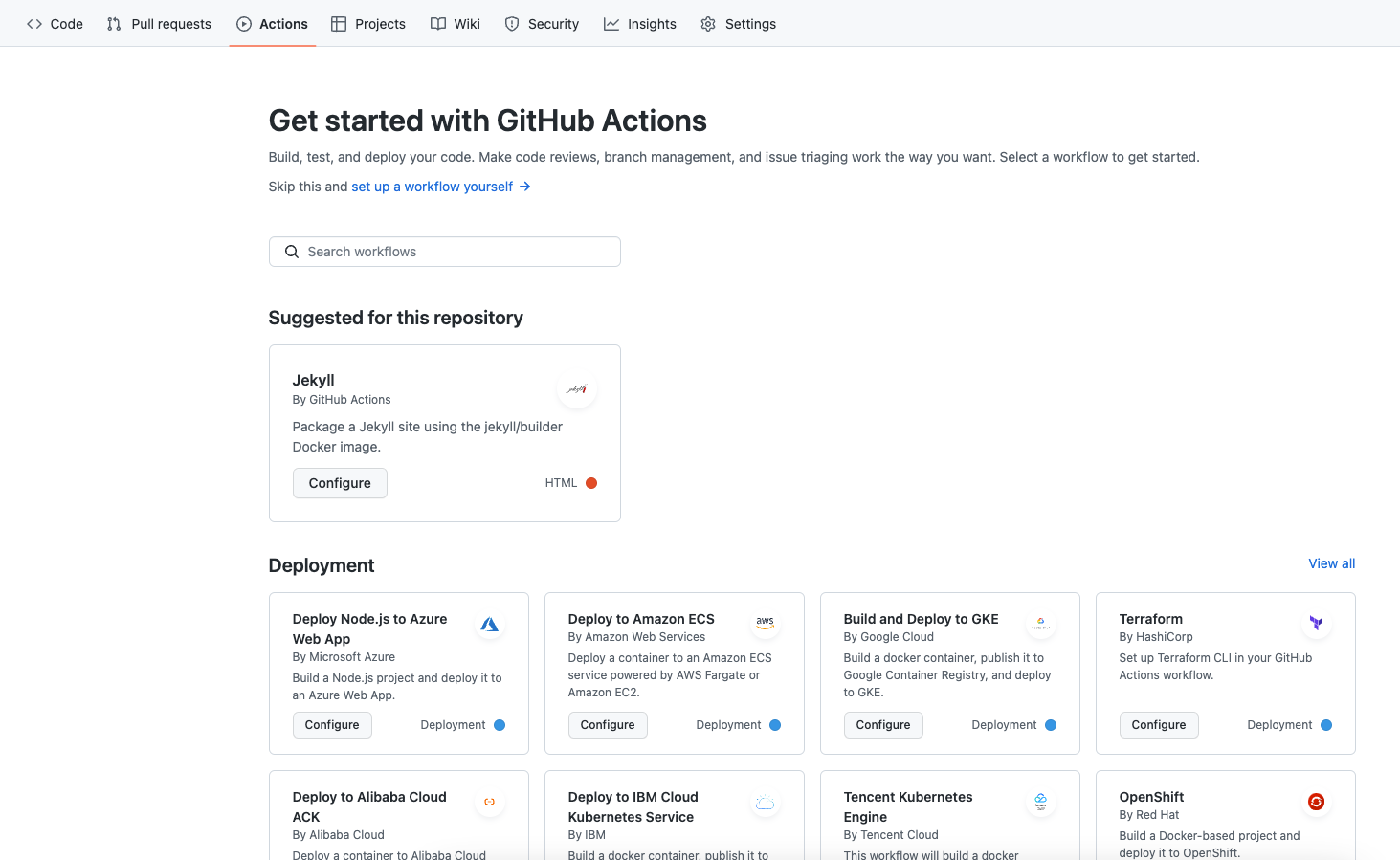
GitHub Actions is a workflow automation service built into GitHub that supports CI/CD tasks such as building, testing, and deploying code. It runs workflows from repository events, supports hosted and self-hosted runners, and provides integrations, matrix builds, live logs, and reusable actions.
Key features include:
- Event-based workflows: Starts workflows from GitHub events so teams can automate tasks such as builds, deployments, branch management, and issue handling.
- Runner options: Supports GitHub-hosted runners on Linux, macOS, Windows, ARM, GPU, and containers, plus self-hosted runners in cloud or on-premises environments.
- Matrix builds: Runs tests across multiple operating systems and runtime versions at the same time to reduce testing time.
- Language support: Supports Node.js, Python, Java, Ruby, PHP, Go, Rust, .NET, and other languages for build, test, and deployment workflows.
- Live logs: Shows workflow execution in real time and allows users to share links pointing to specific log lines in failed runs.
- Secret management: Includes a built-in secret store so repositories can manage credentials and use them in automated workflow files.
- Marketplace actions: Connects workflows with third-party and custom actions, including integrations for cloud deployment, package publishing, and external tool automation.
Source: GitHub Actions
10. TeamCity
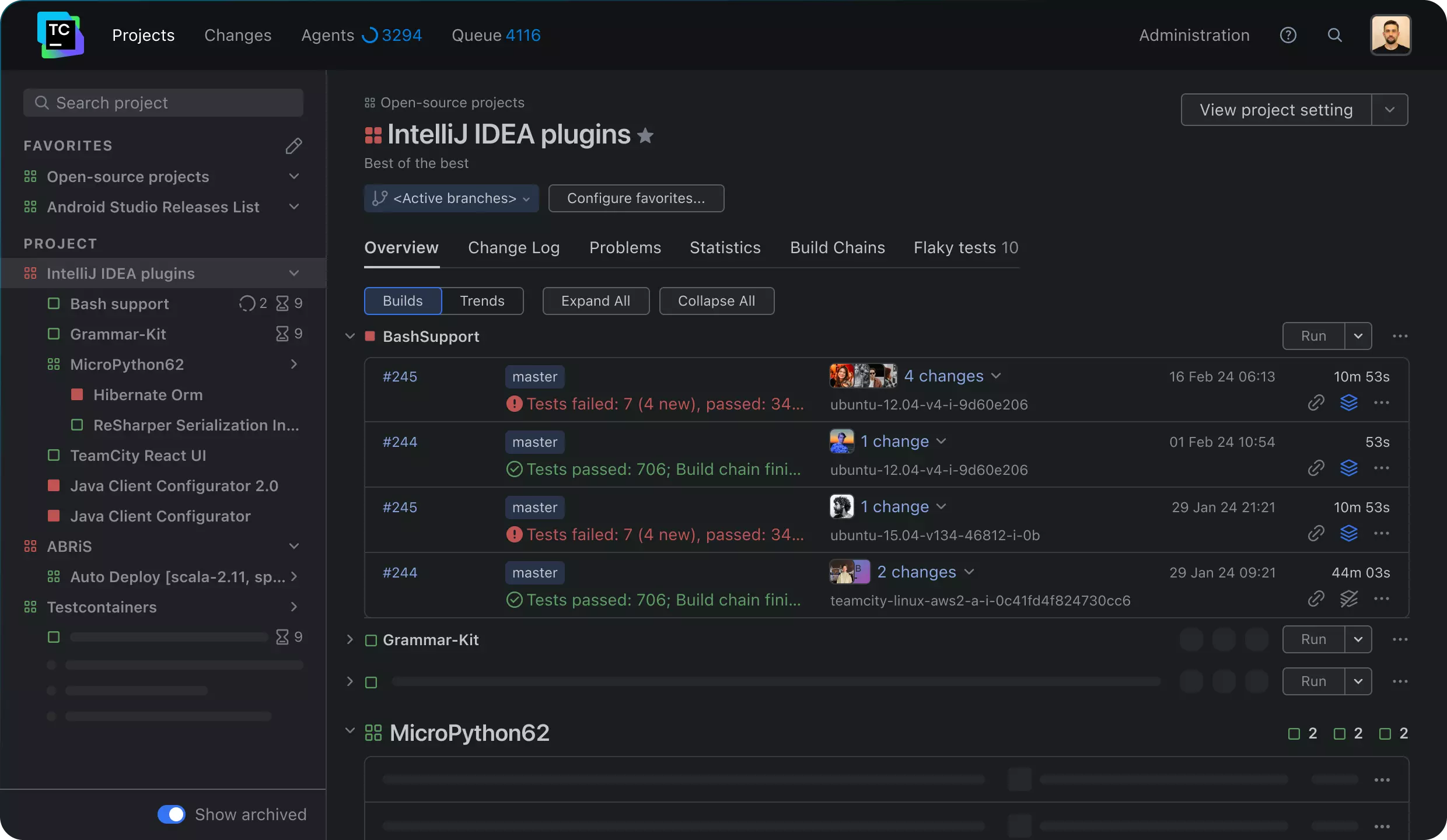
TeamCity is a CI/CD solution from JetBrains that supports build pipelines, test reporting, configuration as code, and deployment workflows across different technology stacks and team sizes. It is available as a cloud-hosted service or as an on-premises installation and includes features for scaling, build reuse, and security controls.
Key features include:
- Configuration as code: Supports pipeline configuration through the web interface or a strongly typed DSL for reusable and versioned build definitions.
- Build chains and reuse: Uses build chains, reusable build parts, and caching to support projects with source code spread across multiple repositories.
- Scalability: Supports workflows ranging from single projects to large numbers of concurrent builds, including multi-node setups for larger environments.
- Test intelligence: Provides test reporting and related pipeline insights to help teams identify problems earlier in the delivery process.
- Feedback during builds: Delivers real-time feedback in build logs and test reporting so developers can find failures earlier in the CI/CD process.
- Flexible deployment models: Offers both TeamCity Cloud and TeamCity On-Premises so teams can choose hosted or self-managed operation.
- Security features: Includes security and compliance features intended to support regulated environments and protect build and test infrastructure.

Source: JetBrains
Best practices for implementing CI/CD solutions
Organizations should consider the following practices to ensure the effective implementation of their CI/CD solutions.
1. Maintain green builds
Maintaining green builds refers to keeping the development environment stable and error-free. It requires consistent monitoring and immediate resolution of detected errors in the software build process. Team members prevent new code changes from introducing defects or regressions, maintaining a codebase that is always ready for further development or deployment.
Green builds contribute to more efficient development cycles. They minimize debugging time and allow the team to focus on new feature development rather than fixing errors. Successful adoption of this practice requires the integration of thorough automated testing into the CI/CD pipeline. This effort pays off by allowing developers to merge code changes with confidence.
2. Implement continuous testing
Continuous testing involves the execution of automated tests throughout the development lifecycle. Its primary goal is to detect issues as early as possible, reducing costs associated with fixing defects later in the cycle. Tests must cover various areas, including unit, integration, and end-to-end tests, ensuring application reliability and performance.
Integrating continuous testing into CI/CD pipelines supports rapid feedback and higher software quality. It requires automated test scripts that run with every build, providing immediate insight into the impact of code changes. Continuously validated software results in shorter development cycles and faster time to market.
3. Build artifacts once
Building artifacts once during the CI/CD process ensures consistency and reliability across deployment environments. It involves creating a single build of the application that is promoted through the pipeline stages, from testing to production. This approach minimizes discrepancies that can occur if rebuilds introduce differences.
By limiting builds to once per release, developers maintain artifact integrity, ensuring that tested binaries are precisely what is deployed. This reduces the likelihood of new bugs emerging after testing. This practice involves efficient versioning and management of build outputs, supporting traceability and repeatability essential for dependable Continuous Deployment processes.
4. Streamline tests
Streamlining tests focuses on optimizing test execution time without compromising their effectiveness. It involves running critical tests more frequently while scheduling complete test suites less often, maintaining a balance between speed and coverage. Ensuring tests are well-prioritized and relevant dovetails into faster feedback and quicker iteration cycles.
Effective test streamlining uses strategic test case selection and parallel execution to prevent bottlenecks. By automating and refining tests consistently, teams can adapt to evolving requirements without the burden of slow and obstructive test cases. This approach supports a reliable CI/CD pipeline, improving product quality and accelerating release frequency.
5. Monitor and optimize pipeline performance
Monitoring and optimizing pipeline performance involves regularly evaluating and adjusting CI/CD practices to ensure efficiency. Key performance indicators such as build time, error rates, and feedback speed should be analyzed to identify potential improvements. Visibility into the pipeline components aids in pinpointing slowdowns or failure points.
Optimization efforts include eliminating bottlenecks, revising resource allocation, and updating configuration settings to match current project demands. By constantly refining processes, teams can adapt to project scope or technology changes, ensuring the CI/CD pipeline remains responsive and effective.
Conclusion
CI/CD solutions play a critical role in modern software development by automating workflows, reducing manual errors, and accelerating release cycles. They support continuous feedback and iterative improvement, enabling teams to deliver higher-quality software with greater confidence. As projects scale and complexity grows, a well-integrated CI/CD pipeline becomes essential for maintaining speed, stability, and collaboration across the development lifecycle.
Help us continuously improve
Please let us know if you have any feedback about this page.