What are CI/CD tools?
CI/CD tools enable Continuous Integration and Continuous Deployment, automating the software delivery process. They simplify integration, testing, and deployment, which allows teams to deliver software updates more frequently and with higher quality. These tools are crucial in reducing manual interventions and improving collaboration among developers, testers, and operations teams.
By using CI/CD tools, developers can consistently merge code changes, conduct automated tests, and deploy updates efficiently. This method reduces integration issues and improves the software development lifecycle, providing quick feedback and maintaining high software quality.
The role of CI/CD in DevOps
CI/CD is a foundational practice in DevOps, enabling faster and more reliable software delivery by integrating development and operations workflows. It addresses the key DevOps goals of reducing manual handoffs, minimizing lead time, and ensuring consistent quality across releases.
Continuous Integration (CI) ensures that developers regularly merge their code into a shared repository, triggering automated builds and tests. This shortens feedback loops, catches integration issues early, and improves collaboration by keeping codebases in a deployable state. CI reduces the risk associated with large, infrequent code merges, which are often error-prone and difficult to troubleshoot.
Continuous Deployment (CD) extends this automation by pushing validated code changes to production environments without manual intervention. It enables rapid iteration, supports real-time user feedback, and improves time-to-market. In a DevOps context, CD helps synchronize the pace of development with operations, enabling agile release strategies like blue-green and canary deployments.
CI/CD pipelines also act as a unifying framework for incorporating other critical DevOps practices, such as infrastructure as code, automated testing, and security scanning. By integrating these elements into a single workflow, teams gain visibility into the full lifecycle of application changes—from commit to deployment.
The DevOps market and trends
DevOps market growth
The DevOps market is expanding rapidly as organizations prioritize faster software delivery and greater automation. The market is expected to reach USD 51.43 billion by 2031, representing a 21.33% compound annual growth rate (CAGR) between 2026 and 2031.
This growth is largely driven by the need to shorten software delivery cycles and improve release reliability. Enterprises increasingly rely on DevOps practices and CI/CD pipelines to automate development workflows and reduce manual processes. As a result, adoption is accelerating across industries that depend on rapid software iteration and continuous updates.
Key adoption drivers
Several technology and organizational trends are pushing DevOps adoption forward. One major factor is the need to reduce the software development lifecycle. Organizations using mature DevOps practices report significantly higher deployment frequency and faster time-to-market.
Another driver is the growing adoption of automation and infrastructure as code (IaC). About 70% of enterprises plan to implement IaC, which can reduce deployment failures by around 40%. Automation also improves code quality and shortens recovery times when issues occur.
The rise of cloud-native architectures and microservices is also accelerating DevOps adoption. Around 94% of enterprises use cloud services, which allows teams to scale applications more easily and deploy updates frequently. DevOps workflows are well suited to microservices environments because they support continuous releases while limiting the impact of failures.
Challenges and market constraints
Despite strong growth, several challenges affect DevOps adoption. A major issue is the complexity of migrating from legacy systems to microservices architectures, which can introduce integration difficulties and increase project costs.
Organizations also face security and compliance risks in multi-cloud environments. Maintaining consistent policies across multiple platforms can be difficult, particularly in regulated industries.
Another major constraint is the shortage of skilled DevOps engineers. Talent scarcity increases hiring costs and forces many organizations to rely on external service providers. In addition, large enterprises often struggle with toolchain sprawl, where multiple disconnected tools reduce visibility across development and deployment pipelines.
Key features of CI/CD tools for DevOps teams
Source code management integration
CI/CD tools integrate tightly with source code management (SCM) systems such as Git, Bitbucket, and GitLab. This integration allows the tools to automatically detect code changes and trigger actions like building, testing, or deploying code based on commits, merges, or pull requests.
Developers can set up hooks or configure webhooks that respond to specific events in the codebase, ensuring that every change is immediately tested and validated. CI/CD tools also support branch-based workflows, enabling teams to manage feature development, bug fixes, and release versions more effectively.
Build automation
Build automation enables consistent and repeatable builds across development, test, and production environments. This involves compiling code, resolving dependencies, packaging binaries, and preparing artifacts for deployment.
Tools like Jenkins, GitHub Actions, and GitLab CI allow developers to define build processes using configuration files (e.g., YAML, XML) or scripts. These configurations ensure that builds are reproducible and environment-agnostic. Build steps can include static code analysis, linting, and artifact versioning, which further improve the reliability and traceability of the software being delivered.
Automated testing
Automated testing ensures that new code changes do not break existing functionality or introduce regressions. CI/CD tools integrate with a range of testing frameworks to run unit, integration, system, and UI tests as part of the pipeline.
Test execution is typically triggered during the build phase or immediately after, providing near-instant feedback to developers. Test reports, code coverage metrics, and logs are made available through the CI/CD dashboard, making it easier to identify and resolve issues quickly.
In advanced setups, tests can be parallelized or conditionally executed based on the type of change or the affected code paths. Automated testing aids in maintaining software quality, especially in fast-paced development environments where frequent code changes are the norm.
Code scanning (SAST and DAST)
CI/CD tools often integrate with security scanning tools to perform static application security testing (SAST) and dynamic application security testing (DAST) as part of the pipeline. SAST analyzes the source code or binaries for known vulnerabilities without executing the program, while DAST inspects the running application to identify runtime issues like SQL injection, cross-site scripting, and authentication flaws.
These scans can be triggered automatically during specific stages of the pipeline, such as post-build or pre-deployment. Integration with such tools allows teams to embed security checks into the development workflow. Scan results are typically presented within the CI/CD dashboard or exported to security tracking systems.
Deployment automation
Deployment automation uses scripts or configuration files to automatically move code from one environment to another—such as from development to staging, or staging to production—without manual intervention. CI/CD tools integrate with cloud providers, container orchestration systems, and configuration management tools to enable these deployments.
This automation supports zero-downtime deployments, blue-green deployments, canary releases, and rollbacks, ensuring that changes can be introduced safely and monitored effectively. It also helps enforce compliance by standardizing deployment procedures across environments and reducing the risk of human error.
Pipeline orchestration
Pipeline orchestration allows developers to define complex workflows that dictate how code moves from development to deployment. These workflows consist of multiple stages—such as build, test, approval, and deploy—each of which can include one or more tasks.
CI/CD tools let teams define these pipelines declaratively using pipeline-as-code configurations. This makes pipelines version-controlled, portable, and auditable. Orchestration features include support for conditional logic, parallel execution, retries, artifact management, and environment-specific configurations.
Advanced pipeline orchestration can include approval gates, manual intervention steps, notifications, and integration with external tools like Jira, Slack, or monitoring systems. This level of control allows organizations to customize their delivery processes to meet compliance, security, and operational requirements.
Notable CI/CD tools for DevOps
Standalone / specialized CI/CD platforms
1. Octopus
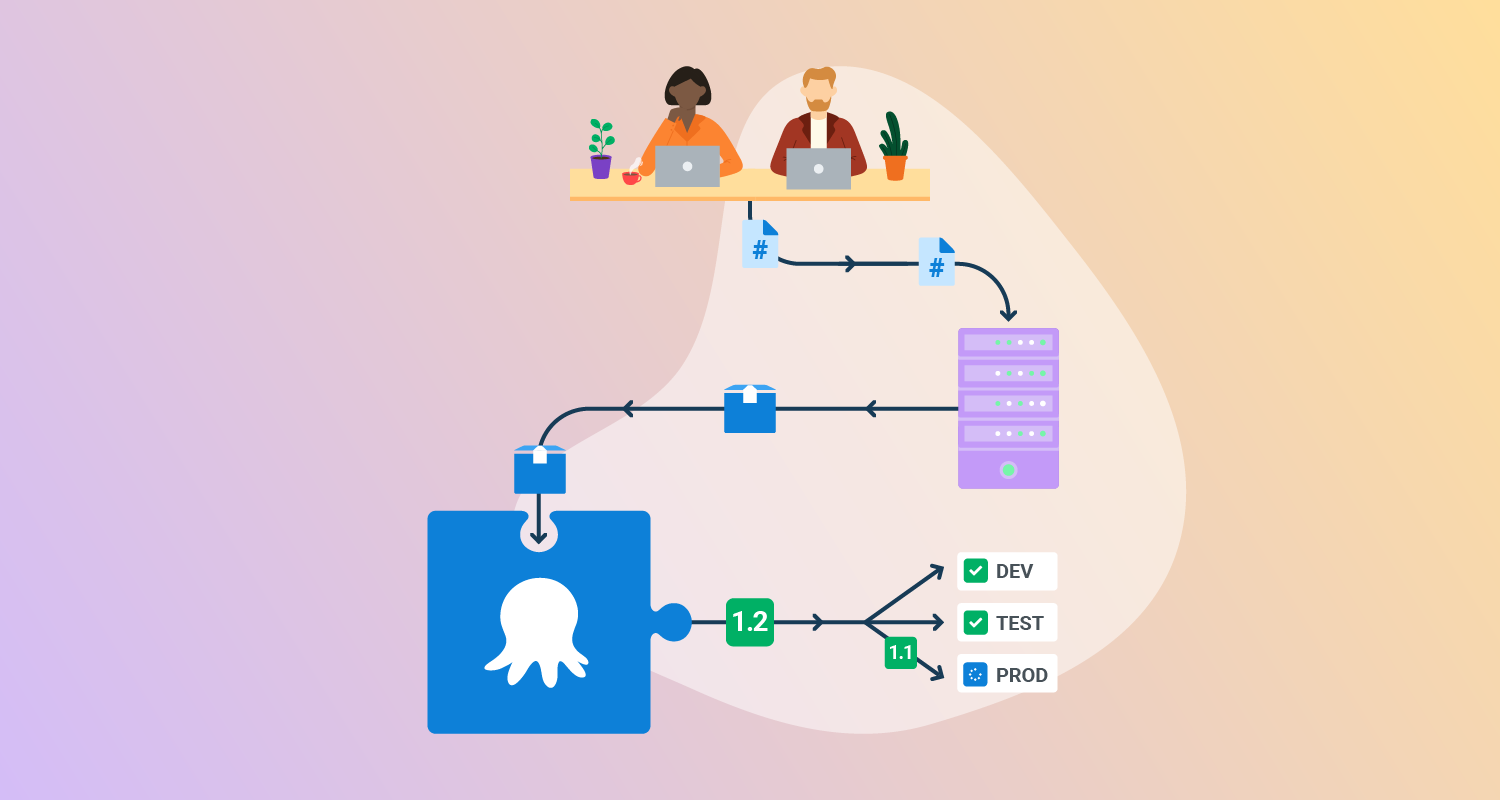
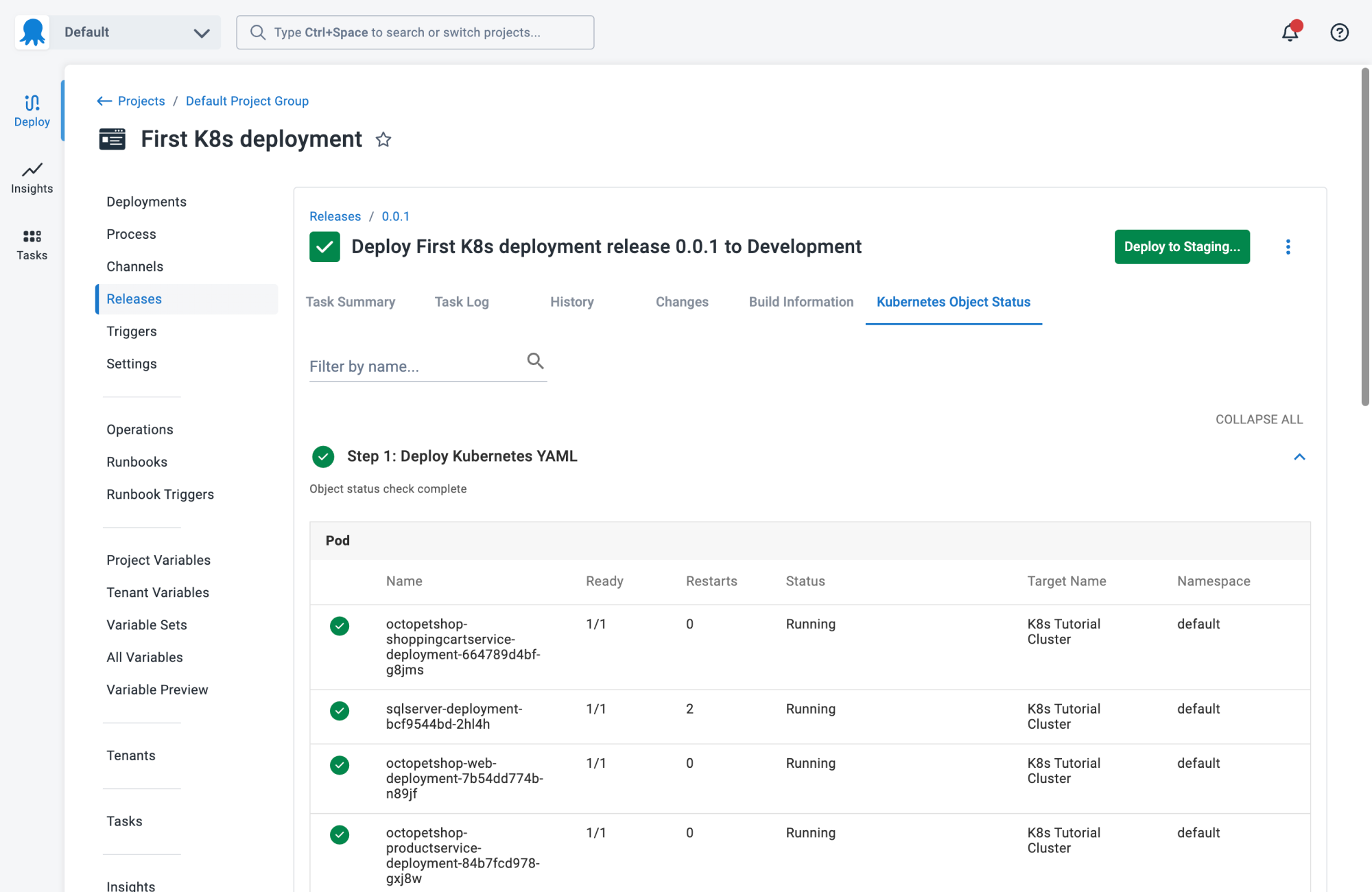
Octopus Deploy helps software teams deploy freely – when and where they need, in a routine way. With Octopus, you can orchestrate deployments from modern containers and microservices to trusted legacy applications. We support deployments in data centers, multiple cloud environments, and hybrid IT infrastructure.
General features of Octopus:
- Deployment and runbooks automation: Automates complex deployments and operations runbooks with hundreds of ready-made step templates, so you can avoid rolling your own scripts.
- All your deployments in one place: See all of your deployments in one place, including Kubernetes, cloud, data-center, and on-premises targets.
- Intuitive UI plus GitOps: Use the intuitive user interface to configure and run deployments, and store the deployment process as code in declarative version-controlled files.
- Configuration management: Easily handle complex configuration management and variable substitution to make sure every environment and instance has the correct configuration.
- Scalable, repeatable, reliable deployments: Removes the stress from deployments with robust automation options.
Specific features for DevOps:
- Deployment insights: See the DORA 4 key metrics for deployment projects, such as deployment frequency, change lead time, change failure rate, and time to recover.
- Advanced deployment pipelines: deployment pipelines can include smoke tests, approvals, change management, notifications, and more. The pipeline can also combine multiple deployments, like creating a resource with Terraform and deploying a database and an app on Kubernetes.
- Service tasks: go beyond deployments with maintenance tasks like app scaling, restarts, or troubleshooting. Design your maintenance tasks by combining Octopus steps or adding your own.
- Environment promotion: environments in the core concept of Octopus. You can define environments and promotion flows for groups of applications.

2. Codefresh
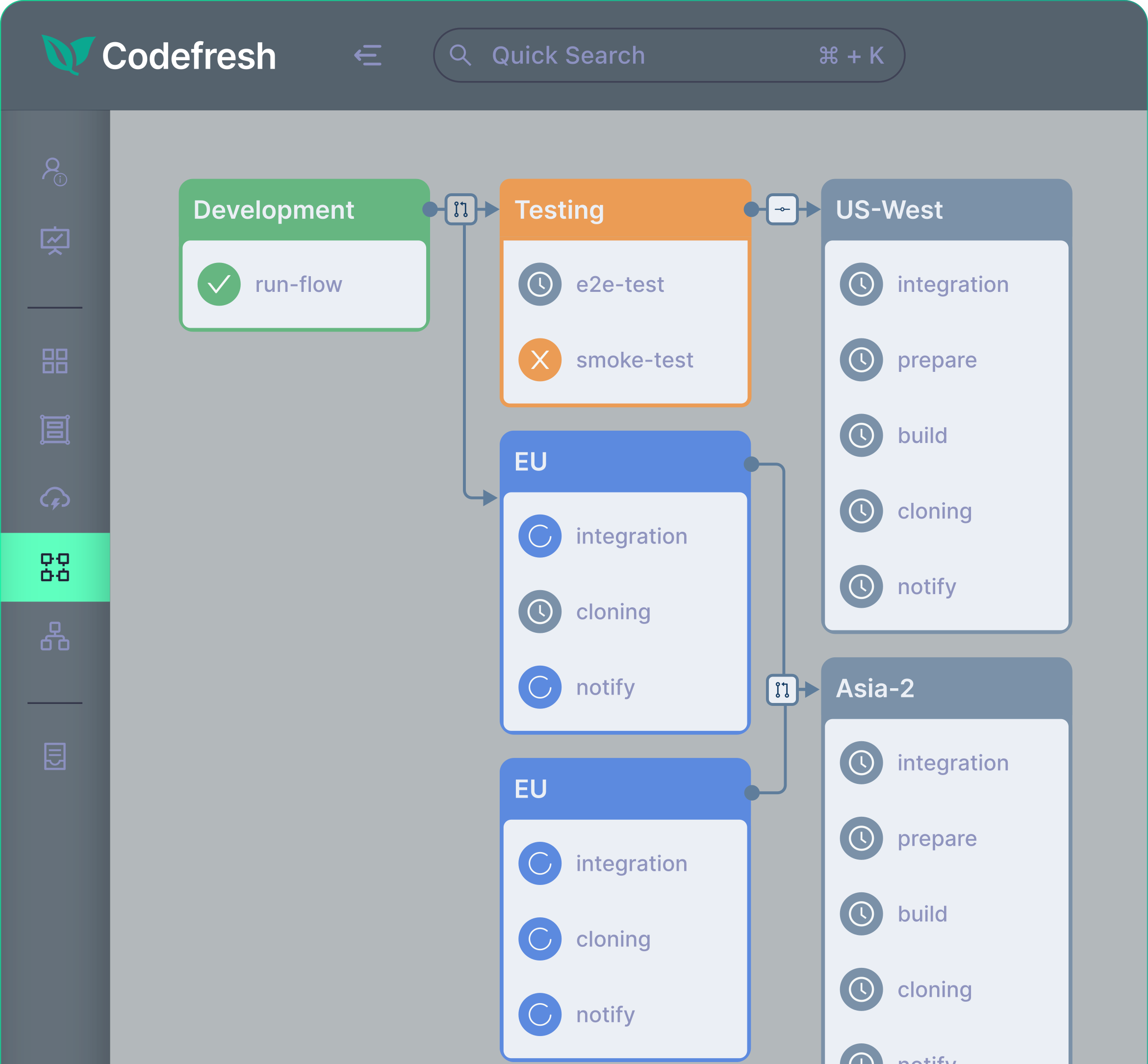
Codefresh is a CI/CD platform purpose-built for cloud-native applications and modern DevOps workflows. It offers an end-to-end solution for Continuous Integration, delivery, and GitOps, emphasizing speed, reliability, and developer experience. Codefresh simplifies complex pipelines while supporting advanced deployment strategies.
General features of Codefresh:
- High-performance builds: Optimized build engine with intelligent caching and parallelization to accelerate feedback loops
- Simplified pipeline creation: Pipeline templates, inheritance, and extensible triggers reduce duplication and simplify configuration
- Progressive delivery support: Automated rollbacks, canary releases, and blue/green deployments minimize risk in production
- Unified CI/CD interface: Centralized UI offering complete visibility into the software delivery lifecycle
- Toolchain integrations: Extensive marketplace with hundreds of ready-to-use steps for common DevOps tools
- Cloud-native by design: Built-in support for Kubernetes, Helm, and serverless deployments
Specific features for DevOps:
- GitOps with Argo integration: Built-in support for GitOps practices using Argo enables declarative, version-controlled deployments with full auditability
- DORA metrics tracking: Automatically tracks key DevOps performance indicators such as deployment frequency, lead time, change failure rate, and mean time to recovery
- Code-to-cloud visibility: End-to-end traceability from code commit through to production deployment, helping DevOps teams troubleshoot and optimize delivery
- Dry pipelines architecture: Promotes reuse and standardization by allowing teams to define pipelines once and extend them across multiple applications
- Developer-centric experience: Real-time logs, environment states, and feedback improve collaboration and reduce time spent diagnosing issues in CI/CD workflows
3. Jenkins
Jenkins is an open-source automation server that supports Continuous Integration and Continuous Delivery workflows. It runs as a self-contained Java-based application, can be installed on major operating systems, and uses plugins and distributed execution to automate builds, tests, and deployments.
General features of Jenkins:
- Automation server: Jenkins can operate as a Continuous Integration server or as a Continuous Delivery hub for building, deploying, and automating different types of software projects.
- Cross-platform installation: Jenkins runs as a self-contained Java-based program and provides installation packages for Windows, Linux, macOS, and other Unix-like operating systems.
- Web-based configuration: Jenkins can be configured through a web interface that includes built-in help and on-the-fly error checks during setup and administration.
- Plugin integrations: Jenkins provides hundreds of plugins that connect it with tools used across Continuous Integration and Continuous Delivery workflows.
- Extensible architecture: Jenkins uses a plugin architecture that allows teams to extend core functionality and adapt the server to different project requirements.
Specific features for DevOps:
- Distributed execution: Jenkins can distribute builds, tests, and deployments across multiple machines to support faster execution across different platforms and environments.
- Toolchain connectivity: Jenkins integrates with a broad range of tools in software delivery pipelines, which supports workflows spanning build, test, deployment, and automation tasks.
- Flexible delivery workflows: Jenkins supports both simple CI usage and more complex delivery workflows, which makes it suitable for teams combining development and release automation.

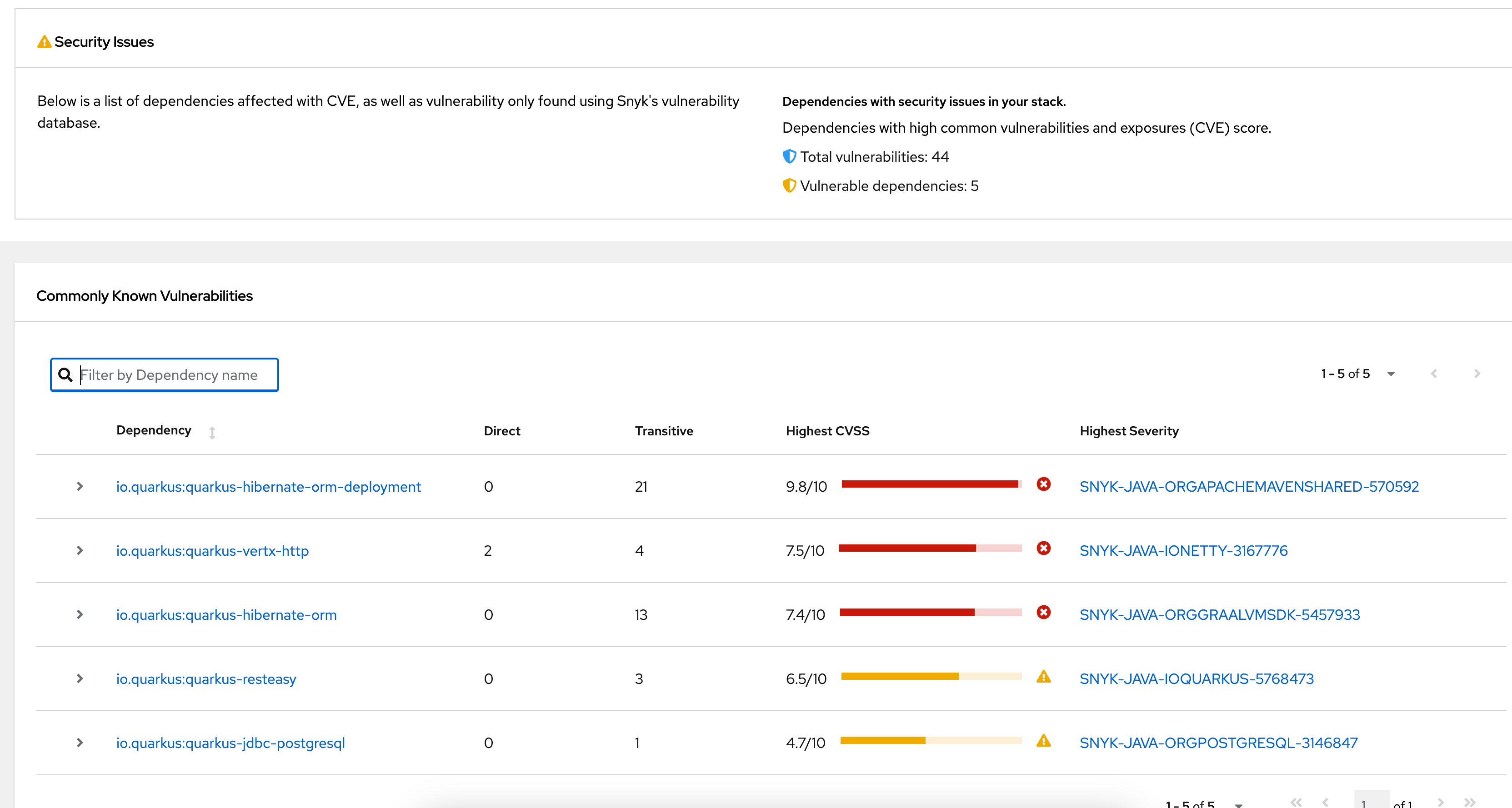
Source: Jenkins
4. CircleCI
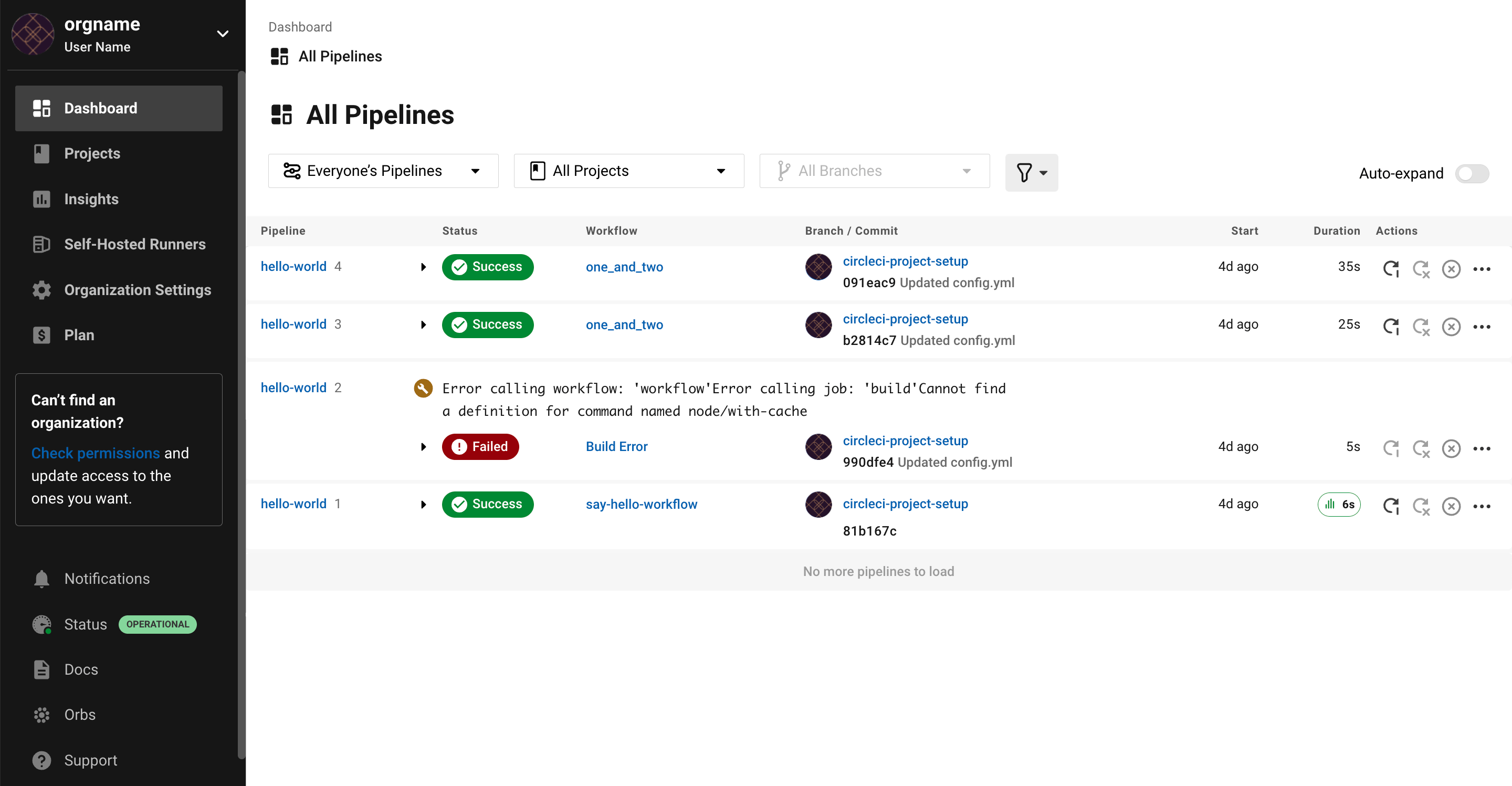
CircleCI is a CI/CD platform for automating software workflows from build to deployment. It supports different execution environments, integrates with common development platforms and cloud services, and includes workflow controls, testing features, and tools for scaling pipeline execution.
General features of CircleCI:
- Workflow automation: CircleCI automates software workflows from idea to production, including build, test, deploy, code review, branch management, and issue triaging tasks.
- Execution environments: CircleCI supports multiple execution environments, including cloud, hybrid runner, and on-premises server deployment options for different operational requirements.
- Platform integrations: CircleCI integrates with GitHub, GitLab, Bitbucket, AWS, GCP, Azure, and Kubernetes to connect pipelines with source control and deployment environments.
- Build optimization tools: CircleCI includes build optimization and autoscaling capabilities that help teams run workflows across changing workloads and infrastructure demands.
- Support for varied workloads: CircleCI supports software delivery for mobile, AI, release orchestration, security and compliance, and general Continuous Integration use cases.
Specific features for DevOps:
- Continuous Integration workflows: CircleCI supports Continuous Integration workflows for building, testing, merging, releasing, deploying, and rolling back code changes with minimal manual intervention.
- Orbs and reusable components: CircleCI includes an orbs registry and image registry, which support reusable integrations and shared workflow components across projects.
- Developer and platform tooling: CircleCI provides documentation, a developer portal, support resources, and technical services for developers, platform engineers, and security engineers managing delivery workflows.

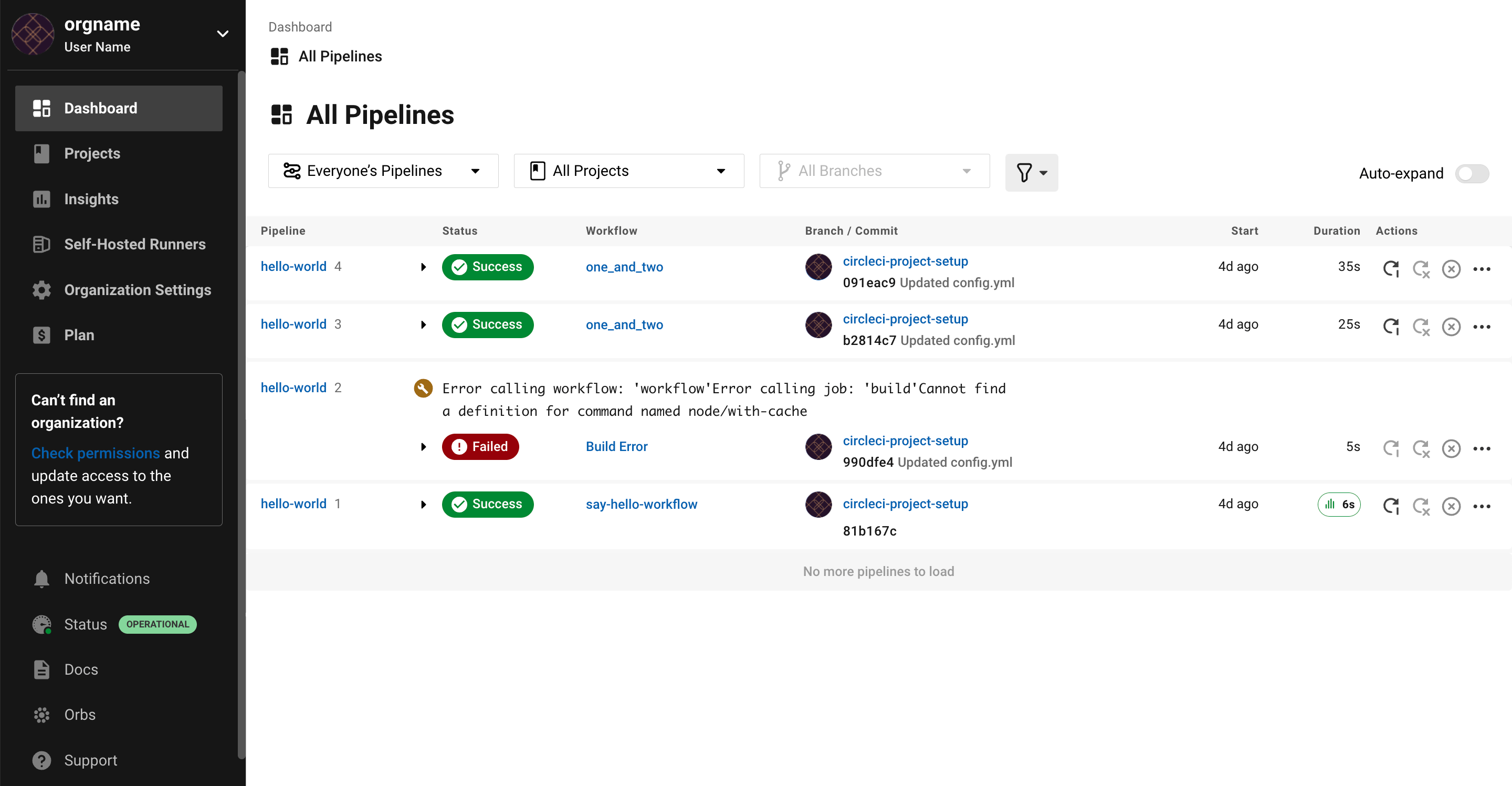
Source: CircleCI
CI/CD integrated into DevOps or cloud platforms
5. GitLab CI/CD
GitLab CI/CD is a CI/CD system for building, testing, deploying, and monitoring code changes through pipelines defined in YAML configuration files. It uses runners to execute jobs, supports variables and expressions for dynamic configuration, and includes reusable components for maintaining shared pipeline logic.
General features of GitLab CI/CD:
- YAML pipeline configuration: GitLab CI/CD uses a
.gitlab-ci.ymlfile to define stages, jobs, scripts, variables, dependencies, and execution behavior for pipeline workflows. - Stages and jobs: Pipelines are organized into stages that determine execution order, while jobs define tasks such as compiling code, testing applications, and deploying releases.
- Runner-based execution: GitLab CI/CD uses runners to execute jobs on physical machines or virtual instances, with support for running jobs inside container images.
- Flexible pipeline triggers: Pipelines can start from events such as commits, merges, or schedules, which supports automated workflows tied to source code changes.
- Reusable components: GitLab CI/CD includes reusable components that can be added to pipeline configurations to reduce duplication and standardize common workflow logic.
Specific features for DevOps:
- Variable management: GitLab CI/CD supports custom and predefined variables for passing configuration values and sensitive information into jobs across projects, groups, and instances.
- Protected and masked variables: Variables can be restricted to protected branches or tags and masked in job logs to reduce exposure of sensitive values.
- Dynamic expressions: GitLab CI/CD supports
$[[ ]]expressions for dynamic pipeline behavior, including typed inputs and matrix values used in job dependencies. - DevSecOps lifecycle support: GitLab CI/CD is part of a broader workflow that includes planning, creating, verifying, securing, releasing, and monitoring application changes.

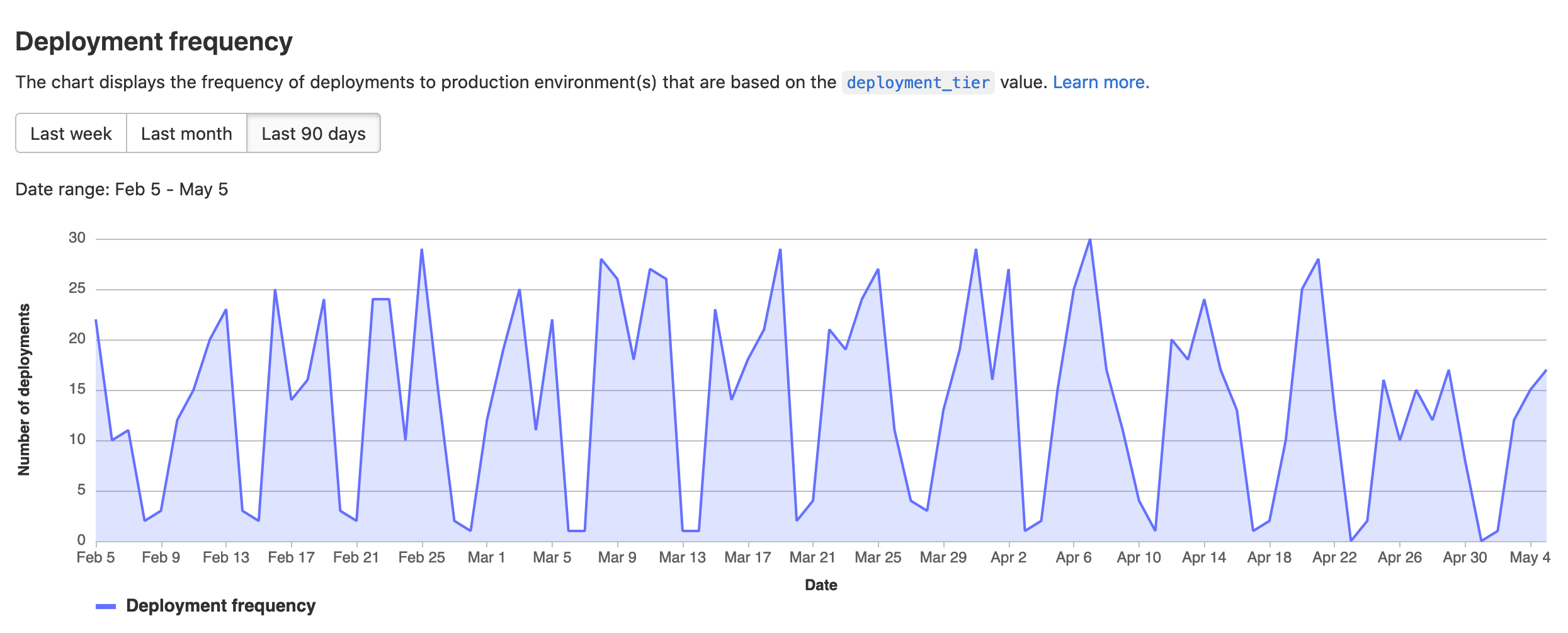
Source: GitLab
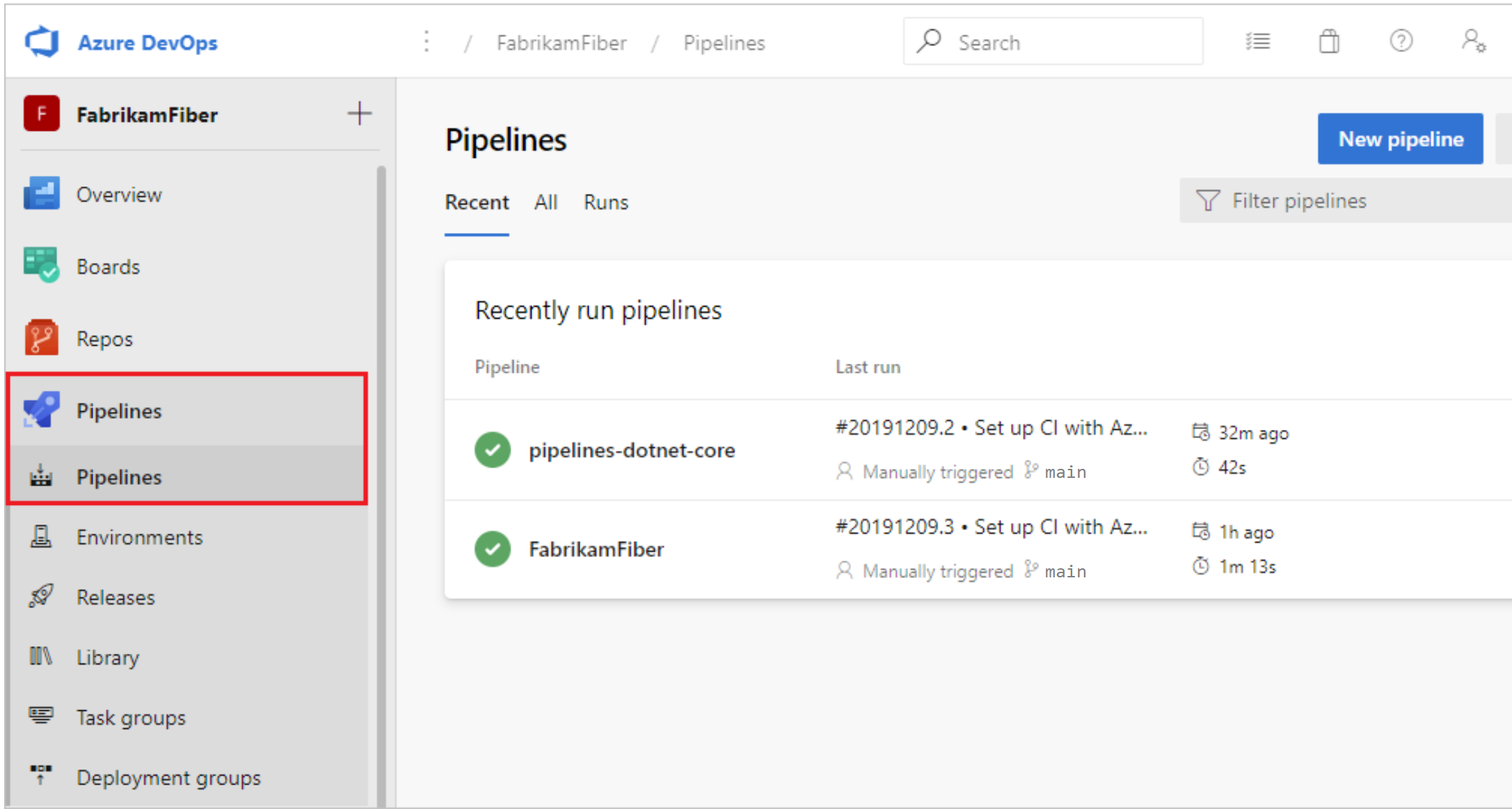
6. Azure DevOps
Azure DevOps is a set of development services for planning work, managing code, testing software, building pipelines, and handling packages. It includes products for boards, pipelines, test plans, repositories, artifacts, security, and managed agent pools, and can be adopted as a full suite or as individual services.
General features of Azure DevOps:
- Modular DevOps services: Azure DevOps can be used as a complete DevOps solution or as separate products that fit an existing workflow.
- Work tracking tools: Azure Boards provides configurable Kanban boards for planning, tracking, and discussing work across development teams.
- Source control repositories: Azure Repos offers cloud-hosted private Git repositories with pull requests and advanced file management for collaborative code development.
- Package management: Azure Artifacts lets teams create, host, and share packages, with native integration into Azure Pipelines workflows.
- Testing tools: Azure Test Plans provides manual and exploratory testing tools for validating software before release.
Specific features for DevOps:
- Pipeline automation: Azure Pipelines supports building, testing, and deploying with CI/CD across any language, platform, and cloud environment.
- Git provider connectivity: Azure Pipelines can connect to GitHub or other Git providers, which supports Continuous Deployment from different source control systems.
- Security integration: GitHub Advanced Security for Azure DevOps adds security testing tools that support secure development from inception to deployment.
- Managed agent pools: Managed DevOps Pools lets teams spin up and customize agent pools while applying security practices and balancing performance and cost.

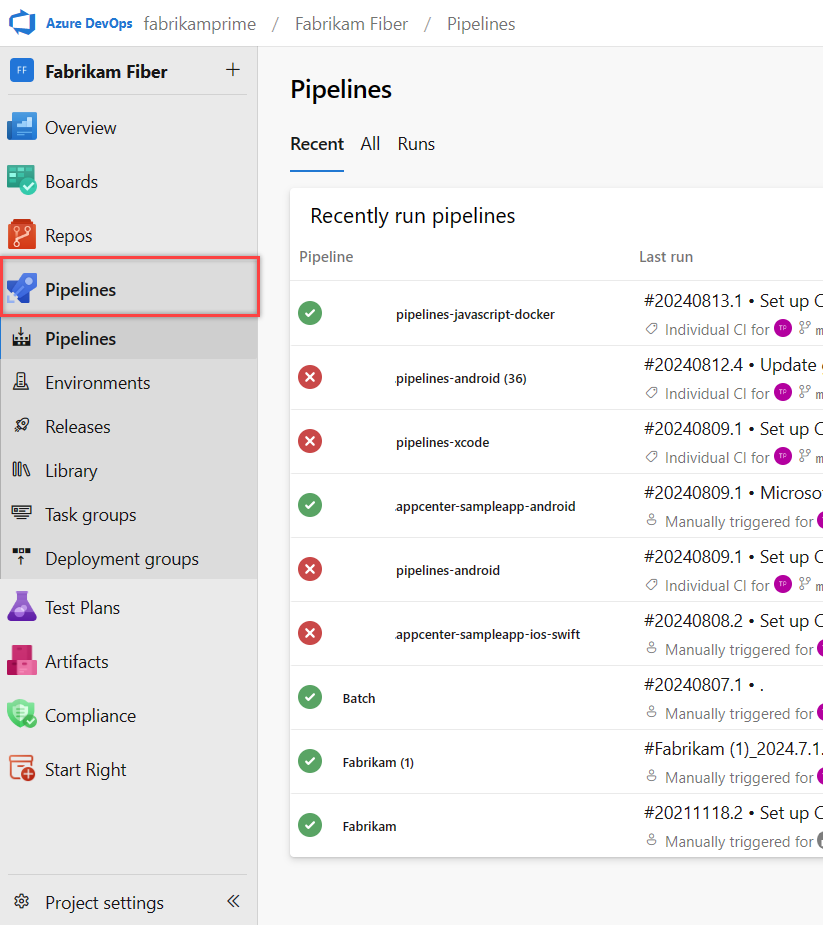
Source: Azure DevOps
7. GitHub Actions
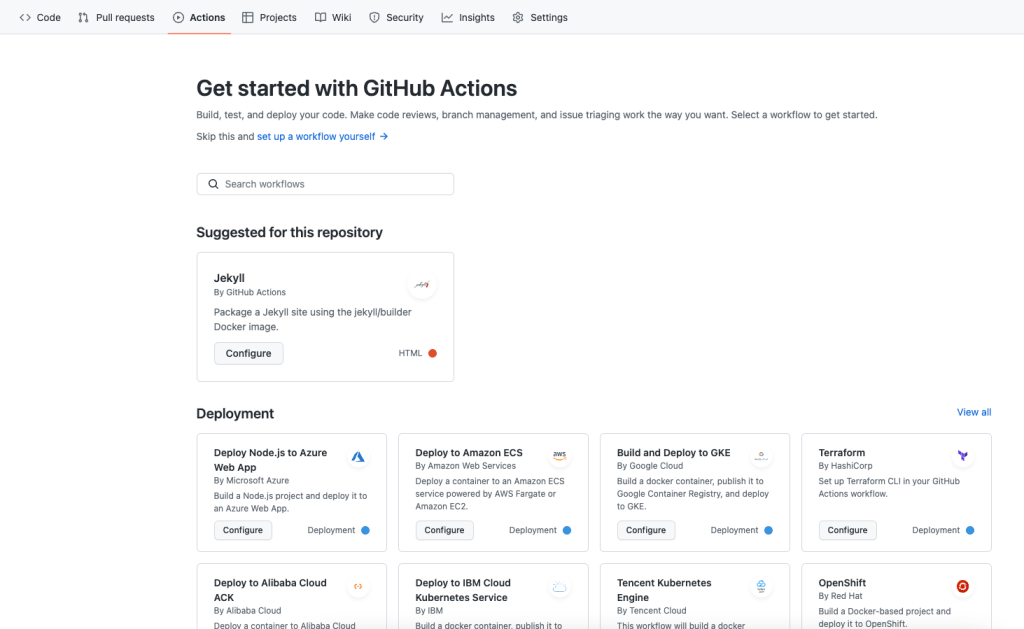
GitHub Actions is a workflow automation service within GitHub for building, testing, and deploying code. It supports event-based triggers, hosted and self-hosted runners, matrix builds, live logs, secret storage, container-based testing, and integrations through the actions marketplace.
General features of GitHub Actions:
- Workflow automation: GitHub Actions automates software workflows from idea to production, including build, test, deploy, code review, branch management, and issue handling tasks.
- Event-based triggers: Workflows can run on GitHub events, which allows teams to automate tasks such as builds, deployments, and repository maintenance actions.
- Hosted and self-hosted runners: GitHub Actions supports GitHub-hosted runners and self-hosted runners running on cloud or on-premises virtual machines.
- Cross-platform execution: GitHub Actions provides runners for Linux, macOS, Windows, ARM, GPU, and container-based environments for building and testing projects.
- Matrix builds: Matrix workflows allow teams to test the same workflow across multiple operating systems and runtime versions at the same time.
Specific features for DevOps:
- Live workflow logs: GitHub Actions provides realtime workflow logs with line-specific links that help teams inspect failures and share debugging context.
- Built-in secret storage: GitHub Actions includes a built-in secret store for managing credentials used by workflow files and automated development processes.
- Multi-container testing: GitHub Actions supports testing services and databases together within workflows by using container-based configurations such as docker-compose.
- Marketplace integrations: The actions marketplace provides reusable actions for deploying to cloud platforms, integrating external tools, and extending workflow automation through APIs.
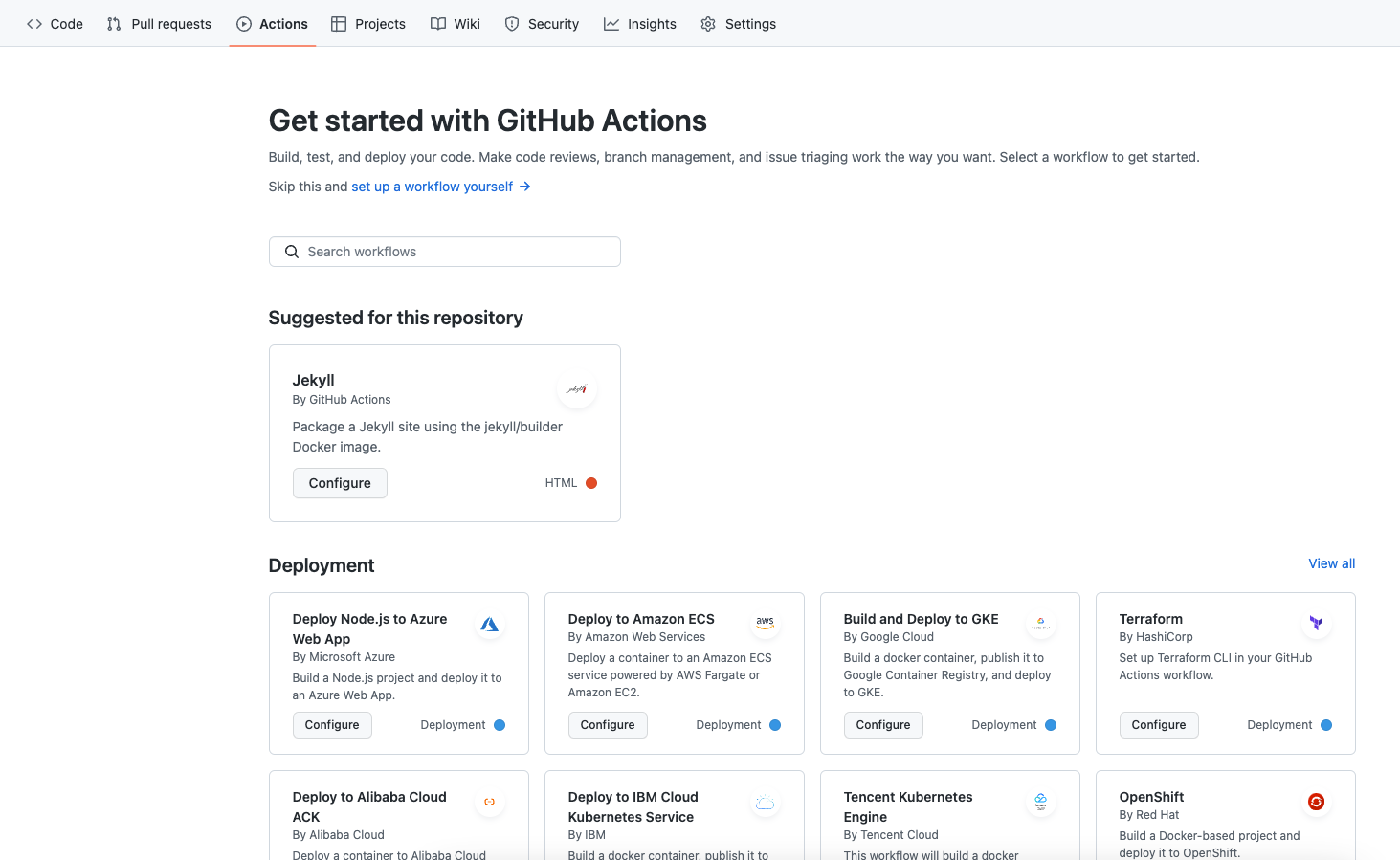
Source: GitHub Actions
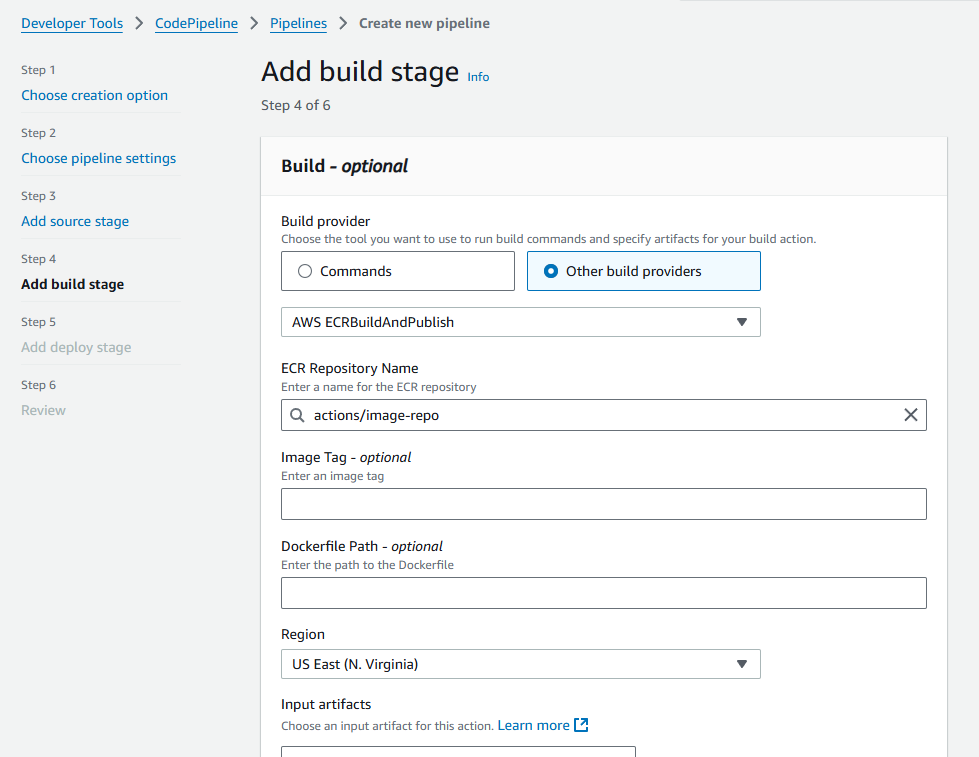
8. AWS CodePipeline
AWS CodePipeline is a CI/CD service for automating Continuous Delivery pipelines. It supports defining pipeline structure, sending event notifications, managing access, and integrating custom systems, while reducing the need to provision servers for release automation.
General features of AWS CodePipeline:
- Pipeline automation: AWS CodePipeline automates Continuous Delivery pipelines for software updates, supporting faster and more reliable release processes.
- Defined pipeline structure: AWS CodePipeline lets teams define the structure of their delivery pipeline to match the stages used in their release workflows.
- Serverless operation: AWS CodePipeline reduces the need to set up or provision servers for running delivery pipeline automation tasks.
- Release process support: AWS CodePipeline is designed to streamline the software release process and support faster delivery of new features.
Specific features for DevOps:
- Event notifications: AWS CodePipeline can send notifications for pipeline events, which helps teams monitor delivery activity and respond to workflow changes.
- Access control: AWS CodePipeline includes capabilities for controlling and granting access, supporting managed use of delivery pipelines across teams.
- Custom system integration: AWS CodePipeline can integrate custom systems into the delivery workflow, allowing teams to connect internal tools and processes.

Source: AWS CodePipeline
9. Google Cloud Build
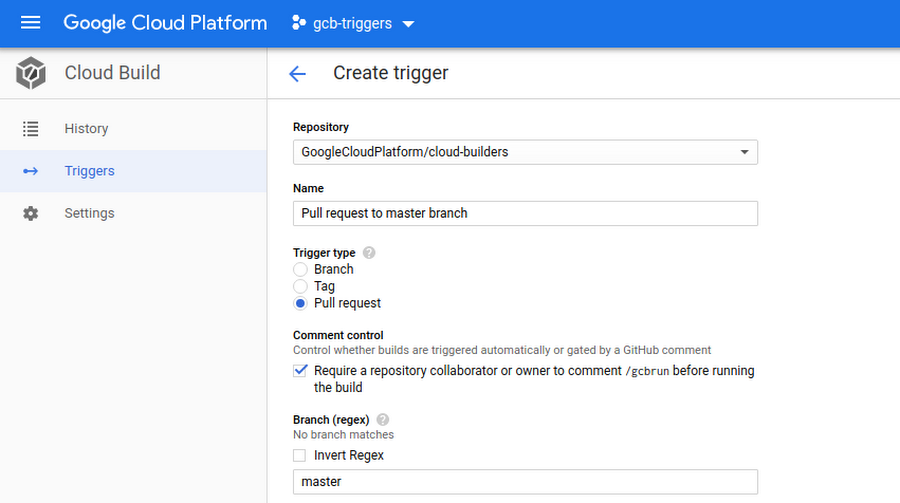
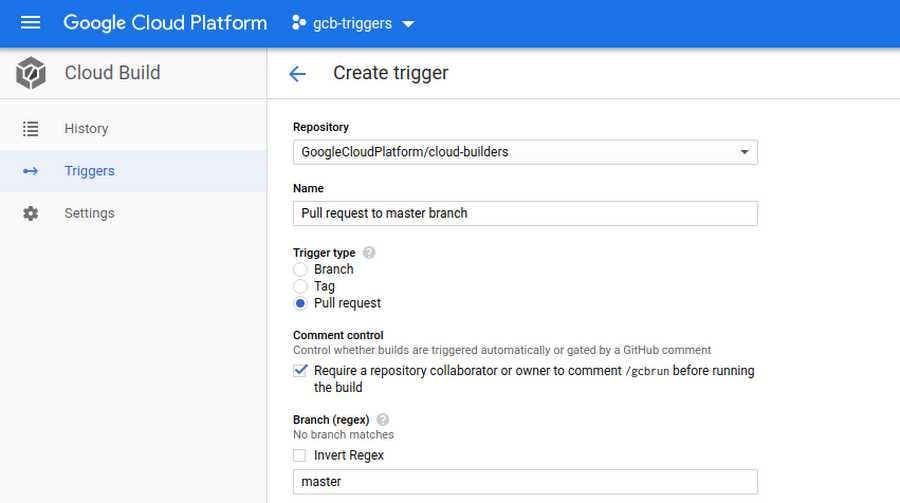
Google Cloud Build is a serverless CI/CD platform for building, testing, and deploying software. It supports multiple programming languages, source integrations, private and default worker pools, automated triggers, deployment integrations, and software supply chain security features.
General features of Google Cloud Build:
- Serverless build platform: Google Cloud Build runs as a fully managed serverless CI/CD platform that scales without requiring teams to set up or manage build infrastructure.
- Language and machine support: Google Cloud Build supports multiple programming languages and offers several machine types for running builds across different workloads.
- Concurrent build pools: Google Cloud Build supports default and private pools, including hundreds of concurrent builds per pool for larger workloads.
- Enterprise source integrations: Google Cloud Build integrates with GitHub Enterprise, GitLab Enterprise, and Bitbucket Data Center through built-in source control support.
- Automated deployment support: Google Cloud Build can deploy to environments such as virtual machines, serverless services, Kubernetes, and Firebase through built-in integrations.
Specific features for DevOps:
- Trigger-based workflows: Google Cloud Build can automatically build, test, or deploy code when changes are pushed to connected source repositories.
- Private network execution: Google Cloud Build supports fully managed CI/CD workflows inside private networks through private pools and source repository integrations.
- Supply chain security: Google Cloud Build supports provenance generation, attestation verification, vulnerability scanning, and SLSA level 3 build capabilities.
- Build insights and debugging: Google Cloud Build provides build results, errors, warnings, and filtering tools that help teams review slow builds and troubleshoot failures.
Source: CircleCI
10. BitBucket Pipeline
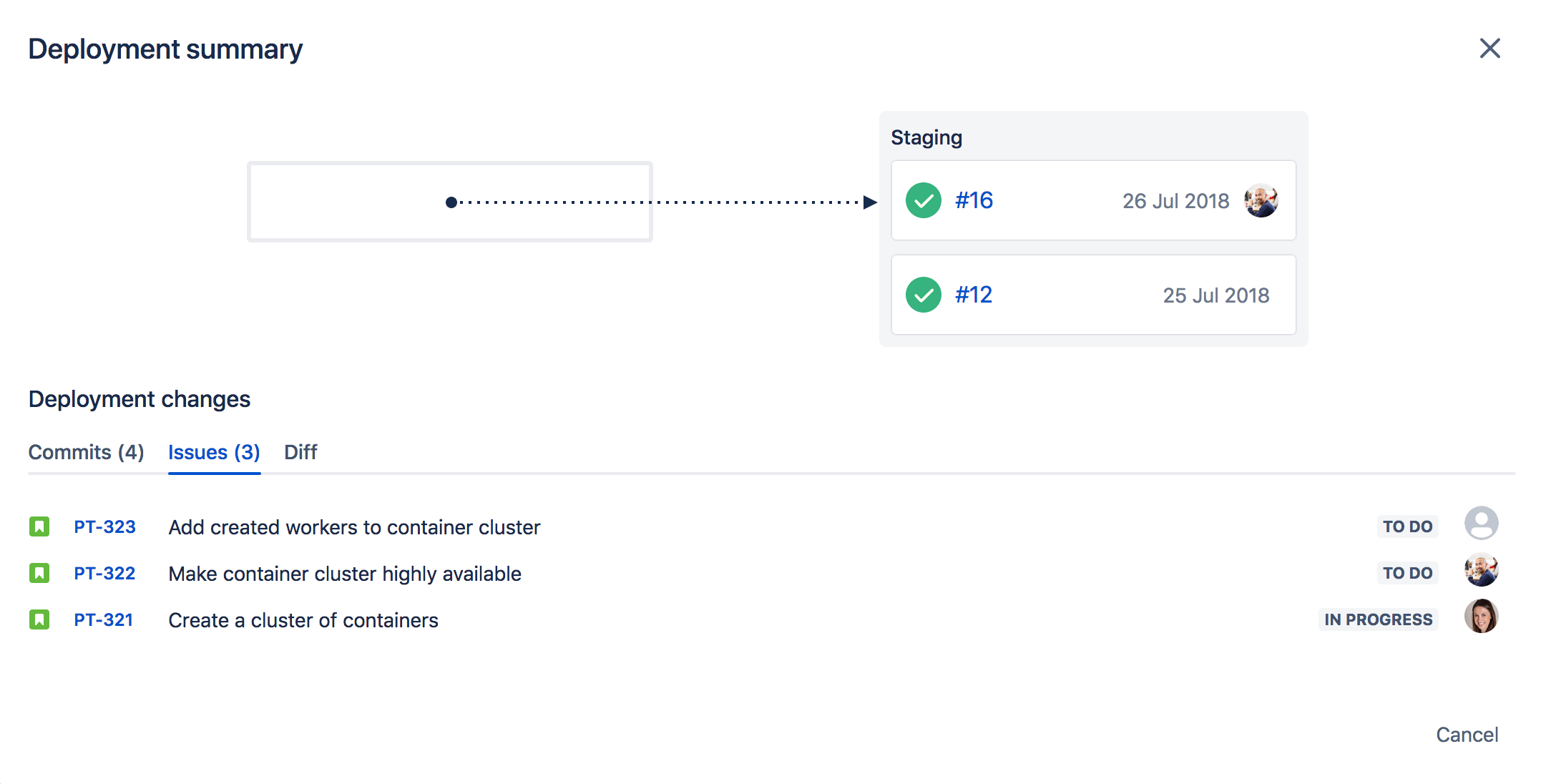
Bitbucket Pipelines is a CI/CD service within Bitbucket for building, testing, and deploying code. It includes pipeline visibility, templates, runtime workflow changes, governance controls, integrations, and support for different languages, operating systems, and architectures.
General features of BitBucket Pipeline:
- Built into Bitbucket: Bitbucket Pipelines is integrated directly into Bitbucket, allowing teams to create CI/CD workflows alongside their source code without switching tools.
- Pipeline visibility: Bitbucket Pipelines provides visibility into pipeline progress, logs, deployments, and debugging activity across the organization.
- Built-in workflow templates: Bitbucket Pipelines includes pre-built workflows and language-specific templates for setting up common CI/CD processes.
- Scalable execution: Bitbucket Pipelines can scale capacity up or down as needed without requiring teams to wait for agents or hardware.
- Cross-platform support: Bitbucket Pipelines supports building, testing, and deploying across languages, operating systems, and architectures including Linux, Windows, macOS, x86, and ARM.
Specific features for DevOps:
- Structured pipeline controls: Bitbucket Pipelines supports structured and organized workflows that enforce standards for testing, security, and compliance across projects.
- Dynamic workflow changes: Bitbucket Pipelines can modify workflows at runtime based on custom logic, code changes, or information from external systems.
- Governance as code: Bitbucket Pipelines lets organizations define policies, rules, and processes as code and enforce them across repositories.
- Toolchain integrations: Bitbucket Pipelines supports connected workflows through more than 100 integrations with other tools used across software delivery processes.

Source: BitBucket Pipeline
Related content: Read our guide to CI/CD best practices
Conclusion
CI/CD tools play a central role in DevOps by enabling the automation, standardization, and acceleration of software delivery processes. They help bridge the gap between development and operations teams through consistent workflows, automated testing, and reliable deployments. With integrated support for security, compliance, and monitoring, these tools allow organizations to reduce manual errors, increase release frequency, and maintain high software quality across distributed systems and multi-cloud environments.
Help us continuously improve
Please let us know if you have any feedback about this page.