Set runbook retention policies
Under Project ➜ Runbooks you select the Runbook you want to define or edit your retention policy for. Retention settings for the runbook is located under Runbook ➜ Settings ➜ Retention Policy:
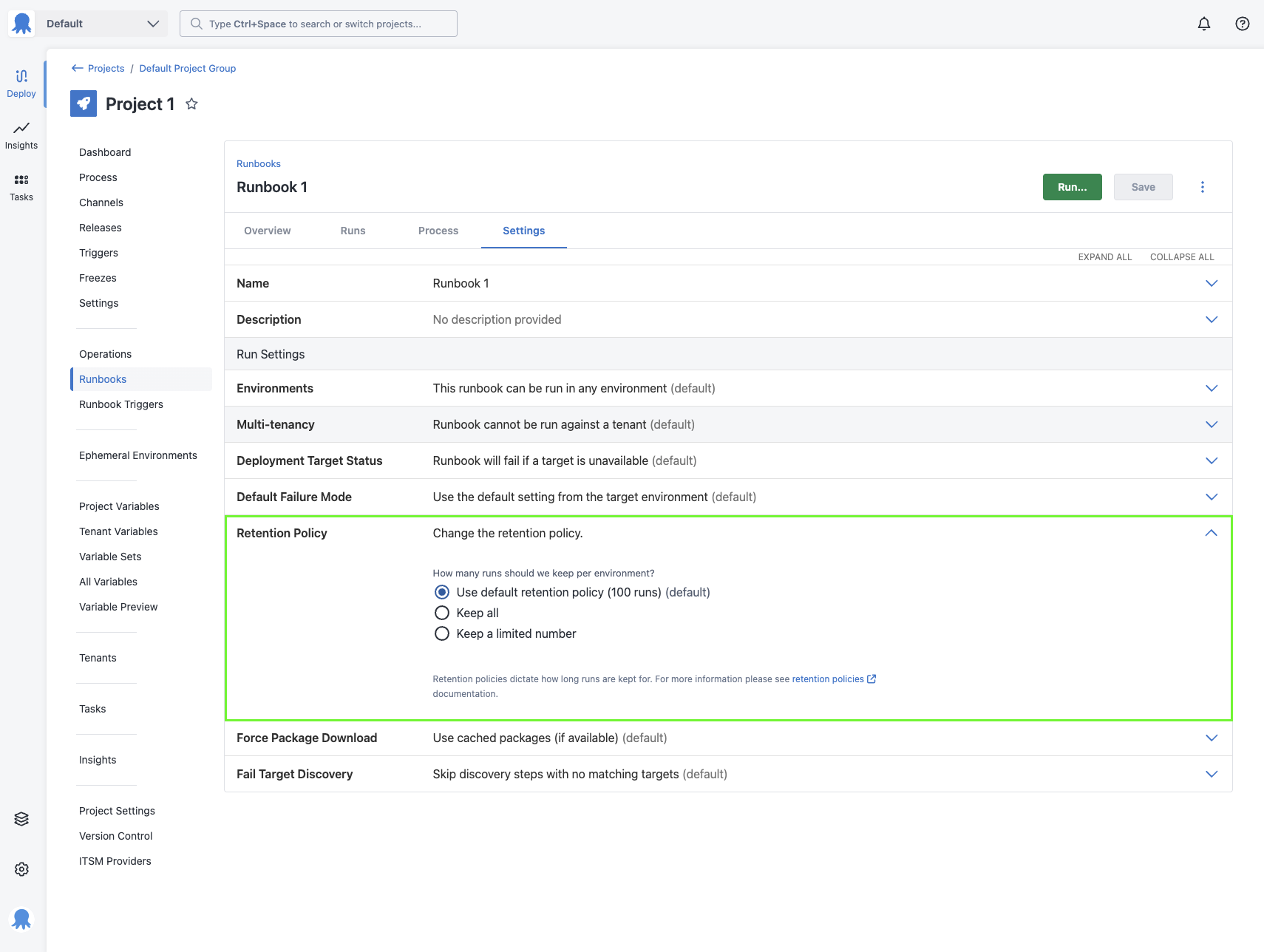
In Octopus Server, you can keep all runbook runs, or keep a limited number of runbook runs per environment.
If you select “Keep a limited number” you can either specify the number of runs per environment to keep, or specify the number of days to keep runbook runs. The runbook runs that are kept are the most recently created runbook runs.
By default, the runbook retention policies are set to keep 100 runs.
Updating the default retention policy
From Octopus version 2025.4, the default runbook retention policy for a space can be customized. This feature is being rolled out gradually behind a feature toggle. If you would like to request this functionality early, please contact support.

You can update the default retention settings used by runbooks under Manage ➜ Retention ➜ Runbook Retention.
The default retention policy for a space can be set to keep all runbook runs or keep a limited number of runbook runs per environment, like you can for the individual runbook retention policies.
Updating this retention policy will update all Runbooks in the space that is set to “Use default retention policy”.