What is blue/green deployment?
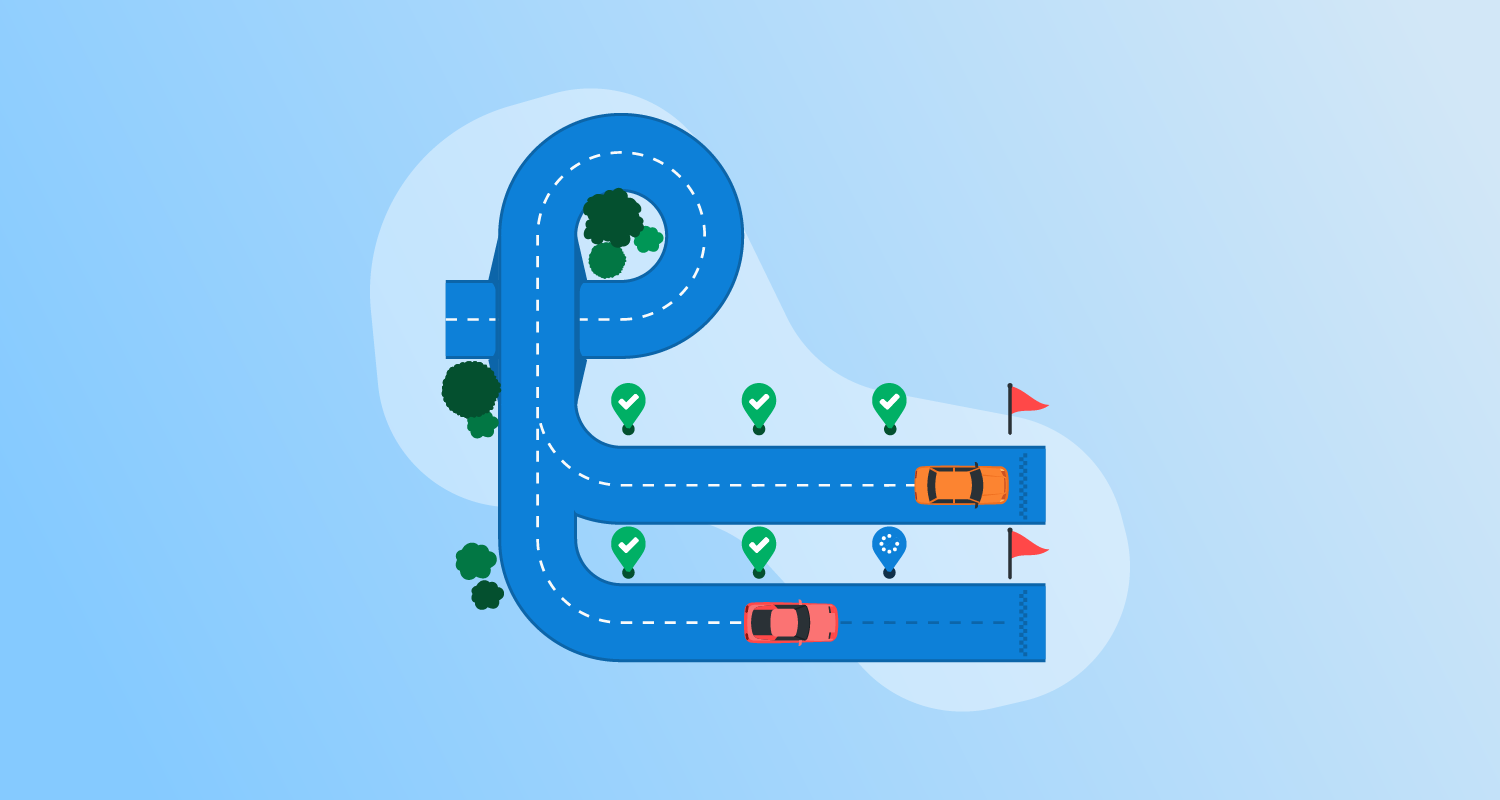
Blue/green deployment is a strategy for software deployments that minimizes downtime and risks by running two identical production environments. The “blue” environment represents the current live instance, while the “green” environment is the testing ground for new releases.
When the new release in the green environment is stable and tested, traffic is switched from the blue to the green environment, making the green environment live. This switch allows a fast rollback if issues arise, as traffic can be routed back to the blue environment. The primary goal of blue/green deployment is to deliver updates without service interruptions.
This method also ensures that the previous version is always readily available, reducing the risk of deployment failure. Developers can work on updates in isolation in the green environment without affecting the current live services.
This is part of a series of articles about CI/CD
How do CI/CD tools enable blue/green deployments?
CI/CD tools enable blue/green deployments by automating the processes required to create, manage, and switch between the two environments. These tools integrate deployment automation, traffic routing, and monitoring, ensuring seamless and controlled transition from blue to green environments.
Most CI/CD platforms offer pipeline templates and plugins that handle infrastructure provisioning, deployment steps, and health checks. These tools coordinate deployments with load balancers, service meshes, or DNS updates to reroute traffic safely.
By incorporating automated rollbacks and monitoring hooks, CI/CD tools help teams quickly detect issues and revert to the stable environment without manual intervention. Additionally, integration with infrastructure-as-code (IaC) frameworks allows teams to maintain environment consistency, ensuring blue and green environments remain identical throughout the deployment cycle.
Blue/green deployment tools market and trends
Market growth and size
The market for blue/green deployment tools is expanding rapidly as organizations adopt modern software delivery practices. The global market is valued at $1.42 billion and is projected to reach $6.89 billion by 2033, growing at a compound annual growth rate (CAGR) of 19.2%.
This growth is largely driven by the need for reliable, low-risk software releases. Enterprises increasingly rely on deployment strategies that minimize downtime and allow fast rollback. Blue-green deployment tools address this requirement by enabling controlled traffic switching between environments while keeping a stable version available.
Technology trends driving adoption
Several technology trends are accelerating the adoption of blue/green deployment tools. One major driver is the rise of microservices architectures and cloud-native development. These approaches break applications into smaller services that are updated frequently, increasing the need for safe deployment mechanisms.
The evolution of CI/CD pipelines has also made automated deployment strategies easier to implement. Blue/green deployment tools integrate with DevOps toolchains, allowing teams to automate release workflows, run health checks, and roll back changes when necessary.
Another emerging trend is the use of artificial intelligence and machine learning in deployment automation. These technologies can help detect anomalies, optimize resource usage, and automatically manage deployment risks through predictive analysis and intelligent rollback mechanisms.
Regional market trends
North America currently represents the largest share of the market, accounting for about 38% of global revenue in 2024. This leadership is linked to the region’s mature technology ecosystem, widespread DevOps adoption, and strong presence of major cloud providers and software vendors. Industries such as banking, healthcare, and telecommunications rely heavily on high-availability systems, which encourages adoption of blue-green deployment tools.
The Asia Pacific region is expected to experience the fastest growth, with a projected CAGR above 22% through 2033. Rapid digital transformation in countries such as India, China, and several Southeast Asian economies is driving the demand for modern deployment practices. Expansion of e-commerce, growth in startups, and investments in cloud infrastructure are key factors behind this acceleration.
Adoption is also increasing in Latin America, the Middle East, and Africa, although at a slower pace. These regions face challenges such as limited DevOps expertise and infrastructure constraints. However, rising cloud adoption and government initiatives supporting digital innovation are gradually increasing the use of automated deployment tools.
Benefits of blue/green deployment for CI/CD
Blue/green deployment aids in Continuous Integration and Continuous Delivery (CI/CD) by ensuring smooth and reliable software releases:
- Minimal downtime: Since traffic is switched instantly between environments, users experience little to no downtime during deployments.
- Quick rollbacks: If an issue is detected after deployment, traffic can be redirected back to the previous version.
- Safer releases: The new version is thoroughly tested in the green environment before going live, reducing the risk of introducing bugs into production.
- Continuous Delivery support: Blue/green deployment enables frequent updates, aligning with CI/CD practices for faster software delivery.
- No impact on active users: Updates and testing happen in isolation, ensuring users are not affected by development or deployment activities.
- Consistent testing environment: Since the green environment mirrors production, testing conditions are identical, improving reliability and accuracy.
- Simplified troubleshooting: Issues can be diagnosed without affecting the live system, allowing for smoother debugging and resolution.
Notable CI/CD tools supporting blue/green deployment
1. Octopus
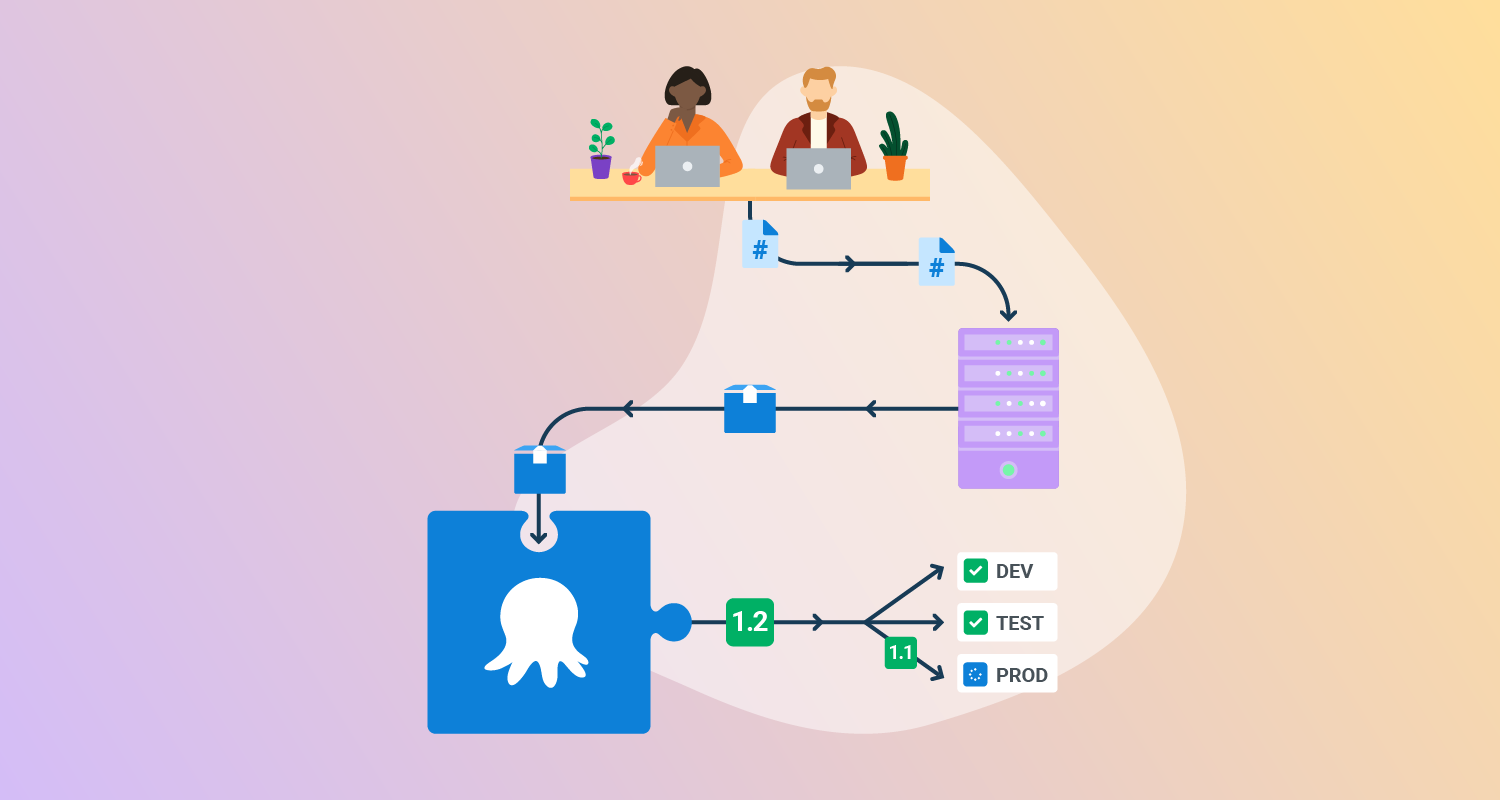
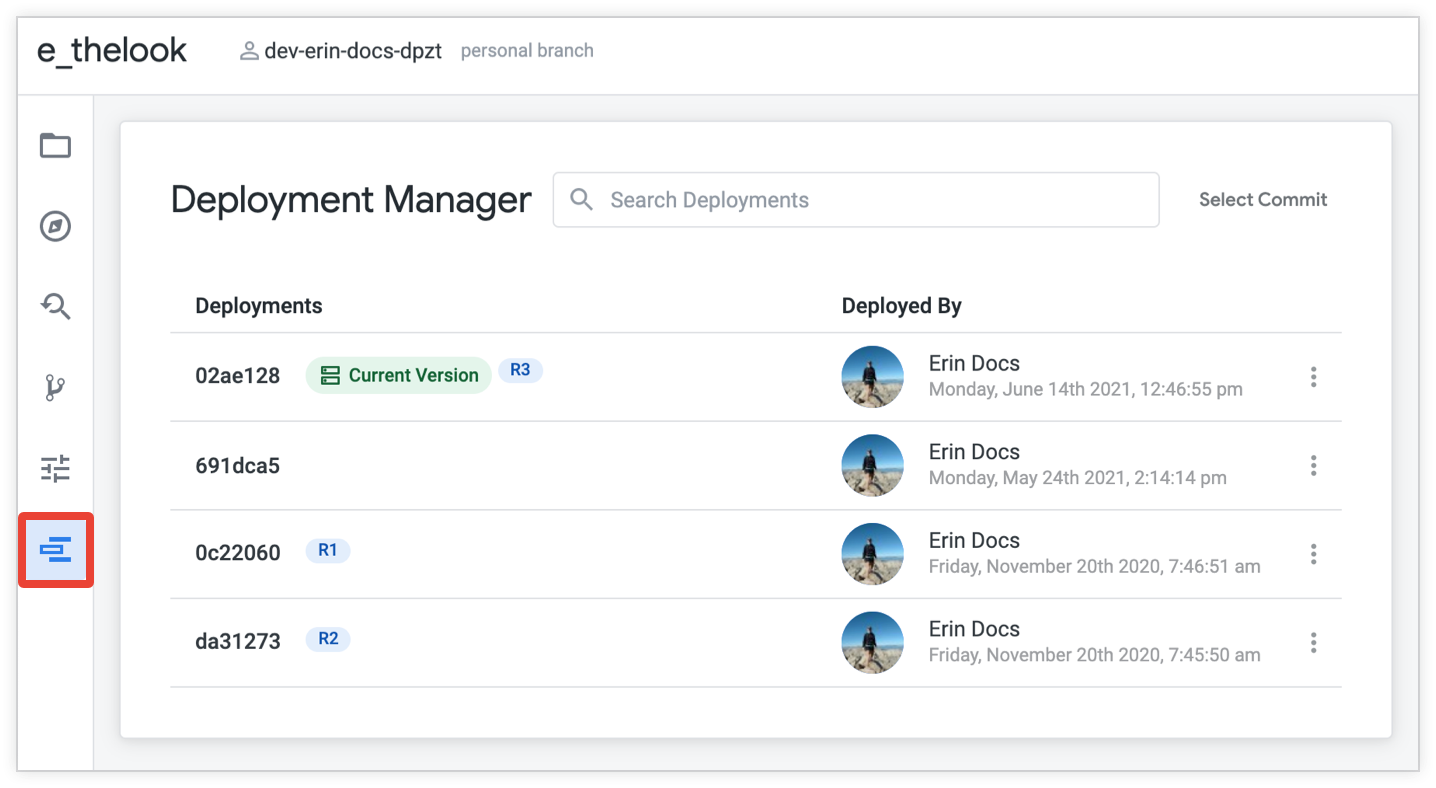
Octopus Deploy is a sophisticated, best-of-breed Continuous Delivery (CD) platform for modern software teams. It offers powerful release orchestration, deployment automation, and runbook automation while handling the scale, complexity, and governance expectations of even the largest organizations with the most complex deployment challenges.
General features:
- Define your deployment process once and use it across all environments so you can deploy to production with the same confidence you deploy everywhere else.
- Octopus is the only CD tool with built-in multi-tenancy support. You can deploy many customer-specific instances using the same deployment process.
- You can use runbooks to automate operations tasks to remove toil. You can use runbooks to provide safe self-service operations to other teams.
- Octopus has role-based access control, single-sign-on (SSO) as standard, and a complete audit trail to make audits a breeze.
Blue/green deployment features:
- Built-in support for modeling blue/green deployments as environments
- Multi-environment phases allow new versions to be sent to either the blue or green environment
- Visibility into which version is deployed for the blue environment and green environment
- Snapshots ensure the packages and deployment process are applied consistently to each environment

2. Codefresh
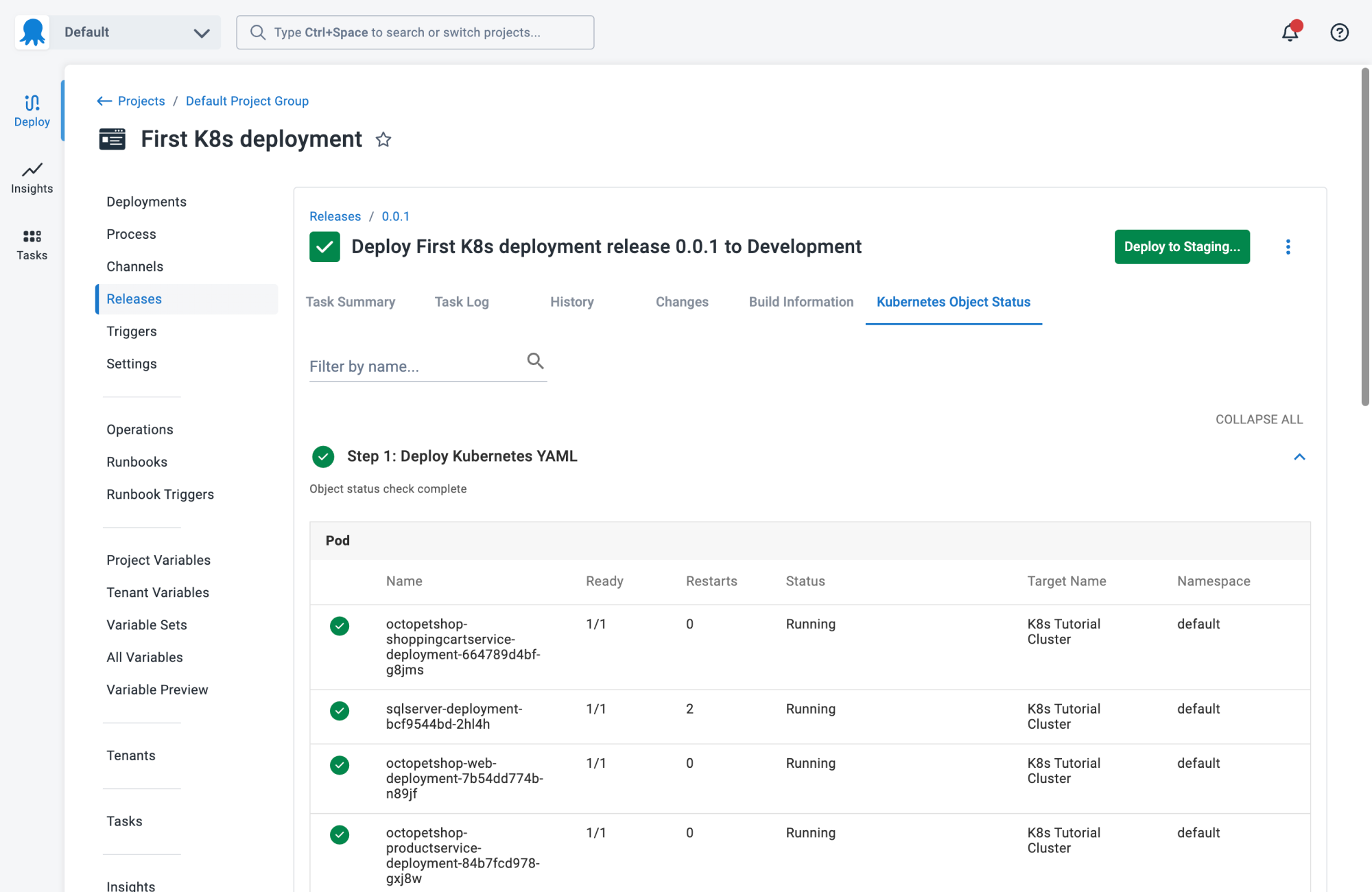
Codefresh is a CI/CD platform built for cloud-native applications, with a focus on Kubernetes and GitOps-based deployments. It emphasizes rapid build, test, and deployment cycles using containerized environments. Codefresh provides visual pipelines, integrated GitOps capabilities, and supports multi-cloud deployments.
General features:
- Kubernetes-native pipelines: Offers YAML and visual editors for building cloud-native pipelines.
- Integrated GitOps: Works with Argo CD to manage GitOps workflows.
- Debugging: Provides real-time dashboards, logs, and side-by-side events.
- Built-in registry and Helm support: Supports Docker and Helm for packaging and deployment.
- Progressive delivery support: Natively supports blue/green, canary, and A/B deployments.
Blue/green deployment features:
- Automated traffic switching: Manages routing using Kubernetes ingress controllers or service meshes.
- Instant rollbacks: Enables automatic rollbacks on failure based on health checks.
- Deployment visibility: Displays environment states and history to monitor deployment health.
- Pipeline templates: Includes ready-made templates for blue/green strategies.
- Routing updates: Integrates with service mesh or ingress for traffic control.

3. AWS CodeDeploy
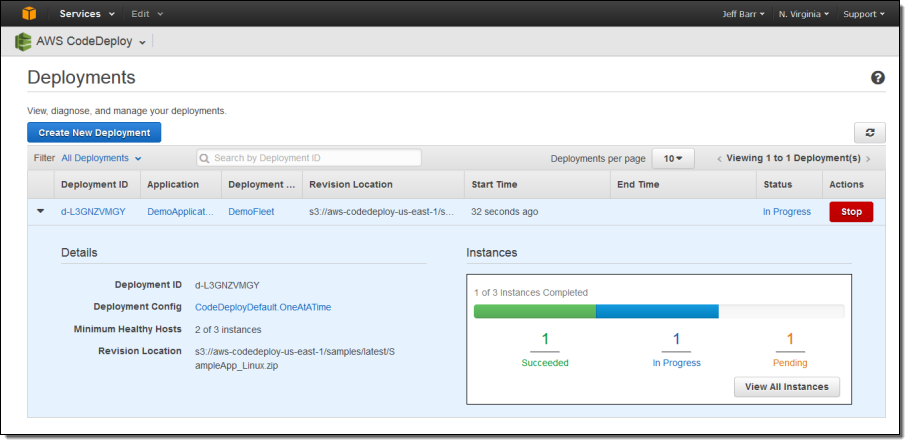
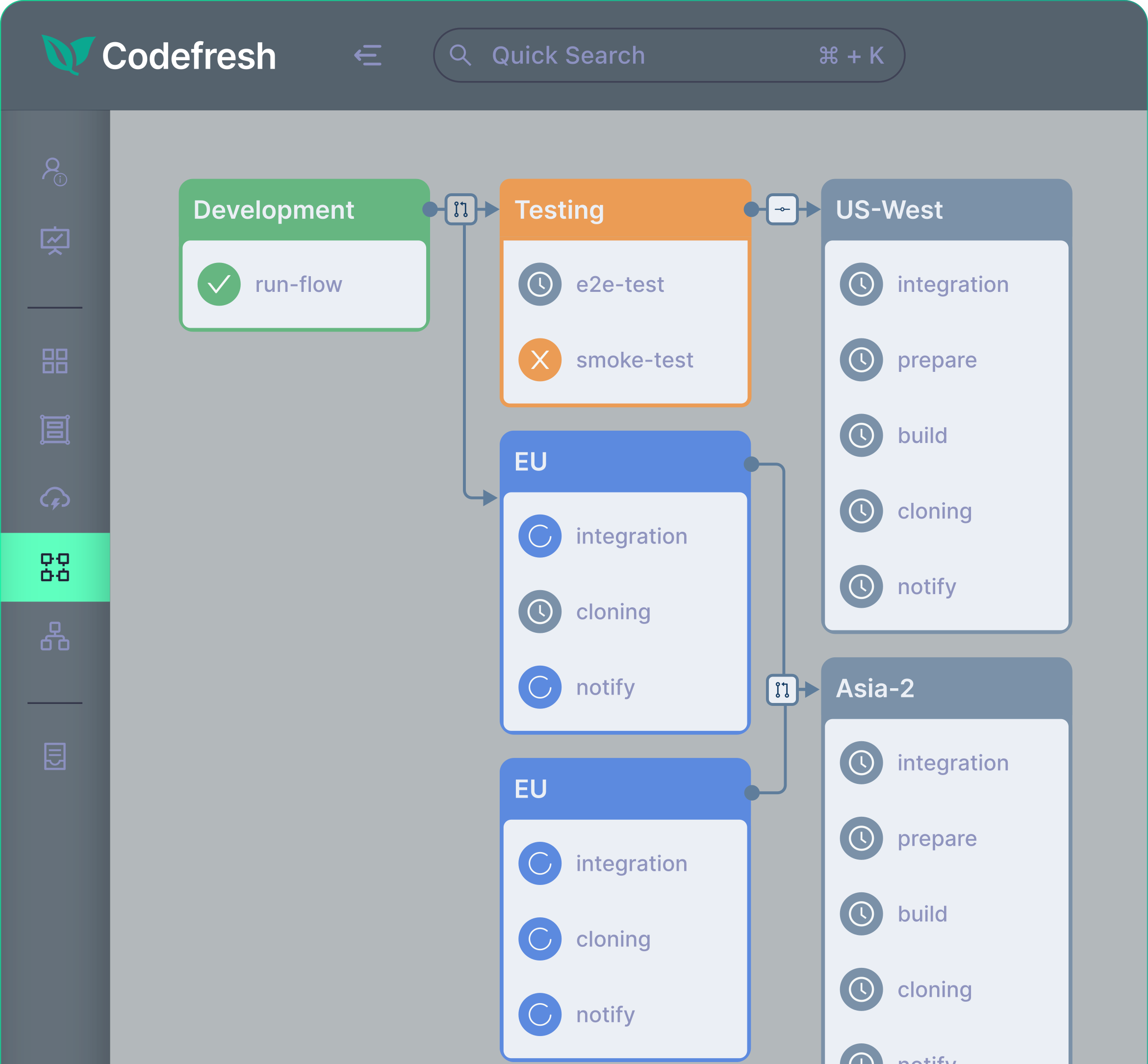
AWS CodeDeploy is a deployment service that automates application releases across cloud and on-premises environments. It supports a wide range of application types, including server-based, containerized, and serverless workloads. The service integrates with source repositories and automates deployment steps defined in application specification files, enabling consistent and repeatable release processes across environments.
General features:
- Multi-platform deployment support: Deploys applications to Amazon EC2 instances, on-premises servers, AWS Lambda functions, and Amazon ECS services.
- Automated deployments at scale: Automates deployment processes across development, test, and production environments, scaling from a single instance to large fleets.
- Flexible application support: Handles different types of deployment content, including code, scripts, executables, and configuration files.
- Centralized deployment control: Provides tools to launch, track, and monitor deployments through the console or CLI with detailed status reporting.
- Integration with development toolchains: Works with configuration management systems, version control platforms, and CI/CD pipelines.
Blue/green deployment features:
- Parallel environment provisioning: Creates a replacement environment where the new application version is installed alongside the existing one.
- Controlled traffic rerouting: Uses load balancers to shift traffic from the original environment to the updated environment either immediately or after validation.
- Pre-deployment validation window: Allows testing and verification in the new environment before directing production traffic.
- Fast rollback through traffic switching: Enables quick recovery by routing traffic back to the original environment if issues occur.
- Support across compute platforms: Implements blue/green deployments for EC2 instances, ECS task sets, and Lambda functions with configurable traffic shifting strategies.

Source: AWS CodeDeploy
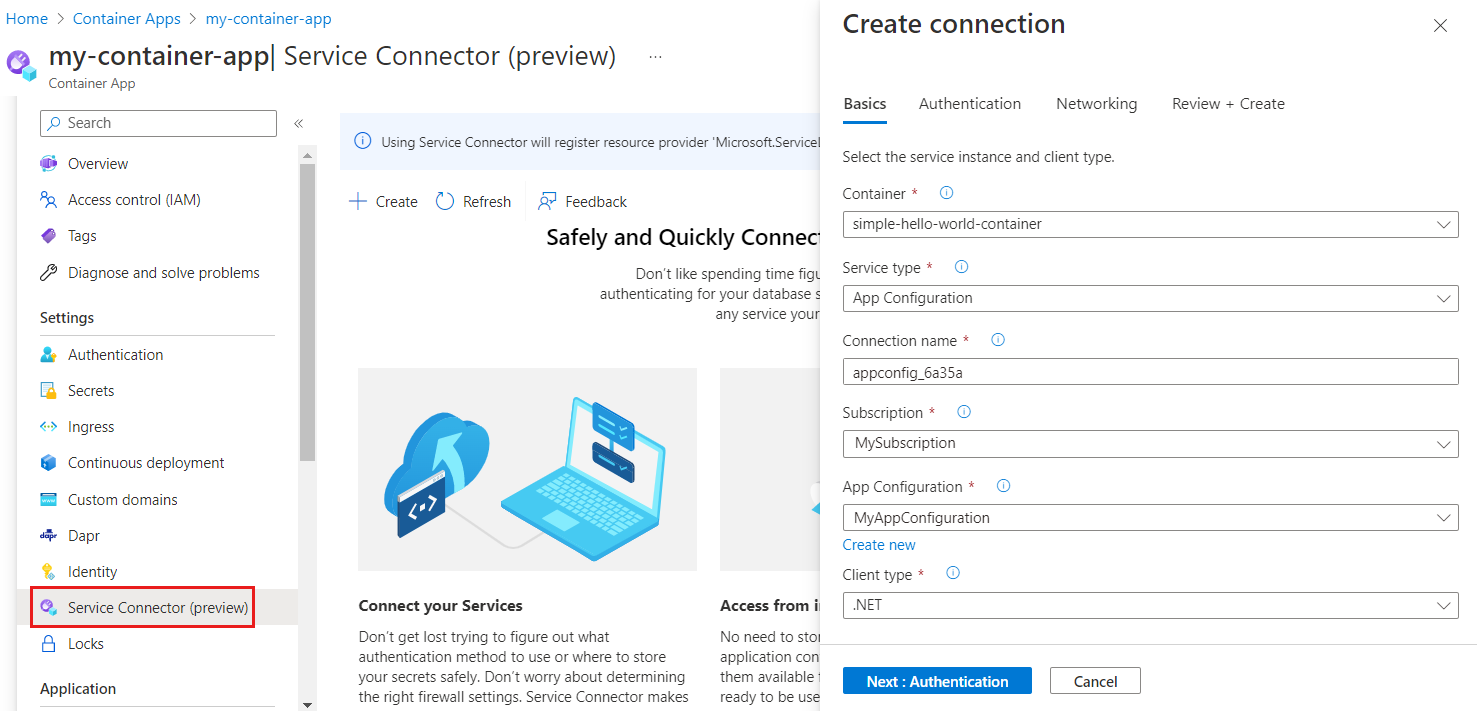
4. Azure Container Apps
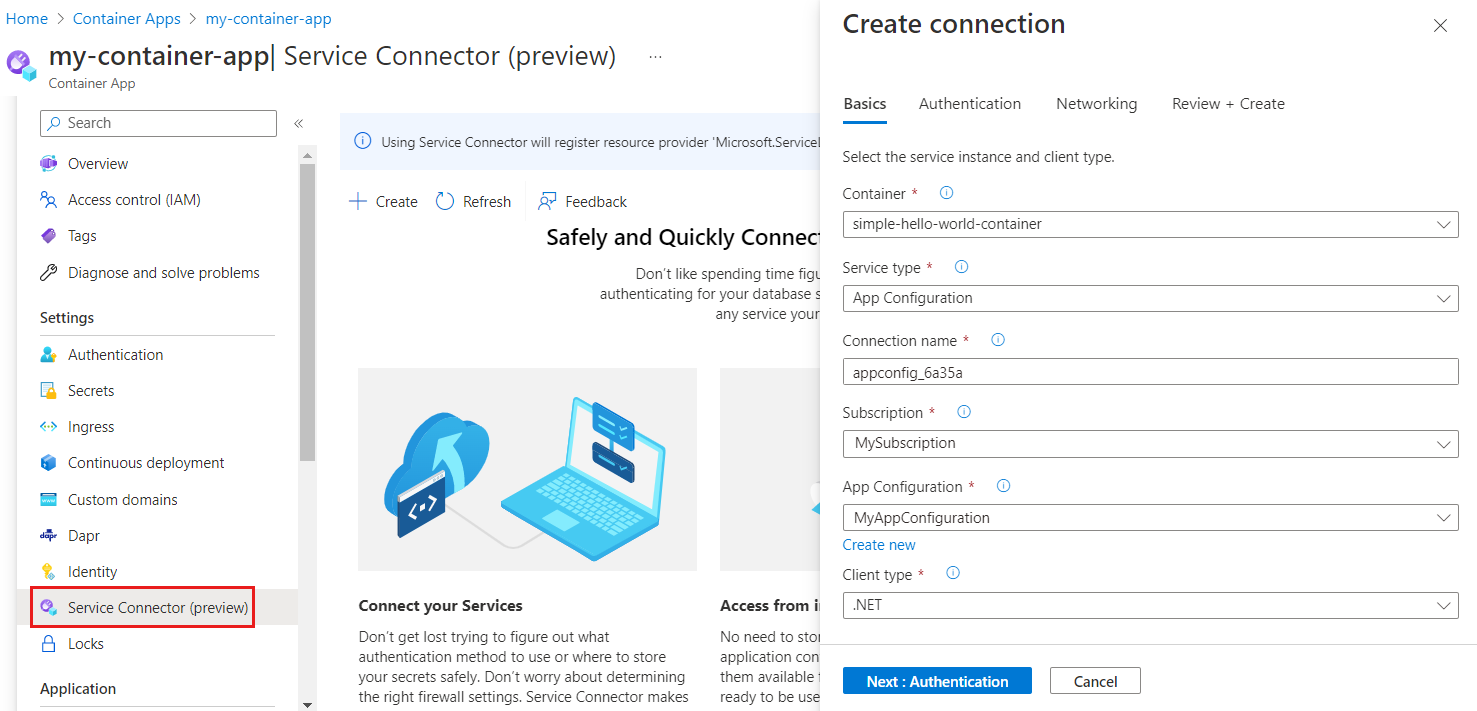
Azure Container Apps is a serverless container platform for running containerized applications without managing infrastructure or container orchestration systems. It supports microservices architectures and event-driven applications while automatically handling scaling, networking, and runtime management.
General features:
- Serverless container platform: Runs containerized applications without requiring infrastructure management.
- Automatic scaling: Scales applications dynamically based on HTTP traffic, events, CPU, or memory usage.
- Microservices support: Integrates with tools such as Dapr to simplify microservice communication and API management.
- Integrated monitoring: Provides logs and metrics through Azure Monitor and Log Analytics.
- Flexible deployment management: Supports lifecycle management of applications through revisions and deployment configurations.
Blue/green deployment features:
- Traffic splitting between revisions: Allows multiple application revisions to run simultaneously with configurable traffic distribution.
- Gradual traffic shifting: Enables controlled rollout of new versions through adjustable traffic percentages.
- Quick rollback capability: Allows immediate redirection of traffic to a previous revision if issues are detected.
- Deployment monitoring: Provides visibility into application health and traffic patterns during deployments.
- Parallel revision testing: Runs multiple versions of an application concurrently for validation before full rollout.
Source: Microsoft
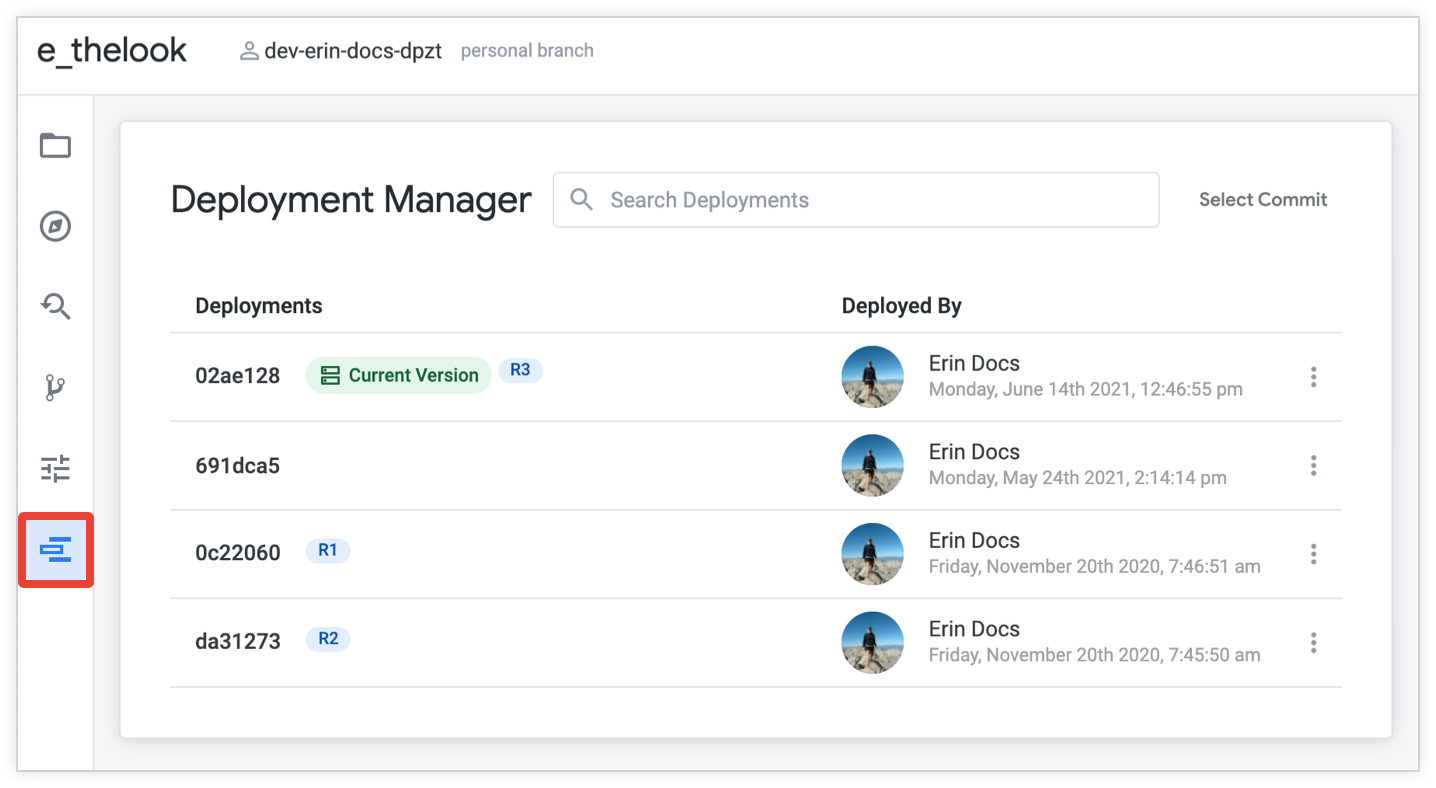
5. Google Cloud Deployment Manager
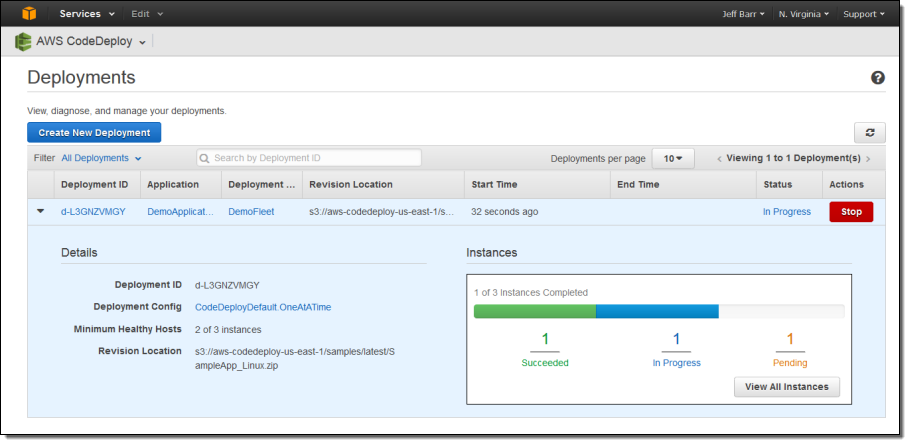
Google Cloud Deployment Manager is an infrastructure-as-code service that automates the creation and management of Google Cloud resources. It allows teams to define infrastructure configurations using templates and deploy consistent environments across projects.
General features:
- Infrastructure as code management: Defines and provisions cloud infrastructure using configuration templates.
- Template-based deployments: Uses YAML, Jinja2, or Python templates to describe cloud resources and configurations.
- Automated resource provisioning: Creates and manages services such as Compute Engine, Cloud Storage, and Cloud SQL.
- Repeatable environment deployments: Ensures consistent infrastructure configuration across environments.
- API-driven automation: Allows infrastructure deployment and management through APIs and command-line tools.
Blue/green deployment features:
- Parallel environment provisioning: Creates separate blue and green infrastructure environments through template deployments.
- Controlled traffic routing: Works with Google Cloud load balancing and networking services to shift production traffic.
- Rollback through configuration versions: Allows re-deployment of previous infrastructure templates to revert changes.
- Monitoring integration: Uses Google Cloud Monitoring and Logging to track environment health during deployment.
- Kubernetes and load balancer integration: Supports traffic control through Google Kubernetes Engine and load balancing services.

Source: Google Cloud
Best practices for implementing blue/green deployment in CI/CD pipelines
Here are some considerations to ensure effective blue/green deployment when working with CI/CD pipelines.
1. Implement infrastructure as code (IaC)
To ensure consistency between blue and green environments, it is essential to manage infrastructure through IaC tools like Terraform, AWS CloudFormation, or Google Cloud Deployment Manager. IaC allows developers to define the entire environment configuration—including networking, security, and compute resources—in code.
This guarantees that both environments are exact replicas, minimizing configuration drift and deployment surprises. By versioning the infrastructure code alongside application code, teams can track changes, roll back to previous configurations, and maintain an auditable change history. Automating environment provisioning through IaC accelerates the setup of blue/green deployments.
2. Conduct comprehensive testing in the green environment
Thorough testing in the green environment is crucial to ensure the stability and performance of new releases before they go live. This approach involves conducting a full suite of tests, including unit, integration, and acceptance testing, within the green environment, which mirrors the production setting.
Automated testing tools enable thorough testing processes, allowing rapid iteration and feedback. Conducting these tests in a production-like environment ensures that edge cases are identified and addressed, reducing the risk of post-deployment issues.
3. Use feature flags
Feature flags aid in implementing blue/green deployment, offering granular control over feature rollouts. By decoupling feature deployment from code releases, feature flags allow teams to toggle functionality on or off without redeploying the code. This flexibility enables gradual feature rollouts, testing in production environments, and quick rollbacks if necessary.
Many tools offer feature flagging capabilities that integrate with CI/CD pipelines. These tools provide developers with the ability to conduct A/B testing and canary releases, helping them gather user feedback and measure the impact of new features in real time.
4. Ensure network and security parity
Both environments should maintain the same security configurations and network settings to prevent unexpected behavior during the transition. This involves synchronizing firewalls, access controls, and other critical security measures across environments. Automation tools can help enforce consistent security policies.
By maintaining parity, organizations protect against security vulnerabilities that could arise during deployment transitions. It guarantees that both environments are subjected to the same security scrutiny, minimizing the risk of breaches resulting from configuration disparities. Consistent networking settings also ensure that the application performs identically in both environments.
Conclusion
Blue/green deployment is a proven strategy for reducing deployment risks, minimizing downtime, and enabling safer, more controlled software releases. By maintaining two identical environments and automating the transition between them, teams can ensure that updates are thoroughly tested and validated before impacting users. This approach improves the stability and reliability of software delivery pipelines and supports the goals of CI/CD practices.
Help us continuously improve
Please let us know if you have any feedback about this page.