What is Kubernetes CI/CD?
Kubernetes CI/CD combines the container orchestration capabilities of Kubernetes with Continuous Integration and Continuous Deployment practices. This blend allows developers to automate the building, testing, and deploying of applications reliably.
Kubernetes manages containerized applications across different environments, making it useful for CI/CD, where rapid iteration and scaling are crucial. Using Kubernetes, developers can use features like automated rollout, rollback, and configuration management to improve their CI/CD processes.
The infrastructure provided by Kubernetes ensures deployments are consistent and scalable. Kubernetes handles the complexities of networking, storage, and resource allocation, allowing developers to focus on writing and deploying code. This approach reduces downtime and errors and increases the speed and efficiency of the software delivery lifecycle.
Understanding the Kubernetes market and trends
Kubernetes has become the default container orchestrator for many enterprises. Research indicates that 96% of organizations either use or are evaluating Kubernetes for production workloads. This widespread adoption reflects its role as the foundation for managing distributed applications, scaling services, and supporting automated deployment pipelines.
Key drivers accelerating adoption
Several technology trends are pushing Kubernetes adoption across industries.
Microservices architectures are a major factor. Organizations are replacing large monolithic systems with smaller services that can be deployed independently. Kubernetes provides orchestration features needed to manage these services, including scaling, service discovery, and workload scheduling.
AI and machine learning workloads also contribute to growth. Kubernetes supports features such as node autoscaling, GPU scheduling, and resilient service management. More than half of surveyed enterprises already run AI or ML workloads inside Kubernetes clusters, often using tools like Kubeflow for model training and deployment.
Another driver is the growing demand for managed Kubernetes services. Many companies lack the internal expertise required to operate clusters. Managed platforms provide automated upgrades, built-in security controls, and compliance tooling. Providers report that these services can reduce operating costs and improve uptime.
Market segmentation insights
Several trends appear when analyzing Kubernetes adoption across deployment models, organization sizes, and industries:
- Solutions vs. services: Core Kubernetes solutions represented 55.40% of the market, but services such as consulting, migration support, and compliance guidance are growing faster, with a 23.3% CAGR through 2031.
- Deployment models: Managed Kubernetes accounted for 62.30% of deployments, reflecting strong demand for hosted platforms. Multi-cloud managed solutions are projected to grow at 22.4% CAGR.
- Organization size: Large enterprises controlled 69.20% of spending, though small and medium-sized businesses are expanding adoption quickly with a projected 22.9% CAGR.
- Industry adoption: The IT and telecom sector generated 32.60% of market revenue, while healthcare is the fastest-growing vertical, driven by digital health platforms and strict infrastructure requirements.
Benefits of Kubernetes for your CI/CD pipeline
Kubernetes brings a range of advantages to CI/CD pipelines by automating and optimizing how applications are built, tested, and deployed. Its orchestration features help improve the overall reliability and efficiency of software delivery:
- Scalability and load management: Kubernetes automatically scales CI/CD workloads based on resource demand. This ensures that builds, tests, and deployments run efficiently even under heavy load.
- Isolation and consistency: Each component in the pipeline can run in its own container, eliminating environment discrepancies between development, testing, and production.
- Automated rollouts and rollbacks: Kubernetes supports declarative deployment strategies, enabling application updates and easy rollbacks in case of failures.
- Improved resource use: Kubernetes schedules jobs based on available resources, optimizing infrastructure usage and reducing idle time in the CI/CD process.
- Environment parity: Kubernetes ensures that applications run the same way across different stages—development, testing, staging, and production.
- Support for parallel testing and deployment: With namespaces and pod-based execution, Kubernetes allows multiple test suites or deployments to run in parallel, significantly speeding up delivery.
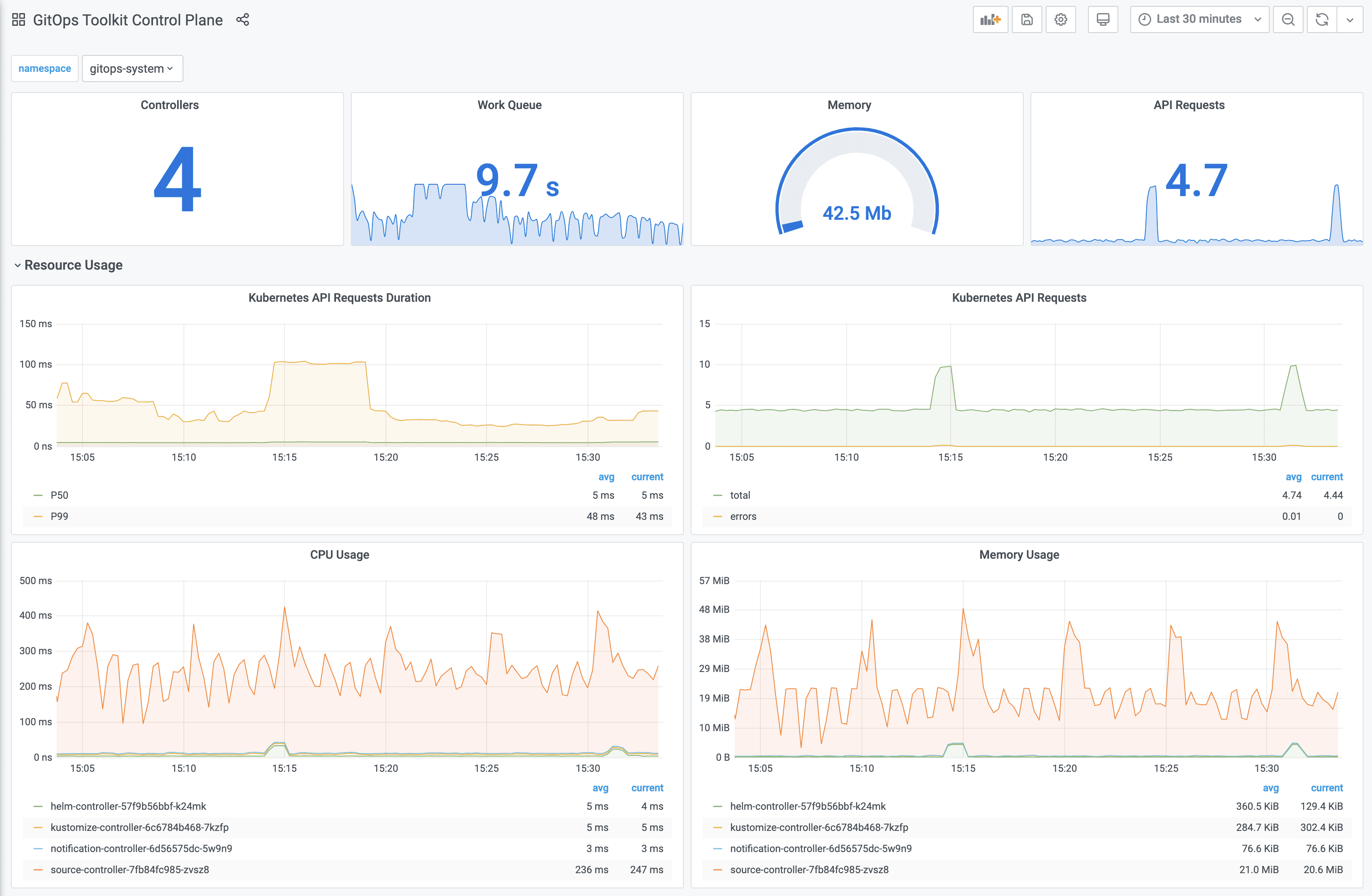
- Built-in monitoring and logging: Integration with tools like Prometheus, Grafana, and Fluentd provides visibility into pipeline performance, helping teams quickly identify and resolve issues.
Notable CI/CD tools for Kubernetes
General CI/CD platforms with Kubernetes support
1. Octopus
Octopus Deploy is a sophisticated, best-of-breed Continuous Delivery (CD) platform for modern software teams. It offers powerful release orchestration, deployment automation, and runbook automation while handling the scale, complexity, and governance expectations of even the largest organizations with the most complex deployment challenges.
General features of Octopus:
- Reliable risk-free deployments: Octopus lets you use the same deployment process across all environments. This means you can deploy to production with the same confidence you deploy to everywhere else. Built-in rollback support also makes it easy to revert to previous versions.
- Deployments at scale: Octopus is the only CD tool with built-in multi-tenancy support. Deploy to two, ten, or thousands of customers without duplicating the deployment process.
- One platform for DevOps automation: Runbooks automate routine and emergency operations tasks to free teams for more crucial work. They can also be used to provide safe self-service operations to other teams.
- Streamlined compliance: Full auditing, role-based access control, and single-sign-on (SSO) as standard to make audits a breeze and to provide accountability, peace of mind, and trust.
Kubernetes-specific features:
- Environment progression: Spend less time updating manifest files or writing custom scripts with built-in environment modelling and progression.
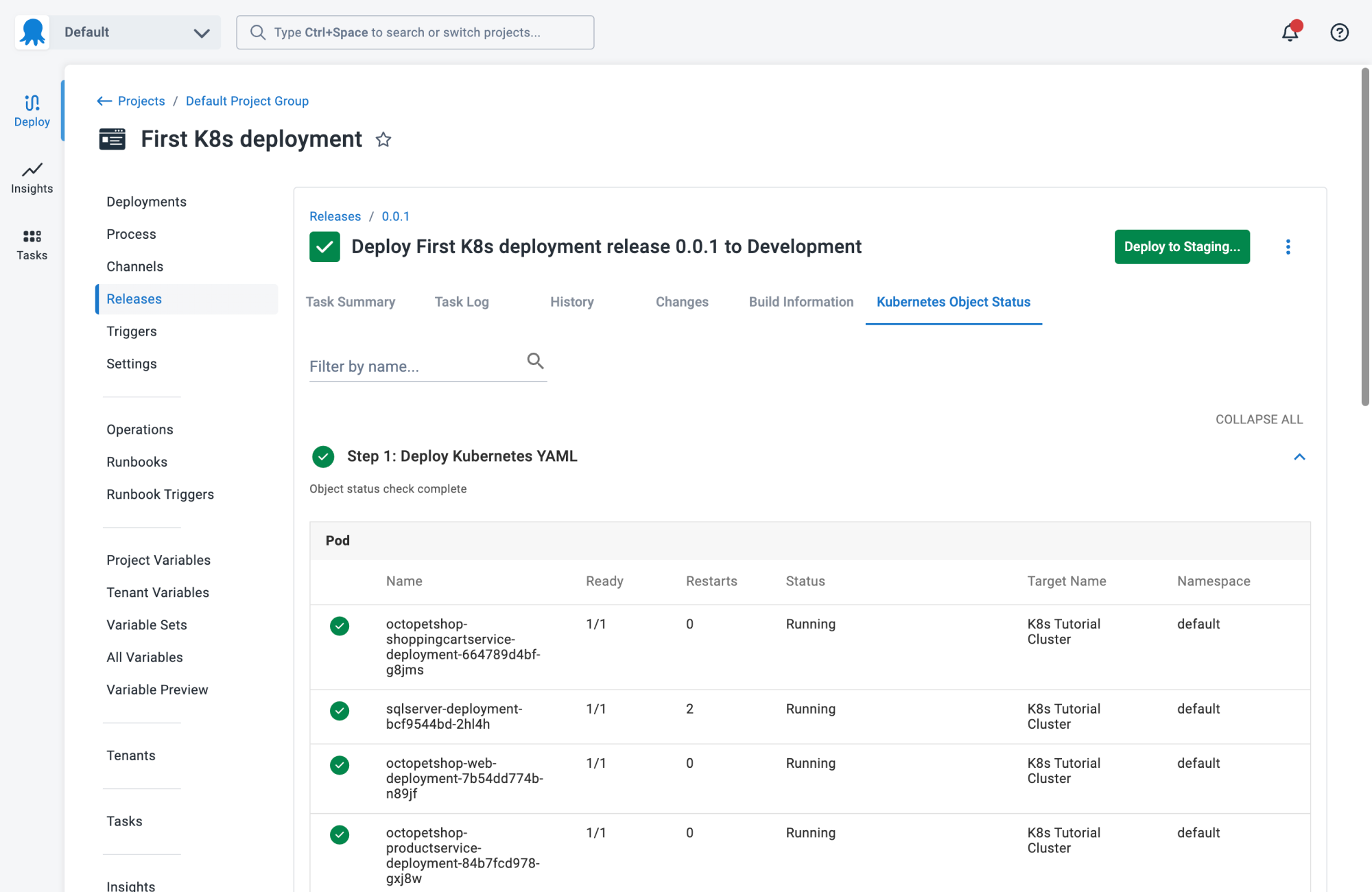
- Single pane of glass: Get everything you need in one place, such as live status, deployment history, logs, and manifests across all clusters and environments.
- Enterprise-grade compliance: Use role-based access controls (RBAC) to handle access to applications and environments, and built-in ITSM integrations for change management.

2. Jenkins
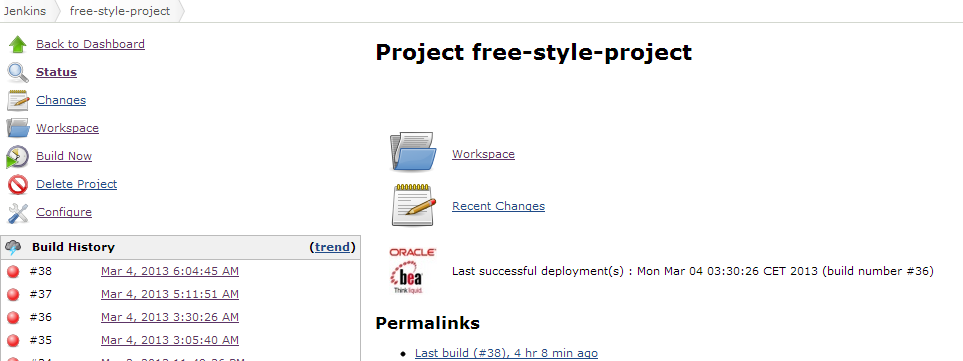
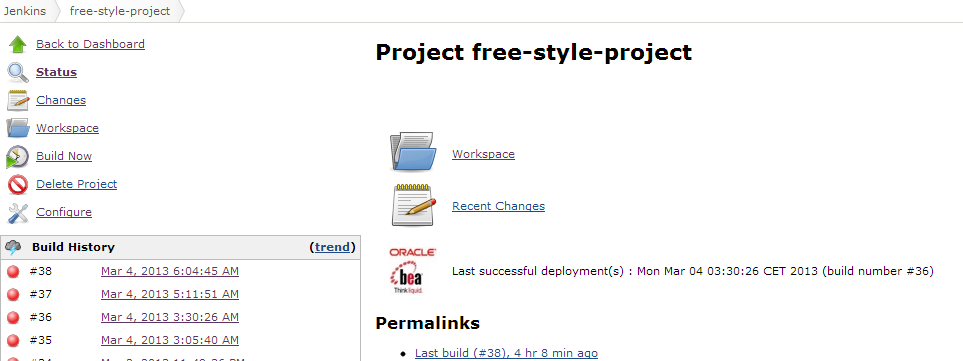
Jenkins is an open-source automation server used to implement Continuous Integration and Continuous Delivery pipelines. It automates the building, testing, and deployment of applications and can run as a standalone Java-based application on multiple operating systems. Jenkins is widely used because it supports extensive customization through plugins and can distribute workloads across multiple machines to scale CI/CD operations.
General features of Jenkins:
- Plugin ecosystem: Supports hundreds of plugins that integrate with tools across the CI/CD toolchain.
- Extensible architecture: Can be extended through plugins to support additional automation capabilities and integrations.
- Simple installation: Runs as a self-contained Java-based application and can be installed on Windows, Linux, macOS, and other systems.
- Web-based configuration: Provides a browser-based interface with built-in configuration help and error checking.
- Distributed builds: Distributes build, test, and deployment tasks across multiple machines to improve scalability and performance.
Kubernetes-specific features:
- Dynamic agent provisioning: The Kubernetes plugin allows Jenkins to create build agents as pods inside Kubernetes clusters.
- Ephemeral build environments: Each build can run in a temporary Kubernetes pod, improving isolation and resource efficiency.
- Container-based pipelines: Pipelines can run inside containers within Kubernetes environments.
- Scalable build infrastructure: Kubernetes clusters provide elastic compute capacity for Jenkins workloads.
- Integration with Kubernetes tools: Jenkins pipelines can interact with tools such as container registries and deployment utilities during Kubernetes deployments.

Source: Jenkins
3. GitLab CI/CD
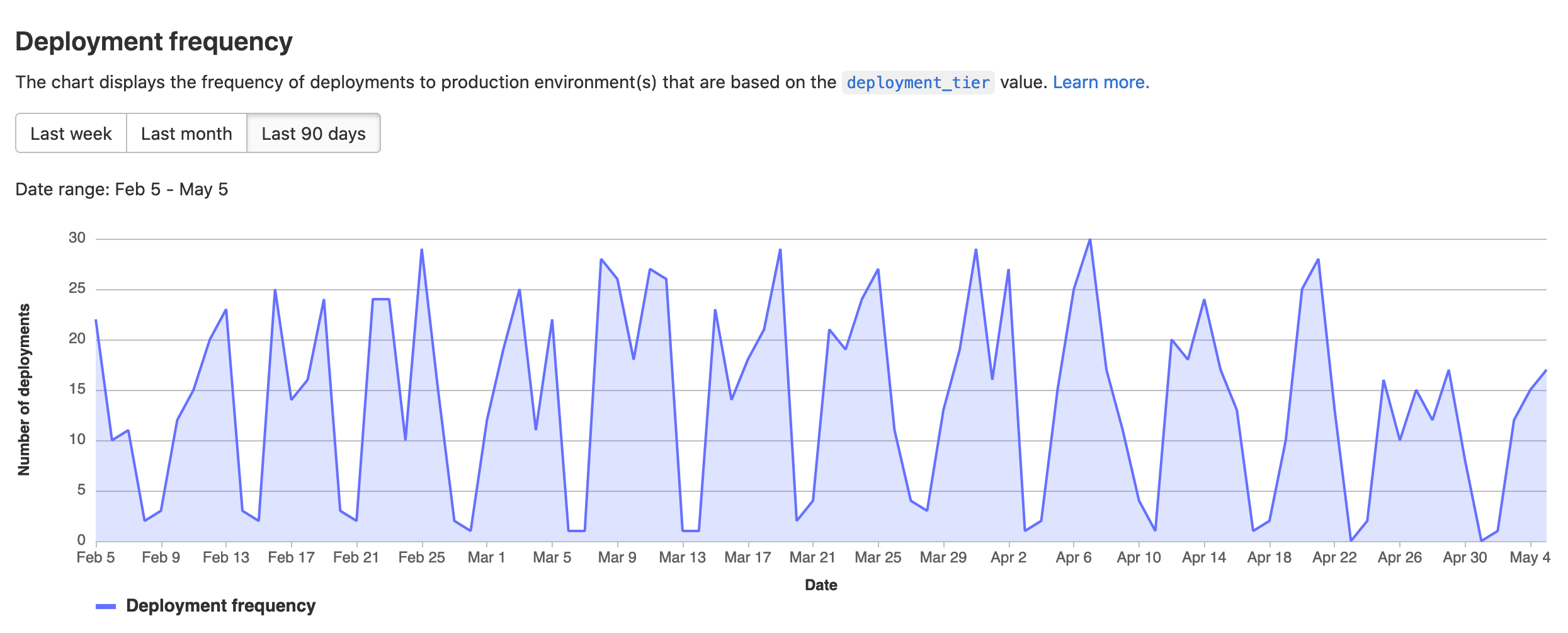
GitLab CI/CD is part of the GitLab platform that automates software delivery workflows from code commit to production. It provides a unified system for building, testing, packaging, and deploying applications while integrating security and compliance checks throughout the pipeline. The platform supports scalable pipelines and flexible deployment targets, including cloud and container-based environments.
General features of GitLab CI/CD:
- End-to-end pipeline automation: Automates building, testing, packaging, and deploying applications within a single platform.
- Pre-configured and reusable pipelines: Provides built-in templates and a CI/CD catalog to standardize and reuse pipeline components.
- Pipeline optimization capabilities: Supports parent-child pipelines and merge trains to improve performance and maintain code stability.
- Integrated security and compliance: Includes vulnerability scanning, SAST, and compliance pipelines to enforce policies during development.
- Flexible execution environments: Uses hosted runners or self-managed infrastructure to execute CI/CD jobs.
- Progressive delivery support: Enables controlled rollouts such as canary deployments to reduce deployment risk.
Kubernetes-specific features:
- Kubernetes deployment support: Deploys applications directly to Kubernetes clusters across multiple cloud providers.
- Container-based workflows: Builds, tests, and deploys containerized applications suited for Kubernetes environments.
- Progressive delivery on Kubernetes: Supports canary-style rollouts within Kubernetes environments to manage risk.
- Scalable pipeline execution: Handles large-scale workloads typical in Kubernetes-based systems through distributed runners.
- Environment-based deployment control: Manages deployments across different environments, including Kubernetes clusters, with controlled promotion between stages.
Source: GitLab
4. Travis CI
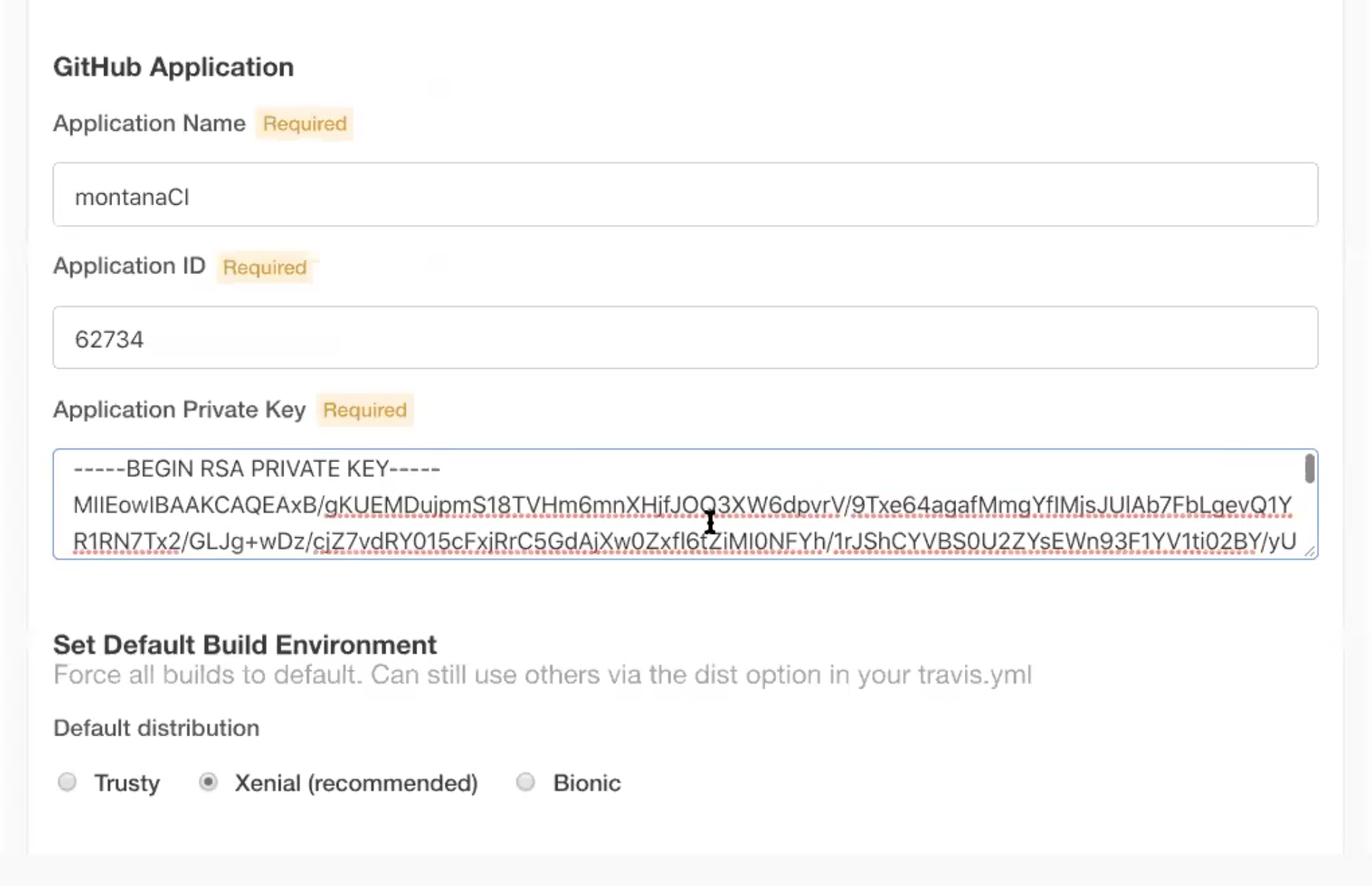
Travis CI is a cloud-based CI/CD service to automate software testing and deployment processes. It uses configuration-as-code to define pipelines, allowing developers to create automated build and test workflows using a single configuration file stored in the project repository.
General features of Travis CI:
- Configuration-as-code pipelines: CI/CD workflows are defined using a
.travis.ymlconfiguration file. - Minimal pipeline syntax: Uses concise configuration syntax to simplify pipeline creation.
- Parallel job execution: Supports parallel builds to speed up testing and validation processes.
- Build matrices: Allows testing across multiple runtime versions, dependencies, and operating systems.
- Automated build triggers: Pipelines run automatically when code changes are pushed to the repository.
Kubernetes-specific features:
- Container image pipelines: Pipelines can build container images that are later deployed to Kubernetes clusters.
- Container registry integration: Supports pushing container images to registries used by Kubernetes environments.
- Secure secret management: Encrypted environment variables can store Kubernetes credentials or configuration files.
- Multi-platform validation: Pipelines can validate containerized workloads across multiple architectures or environments.
- Script-based deployments: Kubernetes deployments can be executed through commands such as
kubectlor Helm within pipeline steps.
Source: Travis CI
5. CircleCI
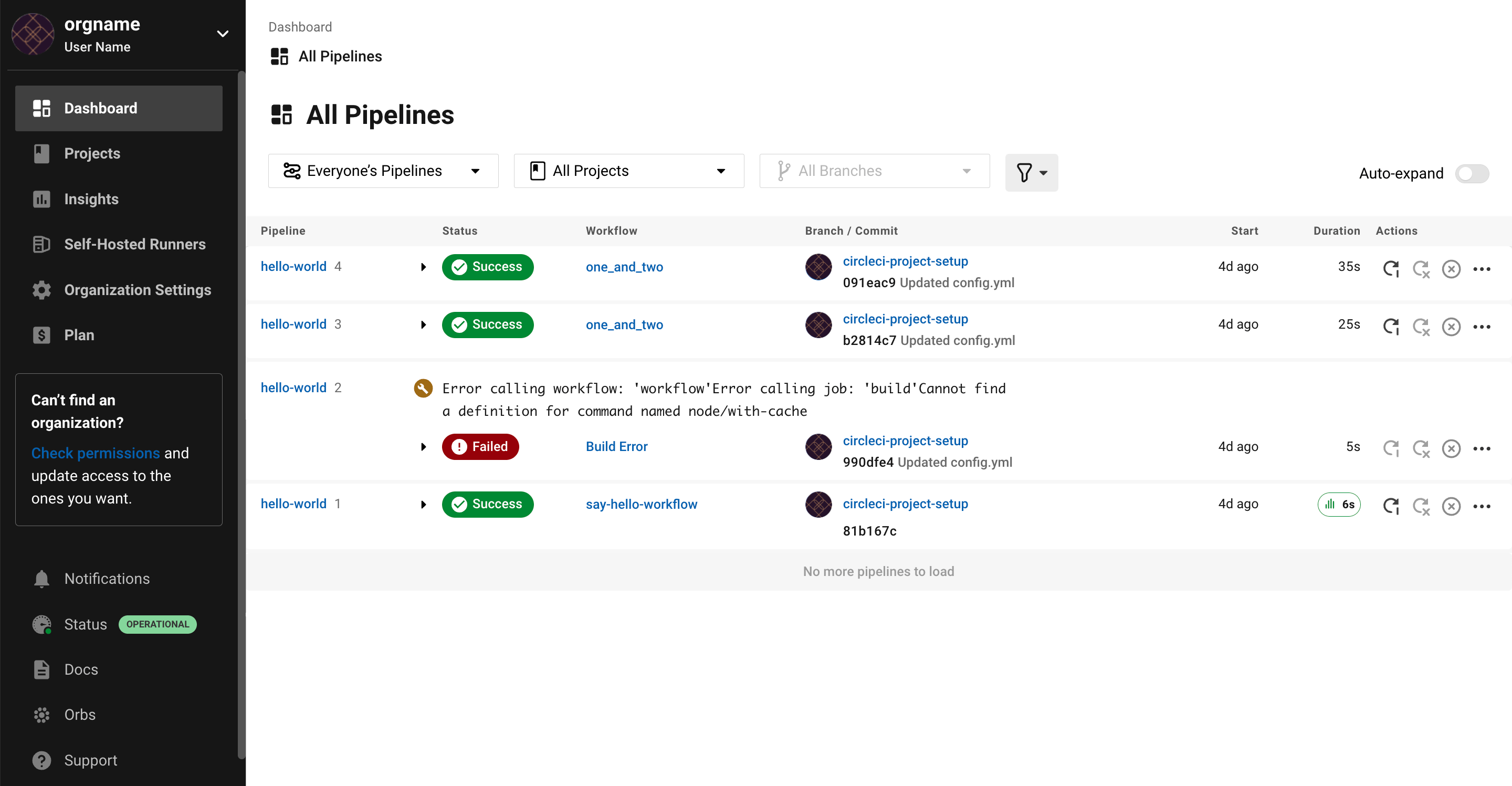
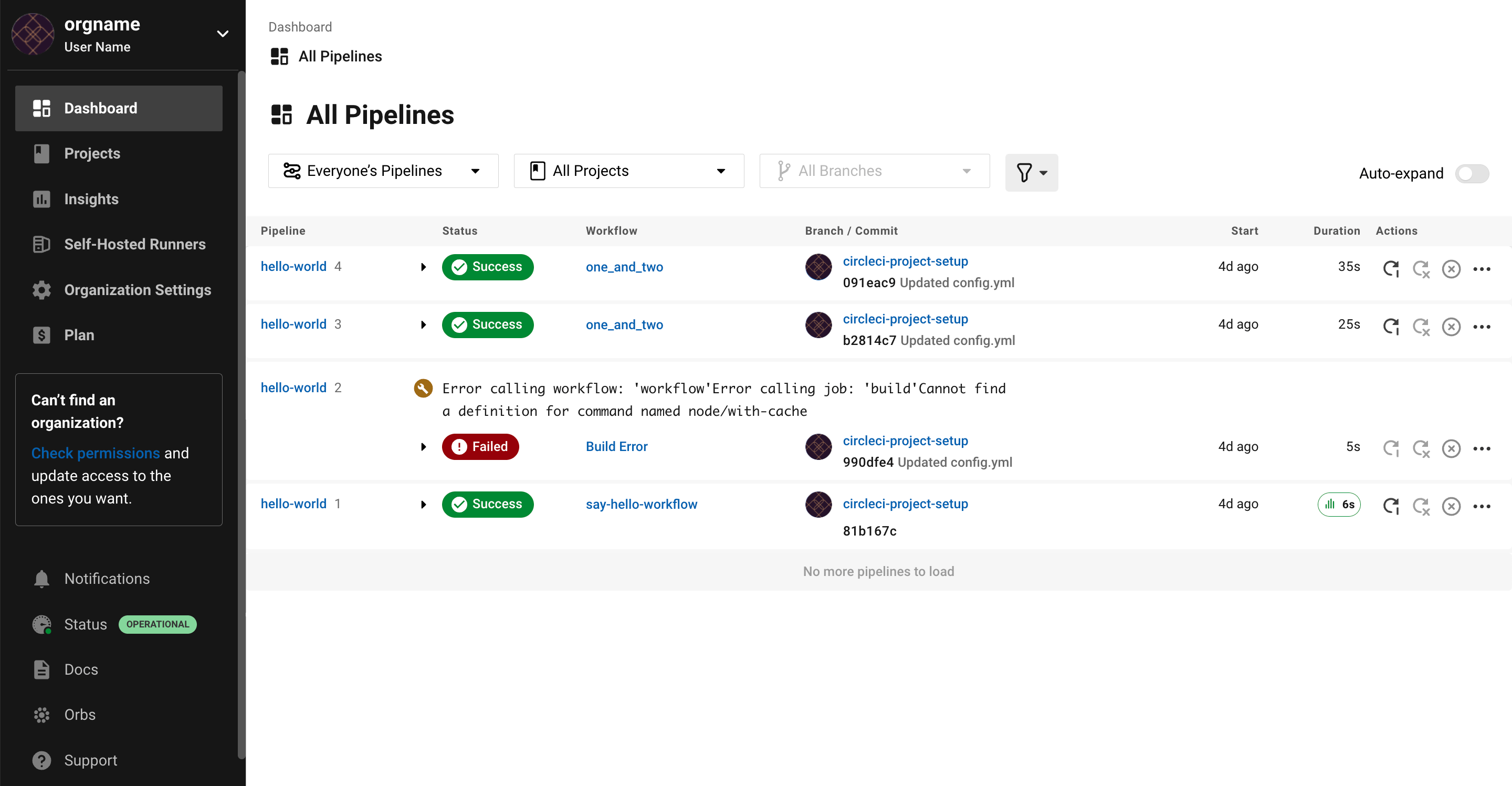
CircleCI is a CI/CD automation platform that helps development teams build, test, and deploy applications across multiple environments. It provides automation pipelines, build environments, and integrations that allow teams to automate software delivery workflows and scale CI/CD processes.
General features of CircleCI:
- Automated CI/CD pipelines: Provides automated workflows for building, testing, and deploying applications.
- Flexible execution environments: Supports multiple compute environments and operating systems for running jobs.
- Pipeline visibility: Provides dashboards and reporting tools that show pipeline activity and performance.
- Workflow automation: Enables teams to define multi-step workflows that manage build and release processes.
- Integration ecosystem: Integrates with version control systems and cloud platforms to automate software delivery.
Kubernetes-specific features:
- Container-based build environments: Supports containerized pipelines that align with Kubernetes application architectures.
- Deployment automation: Pipelines can automate deployments of containerized applications to Kubernetes clusters.
- Kubernetes integration: Works with Kubernetes infrastructure and container orchestration environments.
- Automated testing for containerized services: Enables testing of microservices and container-based applications.
- Scalable CI/CD workflows: Supports scaling pipelines to handle large distributed application environments such as Kubernetes clusters.

Source: CircleCI
Kubernetes-native / GitOps Continuous Delivery tools
6. Codefresh
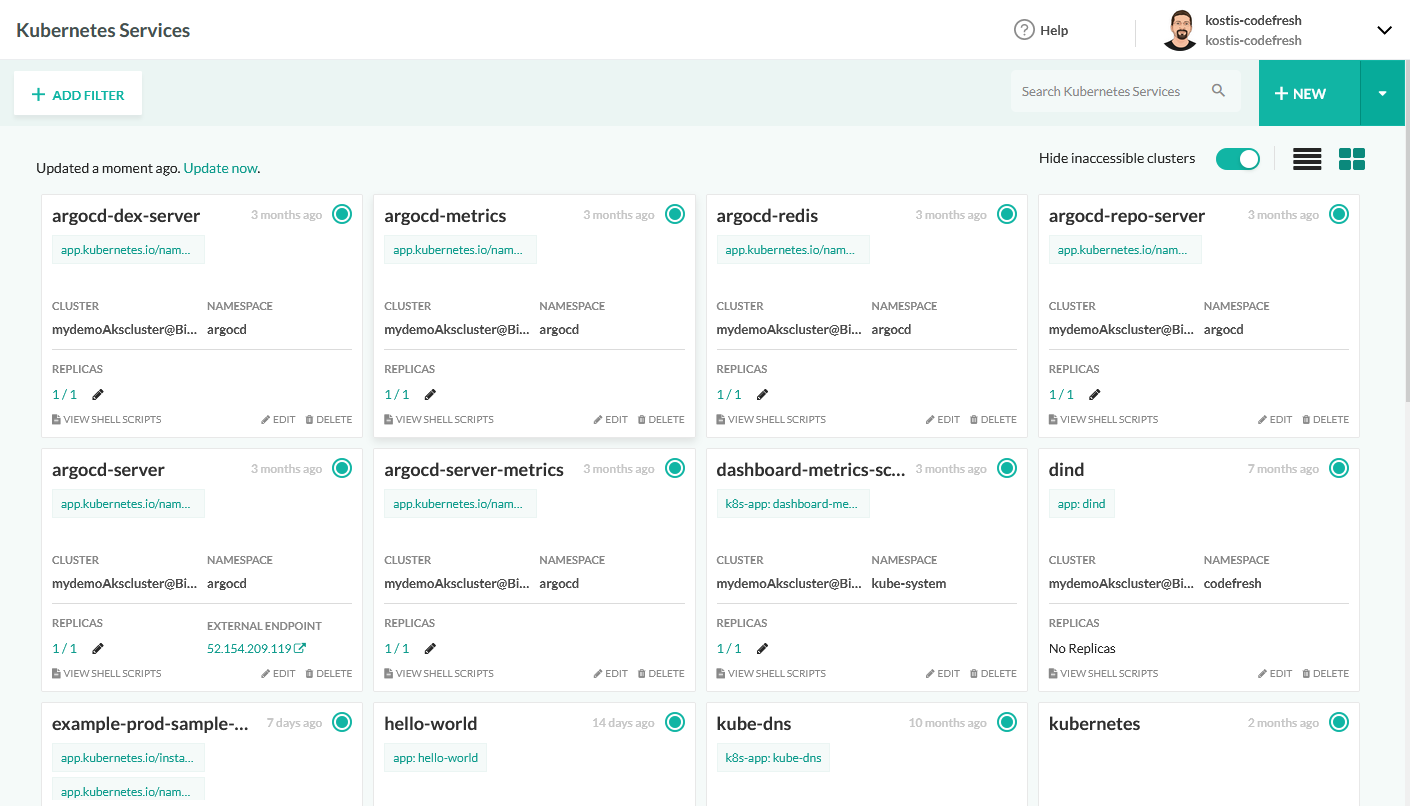
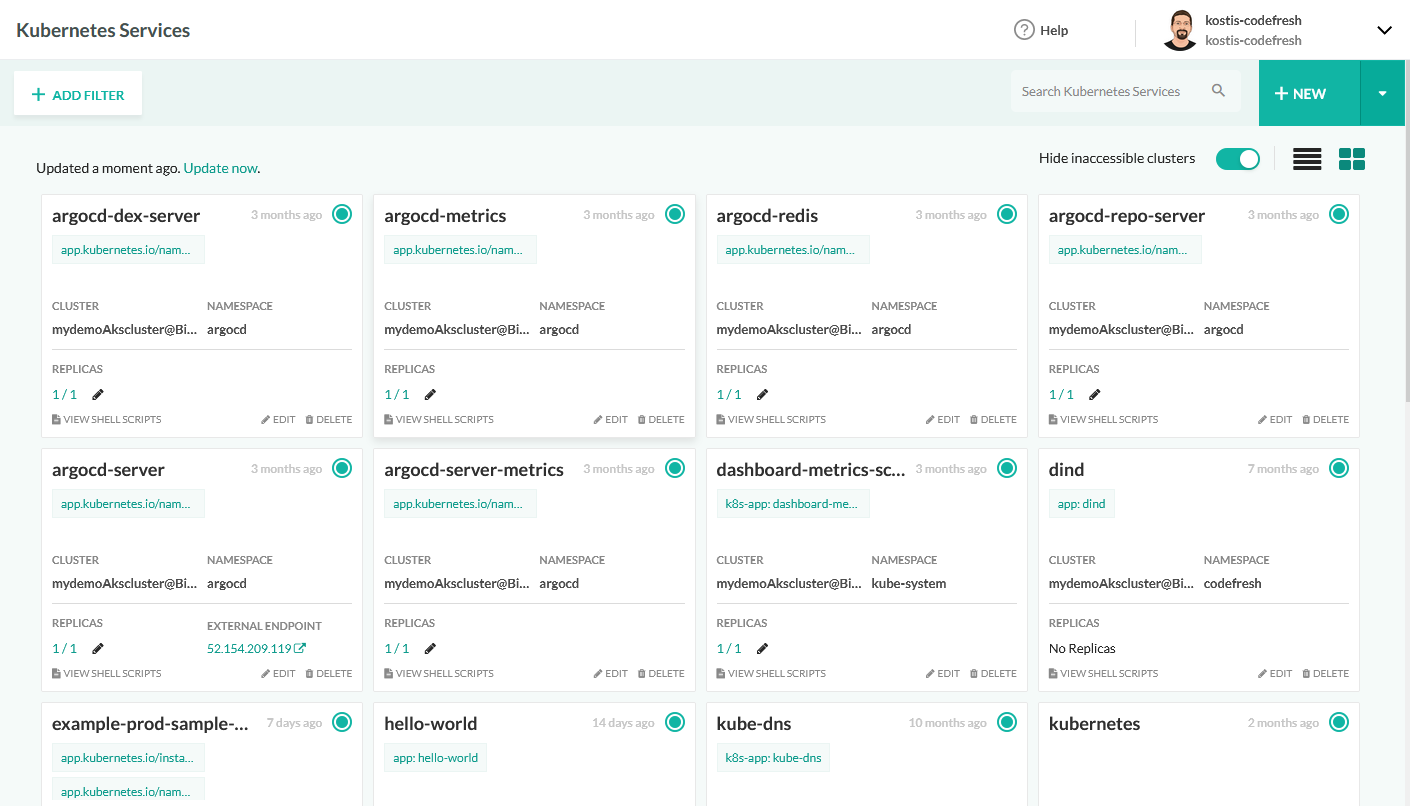
Codefresh is a CI/CD platform built for Kubernetes and cloud-native applications. It provides a unified experience across Continuous Integration, delivery, and GitOps, enabling faster and more reliable software releases. Powered by Argo, Codefresh offers visibility and control over the software lifecycle.
General features of Codefresh:
- High performance: Uses caching and parallel execution to speed up builds.
- Progressive delivery: Supports deployment strategies like canary and blue/green with automated rollbacks.
- DRY pipelines: Templates, inheritance, and reusable steps reduce redundant configuration.
- Comprehensive metrics: Automatically generates DORA metrics for performance monitoring.
- Developer-centric UI: Offers real-time access to logs, environment states, and commit feedback.
Kubernetes-specific features:
- Kubernetes-native deployments: Built to understand and manage Kubernetes, Helm, and serverless workflows.
- GitOps with Argo: Supports GitOps out of the box, allowing declarative, version-controlled deployments.
- Code-to-cloud visibility: Offers insights from code changes to production environments.
- Flexible triggers and templates: Make it easy to add and manage Kubernetes applications across environments.
- Unified CI/CD for K8s: Eliminates the need to use non-native tools by tightly coupling CI/CD with Kubernetes workflows.
Source: Codefresh
7. Argo CD
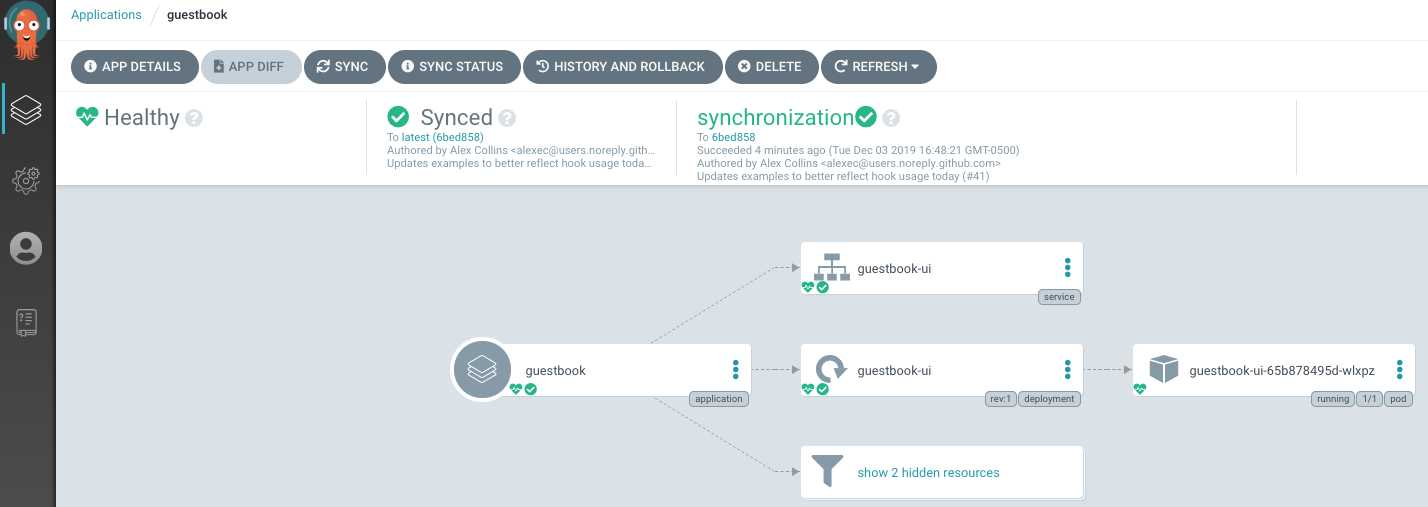
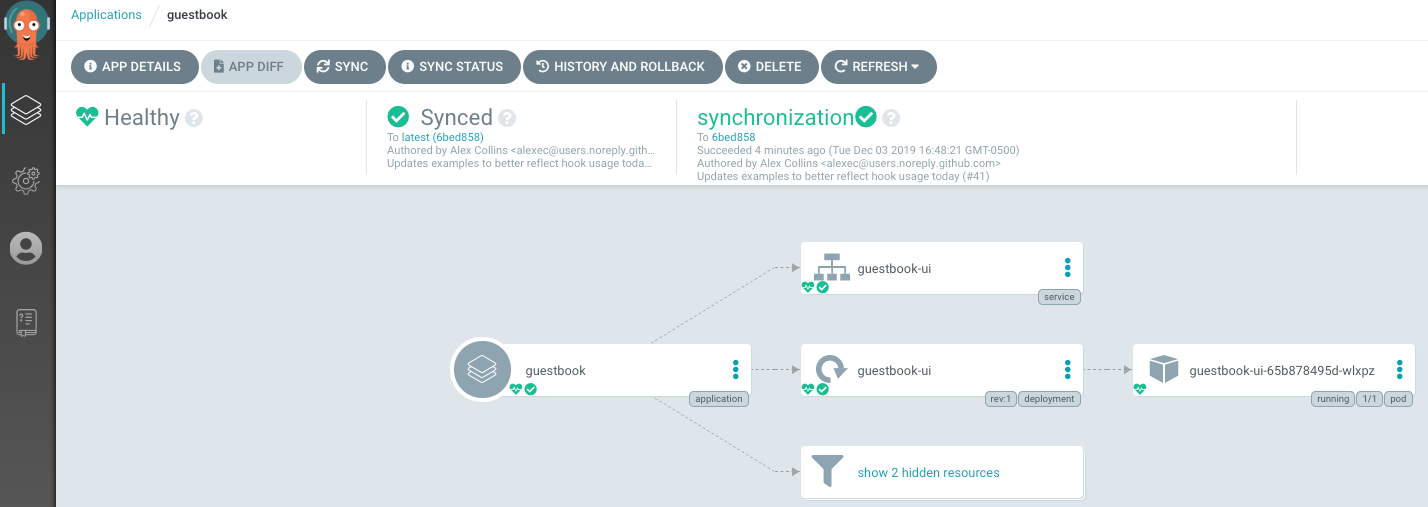
Argo CD is a GitOps-based continuous delivery tool specifically for Kubernetes environments. It uses Git repositories as the source of truth for application configuration and automatically synchronizes Kubernetes clusters with the desired state defined in those repositories.
General features of Argo CD:
- Declarative deployment model: Uses Git repositories to define application configurations and deployment states.
- Multiple configuration formats: Supports deployment definitions using Helm charts, Kustomize, Jsonnet, or plain YAML manifests.
- Multi-cluster management: Can manage and deploy applications across multiple Kubernetes clusters.
- Authentication integration: Supports SSO integrations such as OAuth, LDAP, and SAML for secure access control.
- Audit and activity tracking: Maintains logs and audit trails for deployment operations and system changes.
Kubernetes-specific features:
- Kubernetes controller architecture: Runs as a controller inside Kubernetes and continuously monitors application states.
- Automated synchronization: Detects differences between the cluster state and Git configuration and synchronizes them.
- Configuration drift detection: Identifies when live Kubernetes resources deviate from the desired configuration.
- Health monitoring: Evaluates the health of Kubernetes resources and reports deployment status.
- Git-based rollbacks: Allows teams to roll back to previous application states defined in Git.

Source: Argo CD
8. Flux CD
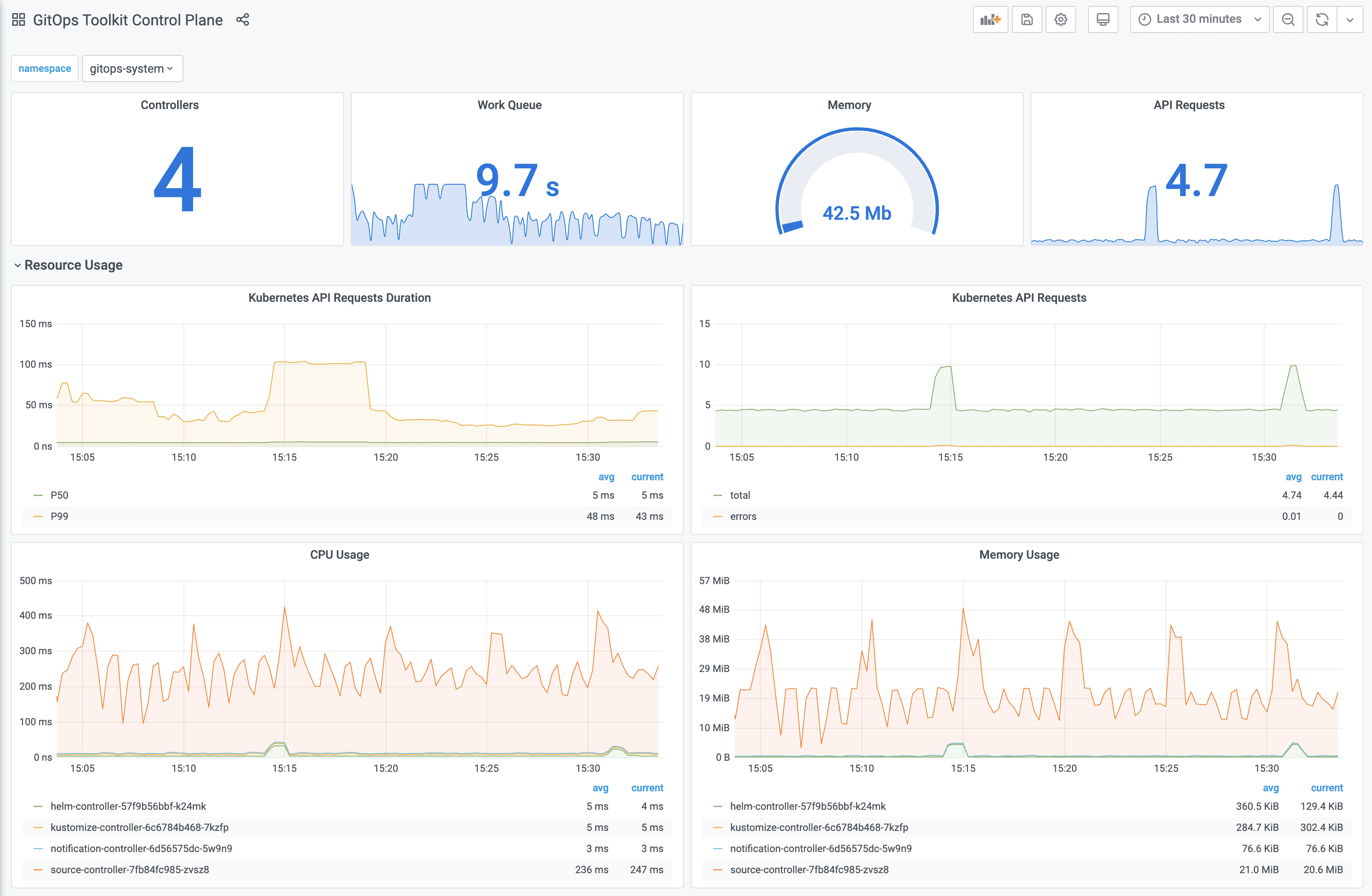
Flux CD is a GitOps-based continuous delivery system to automate deployments and infrastructure updates in Kubernetes environments. It continuously synchronizes the desired system configuration stored in Git repositories with the actual state of Kubernetes clusters.
General features of Flux CD:
- GitOps-based automation: Automatically applies configuration changes from Git repositories to Kubernetes clusters.
- Declarative infrastructure management: Uses YAML files in Git to describe applications, infrastructure, and configuration.
- Automated reconciliation: Continuously compares cluster state with Git-defined configuration and applies updates when needed.
- Auditable configuration history: Uses Git history to track and audit configuration changes and deployment events.
- Container image automation: Supports automated updates to container images and configuration stored in Git.
Kubernetes-specific features:
- Native Kubernetes integration: Designed to manage Kubernetes resources directly through the Kubernetes API.
- Multi-cluster management: Can manage applications and infrastructure across multiple Kubernetes clusters.
- Helm and Kustomize support: Deploys applications using Kubernetes-native packaging and configuration tools.
- RBAC and multi-tenancy: Uses Kubernetes role-based access control for secure multi-team environments.
- Policy and security integrations: Works with policy enforcement tools such as OPA and Kyverno for validating Kubernetes resources.

Source: Flux
How to choose Kubernetes CI/CD tools
Choosing the right CI/CD tool for Kubernetes depends on the team’s workflows, infrastructure, and scale. Each tool comes with complexity, flexibility, integration, and control trade-offs.
Key considerations:
- Kubernetes-native support: Prioritize tools designed for Kubernetes, offering native integration with kubectl, Helm, Kustomize, and other K8s components.
- GitOps capabilities: Look for GitOps features like declarative configuration, version-controlled rollbacks, and continuous sync to Git repositories.
- Deployment strategies: Ensure support for progressive delivery models (canary, blue/green, A/B testing) and automated rollback mechanisms.
- Multi-cluster management: Consider whether the tool can manage applications across multiple Kubernetes clusters from a single control plane.
- Pipeline flexibility: Choose a tool that supports modular, reusable pipelines and can adapt to complex build and deployment logic.
- Scalability and performance: Evaluate how well the tool scales with team size, build frequency, and infrastructure size—especially for large microservice architectures.
- Observability and alerts: Integration with monitoring and logging tools is critical for tracking deployments, debugging issues, and enforcing SLAs.
- Security and compliance: Features like RBAC, audit trails, and secret management are essential for operating in regulated or multi-tenant environments.
- Ease of adoption: Assess the learning curve, documentation, and community support to ensure smooth onboarding and long-term maintenance.
- Ecosystem integration: Check compatibility with existing source control, container registry, and cloud infrastructure tools.
Related content: Read our guide to Kubernetes CI/CD services
Help us continuously improve
Please let us know if you have any feedback about this page.