What are blue/green deployment tools?
Blue/green deployment is a method for reducing downtime and risk during software releases. By operating two identical production environments—one active (blue) and the other idle (green)—engineers can safely test new versions of applications in the green environment.
Blue/green deployment tools automate and simplify the process of switching between two identical environments—blue (active) and green (idle)—to ensure seamless software releases. These tools help manage traffic routing, automate rollbacks, and monitor system health, reducing downtime and minimizing deployment risks.
By integrating with load balancers, ingress controllers, and service meshes, blue/green deployment tools enable organizations to deploy new versions with confidence. They provide visibility into deployment status, support progressive delivery strategies, and enable quick rollbacks in case of issues. Many of these tools integrate with CI/CD pipelines, Kubernetes, and cloud platforms to improve deployment efficiency and reliability.
This is part of a series of articles about software deployment.
Blue/green deployment tools market and trends
Market growth and forecast
The global market for blue/green deployment tools is growing quickly as organizations modernize their software delivery processes. The market was valued at $1.42 billion and is projected to reach $6.89 billion by 2033, representing a compound annual growth rate (CAGR) of 19.2%.
This growth is largely driven by the need for reliable, low-risk software releases. As companies accelerate digital transformation initiatives, they require deployment strategies that allow frequent updates without affecting system availability. Blue/green deployment tools support this by enabling zero-downtime updates and fast rollbacks when problems occur.
The increasing adoption of microservices, cloud-native development, and agile delivery practices is also contributing to market expansion. These architectures introduce more frequent deployments, making automated release management tools essential for DevOps teams.
Regional market trends
North America currently holds the largest share of the blue/green deployment tools market, accounting for roughly 38% of global revenue. The region benefits from a mature technology ecosystem, strong DevOps adoption, and the presence of major cloud providers and software vendors. Industries with strict uptime requirements, such as finance and healthcare, are significant drivers of adoption.
The Asia-Pacific region is expected to be the fastest-growing market, with a projected CAGR above 22% from 2024 to 2033. Rapid digital transformation in countries such as India and China is encouraging organizations to modernize legacy systems and adopt cloud-native applications. Increased investment in IT infrastructure, expanding startup ecosystems, and government-led digital initiatives are also accelerating adoption.
In Latin America, the Middle East, and Africa, adoption is growing but faces challenges such as limited DevOps expertise and infrastructure constraints. Despite these barriers, demand is increasing in sectors like banking, telecommunications, and government as digital services expand.
Key features of blue/green deployment tools
Blue/green deployment tools provide automation and controls that make switching between environments safe and predictable. They manage traffic routing, verify system health, and allow teams to quickly revert to the previous version if problems occur.
Key features typically include:
-
Traffic switching and routing: Tools control how user traffic moves between the blue and green environments. This is usually done through load balancers, DNS updates, ingress controllers, or service meshes.
-
Automated rollbacks: If the new version fails health checks or causes errors, the tool can automatically redirect traffic back to the previous environment. This reduces downtime and limits the impact of failed releases.
-
Health checks and validation: Deployment tools monitor application health, response times, and error rates before and after the switch. Traffic is only moved to the new environment once the system passes predefined checks.
-
Environment consistency: Blue and green environments must be identical. Many tools integrate with infrastructure automation to ensure both environments use the same configuration, dependencies, and runtime settings.
-
Integration with load balancers and service meshes: Tools often integrate with technologies such as nginx, cloud load balancers, and service meshes to manage routing rules and control traffic flow during deployments.
-
Progressive traffic shifting: Some tools allow gradual traffic movement to the new environment instead of an instant switch. This helps teams observe system behavior before directing all users to the new version.
-
Deployment visibility and monitoring: Dashboards and logs show deployment status, system metrics, and health signals. This helps engineers quickly identify issues during a release.
-
CI/CD pipeline integration: Blue/green deployment tools commonly connect with CI/CD systems to automate releases after builds and tests complete.
-
Kubernetes and cloud platform support: Many modern tools support Kubernetes, cloud-native load balancers, and container platforms, making it easier to implement blue/green strategies in distributed environments.
8 notable blue/green deployment tools
Progressive delivery / deployment-focused tools
1. Octopus
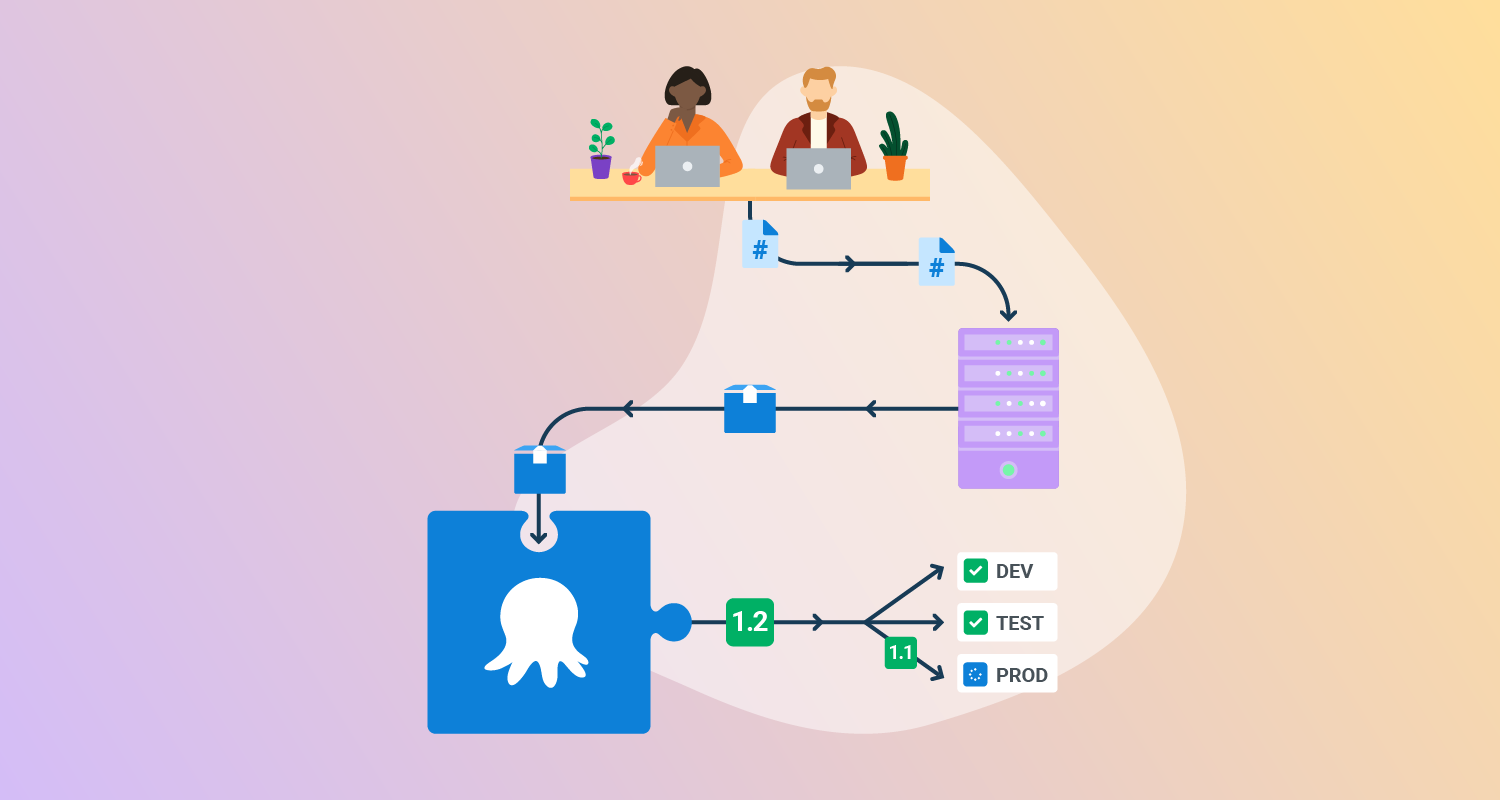
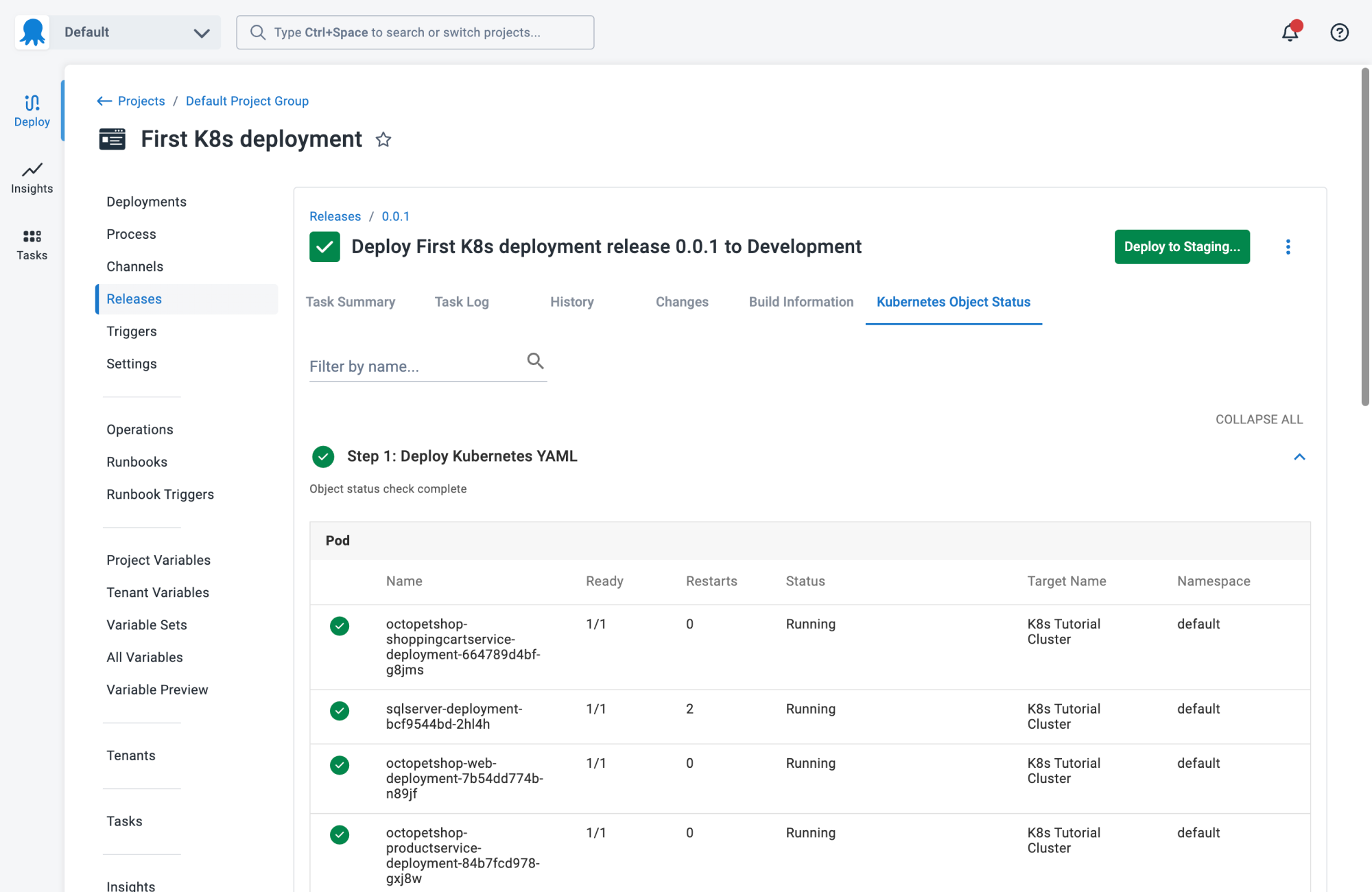
Octopus Deploy is a sophisticated, best-of-breed Continuous Delivery (CD) platform for modern software teams. It offers powerful release orchestration, deployment automation, and runbook automation while handling the scale, complexity, and governance expectations of even the largest organizations with the most complex deployment challenges.
General features:
- Define your deployment process once and use it across all environments so you can deploy to production with the same confidence you deploy everywhere else.
- Octopus is the only CD tool with built-in multi-tenancy support. You can deploy many customer-specific instances using the same deployment process.
- You can use runbooks to automate operations tasks to remove toil. You can use runbooks to provide safe self-service operations to other teams.
- Octopus has role-based access control, single-sign-on (SSO) as standard, and a complete audit trail to make audits a breeze.
Blue/green deployment features:
- Built-in support for modeling blue/green deployments as environments
- Multi-environment phases allow new versions to be sent to either the blue or green environment
- Visibility into which version is deployed for the blue environment and green environment
- Snapshots ensure the packages and deployment process are applied consistently to each environment

2. Codefresh
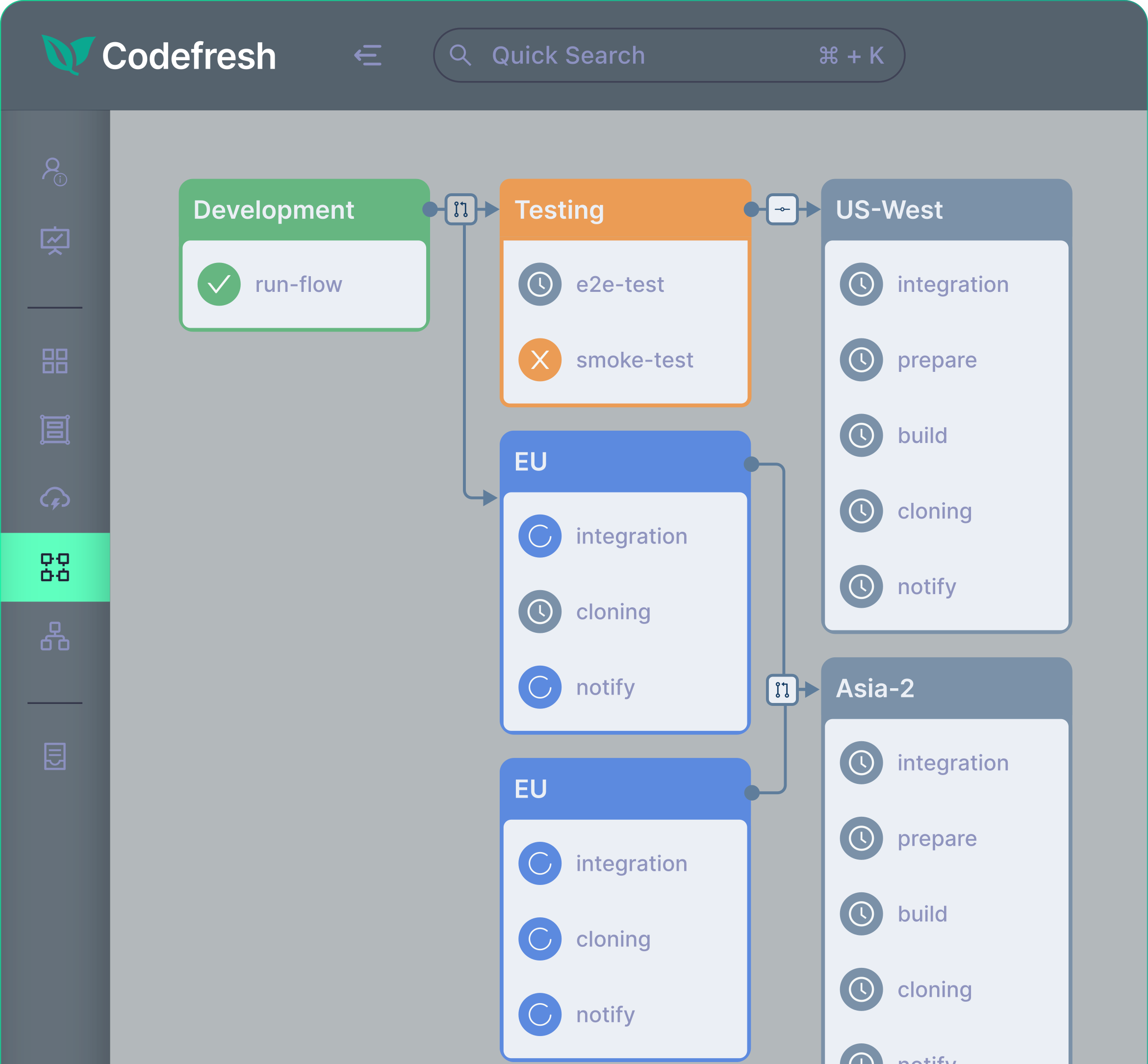
Codefresh is a CI/CD platform for cloud-native applications with strong integration for Kubernetes and GitOps workflows. It provides automation for building, testing, and deploying applications while offering visibility into changes across code, configuration, and environments. Codefresh integrates with Argo tools to support progressive delivery strategies, including blue/green and canary deployments.
General features of Codefresh:
- Kubernetes-native CI/CD pipelines: Enables teams to build and run container-based pipelines optimized for Kubernetes environments.
- Advanced build performance: Supports caching and pipeline parallelization to reduce build and test execution times.
- Reusable pipeline templates: Allows teams to create standardized pipelines using reusable components and shared configurations.
- CI/CD observability dashboards: Provides visibility into code changes, configuration updates, and environment activity during the delivery lifecycle.
- GitOps control plane integration: Supports Git-based workflows to manage deployments and infrastructure declaratively.
Blue/green deployment features:
- GitOps-driven release management: Uses Git repositories to define and track deployment state across environments.
- Integration with Argo tools: Works with Argo CD and Argo Rollouts to enable progressive delivery strategies.
- Traffic switching between environments: Allows routing traffic between different application versions during releases.
- Health checks and monitoring: Tracks deployment status and system health signals during rollout processes.
- Automated promotion and rollback: Enables safe promotion of new versions or rollback when deployment issues are detected.

3. Argo Rollouts
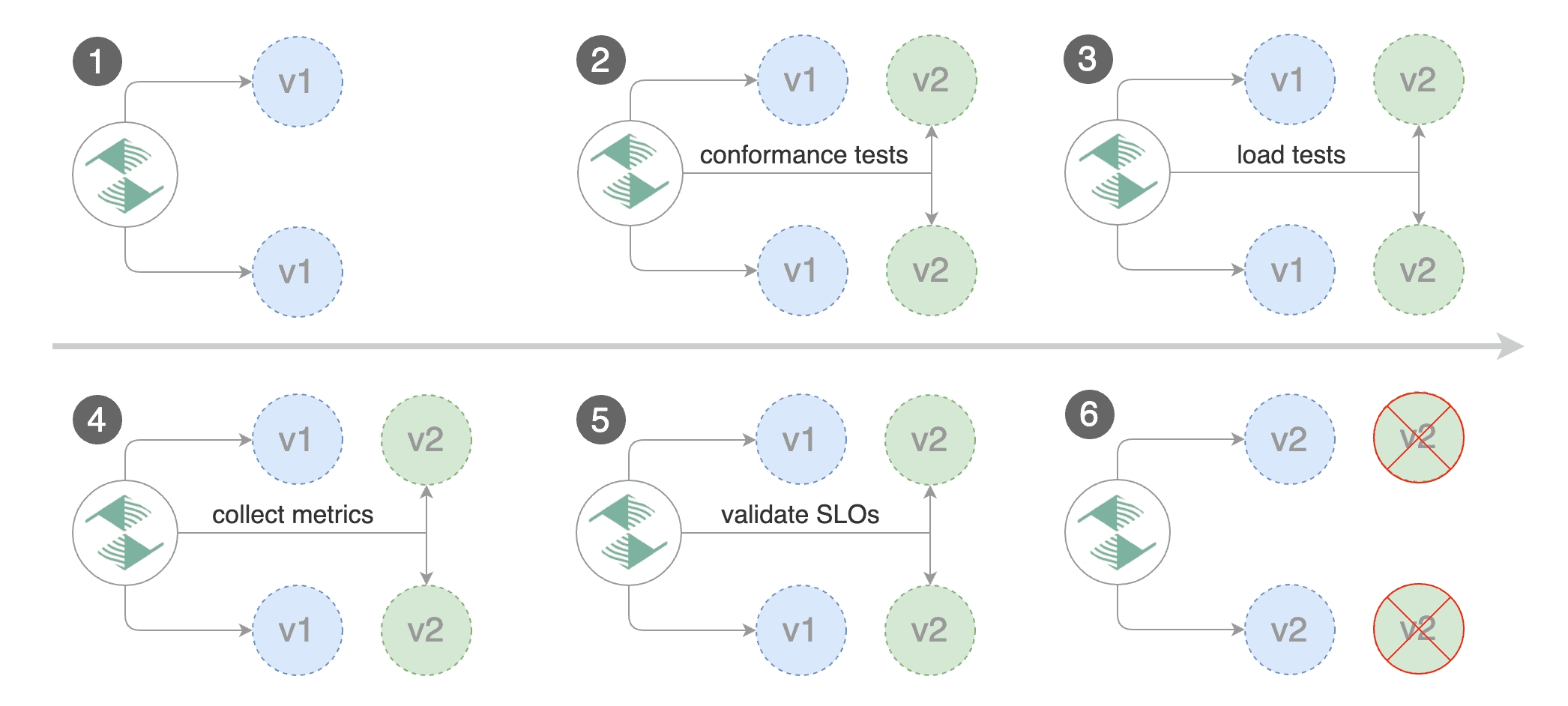
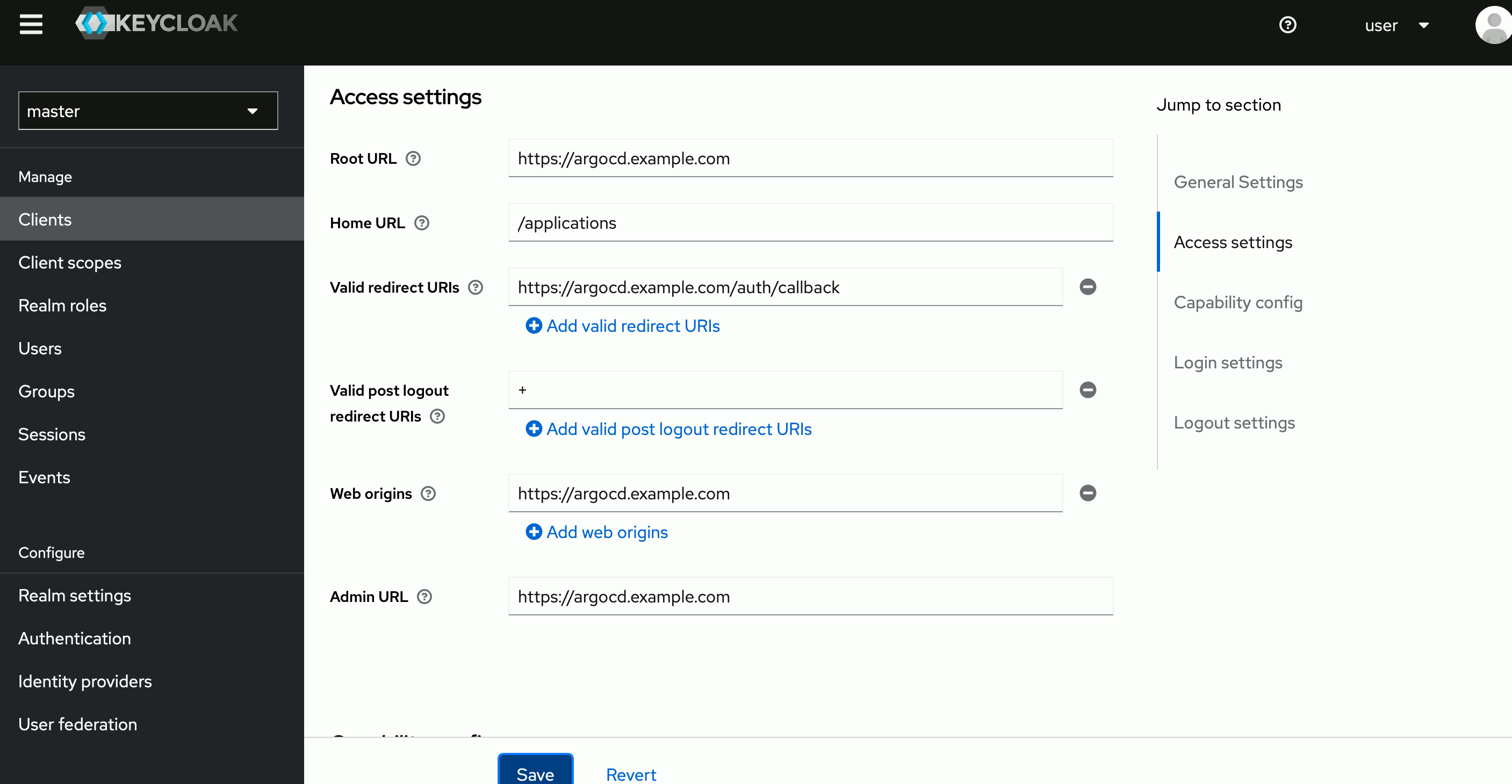
Argo Rollouts is a Kubernetes controller that provides advanced deployment strategies beyond the default Kubernetes rolling update. It introduces custom resource definitions (CRDs) that allow teams to manage progressive delivery workflows such as blue/green and canary deployments. The tool integrates with ingress controllers, service meshes, and observability platforms to control traffic and evaluate application health during updates.
General features of Argo Rollouts:
- Advanced Kubernetes deployment controller: Extends Kubernetes with custom resources for managing progressive delivery strategies.
- Traffic management integration: Works with ingress controllers and service meshes to control traffic distribution during updates.
- Metric-based rollout analysis: Evaluates key performance indicators from monitoring systems to determine rollout success.
- Automated promotion and rollback: Can automatically promote or abort deployments based on metric analysis.
- Experimentation capabilities: Supports experiments and controlled testing of different application versions.
Blue/green deployment features:
- Blue/green update strategy: Allows applications to run separate active and preview environments during deployments.
- Traffic switching control: Redirects traffic from the existing environment to the updated environment after validation.
- Manual or automated promotion: Enables operators to approve or automate the switch to the new version.
- External metric validation: Uses monitoring systems to confirm system health before completing the switch.
- Ingress and service mesh support: Integrates with tools such as NGINX, ALB, Istio, and Linkerd for traffic routing.

Source: GitLab
4. Flagger
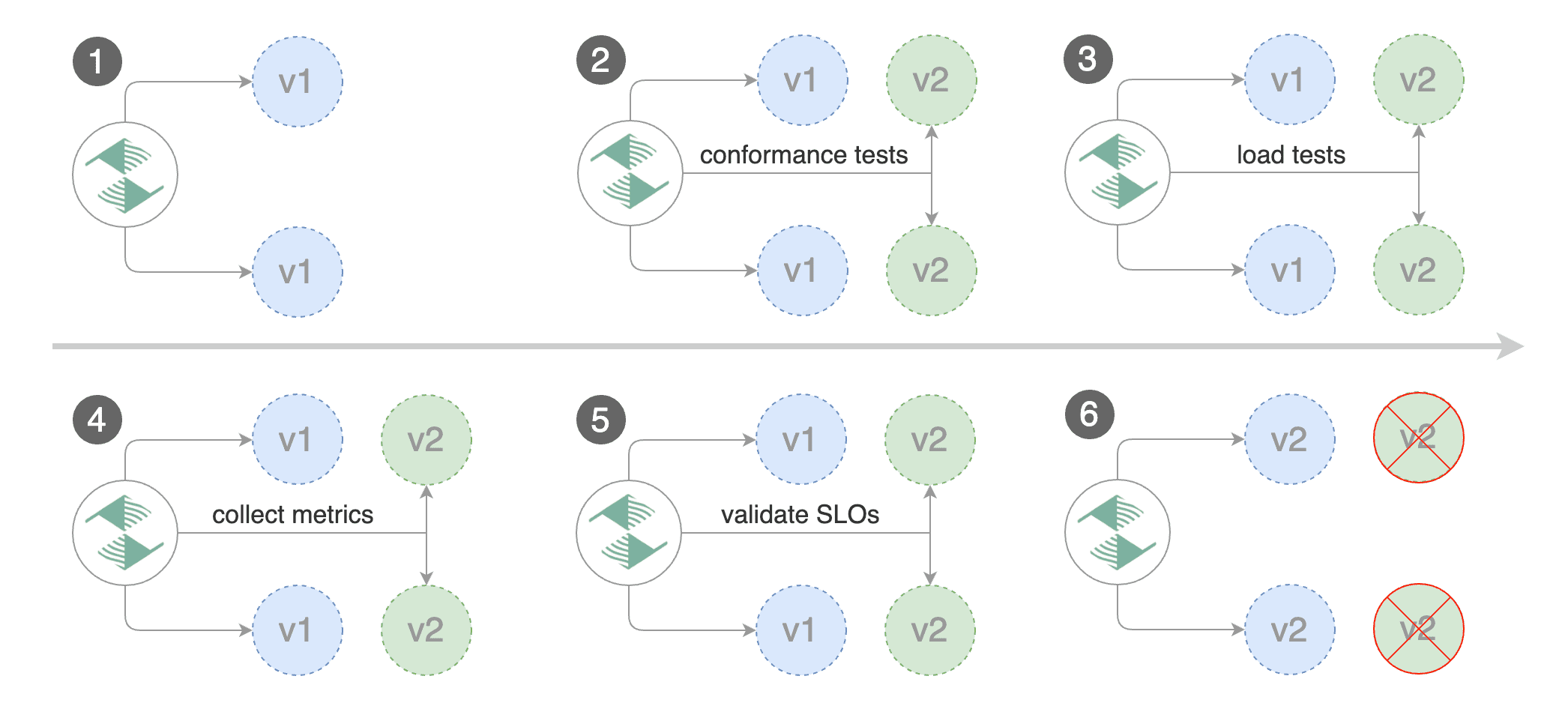
Flagger is a progressive delivery operator for Kubernetes that automates application rollout strategies using traffic analysis and monitoring. It gradually shifts traffic between application versions while evaluating metrics such as latency and request success rate. Flagger integrates with service meshes and ingress controllers to manage traffic routing and enable safe deployment strategies.
General features of Flagger:
- Progressive delivery automation: Supports deployment strategies such as canary, A/B testing, and blue/green releases.
- Traffic routing integration: Works with ingress controllers and service meshes to control how requests reach application versions.
- Metric-based validation: Evaluates performance metrics like latency and success rate during deployments.
- Extensible validation workflows: Supports custom webhooks and external tests to validate application behavior.
- Deployment notifications: Sends alerts and updates through communication tools such as Slack or Microsoft Teams.
Blue/green deployment features:
- Traffic switching between versions: Routes production traffic between old and new application versions.
- Traffic mirroring capabilities: Allows mirrored traffic to test new versions without impacting users.
- Automated rollout analysis: Uses monitoring tools to analyze system health during deployment.
- Observability integration: Supports metrics from platforms such as Prometheus, Datadog, and CloudWatch.
- Automatic rollback triggers: Reverts deployments when performance thresholds or health checks fail.

Source: Flagger
CI/CD platforms and cloud deployment services
5. GitLab CI/CD
GitLab CI/CD is a built-in continuous integration and delivery system within the GitLab platform that automates software builds, testing, and deployments. Pipelines are defined through configuration files and executed by runners that process jobs across different environments. GitLab integrates CI/CD processes with version control, security scanning, and monitoring tools to support the full DevSecOps lifecycle.
General features of GitLab CI/CD:
- Pipeline-based automation: Uses configuration files to define automated build, test, and deployment workflows.
- Flexible pipeline triggers: Supports pipelines triggered by commits, merges, schedules, or manual execution.
- Runner-based execution: Jobs run on runners that can be hosted or self-managed across various environments.
- Secure variable management: Stores configuration and sensitive information through CI/CD variables.
- Reusable pipeline components: Allows teams to create modular pipeline configurations for consistent automation.
Blue/green deployment features:
- Environment-based deployment management: Supports multiple environments for managing different application versions.
- Automated deployment pipelines: Enables automated release processes integrated with testing and validation steps.
- Progressive release strategies: Supports canary and staged deployment approaches that can be adapted to blue/green workflows.
- Infrastructure integration: Works with Kubernetes clusters, virtual machines, and cloud platforms for deployments.
- Rollback and recovery workflows: Allows pipelines to revert to previous versions when deployments fail.

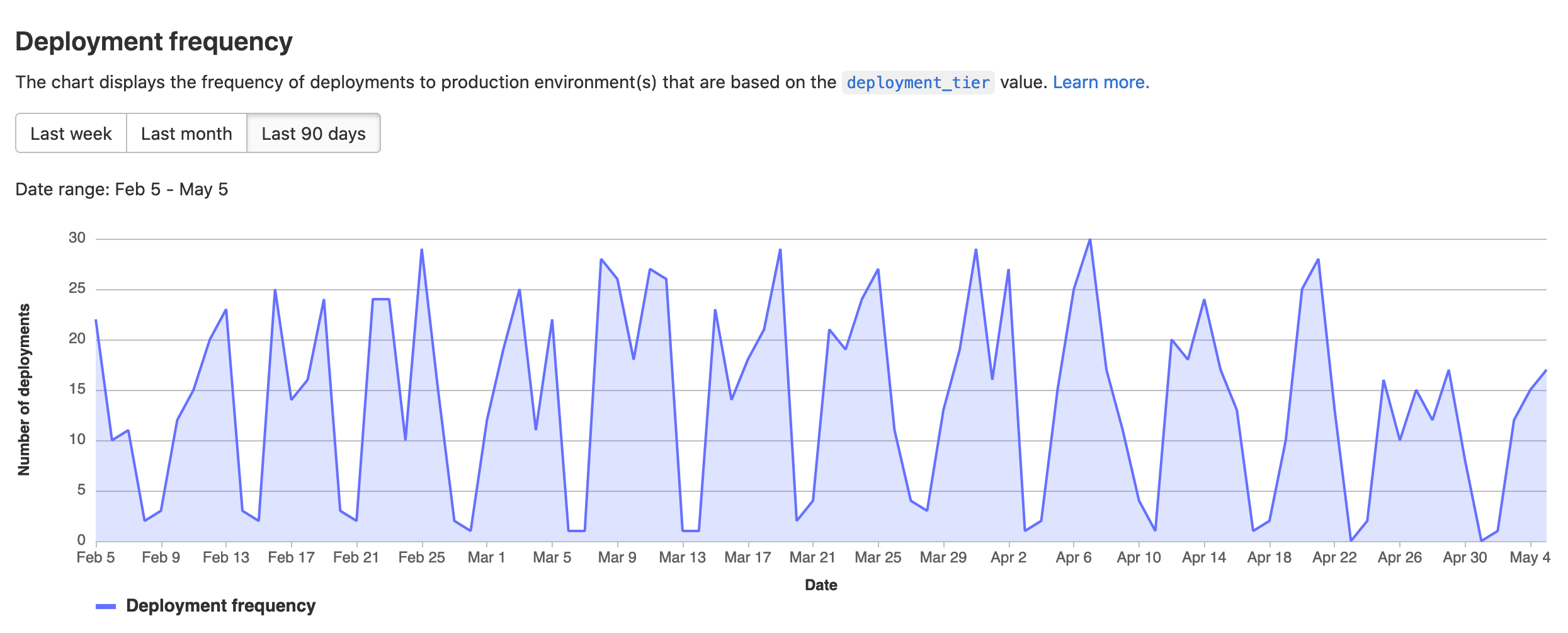
Source: GitLab
6. CircleCI
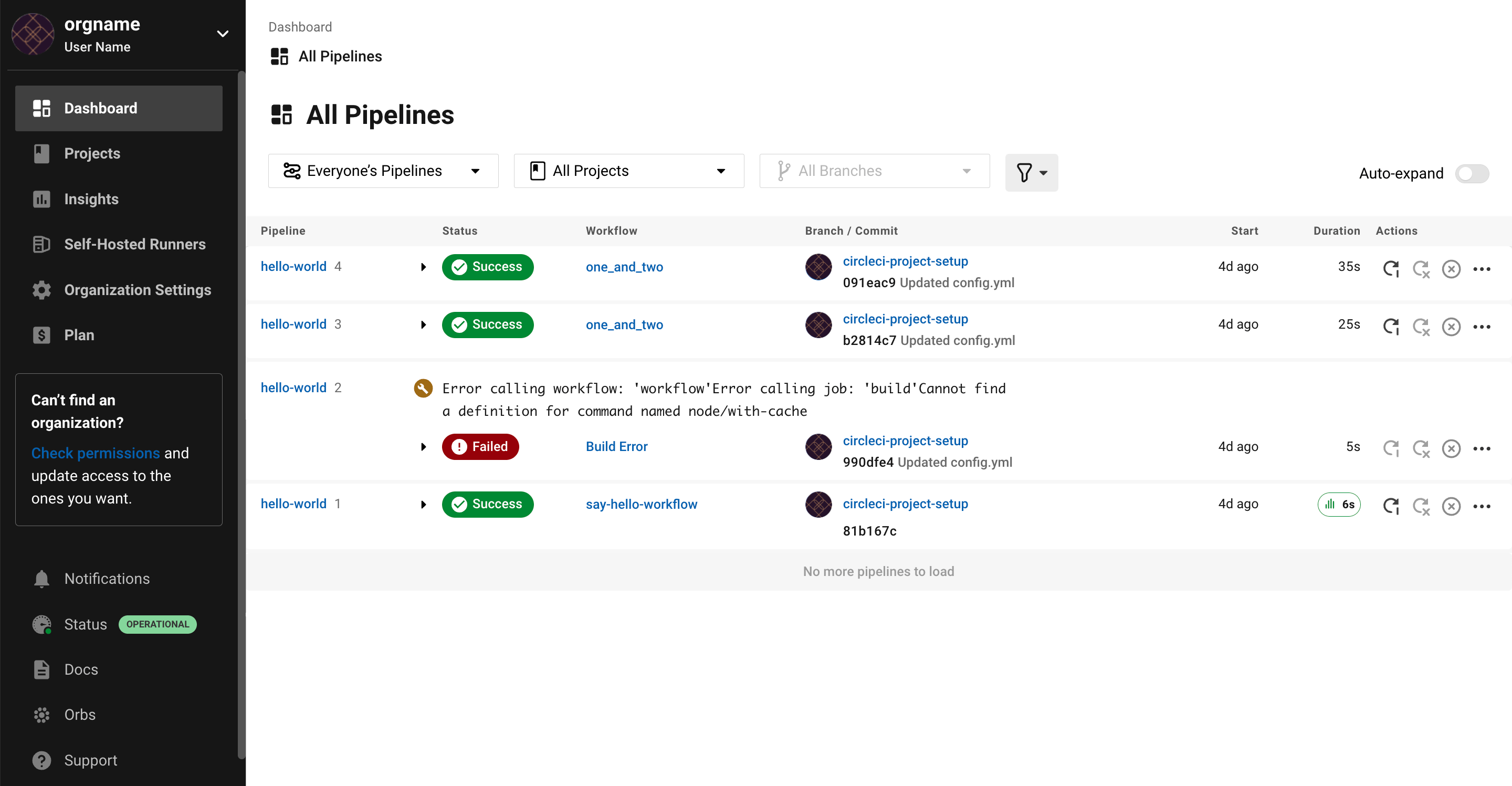
CircleCI is a continuous integration and delivery platform that automates the process of building, testing, and deploying software applications. It enables teams to define workflows that run automated tests and deployment steps across different environments and infrastructures. CircleCI supports integration with version control systems and cloud platforms to streamline software delivery pipelines.
General features of CircleCI:
- Automated build and test workflows: Runs automated pipelines triggered by code changes in version control systems.
- Flexible execution environments: Supports containerized builds and multiple runtime environments.
- Integration with development platforms: Works with repositories such as GitHub, GitLab, and Bitbucket.
- Scalable pipeline infrastructure: Provides infrastructure that scales automatically for parallel builds and tests.
- Deployment automation: Automates release workflows from build stages to production deployment.
Blue/green deployment features:
- Automated deployment orchestration: Coordinates application releases across multiple environments.
- Traffic routing integration: Works with external infrastructure tools that manage traffic switching.
- Pipeline-based release control: Enables teams to implement blue/green workflows within CI/CD pipelines.
- Deployment monitoring: Tracks pipeline activity and deployment status during releases.
- Rollback capabilities: Allows pipelines to redeploy previous versions when failures occur.

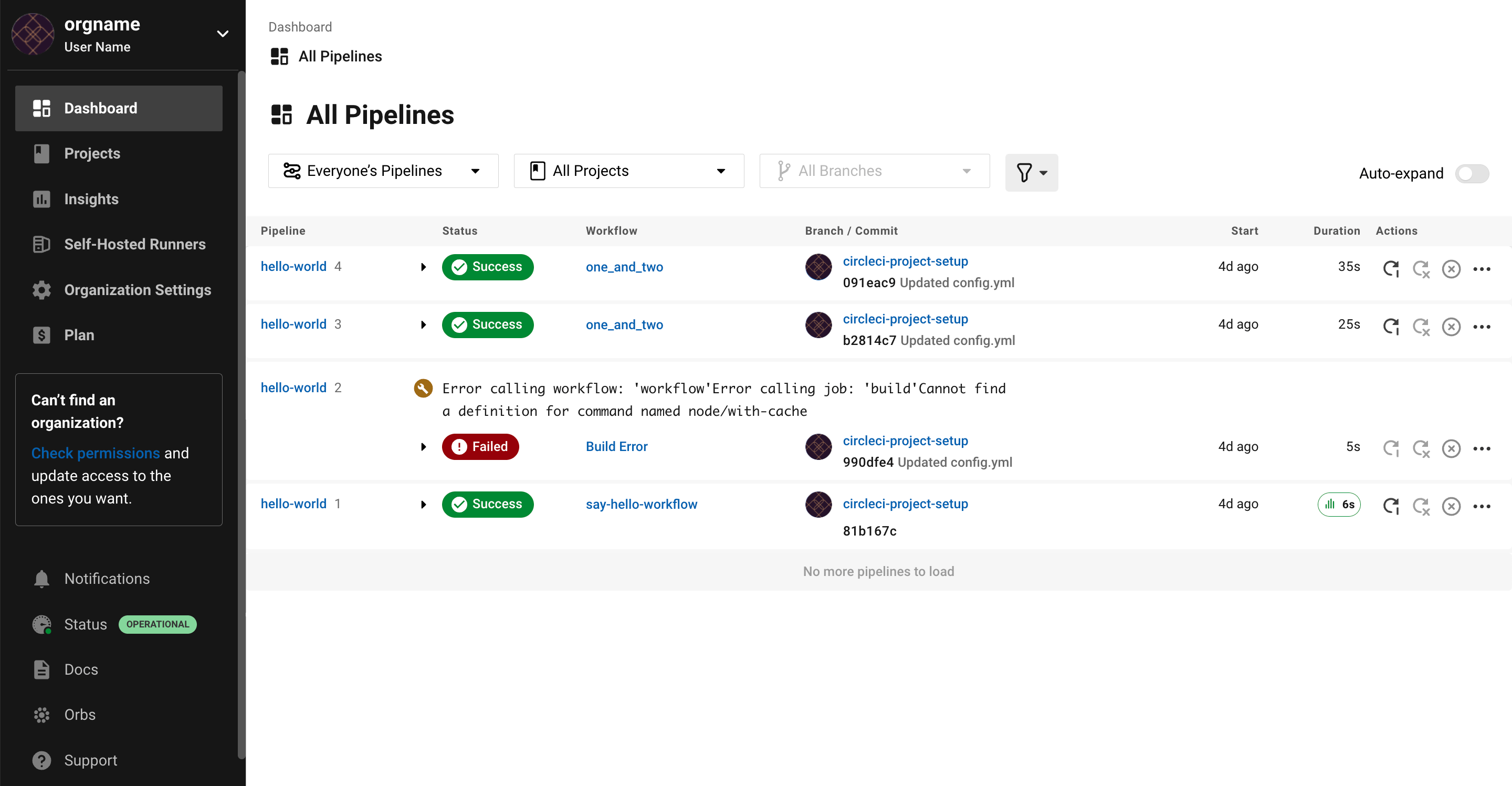
Source: CircleCI
7. AWS CodeDeploy
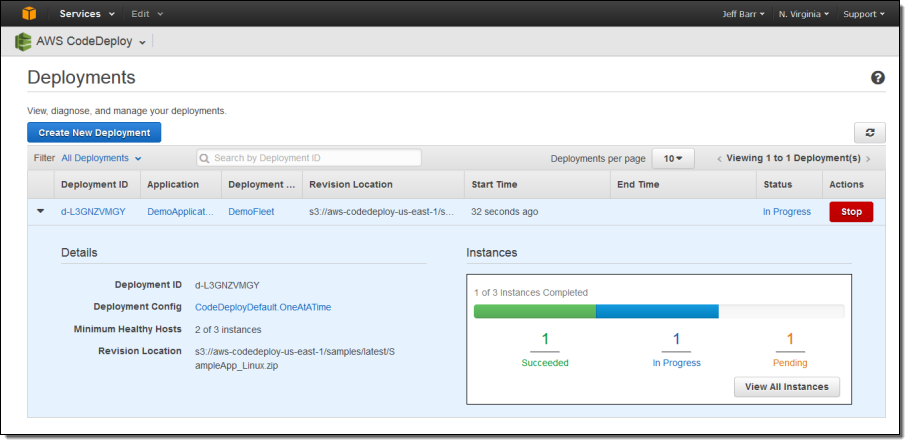
AWS CodeDeploy is a fully managed deployment service that automates application releases across Amazon EC2 instances, on-premises servers, AWS Lambda functions, and Amazon ECS services. It helps organizations deploy software updates with minimal downtime and provides built-in monitoring and rollback capabilities to maintain system stability during releases.
General features of AWS CodeDeploy:
- Automated deployment service: Deploys applications across EC2 instances, Lambda functions, ECS services, and on-premises servers.
- Multiple deployment strategies: Supports in-place and blue/green deployment models depending on infrastructure needs.
- Health monitoring and validation: Tracks application health during deployments to detect issues early.
- Deployment management interface: Provides centralized control through the AWS Management Console and CLI.
- CI/CD integration: Connects with version control systems and automation pipelines.
Blue/green deployment features:
- Parallel environment deployment: Creates replacement environments for deploying updated application versions.
- Traffic rerouting through load balancers: Redirects user traffic to new application instances after validation.
- Configurable traffic shifting: Supports strategies such as canary, linear, and all-at-once traffic switching.
- Automated rollback mechanisms: Reverts deployments if health checks fail during rollout.
- Zero-downtime update capability: Separates old and new environments to reduce user impact during releases.

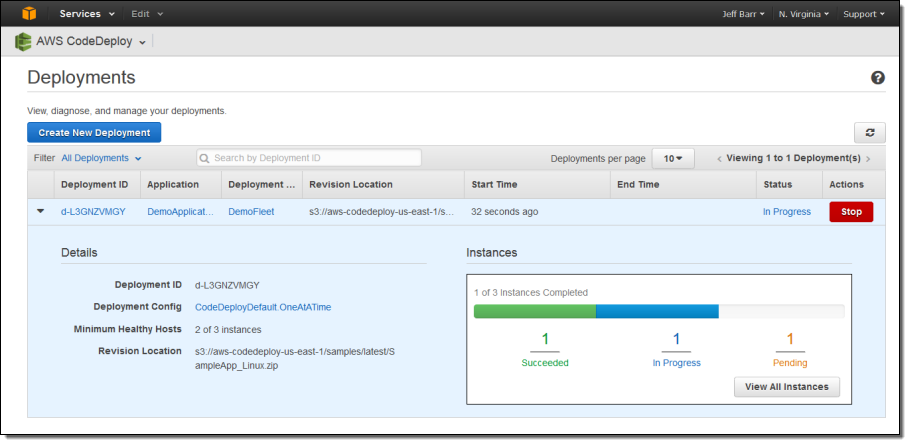
Source: AWS CodeDeploy
8. Google Cloud Deployment Manager
Google Cloud Deployment Manager is an infrastructure deployment service that automates the creation and configuration of Google Cloud resources using declarative templates. Developers define infrastructure using configuration files that specify the required cloud services and their relationships, allowing environments to be provisioned and updated consistently.
General features of Google Cloud Deployment Manager:
- Infrastructure-as-code management: Uses configuration templates to define and manage cloud resources.
- Automated resource provisioning: Creates and configures services such as Compute Engine, Cloud Storage, and Cloud SQL.
- Template-based deployments: Allows reusable templates for defining complex infrastructure environments.
- Version-controlled configurations: Infrastructure definitions can be stored and managed through version control systems.
- Integration with Google Cloud services: Works across multiple Google Cloud resources to automate infrastructure setup.
Blue/green deployment features:
- Parallel infrastructure environments: Allows separate infrastructure configurations to represent blue and green environments.
- Template-driven environment updates: Enables controlled updates by deploying new infrastructure configurations.
- Traffic management through load balancers: Supports routing traffic between environments using cloud networking services.
- Rollback through configuration versioning: Previous infrastructure states can be redeployed if issues occur.
- Integration with CI/CD pipelines: Infrastructure deployments can be automated as part of software delivery workflows.

Help us continuously improve
Please let us know if you have any feedback about this page.