What is platform engineering software?
Platform engineering software refers to the tools and technologies used to build and manage internal developer platforms (IDPs), which empower software engineering teams with self-service capabilities. These platforms aim to simplify the software development lifecycle, improve developer experience, and accelerate time to market by providing pre-built, standardized, and automated solutions for common tasks.
Key aspects of platform engineering software include:
- Internal developer platforms (IDPs): IDPs are the core of platform engineering, acting as a central hub for development teams to access resources, tools, and infrastructure needed for building, testing, deploying, and monitoring applications.
- Self-service capabilities: Platform engineering software enables developers to self-serve common tasks like provisioning infrastructure, deploying applications, and accessing observability data, reducing the need for manual processes and freeing up platform engineers to focus on more strategic work.
- Automation: A key component of platform engineering is automation, using tools like Infrastructure as Code (IaC) (e.g., Terraform, Crossplane ) and CI/CD pipelines (e.g., GitLab CI, Argo CD ) to automate repetitive tasks and simplify workflows.
- Observability: Platform engineering tools provide comprehensive observability and monitoring capabilities, enabling teams to track application performance, identify bottlenecks, and troubleshoot issues effectively.
- Security and compliance: Security is a core consideration in platform engineering, with tools and practices ensuring that the platform and the applications built on it adhere to security best practices and compliance requirements.
- Developer portals: Developer portals, like Backstage, serve as a central interface for developers to access the platform’s resources, documentation, and self-service capabilities, improving developer experience and discoverability.
Key aspects and capabilities of platform engineering software
Internal developer platforms (IDPs)
Internal developer platforms (IDPs) are curated sets of tools and services assembled and maintained by platform teams to support development workflows. IDPs standardize infrastructure management, deployment pipelines, and configuration, providing self-service capabilities to developers while abstracting away operational complexity.
An effective IDP improves efficiency across teams by centralizing control, automating repetitive tasks, and providing guardrails that ensure security and compliance. IDPs also enable onboarding, as new engineers can quickly access standard development and deployment environments without in-depth context about legacy systems.
Self-service capabilities
Self-service capabilities are critical in platform engineering software, enabling developers and teams to autonomously perform tasks such as provisioning infrastructure, deploying services, or managing application configs. By providing automation and clearly defined workflows, these platforms reduce reliance on dedicated operations staff, cut down waiting times, and lower the risk of human error in repetitive processes.
With effective self-service, the overall pace of delivery is accelerated, as bottlenecks inherent to manual reviews or handovers are eliminated. These capabilities also encourage standardization: since developers use approved workflows and templates, compliance and security are built in from the start.
Automation
Automation in platform engineering software codifies infrastructure and deployment processes so they can be executed consistently without manual intervention. Using Infrastructure as Code (IaC), CI/CD pipelines, and policy-driven workflows, teams can provision resources, deploy applications, and enforce governance automatically. This reduces human error, accelerates delivery, and ensures environments are reproducible across different stages of development.
Beyond provisioning, automation also extends to ongoing operations. Tasks such as scaling, patching, compliance checks, and rollbacks can be predefined and triggered automatically based on system state or events. This approach reduces operational toil, enables rapid response to incidents, and helps organizations maintain stable and secure platforms at scale.
Observability
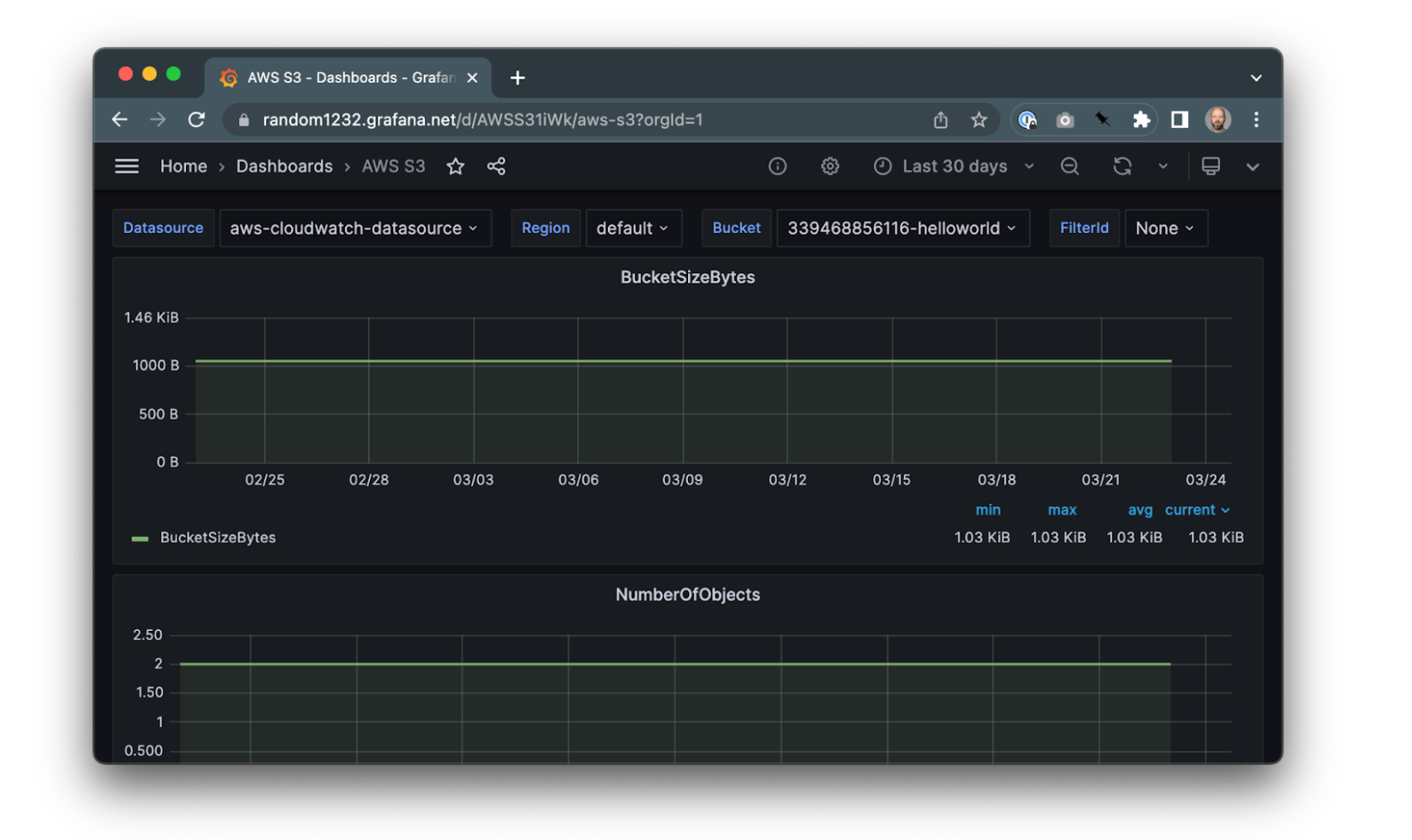
Observability within platform engineering is about ensuring platforms provide deep visibility into system health, performance, and reliability. This is achieved by collecting and analyzing metrics, logs, and traces, then presenting them in dashboards for real-time monitoring. Observability features help teams pinpoint issues quickly, enforce SLAs, and proactively detect anomalies before they impact users.
Modern platform engineering software often integrates observability tools directly, making it easier to correlate performance with infrastructure or code changes. This unified view supports fast troubleshooting and effective root-cause analysis.
Security and compliance
Security and compliance are fundamental concerns addressed by platform engineering software. Platforms can systematically enforce access controls, monitor resource usage, and automate compliance checks at every layer of the stack. By integrating security best practices, such as secrets management, vulnerability scanning, and audit logging, into default workflows, these platforms minimize the risk of data breaches or policy violations.
Automated compliance reporting also reduces administrative overhead, as documentation and logs are generated in real time and easily exported for audits. This proactive approach ensures that security is a continuous, built-in part of the development and deployment lifecycle.
Developer portals
Developer portals are user interfaces, often web-based, that serve as the main entry point for developers to interact with an organization’s internal platform. These portals consolidate documentation, APIs, service catalogs, deployment tools, and monitoring dashboards into a single hub.
By integrating workflows and resources, developer portals simplify routine tasks such as provisioning environments, requesting infrastructure, or tracking deployments. They also foster knowledge sharing by centralizing best practices, templates, and troubleshooting guides. This approach not only accelerates development cycles but also aligns team processes and improves consistency across projects.
Notable platform engineering software
1. Octopus
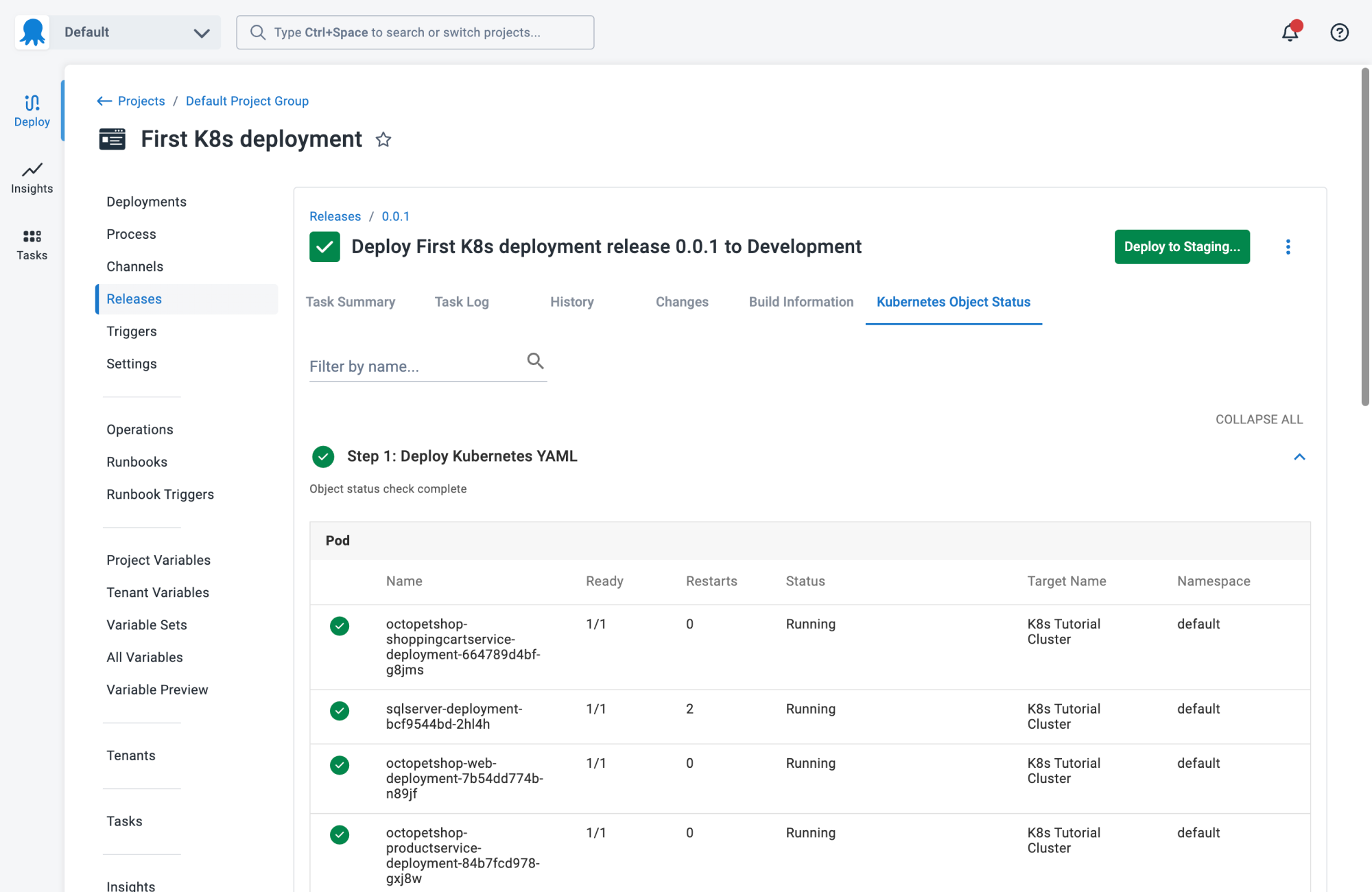
Octopus Deploy is a sophisticated, best-of-breed Continuous Delivery (CD) platform for modern software teams. It offers powerful release orchestration, deployment automation, and runbook automation while handling the scale, complexity, and governance expectations of even the largest organizations with the most complex deployment challenges.
Key features:
- Reliable risk-free deployments: Define your deployment process once and use it across all environments so you can deploy to production with the same confidence you deploy everywhere else. Deployments at scale: Octopus is the only CD tool with built-in multi-tenancy support. You can deploy many customer-specific instances using the same deployment process.
- One platform for DevOps automation: You can use runbooks to automate operations tasks to remove toil. You can use runbooks to provide safe self-service operations to other teams.
- Streamlined compliance: Octopus has role-based access control, single-sign-on (SSO) as standard, and a complete audit trail to make audits a breeze.

2. Backstage
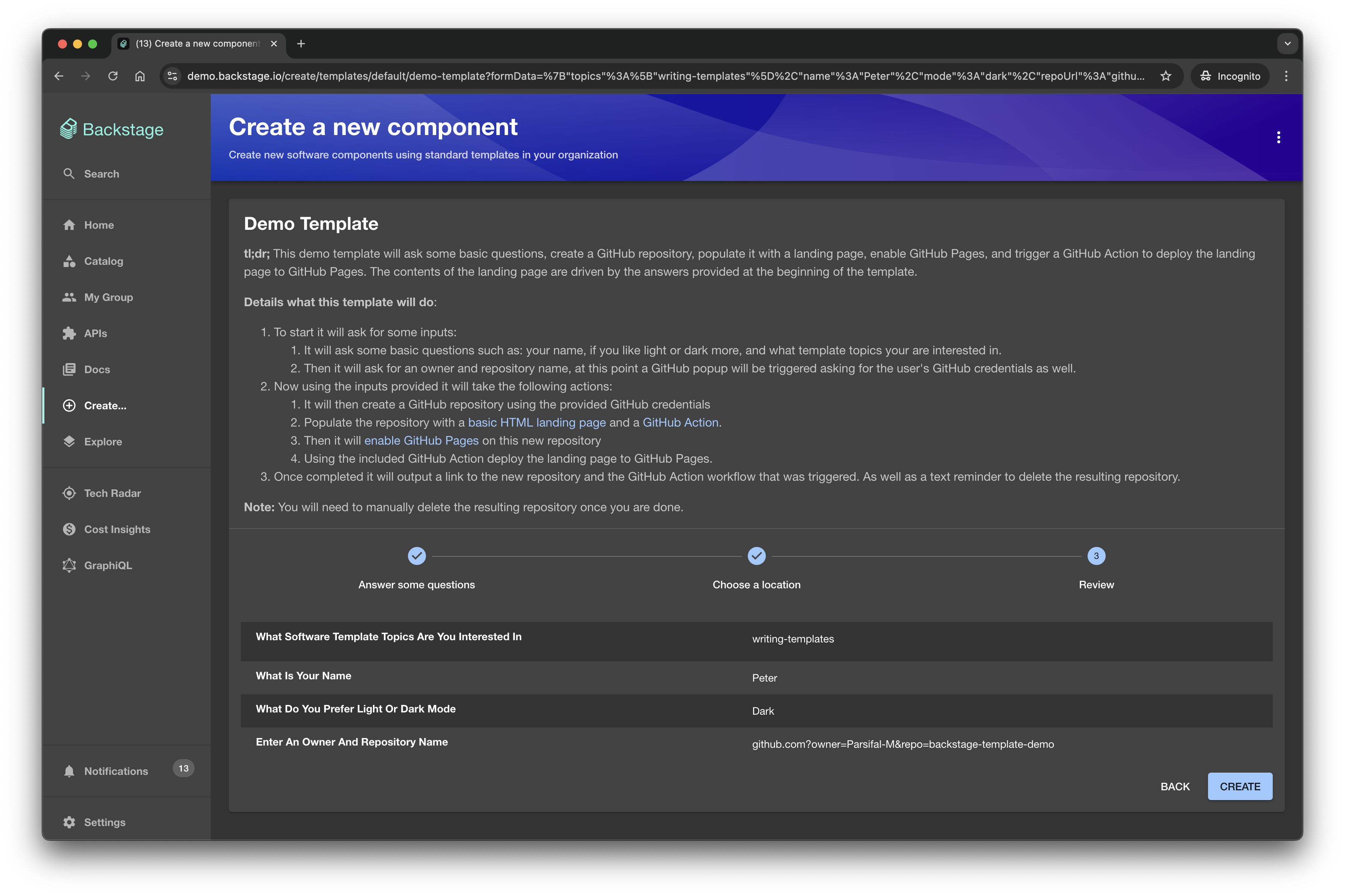
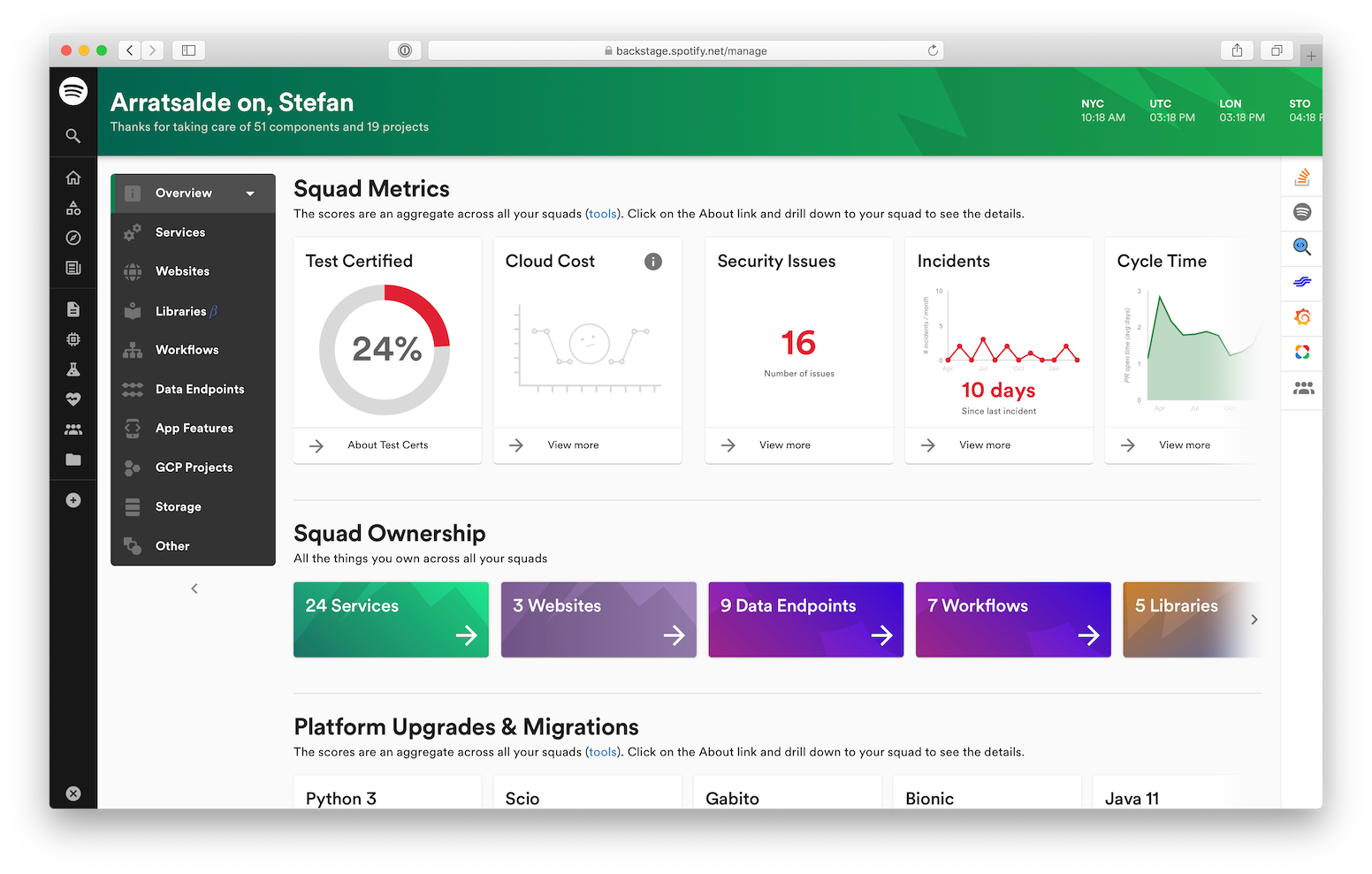
Backstage is an open-source framework for building internal developer portals centered on a centralized software catalog. It organizes services and related metadata, standardizes project scaffolding, and exposes documentation, search, and Kubernetes views through an extensible plugin system.
Key features include:
- Centralized software catalog: Manage services, libraries, websites, ML models with ownership, dependencies, deployments, pipelines, and related metadata in one place.
- Software templates and golden paths: Spin up new projects with organization standards baked in; automate repository setup, CI configuration, and initial deployments from templates.
- Docs like code (TechDocs): Generate and maintain documentation from Markdown stored alongside source code; searchable centrally within the portal for easier discovery.
- Customizable search platform: Bring your own search engine, index multiple sources like TechDocs, Confluence, Stack Overflow, and tailor search result presentation.
- Kubernetes service views: Provide aggregated deployment views for service owners using the Kubernetes API, independent of cloud provider or environment, prioritizing services over cluster administration.
- Plugin ecosystem: Extend functionality with community and custom plugins, integrating tooling like Lighthouse and Tech Radar, or building internal plugins to fit infrastructure.

Source: Backstage
3. Qovery
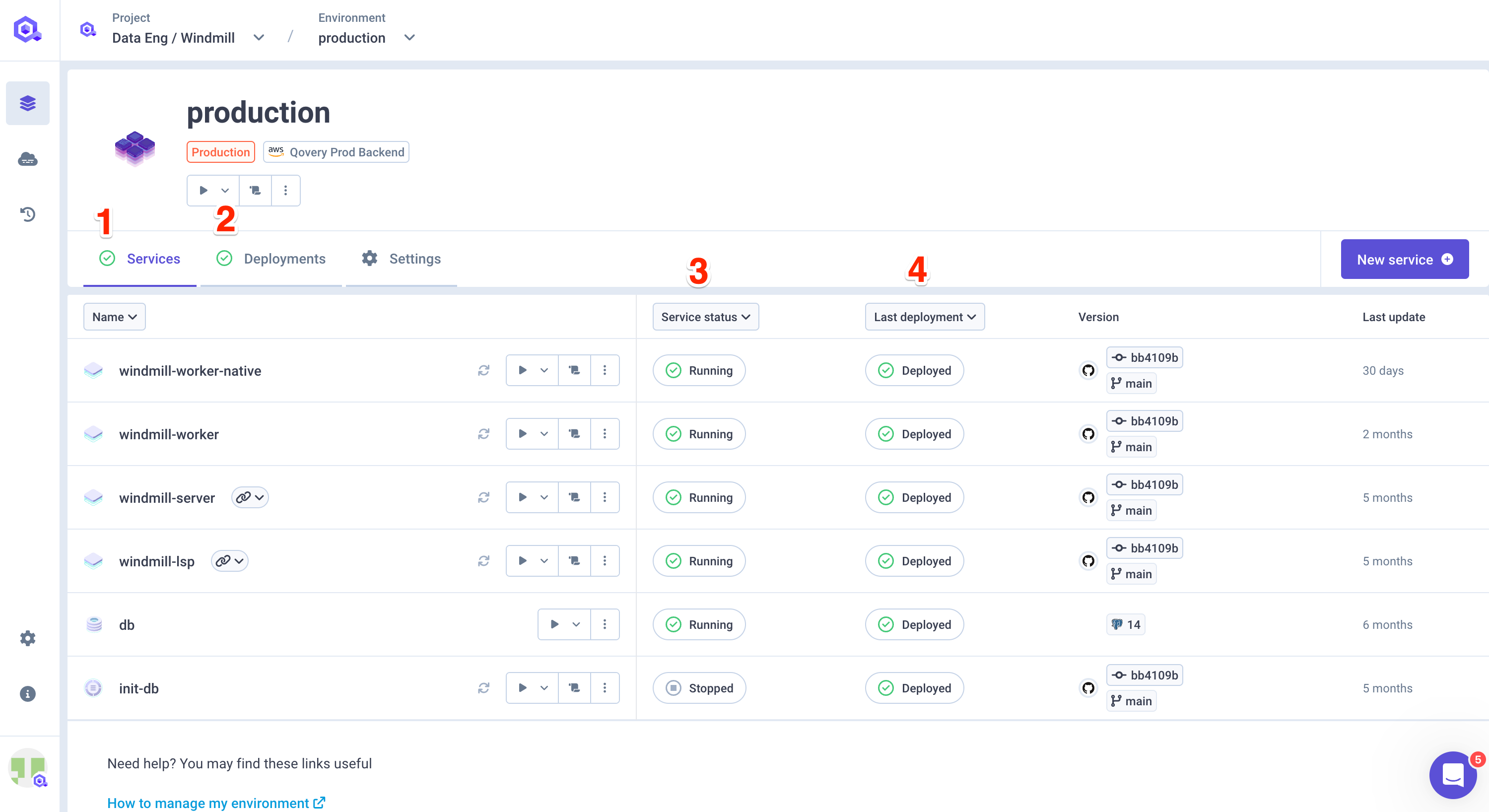
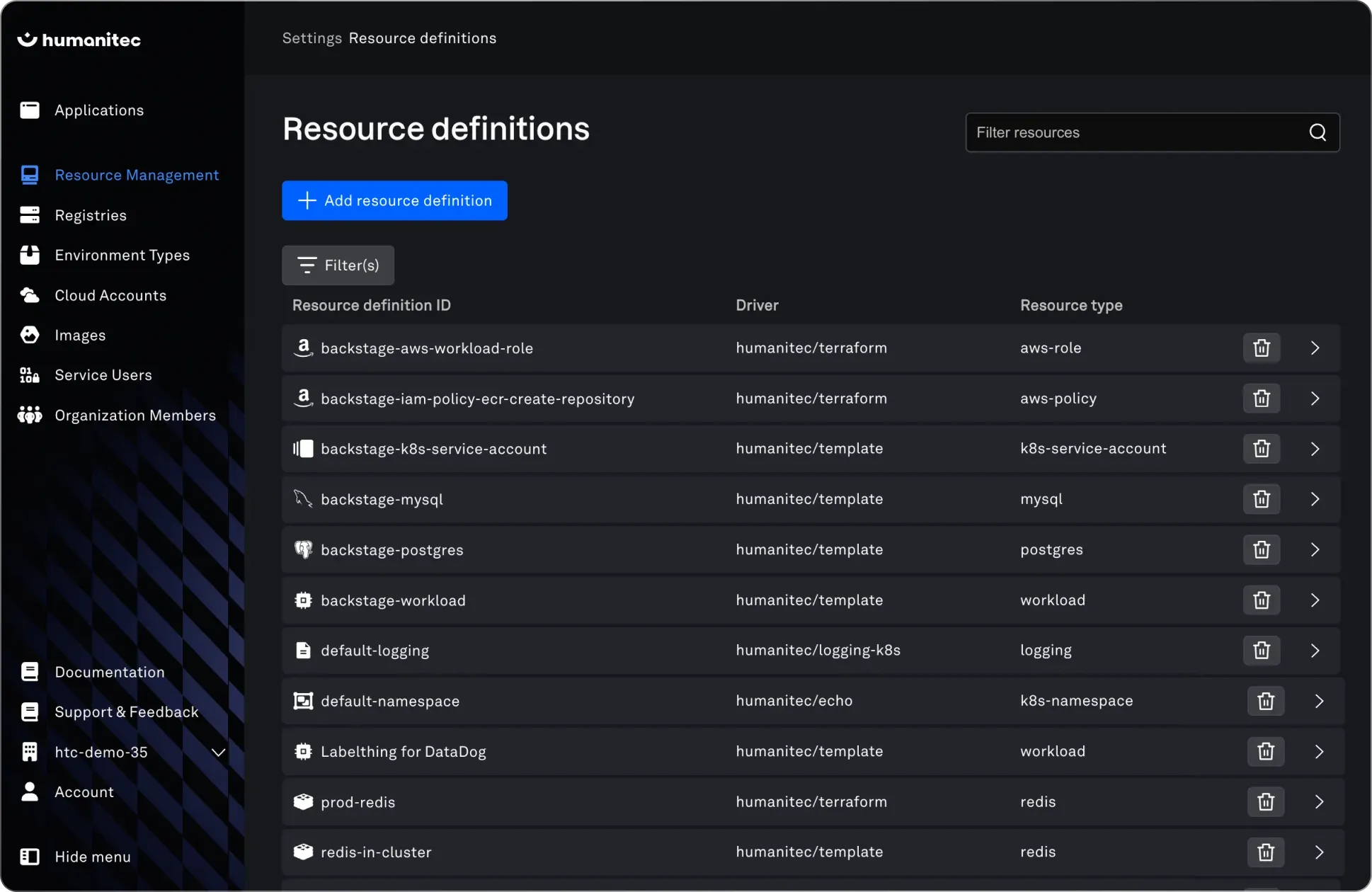
Qovery is an open-source platform engineering tool that enables developers to deploy and manage cloud environments using Kubernetes and native cloud services. It provides a way to create on-demand, production-like environments, helping teams ship features faster while maintaining security and operational control.
Key features include:
- On-demand preview environments: Automatically create isolated environments for each pull request, complete with databases and preview URLs, and delete them when no longer needed.
- Environment cloning: Instantly duplicate any environment for testing, QA, or demos without disrupting others.
- Automated maintenance: Qovery manages all Kubernetes and cloud resource updates, eliminating manual upkeep.
- Cloud-native integration: Integration with managed cloud services like databases, load balancers, and domains.
- Open-source and extensible: Fully open-source with support for API, CLI, Terraform, and web console (no vendor lock-in).
Source: Qovery
4. Crossplane
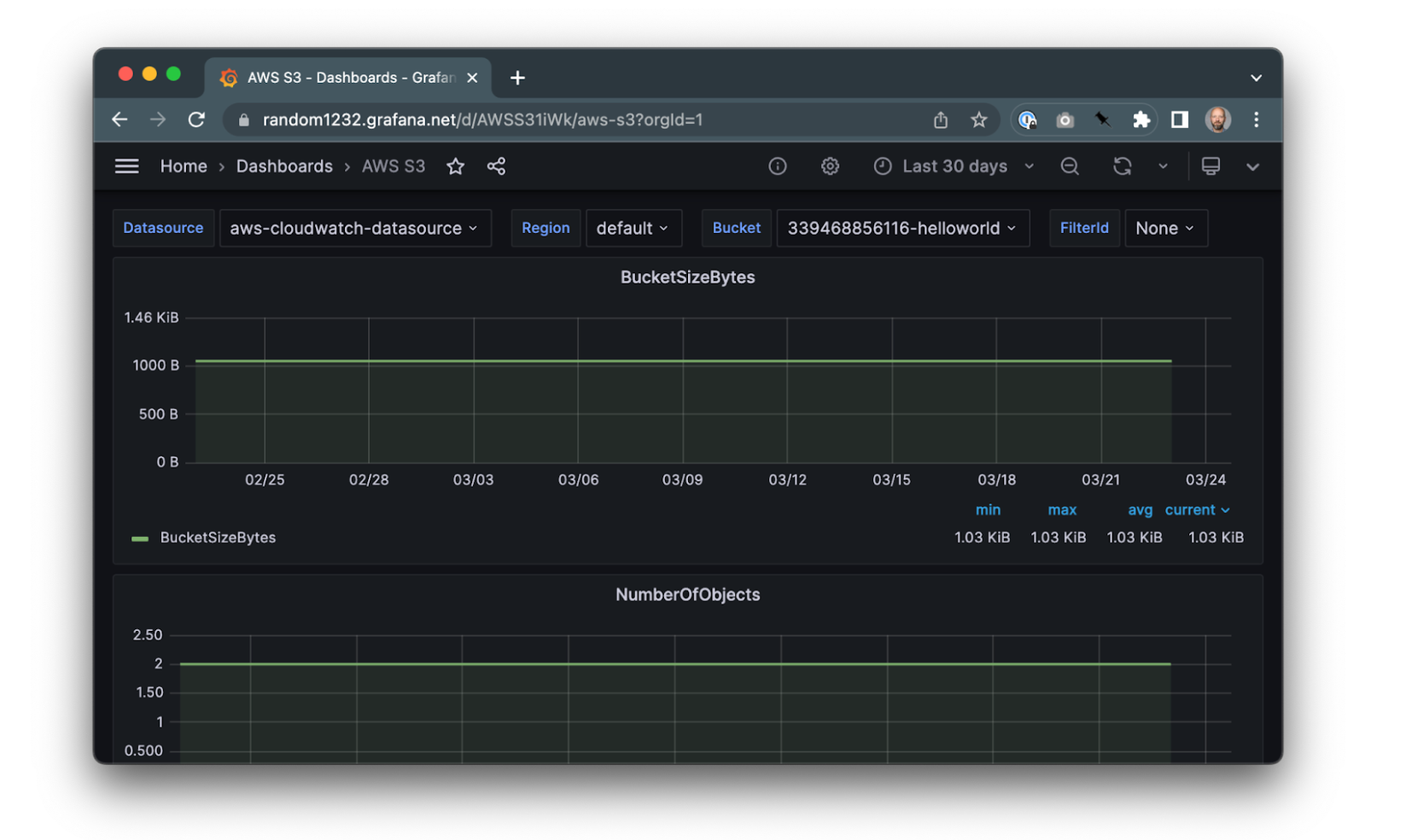
Crossplane is an open-source framework that enables platform teams to build custom internal platforms using control planes, similar to how cloud providers operate. Built on top of Kubernetes, Crossplane lets teams define and manage infrastructure, applications, and policies through declarative APIs.
Key features include:
- Custom control planes: Design and build APIs and orchestration logic to manage infrastructure and services across any environment.
- Kubernetes-native: Uses the Kubernetes control plane, including RBAC and other security features, to manage more than just containers.
- Declarative API interfaces: Expose infrastructure and platform capabilities behind custom APIs that encapsulate policies, permissions, and workflows.
- Extensible framework: Use or create Providers and Configurations to extend Crossplane’s capabilities, supporting a variety of infrastructure and services.
- Open-source and community-driven: Fully open-source and vendor-neutral, backed by a broad community and governed under the Apache 2.0 license.

Source: Crossplane
5. Port
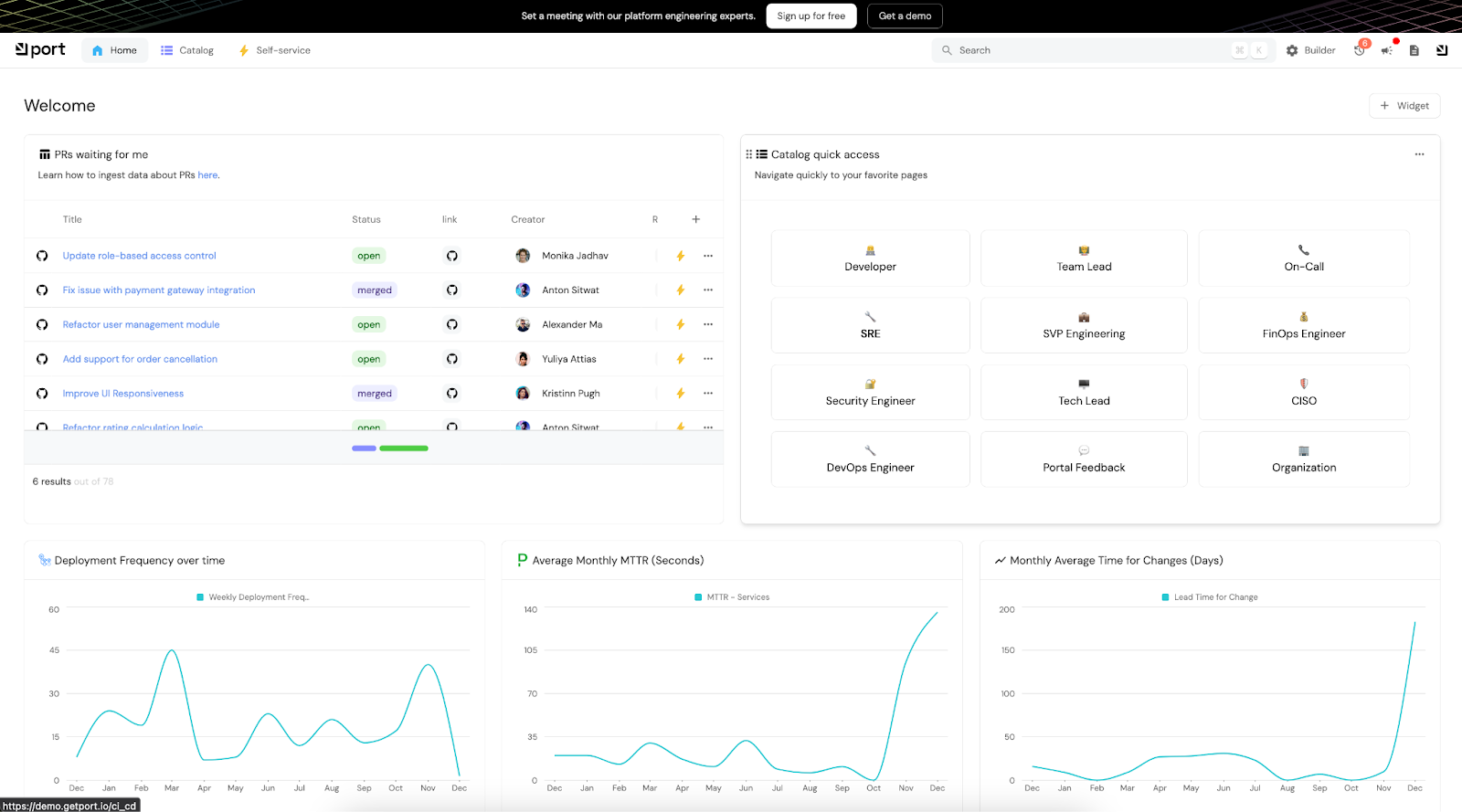
Port is a no-code platform for building internal developer portals that combine a software catalog with developer self-service capabilities. Designed to support unique engineering workflows, Port enables platform teams to define their own data models or use ready-made templates, reflecting data from tools like Kubernetes, GitHub, Terraform, and Jenkins.
Key features include:
- Holistic software catalog: A general-purpose catalog that includes microservices, CI/CD pipelines, and cloud infrastructure.
- Self-service actions: Enables developer self-service actions (like provisioning, reverting, or terminating resources) through loosely coupled integrations with GitHub Actions, Terraform, Azure Pipelines, and other tools.
- Customizable data models: Supports a “bring your own model” approach, allowing platform engineers to define entities, blueprints, and relationships.
- Scorecards for quality metrics: Lets teams define scorecards to track DORA metrics, health checks, and production readiness.
- Workflow automation with TTL support: Integrates with DevOps workflows to enforce time-to-live (TTL) on resources, auto-terminate environments, or trigger actions based on catalog data.

Source: Port
6. Backplane
Backplane is a free and open-source cloud abstraction platform that simplifies multi-cloud provisioning and governance. It provides a unified API for managing cloud accounts, costs, access controls, and policies across providers like AWS, Azure, GCP, and OCI.
Key features include:
- Multi-cloud account vending: Provision cloud accounts or projects (e.g., AWS Accounts, Azure Subscriptions, GCP Projects) through an API.
- Access and policy management: Standardizes RBAC and policy data across clouds for consistent governance and visibility.
- Unified service catalog: Central source of truth for service discovery, simplifying how workloads are organized and accessed.
- Cost and budget management: Offers budget controls and visibility into cloud spending across environments.
- Approval workflows: Automates budget approvals at platform and product levels to maintain financial accountability.
- CLI and UI support: Comes with a CLI and a lightweight cloud management console for operational tasks.
- Service connectors and templates: Automate resource provisioning (e.g., GitHub repos) and define reusable app templates for production or sandbox environments.

Related content: Read our guide to platform engineering tools
Considerations for Choosing Platform Engineering Software
Selecting the right platform engineering software requires a strategic evaluation of your organization’s current and future infrastructure needs, developer workflows, and operational goals. Below are key considerations to guide the decision-making process:
- Support for existing toolchains: Ensure compatibility with your current CI/CD, version control, observability, and infrastructure tooling.
- Modularity and extensibility: Look for platforms that offer modular architectures and allow you to extend functionality via APIs, plugins, or custom workflows.
- Self-service experience: Evaluate the quality and granularity of self-service capabilities. Developers should be able to provision, deploy, and manage resources independently within defined guardrails.
- Multi-cloud and hybrid support: For organizations using multiple cloud providers or hybrid infrastructure, platform engineering tools must abstract these environments cleanly without limiting flexibility.
- Governance and policy enforcement: Choose platforms that support policy as code, access controls, and audit trails. These are critical for maintaining security, compliance, and cost governance at scale.
- Observability and monitoring integration: Native or well-integrated observability tools are essential for troubleshooting, optimizing performance, and ensuring platform reliability.
- Open source vs. proprietary trade-offs: Consider the pros and cons of open-source tools (flexibility, no vendor lock-in) versus commercial platforms (support, maturity, enterprise features).
- Team expertise and learning curve: Match tool complexity with your team’s skills. Tools with steep learning curves may require training or additional staffing, impacting rollout timelines.
- Day 2 operations and maintenance: Evaluate how the platform handles updates, scaling, and failure recovery. Robust automation for Day 2 tasks is essential for sustainable operations.
- Community and ecosystem: A strong community and ecosystem around the tool can provide long-term benefits including third-party integrations, templates, and support resources.
Conclusion
Platform engineering software is critical for enabling scalable, secure, and efficient development workflows. By combining automation, self-service, observability, and governance, these tools reduce operational friction while improving developer productivity and reliability. The right solution empowers teams to deliver faster and more confidently, ensuring platforms remain adaptable to evolving business and technology needs.
Help us continuously improve
Please let us know if you have any feedback about this page.